



The Contract Renewal Checklist in Google Sheets is an essential tool designed to help businesses effectively manage and track their contract renewals. This comprehensive checklist allows organizations to monitor important dates, responsibilities, and tasks associated with contract renewals, ensuring nothing is overlooked and that renewals happen on time.
By utilizing this tool, your team can streamline the contract renewal process, reduce the risk of missed deadlines, and ensure that all renewal-related tasks are efficiently tracked and managed.

Key Features of the Contract Renewal Checklist in Google Sheets
📅 Comprehensive Tracking
Track Key Dates: Monitor critical dates such as contract expiration, renewal deadlines, and review periods to ensure timely renewals.
Task Management: Assign tasks related to renewals, track progress, and ensure all steps are completed before deadlines.
🔧 Customizable Columns
Tailor the Template: Customize the checklist by adding or modifying columns according to your business needs and preferences.
💻 Collaborative Functionality
Real-Time Collaboration: Share the checklist with your team members and update it in real-time for enhanced collaboration and accountability.
📝 Audit-Ready Documentation
Organized Tracking: Keep all renewal-related information in one place, making it easy to reference and audit when needed.
Benefits of Using the Contract Renewal Checklist in Google Sheets
✅ Enhanced Organization
Easily keep track of all renewal-related details in one place for better organization and faster access to important information.
✅ Improved Efficiency
Streamline your contract renewal process by clearly defining and assigning tasks and deadlines, reducing the time spent on manual tracking.
✅ Reduced Risk
Minimize the chances of missing critical renewal dates or important steps in the process, ensuring that contracts are renewed on time.
Getting Started with Your Contract Renewal Checklist in Google Sheets
Download the Template: Access the Contract Renewal Checklist template to get started.
Define Your Columns: Customize the checklist by defining columns for contract details, renewal dates, responsible parties, and task statuses.
Input Contract Information: Enter relevant details of each contract, including expiration dates, renewal terms, and responsibilities.
Assign Tasks and Deadlines: Assign responsibilities to team members and set deadlines for each task involved in the renewal process.
Monitor Progress: Keep the checklist updated and monitor the completion of tasks, ensuring all steps are taken to finalize renewals on time.
By utilizing the Contract Renewal Checklist in Google Sheets, your organization can improve contract management, ensuring timely renewals and fostering strong business relationships.
Click here to read the Detailed blog post
Contract Renewal Checklist in Google Sheets
Visit our YouTube channel to learn step-by-step video tutorials
YouTube.com/@NeotechNavigators
Watch the step-by-step video Demo:
Who Uses This Checklist
Contract managers, procurement and operations teams, and business owners who need to renew supplier, client or service contracts on time. Teams that share contract work can keep one shared copy.
Compatibility and Requirements
- Works in Google Sheets. You need a free Google account and a web browser.
- New to Sheets? Google’s guide How to use Google Sheets covers the basics.
Frequently Asked Questions
Which dates can I track?
You can track contract expiration dates, renewal deadlines and review periods, so each renewal is planned before it is due.
Can I assign renewal tasks to people?
Yes. You assign each renewal task to a team member, set a deadline and track its progress until it is done.
Can I add my own columns?
Yes. You can add or change columns for contract details, renewal terms, responsible parties and task status.
Can my team update it together?
Yes. It is a Google Sheets file, so you can share it with your team and everyone sees updates as they happen.
Related Contract Templates
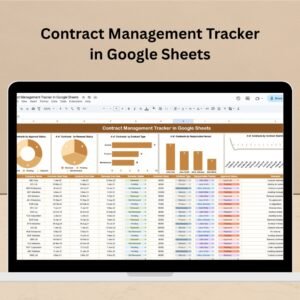
- Contract Management Tracker in Google Sheets: track every contract and its status
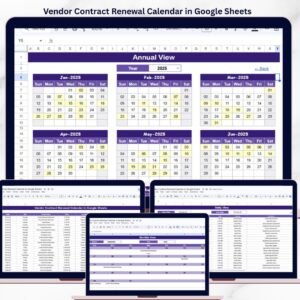
- Vendor Contract Renewal Calendar in Google Sheets: see vendor renewals on a calendar
- Client Contract Management Tracker in Google Sheets: manage client contracts
- Contract Renewal Checklist Template in Excel: the same checklist for Excel
- Checklist & SOP Pack: 12 Excel and Google Sheets checklists in one download
Browse all Google Sheets checklists or the Google Sheets trackers.









Reviews
There are no reviews yet.