

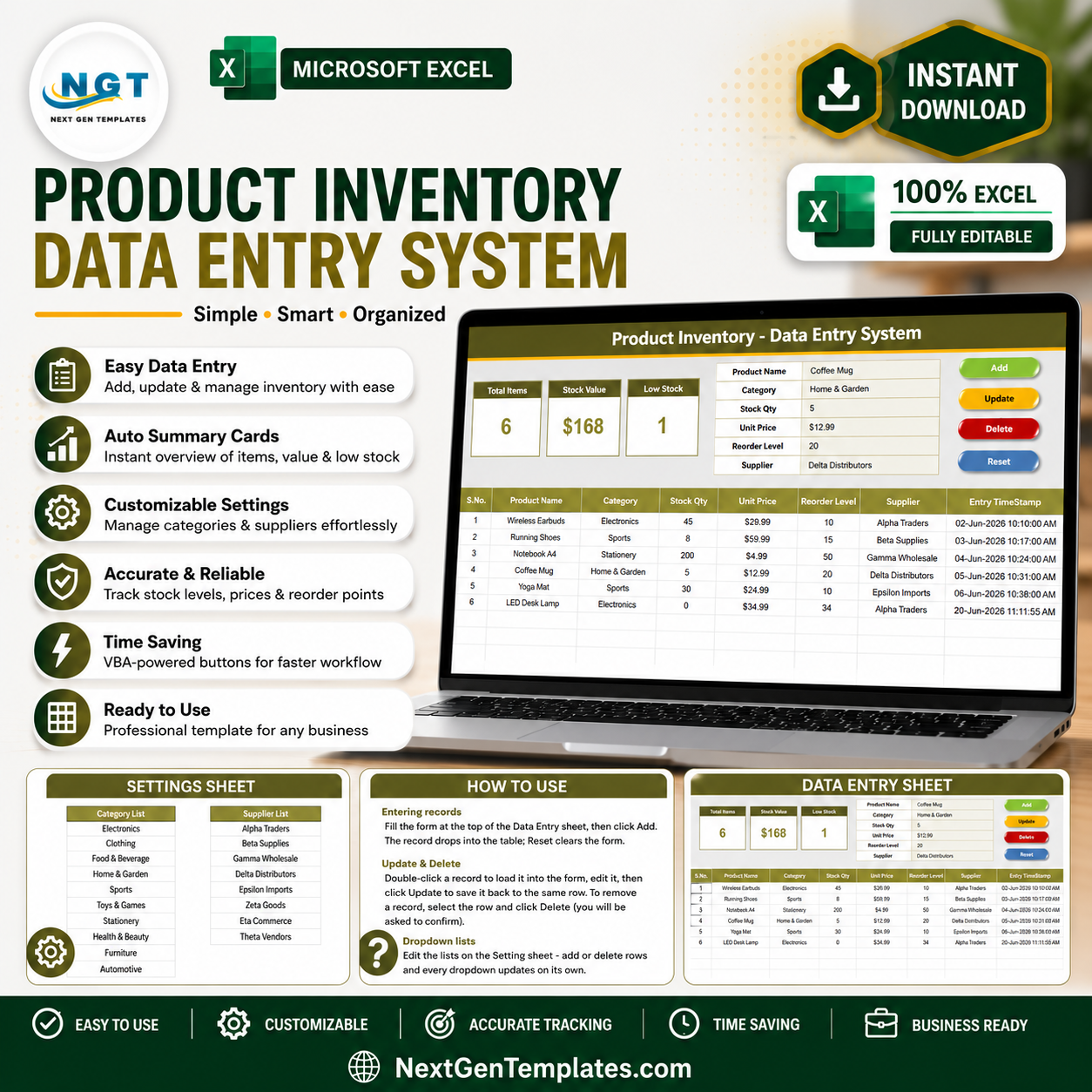
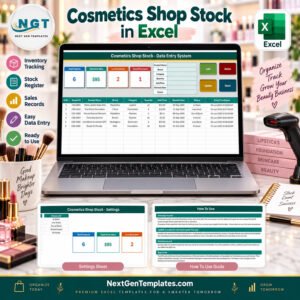
The Product Inventory Data Entry System in Excel tracks 6 inventory fields across 4 professional sheets — Data Entry, Setting, Instructions, and Get More Templates — with 3 live KPI cards and VBA-powered Add/Update/Delete/Reset buttons. Setup takes under 10 minutes: import the included VBA module, assign 4 buttons, and you are ready to manage product stock records instantly.
🌍 Join 8,400+ teams in 40+ countries using NextGenTemplates to replace paid SaaS inventory tools with one-time-purchase Excel templates.
✅ Instant download · One-time payment · No subscription · No per-user fees · Lifetime access
🔑 Key Features of the Product Inventory Data Entry System in Excel
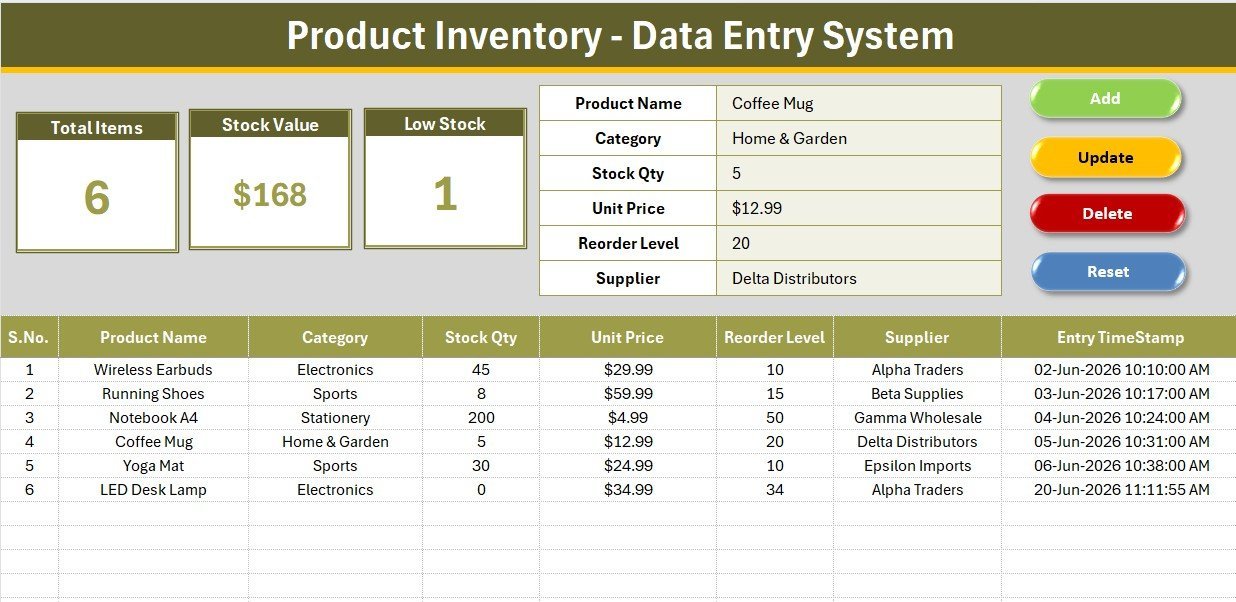
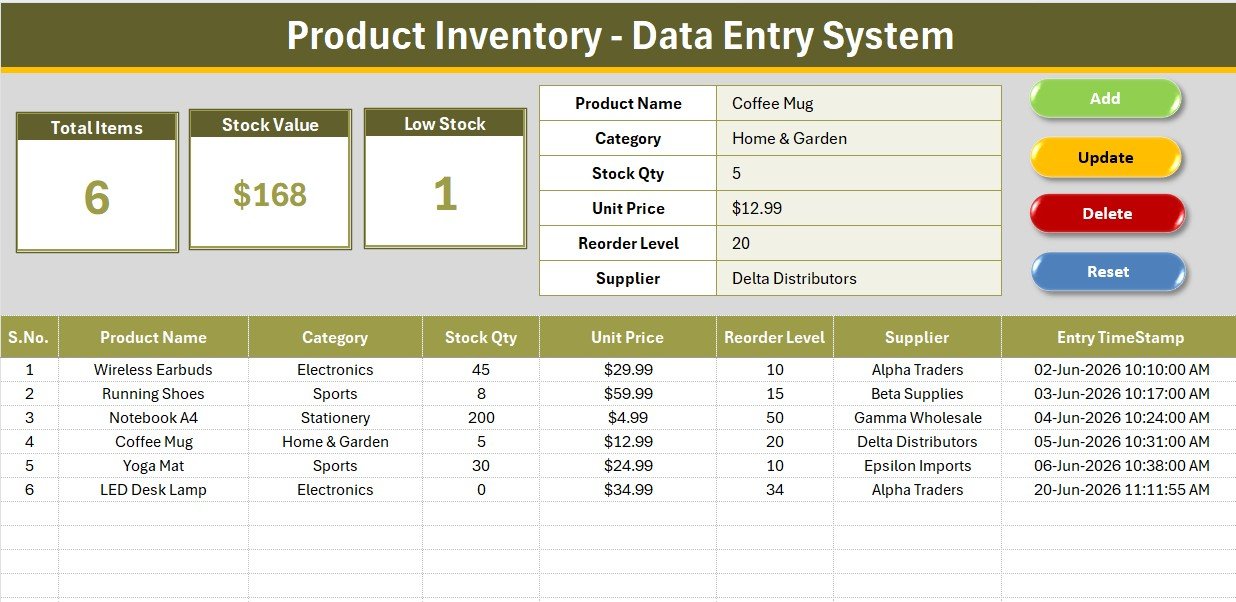
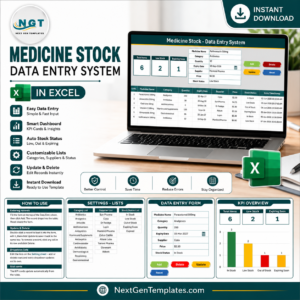
This system captures 6 core inventory fields — Product Name, Category, Stock Qty, Unit Price, Reorder Level, and Supplier — all entered through a single structured form at the top of the Data Entry sheet. Three live KPI cards give you an immediate count of Total Items (COUNTA formula), a Stock Value total (SUM of Unit Price), and a Low Stock alert count (COUNTIF where Stock Qty = 0). Each card uses live formulas wired directly to the records table, so the moment you add a new row, every KPI refreshes automatically.
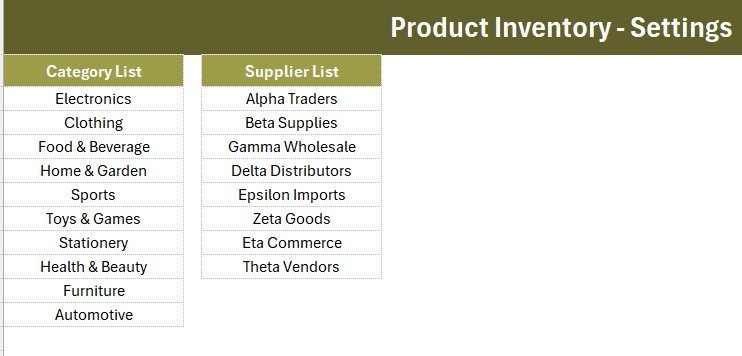
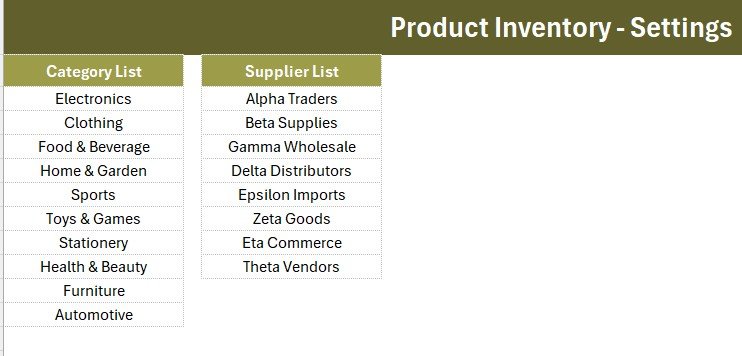
Category and Supplier fields are dropdown-validated, pulling values from editable lists on the Setting sheet. The 10 built-in categories — Electronics, Clothing, Food & Beverage, Home & Garden, Sports, Toys & Games, Stationery, Health & Beauty, Furniture, and Automotive — cover most retail and wholesale scenarios. Eight default suppliers are pre-loaded, and you can replace them with your own in seconds. An Entry TimeStamp column records the exact date and time of every add or update automatically.
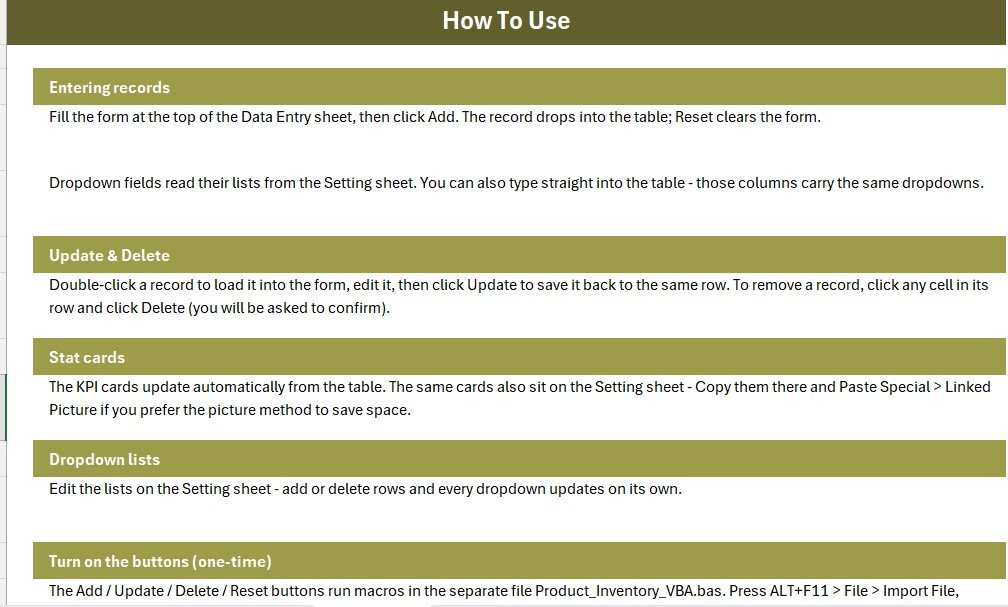
The VBA module (supplied as a separate .bas file) powers four macro-assigned buttons: Add Record writes the form inputs to the next empty row; Update Record overwrites the selected row; Delete Record removes a selected entry; and Reset Form clears all input fields. The workbook ships as .xlsx so macro code stays separate — one Save As to .xlsm after import, and the system is live.
📦 What’s Inside the Product Inventory Data Entry System in Excel
Data Entry Sheet
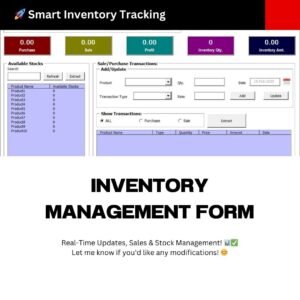
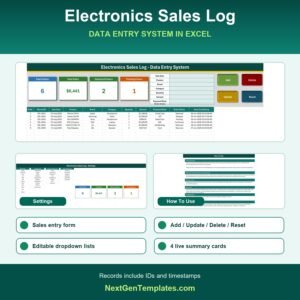
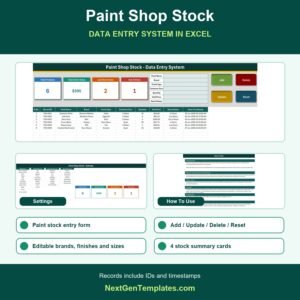
The main working sheet features a gray dashboard panel with the input form on top and the records table below. Bold labels guide each field; dropdown fields show a validation arrow. Four flat-colour button cells (green Add, red Delete, gold Update, dark-blue Reset) sit in a 2×2 block — overlay your own shapes and assign the macros.
KPI Dashboard Cards
Three white KPI cards with olive-toned borders sit on the dashboard panel. Each card shows a big live number: Total Items (count of all records), Stock Value (sum of Unit Price across all rows), and Low Stock (count of items where Stock Qty equals zero). The Setting sheet carries a duplicate set of cards so you can copy them as linked pictures for reports or presentations.
Setting Sheet & Records Table
The Setting sheet stores all dropdown source lists and the duplicate KPI cards for copy-paste-as-linked-picture. The records table on the Data Entry sheet auto-numbers rows with an S.No formula, applies USD currency format to Unit Price, and logs an Entry TimeStamp for every transaction. Hair grid lines and a theme-coloured header keep the table clean and easy to scan.
📊 Product Inventory Data Entry System in Excel vs. Google Sheets Inventory vs. Zoho Inventory — Where This Fits
| Feature | Product Inventory Data Entry System in Excel | Google Sheets Inventory | Zoho Inventory |
|---|---|---|---|
| Cost | $5.99 one-time | Free (manual build) | $39–$99 / month |
| Platform | Microsoft Excel | Google Sheets (browser) | Cloud SaaS |
| Setup Time | Under 10 minutes | 2–4 hours (DIY) | 1–2 days |
| VBA-powered form buttons | ✅ Included | ❌ Requires scripting | ❌ Not applicable |
| Live KPI cards | ✅ 3 cards | Manual formulas only | ✅ Dashboard (paid) |
| Works offline | ✅ Full offline | ❌ Needs internet | ❌ Cloud only |
| Customisable dropdowns | ✅ Editable lists | ✅ Manual | ✅ Limited tiers |
| Year-1 cost (1 user) | $5.99 total | $0 (build time cost) | $468–$1,188 |
| No subscription | ✅ One-time | ✅ | ❌ Monthly billing |
For small businesses and solo operators who want a structured, VBA-powered inventory form without paying monthly SaaS fees, the Product Inventory Data Entry System in Excel sits in the sweet spot.
👥 Who This Template Is For — and Who It’s Not For
✅ This template is built for:
- Retail and wholesale business owners managing product stock in Excel
- Warehouse assistants who need a fast, button-driven entry form for daily stock updates
- Small shop managers tracking items across 10 supplier categories without complex ERP software
- Excel users who want a ready-made inventory form instead of building one from scratch
❌ This template is NOT for:
- Enterprises needing real-time multi-user cloud sync or barcode scanning integration
- Teams requiring purchase orders, invoicing, or multi-warehouse tracking in a single tool
⚙️ How to Use the Product Inventory Data Entry System in Excel
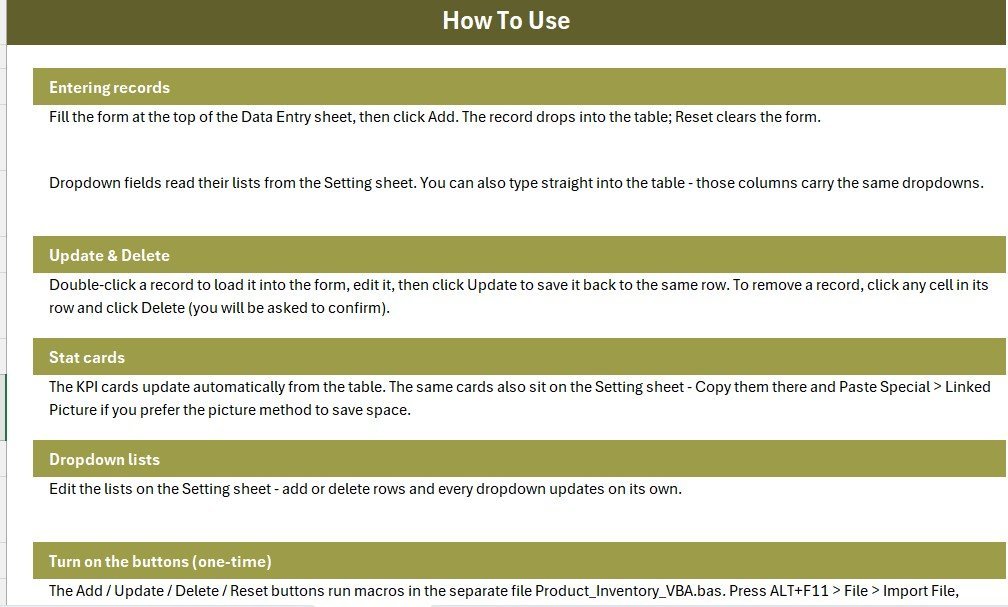
- Download and unzip the file; open Product_Inventory_System.xlsx in Microsoft Excel.
- Press ALT+F11, go to File → Import File, and select Product_Inventory_VBA.bas.
- On the Data Entry sheet, draw 4 Form-Control buttons over the coloured cells and assign Add_Record, Delete_Record, Update_Record, Reset_Form.
- Save As → Excel Macro-Enabled Workbook (.xlsm).
- Update the Category and Supplier lists on the Setting sheet with your own values.
- Start entering products — every new row instantly refreshes the three KPI cards.
💼 Real-World Use Cases
Maria runs a small electronics shop with 200+ SKUs. She uses the Product Inventory Data Entry System in Excel to log every product, monitor which items have dropped to zero stock, and share a weekly Stock Value report with her accountant — all without paying $39/month for Zoho Inventory.
Rohit is a warehouse assistant at a clothing distributor. He opens the file at the start of each shift, adds received stock via the Add button, updates quantities when items ship out using Update, and resets the form between entries with one click. His manager gets a print of the records table every Friday.
Priya manages procurement for a stationery wholesaler. She monitors the Low Stock KPI card daily. When it ticks above zero, she filters the table by category to identify which items need reordering — no formula-writing required.
❓ Frequently Asked Questions
What does the Product Inventory Data Entry System in Excel track?
The Product Inventory Data Entry System in Excel tracks 6 fields per product: Product Name, Category, Stock Qty, Unit Price, Reorder Level, and Supplier. Three live KPI cards summarise Total Items, Stock Value, and Low Stock count. All data is stored in a structured records table on the Data Entry sheet.
Do I need VBA or coding skills to use this template?
No coding skills are required. The VBA module is pre-written and supplied as a .bas file. You import it via ALT+F11 → Import File, assign 4 buttons, and save as .xlsm. The whole activation process takes under 10 minutes and is documented step-by-step on the Instructions sheet.
Can I add more product categories or suppliers?
Yes. The Category and Supplier dropdown lists live on the Setting sheet. Simply type your own values into those lists; the data validation on the Data Entry form picks them up immediately. No formula changes are needed.
How does this compare to Zoho Inventory or other paid tools?
The Product Inventory Data Entry System in Excel costs $5.99 once, with no monthly fees and no per-user charges. Zoho Inventory starts at $39/month. For small businesses managing under a few hundred SKUs who are already working in Excel, this template delivers the core entry, update, and delete functionality at a fraction of the cost.
Does this work on Mac Excel?
The .xlsx workbook opens on Mac Excel without issues. The VBA macros require Windows Excel for full functionality. On Mac, the form buttons will not trigger macros, but the records table and KPI cards remain fully functional for manual data entry.
How many products can the records table hold?
The Product Inventory Data Entry System in Excel supports an unlimited number of product rows — Excel’s row limit applies (over one million rows). For typical small-business use with up to 5,000 SKUs, performance stays fast.
Is this a one-time purchase or a subscription?
This is a one-time purchase. You download the file once and use it forever. There are no renewal fees, no cloud accounts to manage, and no per-user licensing costs.
👤 About the Author
Built by PK — Microsoft Certified Professional with 15+ years of Excel, Google Sheets, and Power BI experience. Founder of NextGenTemplates, reaching 300K+ subscribers across YouTube channels (@PK-AnExcelExpert, @NextGenTemplates, @NeoTechNavigators). Every template is hand-built and tested before release.
🔗 Explore Related Templates
Looking for more data entry systems in this series? Check out the Daily Sales Entry Data Entry System in Excel, the Patient Appointment Data Entry System in Excel, and the Driving School Enrollment Data Entry System in Excel. Explore all Inventory Management Templates and VBA Tools in Excel on NextGenTemplates.
📖 Click here to read the Detailed Blog Post
🎥 Visit our YouTube channel for step-by-step video tutorials
👉 YouTube.com/@NextGenTemplates
📅 Last updated: June 2026
Watch the step-by-step video tutorial:










Reviews
There are no reviews yet.