

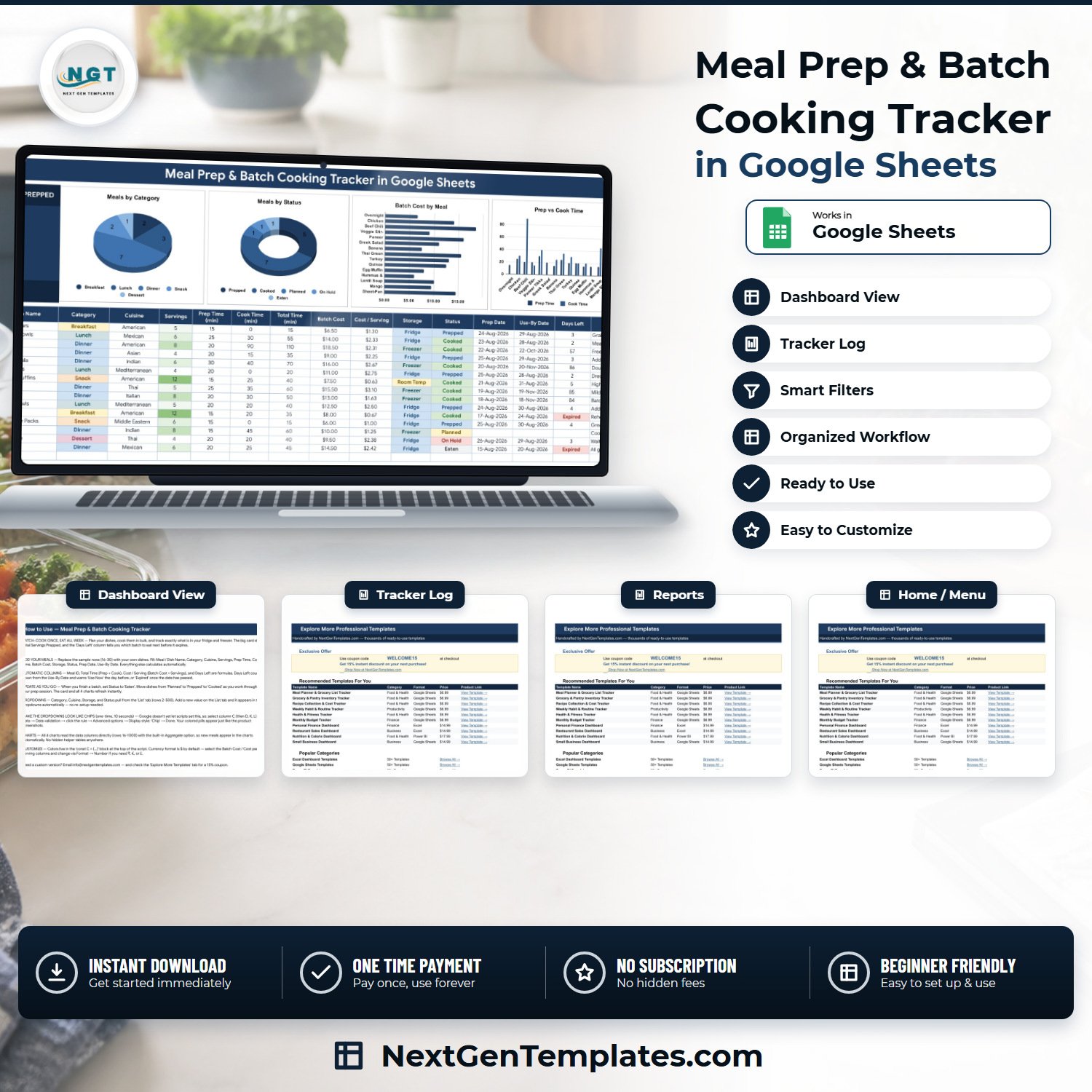

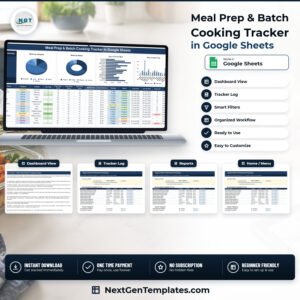
The Meal Prep & Batch Cooking Tracker in Google Sheets is a four-tab, single-page Google Sheets tracker that logs every batch you cook across 16 columns, of which 4 calculate themselves. It ships with 15 worked sample rows, one live KPI card (Total Servings Prepped – 99 in the demo data), 4 charts wired straight to the log, and 25 ready-made dropdown values across Category, Cuisine, Storage and Status. Built by NextGenTemplates, whose Excel and Google Sheets channels reach 300K+ subscribers. Instant download, one-time payment, no subscription — and if the file is not what this page describes, email us and we will make it right.
Batch cooking falls apart at the same two places every time: you forget what is already in the freezer, and you have no idea what a portion actually costs you. This tracker fixes both with arithmetic rather than guesswork. Type the Batch Cost and the Servings, and Cost / Serving appears. Type the Use-By Date, and Days Left counts down, warns Use Now the day before, and reads Expired once the date has passed. Nothing is hidden in a helper tab — every number on the page is traceable to a cell you typed.Meal Prep & Batch Cooking Tracker in Google Sheets
Key Features of the Meal Prep & Batch Cooking Tracker in Google Sheets
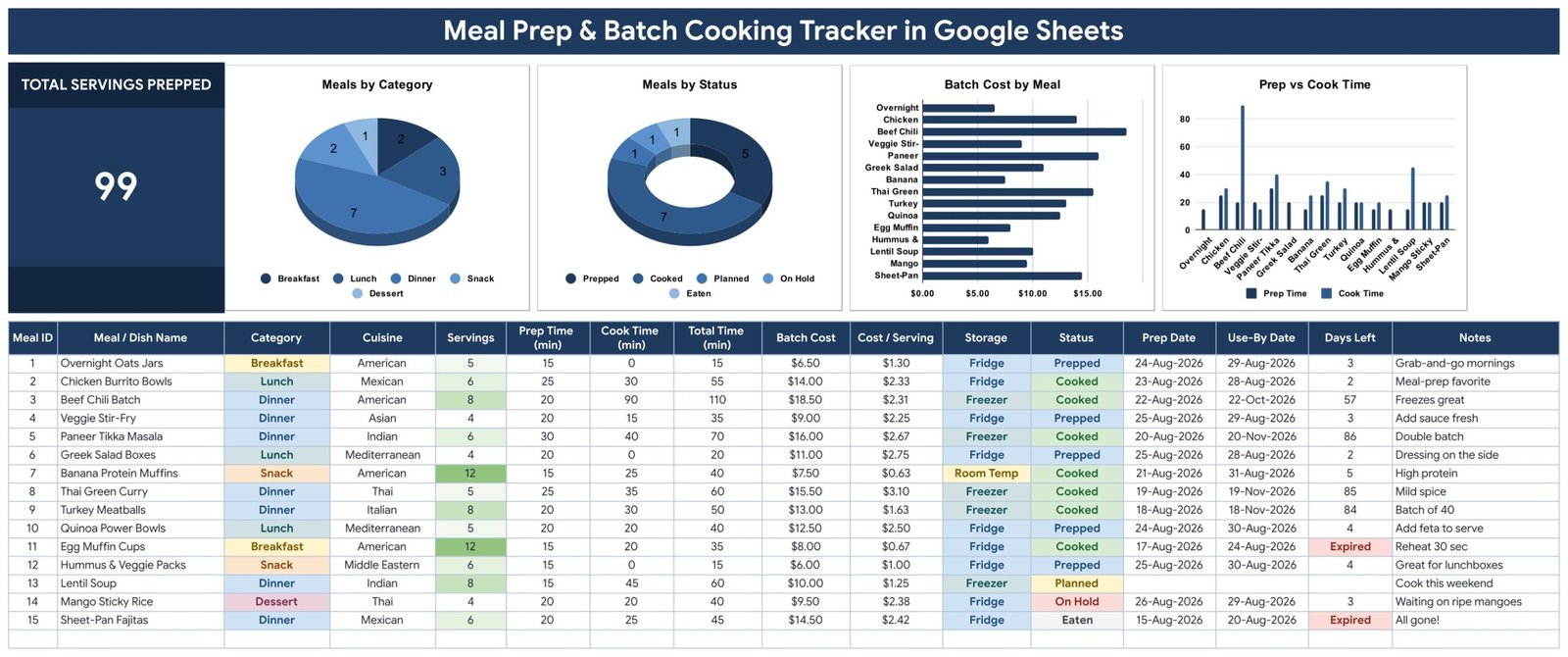
- One KPI card — Total Servings Prepped. A single large figure at the top left of the tracker page. In the shipped sample it reads 99, the sum of the Servings column across all 15 demo dishes.Meal Prep & Batch Cooking Tracker in Google Sheets
- Four charts, all reading the log directly. Meals by Category (pie), Meals by Status (donut), Batch Cost by Meal (horizontal bar) and Prep vs Cook Time (two-series column). They use the built-in Aggregate option over rows 16–1000, so a new dish appears in every chart the moment you type it. There are no hidden helper tables anywhere in the file.
- Four formula columns you never touch. Meal ID auto-numbers, Total Time adds Prep + Cook, Cost / Serving divides Batch Cost by Servings, and Days Left counts down from the Use-By Date.Meal Prep & Batch Cooking Tracker in Google Sheets
- Auto-extending dropdowns. Category, Cuisine, Storage and Status read rows 2–500 of the List tab. Add a new cuisine there and it is in the dropdown immediately — no re-setup, no script to run.
- Freezer-versus-fridge tracking built in. The Storage column ships with Fridge, Freezer, Pantry and Room Temp, so a 90-day freezer batch and a 3-day fridge box sit in the same table without being confused.
- A real cost view. Batch Cost by Meal ranks your batches by spend, and Cost / Serving turns that into the number that actually matters. In the demo data it runs from $0.63 a serving (Banana Protein Muffins) to $3.10 (Thai Green Curry).
- Works on the phone. It is a Google Sheet, so the Sheets app on Android and iOS edits the same file your laptop does — in the kitchen, with wet hands.
- Currency is yours. Batch Cost and Cost / Serving are formatted in $ by default; select the two columns and switch to €, £ or ₹ through Format → Number.
What’s Inside the Meal Prep & Batch Cooking Tracker in Google Sheets
Four tabs, and that is deliberately all:
- Meal Prep Tracker — the whole product on one page. Title banner, the Total Servings Prepped card, the four charts, and beneath them the log: Meal ID, Meal / Dish Name, Category, Cuisine, Servings, Prep Time (min), Cook Time (min), Total Time (min), Batch Cost, Cost / Serving, Storage, Status, Prep Date, Use-By Date, Days Left, Notes. Sample data occupies rows 16–30; the formulas and dropdowns run to row 1000.
- List — the four dropdown source columns. Category (Breakfast, Lunch, Dinner, Snack, Dessert, Sauce / Base, Beverage, Side), Cuisine (American, Italian, Mexican, Indian, Asian, Mediterranean, Thai, Middle Eastern), Storage (Fridge, Freezer, Pantry, Room Temp) and Status (Planned, Prepped, Cooked, Eaten, On Hold).Meal Prep & Batch Cooking Tracker in Google Sheets
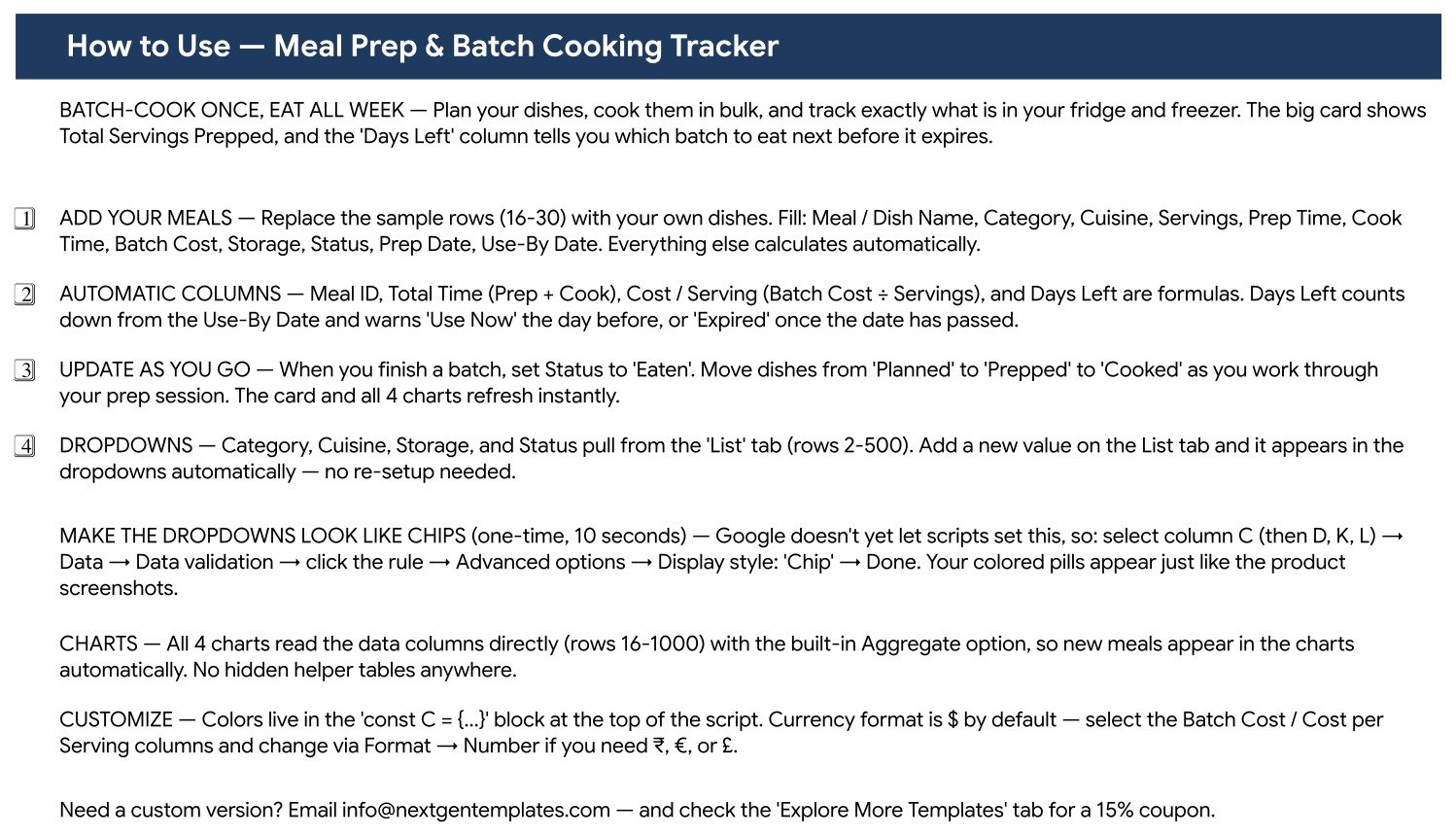
- Instructions — a one-screen How to Use page covering the four numbered setup steps, the automatic columns, the chip-styling trick and how to change currency.
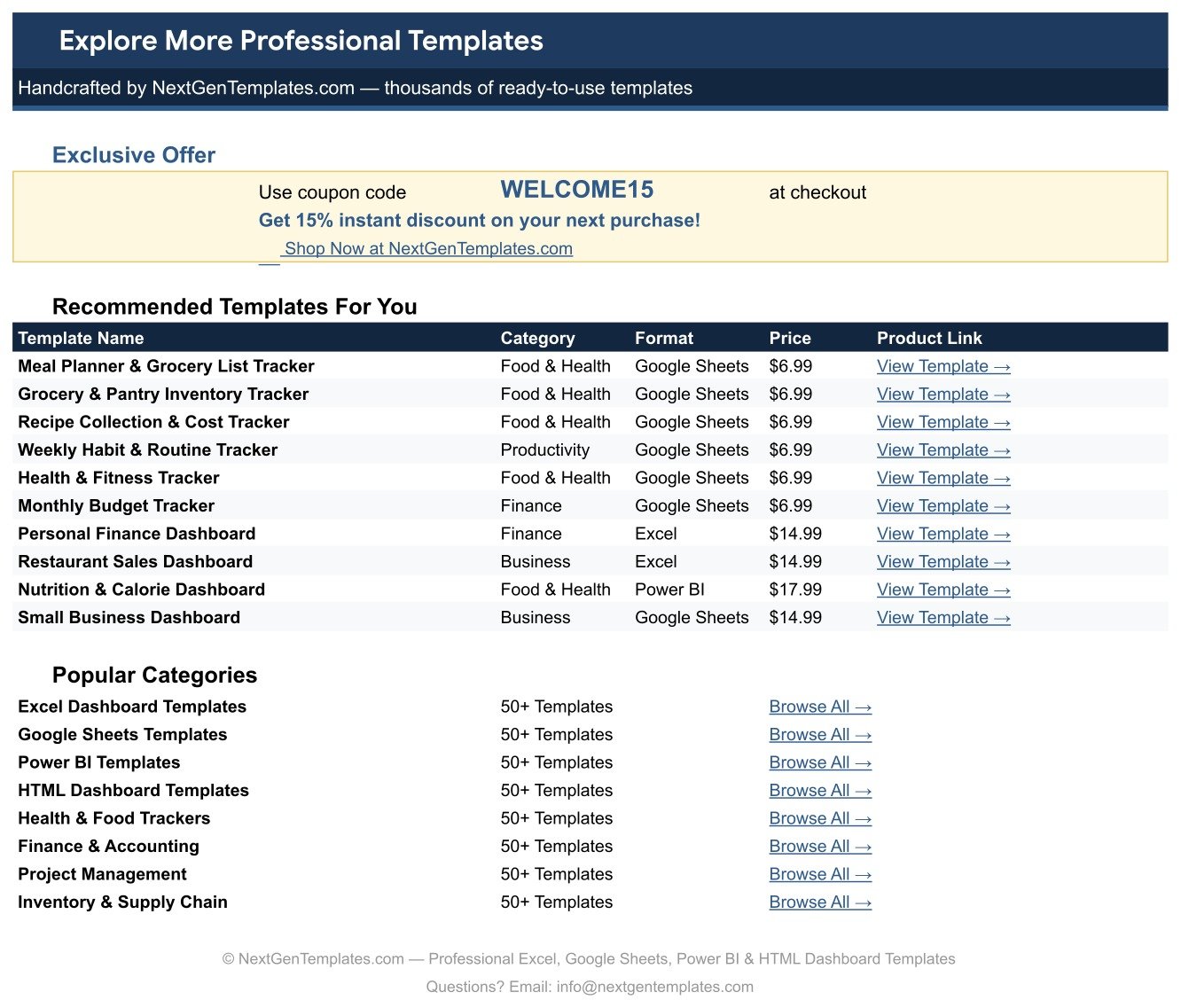
- Explore More Templates — recommended NextGenTemplates products and a WELCOME15 coupon for 15% off your next purchase.Meal Prep & Batch Cooking Tracker in Google Sheets
Meal Prep & Batch Cooking Tracker vs. an Excel Workbook vs. a Paid Meal-Planning App — Where This Fits
| This Google Sheets tracker | A DIY Excel workbook | Paid meal-planning app | |
|---|---|---|---|
| Cost | One payment, currently $6.99 | Free, if your time is free | Typically a monthly or annual subscription |
| Platform | Google Sheets, browser and mobile app | Excel desktop, plus OneDrive for sync | The vendor’s own app and cloud |
| Setup time | Copy the sheet, replace 15 sample rows | Hours of formula and chart building | Minutes, once you have created an account |
| Real-time collaboration | Yes — native Google Sheets sharing | Only through OneDrive co-authoring | Usually a paid family or household tier |
| Cost-per-serving maths | Built in, one column | You write it | Rarely included; these apps optimise recipes, not spend |
| Use-By countdown | Days Left, with Use Now and Expired states | You write it | Sometimes, as a pantry expiry feature |
| Customisable fields | Add columns and dropdown values freely | Fully | Fixed by the vendor |
| Share with a link | Yes | File attachment or OneDrive link | Invite based |
| Year-1 cost for a household of five | $6.99 in total | $0 plus your build time | Per-seat pricing, renewed every year |
| Recipe steps and nutrition | No — one row per dish, no ingredients or macros | Only if you build it | Yes — that is what you are paying for |
Plainly: if what you want is a recipe library with a step-by-step cooking mode and automatic nutrition, buy the app. If what you want is to know how many servings are in the freezer, which one expires first and what each portion cost you, this sheet does exactly that for one small payment and never asks for a card again.Meal Prep & Batch Cooking Tracker in Google Sheets
Who This Template Is For — and Who It’s Not For
A good fit if you cook in batches once or twice a week; share a fridge or freezer with other people and want everyone looking at the same list; are trying to bring your food spend down and need per-serving numbers rather than a monthly total; or run a small tiffin, lunchbox or bake-at-home side business and need a lightweight production log.
Not a good fit if you want stored recipes, ingredient lists or a shopping list generated for you — there is no ingredient field and no grocery-list output; need calorie or macro figures — this template records cost, time, servings, storage and dates, and carries no nutrition data at all; expect phone alerts — Days Left is a formula on the page, and the sheet sends no reminders, emails or notifications of any kind; or need commercial HACCP or food-safety compliance records — the Use-By Date is simply whatever you type, and nothing in the file validates it against a food-safety standard.Meal Prep & Batch Cooking Tracker in Google Sheets
How to Use the Meal Prep & Batch Cooking Tracker in Google Sheets
- Make your copy. Your download is a PDF that carries the Google Sheets link. Open it, click the link, and Google creates an editable copy in your own Drive.
- Replace the samples. Rows 16–30 hold 15 demo dishes. Overwrite them with yours, filling Meal / Dish Name, Category, Cuisine, Servings, Prep Time, Cook Time, Batch Cost, Storage, Status, Prep Date and Use-By Date. Meal ID, Total Time, Cost / Serving and Days Left fill themselves.
- Tune the dropdowns. Open the List tab and add your own cuisines, storage places or statuses under the existing entries. Rows 2–500 of each column feed the dropdowns automatically.
- Turn the dropdowns into coloured chips (optional, about ten seconds). Google does not let a script set this, so do it once by hand: select column C, then Data → Data validation → click the rule → Advanced options → Display style: Chip. Repeat for columns D, K and L. Your page then looks exactly like the screenshots.
- Work the statuses. Move a dish from Planned to Prepped to Cooked as you go, and set it to Eaten when the container is empty. Use On Hold for anything waiting on an ingredient. The card and all four charts refresh instantly.
- Read Days Left before you cook again. Sort or filter on it to see what to eat next. Google Sheets’ own Data → Create a filter works on the log exactly as it ships.
Real-World Use Cases
Priya, who cooks every Sunday for a family of four. Eight dishes go in on Sunday afternoon. Storage tells her which three went to the freezer and which five are fridge-only; Days Left tells her on Wednesday that the salad boxes are the next thing to finish. Total Servings Prepped tells her, at a glance, whether Sunday produced enough to reach Friday.
Daniel, tracking a food budget. He does not care about calories; he cares that dinner comes in under two dollars a head. Batch Cost by Meal shows him that the beef chili batch at $18.50 is his largest single spend, and Cost / Serving shows it is also one of his cheapest per portion at $2.31 across eight servings. Two months of that data changed what he cooks.
Rita, who sells twenty lunchboxes a week from home. Each production run is a row. Prep vs Cook Time shows her which dishes eat her Saturday, Cost / Serving sets her price floor, and the Notes column carries the “double batch” and “mild spice” reminders that used to live on a sticky note.
Frequently Asked Questions
Do I need a paid Google account?
No. A free personal Google account is enough. Open the link in your download and Google puts an editable copy in your own Drive.
Does this track calories, protein or macros?
No. There is no nutrition data anywhere in this file. It tracks servings, prep and cook time, batch cost, cost per serving, storage location, status and dates. If you want calories and macros, the Calorie & Macro Tracker in Google Sheets is the companion product.
Will it remind me before food expires?
Not by notification. The Days Left column counts down on the page, shows Use Now the day before the Use-By Date and Expired afterwards, but the sheet sends no emails, no push alerts and no messages. You have to open it.
Why don’t my dropdowns look like the coloured pills in the screenshots?
Because chip display style cannot be set by a script. Select column C, go to Data → Data validation → the rule → Advanced options → Display style: Chip, then repeat for D, K and L. It takes about ten seconds, and the Instructions tab walks you through it.
How many meals can I log?
The formulas, dropdowns and charts are provisioned to row 1000, which is 985 dishes past the sample data. If you ever fill it, copy the last row’s formulas further down.
Can I change the currency from dollars?
Yes. Select the Batch Cost and Cost / Serving columns and use Format → Number to pick €, £, ₹ or anything else. Nothing else in the file needs changing.
Is this the same as your Meal Prep Business KPI Dashboard?
No, and they are not interchangeable. The Meal Prep Business KPI Dashboard in Google Sheets is a commercial analytics product for people running a meal-prep company. This is a personal and small-batch kitchen log: what you cooked, what it cost, where it is, and when it goes off.
About the Author
Built by PK – Microsoft Certified Professional with 15+ years of Excel, Google Sheets, and Power BI experience. Founder of NextGenTemplates, reaching 300K+ subscribers across YouTube channels. Every template is hand-built and tested before release.
Explore Related Templates
- Meal Planner & Grocery List in Google Sheets — plans the week ahead and covers the shopping side; this tracker records what actually got cooked.
- Calorie & Macro Tracker in Google Sheets — the nutrition half that this template deliberately leaves out.
- Product Expiration Date Calendar in Google Sheets — a calendar view of use-by dates if you want expiry on a month grid.
- Grocery Shopping List Data Entry System in Excel — the same discipline applied to the shop, in Excel.
- Browse every Google Sheets tracker, or the full Google Sheets template catalogue.
Cook once, eat all week, and know exactly what it cost. Add the Meal Prep & Batch Cooking Tracker in Google Sheets to your cart, open the PDF, click the copy link, and you are logging your first batch inside two minutes. One payment, yours forever, no subscription.
Watch the step-by-step video Demo:
Last updated: 1 September 2026.
Compatibility and Requirements
- Works in Google Sheets. You need a free Google account and a web browser, or the Google Sheets app on Android or iOS.
- The Category, Cuisine, Storage and Status columns use dropdown lists fed by the List tab. Google explains dropdowns in Create an in-cell dropdown list.
More Questions About This Template
Which sheets are included?
Four tabs: Meal Prep Tracker, List, Instructions and Explore More Templates.
Which columns calculate by themselves?
Four of the 16 columns: Meal ID, Total Time, Cost / Serving and Days Left. You type the other twelve.
Is there a weekly checklist version?
Yes. The Weekly Meal Prep Checklist in Google Sheets is a checklist for the prep session, and there is an Excel version too.
Related Meal Prep Templates
- Weekly Meal Prep Checklist in Google Sheets: a checklist for each prep session
- Weekly Meal Prep Checklist Template in Excel: the same checklist in Excel
- Meal Prep Business KPI Dashboard in Excel: the business dashboard on Excel
Browse all Google Sheets trackers.






























Reviews
There are no reviews yet.