

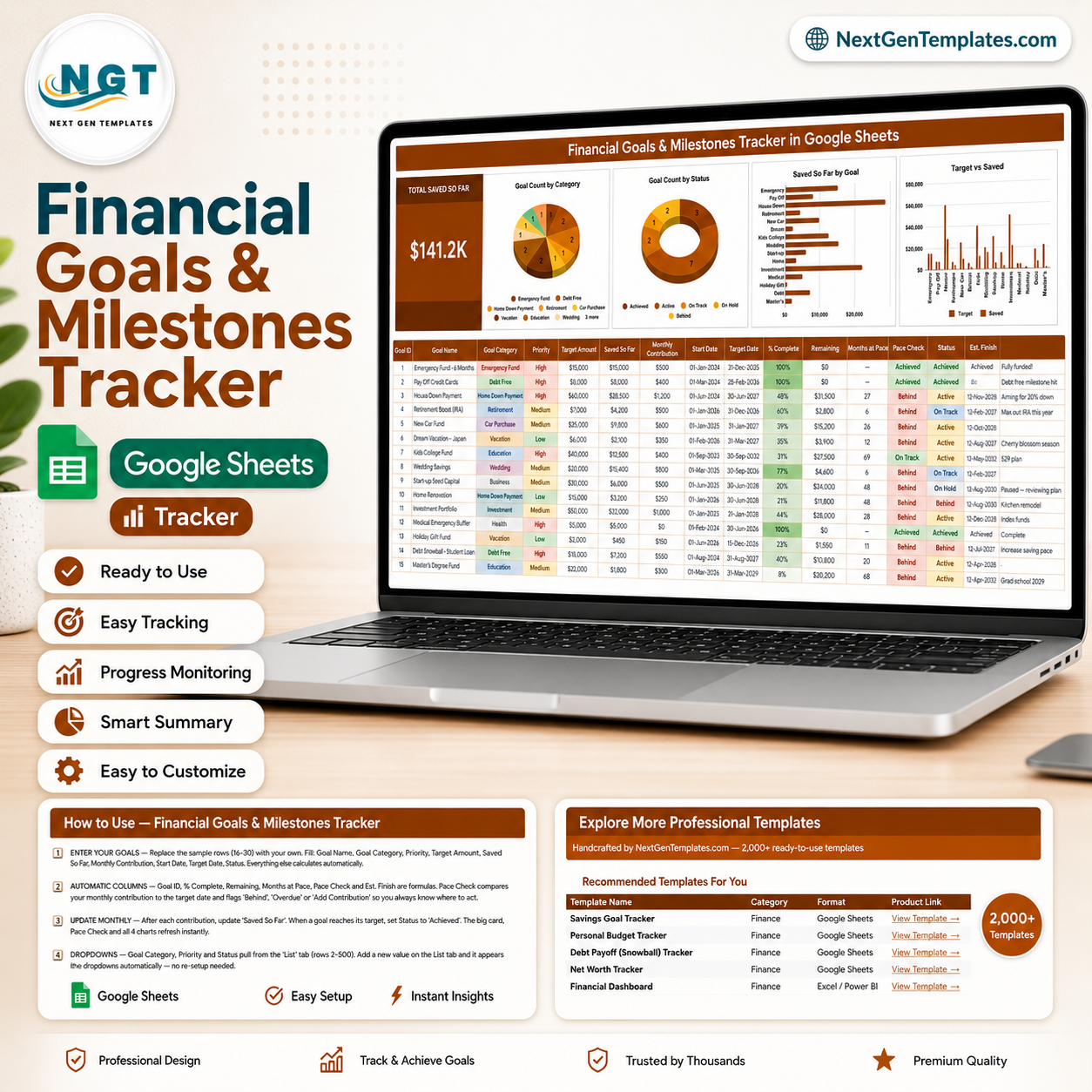
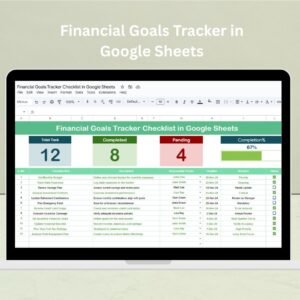
A savings goal rarely fails on the amount. It fails on the pace. You put $300 a month against a $40,000 college fund, feel productive about it, and never work out that the date you picked needs $520. The Financial Goals & Milestones Tracker in Google Sheets does that arithmetic on every row: 16 columns per goal, 6 of them calculated for you, 4 live charts, 13 goal categories and one Total Saved So Far card at the top. Each goal carries a target, what you have saved, your monthly contribution, % Complete, the amount Remaining, the Months at Pace it will actually take, a Pace Check that reads Behind or On Track, and an estimated finish date. Built by PK, a Microsoft Certified Professional with 15+ years in spreadsheets and 300K+ subscribers across two YouTube channels. Your download is a PDF with a Make a copy link – one click and an editable copy sits in your own Google Drive. No add-on, no macros, no subscription, and if it does not work as described we will fix it or refund you.
Key Features of the Financial Goals & Milestones Tracker
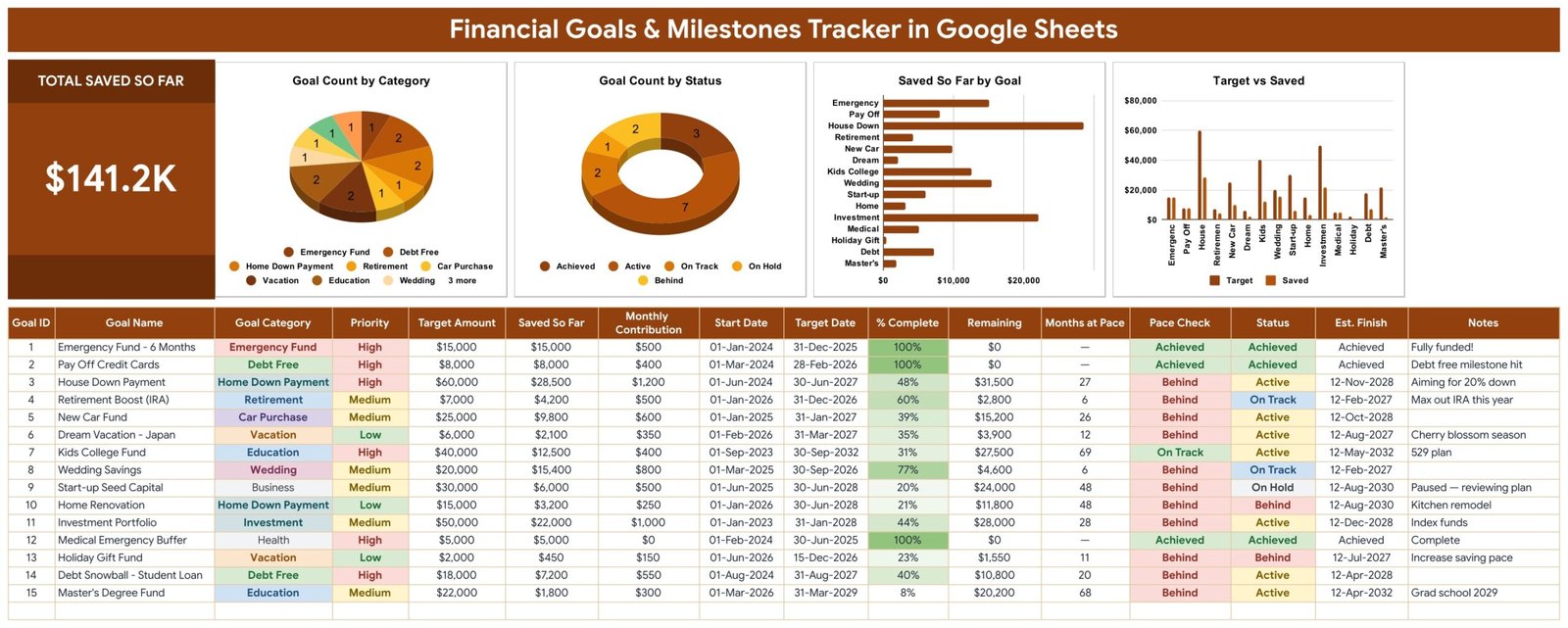
- Total Saved So Far card – one large KPI holding everything you have put away across every goal. In the sample data it reads $141.2K, and it moves the moment you update a single row.
- Pace Check – the column that makes this different from a savings list. It compares your monthly contribution against the time left to the target date and returns Achieved, On Track, Behind, Overdue or Add Contribution. Nine of the fifteen sample goals come back Behind, which is roughly how real goal lists look.
- Est. Finish – a projected completion date per goal at your current rate. The Kids College Fund targeted for Sep-2032 lands on 12-May-2032; the Home Renovation targeted for Jun-2028 lands on 12-Aug-2030. That two-year gap is the whole point of the column.
- Months at Pace – how many more contributions the Remaining balance needs. A 48 in this column next to a 24-month deadline is a decision, not a detail.
- Goal Count by Category – a pie chart across Emergency Fund, Debt Free, Home Down Payment, Retirement, Car Purchase, Vacation, Education, Wedding, Business, Investment, Health and the rest, so you can see whether your goals are actually spread or all pointed at one thing.
- Goal Count by Status – a doughnut splitting Achieved, Active, On Track, On Hold and Behind. It is the fastest read on how much of your plan is genuinely moving.
- Saved So Far by Goal – a horizontal bar chart ranking goals by money accumulated, which shows where your saving has really been going as opposed to where you meant it to go.
- Target vs Saved – paired columns per goal. The gap between the two bars is the honest picture of a $60,000 house deposit sitting at $28,500.
- % Complete and Remaining – both calculated, both conditionally shaded, so a 100% row reads as finished at a glance and an 8% row does not hide in the middle of the table.
- Priority and Status dropdowns – High / Medium / Low and Achieved / Active / On Track / On Hold / Behind, fed from the List tab so you can rename or extend them without touching a formula.
What’s Inside the Financial Goals & Milestones Tracker
Three pages plus a List tab that feeds the dropdowns. No macros, no add-on, no hidden helper tables anywhere in the file.
Page 1 – the Tracker. The banner runs across the top, then the Total Saved So Far card with the four charts beside it on a single row. Below sits the goal table: Goal ID, Goal Name, Goal Category, Priority, Target Amount, Saved So Far, Monthly Contribution, Start Date, Target Date, % Complete, Remaining, Months at Pace, Pace Check, Status, Est. Finish and Notes. Fifteen realistic sample goals ship with it – a fully funded six-month emergency fund, credit cards paid off, a house down payment at 48%, an IRA boost, a new car fund, a Japan trip, a kids college fund, wedding savings, start-up seed capital on hold, a kitchen renovation, an index-fund portfolio, a medical buffer, a holiday gift fund, a student-loan snowball and a master’s degree fund – so you can see a working goal list before you replace a single row.
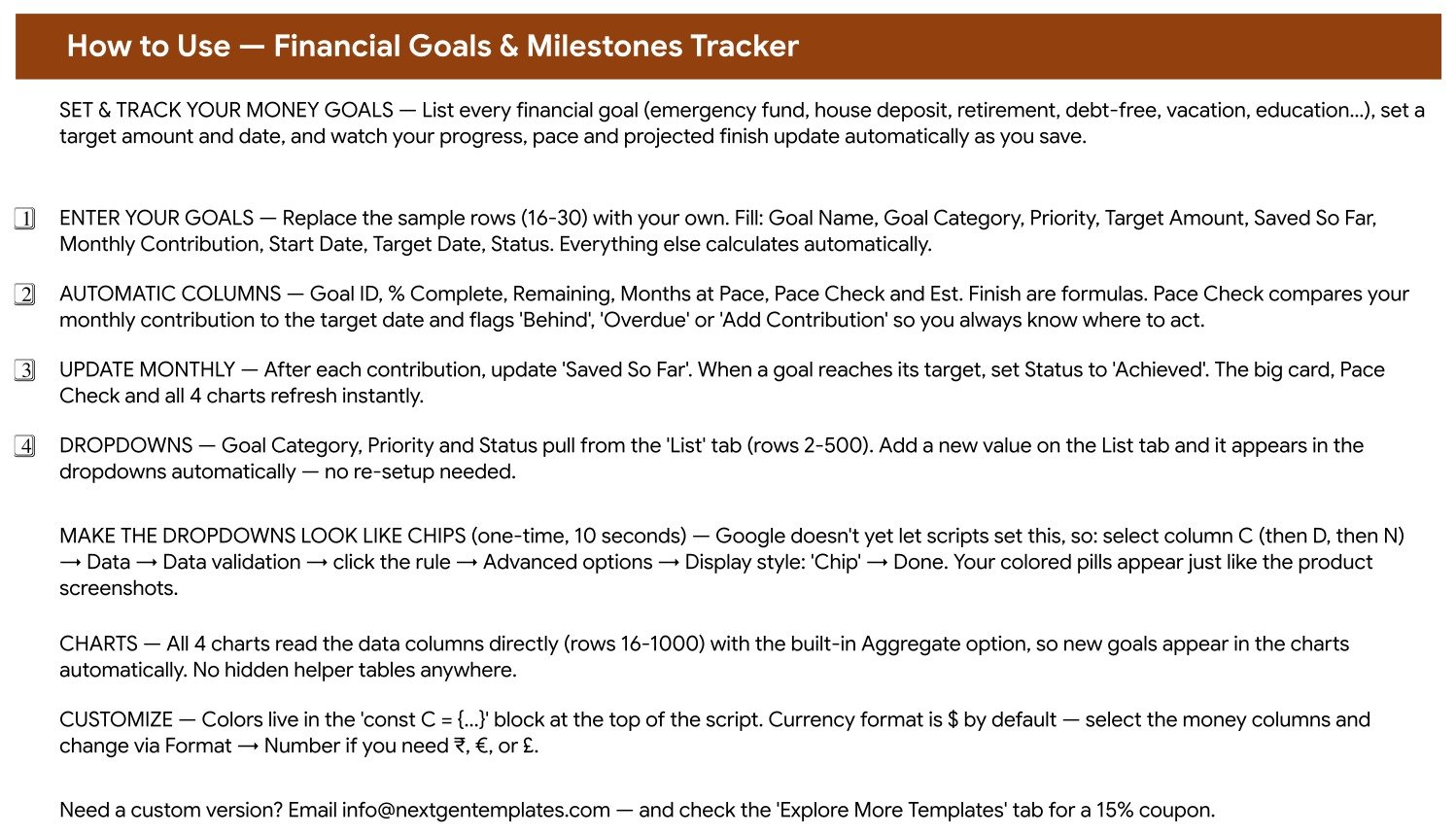
Page 2 – How to Use. Which columns you fill and which calculate, how the dropdowns are wired to the List tab, how to change the currency format, and the ten-second one-time trick that turns the validation dropdowns into the coloured chips you see in the screenshots.
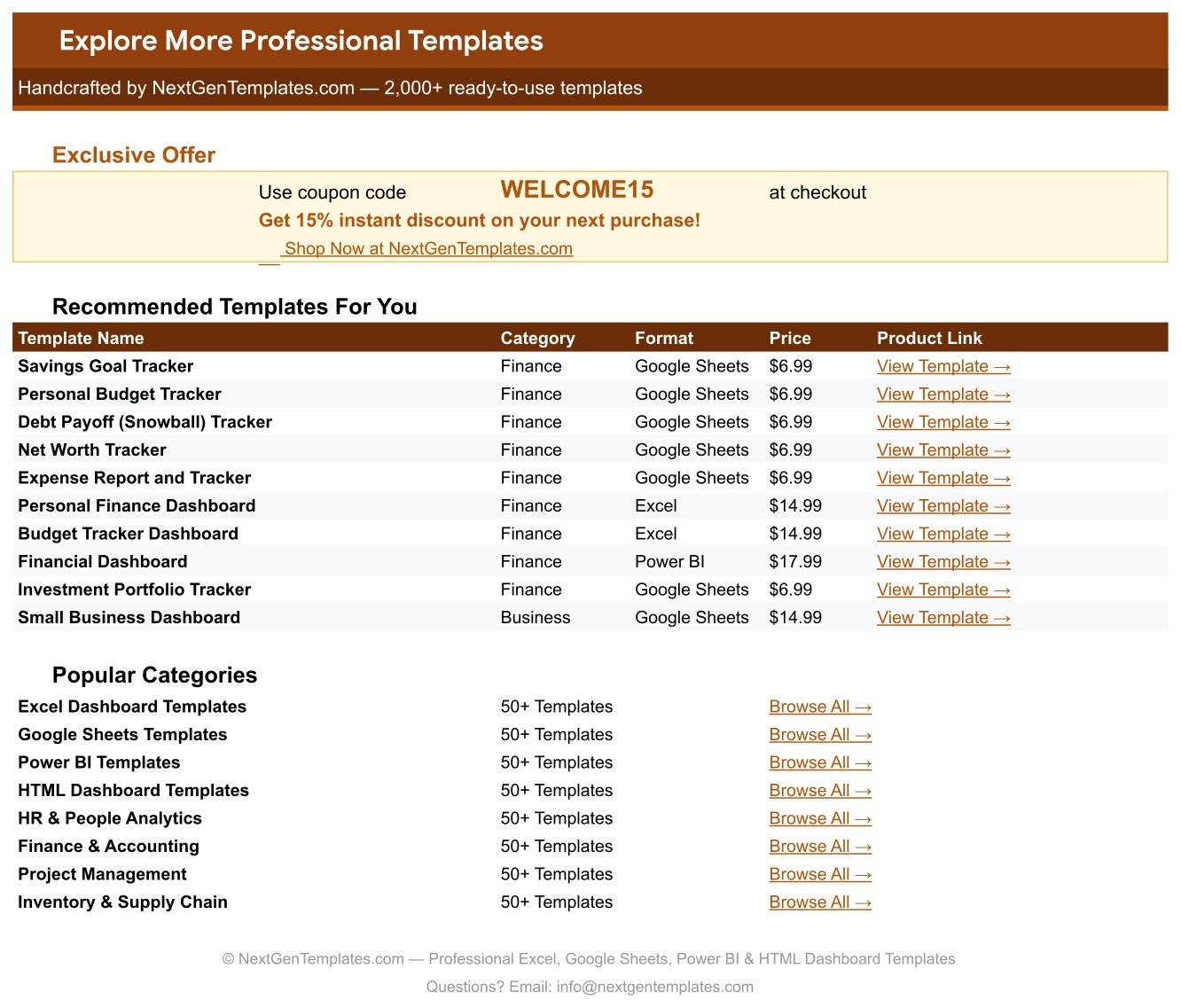
Page 3 – Explore More Templates. Related NextGenTemplates products and a discount code.
The List tab. Goal Category, Priority and Status all read from rows 2-500 here. Add a category once – Pet Fund, Sabbatical, Home Office – and it appears in the dropdown on every row and in the category chart automatically. All four charts read the data columns directly with the built-in Aggregate option, so new goals appear in them without you touching a range.
Financial Goals Tracker vs. an Excel Goal Sheet vs. a Paid Money App – Where This Fits
| This Google Sheets tracker | A hand-built Excel sheet | Paid money app (YNAB, Monarch) | |
|---|---|---|---|
| Cost | 6.99 once | Free, plus your build time | 9 to 15 per month |
| Platform | Google Sheets, any browser | Microsoft Excel on desktop | Mobile app plus web |
| Setup time | Under 10 minutes | 3 to 5 hours for the charts and pace formulas | An evening, plus linking accounts |
| Partner edits at the same time | Yes, native Google Sheets sharing | Only through OneDrive co-authoring | Usually a higher tier |
| Mobile access | Yes, free Google Sheets app | Limited | Yes – that is its strength |
| Your own goal categories | Yes, edit the List tab | Yes, if you rebuild the charts | Only what the app allows |
| Share with a link | Yes, view or edit, per person | Attachment or OneDrive link | Household invite only |
| Pace check and projected finish date | Yes, calculated per goal | Build it yourself | Varies by app |
| Automatic bank sync | No – you enter Saved So Far | No | Yes |
| Year-1 cost for a household of 5 | 6.99 | 0 plus a weekend | 108 to 180 |
The honest comparison: a paid money app pulls your transactions in automatically and this sheet does not. What the sheet gives you is the projection – the date each goal actually lands on at your current contribution – on one page you own, that keeps working after any subscription lapses, and that you can hand to a partner or a parent without giving them a login to your bank feed.
Who This Template Is For – and Who It’s Not For
A good fit if you are: juggling five or more money goals at once and losing track of which one is slipping; a couple who want a shared view of the deposit, the car fund and the holiday without arguing from memory; someone paying down debt while also saving, who needs both on the same page; a parent running a college fund alongside retirement; anyone who has picked a target date and never checked whether the monthly amount actually reaches it.
Not the right tool if you are: looking for automatic bank feeds – you update Saved So Far yourself, monthly, which takes about two minutes; tracking day-to-day spending rather than goals, in which case the Personal Cash Flow Tracker or the Cash Envelope Budget Tracker is the right shape; or managing an investment portfolio with live prices – this tracks the balance you have saved, not market value.Financial Goals & Milestones Tracker in Google Sheets
How to Use the Financial Goals & Milestones Tracker
- Open the PDF in your download and click the Make a copy link. Google Drive creates your own editable copy.
- Open the List tab first and put your real goal categories in before you enter anything. It takes two minutes and saves you renaming rows later.
- Replace the sample rows (16-30) with your own goals. Fill Goal Name, Goal Category, Priority, Target Amount, Saved So Far, Monthly Contribution, Start Date, Target Date and Status – Goal ID, % Complete, Remaining, Months at Pace, Pace Check and Est. Finish all calculate.
- Be honest with Monthly Contribution. Put the amount that actually leaves your account, not the amount you intend to. The Pace Check is only useful if it is fed real numbers.
- Read the Pace Check column before anything else. Every row marked Behind needs one of three decisions: raise the contribution, move the target date, or drop the priority.
- Compare Est. Finish against Target Date. Where the gap is years rather than months, the goal needs restructuring, not encouragement.Financial Goals & Milestones Tracker in Google Sheets
- Update Saved So Far once a month after your contributions clear. The card, the Pace Check and all four charts refresh instantly.Financial Goals & Milestones Tracker in Google Sheets
- Set Status to Achieved when a goal is funded. It moves into the Achieved slice of the status chart and stops competing for attention with the goals still running.Financial Goals & Milestones Tracker in Google Sheets
- Sort by Priority when money is tight. Putting two Low-priority goals On Hold for six months is a far easier decision than under-funding all nine.Financial Goals & Milestones Tracker in Google Sheets
Real-World Use Cases
Priya, mid-thirties, nine active goals. Her list looked healthy until she filled in Monthly Contribution honestly. The Pace Check came back Behind on six rows, and Est. Finish put her house deposit at Nov-2028 against a Jun-2027 target. She moved $250 from the vacation fund and the holiday gift fund into the deposit, which pulled the finish date back inside 2027 and cost her nothing she actually cared about.
Daniel and Amara, saving as a couple. They shared one copy of the sheet with edit access. The Target vs Saved chart ended the recurring argument about whether they were on track: the wedding savings bar sat at 77% while the emergency fund read 100% and the car fund read 39%. Seeing all three at once turned a vague disagreement into a ten-minute conversation about the car.
A parent running a college fund and retirement together. With both goals on one page, the Months at Pace column made the trade-off explicit – 69 months on the college fund against 6 on the IRA boost. Rather than guessing, she raised the college contribution by $150 and watched Est. Finish move forward by eleven months.Financial Goals & Milestones Tracker in Google Sheets
Frequently Asked Questions
Do I need a paid Google Workspace account?
No. A free personal Google account is enough. Click the copy link in the PDF and the tracker lands in your own Drive fully working, charts and formulas included.Financial Goals & Milestones Tracker in Google Sheets
How does the Pace Check actually work?
It divides the Remaining amount by your Monthly Contribution to get Months at Pace, then compares that against the months left until your Target Date. If the pace is short it returns Behind; if the contribution is zero it asks you to Add Contribution; if the date has passed it returns Overdue.
Can my partner and I both edit it?
Yes, at the same time. Share it the normal Google Sheets way. You can also give someone view-only access so they can follow the goals without changing anything.
Can I add my own goal categories?
Yes. Add them on the List tab and they appear in the dropdowns immediately across the whole table. The Goal Count by Category chart picks them up automatically because it reads the data column directly.
Does it connect to my bank?
No, and that is deliberate. You update Saved So Far yourself, which takes about two minutes a month and keeps the file free of add-ons, permissions and anything that can break when a bank changes its API.Financial Goals & Milestones Tracker in Google Sheets
Can I use a currency other than dollars?
Yes. Select the money columns and change the format through Format, then Number. The sample data uses dollars purely as a placeholder.Financial Goals & Milestones Tracker in Google Sheets
Why are my dropdowns plain text rather than coloured chips?
Google does not let a script set the chip display style. Select the column, go to Data, Data validation, click the rule, open Advanced options and set Display style to Chip. Ten seconds per column, once, and the How to Use page walks you through it.Financial Goals & Milestones Tracker in Google Sheets
How many goals can it hold?
The formulas and charts run to row 1000, so roughly 985 goals. In practice anything past about twenty stops being a plan and starts being a list.Financial Goals & Milestones Tracker in Google Sheets
About the Author
Built by PK – Microsoft Certified Professional with 15+ years of Excel, Google Sheets, and Power BI experience. Founder of NextGenTemplates, reaching 300K+ subscribers across YouTube channels. Every template is hand-built and tested before release.
Explore Related Templates
- FIRE Milestone Tracker in Google Sheets – the same idea aimed at one long-horizon number.
- FIRE Progress Tracker in Google Sheets – savings rate and years-to-independence.
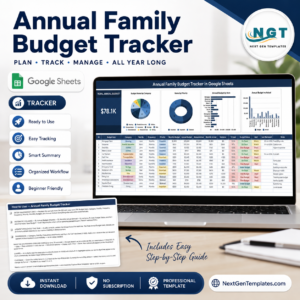
- Annual Family Budget Tracker in Google Sheets – the yearly plan the contributions come out of.
- College Savings Goal Tracker in Google Sheets – if the education goal deserves its own sheet.
- Vacation & Trip Budget Tracker in Google Sheets – for costing the trip your Vacation goal is funding.
- Bank Account Balance Tracker in Google Sheets – what is actually in the accounts behind the goals.
- Browse every Google Sheets tracker or the full Google Sheets template catalogue.
Get Your Copy
Enter your five biggest money goals tonight with the honest monthly contribution against each. The Pace Check column will tell you in about ninety seconds which ones are actually going to happen on the date you picked. If anything does not work as described, contact us and we will put it right.Financial Goals & Milestones Tracker in Google Sheets
Watch the step-by-step video Demo:
Last updated: 13 August 2026.
























Reviews
There are no reviews yet.