

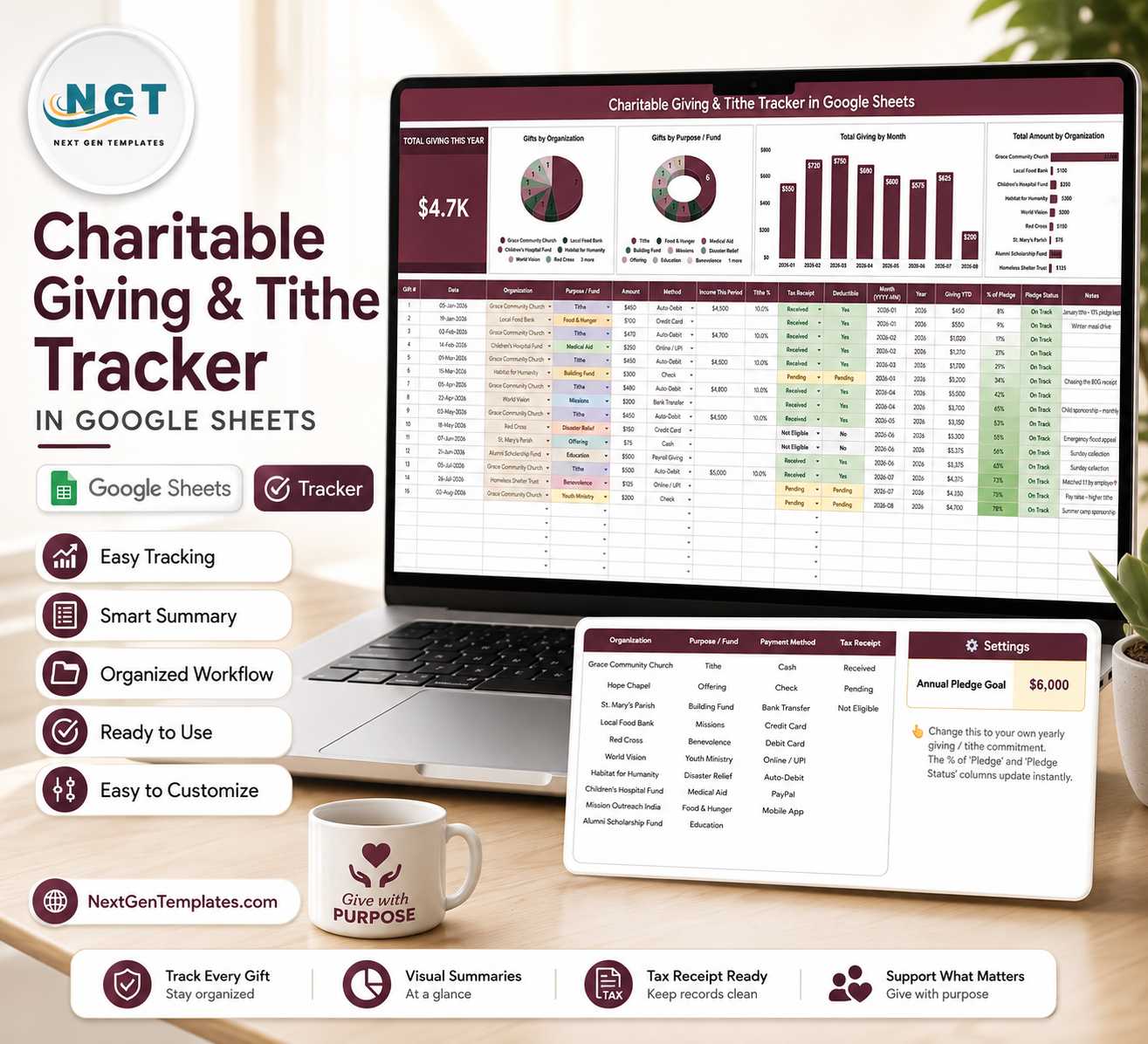

Charitable Giving and Tithe Tracker in Google Sheets gives donors, churches, family finance managers, and nonprofit coordinators a cleaner way to track annual giving without another subscription. This ready-to-use file includes 2 working sheet tabs, 1 headline card, 4 overview charts, 5 settings analysis sections, multiple slicers, and editable dropdown controls. Built by PK for a 300K+ spreadsheet learning audience, it is a one-time $6.99 sale-price template designed for practical giving records, receipt follow-up, and year-end review without being locked into a paid giving app.
Key Features of Charitable Giving and Tithe Tracker in Google Sheets
- Total Giving This Year card: See the headline annual giving amount before reviewing deeper charts.
- Gifts by Organization: Compare giving across churches, charities, ministries, nonprofits, campaigns, or custom organizations.
- Gifts by Purpose / Fund: Track giving by tithe, offering, mission fund, building fund, relief fund, scholarship fund, or other purpose.
- Total Giving by Month: Review monthly giving patterns for stewardship planning, personal finance reviews, or donor reporting.
- Total Amount by Organization: Identify which organizations received the largest share of contributions.
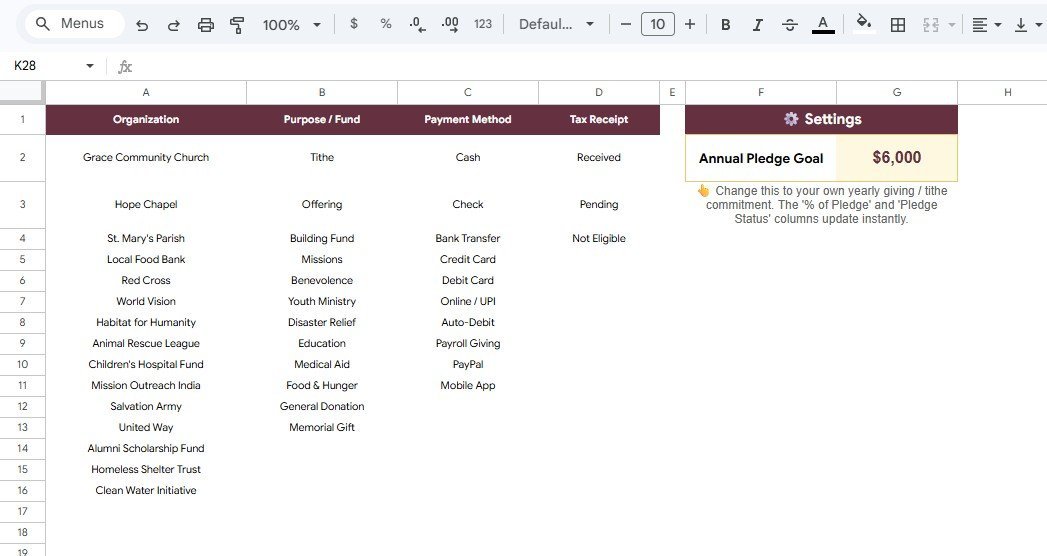
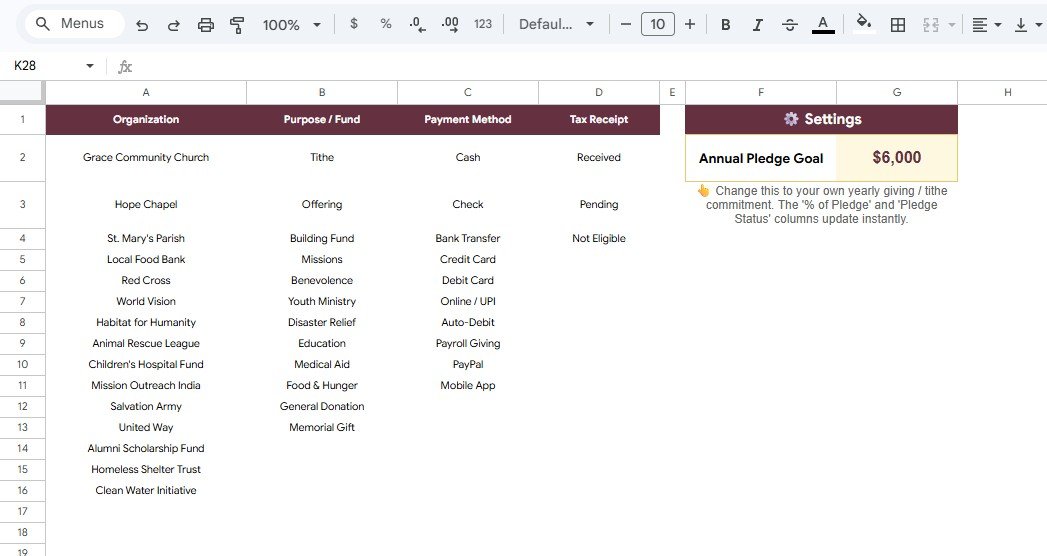
- Settings analysis tab: Maintain options for organizations, funds, payment methods, tax receipt status, and pledge goals.
- Google Sheets sharing: Keep your own editable Drive copy and share it with a spouse, treasurer, accountant, or trusted reviewer.
What’s Inside the Charitable Giving and Tithe Tracker in Google Sheets
1 – Overview Page
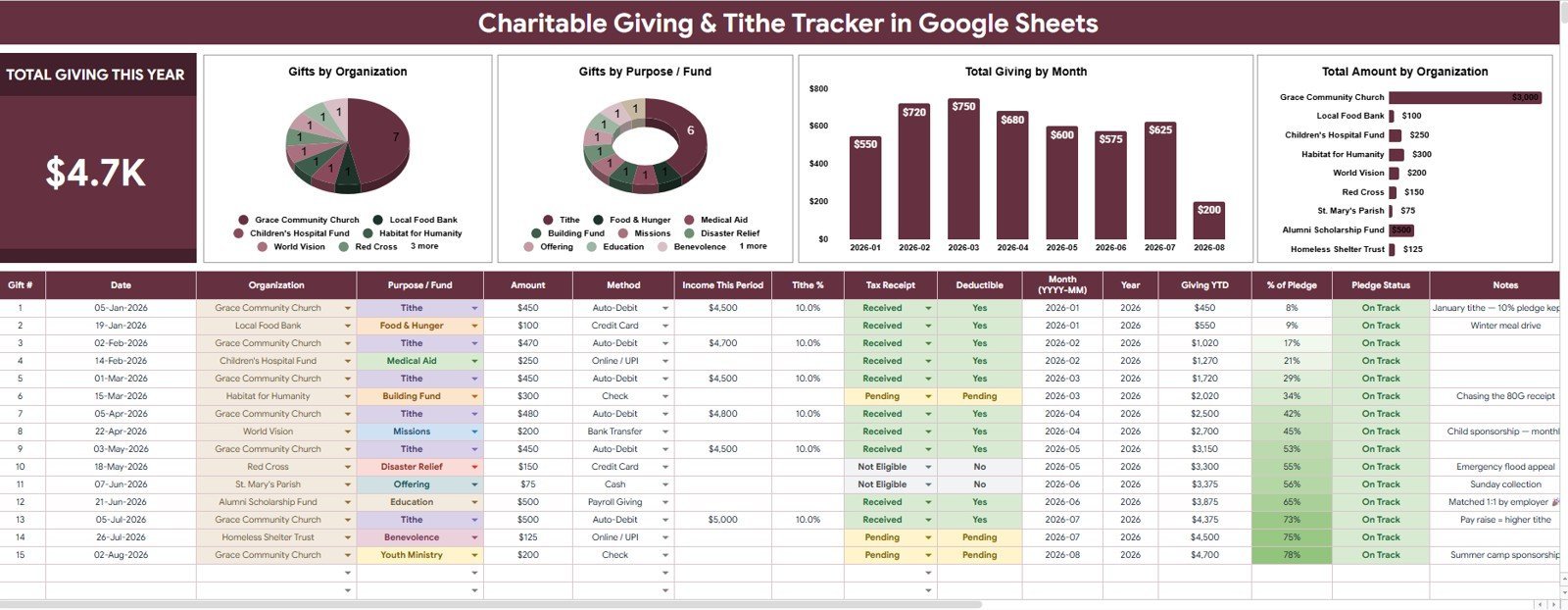
The Overview Page is the main giving dashboard. At the top, the Total Giving This Year card gives a quick annual total so users can immediately see how much has been recorded for the selected period.
The page also includes slicers for fast filtering. Users can narrow the dashboard by organization, purpose or fund, payment method, receipt status, month, or other available fields without rebuilding formulas.
Gifts by Organization: This chart groups giving by organization so users can see where contributions are going. It is useful for donors who support multiple churches, charities, ministries, and nonprofit programs during the same year.
Gifts by Purpose / Fund: This chart shows how giving is distributed by purpose or fund. It helps separate tithes, offerings, missions, building funds, relief campaigns, scholarships, and other designated gifts.
Total Giving by Month: This chart shows month-by-month giving activity. It helps users spot giving rhythm, seasonal campaigns, missed months, year-end contributions, or special donation periods.
Total Amount by Organization: This chart compares total contribution value by organization. It helps users prepare year-end summaries and decide which organizations may need receipt follow-up.
2 – Settings Tab
The Settings tab controls the dropdown values and setup lists used across the tracker. Keeping these values clean prevents duplicate labels, misspelled organizations, inconsistent funds, and unclear receipt status values.
Giving Options by Organization: This section stores organization names used in giving records. Clean organization options make the dashboard easier to filter and compare.
Giving Options by Purpose / Fund: This section stores fund or purpose labels such as tithe, offering, missions, building fund, relief, benevolence, scholarship, or custom categories.
Payment Options by Payment Method: This section keeps payment method options consistent, such as cash, check, bank transfer, card, online giving, or mobile payment.
Receipt Options by Tax Receipt: This section tracks receipt status values so users can separate received, pending, not needed, or follow-up-required documentation.
Pledge Goal by Settings: This section helps users define giving goals or pledge targets for recurring review. It supports planning without forcing the user into a complex donor management platform.
Charitable Giving and Tithe Tracker in Google Sheets vs. Microsoft Excel Tracker vs. Paid Donation Software – Where This Fits
| Feature | This Google Sheets tracker | Microsoft Excel tracker | Paid donation software |
|---|---|---|---|
| Cost | $6.99 one-time sale price | Template cost plus possible Microsoft license | Often monthly or annual |
| Platform | Google Sheets in Drive | Excel desktop, OneDrive, or Excel Online | Vendor-hosted web app |
| Setup time | Copy the file, update settings, enter giving records | Open workbook and adjust lists | Create account, configure funds, import contacts |
| Real-time team collaboration | Native Google sharing | Depends on Microsoft 365 setup | Usually account based |
| Mobile access | Google Sheets app or browser | Excel app or browser | Usually included |
| Customizable fields | Edit organizations, funds, payment methods, receipt status, and goals | Editable if workbook is unlocked | Limited by vendor settings |
| Share with link | Yes, with Drive permissions | Yes, with Microsoft sharing | Usually login based |
| Year-1 cost at 5 users | $6.99 before any Google Workspace cost | Template plus licensing cost | Can rise quickly with subscriptions |
| Tax receipt tracking | Included as a controlled setting | Must be added or customized | Often included in donor tools |
| Pledge goal review | Included in settings | Depends on workbook design | Usually part of higher-level fundraising systems |
Who This Template Is For – and Who It’s Not For
This tracker is for individuals, families, church members, nonprofit supporters, small ministry teams, treasurers, and spreadsheet users who want a simple record of gifts, tithes, funds, payment methods, receipt status, and pledge goals.
It is not a donor CRM, accounting system, payroll deduction platform, tax filing tool, payment processor, or official substantiation service. Users should still keep source receipts and consult a qualified tax professional for deductible giving questions.
How to Use the Charitable Giving and Tithe Tracker in Google Sheets
- Open the included guide after purchase and create your own editable Google Sheets copy.
- Update the Settings tab with your organizations, purposes or funds, payment methods, receipt statuses, and pledge goals.
- Enter each gift with date, organization, purpose, amount, payment method, receipt status, and notes.
- Open the Overview Page to review Total Giving This Year and the four giving charts.
- Use slicers during monthly or year-end reviews to filter by organization, fund, receipt status, or period.
- Follow up on missing receipts before tax season or annual giving reviews.
Real-World Use Cases
Sarah, a family budget planner, records monthly tithes, special offerings, and year-end gifts so her family can review annual giving in one place.
Marcus, a church treasurer, uses a copied version to organize designated gifts by organization, purpose, payment method, and receipt status before preparing internal summaries.
Anita, a nonprofit supporter, tracks gifts across multiple charities and uses the tax receipt status field to see which organizations still need follow-up.
Frequently Asked Questions
What does the Total Giving This Year card show?
It shows the total recorded giving for the selected year or filtered view, based on the records entered in the tracker.
Can I customize the organization and fund names?
Yes. The Settings tab is built for editable organization names, purpose or fund labels, payment methods, receipt statuses, and pledge goal options.
Can this tracker separate tithes from other charitable gifts?
Yes. Use the Purpose / Fund field to separate tithes, offerings, missions, relief funds, building funds, scholarships, and custom giving categories.
Does this file create tax receipts?
No. It tracks receipt status and helps you follow up, but it does not issue official tax receipts or provide tax advice.
Can I share this with my spouse, accountant, or treasurer?
Yes. After copying the file to Google Drive, you can share it with viewers, commenters, or editors using Google Sheets permissions.
Does it connect to bank accounts or donation platforms?
No. It is a manual Google Sheets tracker, which keeps setup simple and avoids requiring bank or payment-account access.
About the Author
Built by PK – Microsoft Certified Professional with 15+ years of Excel, Google Sheets, and Power BI experience. Founder of NextGenTemplates, reaching 300K+ subscribers across YouTube channels. Every template is hand-built and tested before release.
Explore Related Templates
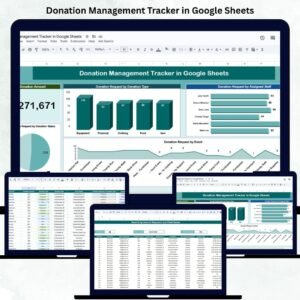
- Donation Management Tracker in Google Sheets
- Budget Request & Approval Tracker in Google Sheets
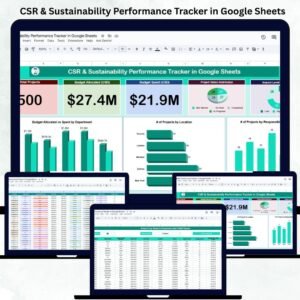
- CSR & Sustainability Performance Tracker in Google Sheets
- Shared Expense Splitter Tracker in Google Sheets
Browse more Google Sheets templates and Google Sheets tracker templates.
Click here to read the detailed blog post.
Download the Charitable Giving and Tithe Tracker in Google Sheets when you want a simple way to review gifts by organization, fund, payment method, month, receipt status, and pledge goal in one editable spreadsheet.
Watch the step-by-step video Demo:
Last updated: August 7, 2026.
Compatibility and Requirements
- Works in Google Sheets with a free Google account and a web browser.
- The Settings tab feeds the dropdown values used across the tracker. Google explains dropdowns in Create an in-cell dropdown list.























Reviews
There are no reviews yet.