New: NextGenTemplates Academy - video courses on Excel formulas with AI and Pivot Tables & dashboards. Early-bird: 20% off with code EARLYBIRD20 - first 20 orders only.See the courses →
₹999.00Original price was: ₹999.00.₹499.00Current price is: ₹499.00.
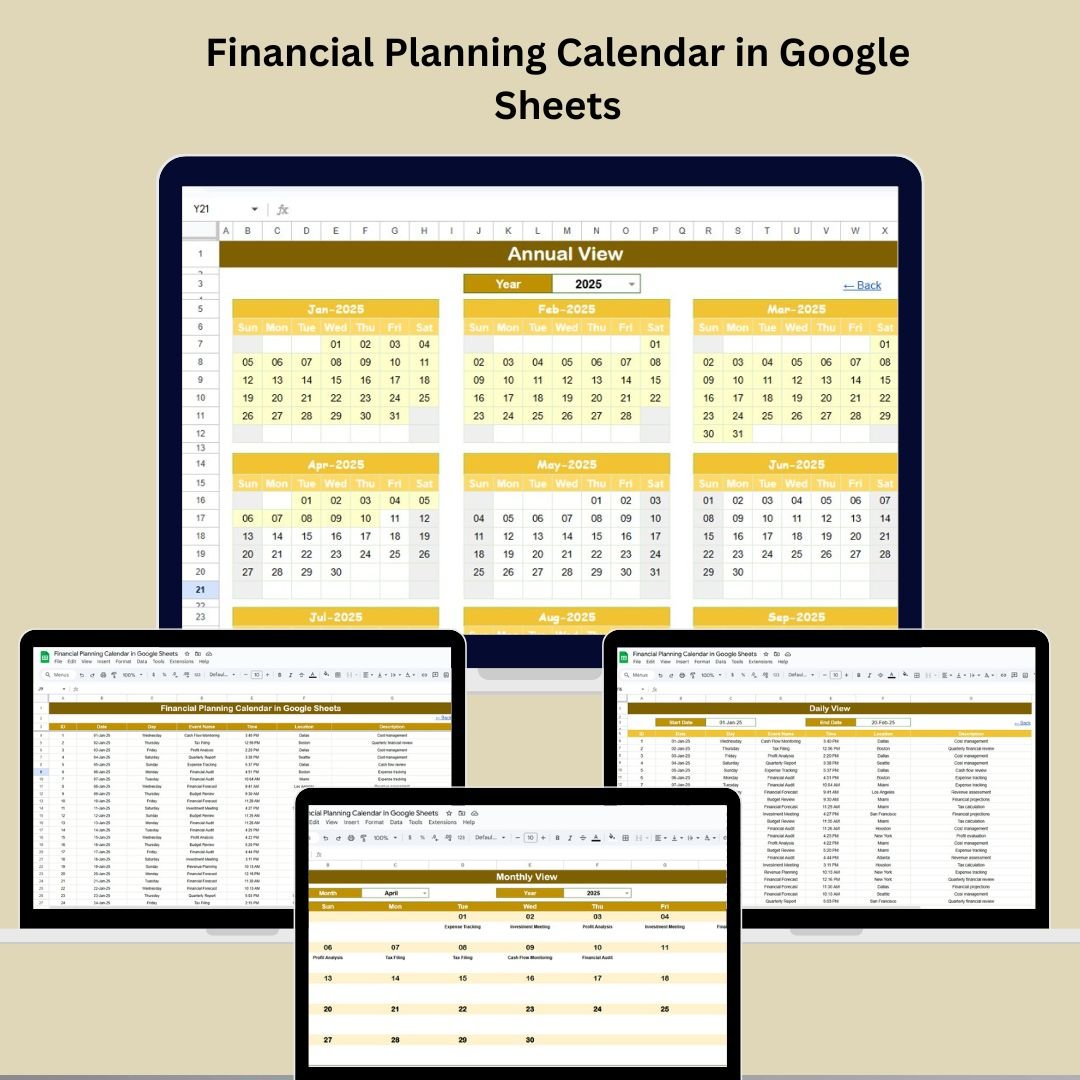
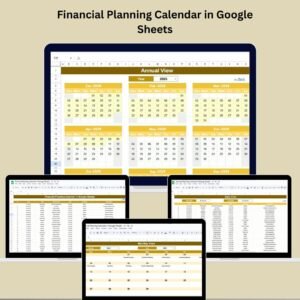
📊 Stay on top of your financial deadlines with our Financial Planning Calendar in Google Sheets – the perfect tool for year-round tracking and smart organization!
🧭 Annual, Monthly & Daily Views for every planning need
📅 Pre-built templates with event tracking & filters
🧾 Centralized Events Sheet for all your financial milestones
🔁 Customizable start month and weekday
📊 Ideal for both personal and business finance planning
🤝 Collaboration-ready via Google Sheets sharing
📥 Easy data entry with structured fields
📋 Perfect for tax filings, budget reviews, and savings goals
SUMIFS, XLOOKUP, FILTER, LAMBDA and checking AI-written formulas, with real business projects. 11h 47m of video by PK, with practice files, quizzes and a capstone.
Do you often miss important tax dates, budget reviews, or financial deadlines? It’s time to take control of your finances with our Financial Planning Calendar in Google Sheets – a smart, ready-to-use calendar system built to help you plan, track, and manage all your financial activities throughout the year.
Whether you’re a solo entrepreneur, finance manager, or a household planner, this calendar will streamline your financial planning process, keep your goals on track, and ensure you never miss a deadline again!
✅ Key Features of the Financial Planning Calendar in Google Sheets
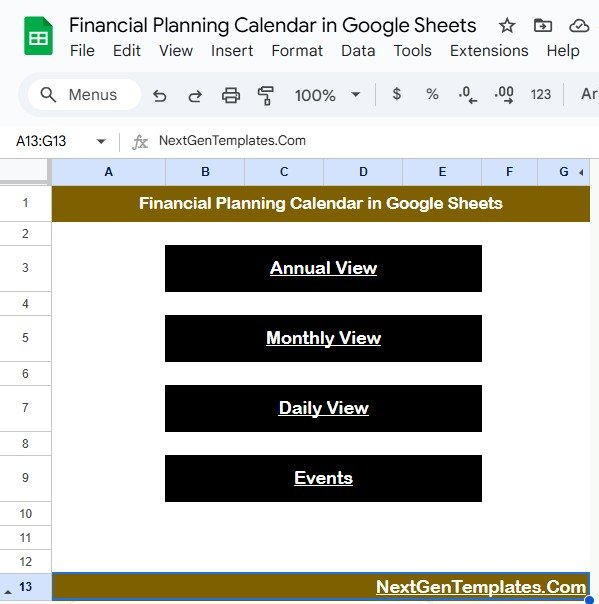
🏠 Home Sheet – Easy Navigation for Smarter Planning
The Home Sheet Tab acts as your personal control center, giving you quick access to:
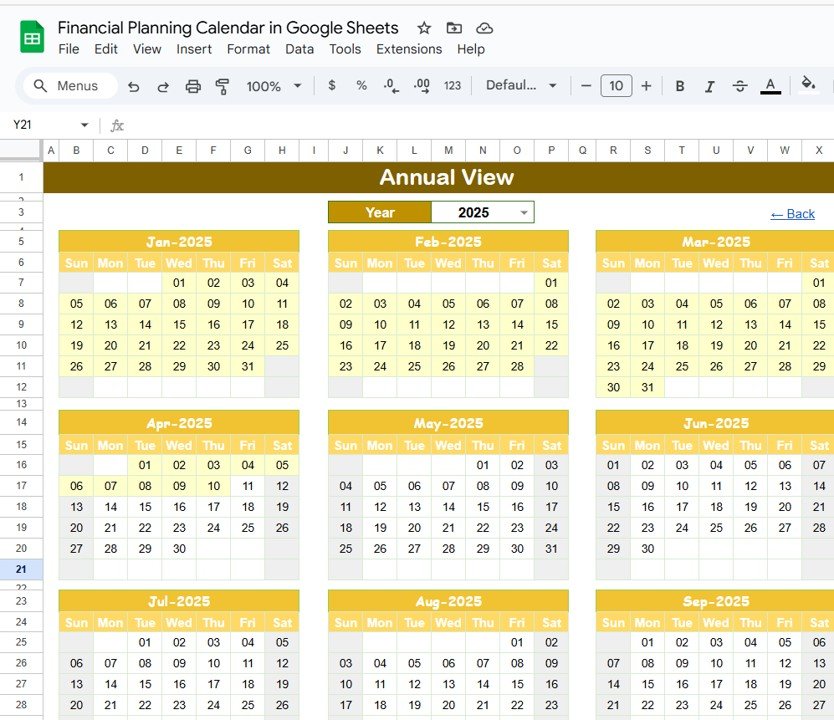
📆 Annual View – View the entire year’s financial events at a glance
🗓 Monthly View – Focus on individual months in detail
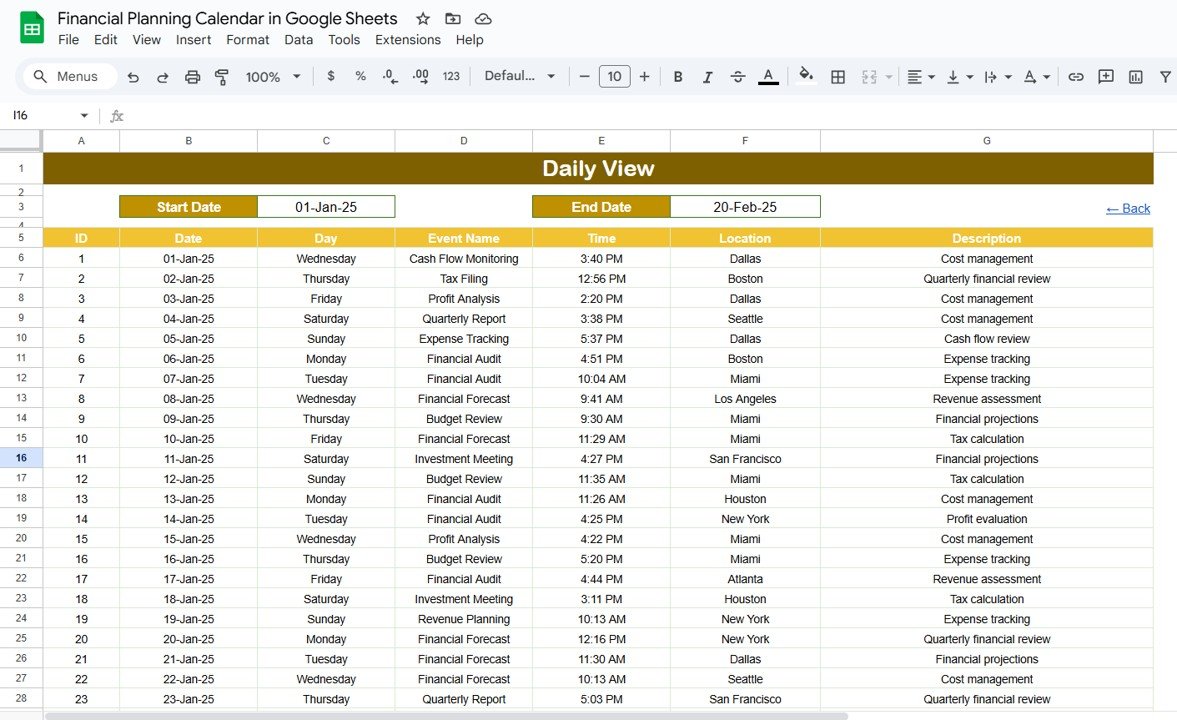
📋 Daily View – Zoom into day-to-day events and deadlines
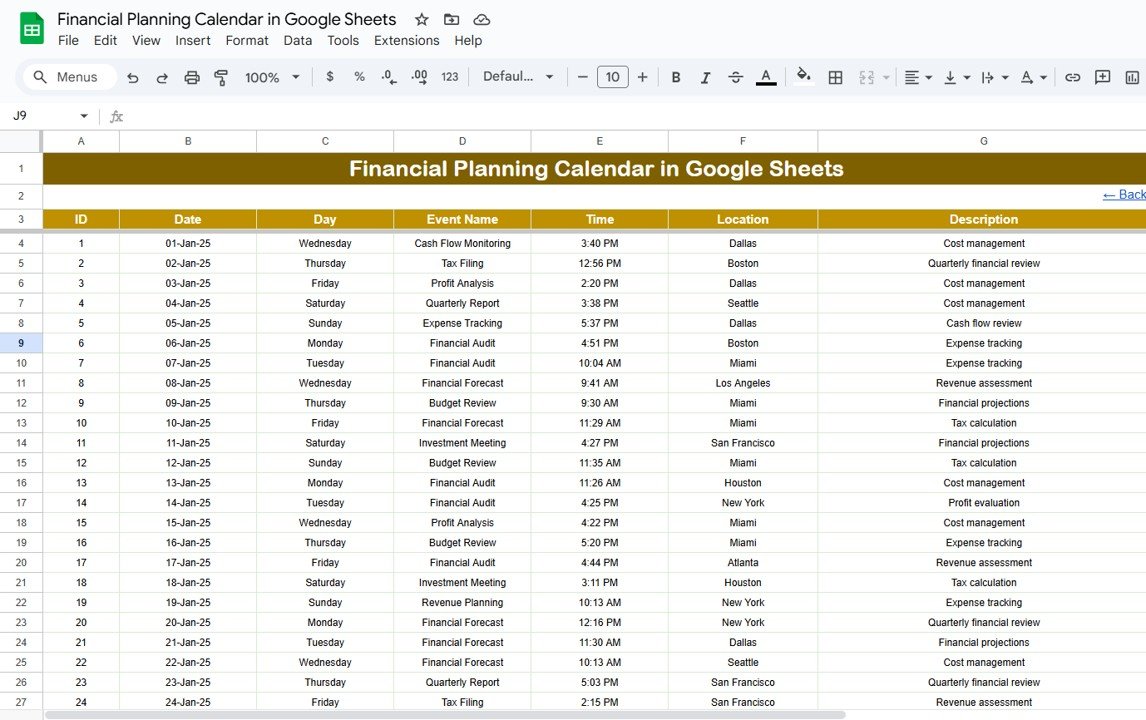
📂 Events Sheet – Where all the data is stored and managed
The clickable buttons make moving between views effortless, making this a user-friendly hub.
🗓 What’s Inside the Financial Planning Calendar
📅 Annual View Sheet
🔄 Choose your Year from a drop-down
🔁 Set your starting month (for fiscal or custom years)
📍 Select your preferred starting weekday Get a bird’s eye view of the entire year’s financial tasks and stay strategically ahead.
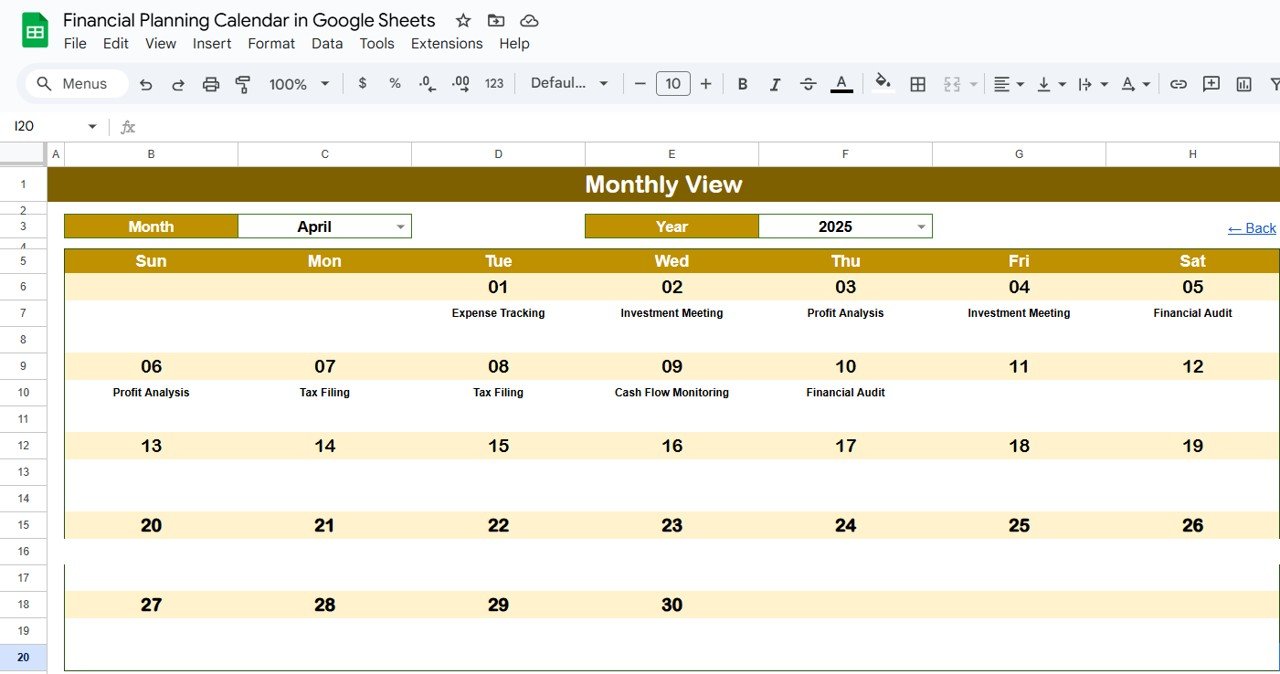
📆 Monthly View Sheet
🔽 Select the Month & Year to populate the calendar
📌 See all your events for the selected month
➕ If there’s more than one event in a day, it flags “more than 1…” for quick attention Perfect for ensuring each month runs like clockwork!
📑 Daily View Sheet
📅 Choose any date range
📋 Get a detailed list of events scheduled for those dates This is your to-do list for all financial activities in real time.
🧾 Events Sheet – Centralized Database
🔢 ID for each event
🗓 Date & Day
🏷 Event Name, ⏰ Time, 📍 Location, 📝 Description Manage everything from tax dates to loan repayments in one powerful list!
🚀 How to Use the Financial Planning Calendar
🔧 Enter your financial events into the Events Sheet
🎯 Navigate between Annual, Monthly, and Daily Views to track key milestones
🔍 Filter or search for specific tasks using standard Google Sheets functionality
📤 Share it with your team for collaborative planning
🔁 Update it regularly to stay aligned with upcoming obligations
It’s designed to be simple, flexible, and highly efficient—even for non-finance folks!
👥 Who Can Benefit from This Calendar?
💼 Small Business Owners managing cash flows, taxes, and payables
📊 Finance Professionals scheduling budget reviews and audits
👨👩👧👦 Households tracking bills, investments, and financial goals
🧑💼 Corporate Teams aligning financial deadlines with project timelines
After purchase you get a link to the Google Sheet. Open it while signed in to your Google account and use File > Make a copy - the copy in your Google Drive is fully yours and editable.
Do I need a paid Google account? Will it expire?
No. A free Google account is enough, and your copy lives in your own Google Drive - it never expires and there is nothing to renew.
Does it work on Mac, phone or tablet?
Yes - in any browser on Windows, Mac or Chromebook, and in the Google Sheets mobile app for viewing and quick entries.
Can I share it with my team?
Yes. Share your copy with colleagues using Google's normal sharing, with view or edit rights as you choose.
Can I change the design and formulas?
Yes, your copy is fully editable - colours, labels, logo, formulas and charts. If a range is protected, use Data > Protect sheets and ranges to remove it in your copy.
Are there macros or add-ons?
No macros or add-ons - it uses normal Google Sheets formulas and charts.
Is it a one-time payment or a subscription?
One-time payment. No subscription, no per-user fees and nothing to renew - the file is yours to keep.
How do I get the file after payment?
Instantly. The download link appears on screen after checkout, is emailed to you, and stays under My Account > Downloads on our website. If the email does not arrive within a few minutes, check your spam or promotions folder.
Is a user manual included?
Most of our newer products include a PDF user manual in the download. If yours does not have one, message us with your order number and we will send it.
Do I get free updates?
Bug fixes are always free - if something does not work as described, we fix it and send you the corrected file. New versions with new features are not included in the price, unless this product's description says otherwise.
Can you customise it for me?
Yes. Small changes to this template (your columns, categories, logo, colours, minor layout) cost the template price plus $40-80 (Rs 3,000-6,000 + GST), quoted once you send your list. A fully custom build is usually $100-200 (Rs 8,000-18,000 + GST) with two revision rounds. Email your requirements to [email protected] or message us on WhatsApp.
Can I use it for my business or my clients?
Yes, for your own personal or internal business use, for as long as you like. Reselling or redistributing the template is not allowed.
What is your refund policy?
Because these are digital downloads, they are non-refundable once delivered - except when the product does not match its description (report it within 48 hours of purchase) or there is a technical problem our team cannot fix within 72 hours. Email [email protected] with your order number.
How do I get help?
Email [email protected] (Mon-Fri, 10 AM-7 PM IST) or message us on WhatsApp +91 80770 90260 (chat only, no calls). Please include your order number.
Still have a question? Click Need help? at the bottom-left to ask our assistant, or message us on WhatsApp.
Application
Google Sheets
Template Type
Calendar
Price
Paid
Business Or Department
Finance
Reviews
There are no reviews yet.
Only logged in customers who have purchased this product may leave a review.




























Reviews
There are no reviews yet.