

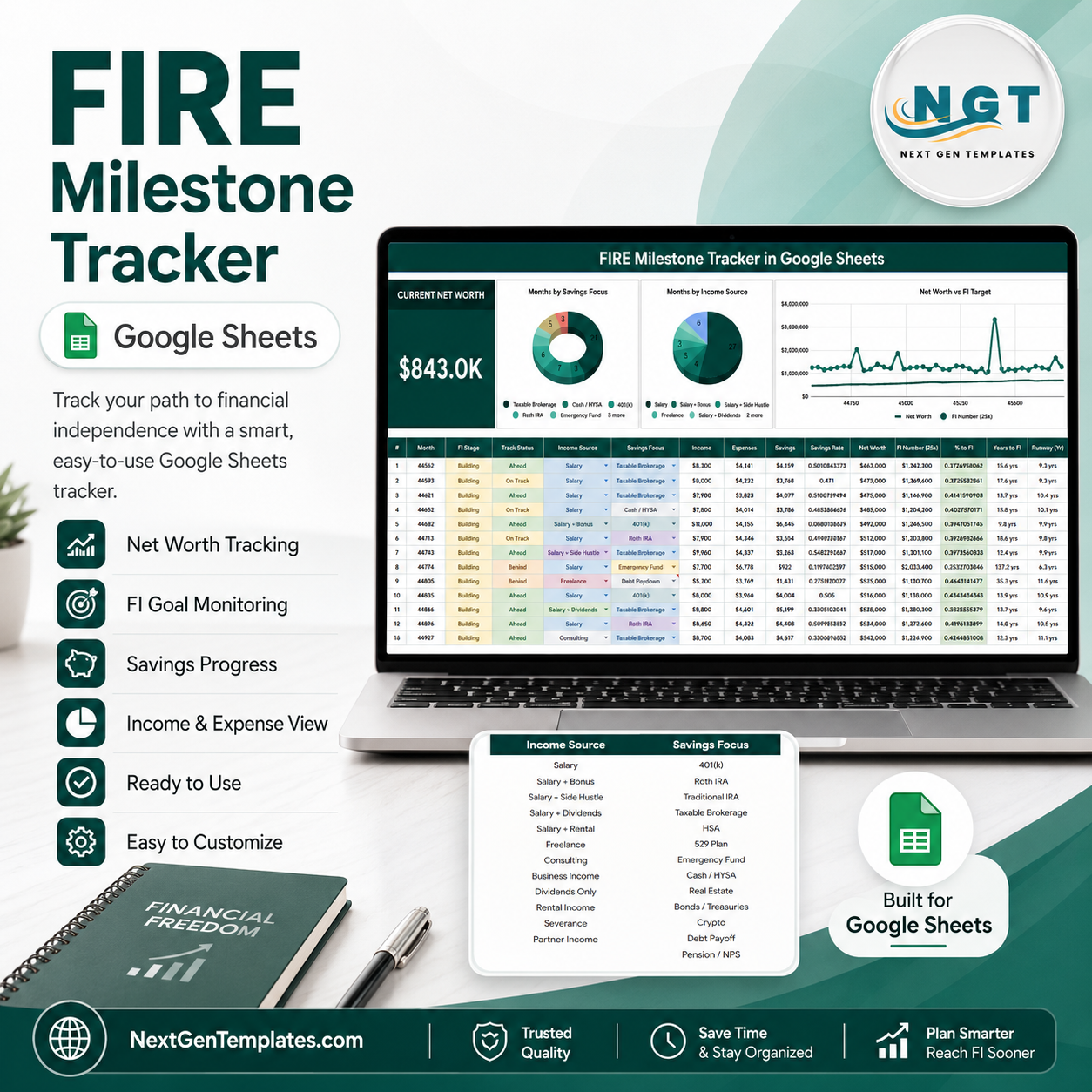
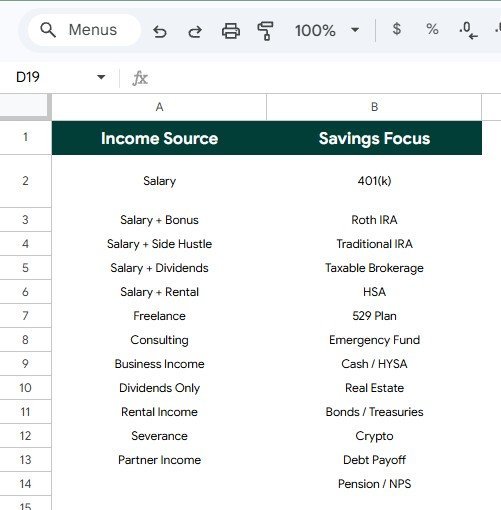

FIRE Milestone Tracker in Google Sheets helps FIRE planners turn monthly finance updates into a simple milestone dashboard. The Federal Reserve’s 2025 SHED reported that only 35 percent of non-retirees felt their retirement savings plan was on track, while 63 percent could cover a $400 emergency with cash or its equivalent. That gap makes repeatable tracking useful. Built by PK, a Microsoft Certified Professional with 15+ years of spreadsheet experience and 300K+ tutorial subscribers, this template gives you a one-time Google Sheets workflow with no bank connection, no subscription, and an editable copy you control.
Key Features of FIRE Milestone Tracker in Google Sheets
- Current Net Worth card: Keep the top-line wealth number visible before reviewing charts.
- FIRE milestone view: Track how monthly progress connects with your FI target and long-term independence plan.
- Income source analysis: Compare the income sources behind your FIRE journey, such as salary, side income, dividends, business income, or other custom options.
- Savings focus analysis: Review whether each month is centered on investing, emergency savings, debt reduction, retirement accounts, cash reserves, or another savings priority.
- Monthly FIRE progress chart: Watch progress by month so strong and weak periods are easier to spot.
- Menu option support: Use clean Income Source and Savings Focus lists so dropdown values stay consistent.
- Slicers for quick filtering: Filter the dashboard quickly without rebuilding formulas or charts.
- Google Sheets workflow: Work in your own Google Drive copy and share controlled access with a spouse, partner, planner, or coach.
What’s Inside the FIRE Milestone Tracker in Google Sheets
1 – Overview Page
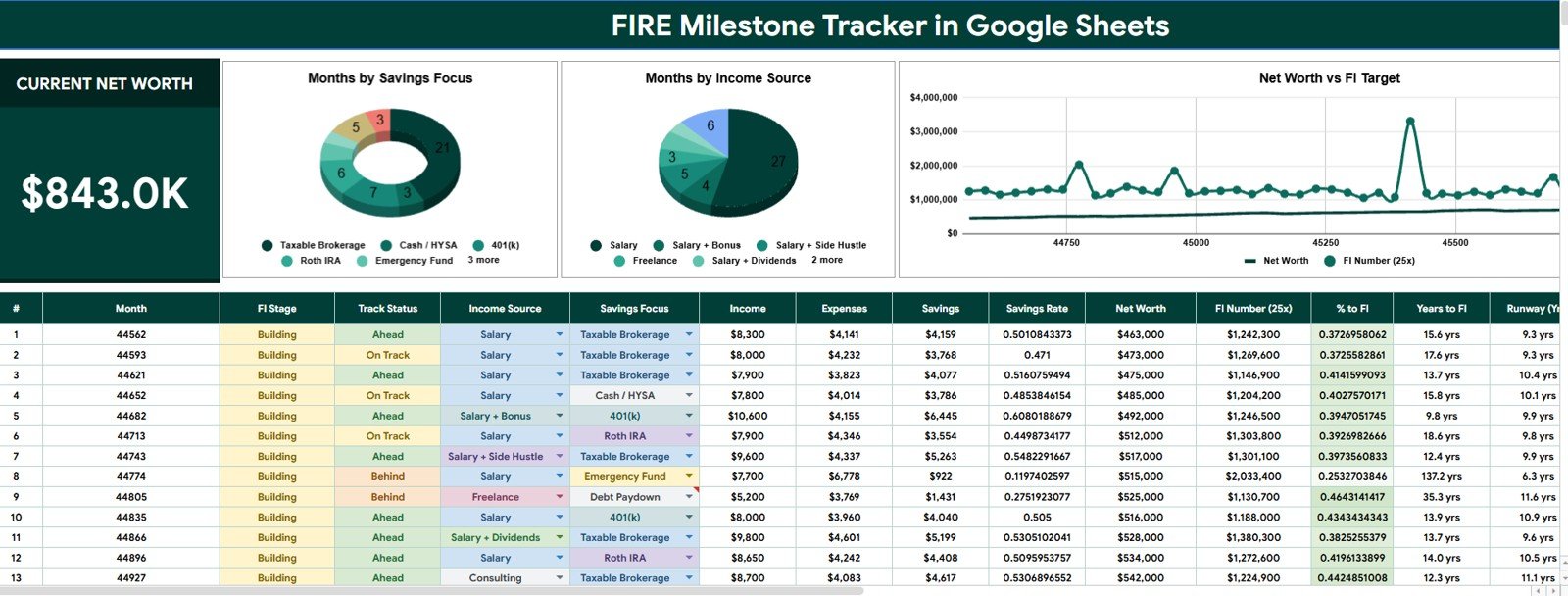
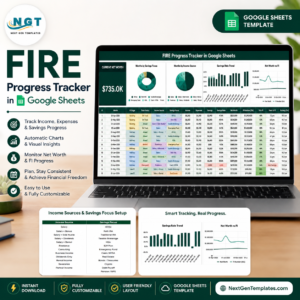
The Overview Page is the main reporting sheet. At the top, the Current Net Worth card gives users a fast read on their latest financial position before they move into FIRE charts and slicer-driven analysis.
Months by Savings Focus: This chart groups tracked months by the savings focus selected for each period. It helps you see whether your plan is leaning toward investing, emergency cash, debt payoff, retirement contributions, or another custom priority.
Months by Income Source: This chart groups months by the income source attached to the record. It helps users understand whether FIRE progress is coming mainly from regular salary, side work, investment income, business income, or mixed sources.
Net Worth by FI Target: This chart compares net worth with the financial independence target. It shows whether the gap to FI is closing and helps make the target visible during monthly reviews.
Monthly FIRE Progress by Month: This chart tracks FIRE progress across the month timeline. It helps users identify momentum, plateaus, and months that deserve a closer expense or income review.
2 – Menus
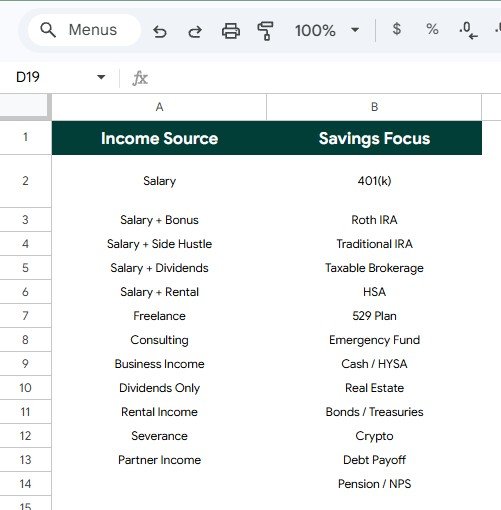
The Menus sheet keeps the dropdown values used by the tracker in one editable place. This keeps reports cleaner because the dashboard reads from consistent menu options instead of mixed manual labels.
Income Source by Menu Option: This analysis shows the income source values available for the tracker. Clean menu labels make it easier to compare salary, side income, investment income, business income, and other sources.
Savings Focus by Menu Option: This analysis shows the savings focus values available for monthly records. Users can adjust these labels to match their own FIRE strategy and keep reporting consistent over time.
FIRE Milestone Tracker in Google Sheets vs. Microsoft Excel Tracker vs. Paid Finance SaaS – Where This Fits
| Feature | This Google Sheets tracker | Microsoft Excel tracker | Paid finance SaaS |
|---|---|---|---|
| Cost | One-time template price | Template cost or internal build time | Usually monthly or annual subscription |
| Platform | Google Sheets in Google Drive | Excel desktop or Excel Online | Vendor-hosted app |
| Setup time | Copy the Sheet, update menus, enter monthly data | Download workbook and adjust formulas | Account setup, data links, and rules |
| Real-time team collaboration | Native Google sharing | Depends on OneDrive or SharePoint | Plan dependent |
| Mobile access | Google Sheets app or browser | Excel app or browser | Usually included |
| Customizable fields | Edit menu options, labels, and records | Editable if workbook is unlocked | Limited by vendor settings |
| Share with link | Yes, with Drive permissions | Yes, with cloud storage | Usually login controlled |
| Year-1 cost at 5 users | Template price before any Google Workspace costs | Template plus Microsoft access | Often recurring per user or household |
| FI target tracking | Net Worth by FI Target chart included | Must be built or customized | Depends on the app |
Who This Template Is For – and Who It’s Not For
This template is for FIRE beginners, personal finance trackers, couples planning financial independence, budget coaches, spreadsheet users, and people who want a visual monthly habit around net worth, income source, savings focus, and FI target progress.
It is not for users who need automatic bank feeds, brokerage synchronization, tax planning, investment advice, Monte Carlo retirement modeling, regulated financial planning software, or a replacement for a licensed financial advisor.
How to Use the FIRE Milestone Tracker in Google Sheets
- Open the PDF guide from your download and create your own editable Google Sheets copy.
- Review the Menus sheet and update Income Source and Savings Focus options.
- Enter your monthly net worth, FI target, income source, savings focus, and FIRE progress records.
- Open the Overview Page and review the Current Net Worth card.
- Use slicers to filter the dashboard and compare the charts by selected values.
- Repeat the update each month so your FIRE milestone trend stays useful.
Real-World Use Cases
Anaya, a FIRE beginner, uses the Monthly FIRE Progress chart to see whether her savings habit is creating visible monthly momentum.
Marcus and Lena, household planners, review Net Worth by FI Target before monthly money meetings so the target does not become abstract.
Dev, a side-income builder, uses Months by Income Source to see whether freelance income is becoming a reliable part of his FIRE plan.
Frequently Asked Questions
What does the FIRE Milestone Tracker in Google Sheets track?
It tracks current net worth, FIRE progress by month, income source, savings focus, and net worth movement against an FI target.
Can I customize the menu options?
Yes. The Menus sheet is designed so you can edit Income Source and Savings Focus options for your own FIRE strategy.
Does this template connect to my bank?
No. It is a manual-entry tracker, which keeps the file simpler and avoids requiring bank login access.
Can I share the tracker with someone else?
Yes. Because it runs in Google Sheets, you can share your copied file with another trusted editor or viewer through Google Drive permissions.
Is this financial advice?
No. It is a spreadsheet template for organizing and visualizing your own data. It does not provide investment, tax, legal, or retirement advice.
About the Author
Built by PK – Microsoft Certified Professional with 15+ years of Excel, Google Sheets, and Power BI experience. Founder of NextGenTemplates, reaching 300K+ subscribers across YouTube channels. Every template is hand-built and tested before release.
Explore Related Templates
- FIRE Progress Tracker in Google Sheets
- Retirement Savings Tracker in Google Sheets
- Personal Finance Net Worth Tracker in Google Sheets
- Mutual Fund and SIP Tracker in Google Sheets
- Dividend Income Tracker in Google Sheets
Browse more Google Sheets templates and Google Sheets trackers.
Download the FIRE Milestone Tracker in Google Sheets when you want a simple monthly view of net worth, income source, savings focus, FI target, and FIRE progress.
Watch the step-by-step video Demo:
Last updated: July 29, 2026.
Compatibility and Requirements
- Works in Google Sheets. You need a free Google account and a web browser.
- You pick Income Source and Savings Focus values from dropdown lists on the Menus sheet. Google explains dropdowns in Create an in-cell dropdown list.
- Entry is manual. The template does not connect to a bank or brokerage.























Reviews
There are no reviews yet.