

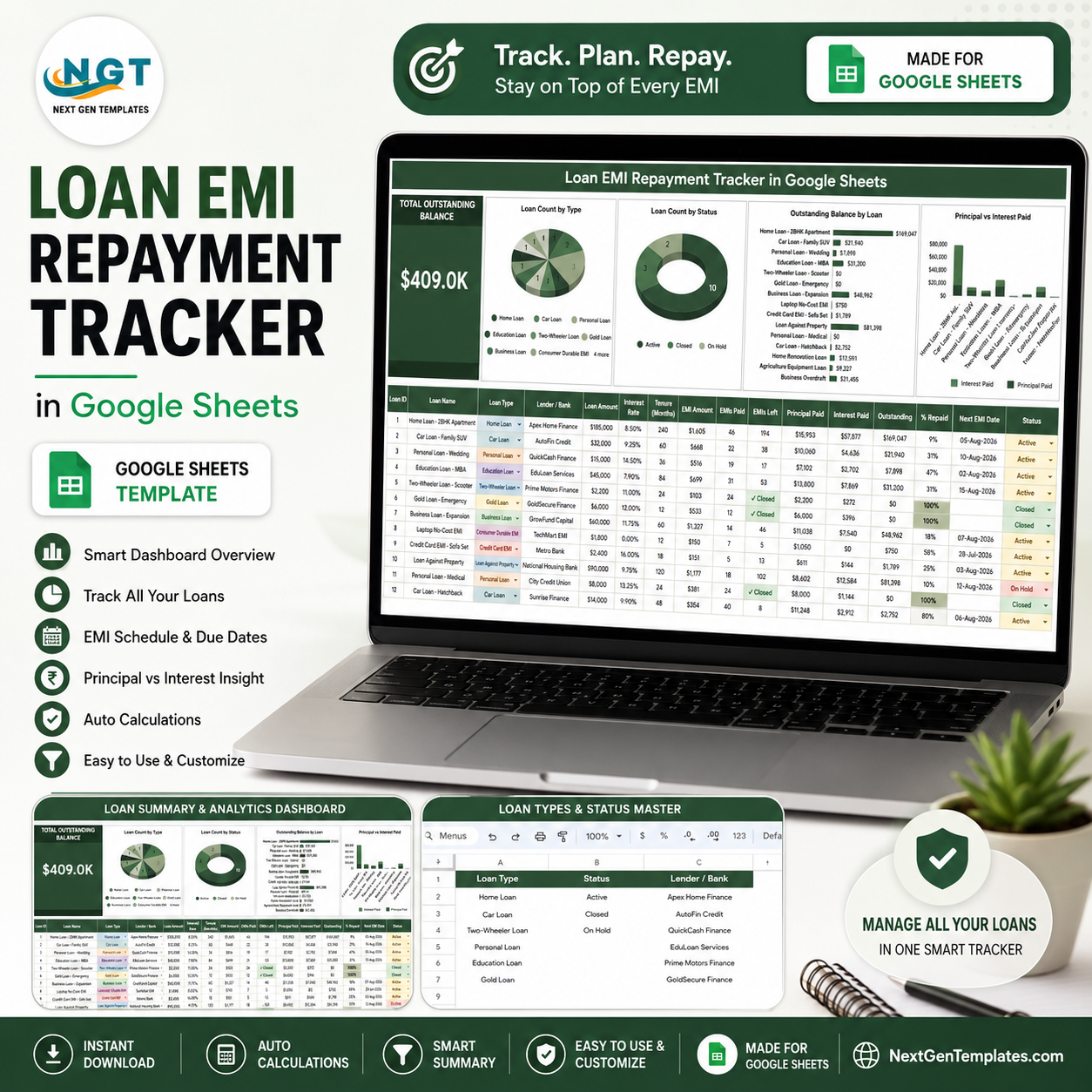

U.S. household debt reached $18.8 trillion in Q1 2026, according to the Federal Reserve Bank of New York. When several loans have different rates, lenders, EMI dates, and remaining terms, a missed update can hide the true repayment picture. The Loan EMI Repayment Tracker in Google Sheets puts every loan into one editable view for a one-time purchase of $6.99, with no recurring software fee. It is hand-built and tested by PK, a Microsoft Certified Professional with 15+ years of spreadsheet experience and an audience of 300K+ YouTube subscribers. Make your own copy, replace the sample records, and adapt the dropdown lists without rebuilding the formulas.
Key Features of Loan EMI Repayment Tracker in Google Sheets
- One-loan-per-row tracking: Record each facility consistently from Loan ID through current status.
- Automatic repayment calculations: See EMIs Left, Principal Paid, Interest Paid, Outstanding, and % Repaid without maintaining separate calculations.
- High-level balance card: Review Total Outstanding Balance before inspecting individual loans.
- Four focused charts: Compare loan mix, status, outstanding balance, and paid principal versus interest.
- Dashboard slicers: Apply quick filters for focused analysis.
- Editable List sheet: Revise Loan Type, Status, and Lender / Bank dropdowns without changing formulas.
- Automatic closure logic: A fully repaid loan is marked Closed.
What’s Inside the Loan EMI Repayment Tracker in Google Sheets
Loan EMI Repayment Tracker Page
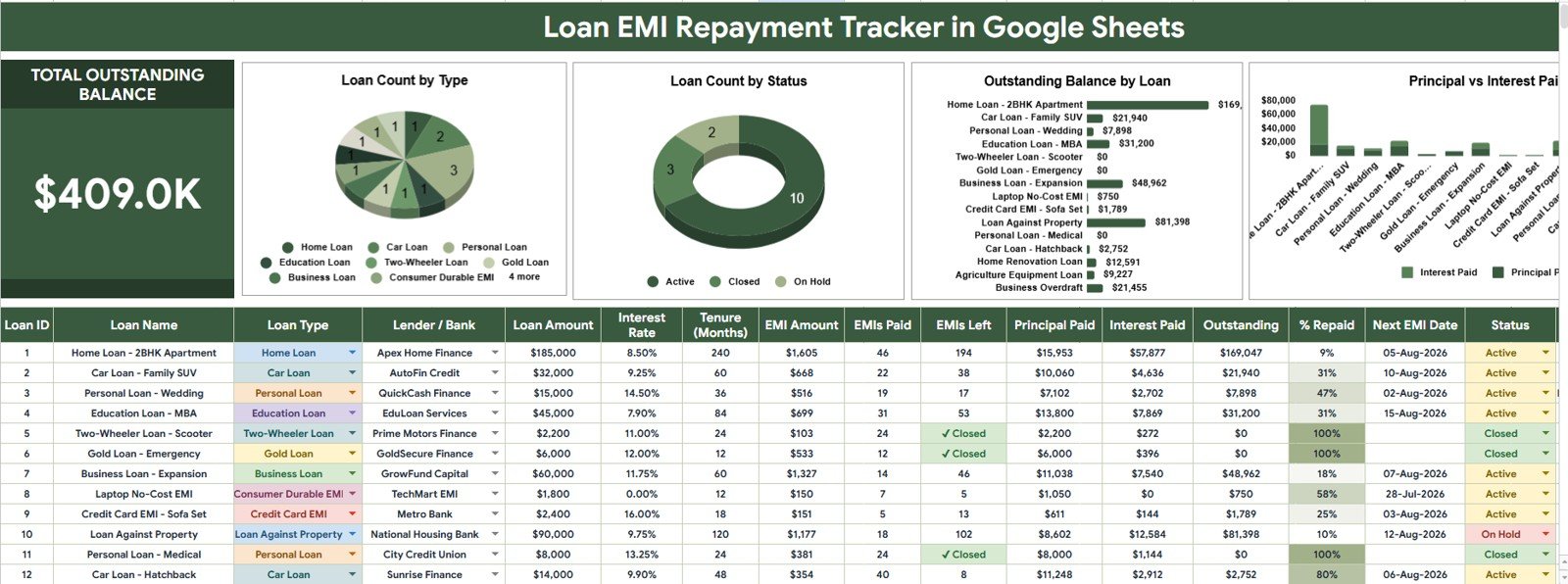
The main page combines a dashboard and loan register. The Total Outstanding Balance card displays the remaining balance in the current view, while slicers narrow the dashboard quickly.
Loan Count by Loan Type
This chart counts loans in each type, helping you see how the portfolio is distributed across categories. It makes an overconcentration in one loan type easier to notice before reviewing individual rows.
Loan Count by Status
This chart groups the number of loans by status so open and closed obligations can be compared at a glance. It also helps identify records that may need a status update after a payment.
Outstanding Balance by Loan
This chart compares the remaining balance for each loan and highlights the largest obligations. Use it to decide which accounts deserve closer cash-flow planning or lender review.
Principal Paid and Interest Paid by Loan
This chart separates principal paid from interest paid for every loan. It shows whether payments are reducing the borrowed amount or are still weighted heavily toward interest.
Below the charts, each table row represents one loan. Enter Loan ID, Loan Name, Loan Type, Lender / Bank, Loan Amount, Interest Rate, Tenure (Months), EMI Amount, EMIs Paid, Next EMI Date, and Status. The tracker calculates EMIs Left, Principal Paid, Interest Paid, Outstanding, and % Repaid, then marks a fully repaid loan as Closed.
List Sheet
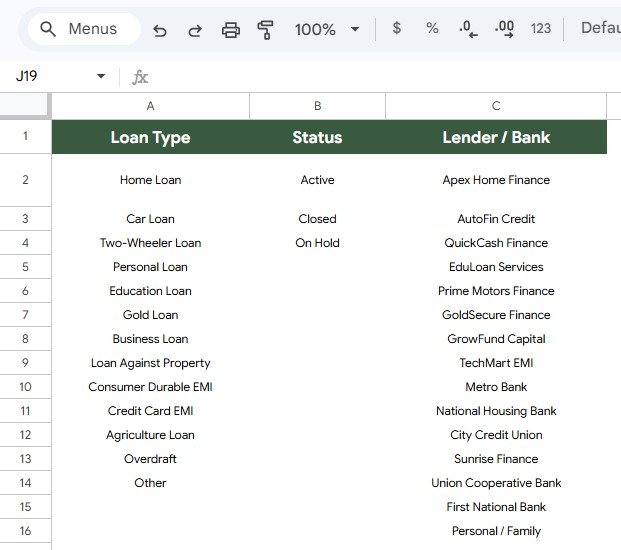
The List sheet stores the dropdown values used by the main tracker. Add or update the available Loan Type, Status, and Lender / Bank options here; the tracker table picks them up automatically, so users can customize data-entry choices without editing a formula.
Loan EMI Repayment Tracker in Google Sheets vs. Microsoft Excel vs. Paid Finance SaaS – Where This Fits
| Feature | This Google Sheets tracker | Microsoft Excel workbook | Paid finance SaaS |
|---|---|---|---|
| Cost | $6.99 one-time sale price | Requires an eligible Excel license | Usually recurring |
| Platform | Google Sheets | Desktop or web Excel | Vendor web or mobile app |
| Setup time | Copy, replace sample loans, and use | Varies by workbook design | Account setup and configuration |
| Real-time collaboration | Yes, through Google sharing controls | Depends on Microsoft 365 setup | Usually plan-dependent |
| Mobile access | Google Sheets app or browser | Excel app or browser | Vendor-dependent |
| Customizable fields | Yes | Yes | May be restricted by plan |
| Share with link | Yes, subject to license terms | Cloud storage required | Usually user-seat based |
| Year-1 cost at 5 users | $6.99 purchase; sharing remains subject to the product license | Depends on existing licenses | Depends on provider and seat tier |
| Automatic repayment fields | Included | Must be built or sourced | Varies by product |
| Bank synchronization | No | No by default | May be available |
Who This Template Is For – and Who It’s Not For
This tracker suits individuals, families, freelancers, and small business owners who manually monitor fixed-payment loans. It provides a transparent register, visual analysis, customizable dropdowns, and no monthly software fee.
It is not a banking system, accounting ledger, or financial-advice tool. Choose specialist software for bank feeds, variable-rate amortization, exact transaction allocation, multi-currency accounting, regulated reporting, or payment collection.
How to Use the Loan EMI Repayment Tracker in Google Sheets
- Use the PDF guide’s copy link to create an editable Google Sheets copy.
- Adjust Loan Type, Status, and Lender / Bank values on the List sheet.
- Enter one loan per row with its terms, EMI progress, next date, and status.
- Confirm calculated fields against your latest lender statement.
- Use the card, charts, and slicers after each update.
Real-World Use Cases
Anita, the salaried borrower
Anita tracks home, vehicle, and education loans together. Before a large purchase, she checks open balances and upcoming EMI dates.
Rohan, the freelancer
Rohan records an equipment loan beside personal obligations and uses the outstanding chart for monthly cash planning.
Meera, the family finance manager
Meera uses the principal-versus-interest chart to explain progress during a family review.
Frequently Asked Questions
Does the tracker calculate the EMI amount?
No. Enter the EMI agreed with your lender; the template uses it for tracking calculations.
Which values are calculated automatically?
EMIs Left, Principal Paid, Interest Paid, Outstanding, % Repaid, and completed status.
Can I add my own lender and loan types?
Yes. Revise Loan Type, Status, and Lender / Bank choices on the List sheet.
Can I track more than one loan?
Yes. Add one loan per row.
Will it connect to my bank automatically?
No. This is a manual Google Sheets tracker and does not request bank credentials or import transactions.
Should I verify the calculated balance?
Yes. Interest rules, fees, prepayments, and lender posting dates can differ, so reconcile the sheet with official lender statements.
About the Author
Built by PK – Microsoft Certified Professional with 15+ years of Excel, Google Sheets, and Power BI experience. Founder of NextGenTemplates, reaching 300K+ subscribers across YouTube channels. Every template is hand-built and tested before release.
Explore Related Templates
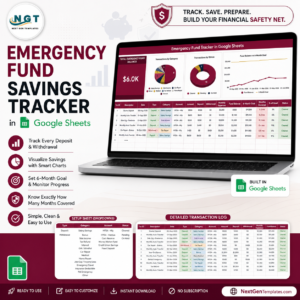
Read the complete tracker guide. Compare the Bill Payment Tracker, Credit Card Payoff Tracker, Debt Payoff Snowball Tracker, Net Worth Tracker, and Emergency Fund Tracker. Browse Google Sheets templates or Google Sheets Trackers.
Ready to organize every EMI in one view? Get the Loan EMI Repayment Tracker in Google Sheets for $6.99 and begin with your lender statements. This template supports recordkeeping and planning; it does not replace lender records or professional financial advice.



























Reviews
There are no reviews yet.