


The Financial Goals Tracker Check List is an essential tool for anyone looking to take control of their financial future. Whether you’re saving for a big purchase, planning for retirement, or tracking your overall financial health, this customizable checklist will help you set, track, and achieve your financial goals with ease.
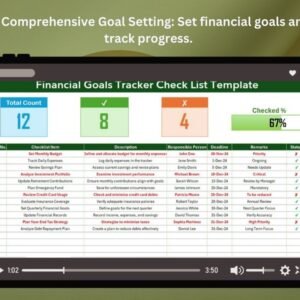
This easy-to-use Excel template allows you to set clear financial goals, monitor progress, and stay accountable to your objectives. With built-in tracking features, real-time progress indicators, and a dashboard to visualize your financial growth, you’ll stay on top of your finances and make informed decisions.
Key Features of the Financial Goals Tracker Checklist Template in Excel
💰 Comprehensive Financial Goal Setting
Set specific, measurable financial goals such as saving for emergencies, paying off debt, or investing for the future. Break your goals down into actionable steps and track them effectively.
⚡ Real-Time Progress Tracking
Monitor your financial progress in real-time with visual indicators, progress bars, and completion statuses that keep you motivated and focused on your goals.
📅 Customizable Timeframes & Deadlines
Set deadlines for each financial goal and track your milestones to ensure you’re staying on track and making progress toward your objectives.
📊 Financial Progress Dashboard
Visualize your financial progress with an interactive dashboard that displays the status of each goal, including amounts saved, debt paid, or investments made.
🔄 Flexible & Customizable
Adapt the checklist to suit your personal financial goals. Whether you’re focused on short-term goals like saving for a vacation or long-term goals like retirement planning, this template can be tailored to fit your needs.
🖥️ User-Friendly Interface
The simple, intuitive design ensures that you can easily track your goals, update your financial data, and stay organized without the hassle.
Why You’ll Love the Financial Goals Tracker Checklist Template in Excel

✅ Stay Focused on Your Financial Goals
Keep track of your financial goals and take actionable steps to reach them, whether you’re saving, paying off debt, or investing.
✅ Track Progress & Stay Motivated
Monitor your financial progress in real-time with visual progress indicators, helping you stay motivated as you work toward achieving your goals.
✅ Set Clear Financial Milestones
Break down your financial goals into smaller, achievable milestones with deadlines, ensuring consistent progress and a clear path to success.
✅ Visualize Your Financial Growth
Use the dashboard to track your savings, debt reduction, and investments, and visualize your financial journey over time.
✅ Customizable for Your Financial Needs
Adapt the checklist to track various types of financial goals—whether for savings, debt management, or investments—based on your unique situation.
What’s Inside the Financial Goals Tracker Checklist Template in Excel?
- Financial Goal Overview: A list of financial goals, deadlines, and progress tracking.
- Real-Time Progress Tracker: Visual progress bars and task completion indicators to track the status of each goal.
- Financial Progress Dashboard: A dashboard summarizing your financial journey, including savings, debt reduction, and investment progress.
- Customizable Financial Categories: Modify categories and goal types to match your personal financial needs.
- Actionable Milestones: Set milestones for each financial goal to keep you focused and on track.
How to Use the Financial Goals Tracker Checklist Template in Excel
1️⃣ Download the Template: Instantly access your financial goals tracker.
2️⃣ Set Your Goals & Deadlines: Enter your financial goals, set deadlines, and break down goals into smaller, manageable tasks.
3️⃣ Track Progress: Use the progress bars and dashboard to monitor your achievements and stay focused.
4️⃣ Update Regularly: Regularly update your tracker to reflect your financial progress and make adjustments if necessary.
Who Can Benefit from the Financial Goals Tracker Checklist Template in Excel?
🔹 Individuals Looking to Manage Personal Finances
🔹 People Focused on Saving & Investing
🔹 Families & Households Planning for Financial Security
🔹 Debt Management Seekers
🔹 Small Business Owners Tracking Business Finances
🔹 Financial Advisors & Coaches Helping Clients with Financial Planning
Take control of your financial future and stay on track to achieve your financial goals with this easy-to-use, customizable Excel checklist.
Click here to read the Detailed blog post
Visit our YouTube channel to learn step-by-step video tutorials
Youtube.com/@PKAnExcelExpert
Compatibility and Requirements
- Works in Microsoft Excel desktop (Excel 2016 or later, or Microsoft 365).
- New to Excel? Microsoft has a beginner course in Excel for Windows training.
Frequently Asked Questions
What does the template include?
A financial goal overview, a progress tracker, a financial progress dashboard, customizable categories and milestones for each goal.
What kinds of goals can I track?
Savings, debt repayment and investment goals, short term or long term.
How do I track progress toward a goal?
Set the goal, its deadline and milestones, then update it regularly. Progress bars and the dashboard show where each goal stands.
Is there a Google Sheets version?
Yes. The Financial Goals Tracker in Google Sheets works in a browser with a free Google account.
Related Personal Finance Templates
- Financial Goals Tracker in Google Sheets: the same tracker in Google Sheets
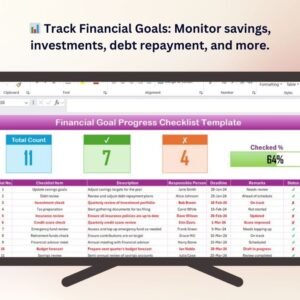
- Financial Goal Progress Checklist Template in Excel: milestone checks for each goal
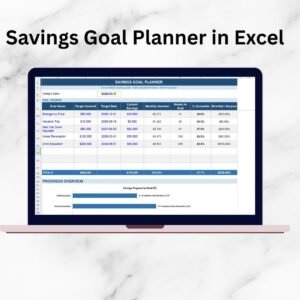
- Savings Goal Planner in Excel: plan monthly savings
- Personal Finance Tracker in Excel: income and spending in one file
- Personal Finance Dashboard in Excel: a dashboard view of your finances
Browse all Excel checklists or the Excel financial tools.






























Reviews
There are no reviews yet.