

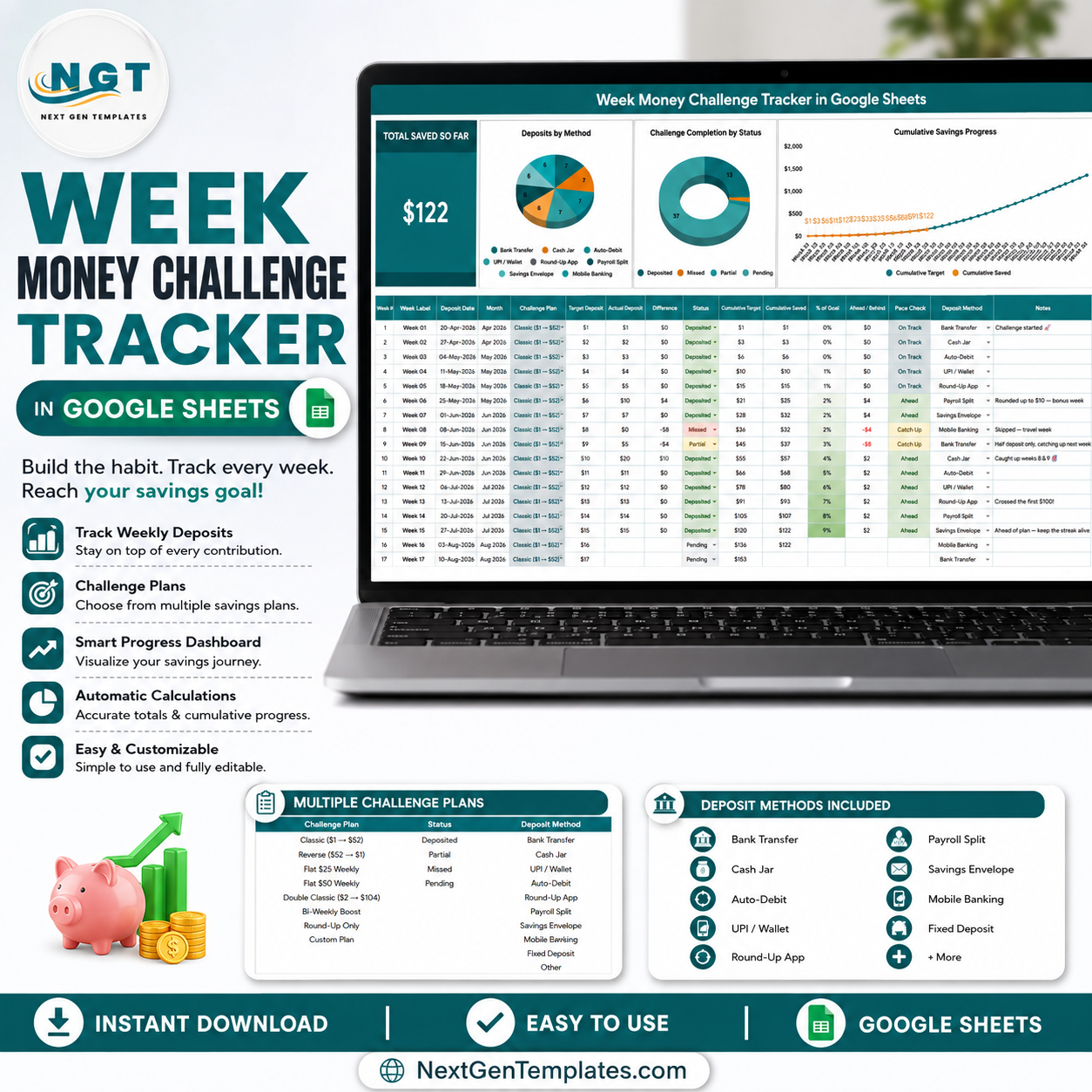
Week Money Challenge Tracker in Google Sheets helps turn a weekly savings challenge into a visible plan instead of a loose promise. The Federal Reserve 2025 household survey data shows 63% of adults could cover a $400 emergency expense with cash or its equivalent, which means consistent saving habits still matter for many households. Built by PK for a 300K+ spreadsheet learning audience, this $6.99 Google Sheets tracker gives you weekly targets, deposits, status, method, and cumulative progress without a bank login, monthly app fee, or locked software account.
Key Features of Week Money Challenge Tracker in Google Sheets
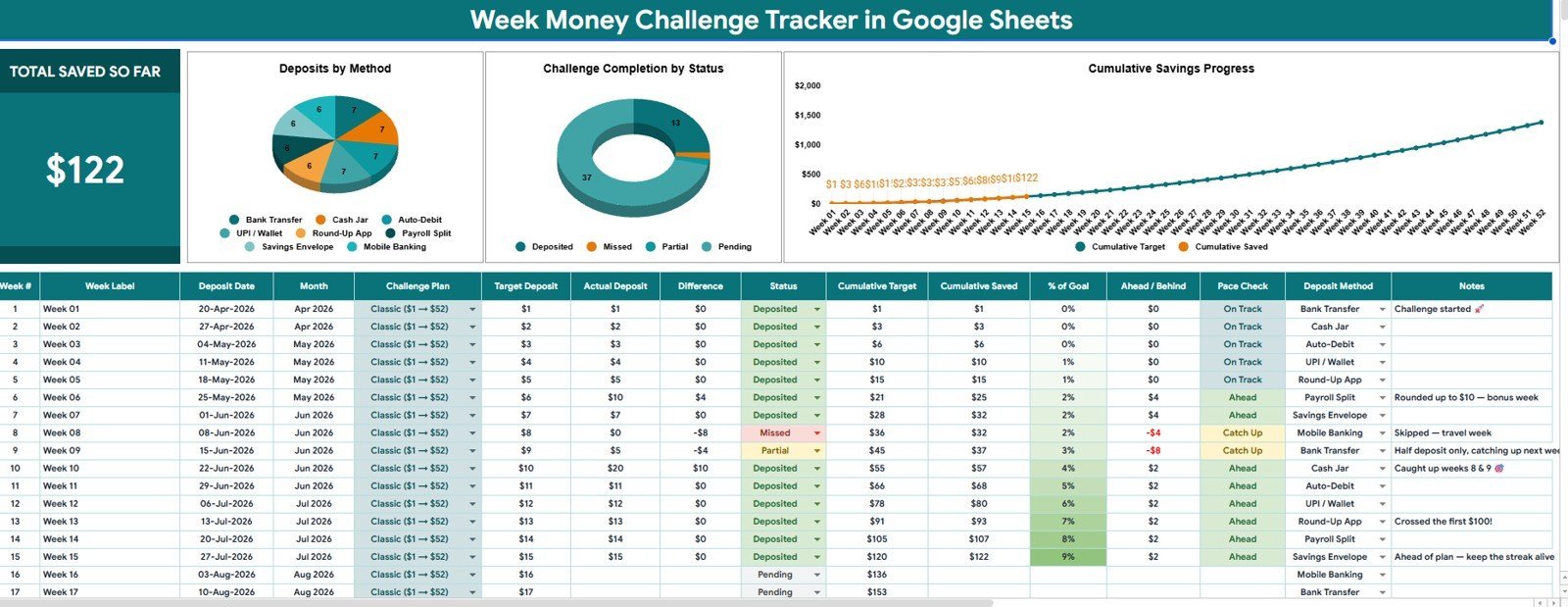
- Total Saved So Far card: See the high-level amount saved across your weekly challenge entries.
- Overview dashboard: Review deposits, completion status, weekly targets, and cumulative saved progress from one page.
- Four built-in charts: Analyze Deposits by Method, Challenge Completion by Status, Cumulative Target by Week, and Cumulative Saved by Week.
- Multiple slicers: Filter the dashboard quickly by available fields without editing formulas.
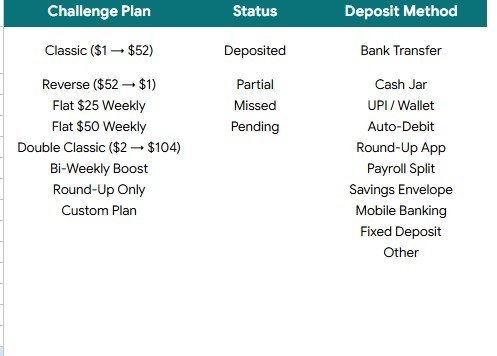
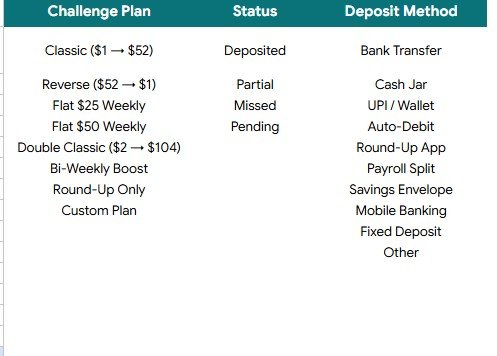
- Dropdown Options Sheet: Maintain challenge plans, deposit statuses, and deposit methods in one setup area.
- Google Sheets workflow: Copy the tracker to Google Drive, customize it, and use it from a browser or mobile app.
- Manual-entry control: Keep your savings challenge private and intentional without connecting bank credentials.
What’s Inside the Week Money Challenge Tracker in Google Sheets
1. Overview Page
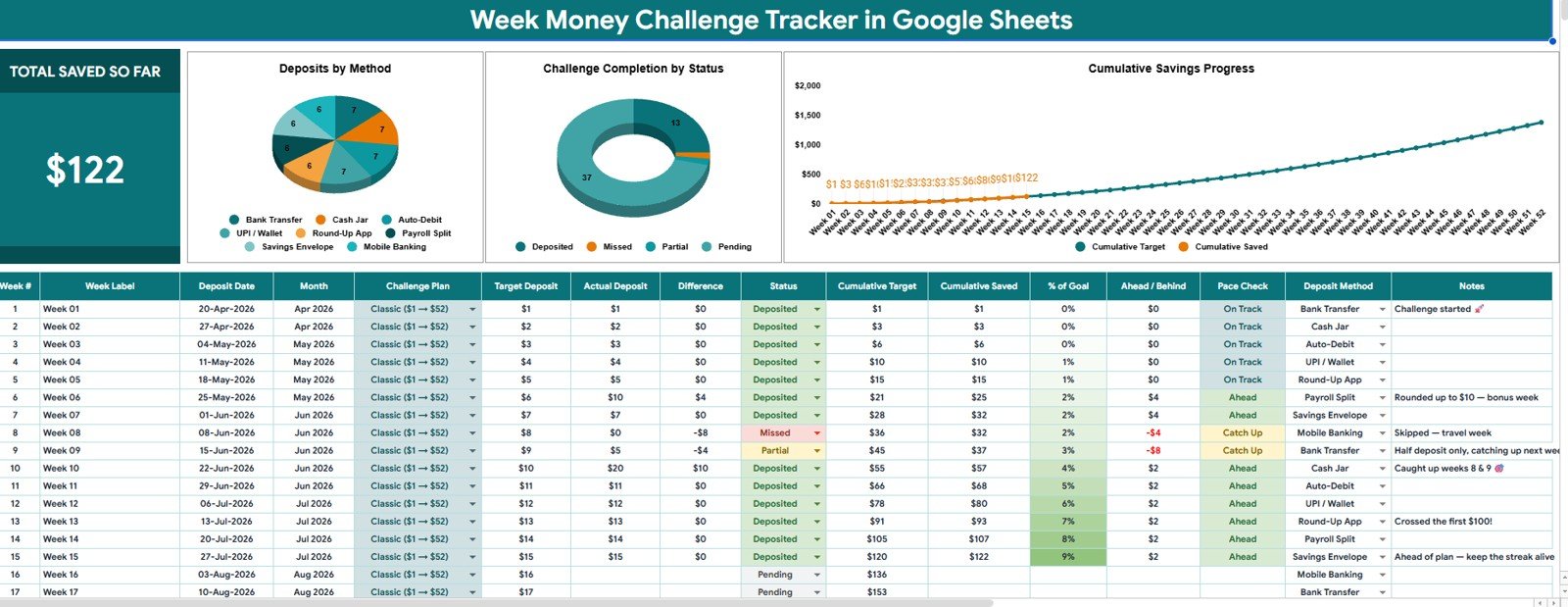
The Overview Page is the main dashboard sheet. At the top, the Total Saved So Far card gives a quick savings snapshot so you can see the result of your challenge before reviewing the charts and slicers.
Deposits by Method: This chart compares saved amounts by deposit method, such as cash, bank transfer, wallet, or another method you define.
It helps you see which saving channel is doing the most work and whether your weekly habit depends on one method.
Challenge Completion by Status: This chart groups challenge weeks by deposit status, such as completed, pending, skipped, or planned.
It helps you understand follow-through at a glance and identify weeks that need a catch-up deposit.
Cumulative Target by Week: This chart shows the running target amount across the challenge weeks.
It gives you a clear benchmark for where the challenge expects you to be at each point in the plan.
Cumulative Saved by Week: This chart shows the running saved amount across the challenge weeks.
It lets you compare actual saving behavior with the target path and spot progress, gaps, or momentum.
2. Dropdown Options Sheet
The Dropdown Options Sheet keeps data entry clean. By storing list values in one place, the dashboard charts and slicers stay easier to read because the same plan, status, or payment method is not typed several different ways.
- Challenge Plan Options by Plan Type: Define the plan types used for different weekly money challenge structures.
- Status Options by Deposit Status: Maintain labels for completed, pending, skipped, planned, or custom savings statuses.
- Deposit Method Options by Payment Method: Store deposit methods such as cash, bank transfer, UPI, wallet, or any custom method you use.
Week Money Challenge Tracker in Google Sheets vs. Microsoft Excel vs. Paid Finance Apps – Where This Fits
| Feature | This Google Sheets tracker | Microsoft Excel tracker | Paid finance app |
|---|---|---|---|
| Cost | $6.99 one-time sale price | Template cost plus possible Microsoft license | Often monthly or annual |
| Platform | Google Sheets in Drive | Excel desktop or web | Vendor-hosted app |
| Setup time | Copy file, edit options, enter weekly deposits | Download and customize workbook | Create account and configure categories |
| Real-time team collaboration | Built into Google Drive sharing | Best with OneDrive or SharePoint | Depends on plan |
| Mobile access | Google Sheets app or browser | Excel mobile app or browser | Usually included |
| Customizable fields | Edit plan types, statuses, methods, labels, and charts | Editable if workbook is unlocked | Limited by app settings |
| Share with link | Yes, through Google Drive permissions | Yes, through Microsoft sharing | Usually account based |
| Year-1 cost at 5 users | $6.99 before any Google Workspace cost | Template plus license cost | Can rise with seats or premium features |
| Weekly target tracking | Included with cumulative target and saved charts | Must be built or customized | Depends on the app workflow |
Who This Template Is For – and Who It’s Not For
This template is for individuals, couples, students, families, finance coaches, and personal finance creators who want a simple weekly savings challenge tracker with visual progress. It is useful when you want a structured weekly habit, a clear target path, and a dashboard that shows whether deposits are being made on time.
It is not a bank-sync budgeting app, investment planner, accounting system, debt counseling tool, or substitute for financial advice. If you need automatic transaction imports, regulated financial planning, tax calculations, or account-level security controls, use specialist software alongside this tracker.
How to Use the Week Money Challenge Tracker in Google Sheets
- Open the included Google Sheets access file after purchase and create your own editable copy in Google Drive.
- Review the Dropdown Options Sheet and customize challenge plan, deposit status, and deposit method options.
- Enter each week, target amount, saved amount, deposit method, and deposit status.
- Open the Overview Page to review Total Saved So Far and the four dashboard charts.
- Use slicers to filter the challenge by plan type, status, method, or other available fields.
- Review cumulative target versus cumulative saved progress during weekly or monthly money check-ins.
Real-World Use Cases
Maya, first-time saver: uses the tracker to follow a weekly savings challenge and checks the cumulative saved chart every Sunday.
Daniel and Priya, household planners: track weekly deposits for a vacation fund and use deposit status to see which weeks need catch-up contributions.
Renee, finance coach: creates a copy for each client and uses the Overview Page to discuss saving consistency, deposit methods, and target gaps.
Frequently Asked Questions
What does the Total Saved So Far card show?
It shows the selected saved amount across the challenge records, giving you a quick headline view of progress.
Can I customize the weekly challenge plan?
Yes. The Dropdown Options Sheet includes challenge plan options so you can adapt the tracker to your preferred weekly savings structure.
What charts are included?
The Overview Page includes Deposits by Method, Challenge Completion by Status, Cumulative Target by Week, and Cumulative Saved by Week.
Does this template connect to my bank account?
No. It is a manual Google Sheets tracker, which keeps setup simple and avoids requiring bank credentials.
Can I use it for more than one challenge?
Yes. You can duplicate the file or use plan types and slicers to separate different weekly money challenges.
Do I need advanced Google Sheets skills?
No. The dashboard, charts, slicers, and dropdown setup are already built. You only need to enter your own challenge data.
About the Author
Built by PK – Microsoft Certified Professional with 15+ years of Excel, Google Sheets, and Power BI experience. Founder of NextGenTemplates, reaching 300K+ subscribers across YouTube channels. Every template is hand-built and tested before release.
Explore Related Templates
- No Spend Challenge Tracker in Google Sheets
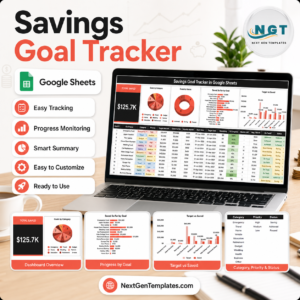
- Savings Goal Tracker in Google Sheets
- Retirement Savings Tracker in Google Sheets
- Personal Finance Net Worth Tracker in Google Sheets
- Shared Expense Splitter Tracker in Google Sheets
- Browse Google Sheets templates
- Browse Google Sheets tracker templates
Download the Week Money Challenge Tracker in Google Sheets when you want a clean weekly savings challenge dashboard for targets, deposits, methods, statuses, and cumulative progress.
Watch the step-by-step video Demo:
Last updated: August 4, 2026.























Reviews
There are no reviews yet.