

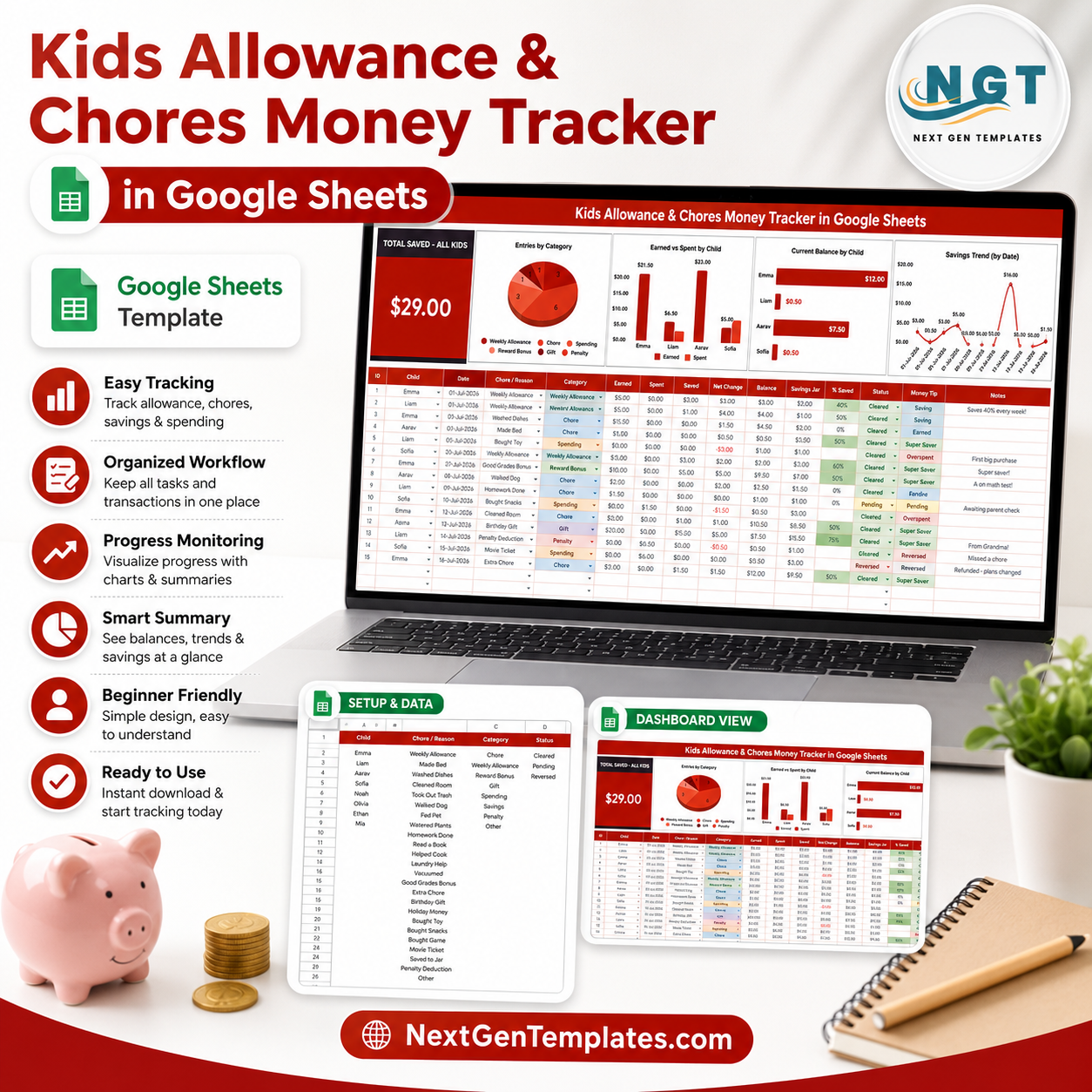

Kids Allowance and Chores Money Tracker in Google Sheets gives parents one shareable tracker with 2 focused sheet tabs, 1 top-level Total Saved card, 4 overview charts, 4 menu analyses, and slicers for fast review. Instead of guessing who earned what, who spent from savings, or which category is driving allowance money, you can record entries once and review balances by child, category, status, and date. Built by PK, founder of NextGenTemplates, with 300K+ spreadsheet learners across YouTube. This is a one-time purchase: no subscription, no per-child fee, no locked finance app, and an editable Google Sheets copy you control.
Key Features of Kids Allowance and Chores Money Tracker in Google Sheets
- Total Saved – All Kids card: See the headline family savings number before reviewing the charts.
- Child-level balance tracking: Compare earned money, spending, and current balance by child in one dashboard-style page.
- Chore and category structure: Separate allowance entries by child, chore reason, category, and status so repeated tracking stays clean.
- Interactive slicers: Filter the dashboard quickly during family money reviews without rebuilding formulas or charts.
- Editable Menus sheet: Maintain dropdown values for child names, chores, categories, and status options in one setup tab.
- Google Sheets sharing: Keep the tracker in Google Drive and share it with a spouse, co-parent, tutor, or older child using standard permissions.
What’s Inside the Kids Allowance and Chores Money Tracker in Google Sheets
1 – Overview Page
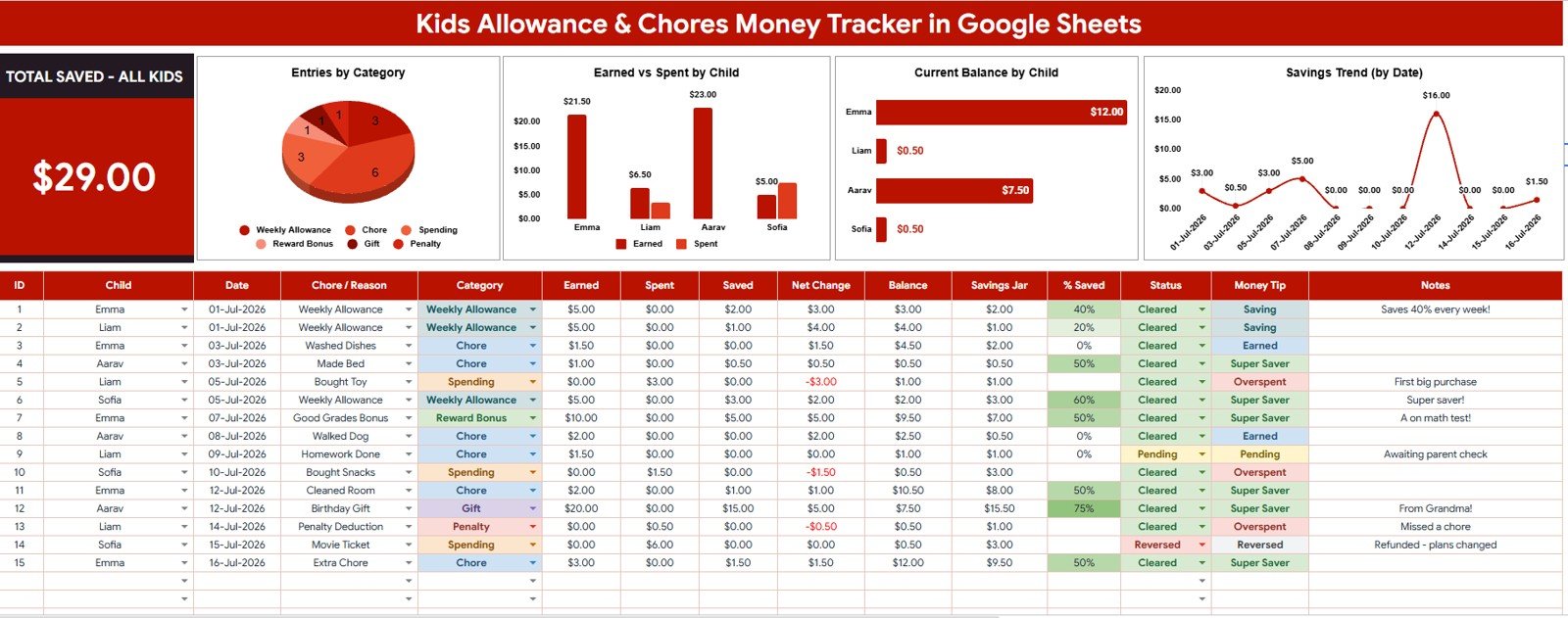
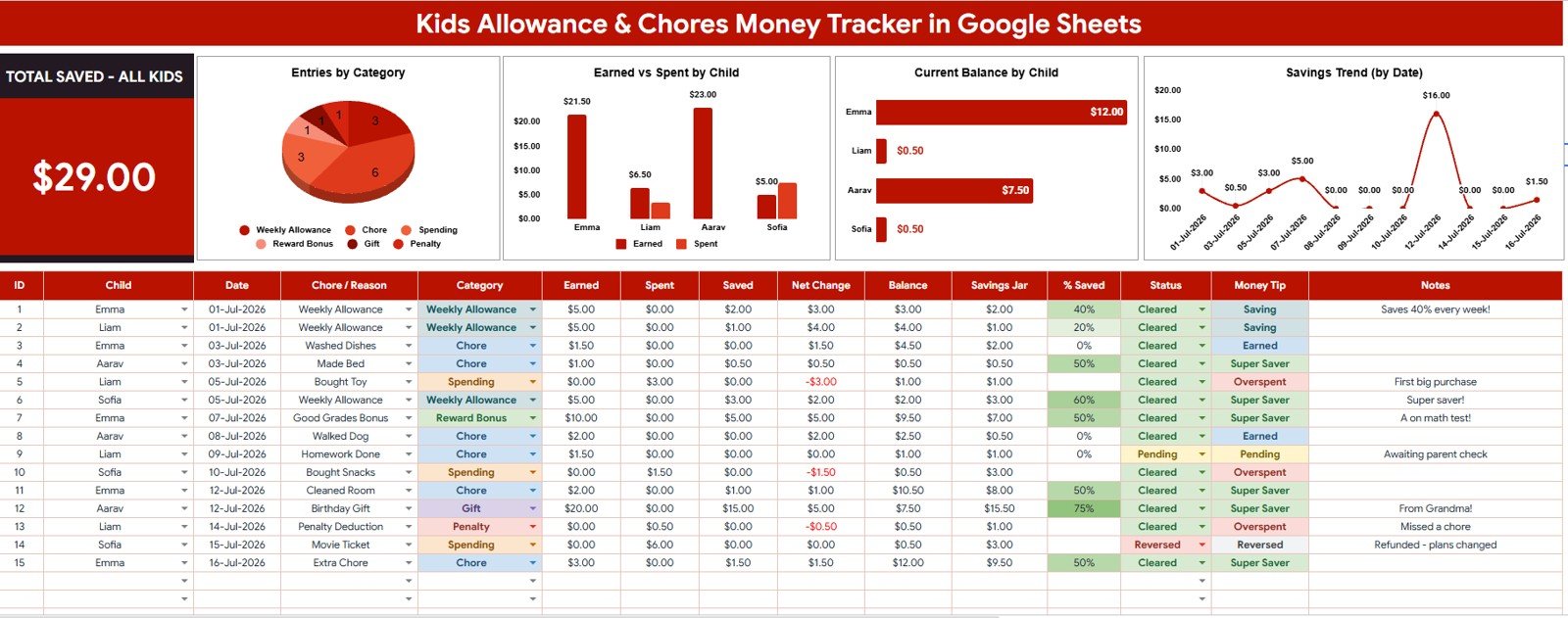
The Overview Page is the main dashboard sheet. At the top, the Total Saved – All Kids card gives parents a fast read on total savings before moving into category, child, balance, and trend analysis.
Entries by Category: This chart groups allowance and money records by category. It helps parents see whether money is tied mainly to chores, rewards, savings deposits, spending, or other custom categories.
Earned vs Spent by Child: This chart compares money earned and money spent for each child. It is useful for family check-ins because each child can see how work, choices, and spending affect their remaining money.
Current Balance by Child: This chart shows the latest balance for each child in the tracker. It helps parents answer the everyday question of who has how much available without recalculating separate rows.
Savings Trend by Date: This chart tracks savings movement over time. It helps the family see whether balances are growing steadily or if spending is reducing progress toward short-term goals.
2 – Menus
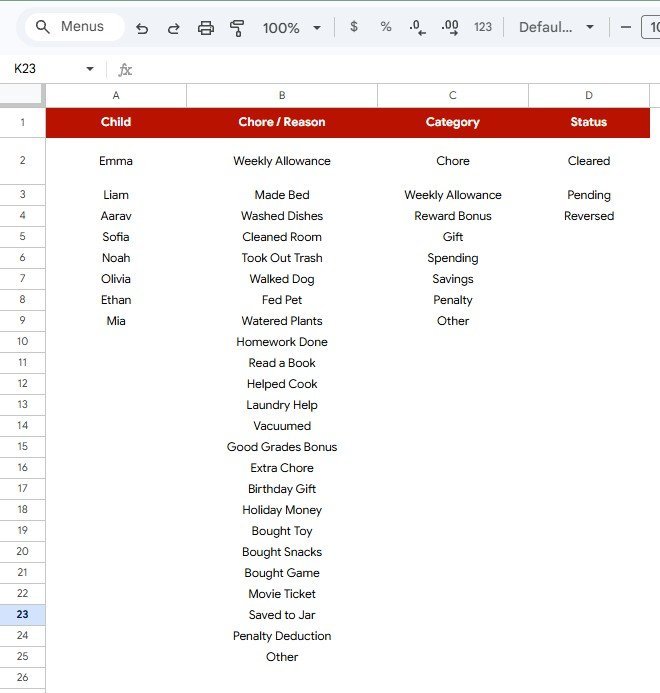
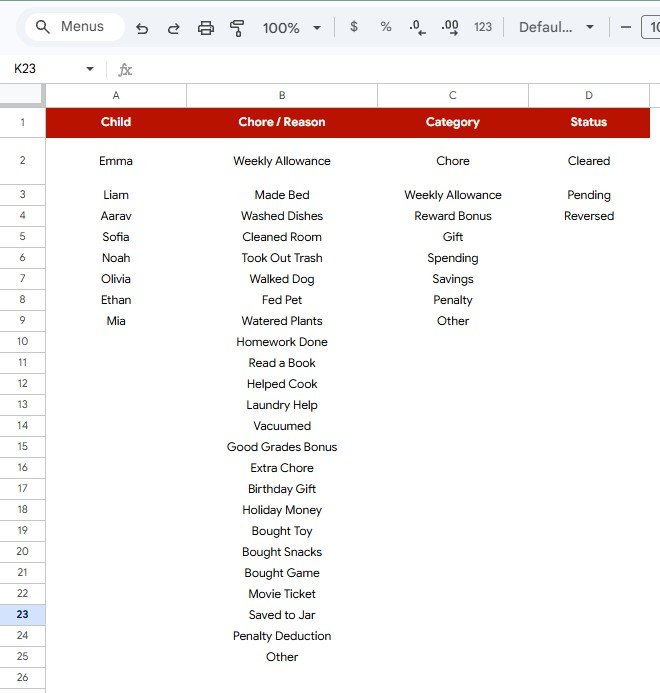
The Menus sheet keeps the dropdown values used across the tracker in one editable place. Clean menu lists reduce spelling differences, make slicers easier to use, and keep the dashboard charts consistent as the tracker grows.
Child by Menu Option: This analysis shows the child names available for selection in the tracker. Parents can update the list as needed so entries stay tied to consistent child labels.
Chore Reason by Menu Option: This analysis shows the chore or allowance reasons available in the file. It helps families standardize recurring activities such as cleaning, homework help, reading, pet care, or bonus rewards.
Category by Menu Option: This analysis shows the categories used to organize each money entry. Clear category names make it easier to review where money is earned, saved, or spent.
Status by Menu Option: This analysis shows the status values available for each entry. Parents can use status options to separate planned, completed, paid, saved, spent, or custom tracking states.
Kids Allowance and Chores Money Tracker in Google Sheets vs. Microsoft Excel Tracker vs. Paid Family Finance App – Where This Fits
| Feature | This Google Sheets tracker | Microsoft Excel tracker | Paid family finance app |
|---|---|---|---|
| Cost | $6.99 one-time sale price | Template cost plus possible Microsoft access | Often monthly or annual subscription |
| Platform | Google Sheets in Google Drive | Excel desktop or Excel Online | Vendor-hosted app |
| Setup time | Copy the Sheet, edit menus, enter records | Download workbook and customize manually | Create account, configure children, and learn app rules |
| Real-time team collaboration | Included through Google Drive sharing | Requires OneDrive or SharePoint workflow | Usually included, plan dependent |
| Mobile access | Google Sheets app or browser | Excel app or browser | Vendor app |
| Customizable fields | Edit menus, labels, records, and formulas | Editable if workbook is unlocked | Limited by app settings |
| Share with link | Yes, with Drive permissions | Yes, with cloud storage | Usually requires account access |
| Year-1 cost at 5 users | $6.99 before any Google Workspace costs | Template plus Microsoft access | Often recurring household plan pricing |
| Allowance-specific analysis | Earned vs Spent by Child and Current Balance by Child included | Must be built or customized | Depends on app features |
Who This Template Is For – and Who It’s Not For
This template is for parents, guardians, homeschool families, tutors, and family finance coaches who want a simple way to record chores, rewards, savings, spending, and child-level balances in Google Sheets.
It is not a banking product, debit card app, payroll system, tax record, or behavioral reward platform. It does not move money automatically, connect to bank accounts, or replace parent judgment about allowance rules.
How to Use the Kids Allowance and Chores Money Tracker in Google Sheets
- Open the PDF guide from your download and create your own editable Google Sheets copy.
- Go to the Menus sheet and update child names, chore reasons, categories, and status options.
- Enter allowance, chore, saving, and spending records in the tracker data area.
- Open the Overview Page and review the Total Saved – All Kids card.
- Use slicers to filter by child, category, chore reason, status, or date.
- Review Earned vs Spent by Child and Current Balance by Child during weekly family money conversations.
Real-World Use Cases
Aarav and Meera, busy parents: track weekly chores and small rewards so each child can see what was earned, spent, and saved without a separate app account.
Grace, a homeschool parent: uses categories to connect reading, cleaning, and responsibility tasks with money lessons during Friday review time.
Leo, a family finance coach: gives clients a simple tracker for practicing saving goals before deciding whether a paid kids debit card app is worth it.
Frequently Asked Questions
What does the Total Saved – All Kids card show?
It shows the total saved amount across all children based on the records and filters used in the tracker.
Can I customize child names and chore reasons?
Yes. The Menus sheet is built so you can update child names, chore reasons, categories, and status options.
Does the tracker transfer money or connect to a bank?
No. It is a Google Sheets tracker for recording and reviewing allowance data. It does not connect to banks or move money.
Can more than one parent use the file?
Yes. Because it runs in Google Sheets, you can share your copied file with another trusted editor or viewer through Google Drive.
Can I use this for multiple kids?
Yes. The tracker is designed around child-level analysis, including Earned vs Spent by Child and Current Balance by Child.
Is this suitable for school or classroom use?
It can be adapted for small classroom reward tracking, but it is primarily designed for household allowance and chore money workflows.
About the Author
Built by PK – Microsoft Certified Professional with 15+ years of Excel, Google Sheets, and Power BI experience. Founder of NextGenTemplates, reaching 300K+ subscribers across YouTube channels. Every template is hand-built and tested before release.
Explore Related Templates
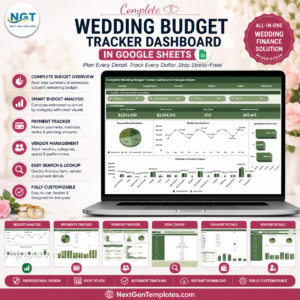
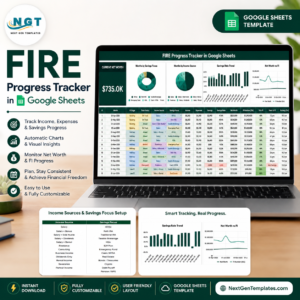
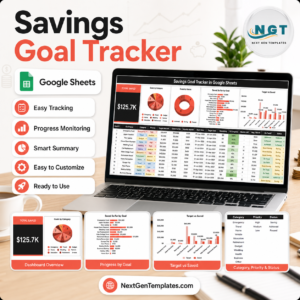
For adjacent family and finance workflows, explore the Savings Goal Tracker in Google Sheets, Retirement Savings Tracker in Google Sheets, FIRE Progress Tracker in Google Sheets, Complete Wedding Budget Tracker Dashboard in Google Sheets, and Budget Tracking Calendar in Google Sheets. Browse more Google Sheets tracker templates and Google Sheets financial tools.
Watch the step-by-step video Demo:
Download the Kids Allowance and Chores Money Tracker in Google Sheets when you want a clear, editable way to teach kids about earning, spending, saving, and current balances from one shared family tracker.
Last updated: July 30, 2026.
Compatibility and Requirements
- Works in Google Sheets with a free Google account and a web browser.
- Slicers let you review balances by child, category, status and date.
- New to Google Sheets? Google explains the basics in How to use Google Sheets.























Reviews
There are no reviews yet.