

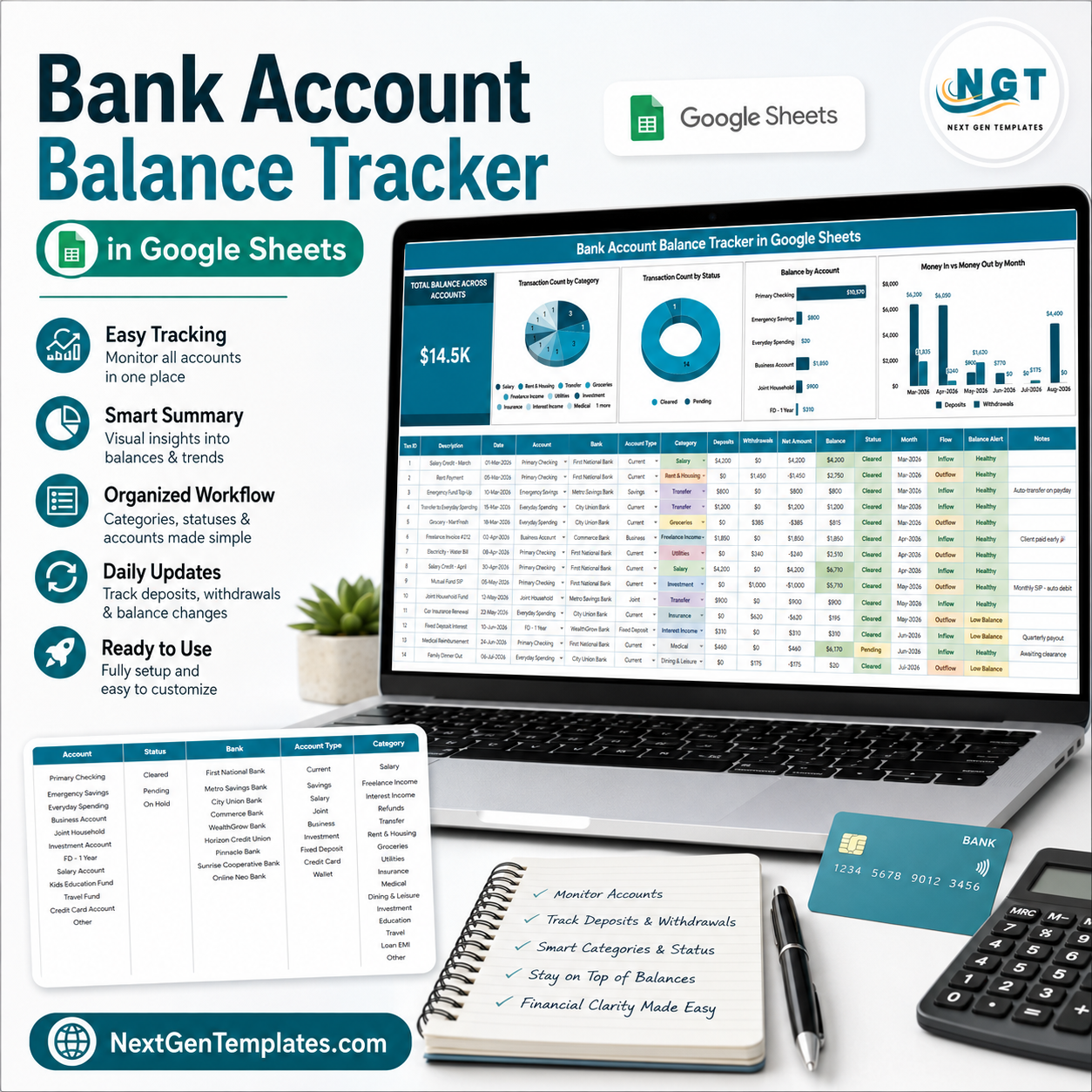
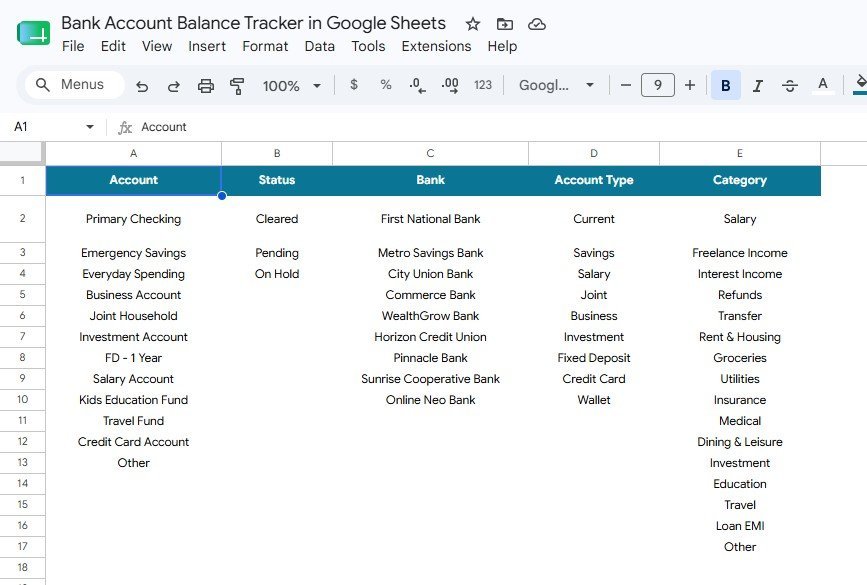
The Bank Account Balance Tracker in Google Sheets puts every current, savings, credit card, cash and loan account on a single screen. It runs on 2 linked sheets, drives 1 live Total Balance Across Accounts card, 4 auto-updating charts and 5 dropdown lists you control. Setup takes under 10 minutes — list your accounts once on the Setup sheet, log your transactions, and every balance, chart and slicer recalculates on its own.
🌍 Join 8,400+ teams in 40+ countries using NextGenTemplates to replace paid SaaS tools with one-time-purchase Excel, Google Sheets, Power BI and HTML templates.
✅ Instant download · One-time payment · No subscription · No per-user fees · Lifetime access
🔑 Key Features of the Bank Account Balance Tracker in Google Sheets
💰 One consolidated balance figure. The Total Balance Across Accounts card sums every account you have listed — across banks, account types and currencies you define — and updates the second a transaction row is entered. You never open four banking apps to answer “how much do I actually have”.
📊 Four charts, zero setup. This tracker ships with 4 pre-built charts: Transaction Count by Category, Transaction Count by Status, Balance by Account, and Money In and Money Out by Month. Each chart reads directly from the transaction log, so new rows appear in the visuals without you touching a range.
🎛️ Slicer filters across the whole page. Slicers sit at the top of the Overview sheet. Click a bank, an account type, a category or a status and the balance card plus all 4 charts refilter together — the same one-click filtering you get in a paid BI tool, inside a free spreadsheet.
🗂️ Five dropdown lists you own. The Setup sheet holds Account, Status, Bank, Account Type and Category lists. Add a new bank or spending category there and the dropdown in the transaction log picks it up immediately — no data-validation editing, no broken references.
📅 Monthly inflow versus outflow. The Money In and Money Out by Month chart plots deposits against withdrawals side by side, which is the fastest way to spot the months where spending quietly outran income.
📱 Works everywhere Google Sheets works. Desktop browser, tablet, or the Google Sheets mobile app. Share the file with your partner, accountant or business co-owner using a normal Google share link — no seat licence, no extra charge.
📦 What’s Inside the Bank Account Balance Tracker in Google Sheets
Page 1: Overview Page
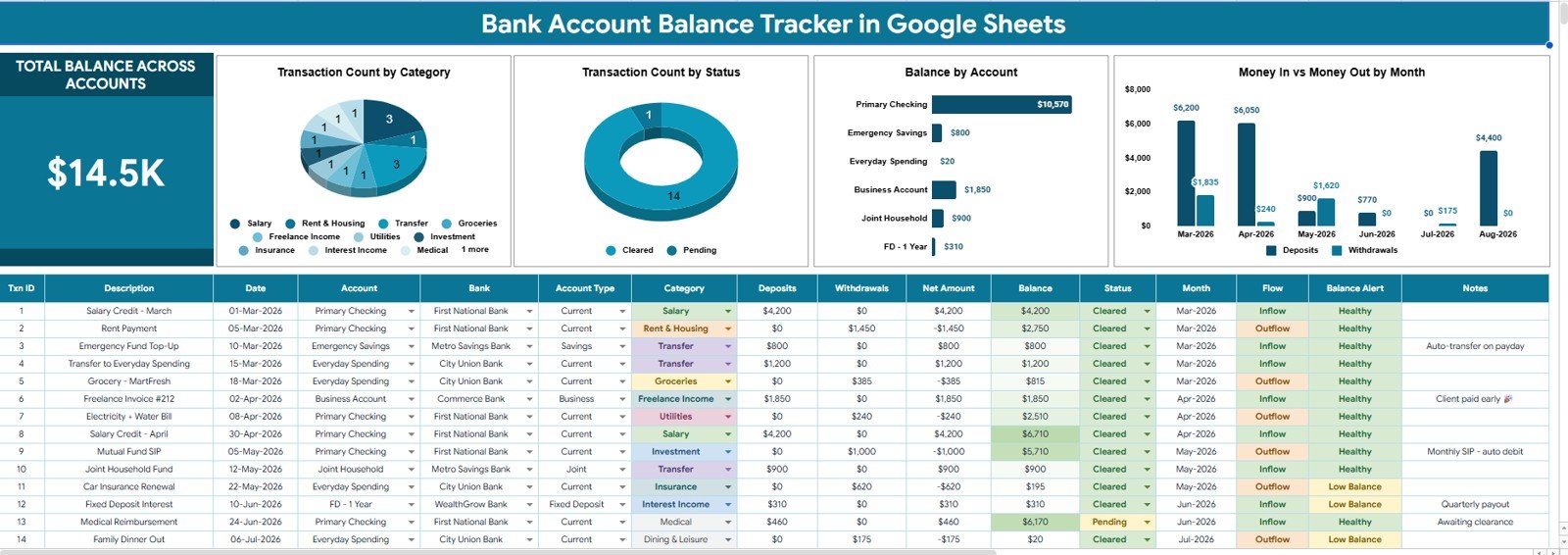
The Overview page opens with the Total Balance Across Accounts card and a row of slicers, then four charts — Transaction Count by Category and Transaction Count by Status show where your activity is concentrated and how much of it is still unreconciled; Balance by Account ranks every account from largest to smallest; and Money In and Money Out by Month tracks deposits against withdrawals over time. Below the visuals sits the transaction log where you record date, account, bank, category, status, money in and money out — the single input area that feeds everything above it.
Page 2: Setup Sheet
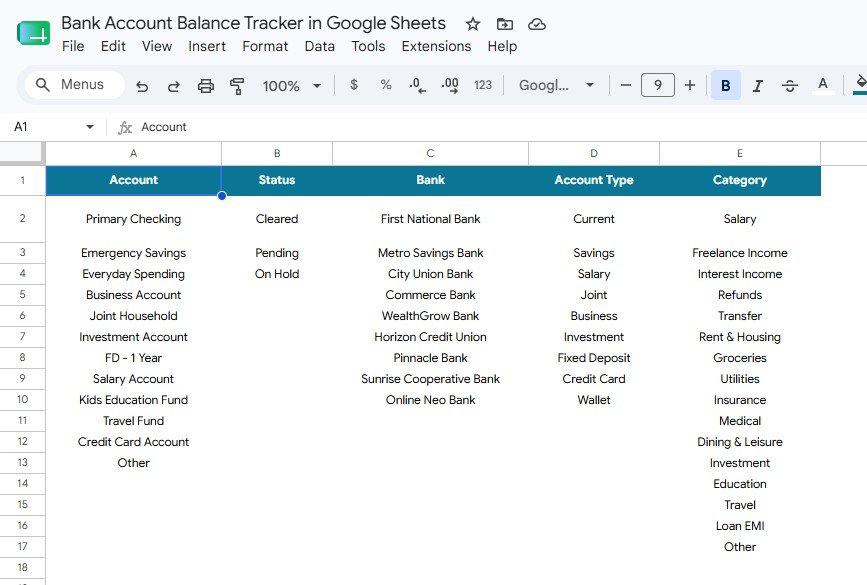
The Setup sheet is the control panel behind every dropdown and slicer in the file. It holds five separate lists — Account Setup by Account, Status Setup by Status, Bank Setup by Bank, Account Type Setup by Account Type and Category Setup by Category — so you decide exactly which accounts, banks, transaction statuses, account types and spending categories exist in your tracker. Edit a list here and the Overview page follows automatically.
📊 Bank Account Balance Tracker in Google Sheets vs. Excel vs. Paid Money Apps — Where This Fits
| Feature | Bank Account Balance Tracker in Google Sheets | Microsoft Excel version | Quicken / YNAB / Monarch Money |
|---|---|---|---|
| Cost | $6.99 one-time | $6–15 one-time + Excel licence | $8–15 / month, billed yearly |
| Platform | Google Sheets (free) | Microsoft 365 required | Vendor web + mobile app |
| Setup time | Under 10 minutes ✅ | 10–15 minutes | 20–40 minutes incl. bank linking |
| Real-time collaboration | Yes, native ✅ | Only via OneDrive co-authoring | Extra seats often cost more |
| Mobile access | Sheets app, free ✅ | Excel mobile, limited editing | Yes |
| Add your own categories & banks | Unlimited, via Setup sheet ✅ | Unlimited | Often fixed to vendor taxonomy |
| Bank credentials required | None — you enter data ✅ | None | Yes, account linking required |
| Share with link | Yes ✅ | Yes, with a Microsoft account | Invite-only, seat-limited |
| Year-1 cost at 5 users | $6.99 total ✅ | $6.99 + 5 Microsoft 365 licences | $480–900 |
For households and small businesses that want a single balance view without handing bank logins to a third party or paying monthly, the Bank Account Balance Tracker in Google Sheets sits in the sweet spot.
👥 Who This Template Is For — and Who It’s Not For
✅ This template is built for:
- Individuals and couples juggling 3–10 accounts across two or more banks who want one running total
- Freelancers and solo business owners who need business and personal accounts separated but visible together
- Small business owners doing manual bank reconciliation from downloaded statements each month
- Anyone who prefers entering transactions themselves over connecting bank credentials to a budgeting app
- Google Workspace users who want the file shared with a spouse, partner or accountant at no extra cost
❌ This template is NOT for:
- People who want automatic bank feeds — this tracker is manual entry by design, with no bank API connection
- Finance teams needing double-entry bookkeeping, journals and a trial balance — use accounting software instead
- Businesses processing several hundred transactions a day, where a spreadsheet will become slow to maintain
- Anyone needing multi-currency conversion at live FX rates — currency handling here is manual
⚙️ How to Use the Bank Account Balance Tracker in Google Sheets
- Open the PDF in your download and click the Google Sheets copy link to save your own editable copy to Google Drive.
- Go to the Setup sheet and replace the sample entries in the Bank, Account, Account Type, Category and Status lists with your own.
- Return to the Overview page and enter your opening balance for each account as the first transaction row.
- Log each transaction with date, account, bank, category, status and either a money-in or money-out amount.
- Use the slicers at the top to filter by bank, account type, category or status and read the filtered totals.
- Reconcile monthly by marking each row’s status once it appears on your bank statement.
💼 Real-World Use Cases
Meera runs a two-income household with five accounts. She keeps a joint current account, two salary accounts, a savings account and one credit card. She uses the Bank Account Balance Tracker in Google Sheets to see one combined figure every Sunday, and the Money In and Money Out by Month chart tells her instantly which months the family overspent — without paying $99 a year for a budgeting subscription.
Daniel is a freelance designer with a business and a personal account. Client payments land in one, personal spending comes out of the other. He tags every row with a category, filters by account type using the slicer, and hands his accountant a share link at year end instead of exporting statements from two banking portals. He pairs it with the Tax Deduction and Receipt Tracker in Google Sheets for deductible expenses.
Anita manages the books for a 6-person agency. Every month she downloads statements from three banks, logs them, and uses Transaction Count by Status to see how many entries are still unreconciled. Once the count hits zero, the month is closed. Balance by Account gives her partners a clean cash position on one screen.
❓ Frequently Asked Questions
What does the Bank Account Balance Tracker in Google Sheets actually track?
The Bank Account Balance Tracker in Google Sheets tracks money in, money out and the running balance for every account you list. It shows a Total Balance Across Accounts card plus four charts covering transaction count by category, transaction count by status, balance by account, and monthly inflow versus outflow.
Does this tracker connect to my bank automatically?
No. The Bank Account Balance Tracker in Google Sheets is a manual-entry template with no bank API link, which means you never share banking credentials with any third party. You enter transactions yourself or paste them in from a downloaded statement, then the charts and balances update automatically.
How long does setup take?
Under 10 minutes. Replace the five sample lists on the Setup sheet with your own banks, accounts, account types, categories and statuses, enter an opening balance per account, and the Bank Account Balance Tracker in Google Sheets is ready to use.
How many bank accounts can I add?
There is no built-in limit. Add as many accounts and banks as you need to the Setup sheet and they flow through to the dropdowns, the Balance by Account chart and the slicers. Most users track between 3 and 12 accounts comfortably.
How does this compare to Quicken, YNAB or Monarch Money?
Those apps cost roughly $8–15 per month and require linking your bank logins. The Bank Account Balance Tracker in Google Sheets is a one-time $6.99 purchase with no subscription, no credential sharing and unlimited sharing via a Google link — in exchange, you enter transactions manually.
Can I share it with my partner or accountant?
Yes. Because the Bank Account Balance Tracker in Google Sheets is a normal Google Sheets file, you share it with the standard Share button and set view or edit access per person. There are no seat licences and no additional per-user fees.
Will it work on my phone?
Yes. The Bank Account Balance Tracker in Google Sheets opens in the free Google Sheets mobile app on Android and iOS, so you can log a transaction as it happens. Charts and slicers are best viewed on a desktop or tablet screen.
👤 About the Author
Built by PK — Microsoft Certified Professional with 15+ years of Excel, Google Sheets and Power BI experience. Founder of NextGenTemplates, reaching 300K+ subscribers across YouTube channels (@PK-AnExcelExpert, @NextGenTemplates, @NeoTechNavigators). Every template is hand-built and tested before release.
🔗 Explore Related Templates
🔹 Personal Cash Flow Tracker in Google Sheets — the natural next step once balances are under control: track income against expenses month by month.
🔹 Cash Envelope Budget Tracker in Google Sheets — allocate each month’s money into spending envelopes before it leaves your account.
🔹 Emergency Fund Savings Tracker in Google Sheets — set a target, log contributions and watch the buffer grow.
🔹 Insurance Policy and Premium Tracker in Google Sheets — never miss a renewal or premium due date again.
Browse the full range of Google Sheets Trackers and Google Sheets Financial Tools for more finance templates.
📖 Click here to read the Detailed Blog Post<
Watch the step-by-step video Demo:
🎥 Visit our YouTube channel for step-by-step video tutorials
👉 YouTube.com/@NextGenTemplates
📅 Last updated: August 2026




















Reviews
There are no reviews yet.