

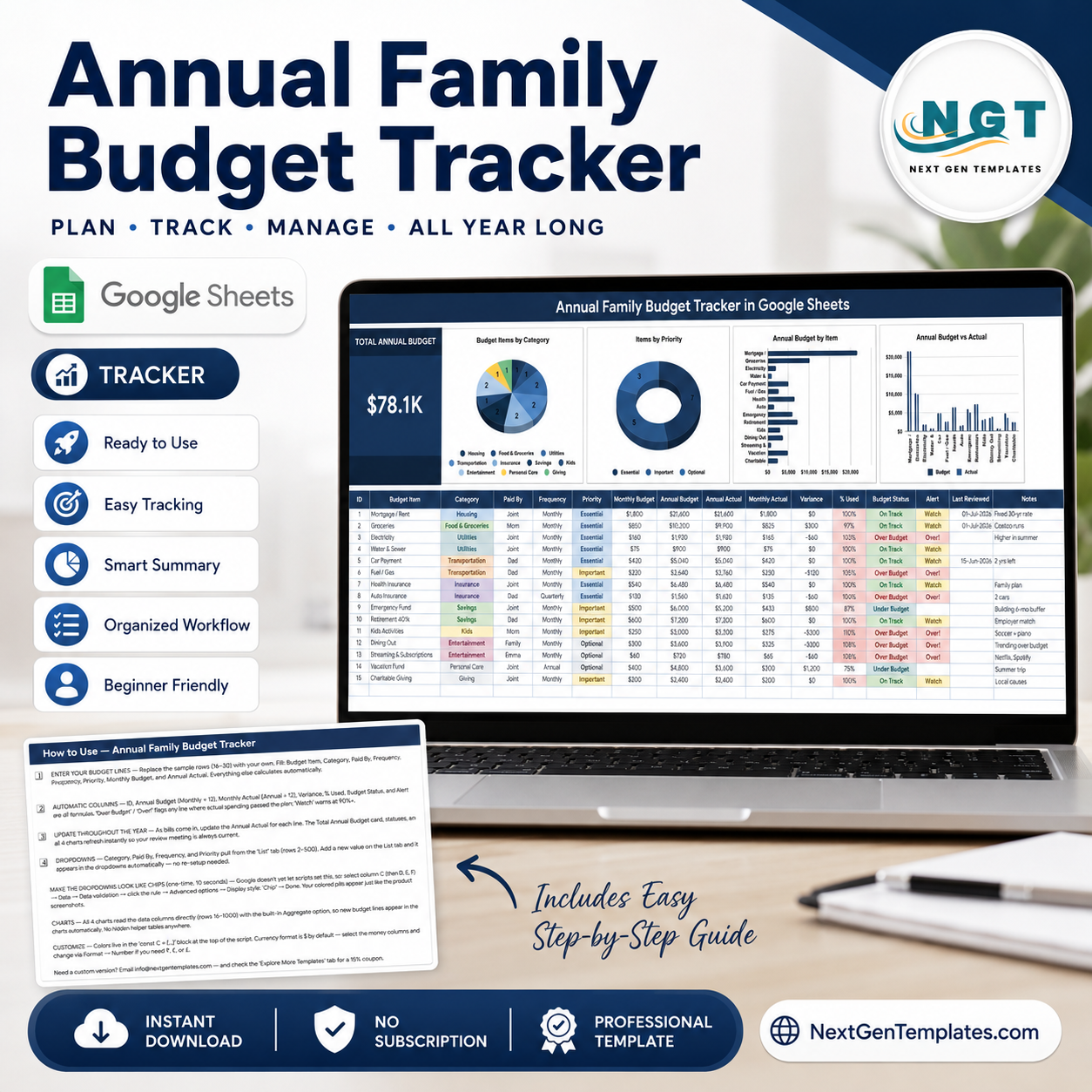
Most family budgets fail in March. Not because the numbers were wrong, but because nobody looked at them again. The Annual Family Budget Tracker in Google Sheets is built for the second half of that problem: 16 columns per budget line, 7 of them calculated automatically, 4 live charts, 10 spending categories and one Total Annual Budget card at the top. Enter a monthly budget and the annual figure appears; enter what you actually spent and the sheet works out variance, percent used, an On Track / Over Budget status and a Watch alert at 90%. Built by PK, a Microsoft Certified Professional with 15+ years in spreadsheets and 300K+ subscribers across two YouTube channels. Your download is a PDF with a Make a copy link – one click and an editable copy is in your own Google Drive, yours to keep, with no add-on and no subscription.Annual Family Budget Tracker in Google Sheets
Key Features of the Annual Family Budget Tracker in Google Sheets
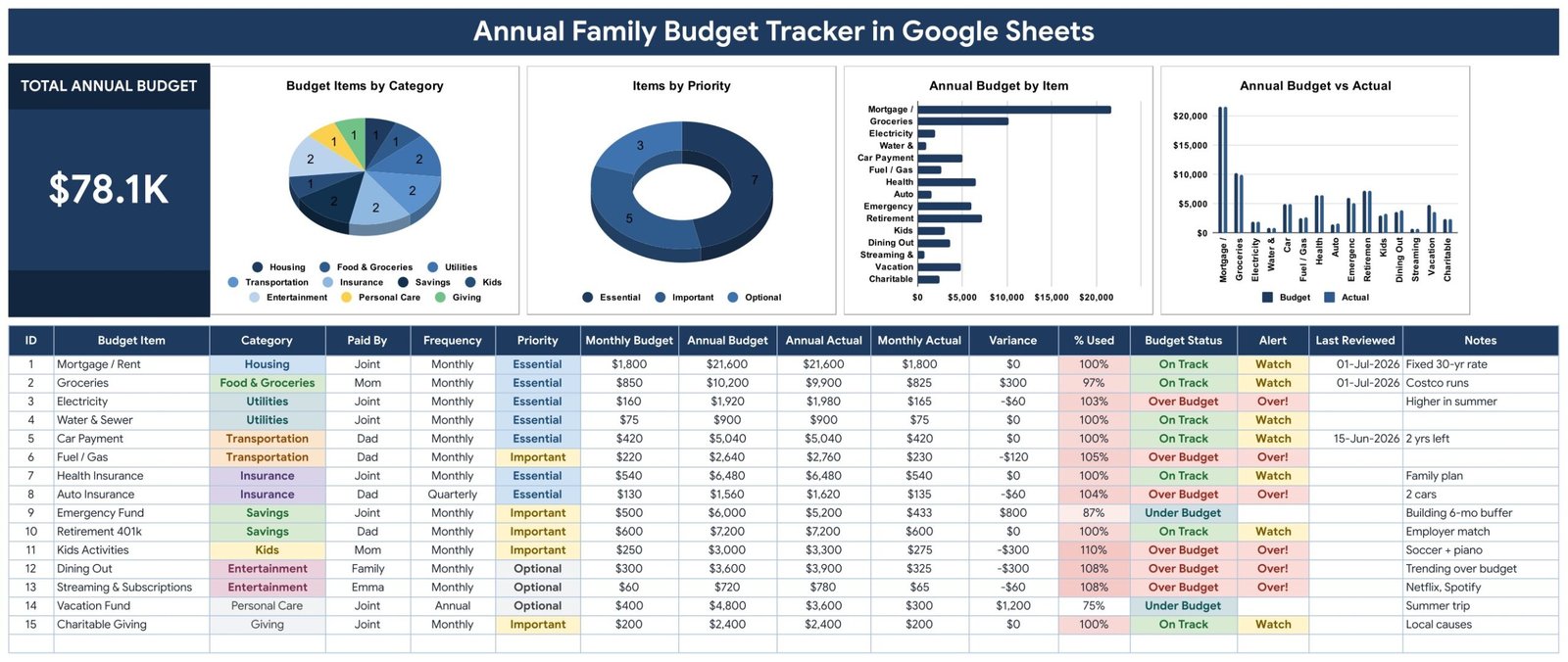
- Total Annual Budget card – one large KPI summing every budget line for the year, so the household conversation starts from a number rather than a feeling.Annual Family Budget Tracker in Google Sheets
- Budget Items by Category – a pie chart counting your lines across Housing, Food & Groceries, Utilities, Transportation, Insurance, Savings, Kids, Entertainment, Personal Care and Giving.Annual Family Budget Tracker in Google Sheets
- Items by Priority – a doughnut chart splitting lines into Essential, Important and Optional, which is the chart you look at first when income drops.Annual Family Budget Tracker in Google Sheets
- Annual Budget by Item – a horizontal bar chart ranking every line by annual cost, so the three items that actually move your budget sit at the top.
- Annual Budget vs Actual – paired columns per line showing plan beside reality, making drift visible long before the year ends.Annual Family Budget Tracker in Google Sheets
- Seven automatic columns – ID, Annual Budget (monthly x 12), Monthly Actual (annual / 12), Variance, % Used, Budget Status and Alert are all formulas. You type six fields; the sheet does the rest.
- Over Budget and Watch flags – Budget Status turns Over Budget in red the moment actual passes plan, shows Under Budget where you are saving, and the Alert column raises Watch at 90% used so nothing surprises you.
- Paid By column – tag each line Joint, Mom, Dad, Family or a named child, so you can see who carries which cost rather than arguing about it.
- Frequency handling – Monthly, Quarterly and Annual lines sit in the same table without breaking the annual totals.
- Last Reviewed and Notes – a date column so you know when a line was last checked, and free text for the context behind it: fixed 30-yr rate, 2 yrs left, building 6-mo buffer.
What’s Inside the Annual Family Budget Tracker
Three pages, plus a hidden List tab that feeds the dropdowns. Nothing to install and no helper tables to maintain.
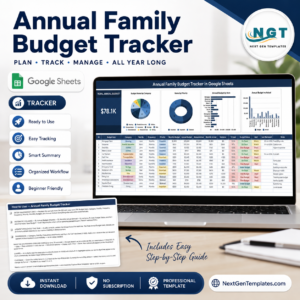
Page 1 – the Tracker. The title banner runs across the top, then the Total Annual Budget card with the four charts beside it on one row. Underneath sits the budget table: ID, Budget Item, Category, Paid By, Frequency, Priority, Monthly Budget, Annual Budget, Annual Actual, Monthly Actual, Variance, % Used, Budget Status, Alert, Last Reviewed and Notes. Fifteen sample lines ship with it – mortgage, groceries, electricity, water, car payment, fuel, health and auto insurance, emergency fund, retirement, kids activities, dining out, streaming, vacation fund and charitable giving – so you can see a realistic year before you replace them.
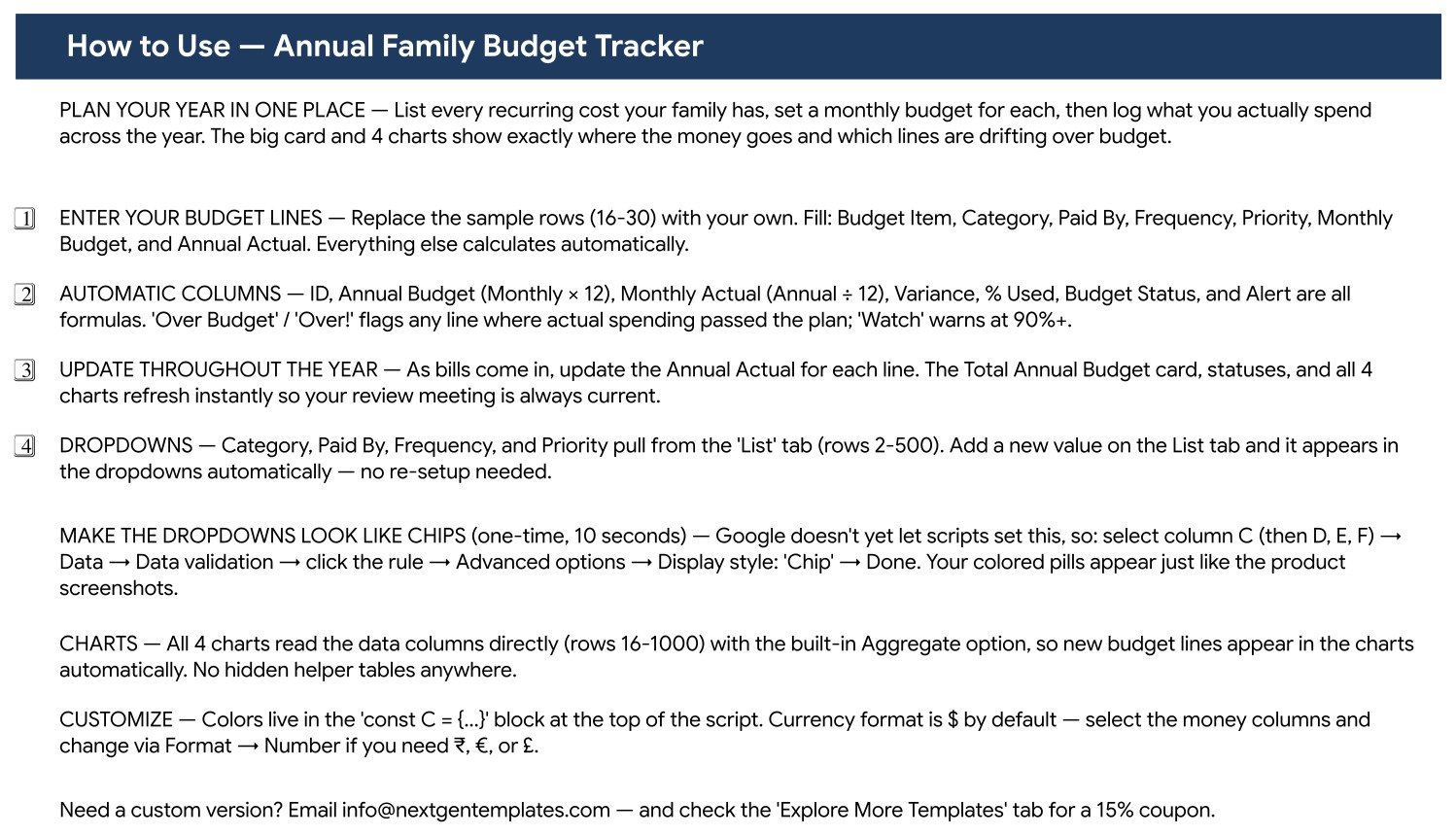
Page 2 – How to Use. A plain-language setup page covering which columns to fill, which calculate themselves, how the dropdowns work, and the ten-second trick to turn the validation dropdowns into coloured chips like the screenshots.
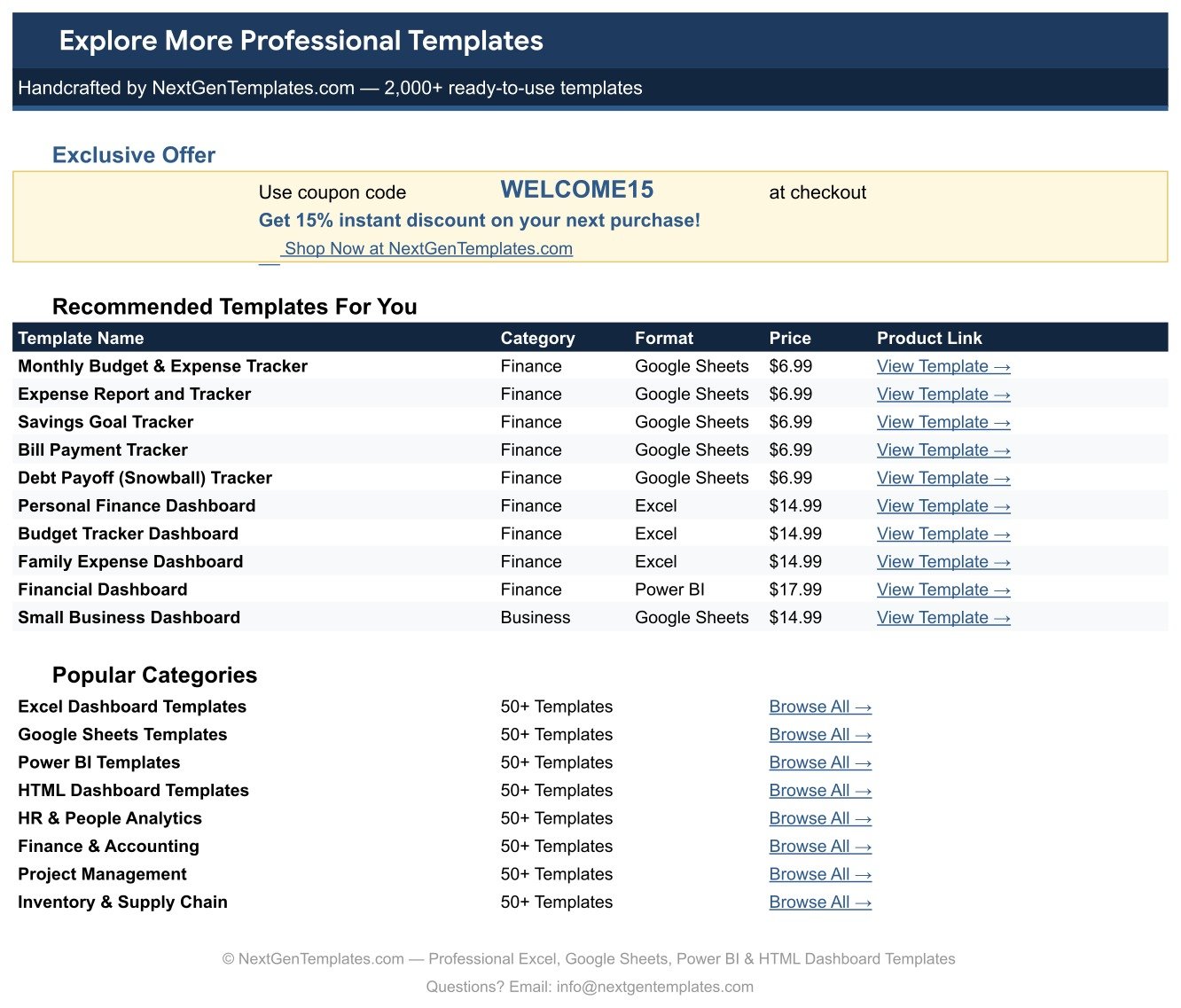
Page 3 – Explore More Templates. A recommendation page with a coupon code and links to related NextGenTemplates products.
The List tab. Category, Paid By, Frequency and Priority all read from this sheet. Add a value there and it appears in the dropdown immediately – useful when your household has a category the default ten do not cover.
Annual Family Budget Tracker vs. an Excel Budget vs. a Paid Budgeting App – Where This Fits
| This Google Sheets tracker | A hand-built Excel budget | YNAB / Quicken and similar | |
|---|---|---|---|
| Cost | 6.99 once | Free, plus your build time | 100+ per year, per household |
| Platform | Google Sheets, any browser | Microsoft Excel on desktop | Web plus mobile app |
| Setup time | Under 10 minutes | 3 to 6 hours to build charts and formulas | 1 to 2 evenings including bank linking |
| Real-time team collaboration | Yes – both partners edit the same sheet | Only through OneDrive co-authoring | Yes, usually one extra seat |
| Mobile access | Yes, free Google Sheets app | Limited | Yes |
| Customizable categories | Yes, edit the List tab | Yes, if you rebuild the charts | Yes, within the app’s model |
| Bank feed / auto-import | No – you type actuals in | No | Yes |
| Budget vs actual per line | Yes, with variance and % used | Build it yourself | Yes |
| Your data stays yours | Yes, in your own Drive | Yes | No – vendor holds it |
| Year-1 cost for a couple | 6.99 | 0 plus most of a weekend | 100 to 180 |
The honest trade: a paid app imports transactions automatically and this sheet does not. What you get instead is a budget you actually understand, priced once, that neither expires nor holds your figures hostage.
Who This Template Is For – and Who It’s Not For
A good fit if you are: a couple who want one shared annual plan instead of two mental ones; a family with a mortgage, two cars and children’s activities to keep straight; anyone doing a yearly budget review or planning around a change in income; a household saving toward a specific goal who needs to see which optional lines can flex; a single parent tracking who pays what across a shared arrangement.Annual Family Budget Tracker in Google Sheets
Not the right tool if you are: looking for automatic bank imports and transaction categorisation – a budgeting app does that and this sheet does not; tracking day-by-day spending rather than annual lines, where the Cash Envelope Budget Tracker fits better; or running business books that need invoices, tax categories and a P&L. This is a household planning sheet, not accounting software.Annual Family Budget Tracker in Google Sheets
How to Use the Annual Family Budget Tracker
- Open the PDF in your download and click the Make a copy link. Google Drive creates your own editable copy.
- Open the List tab first and adjust Category, Paid By, Frequency and Priority so they match your household before you enter anything.Annual Family Budget Tracker in Google Sheets
- Replace the sample rows with your own lines. Fill in Budget Item, Category, Paid By, Frequency, Priority and Monthly Budget – the rest calculates.Annual Family Budget Tracker in Google Sheets
- Set priorities honestly. Essential, Important and Optional only help if the Optional list is genuinely optional.Annual Family Budget Tracker in Google Sheets
- Enter Annual Actual as the year goes on. Variance, % Used, Budget Status and Alert all update, and so do the four charts.
- Turn the dropdowns into chips if you want the coloured pills from the screenshots: select the column, Data, Data validation, click the rule, Advanced options, Display style Chip. Ten seconds, one time.
- Review monthly. Anything showing Over Budget or Watch is the agenda for that month’s conversation – usually two or three lines, not fifteen.
- Stamp the Last Reviewed date when you check a line, so next year you know which numbers were verified and which were carried over.
Real-World Use Cases
Maria and Tom, planning a year with one income changing. Tom moved to part-time work, so they needed to know what a 20% income drop actually meant. Sorting by the Items by Priority chart showed their Optional lines – dining out, streaming, part of the vacation fund – came to enough to absorb most of it, and they made three decisions in one evening instead of arguing for a month.
The Okafor family, chasing a leak. Their electricity line ran 103% and water sat at 100% while everything else held. Because the tracker shows variance per line rather than one total, the problem was visible as a category, not a vague sense of overspending. The Notes column now reads higher in summer, which is the sort of thing a family forgets between years.
Priya, sharing costs after separating. The Paid By column is doing the real work here: each line is tagged Joint, Mom or Dad, so the annual split is a fact both parties can read rather than something to reconstruct. She pairs it with the Multiple Income Streams Tracker on the income side.
Frequently Asked Questions
Do I need a paid Google Workspace account?
No. A free personal Google account is enough. Click the copy link in the PDF and the tracker lands in your own Drive fully working.
Can my partner and I use it at the same time?
Yes. Share the sheet the normal way and you can both edit it simultaneously, which is the main advantage over emailing an Excel file back and forth.
Do I enter monthly or annual figures?
Either. Type a Monthly Budget and the Annual Budget calculates as monthly x 12; type an Annual Actual and the Monthly Actual calculates as annual / 12. Most people find it easier to plan monthly and record annually.
How do quarterly and annual bills work?
Set the Frequency column accordingly and enter the figures on the same annual basis as everything else. The frequency label tells you when the money leaves; the annual columns keep the totals comparable.
Can I add my own categories?
Yes. Add the value on the List tab and it appears in the Category dropdown straight away. The charts pick it up automatically because they read the data columns directly.
Why are my dropdowns plain text rather than coloured chips?
Google does not let a script set the chip display style. Select the column, go to Data, Data validation, click the rule, open Advanced options and set Display style to Chip. It takes about ten seconds per column and the How to Use page walks you through it.
Can I use a currency other than dollars?
Yes. Select the money columns and change the format through Format, then Number. Rupees, euros and pounds all work; the sample data uses dollars purely as a placeholder.
About the Author
Built by PK – Microsoft Certified Professional with 15+ years of Excel, Google Sheets, and Power BI experience. Founder of NextGenTemplates, reaching 300K+ subscribers across YouTube channels. Every template is hand-built and tested before release.
Explore Related Templates
- Cash Envelope Budget Tracker in Google Sheets – for day-to-day spending inside the annual plan.
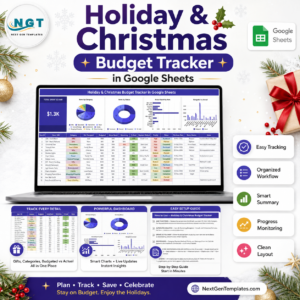
- Holiday & Christmas Budget Tracker in Google Sheets – the one season that breaks most annual budgets.
- Multiple Income Streams Tracker in Google Sheets – the income side of the same picture.
- Tax Deduction and Receipt Tracker in Google Sheets – keeps deductible costs separate as you go.
- Bank Account Balance Tracker in Google Sheets – what is actually in the accounts behind the budget.
- Browse every Google Sheets tracker or the full Google Sheets template catalogue.
Get Your Copy
A budget you can see is a budget you keep. Add the tracker to your cart, open the PDF, click the copy link, and put your five biggest annual costs in tonight – that alone usually accounts for most of the year. If anything does not work as described, contact us and we will put it right.
Watch the step-by-step video Demo:
Last updated: 12 August 2026.























Reviews
There are no reviews yet.