

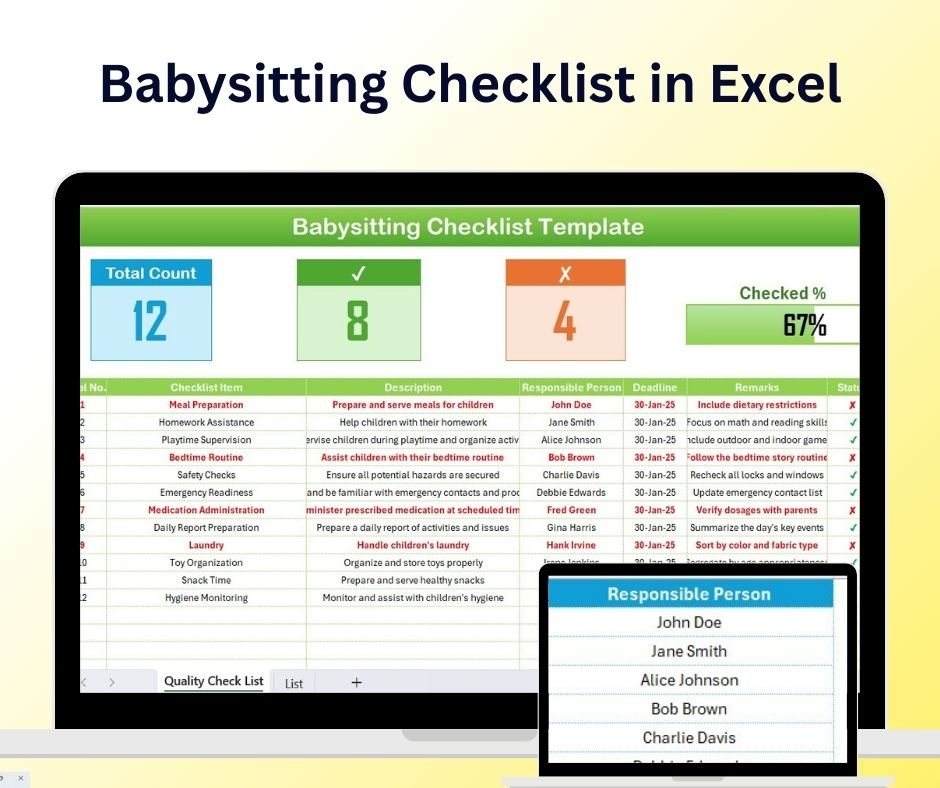
The Babysitting Checklist in Excel is a simple, easy-to-use, and effective tool for babysitters, parents, and caregivers to ensure that all essential tasks are completed during babysitting sessions. Whether you’re a professional babysitter or a parent looking to stay organized while taking care of your child, this Excel-based checklist provides a structured way to track daily routines, activities, and special instructions.
From feeding schedules to bedtime routines, the checklist ensures that you never forget important tasks and can provide the best care possible. This tool can be customized to suit any child’s specific needs, helping you stay on top of each task and maintaining a safe and nurturing environment.
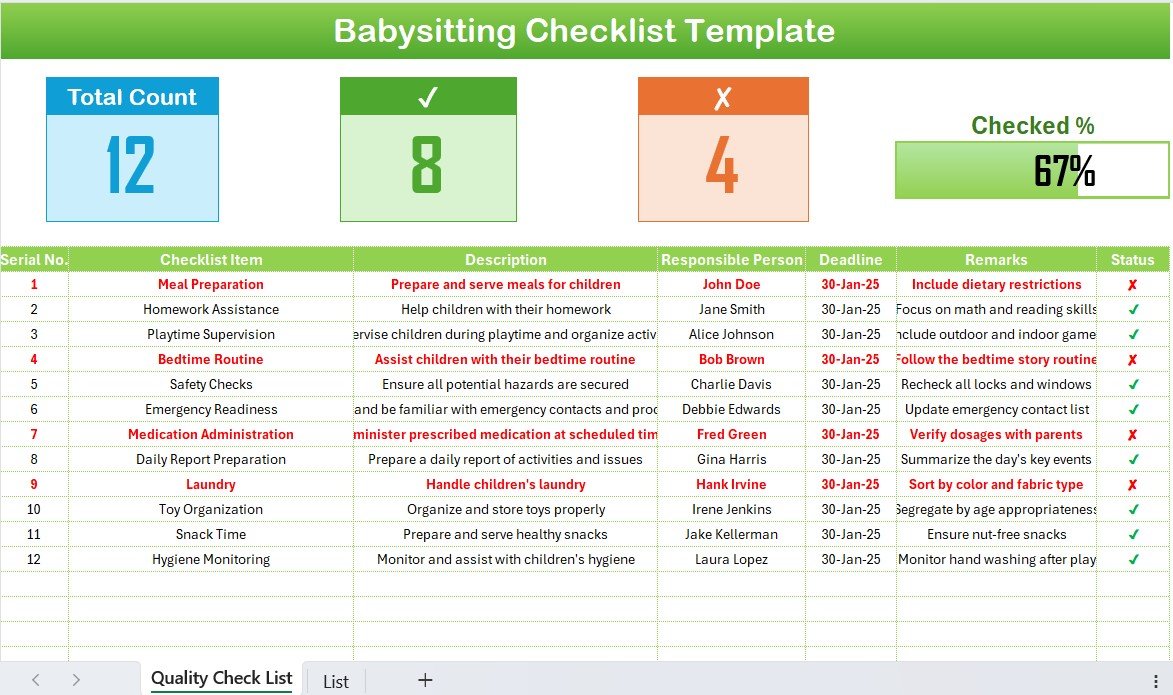
Key Features of the Babysitting Checklist in Excel
📅 Daily Routines Tracking
Keep track of your child’s daily routines, including feeding, napping, playtime, and bedtime schedules. Ensure that all activities are completed on time to maintain a consistent and safe routine.
📝 Special Instructions Section
Record any special instructions for the babysitter or caregiver, such as dietary restrictions, favorite activities, or emergency contact information. This section helps keep caregivers well-informed.
👶 Childcare Activities List
Track the child’s activities during the babysitting session. From playtime to educational activities, ensure that each activity is recorded for easy reference.
⚠️ Health & Safety Monitoring
Monitor health-related tasks such as medication administration, allergy warnings, and first aid instructions. Stay prepared in case of an emergency with clearly outlined procedures.
📈 Time-Based Scheduling
Organize tasks by time, so both babysitters and parents know what needs to be done at specific times during the day. This allows for a smooth flow of activities throughout the babysitting session.
⚙️ Customizable & Scalable
The checklist is fully customizable to meet the specific needs of any child or family. Add or modify sections based on your preferences or requirements, making it versatile for any babysitting situation.
Why You’ll Love the Babysitting Checklist in Excel
✅ Stay Organized & On Track
Never miss a critical task, whether it’s feeding, changing diapers, or bedtime. The checklist keeps everything organized for an efficient and smooth babysitting experience.
✅ Easily Accessible & Editable
Being an Excel-based tool, the checklist is easy to access, edit, and update. You can modify it anytime based on the child’s evolving routine or any new instructions.
✅ Improved Communication Between Parents & Caregivers
With clear instructions and routine tracking, parents and caregivers can easily communicate and stay on the same page about the child’s needs and care during the babysitting session.
✅ Health & Safety First
Keep all necessary health and safety information in one place, including emergency contacts, medical instructions, and allergy warnings, ensuring the safety of the child.
✅ Customizable for Any Family
Adjust the checklist according to your child’s specific needs, whether it’s a newborn, toddler, or older child. It’s adaptable to any caregiving situation.
What’s Inside the Babysitting Checklist in Excel?
- Daily Routines Tracking: Monitor feeding, napping, playtime, and other routines.
- Special Instructions Section: Include any personalized instructions or medical details.
- Childcare Activities List: Track and document all activities during the babysitting session.
- Health & Safety Monitoring: Record health-related information, medications, and emergency contact details.
- Time-Based Scheduling: Plan out daily tasks by time to ensure everything is completed.
- Customizable Layout: Modify the checklist to suit your needs and preferences.
How to Use the Babysitting Checklist in Excel
1️⃣ Download the Template: Instantly access the Babysitting Checklist in Excel.
2️⃣ Add Routine Details: Input the child’s daily routine, including feeding, play, and nap times.
3️⃣ Customize Special Instructions: Include any necessary instructions such as medical care or preferred activities.
4️⃣ Track Activities & Tasks: Use the checklist to monitor what’s been done and what still needs attention during the babysitting session.
5️⃣ Ensure Safety: Record health and safety information for emergencies and peace of mind.
Who Can Benefit from the Babysitting Checklist in Excel?
🔹 Parents & Guardians
🔹 Professional Babysitters & Nannies
🔹 Childcare Providers
🔹 Families with Children of Any Age
🔹 Pediatricians & Childcare Specialists
🔹 Childcare Agencies & Services
Ensure that every babysitting session is organized and safe with the Babysitting Checklist in Excel. Stay on top of routines, activities, and safety with this easy-to-use, customizable tool.
Click here to read the Detailed blog post
Visit our YouTube channel to learn step-by-step video tutorials
Youtube.com/@PKAnExcelExpert
Compatibility and Requirements
- Works in Microsoft Excel desktop (Excel 2016 or later, or Microsoft 365).
- New to Excel? Microsoft has a free guide: Excel for Windows training.
Frequently Asked Questions
What does the Babysitting Checklist cover?
It covers daily routines such as feeding, napping, playtime and bedtime, plus activities during the session and special instructions.
Can I record health and safety details?
Yes. There is space for medication, allergy warnings, first aid instructions and emergency contacts.
Can tasks be organized by time?
Yes. Tasks can be arranged by time of day, so the babysitter and parents know what happens when.
Can I change the sections?
Yes. You can add or change sections to fit any child or family.
Related Childcare and Home Templates
- Childcare Centre KPI Dashboard in Excel: track childcare centre KPIs in Excel
- Childcare Services Dashboard in Excel: a childcare services dashboard in Excel
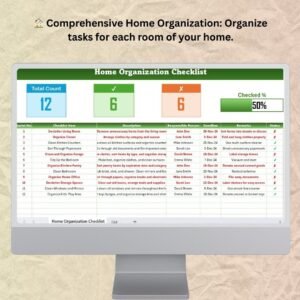
- Home Organization Checklist in Excel: organize your home with an Excel checklist
- Seasonal Home Maintenance Checklist Template in Excel: plan seasonal home maintenance in Excel
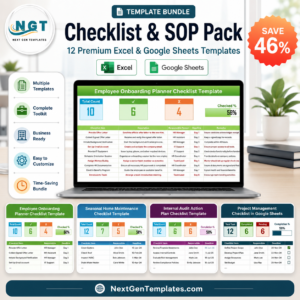
- Checklist & SOP Pack: 12 checklist templates in one download
Browse all Excel checklists.












Reviews
There are no reviews yet.