

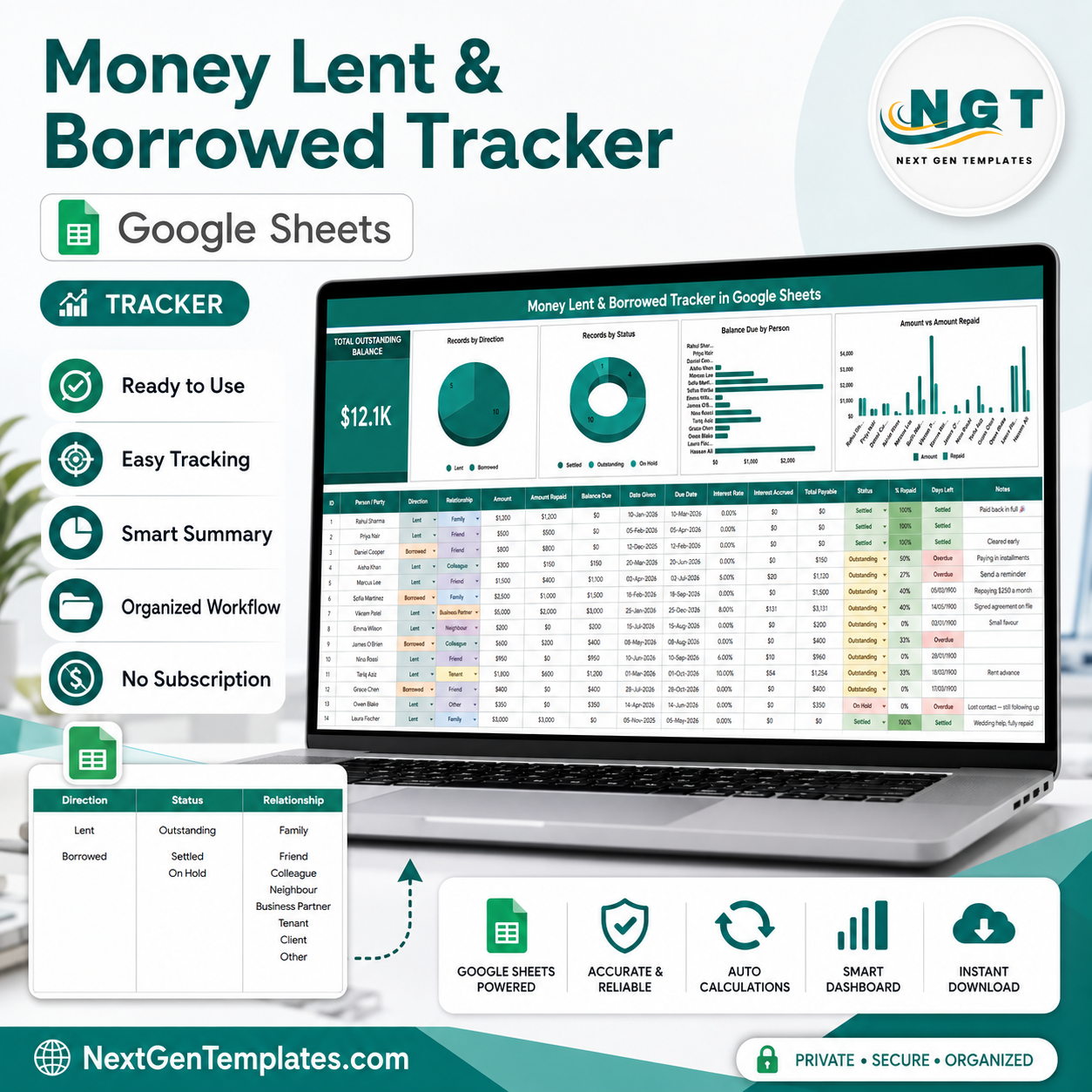
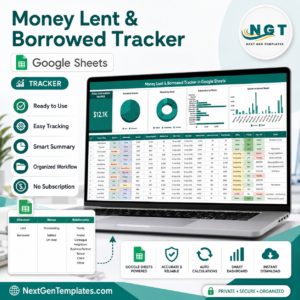
Money Lent & Borrowed Tracker in Google Sheets Template to a cousin, a deposit a friend still owes, an interest-bearing advance to a business partner: these usually live in chat threads until somebody forgets. The Money Lent & Borrowed Tracker in Google Sheets replaces that with one page holding 16 tracked fields per record, 4 live charts, 8 relationship types, and a single headline number – your total outstanding balance. Balance due, interest accrued, total payable, percent repaid and days left are all calculated for you. Built by PK, a Microsoft Certified Professional with 15+ years in spreadsheets and 300K+ subscribers across two YouTube channels. Your download is a PDF carrying a Make a copy link: one click puts an editable copy in your own Google Drive, yours to keep, with no add-on, no macro and no monthly fee.Money Lent & Borrowed Tracker in Google Sheets Template
Key Features of the Money Lent & Borrowed Tracker in Google Sheets
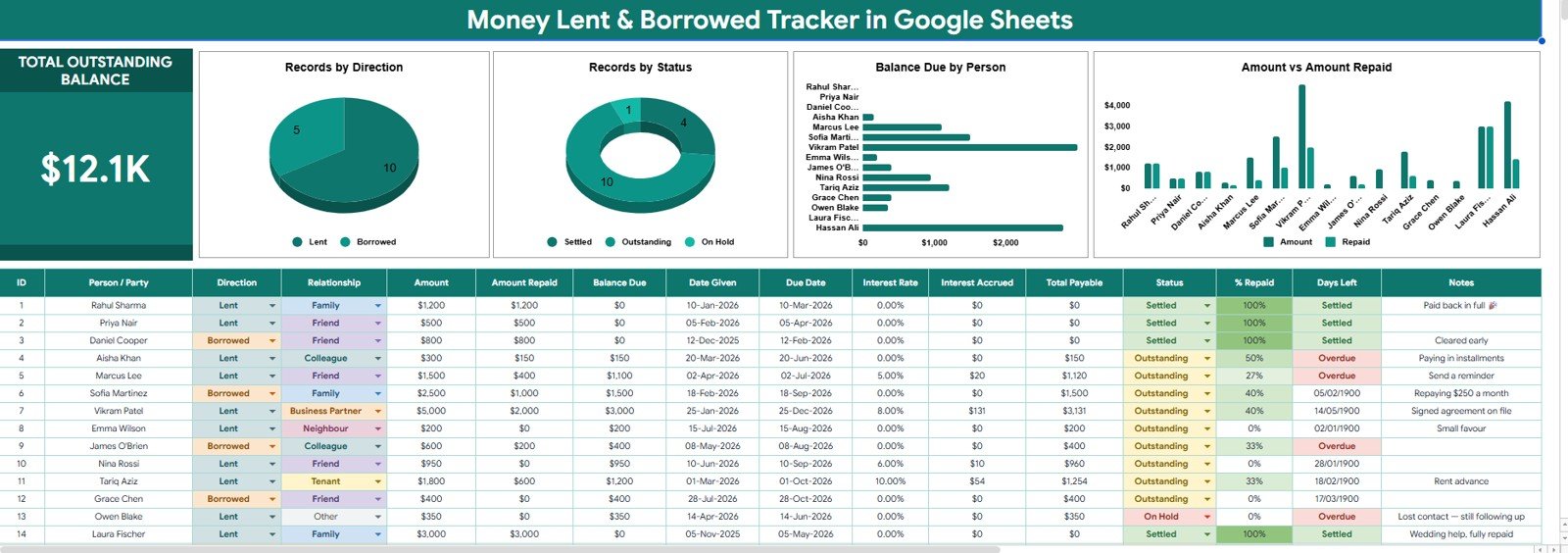
- Total Outstanding Balance card – one large KPI at the top left sums every unsettled balance across lent and borrowed rows, so you always know your net position at a glance.Money Lent
- Records by Direction – a pie chart splitting your records into Lent and Borrowed, so you can see instantly whether you are mostly a lender or a borrower.Money Lent
- Records by Status – a doughnut chart counting Settled, Outstanding and On Hold records, which is the fastest way to spot a growing backlog.
- Balance Due by Person – a horizontal bar chart ranking every person or party by what is still owed, so the biggest exposure sits at the top of your follow-up list.Money Lent
- Amount vs Amount Repaid – a paired column chart showing the original amount beside what has come back, per person, so partial repayments are obvious.Money Lent
- Automatic interest maths – enter an interest rate and the sheet calculates Interest Accrued and Total Payable for that row. Leave the rate at 0.00% for informal, interest-free loans.
- Balance Due and % Repaid – both are formula columns. Enter Amount and Amount Repaid; the tracker works out what is left and colours the repayment percentage from red to green.
- Days Left with overdue flagging – the sheet compares the due date to today and marks the row Overdue in red once it passes, or Settled once the balance clears.
- Dropdowns that cannot be mistyped – Direction, Status and Relationship all pull from a List sheet, so your charts never split because someone typed Freind.
- Notes column – a free-text field for the context that formulas cannot hold: repaying 250 a month, signed agreement on file, lost contact and still following up.
What’s Inside the Money Lent & Borrowed Tracker
The file is deliberately small. Two sheets, no hidden helper tabs, nothing to break.
Sheet 1 – the Tracker page. A branded title banner runs across the top. Below it sit the Total Outstanding Balance card and the four charts described above, side by side on one row so nothing needs scrolling. Under the visuals, the record table gives you sixteen columns: ID, Person / Party, Direction, Relationship, Amount, Amount Repaid, Balance Due, Date Given, Due Date, Interest Rate, Interest Accrued, Total Payable, Status, % Repaid, Days Left and Notes. Sample rows are supplied so you can see exactly how a settled loan, a part-repaid loan and an overdue one each look before you clear them out.
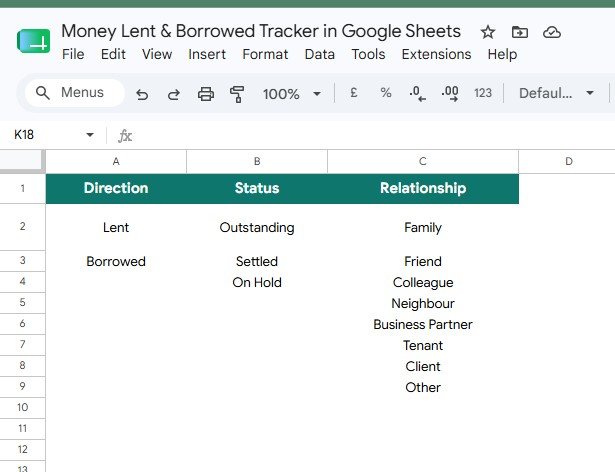
Sheet 2 – the List page. Three short columns feed every dropdown in the tracker: Direction (Lent, Borrowed), Status (Outstanding, Settled, On Hold) and Relationship (Family, Friend, Colleague, Neighbour, Business Partner, Tenant, Client, Other). Add a row here and the dropdown picks it up – useful if you lend through a savings group or a chit fund and want your own labels.
Money Lent & Borrowed Tracker vs. an Excel Sheet vs. a Paid Finance App – Where This Fits
| This Google Sheets Tracker | A hand-built Excel sheet | QuickBooks Advanced / paid lending app | |
|---|---|---|---|
| Cost | 6.99 once | Free, plus your own build time | 200+ per month, billed annually |
| Platform | Google Sheets, in any browser | Microsoft Excel on desktop | Web app plus mobile app |
| Setup time | Under 5 minutes – copy and start typing | 4 to 8 hours to build charts and formulas | 1 to 2 days including chart of accounts |
| Real-time team collaboration | Yes, native Google Sheets sharing | Only through OneDrive co-authoring | Yes, per paid seat |
| Mobile access | Yes, Google Sheets app, free | Limited on the Excel mobile app | Yes |
| Customizable fields | Yes, every column and dropdown is editable | Yes, if you write the formulas | Restricted to what the vendor exposes |
| Share with a link | Yes | No, you send a file | Invite-only per seat |
| Interest and total payable | Calculated per row | You build it yourself | Yes, on lending modules only |
| Owns your data | Yes, the file is in your Drive | Yes | No, exportable but vendor-hosted |
| Year-1 cost at 5 users | 6.99 | 0 plus roughly a day of your time | 2,400 and up |
The honest summary: if you are running a licensed lending business with statutory reporting, buy the accounting software. If you are tracking twenty to two hundred personal or small-business loans, this sheet does the job for the price of a coffee.
Who This Template Is For – and Who It’s Not For
A good fit if you are: someone who lends to family and friends and has lost track of who owes what; a landlord tracking rent advances and tenant deposits; a small business owner giving staff salary advances; a member of a savings circle, chit fund or ROSCA; a freelancer tracking client advances; anyone repaying several informal debts and wanting one honest picture of them.
Not the right tool if you are: a regulated lender who needs KYC records, amortisation schedules and statutory reporting – use proper loan management software; running amortised EMI loans where you need a payment-by-payment schedule, in which case the Loan EMI Repayment Tracker in Google Sheets is built for exactly that; or managing thousands of borrower records, where a spreadsheet will eventually slow down. This tracker is a personal and small-business ledger, not a lending platform.
How to Use the Money Lent & Borrowed Tracker
- Open the PDF in your download and click the Make a copy link. Google Drive creates your own editable copy under your account.
- Open the List sheet first. Adjust the Relationship values to match how you actually lend – swap Tenant for Team Member, add Chit Group, whatever fits.
- Delete the sample rows on the tracker page once you have looked at them, keeping the header row and the formulas in Balance Due, Interest Accrued, Total Payable, % Repaid and Days Left.
- Add your first record. Type the person, pick Lent or Borrowed, choose the relationship, enter the amount, the date given and the due date. Leave Amount Repaid at 0 for now.
- Set the interest rate only if the loan carries one. Leave it at 0.00% for informal loans and the interest columns stay at zero.
- Log repayments as they happen by updating Amount Repaid. Balance Due, % Repaid and the charts all move on their own.
- Set Status to Settled when a balance reaches zero, or On Hold when a repayment is paused. The Records by Status chart and the outstanding balance card update immediately.
- Check the Days Left column weekly. Anything showing Overdue is your follow-up list for that week – no separate reminder system needed.
Real-World Use Cases
Priya, who is the family bank. Priya had lent to four relatives over two years and could never answer the simple question of how much was out. She entered every loan with its date and relationship, and the Total Outstanding Balance card gave her the number in one afternoon. The Balance Due by Person chart showed one nephew accounted for nearly half of it, which turned a vague worry into a specific conversation.
Daniel, who runs a six-person workshop. Daniel gives salary advances and recovers them over the following months. He records each advance as Lent with the relationship set to Colleague, and updates Amount Repaid on payday. The % Repaid column tells him at a glance which advances are nearly cleared, and Days Left flags the two that have run past their agreed date.
Aisha, who is on both sides. Aisha borrowed for a deposit and lends small amounts to two friends. Because the tracker holds Lent and Borrowed in the same table, the Records by Direction chart shows her true net position rather than two half-pictures. She pairs it with the Shared Expense Splitter Tracker for the costs she splits rather than lends.
Frequently Asked Questions
Do I need a paid Google Workspace account?
No. A free personal Google account is enough. Click the copy link in the PDF and the tracker lands in your own Drive with everything working.
Can I track both money I lent and money I borrowed in one sheet?
Yes – that is the point of the Direction column. Every row is tagged Lent or Borrowed, and the Records by Direction chart splits them for you while the outstanding balance card covers both.
How does the interest calculation work?
Enter an annual interest rate in the Interest Rate column and the sheet calculates Interest Accrued for the elapsed period and adds it to the outstanding amount to give Total Payable. Leaving the rate at 0.00% keeps a loan interest-free, which is how most informal lending works.
Can I use my own currency?
Yes. Select the currency columns and change the number format through Format, then Number, then Custom currency. The sample data uses dollars purely as a placeholder.
Will the charts update when I add rows?
Yes. The charts read the record table directly, so new rows are picked up as you enter them. If you paste in a very large history at once, give the sheet a moment to recalculate.
Can I share it with the person who owes me?
Yes. Use the normal Google Sheets Share button. Give them view access if you only want them to see the balance, or comment access if you want them to confirm repayments without editing your figures.
Is there any macro or add-on to install?
None. The tracker is built from native Google Sheets formulas, data validation, conditional formatting and charts, so nothing needs authorising and nothing can be blocked by your workplace policy.
About the Author
Built by PK – Microsoft Certified Professional with 15+ years of Excel, Google Sheets, and Power BI experience. Founder of NextGenTemplates, reaching 300K+ subscribers across YouTube channels. Every template is hand-built and tested before release.
Explore Related Templates
- Loan EMI Repayment Tracker in Google Sheets – for formal loans with a fixed monthly instalment.
- Student Loan Repayment Tracker in Google Sheets – built around education debt and payoff dates.
- Bank Account Balance Tracker in Google Sheets – keeps your account balances beside your lending.
- Mortgage Payoff Tracker in Google Sheets – for the single largest debt most people carry.
- Shared Expense Splitter Tracker in Google Sheets – for costs you split rather than lend.
- Browse every Google Sheets tracker or the full Google Sheets template catalogue.
Get Your Copy
Stop reconstructing who owes what from old messages. Add this tracker to your cart, open the PDF, click the copy link, and start with the loan you are least sure about. If anything in the file does not work as described, contact us and we will put it right.
Watch the step-by-step video Demo:
Last updated: 12 August 2026.
























Reviews
There are no reviews yet.