

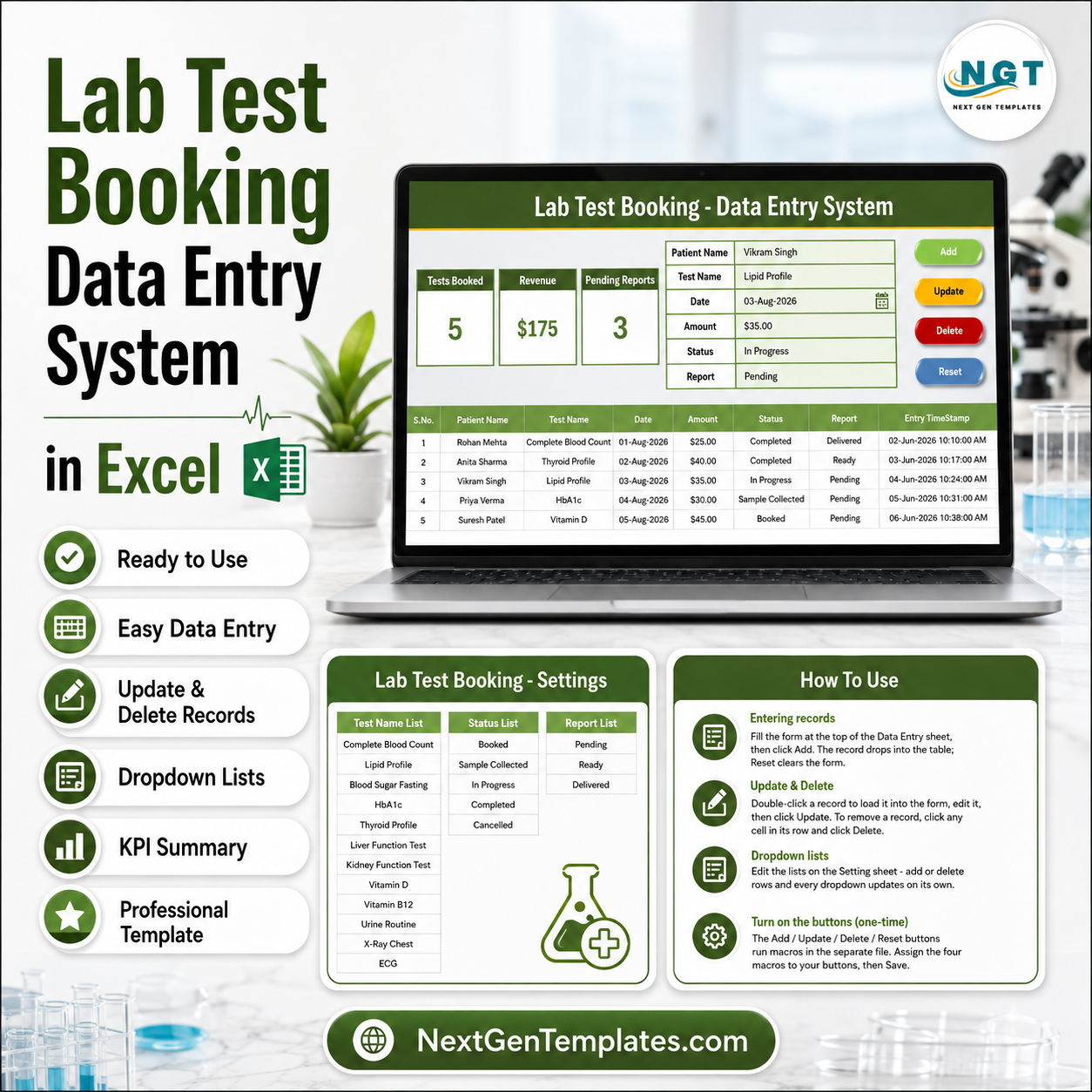
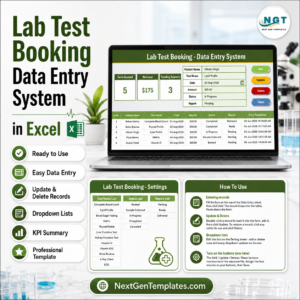
The Lab Test Booking Data Entry System in Excel captures 6 booking fields per patient — Patient Name, Test Name, Date, Amount, Status, and Report — through a VBA-powered entry form with Add, Update, Delete, and Reset buttons. Three live KPI cards track Tests Booked, Revenue, and Pending Reports, and 12 pre-loaded test names (CBC, Lipid Profile, HbA1c, Thyroid Profile, Vitamin D, and more) come ready in dropdowns. Setup takes under 10 minutes.
🌍 Join 8,400+ teams in 40+ countries using NextGenTemplates to replace paid SaaS tools with one-time-purchase Excel, Google Sheets, Power BI, and HTML templates.
✅ Instant download · One-time payment · No subscription · No per-user fees · Lifetime access
🔑 Key Features of the Lab Test Booking Data Entry System in Excel
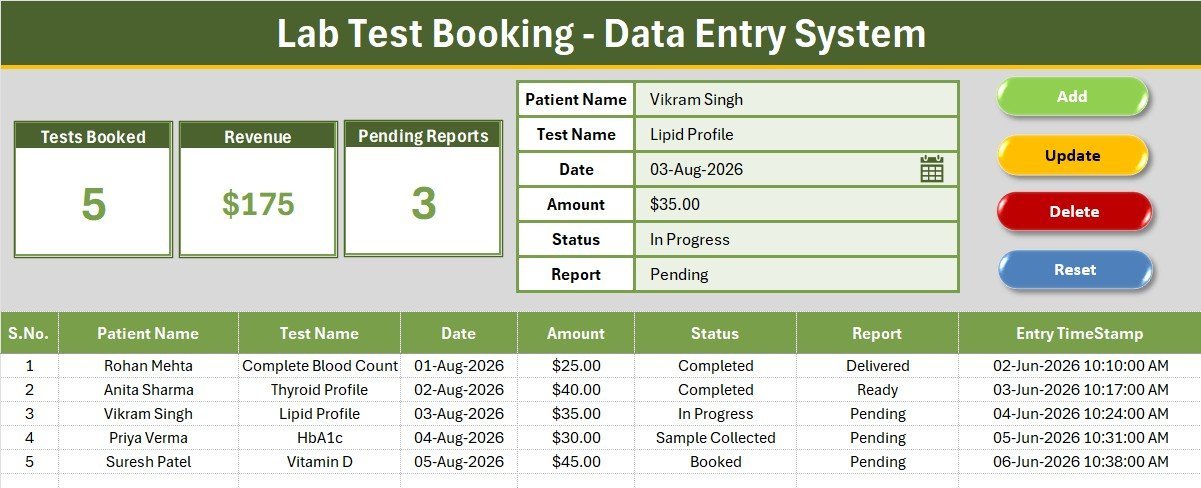
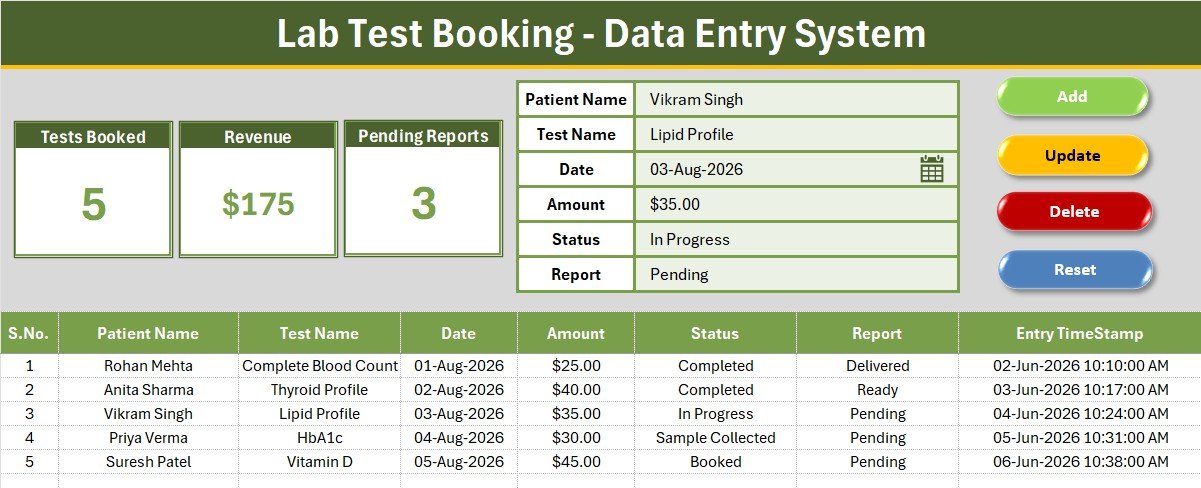
📝 Guided 6-field entry form — The form sits at the top of the sheet with bold labels and tinted input lines. Test Name, Status, and Report are dropdown fields wired to the Setting sheet, so reception staff never mistype a test name or status value.
📊 3 live KPI cards — The system tracks Tests Booked (total records), Revenue (sum of all booking amounts), and Pending Reports (count of bookings where the report is still pending). All three cards recalculate the moment a record is added, updated, or deleted.
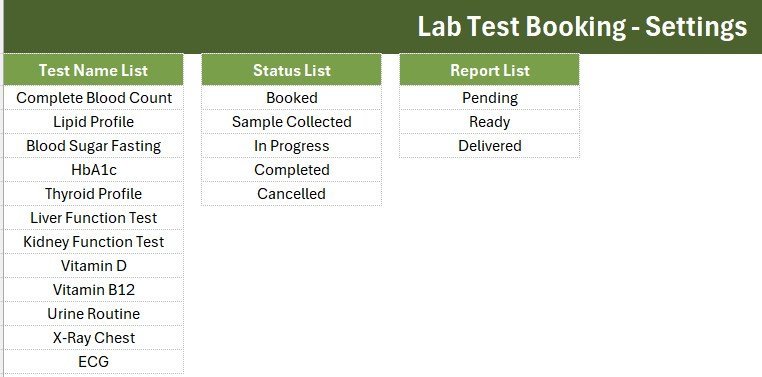
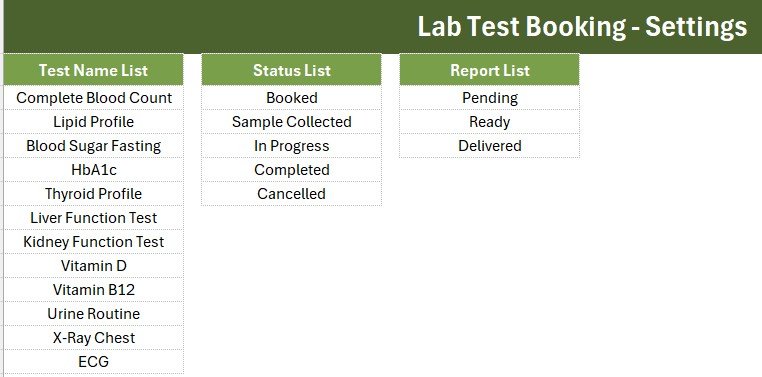
🧪 12 pre-loaded lab tests — Complete Blood Count, Lipid Profile, Blood Sugar Fasting, HbA1c, Thyroid Profile, Liver Function Test, Kidney Function Test, Vitamin D, Vitamin B12, Urine Routine, X-Ray Chest, and ECG. Add your own tests on the Setting sheet and the dropdown updates automatically.
🔁 5-stage booking status + 3-stage report status — Booked → Sample Collected → In Progress → Completed → Cancelled for the booking, and Pending → Ready → Delivered for the report, so front desk and lab technicians always know exactly where each test stands.
⏱️ Auto S.No and Entry TimeStamp — Every saved record receives an automatic serial number and a timestamp, giving you a clean audit trail without any manual numbering.
🖱️ Double-click to edit — Double-click any record row and the VBA loader pulls it straight back into the form for corrections — the same workflow used in our Vaccination Record Data Entry System and Prescription Record Data Entry System.
📦 What’s Inside the Lab Test Booking Data Entry System
Data Entry Sheet
This sheet holds the full workflow on one screen: the 3 KPI cards (Tests Booked, Revenue, Pending Reports), the 6-field booking form with dropdowns, the Add / Update / Delete / Reset buttons, and the records table with auto serial numbers, currency formatting, and entry timestamps.
Setting Sheet
This sheet stores the three editable dropdown lists — Test Name, Status, and Report — plus duplicated KPI stat cards you can paste anywhere as linked pictures. Add a new test name here and it appears in the entry form instantly.
Instructions Sheet
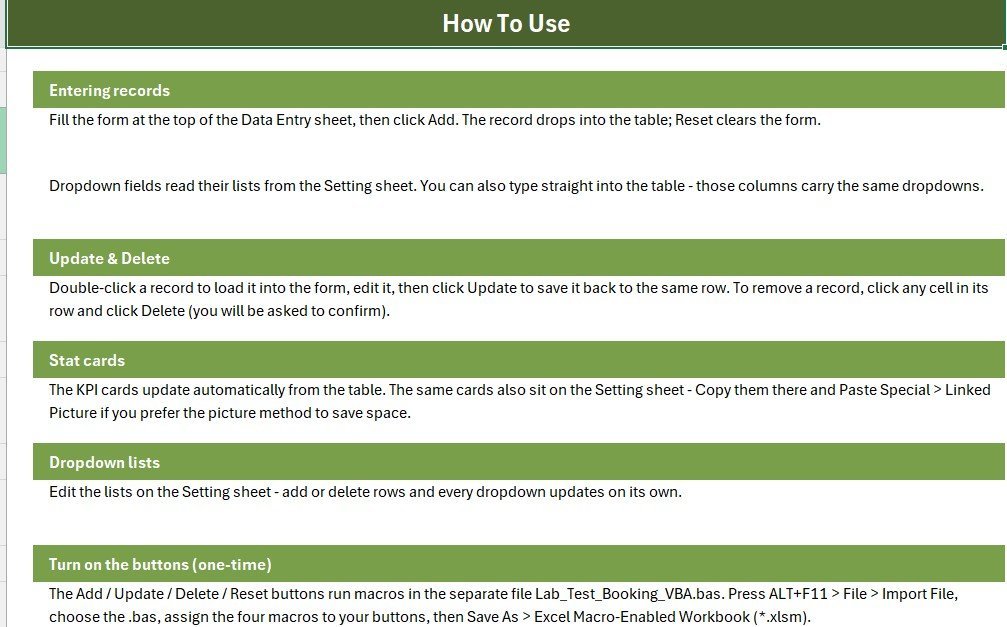
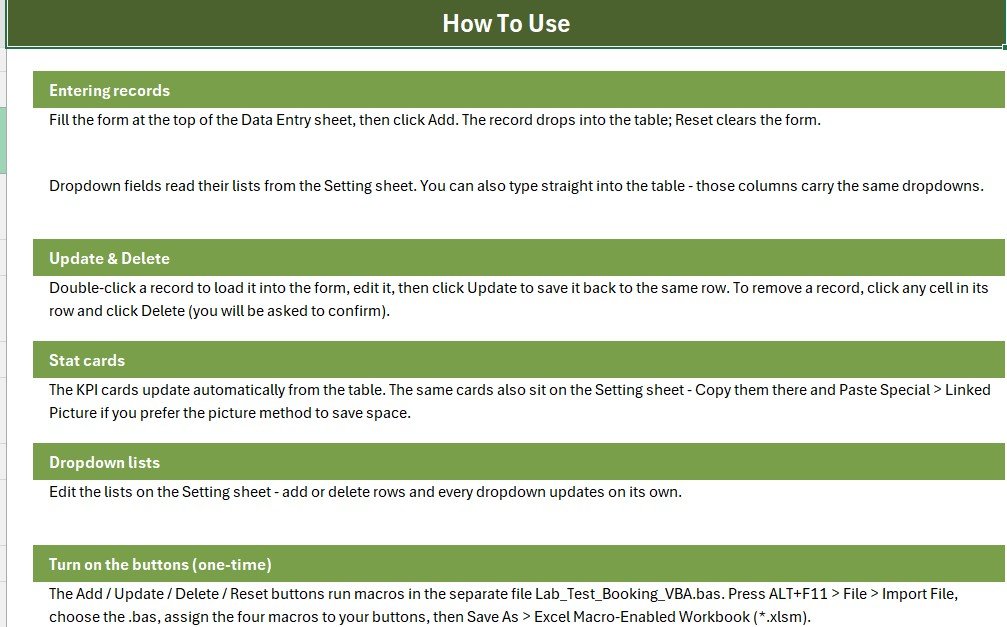
This sheet walks you through the one-time VBA activation: importing the code module, assigning the four macros to buttons, and saving as a macro-enabled workbook — written for non-technical users.
📊 Lab Test Booking System vs. Google Sheets vs. Lab Management SaaS — Where This Fits
| Feature | Lab Test Booking System (Excel) | Google Sheets DIY | Lab SaaS (CrelioHealth / Labsmart) |
|---|---|---|---|
| Cost | ✅ $5.99 one-time | Free, but built from scratch | $30–100 / month |
| Platform | Microsoft Excel (offline) | Browser only | Cloud only |
| Setup time | ✅ Under 10 minutes | Hours of manual building | Days of onboarding |
| VBA entry form with buttons | ✅ Included | ❌ Not available | ✅ Built-in forms |
| Works without internet | ✅ Yes | ❌ No | ❌ No |
| Live KPI cards | ✅ 3 pre-built | Manual formulas | ✅ Dashboards |
| Customizable dropdown lists | ✅ Setting sheet, no code | Manual data validation | Limited to plan |
| Year-1 cost | ✅ $5.99 | $0 + your build time | $360–1,200+ |
For small pathology labs and diagnostic centers that want structured booking entry without paying monthly LIMS fees, the Lab Test Booking Data Entry System sits in the sweet spot.
👥 Who This Template Is For — and Who It’s Not For
✅ This template is built for:
- Small pathology labs and diagnostic centers logging 10–100 test bookings a day at a single front desk
- Clinic receptionists who need a faster, error-proof alternative to a paper register
- Home sample-collection services tracking bookings, payments, and report delivery from one laptop
❌ This template is NOT for:
- Multi-branch lab chains needing multi-user cloud access and patient portals — a full LIMS fits better
- Labs requiring barcode integration or automated analyzer interfacing
⚙️ How to Use the Lab Test Booking Data Entry System
- Unzip the download and open the workbook in Microsoft Excel.
- Press ALT+F11 and import the included VBA module (one-time step, guided on the Instructions sheet).
- Assign the four macros to the Add, Update, Delete, and Reset buttons.
- Save as a macro-enabled workbook (.xlsm).
- Fill the form, click Add — the record, serial number, and timestamp save automatically and every KPI card updates.
- Edit test names, statuses, and report stages anytime on the Setting sheet.
💼 Real-World Use Cases
Meena runs the front desk at a two-technician pathology lab. She logs every walk-in booking in the form, marks samples as Collected, and checks the Pending Reports card before closing — so no patient calls asking for a report that was forgotten.
Dr. Arora operates a home sample-collection service. His phlebotomist enters bookings each evening, and the Revenue card gives him the day’s collections total without a single manual calculation.
Sunil manages a diagnostic center inside a small clinic. He customized the Setting sheet with 8 additional test panels in five minutes and now tracks report delivery status for every referral doctor.
❓ Frequently Asked Questions
What does the Lab Test Booking Data Entry System track?
The Lab Test Booking Data Entry System tracks 6 fields per booking — Patient Name, Test Name, Date, Amount, Status, and Report — plus an automatic serial number and entry timestamp. Three KPI cards summarize Tests Booked, Revenue, and Pending Reports in real time.
How long does setup take?
Under 10 minutes. The Lab Test Booking Data Entry System ships with a one-time VBA activation: import the code module, assign four macros to the buttons, and save as .xlsm. The Instructions sheet walks through every step with no coding knowledge required.
Can I add my own lab tests to the dropdown?
Yes. The Lab Test Booking Data Entry System stores all dropdown values on the Setting sheet. Type new test names, statuses, or report stages into the lists and the entry form dropdowns update automatically — no VBA editing needed.
How does this compare to lab management SaaS like CrelioHealth?
CrelioHealth and similar LIMS platforms cost $30–100 per month and suit multi-branch labs. The Lab Test Booking Data Entry System is a $5.99 one-time purchase built for single-desk labs that need structured booking entry, payment totals, and report tracking without recurring fees.
Do I need macros enabled?
Yes. The Add, Update, Delete, Reset, and double-click-to-edit features of the Lab Test Booking Data Entry System run on VBA, so enable macros when Excel prompts you. The records table and KPI formulas work like any normal Excel workbook.
Which Excel versions are supported?
The Lab Test Booking Data Entry System works in Excel 2016, 2019, 2021, and Microsoft 365 on Windows. It uses standard VBA and named ranges, so no add-ins or external connections are required.
👤 About the Author
Built by PK — Microsoft Certified Professional with 15+ years of Excel, Google Sheets, and Power BI experience. Founder of NextGenTemplates, reaching 300K+ subscribers across YouTube channels (@PK-AnExcelExpert, @NextGenTemplates, @NeoTechNavigators). Every template is hand-built and tested before release.
🔗 Explore Related Templates
- Vaccination Record Data Entry System in Excel — the same form-and-KPI workflow for immunization records
- Prescription Record Data Entry System in Excel — log prescriptions with dropdown-driven entry
- Blood Bank Management System Tracker in Google Sheets — healthcare tracking in Google Sheets
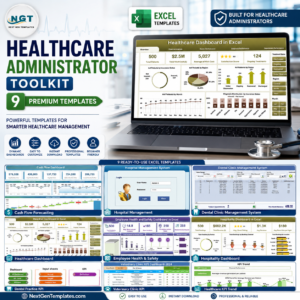
💎 Save more — get 9 premium healthcare templates in the Healthcare Administrator Toolkit. Browse more Excel VBA Tools and Excel Dashboard Templates.
🎥 Visit our YouTube channel for step-by-step video tutorials
👉 YouTube.com/@NextGenTemplates
📅 Last updated: August 2026


























Reviews
There are no reviews yet.