



A pathology lab runs hundreds of tests, patient interactions, equipment cycles, and quality checks every single day. Every minute saved, every process improved, and every accurate test result directly impacts patient health. But managing all these activities manually through spreadsheets becomes overwhelming, slow, and prone to errors. That’s why the Pathology Labs KPI Dashboard in Excel is the ultimate solution for modern labs that want clarity, speed, and accuracy in their performance monitoring.
This ready-to-use dashboard converts complex lab data into simple visuals. It helps managers track test volumes, turnaround time, QC pass rates, equipment performance, patient inflow, error rates, and more—everything neatly displayed on one screen. Pathology Labs KPI Dashboard in Excel Whether Pathology Labs KPI Dashboard in Excel you manage a diagnostic lab, hospital pathology unit, or standalone testing center, this dashboard gives you real-time insights to take smarter decisions and improve service quality instantly.
Let’s explore why this dashboard is becoming a must-have tool for every pathology lab.
🌟 Key Features of the Pathology Labs KPI Dashboard in Excel
1️⃣ Home Sheet – Quick Navigation Made Easy 🏠
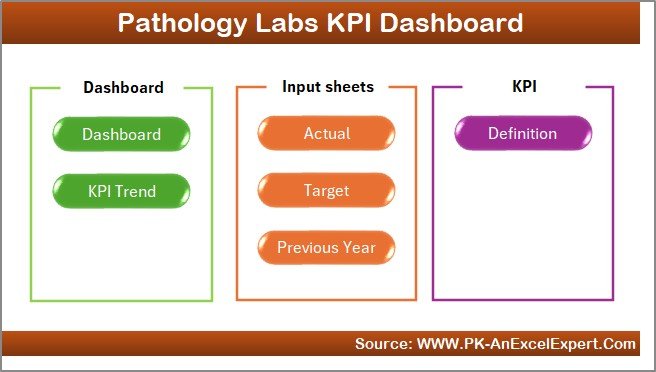
The Home Sheet works like an index page. It includes 6 clickable buttons that take users to different sheets.
New users navigate the file easily
No scrolling or searching required
Faster workflow for managers and lab staff
2️⃣ Dashboard Sheet – Your Main KPI Control Center 📈
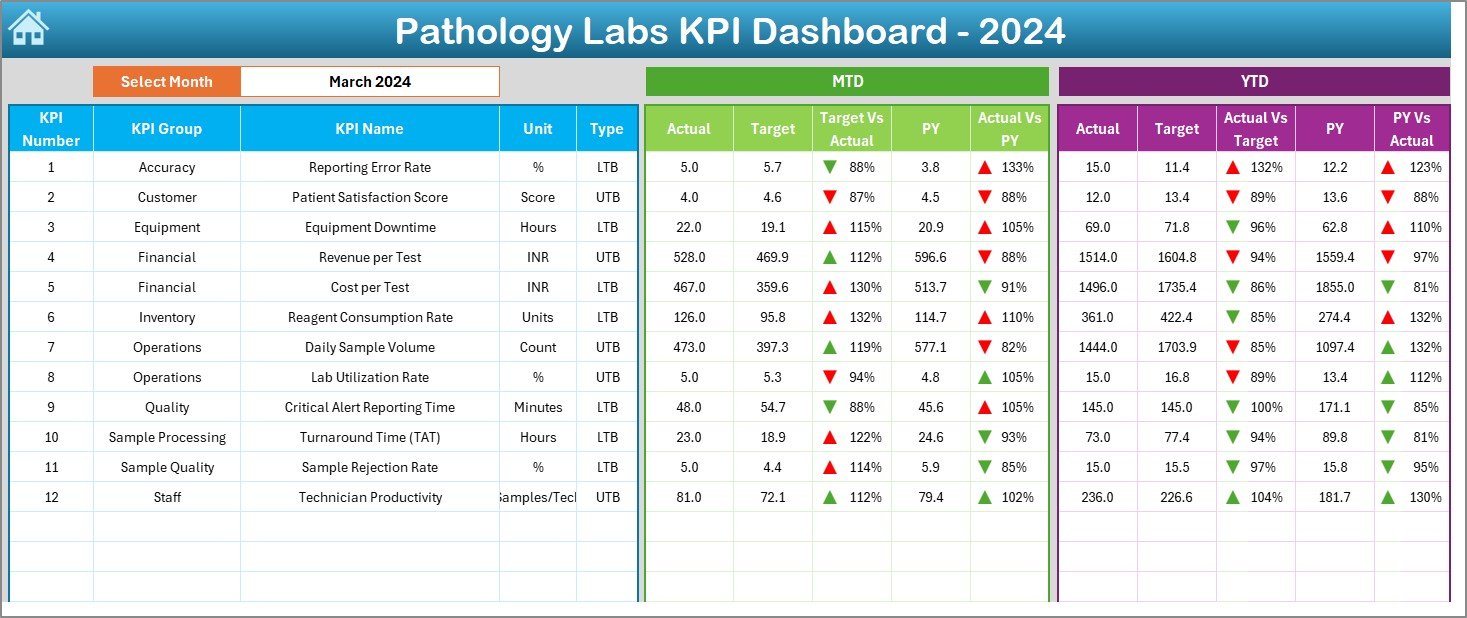
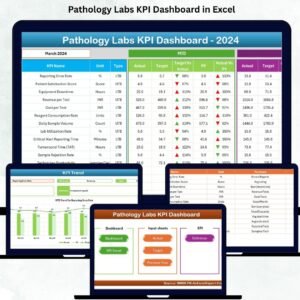
This is the heart of the dashboard. It displays:
MTD Actual, MTD Target, MTD Previous Year
YTD Actual, YTD Target, YTD Previous Year
Target vs Actual%
PY vs Actual%
A dropdown in cell D3 allows users to pick a month and instantly view updated numbers.
Color coding makes it even easier:
Green ▲ = Performance on track
Red ▼ = Needs immediate attention
Track KPIs like:
Test accuracy rate
Report delivery time
Patient wait time
Testing volume
QC pass rate
Equipment utilization
Error rate
This sheet provides both short-term (MTD) and long-term (YTD) visibility.
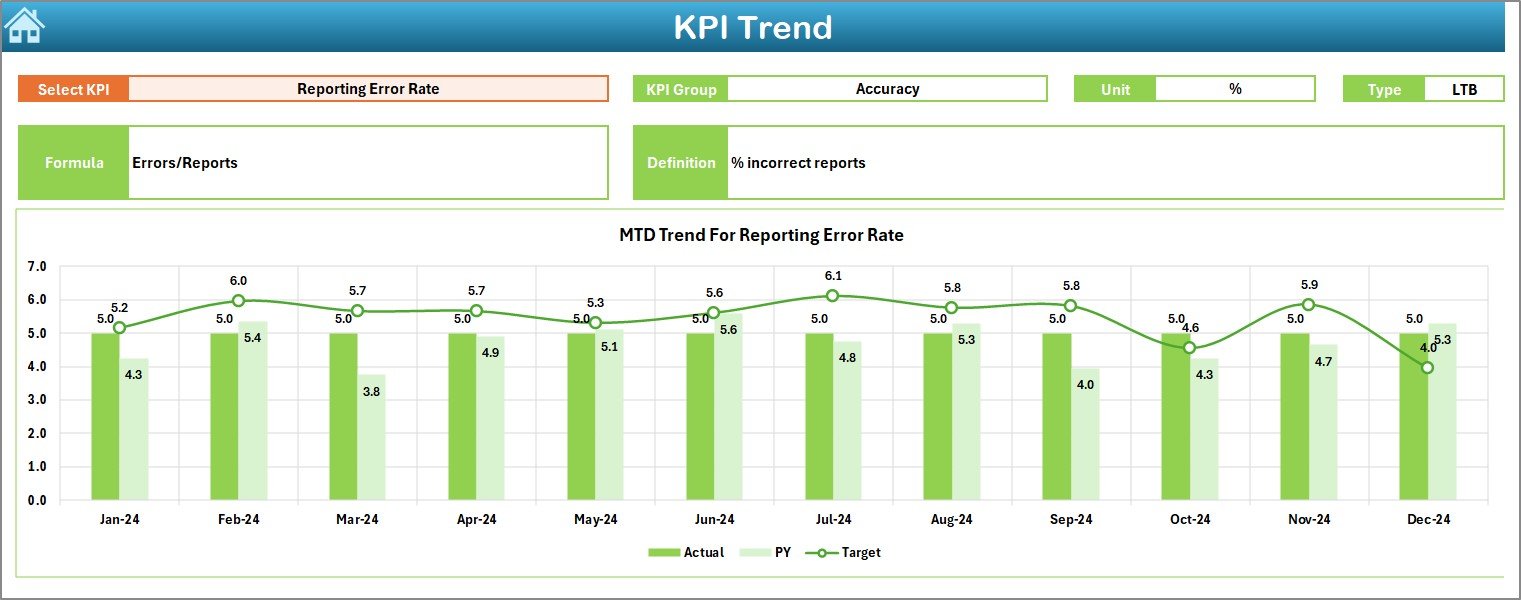
3️⃣ KPI Trend Sheet – Track Month-wise & Year-wise Patterns 📊
This sheet gives labs a deeper understanding of KPI behavior:
Select any KPI from a dropdown
View KPI group, unit, type, formula, definition
Two trend charts:
MTD Trend Chart – Actual vs Target vs Previous Year
YTD Trend Chart – Yearly cumulative performance
These visuals help labs detect:
Delays in turnaround time
Dip in accuracy or QC rates
Increase in patient load
Equipment performance issues
Trends reveal problems earlier—before they affect patients.
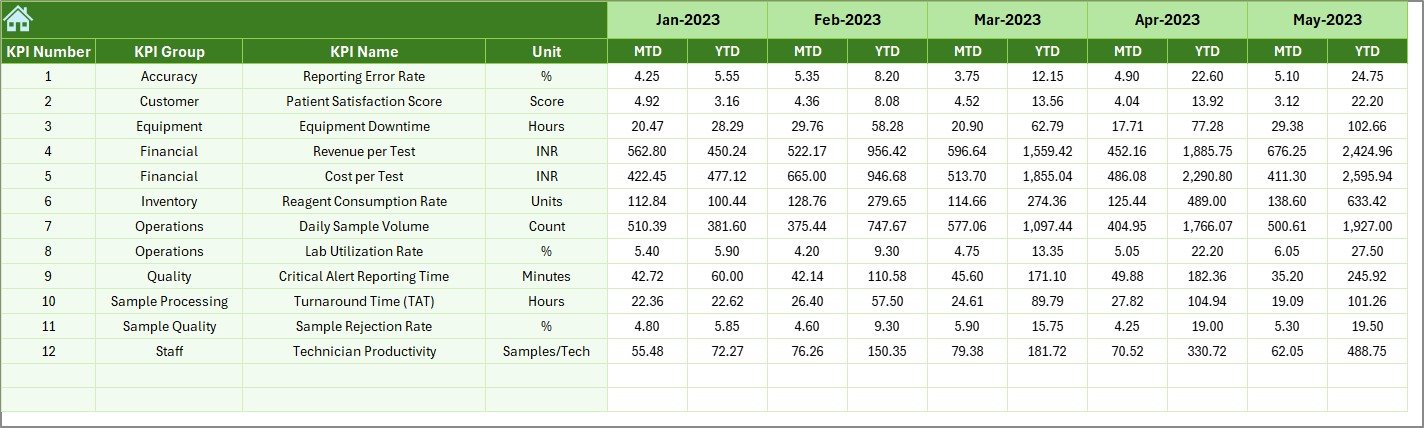
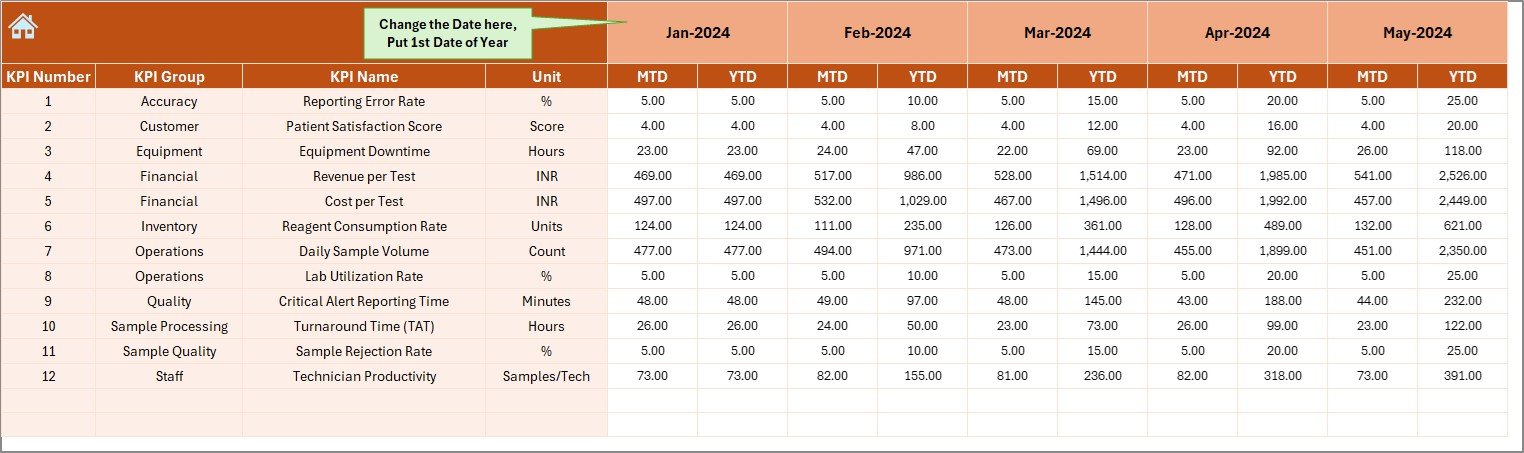
4️⃣ Actual Numbers Input Sheet – Enter Real Performance Data ✍️
A user-friendly sheet to enter:
KPI Name
Month
Actual MTD
Actual YTD
Select the first month of the year once, and the sheet auto-generates the full annual sequence. One update refreshes the entire dashboard.
5️⃣ Target Sheet – Define Clear Monthly & Yearly Goals 🎯
Labs enter:
KPI Name
Month
MTD Target
YTD Target
Targets help labs analyze whether they are improving or falling behind.
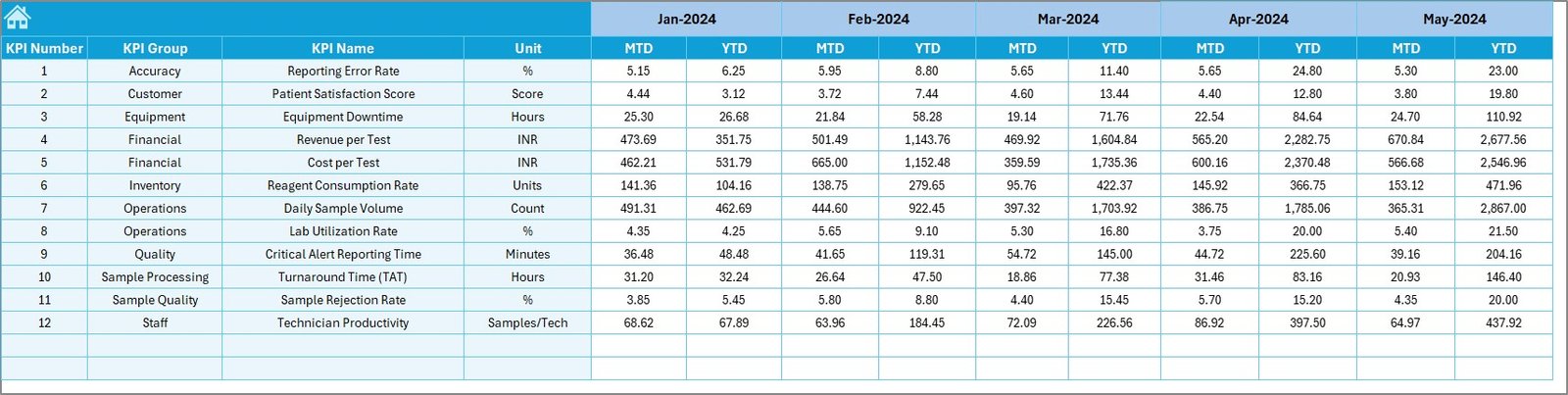
6️⃣ Previous Year Sheet – Track Year-over-Year Performance 🔁
This sheet stores:
Previous year’s MTD
Previous year’s YTD
Year-over-year comparison is crucial for planning, budgeting, and clinical quality improvement.
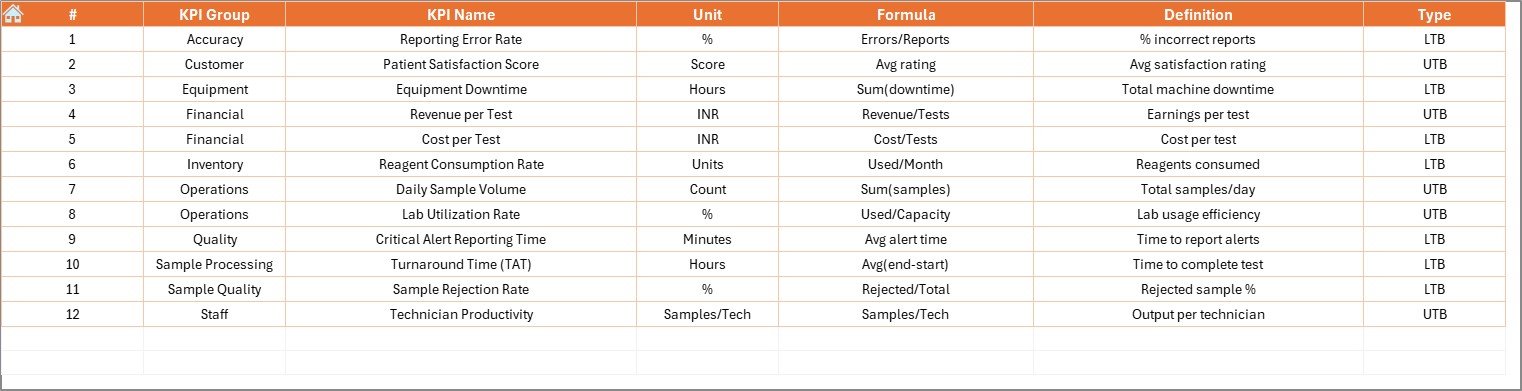
7️⃣ KPI Definition Sheet – Clear Meaning for Every KPI 📘
This sheet includes:
KPI Name
KPI Group
KPI Unit
KPI Formula
KPI Definition
Clear definitions ensure that everyone—from lab assistants to senior managers—understands KPIs correctly.
📦 What’s Inside the Pathology Labs KPI Dashboard in Excel
You get a full Excel dashboard system, complete with:
✔ Interactive summary page
✔ Monthly & yearly KPI comparisons
✔ Trend analysis charts
✔ Ready-to-use input sheets
✔ KPI definition database
✔ Drop-down filters & conditional formatting
✔ Professional design and easy navigation
No complex formulas required—everything works automatically.
🧰 How to Use the Pathology Labs KPI Dashboard in Excel
1️⃣ Enter actual data into the Actual Numbers sheet
2️⃣ Enter monthly and yearly targets
3️⃣ Enter previous year values
4️⃣ Review KPIs on the Dashboard Sheet
5️⃣ Analyze trends from the trend sheet
6️⃣ Update data monthly for accurate reporting
Even beginners can use this dashboard without training.
👥 Who Can Benefit from This Pathology Labs KPI Dashboard?
🧪 Pathology Lab Owners
Monitor performance, patient volumes, accuracy, and costs.
👩⚕️ Lab Managers & Supervisors
Improve workflows, reduce delays, and maintain compliance.
🏥 Hospitals & Diagnostic Centers
Ensure high-quality testing and reporting.
📊 Healthcare Analysts
Use ready dashboards for detailed analysis.
🎓 Students & Researchers
Understand clinical KPI tracking with real datasets.
If your lab wants accuracy, speed, and full control—this dashboard is the smartest tool you can use.
### Click here to read the Detailed blog post
Visit our YouTube channel to learn step-by-step video tutorials
Watch the step-by-step video tutorial:
Compatibility and Requirements
- Works in Microsoft Excel desktop (Excel 2016 or later, or Microsoft 365).
- You pick the month from a drop-down list on the Dashboard sheet. Microsoft explains these lists in Create a drop-down list.
Frequently Asked Questions
Which lab KPIs can I track?
The template names test accuracy rate, report delivery time, patient wait time, testing volume, QC pass rate, equipment utilization and error rate.
How do I change the month on the dashboard?
Pick a month from the dropdown in cell D3 of the Dashboard sheet, and the MTD and YTD numbers update.
Does it compare results with targets and last year?
Yes. The Dashboard sheet shows MTD and YTD actuals next to targets and previous year values, with Target vs Actual% and PY vs Actual%.
Where are the KPI formulas explained?
The KPI Definition sheet lists each KPI’s name, group, unit, formula and definition.
Related Pathology and Lab Templates
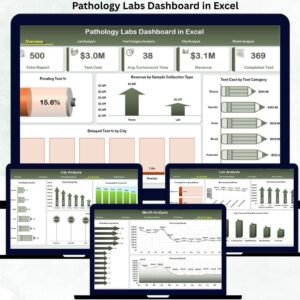
- Pathology Labs Dashboard in Excel: a dashboard view of pathology lab data
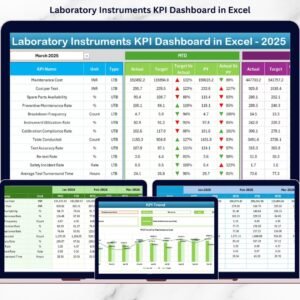
- Laboratory Instruments KPI Dashboard in Excel: KPI tracking for lab instruments
- Pathology Labs KPI Dashboard in Power BI: the same topic built for Power BI
- Pathology Lab Management System Web App: a web app for running lab records
- Healthcare and Hospital Management Bundle: a set of healthcare templates
Browse all Excel KPI dashboards or the Power BI KPI dashboards.



























Reviews
There are no reviews yet.