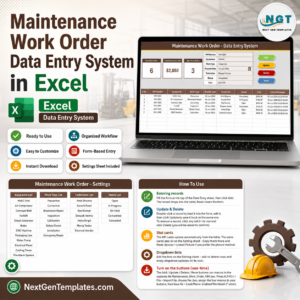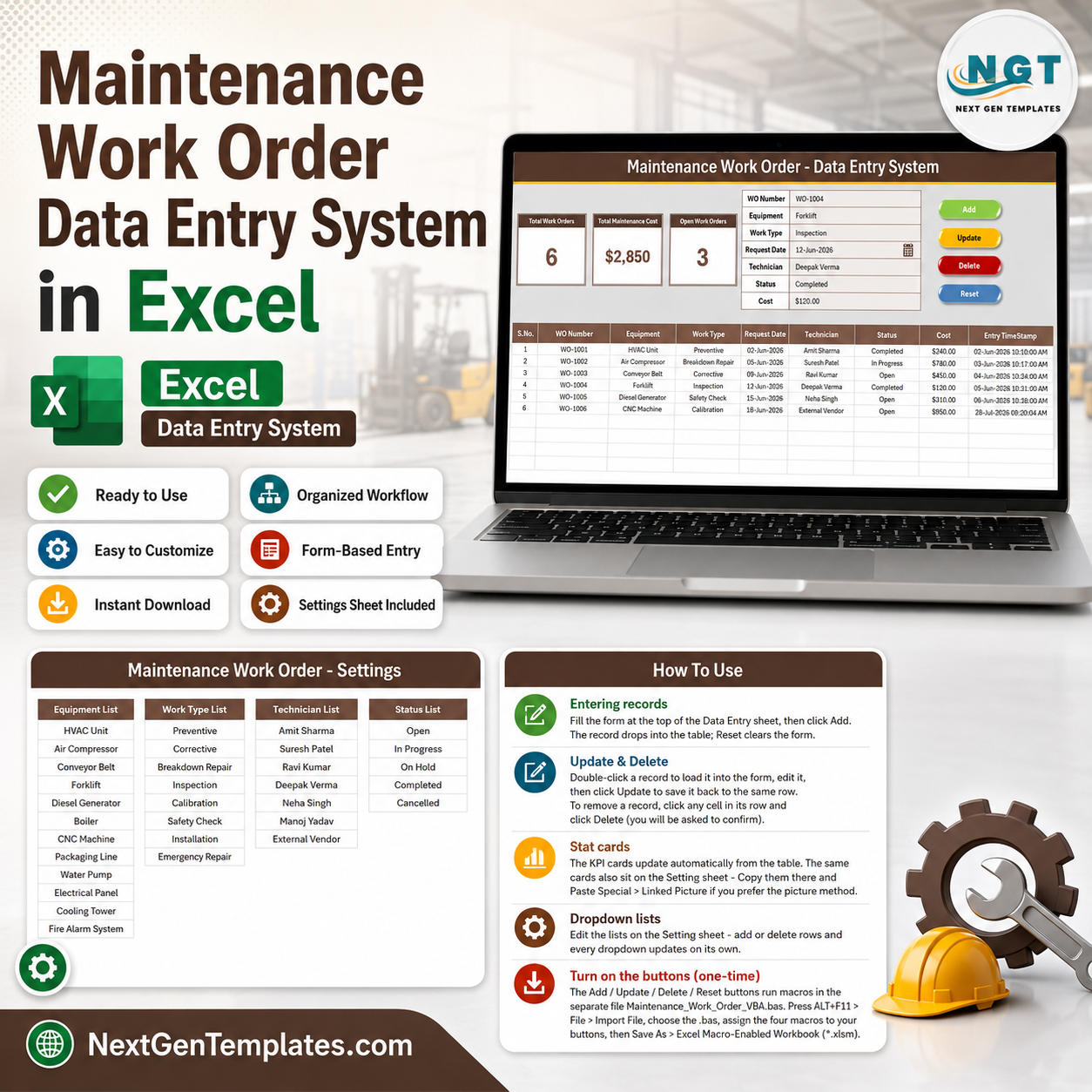

The Maintenance Work Order Data Entry System in Excel captures 7 fields per job — WO Number, Equipment, Work Type, Request Date, Technician, Status and Cost — and drives 3 live KPI cards from those rows. Four VBA macros run the entire workflow, 4 dropdowns hold 33 pre-loaded options across equipment, work types, technicians and statuses, and 6 sample work orders ship inside so the cards show real numbers on first open. Setup takes under 10 minutes.
🌍 Join 10,000+ customers in 180+ countries using NextGenTemplates to replace paid SaaS tools with one-time-purchase Excel, Google Sheets, Power BI and HTML templates.
✅ Instant download · One-time payment · No subscription · No per-user fees · Lifetime access
🔑 Key Features of the Maintenance Work Order Data Entry System
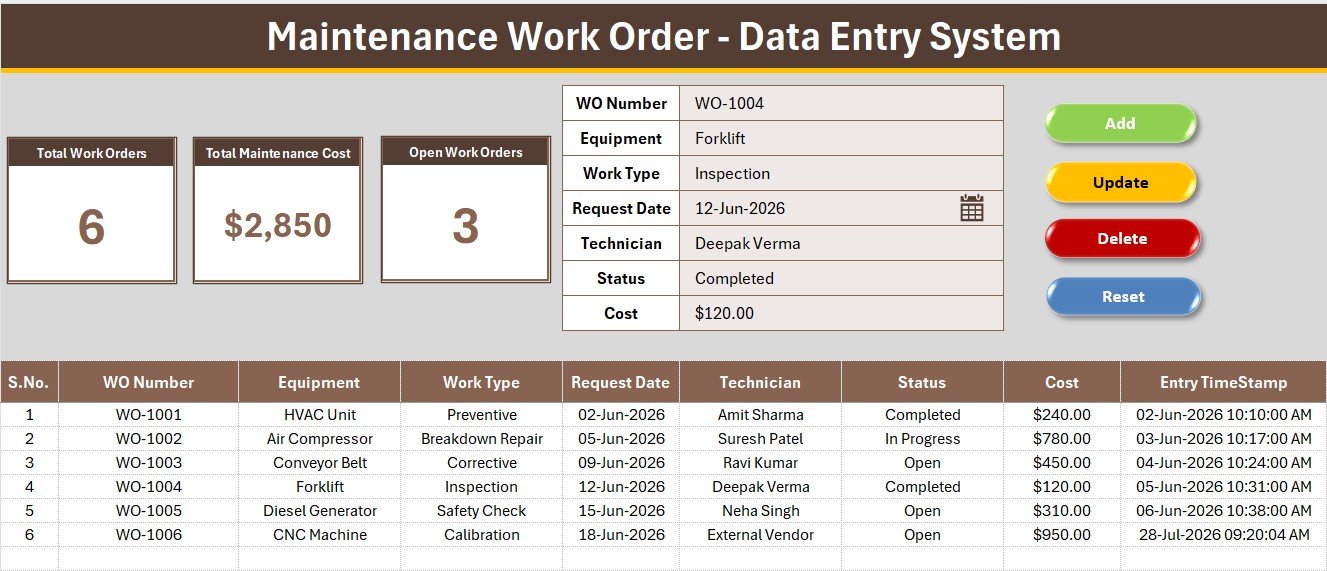
🧾 A 7-field work order form. WO Number, Equipment, Work Type, Request Date, Technician, Status and Cost sit in a single tinted input panel with bold labels. Four of the seven are dropdowns, so the same machine is never spelled two different ways across a year of records.
📊 Three live KPI cards. Total Work Orders, Total Maintenance Cost and Open Work Orders run on COUNTA, SUM and COUNTIF pointed straight at the records table. There is no pivot to refresh and no summary sheet to rebuild — the numbers move the moment a row is added.
⚙️ Four one-click VBA macros. Add_Record writes the form to the next empty row, Update_Record edits the selected row, Delete_Record removes it after a confirmation prompt, and Reset_Form clears the panel for the next job. The VBA ships as a separate module you import once.
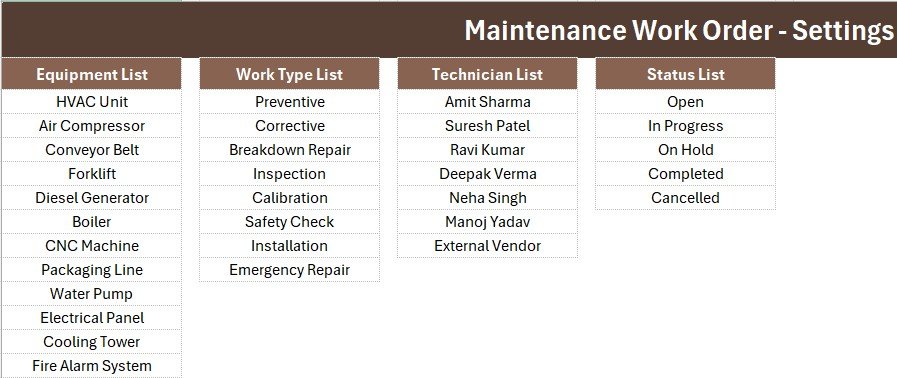
📋 Four editable dropdown lists. 12 equipment items (HVAC Unit, Air Compressor, Conveyor Belt, Forklift, Diesel Generator, Boiler, CNC Machine, Packaging Line, Water Pump, Electrical Panel, Cooling Tower, Fire Alarm System), 8 work types (Preventive, Corrective, Breakdown Repair, Inspection, Calibration, Safety Check, Installation, Emergency Repair), 7 technicians plus External Vendor, and 5 statuses (Open, In Progress, On Hold, Completed, Cancelled).
🕐 Auto serial numbers and an Entry TimeStamp column. Serial numbers renumber themselves as rows come and go, and every saved job is date-time stamped — the detail that turns a spreadsheet into audit evidence during an ISO 9001 or internal safety review.
🔒 Runs entirely offline. No account, no API key, no internet. The workbook lives on your drive or your shared folder, which matters when maintenance records touch safety incidents.
📦 What’s Inside the Maintenance Work Order Data Entry System
Sheet 1: Data Entry
The working sheet. A warm brown heading bar with a gold divider sits at the top; below it a grey panel carries the three KPI cards on the left and the seven-field form with its four dropdowns on the right. The Add, Delete, Update and Reset button cells form a 2×2 block, and the records table starts at row 15 with auto S.No, currency-formatted Cost and the Entry TimeStamp column at the far right.
Sheet 2: Setting
The control sheet. All four dropdown source lists live here as named ranges wired into the form’s data validation, so adding a new machine or technician makes it appear in the form immediately. A duplicate set of the three KPI cards also sits here, ready to copy into a monthly report as a Linked Picture without breaking any formulas.
Sheet 3: Instructions
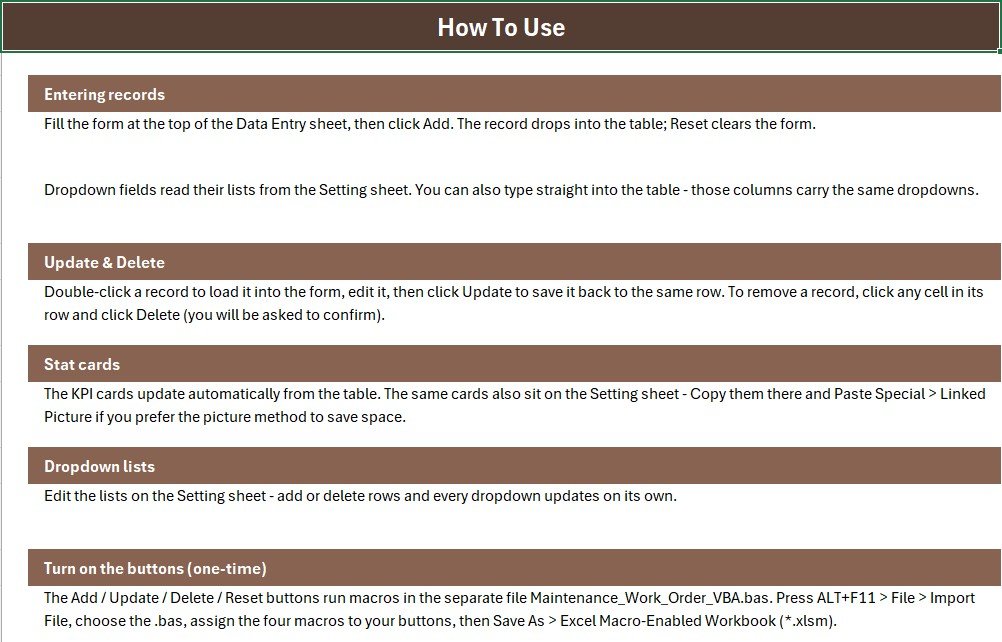
The one-time activation guide, written for someone who has never opened the VBA editor. It covers importing the module, drawing the four buttons over the coloured cells, assigning the macros and saving as a macro-enabled workbook, plus how to extend the dropdown lists.
Sheet 4: Get More Templates
A short index into the wider catalogue for when the work order log becomes one piece of a larger maintenance stack — asset trackers, maintenance dashboards and the plant bundles.
📊 Maintenance Work Order System vs. Google Sheets Maintenance Log vs. Limble / UpKeep — Where This Fits
| Feature | Maintenance Work Order System (Excel) | Google Sheets maintenance log | Limble / UpKeep CMMS |
|---|---|---|---|
| Cost | $5.99 one-time ✅ | $6.99 one-time | $20-$100 per technician / month |
| Platform | Microsoft Excel, offline ✅ | Browser, Google account required | Cloud only, account required |
| Setup time | Under 10 minutes ✅ | Under 10 minutes | Days to weeks of asset onboarding |
| One-click entry form | Yes — 4 VBA macros ✅ | Apps Script sidebar | Yes, via mobile app |
| Preventive vs breakdown split | Yes — Work Type dropdown ✅ | Yes, if you build it | Yes |
| Real-time team collaboration | Shared drive or co-authoring | Yes, native ✅ | Yes |
| Technician mobile access | No | Browser only | Yes ✅ |
| Customizable fields and dropdowns | Fully editable ✅ | Fully editable | Fixed schema, paid tiers to extend |
| Data stays on your machine | Yes ✅ | No — stored in Google Drive | No — vendor cloud |
| Year-1 cost at 5 technicians | $5.99 total ✅ | $6.99 total | $1,200-$6,000 |
For teams that want an auditable work order log without paying per technician per month for scheduling features they never open, the Maintenance Work Order Data Entry System in Excel sits in the sweet spot.
👥 Who This Template Is For — and Who It’s Not For
✅ This template is built for:
- Facility and plant managers running roughly 10 to 200 assets with no CMMS budget
- Maintenance supervisors who need a work order record that survives an ISO 9001 or safety audit
- Small manufacturing units, schools, hospitals and hotels with two to eight technicians
- Admin staff who would rather fill a form than type into a wide grid
❌ This template is NOT for:
- Teams needing automatic preventive maintenance scheduling with due-date alerts — that is genuinely a Limble or UpKeep job
- Technicians who must raise and close jobs from a phone on the shop floor
- Locked-down Excel installs where IT policy blocks macros, since the four buttons depend on VBA
- Anyone needing spare-parts inventory deduction tied to each work order
⚙️ How to Use the Maintenance Work Order Data Entry System
- Open the workbook, press ALT+F11, then File → Import File and select the included .bas module.
- Draw four Form-Control buttons over the coloured Add, Delete, Update and Reset cells and assign Add_Record, Delete_Record, Update_Record and Reset_Form.
- Save As → Excel Macro-Enabled Workbook (.xlsm). This is a one-time step.
- Open the Setting sheet and replace the sample equipment, work types and technician names with your own.
- Delete the 6 sample rows from the records table so the KPI cards reset to zero.
- Fill the form and click Add. The row is written, numbered and time-stamped, and all three KPI cards update instantly.
💼 Real-World Use Cases
Anil manages maintenance at a 40-machine packaging unit. Breakdown calls used to reach him by phone and stay there. He now raises a work order the moment a call comes in and closes it with the cost once the technician reports back. Because Work Type is a dropdown, he could show his plant head that 62% of last quarter’s jobs were Breakdown Repair rather than Preventive — the argument that finally won him a scheduled servicing budget.
Priya runs facilities for a 3-floor corporate office. HVAC units, water pumps and the fire alarm system all sit in the Equipment dropdown. At month end she copies the Setting-sheet KPI cards as a Linked Picture into the admin report, and the Open Work Orders card gives leadership a single pending number without anyone opening the file.
Rakesh coordinates a hospital biomedical team of five technicians. Every job is logged against a technician name from the dropdown, so when the accreditation visit comes the auditor gets one table with WO numbers, dates, statuses and time stamps instead of a folder of loose service slips.
❓ Frequently Asked Questions
What fields does the Maintenance Work Order Data Entry System capture?
The Maintenance Work Order Data Entry System in Excel captures 7 fields per job: WO Number, Equipment, Work Type, Request Date, Technician, Status and Cost. Four are dropdowns, and every saved row also receives an automatic serial number and an entry time stamp.
Do I need to know VBA to use it?
No. The Maintenance Work Order Data Entry System ships with the VBA already written in a separate module. You import it once via ALT+F11, assign the four macros to the coloured button cells, and save as .xlsm. The Instructions sheet walks through all three steps.
How long does setup take?
Under 10 minutes. Importing the module and assigning the four macros takes about five minutes; swapping the sample equipment, work types and technicians on the Setting sheet takes a few more. The 6 pre-loaded work orders let you confirm the KPI cards work first.
Can I separate preventive maintenance from breakdown repairs?
Yes. The Work Type dropdown offers 8 options including Preventive, Corrective, Breakdown Repair, Inspection, Calibration, Safety Check, Installation and Emergency Repair, so a COUNTIF or pivot splits planned work from reactive work at any time.
How does this compare to Limble or UpKeep?
Limble and UpKeep charge roughly $20 to $100 per technician per month and bundle scheduling, asset hierarchies and mobile apps. The Maintenance Work Order Data Entry System is a $5.99 one-time Excel file that handles work order logging offline. For five technicians that is $5.99 against $1,200 or more in year one.
Can more than one person use it at the same time?
Not comfortably. The Maintenance Work Order Data Entry System is a desktop Excel file and the VBA buttons work best with one person entering data. If several plants need to raise work orders simultaneously, use a Google Sheets maintenance tracker instead.
Does it work on Excel for Mac?
The formulas and dropdowns work everywhere, but the four Add, Update, Delete and Reset buttons depend on VBA, which some Mac and locked-down corporate Excel installations restrict. The records table still works manually if macros are blocked.
👤 About the Author
Built by PK — Microsoft Certified Professional with 15+ years of Excel, Google Sheets and Power BI experience. Founder of NextGenTemplates, reaching 300K+ subscribers across YouTube channels (@PK-AnExcelExpert, @NextGenTemplates, @NeoTechNavigators). Every template is hand-built and tested before release.
🔗 Explore Related Templates
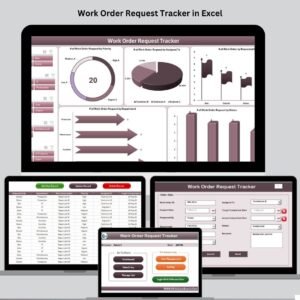
- Work Order Request Tracker in Excel — the bigger sibling, with a login screen, dashboard charts and user management.
- Equipment Maintenance Log Tracker in Excel — adds scheduling and a slicer-driven dashboard on top of the log.
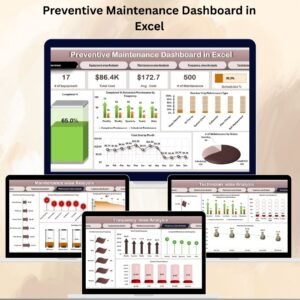
- Office Maintenance Dashboard in Excel — point it at your accumulated work orders for cost and priority analysis.
- Also available as: Equipment Maintenance Log Tracker in Google Sheets for multi-site teams.
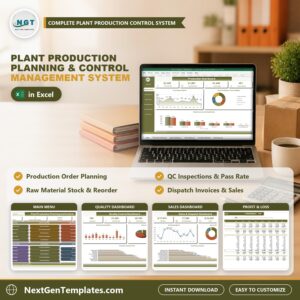
- 💎 Save 40% — get 9 plant and production templates in the Plant Production Manager Toolkit →
Browse more Excel Dashboard Templates or the full Manufacturing Templates collection.
📖 Click here to read the Detailed Blog Post
🎥 Visit our YouTube channel for step-by-step video tutorials
👉 YouTube.com/@NextGenTemplates
📅 Last updated: July 2026
Watch the demo video:
Compatibility and Requirements
- Runs in Excel desktop on Windows with macros enabled. It does not run in Excel for the web, Google Sheets or mobile.
- The four Add, Update, Delete and Reset buttons use VBA, so save the file as a macro-enabled workbook (.xlsm). Microsoft explains how to turn macros on in Enable or disable macros in Microsoft 365 files.