

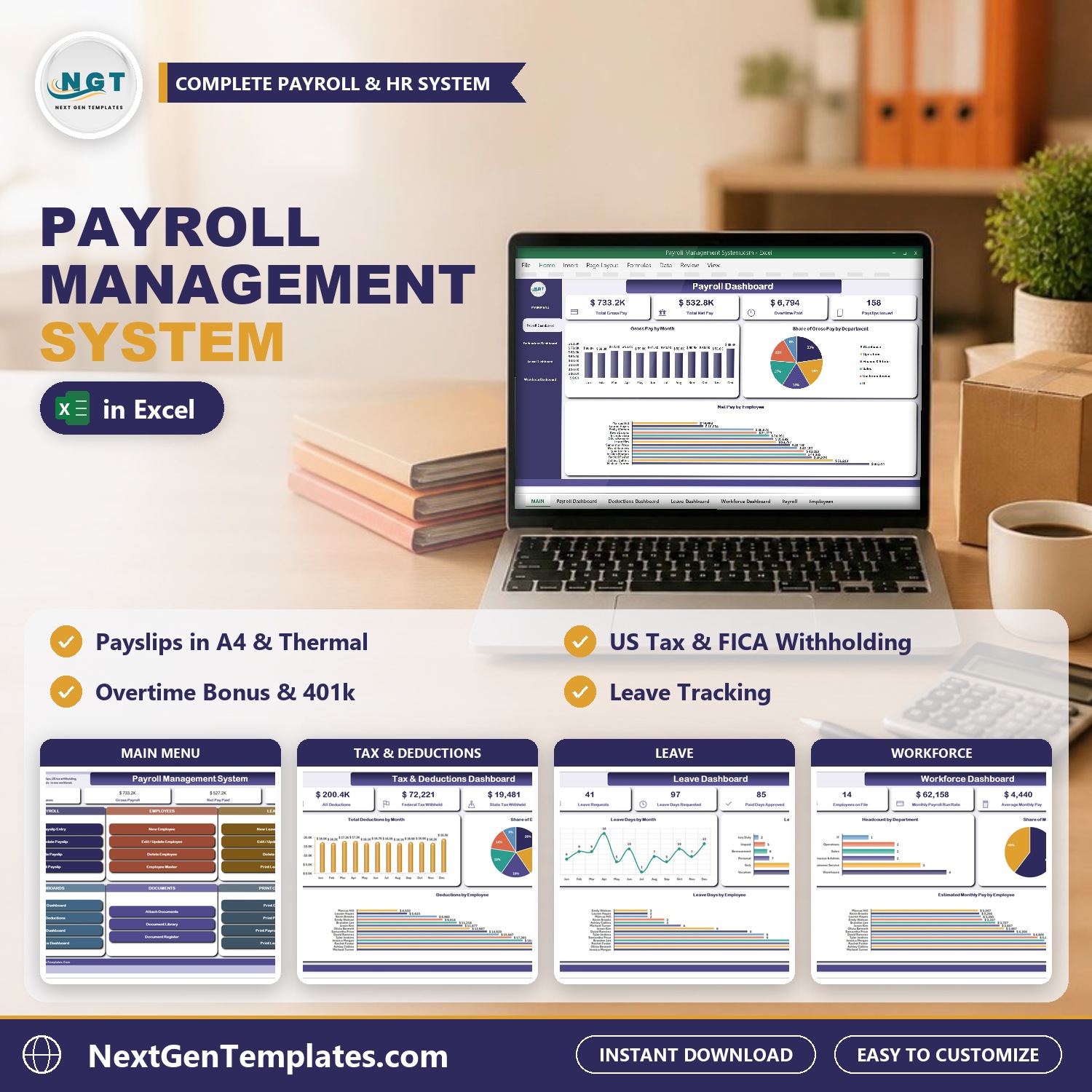

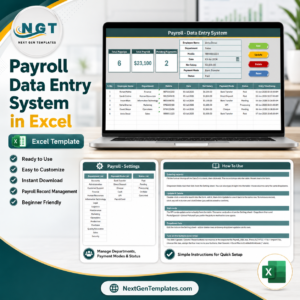
The Payroll Management System runs monthly payroll for a small business from one macro-enabled Excel file: payslip entry with overtime, bonus and allowances, US tax withholding, printed payslips, an employee master, a leave register and document attachments. It has 4 pivot dashboards, 8 VBA forms and 3 printable documents that come out at A4, 4 inch and 3 inch. Nothing is typed into a data sheet. Every payslip, employee, leave request and attached file goes in through a checked form.
Watch the Payroll Management System V1.0 in Excel VBA walkthrough
Sample data ships with 158 payslips across 12 pay runs, 14 employees, 41 leave requests and 16 attached documents for a demo company, Summit Ridge Logistics in Columbus, Ohio, so every chart is populated the moment you open it. Replace it with your own and the whole system follows. If you are comparing payroll management software and want something without a monthly fee, this payroll management system keeps your pay data on your own PC. It works as a payroll system in Excel you can understand, and as an excel payroll template that already has the forms, the payslip printout and the reports built. If you searched for a payroll template excel and found only blank grids, this is the finished version.
✅ Instant download · One-time payment · No subscription · No per-user fees · Lifetime access
🎁 Try it free for 7 days before you buy. Every form, dashboard and printout works in the free trial, so you can test it on your own PC first.
🔑 Key Features of the Payroll Management System
📌 Payslip entry form. New Payslip Entry has three tabs: Employee and Hours, Earnings and Deductions, and Payment. Type the first letters of a name, enter regular and overtime hours, add a bonus or allowances, and save. The form picks up pay type, rate, tax percentages, 401k and health insurance from the Employee Master.
📌 Overtime and gross pay worked out. Overtime is paid at 1.5 times the hourly rate. Salaried staff are paid their monthly salary. Basic pay, overtime pay, bonus and allowances add up to gross pay on every payslip.
📌 US withholding and employer cost. Each payslip takes federal and state income tax at the percentages kept on the employee, Social Security at 6.2%, Medicare at 1.45%, a pre-tax 401k contribution and health insurance. It then shows net pay, the employer share of Social Security and Medicare, and the total employer cost.
📌 Payroll Register. One row per employee per monthly pay run, under a PS- payslip number and a PR- pay run number. Edit, delete and print a payslip from the action bar.
📌 Employee Master. Employee code, department, designation, salaried or hourly pay, rate, federal and state tax percentages, 401k percentage, health insurance, payment mode, bank name and status, plus payslips issued, gross paid, net paid and leave days taken for each person.
📌 Leave Register. Each request has a leave number, type, from and to dates and an approver. Working days are counted with NETWORKDAYS, so weekends are skipped, and the sheet splits paid and unpaid leave days. A Leave Approval Slip prints from any row.
📌 Document attachments. Attach a W-4, an I-9, an offer letter, a timesheet or a medical certificate to an employee, a payslip or a leave request, and open it again in one click from the Document Register.
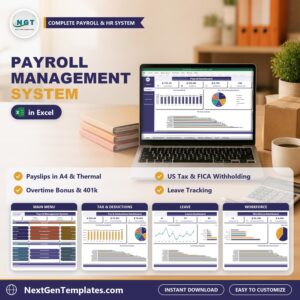
📌 Four dashboards. Payroll, Tax and Deductions, Leave and Workforce dashboards are driven by slicers for department, pay type, payment status and leave status.
📌 Printing that fits the office. Payslip, Payroll Register and Leave Approval Slip print from the same data at A4, 4 inch (104 mm) and 3 inch (80 mm). Paper size and what the print button does (preview, print or save as PDF) are set on the Settings sheet.
📌 Type-to-search lists and calendar pickers. Employee lists filter as you type, and date boxes open a calendar, so 03/04 never means March on one PC and April on another.
📦 What’s Inside the Payroll Management System
Eleven sheets you work in, in the order you use them.
MAIN, the menu screen
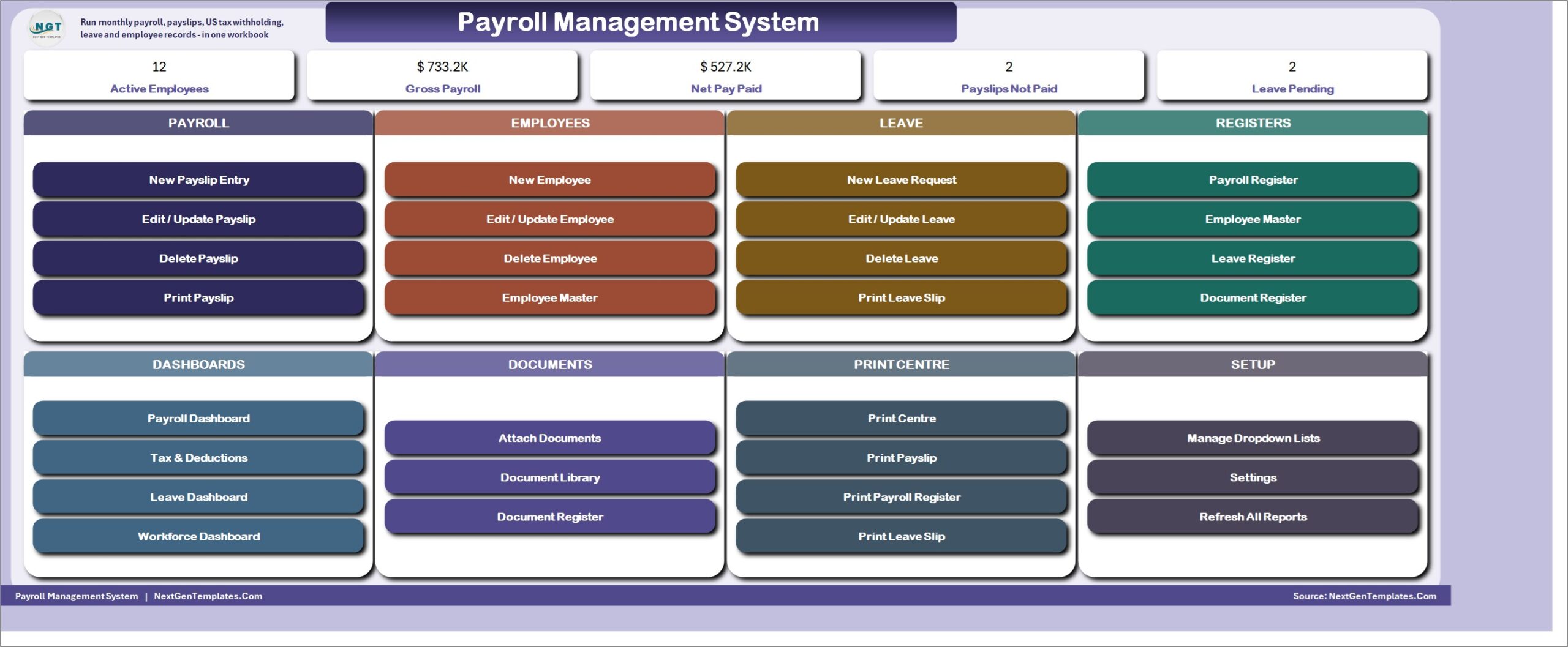
The file opens here every time. Five live KPI cards (Active Employees, Gross Payroll, Net Pay Paid, Payslips Not Paid and Leave Pending) sit above eight colour-coded cards: Payroll, Employees, Leave, Registers, Dashboards, Documents, Print Centre and Setup.
Payroll Dashboard
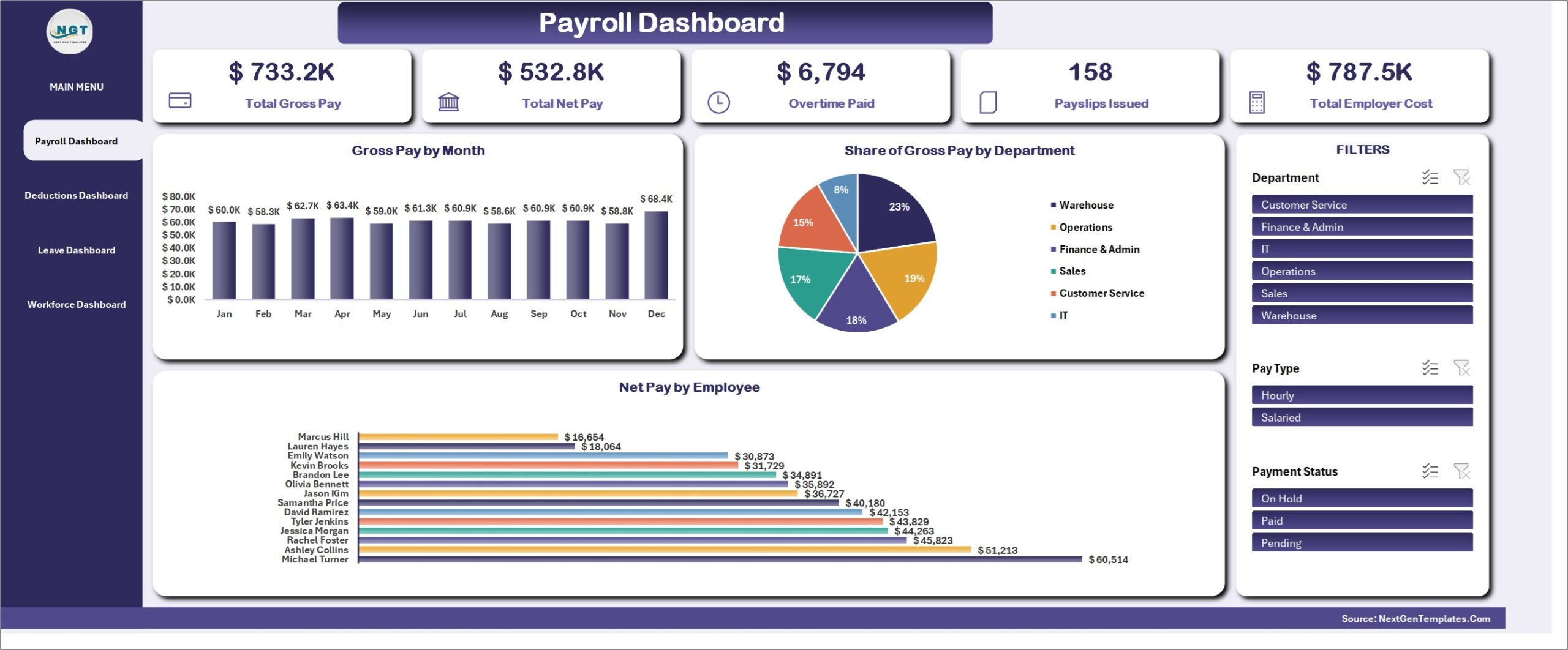
Total Gross Pay, Total Net Pay, Overtime Paid, Payslips Issued and Total Employer Cost, with Gross Pay by Month, Share of Gross Pay by Department and Net Pay by Employee. Slicers for department, pay type and payment status.
Tax and Deductions Dashboard
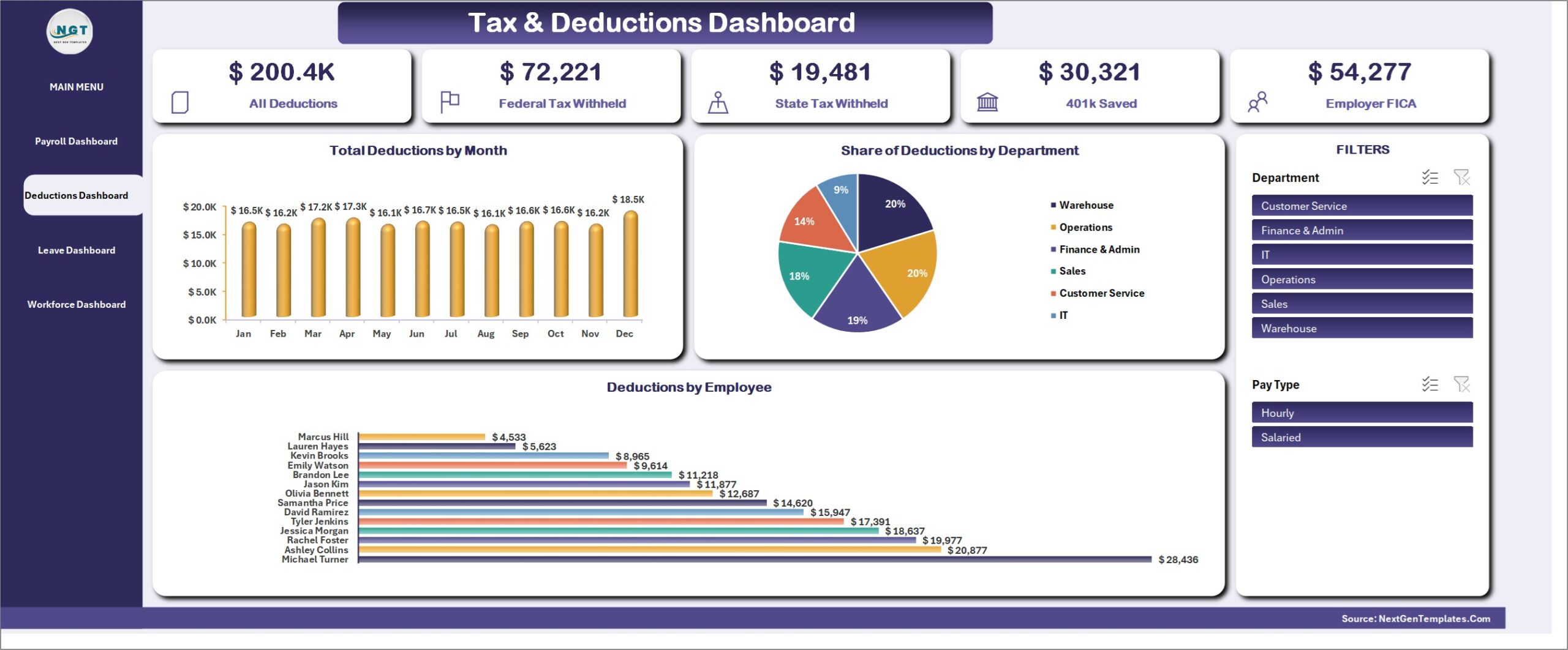
All Deductions, Federal Tax Withheld, State Tax Withheld, 401k Saved and Employer FICA, with Total Deductions by Month, Share of Deductions by Department and Deductions by Employee.
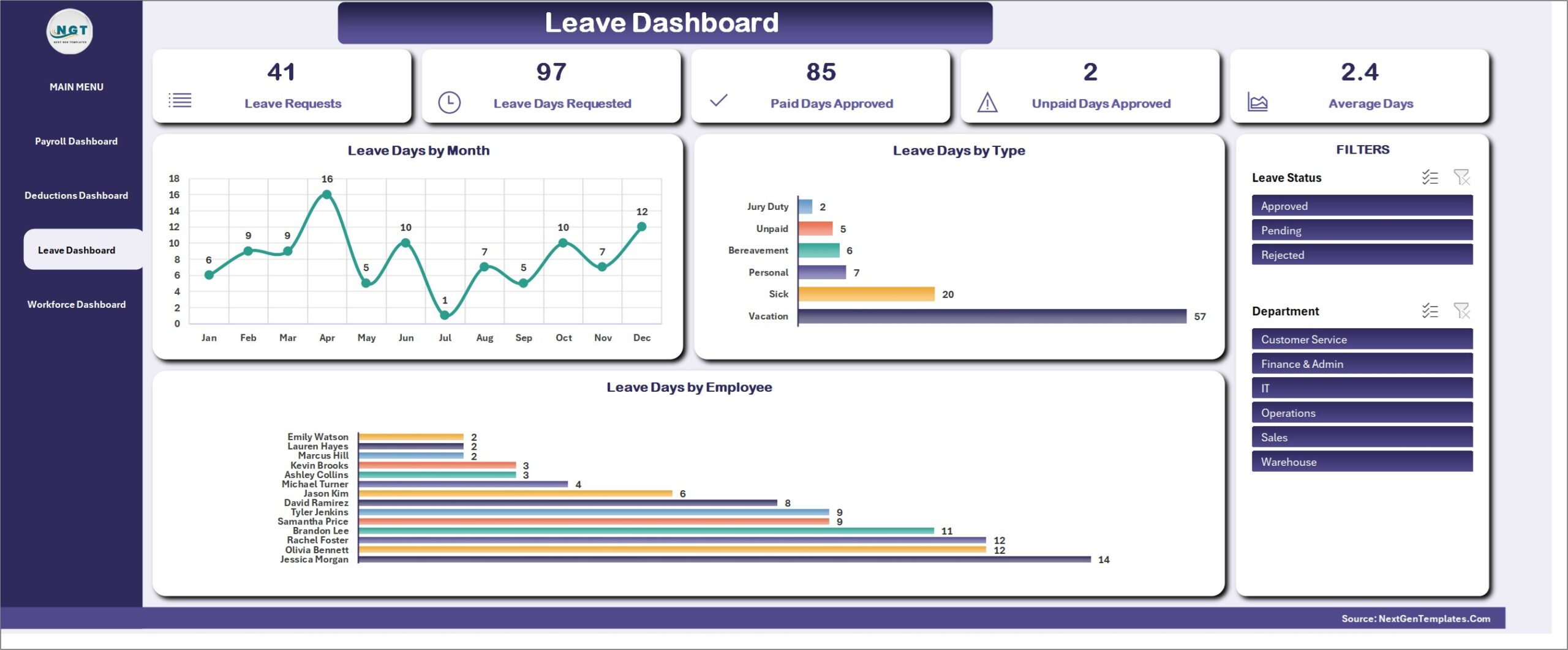
Leave Dashboard
Leave Requests, Leave Days Requested, Paid Days Approved, Unpaid Days Approved and Average Days, with Leave Days by Month, Leave Days by Type and Leave Days by Employee. Filter by leave status and department.
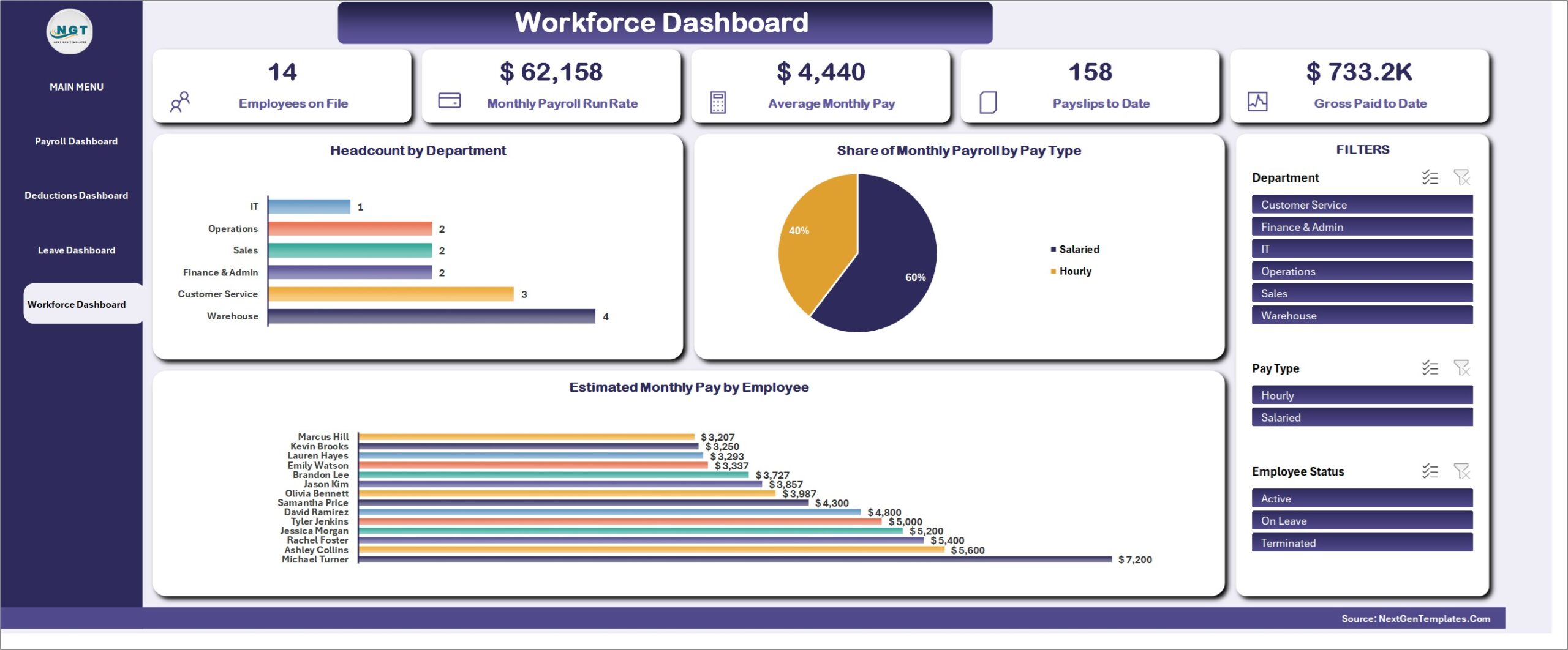
Workforce Dashboard
Employees on File, Monthly Payroll Run Rate, Average Monthly Pay, Payslips to Date and Gross Paid to Date, with Headcount by Department, Share of Monthly Payroll by Pay Type and Estimated Monthly Pay by Employee.
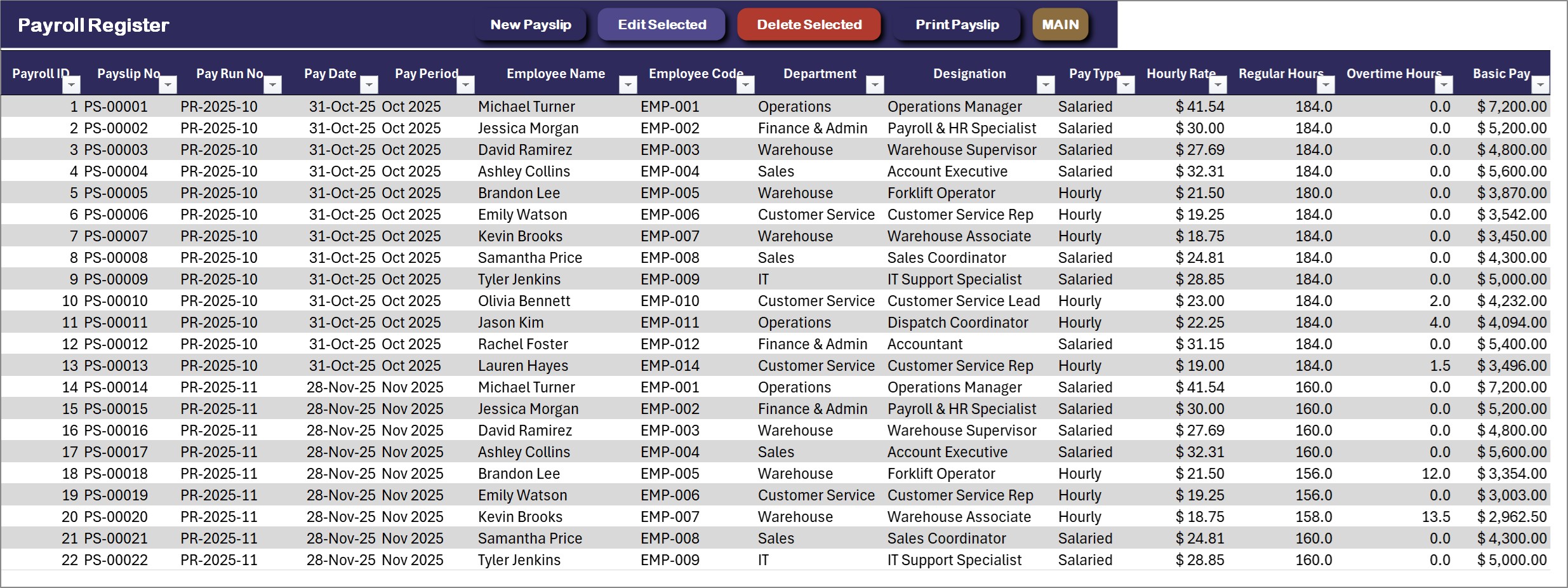
Payroll Register, the main ledger
One row per payslip: pay date and period, employee, rate, regular and overtime hours, basic and overtime pay, bonus, allowances, gross pay, every deduction, net pay, employer taxes, employer cost, payment mode and payment status. New Payslip, Edit Selected, Delete Selected and Print Payslip sit on the action bar.
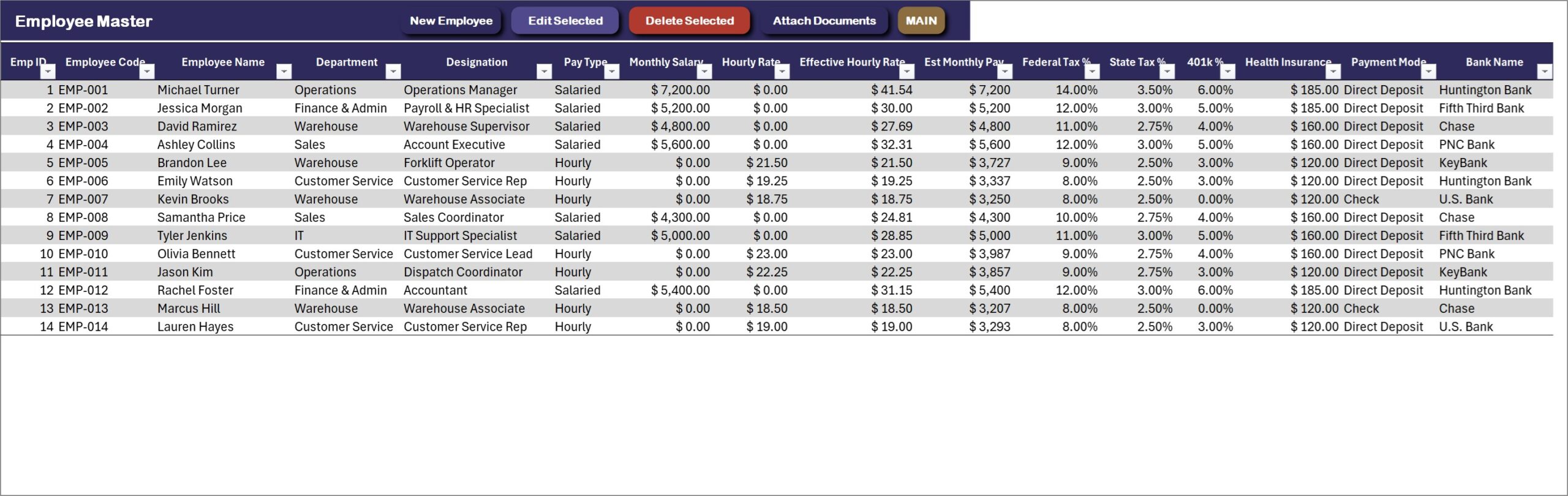
Employee Master
Every employee with pay type, monthly salary or hourly rate, effective hourly rate, tax percentages, 401k, health insurance, payment mode and bank. New Employee, Edit, Delete and Attach Documents are on the action bar.
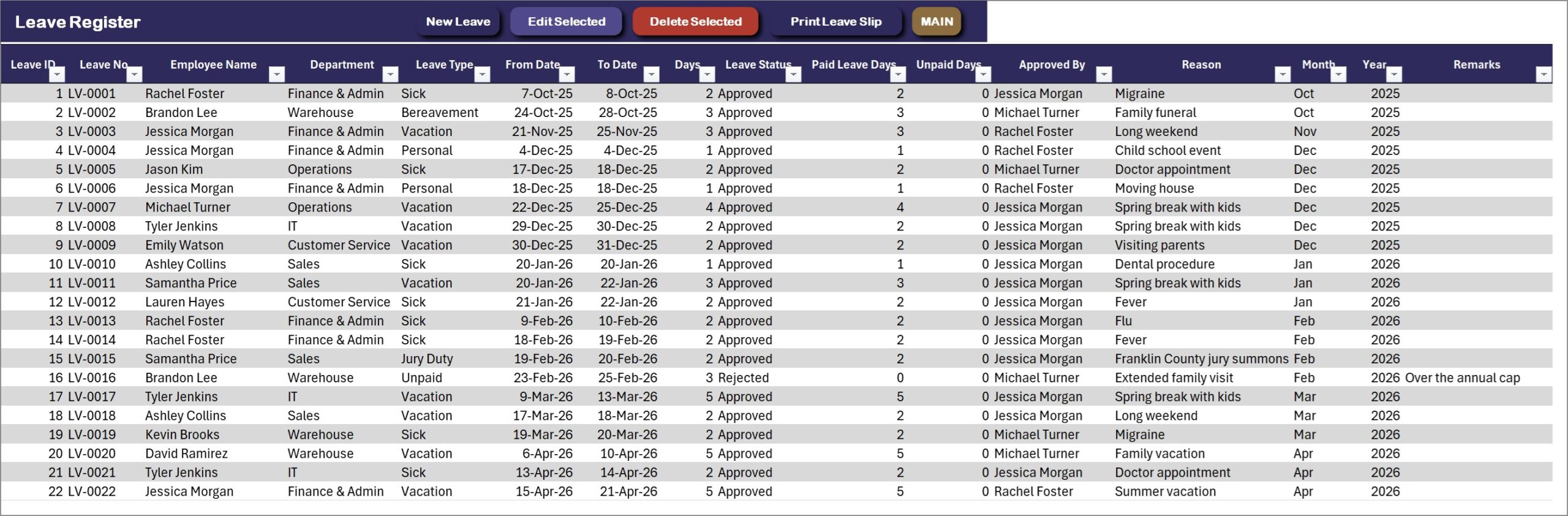
Leave Register
Leave number, employee, department, leave type, dates, days, status, paid and unpaid days, approver and reason. Print Leave Slip turns any row into an approval slip.
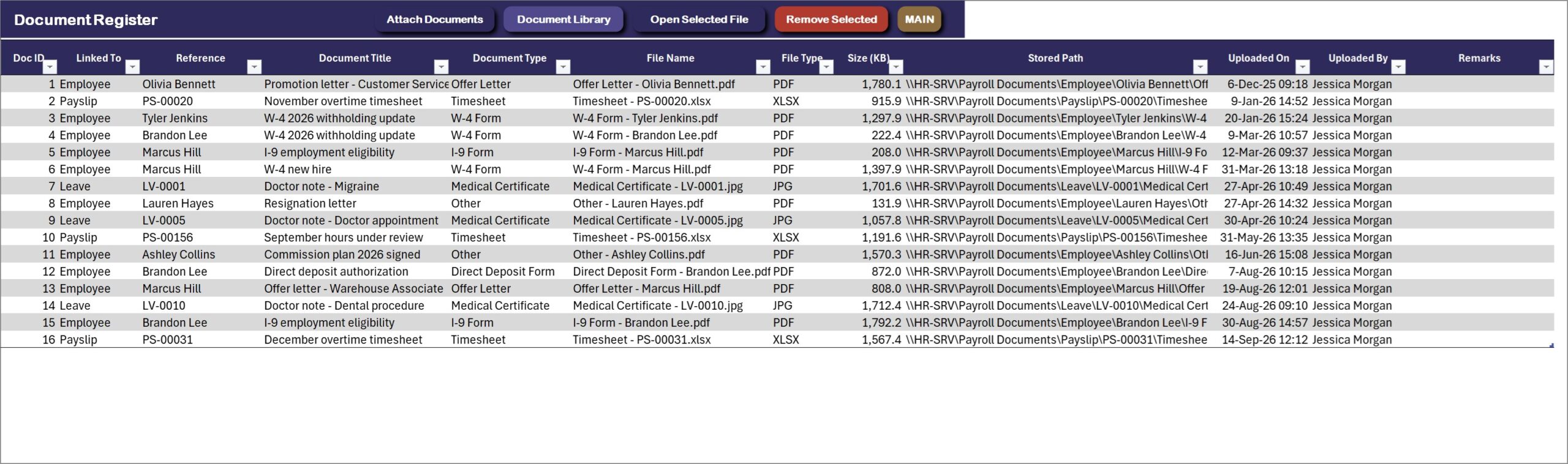
Document Register
Every attached file with the record it belongs to, document type, file name, size, stored path and who uploaded it. Open Selected File and Remove Selected sit on the action bar.
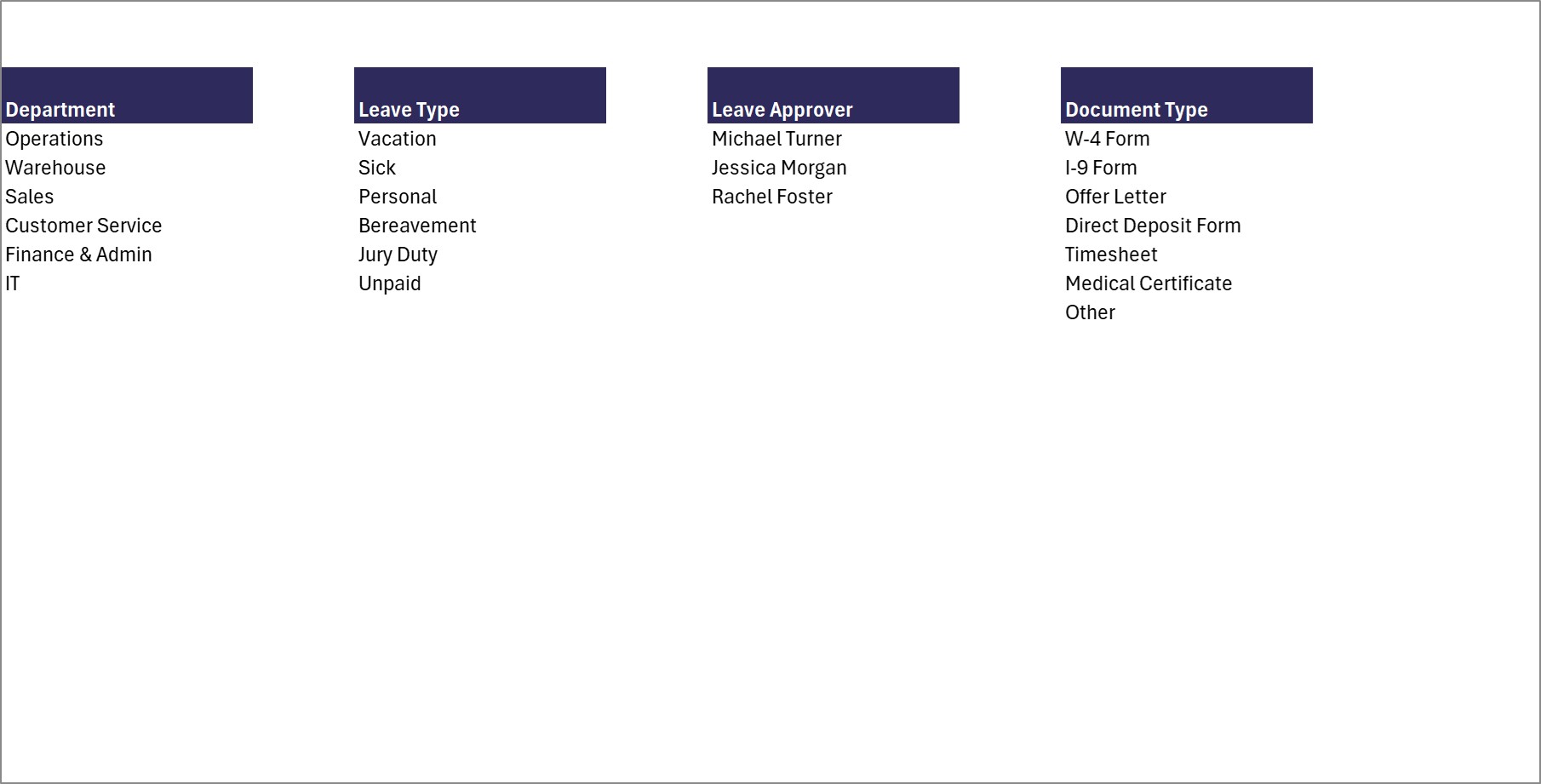
Category Master
The dropdown lists in one place: departments, leave types, leave approvers and document types. Add or remove a value with Manage Dropdown Lists and it shows up in the forms straight away.
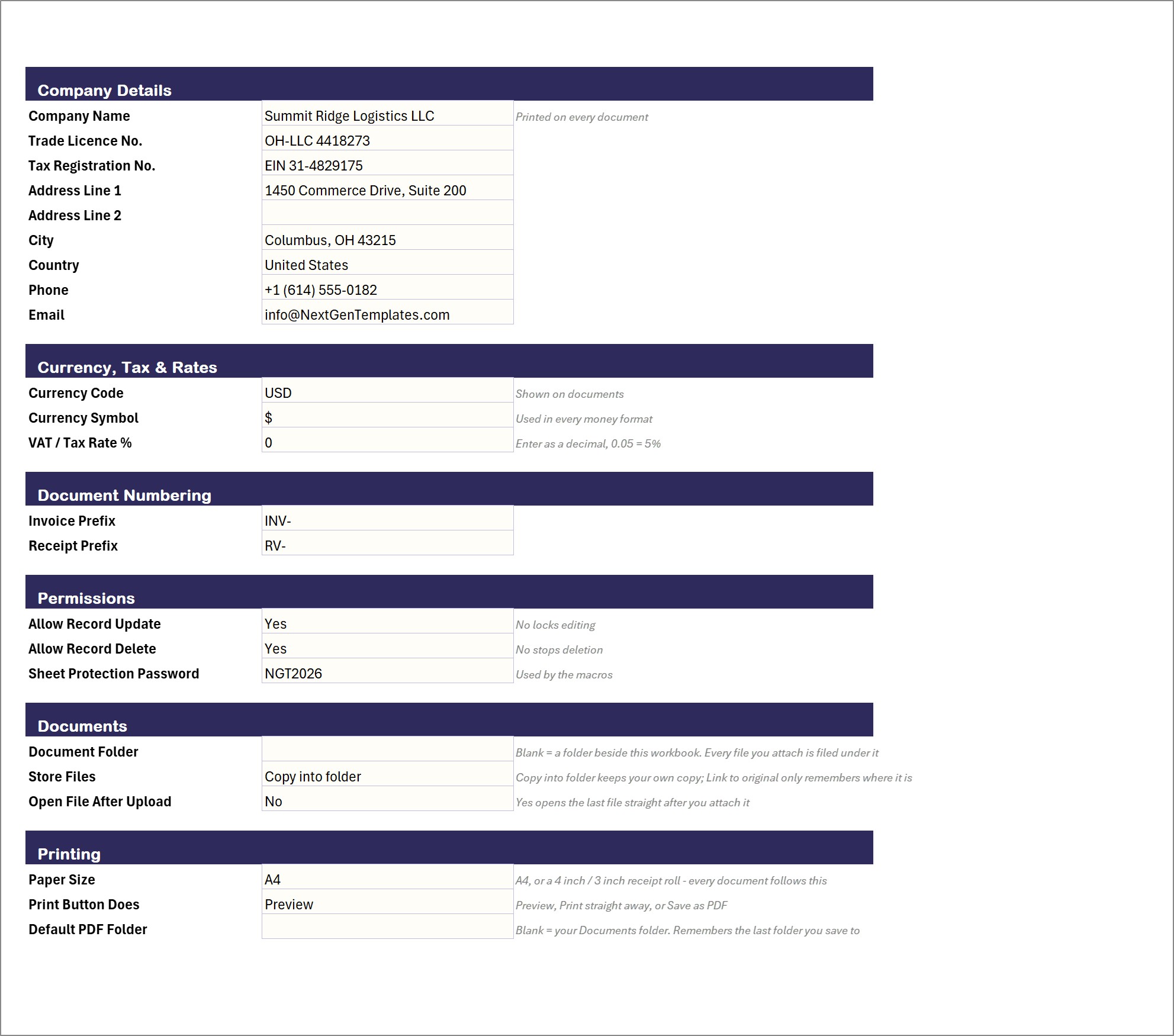
Settings
Company name, licence and tax numbers, address, currency, document prefixes, edit and delete permissions, the document folder and the printing defaults.
📊 Payroll Management System vs. a Payroll Spreadsheet vs. Cloud Payroll Software
| Feature | This Excel VBA system | Plain payroll spreadsheet | Cloud payroll software |
|---|---|---|---|
| Cost | $29 one-time ✅ | Free to $20 one-time | Monthly fee, often per employee |
| Platform | Microsoft Excel for Windows (macros) | Excel or Google Sheets | Cloud |
| Setup time | Under 20 minutes ✅ | Hours of building | Hours to days |
| Payslip entry form with overtime, bonus and deductions | Yes ✅ | One cell at a time | Yes ✅ |
| Printed payslip, register and leave slip | Yes, A4 + 4 inch + 3 inch ✅ | Manual | Yes ✅ |
| Leave register and document attachments | Yes ✅ | Separate files | Depends on plan |
| Automatic tax tables, direct deposit files and tax filing | No | No | Yes ✅ |
| Works offline, data stays on your PC | Yes ✅ | Yes | No |
For a small business that wants payslips, a payroll register, leave and employee records in one file without a monthly subscription, this is the sweet spot. If you need automatic tax tables, direct deposit files or tax filing, a cloud payroll service is the better buy.
👥 Who This Template Is For, and Who It’s Not For
✅ This template is built for:
- Small businesses and HR teams that pay salaried and hourly staff every month
- Owners who want a printed payslip and a payroll register for every pay run
- Offices that track leave requests, approvals and employee documents next to pay
- Anyone who wants to see payroll cost, deductions and headcount without paying for software every month
❌ This template is NOT for:
- Teams that need several people entering data in the same file at the same time. It is a single-user desktop workbook
- Mac or Excel-for-web users; the forms are VBA and need Excel for Windows with macros enabled
- Businesses that need automatic IRS tax tables, direct deposit files or Form 941 and W-2 filing. Tax is taken at the percentages you enter for each employee
⚙️ How to Use the Payroll Management System
- Download the ZIP, extract it, open the .xlsm file and click Enable Content so the VBA runs.
- Go to Setup > Settings and enter your company details, currency and paper size.
- Open Manage Dropdown Lists and set your own departments, leave types, approvers and document types.
- Add your people with New Employee: pay type, rate, tax percentages, 401k and health insurance.
- Press New Payslip Entry for each employee in the pay run, enter hours, bonus and deductions, and save.
- Print the payslips and the Payroll Register, record leave with New Leave Request, and attach files from the Document Register.
- Open the dashboards. Delete the sample rows when you are ready; press Refresh All Reports after a big import.
💼 Real-World Use Cases
A warehouse that pays by the hour. The office manager enters 172 regular hours and 8.5 overtime hours for a forklift operator, adds a $150 peak season bonus, saves, and prints the payslip with every earning and deduction line.
An owner checking labor cost. The Payroll Dashboard shows gross pay by month and by department, and the Warehouse slicer isolates one team in a click.
An HR assistant handling time off. A leave request goes in with its dates, the working days are counted without weekends, an approver is named, and the Leave Approval Slip prints for the file.
🎁 Try Before You Buy: 7-Day Free Trial
Download the free trial of the Payroll Management System in Excel VBA and use the complete system for 7 days. Every form, register, dashboard, printable document and setting works exactly as in the full version, so you can test it with your own records before you decide.
How the free trial works
- Click Get the 7-Day Free Trial below, enter your email and download the ZIP from the email we send you. Unzip it.
- Open it in Microsoft Excel for Windows (the desktop app, not Excel Online or Mac) and click Enable Content on the yellow bar. If there is no yellow bar, right-click the file, choose Properties, tick Unblock and open it again.
- Your 7 days start the first time the file opens with macros on. A banner on the MAIN page shows how many days are left.
- After 7 days the trial locks and shows a Buy Full Version button. Buy the full version to keep working with no time limit.
| Free Trial | Full Version | |
|---|---|---|
| Every feature, form and dashboard | Yes | Yes |
| Time limit | 7 days | None, lifetime use |
| Trial banner | Yes | No |
| PDF user manual | Included | Included |
| Editable (unlocked) VBA code | No, locked | Yes |
Enter your email and we send the download link straight to your inbox.
The trial runs once per computer: downloading it again does not restart the 7 days. Records you enter during the trial can be copied into the full version.
❓ Frequently Asked Questions
What does the Payroll Management System track?
Payslips for each monthly pay run, employees and their pay settings, leave requests and attached documents. Four dashboards are built on top of those registers.
Does it calculate US payroll tax?
It takes federal and state income tax at the percentages you set on each employee, Social Security at 6.2% and Medicare at 1.45%. It does not look up IRS withholding tables or file returns, so check the percentages with your accountant.
Does it print payslips?
Yes. The payslip, the Payroll Register and the Leave Approval Slip each print at A4, 4 inch (104 mm) or 3 inch (80 mm). Choose the paper size and whether the button previews, prints or saves a PDF on the Settings sheet.
Can I change the currency?
Yes. The sample company uses US dollars. Enter your own currency code and symbol on the Settings sheet.
Can I stop other people editing or deleting records?
Yes. Allow Record Update and Allow Record Delete on the Settings sheet switch editing and deleting off. There are no separate user logins; it is a single-user desktop workbook.
Does it work on Mac or Excel for the web?
No. The entry forms and the printing engine are VBA, so it needs Microsoft Excel 2016 or later for Windows on the desktop, with macros enabled.
Can you customise it for my business?
Yes. Write to [email protected] with what you need changed and we will reply with a quote.
👤 About the Author
Built by PK, Microsoft Certified Professional with 15+ years of Excel, Google Sheets and Power BI experience, and founder of NextGenTemplates. Every template is hand-built and tested before release. Follow the tutorials on YouTube: @PKAnExcelExpert, @NextGenTemplates, @NeoTechNavigators.
🔗 Explore Related Templates
💎 Best value: the VBA Management Systems Mega Pack bundles five complete Excel VBA systems for less than buying them separately.
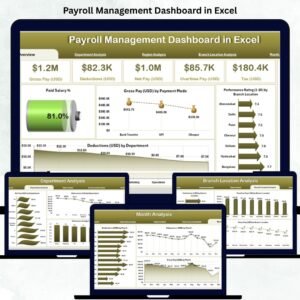
- Payroll Management Dashboard in Excel, a reporting-only dashboard for payroll data you already have.
- Payroll Management Dashboard in Power BI, the same idea for Power BI.
- Employee Attendance Payroll Management System, a multi-user browser-based option.
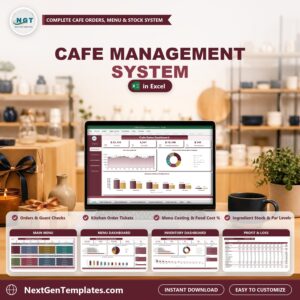
- Cafe Management System V1.0 in Excel VBA, the same engine for a cafe.
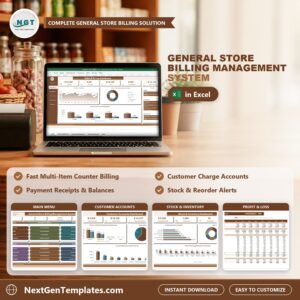
- General Store Billing Management System V1.0 in Excel VBA, the same engine for a shop counter.
📖 Read the full walkthrough on the blog: Payroll Management System in Excel VBA.













Reviews
There are no reviews yet.