

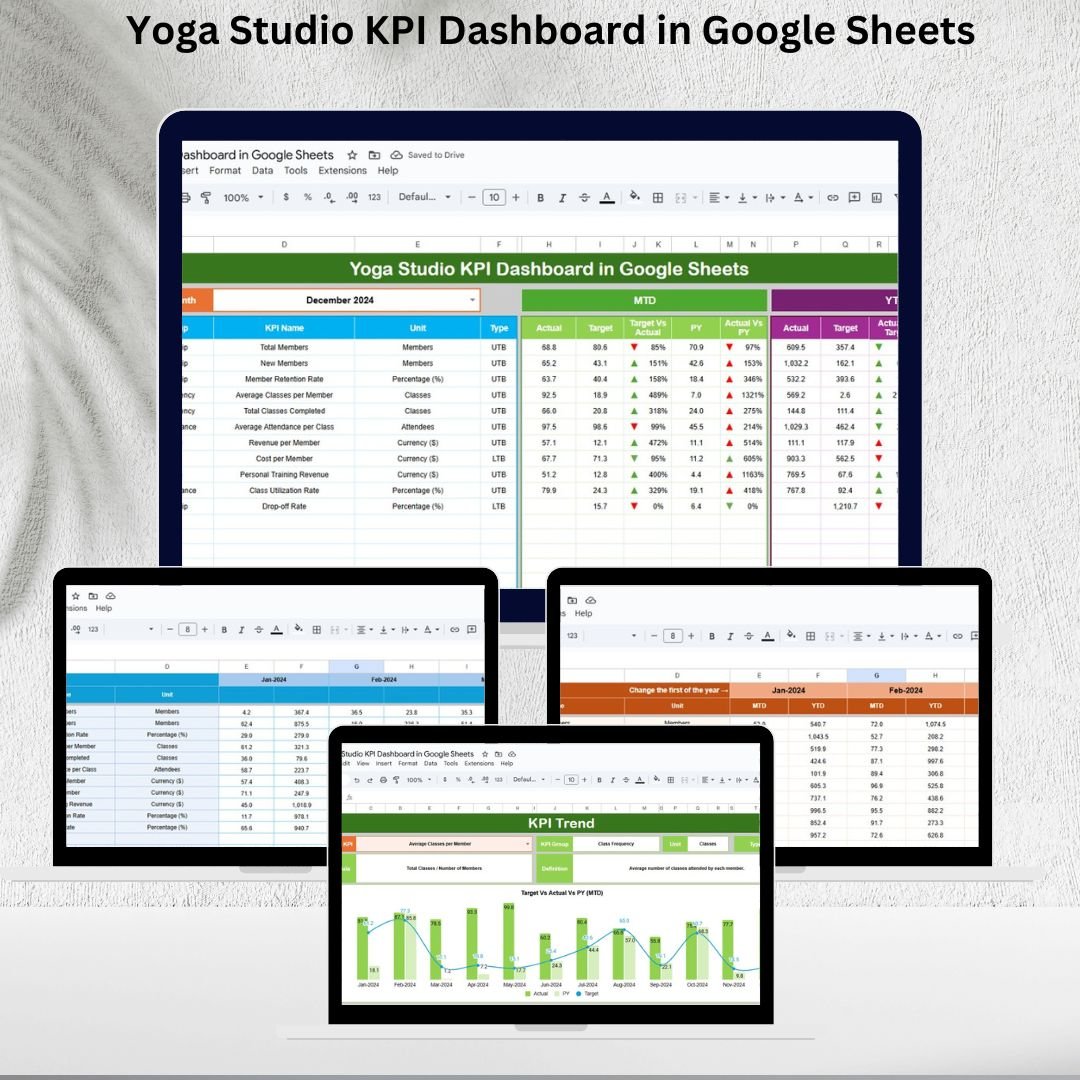
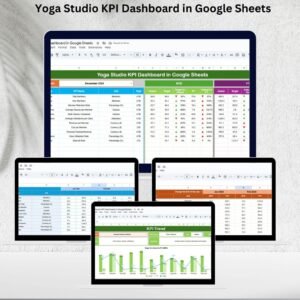
Managing a yoga studio means juggling multiple responsibilities—class schedules, memberships, trainer performance, revenue growth, and client satisfaction. Without a clear system, it’s easy to lose track of critical metrics. That’s why we created the Yoga Studio KPI Dashboard in Google Sheets—a ready-to-use solution that centralizes your data, simplifies reporting, and helps you make smarter, data-driven decisions. 🧘♀️📊
This dashboard consolidates all your key performance indicators (KPIs) into six easy-to-use worksheet tabs. From tracking attendance and revenue to monitoring client retention and instructor performance, you get the insights you need to grow your studio with confidence.
✨ Key Features of the Yoga Studio KPI Dashboard
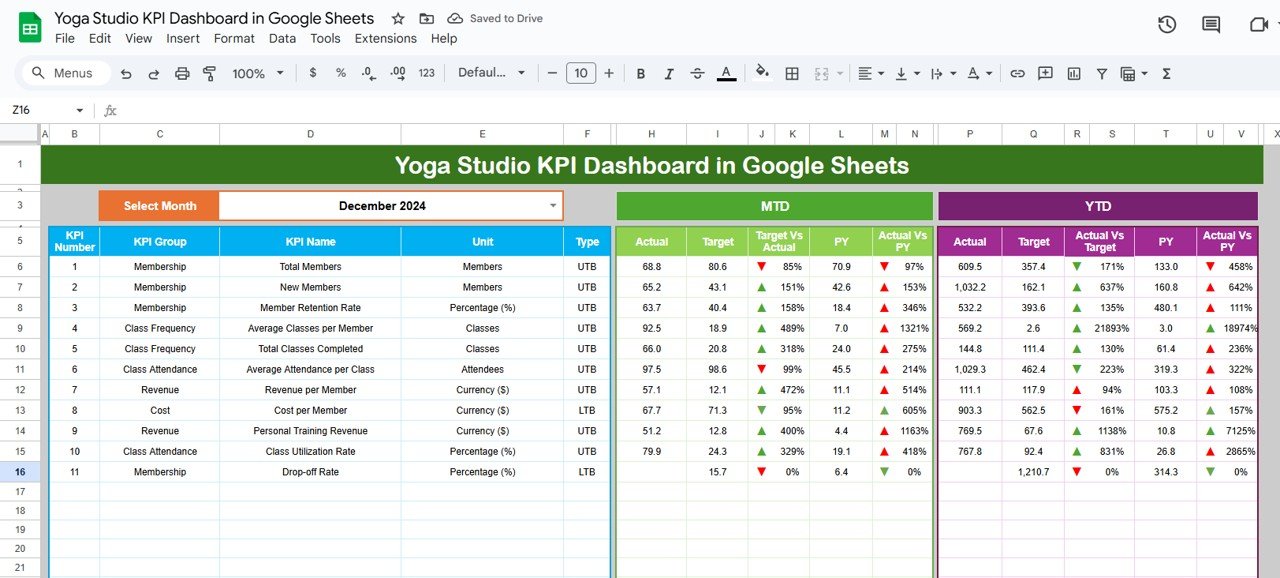
📊 Dynamic Dashboard – Track MTD (Month-to-Date) and YTD (Year-to-Date) actuals vs. targets with visual arrows.
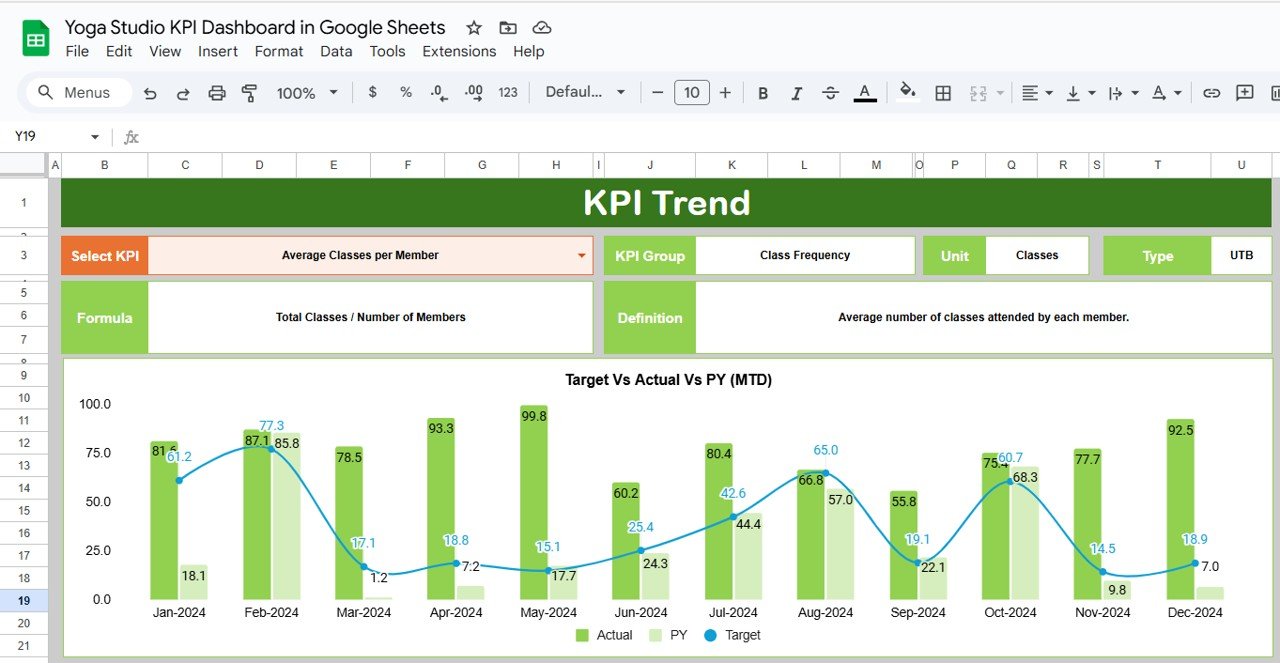
📈 KPI Trend Analysis – Select any KPI and analyze its month-over-month and year-over-year trends.
🧘 Class & Membership Insights – Monitor class attendance rates, membership growth, and average class size.
💵 Revenue Tracking – Track revenue per class, new signups, and retention metrics.
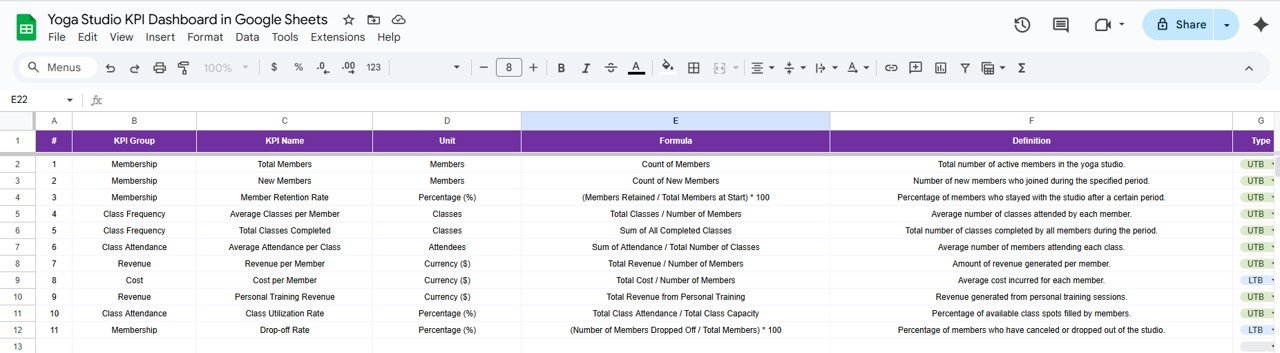
📌 Standardized KPI Definitions – Every KPI includes formula, definition, and type (Upper/Lower-the-Better).
🔄 Automatic Updates – Enter data once and the dashboard refreshes across all sheets.
🛠 Customizable – Add or remove KPIs to suit your studio’s unique goals.
📂 What’s Inside the Dashboard
The dashboard is structured into six key worksheet tabs:
Dashboard Sheet Tab – A high-level view of all KPIs with MTD, YTD, and comparisons vs. targets and previous year.
KPI Trend Sheet Tab – Dive deep into specific KPIs and track trends over time.
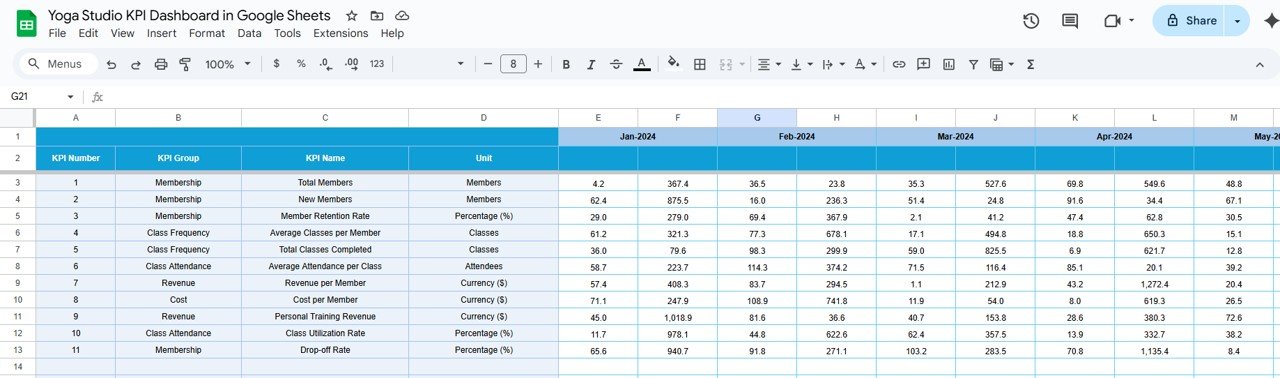
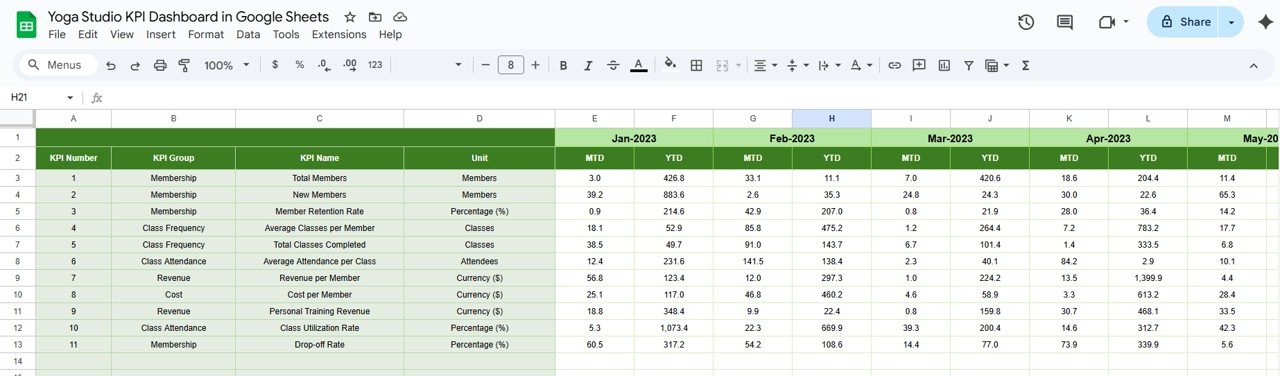
Actual Numbers Sheet Tab – Input your real data for each KPI (monthly & yearly).
Target Sheet Tab – Set clear monthly and yearly goals for performance tracking.
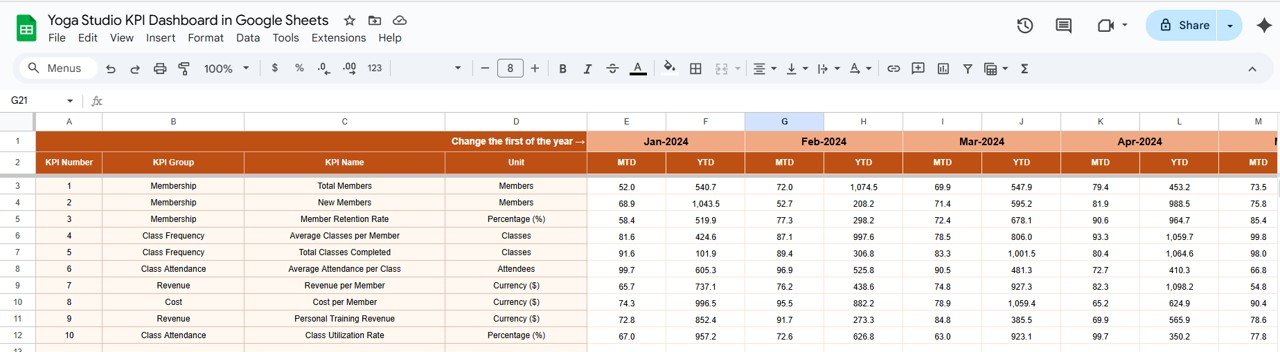
Previous Year Numbers Sheet Tab – Add last year’s results to benchmark performance.
KPI Definition Sheet Tab – Document all KPI details for consistency and clarity.
This structure ensures accuracy, accountability, and transparency across your yoga studio’s performance tracking.
🛠 How to Use the Dashboard
Enter Actual Data – Fill in real numbers in the Actual Numbers Sheet Tab.
Set Targets – Add monthly and yearly goals in the Target Tab.
Compare with Previous Year – Enter last year’s data to benchmark progress.
Analyze Trends – Use the KPI Trend Sheet to spot growth opportunities and weak areas.
Make Adjustments – Use insights from the Dashboard Tab to refine schedules, marketing, and membership plans.
👥 Who Can Benefit from This Dashboard?
Yoga Studio Owners – Monitor financial health, attendance, and member satisfaction.
Studio Managers – Optimize scheduling and track instructor performance.
Instructors – See class popularity and feedback trends.
Operations Teams – Manage membership growth, renewals, and retention effectively.
Multi-Location Studios – Adapt the dashboard to track performance across branches.
✅ Why Choose This Template?
Save hours of manual reporting with automated charts & calculations
Get a real-time view of studio performance
Identify trends to improve client retention and revenue
Monitor instructor performance and class popularity
Fully customizable to fit small studios or large multi-branch businesses





















Reviews
There are no reviews yet.