


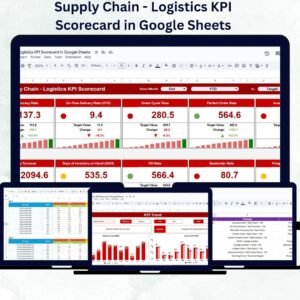
In today’s competitive logistics landscape, real-time performance monitoring is key to achieving operational excellence. The Supply Chain – Logistics KPI Scorecard in Google Sheets is a ready-to-use, data-driven template designed to help logistics professionals, supply chain managers, and operations teams evaluate and improve performance efficiency across key functions — from order fulfillment to delivery accuracy.Supply Chain – Logistics KPI Scorecard in Google Sheets
This scorecard consolidates your logistics data into a single, interactive Google Sheets file. With automated calculations, visual indicators, and monthly trend tracking, it eliminates manual reporting errors and empowers teams to make data-backed decisions quickly and effectively.Supply Chain – Logistics KPI Scorecard in Google Sheets
🔑 Key Features of the Supply Chain – Logistics KPI Scorecard in Google Sheets
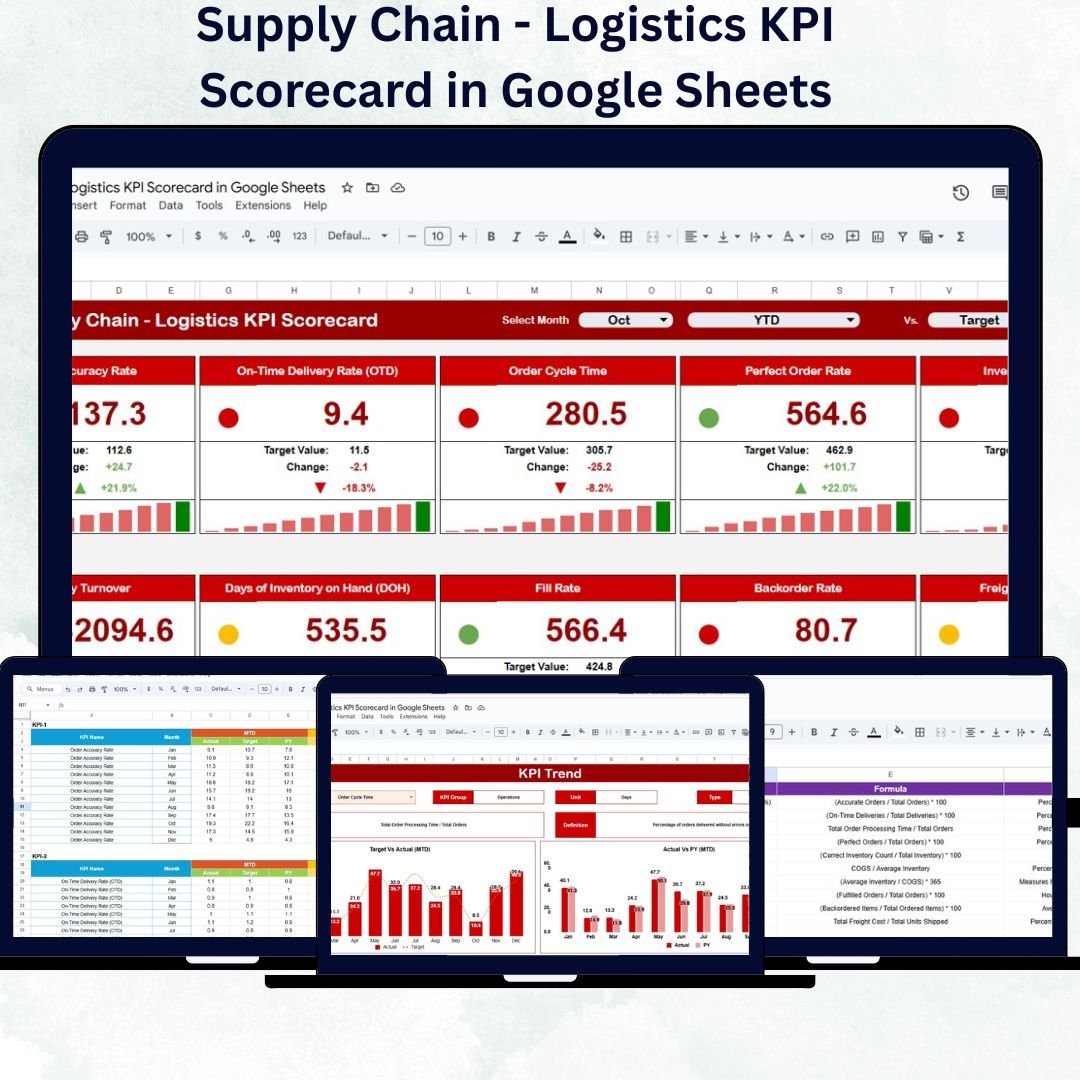
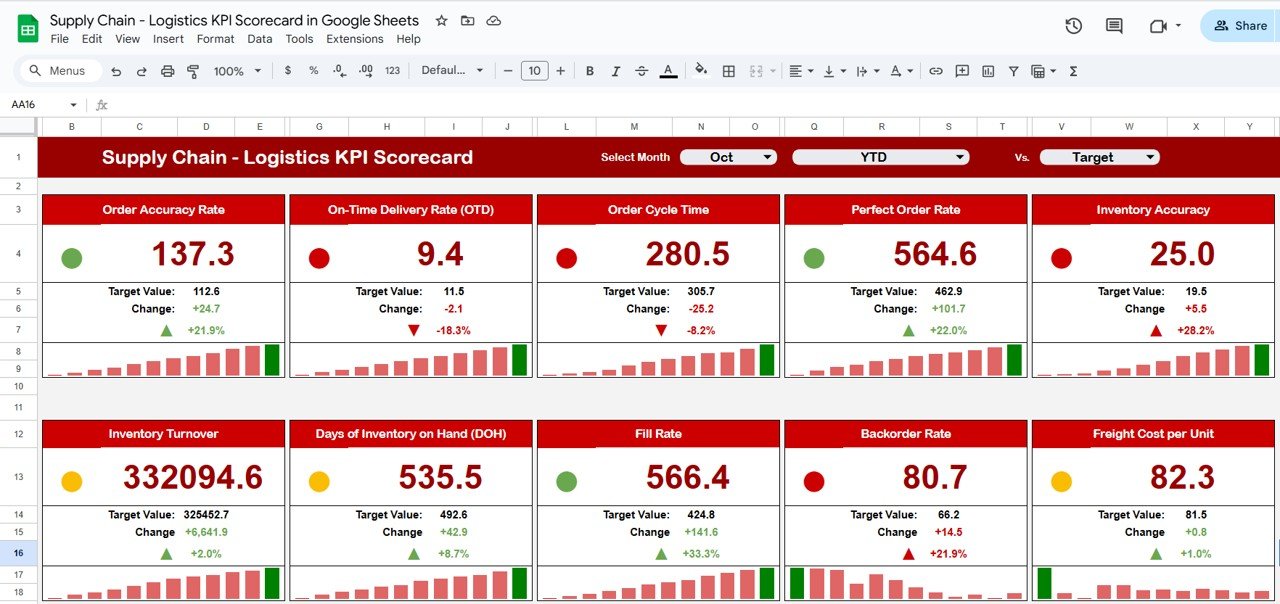
📊 Dashboard Sheet Tab
Your central performance hub — get all key logistics KPIs in one glance.
Month Dropdown (Cell D3): Select a month to update all metrics dynamically.
Automatic Calculations: No manual refresh needed; charts and KPIs update instantly.
Traffic Light Indicators: Green = Good, Yellow = Average, Red = Needs Attention.
Trend Arrows: Visual percentage change indicators for quick performance evaluation.
MTD and YTD Comparison: Evaluate both short-term (Month-to-Date) and long-term (Year-to-Date) results.
This visual layout enables managers to spot issues and take corrective actions immediately.
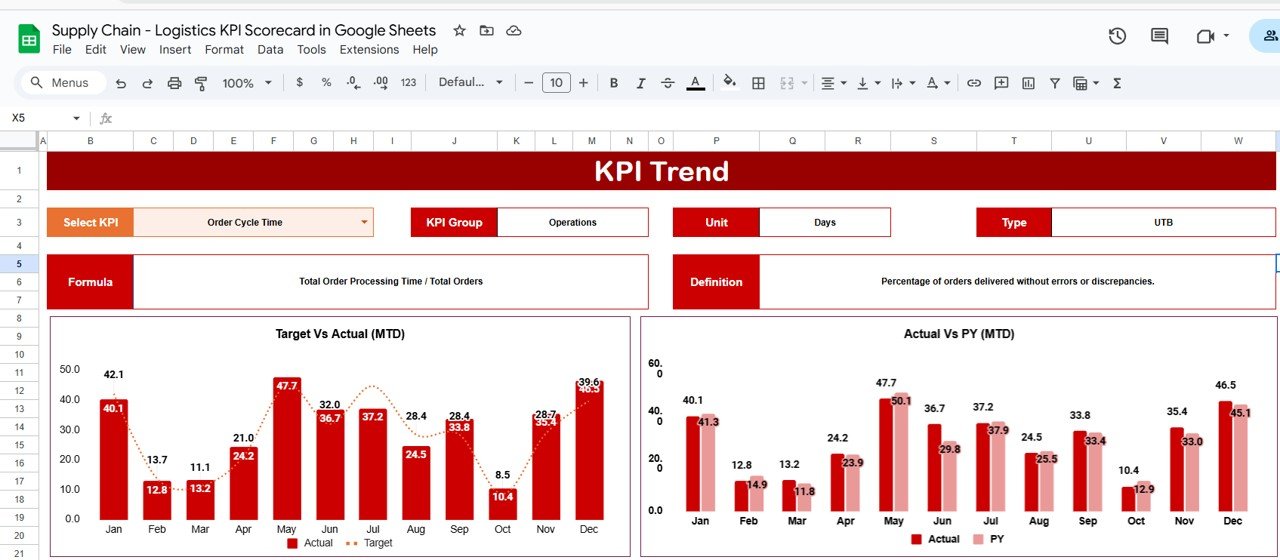
📈 KPI Trend Sheet Tab
Dive deep into performance analysis for any KPI.
Dropdown Selection (Cell C3): Choose any KPI to view its detailed trend.
Displays: KPI Group, Unit, Formula, Type (UTB/LTB), and Definition.
Trend Chart: See how performance changes month-by-month.
Perfect for identifying bottlenecks, seasonal variations, or improvement opportunities.
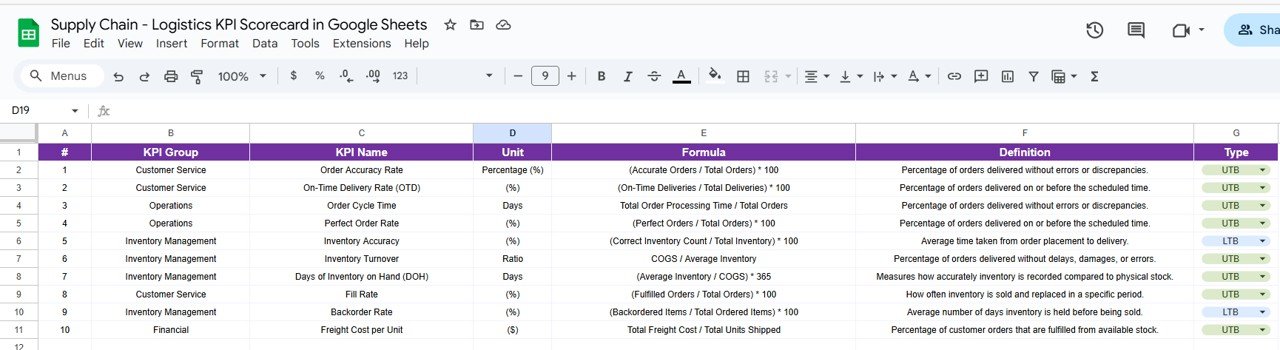
📘 KPI Definition Sheet Tab
Standardize how metrics are measured across your team.
Includes KPI Name, Group, Unit, Formula, Definition, and Performance Type (UTB/LTB).
Ensures consistency and clarity for every metric tracked.
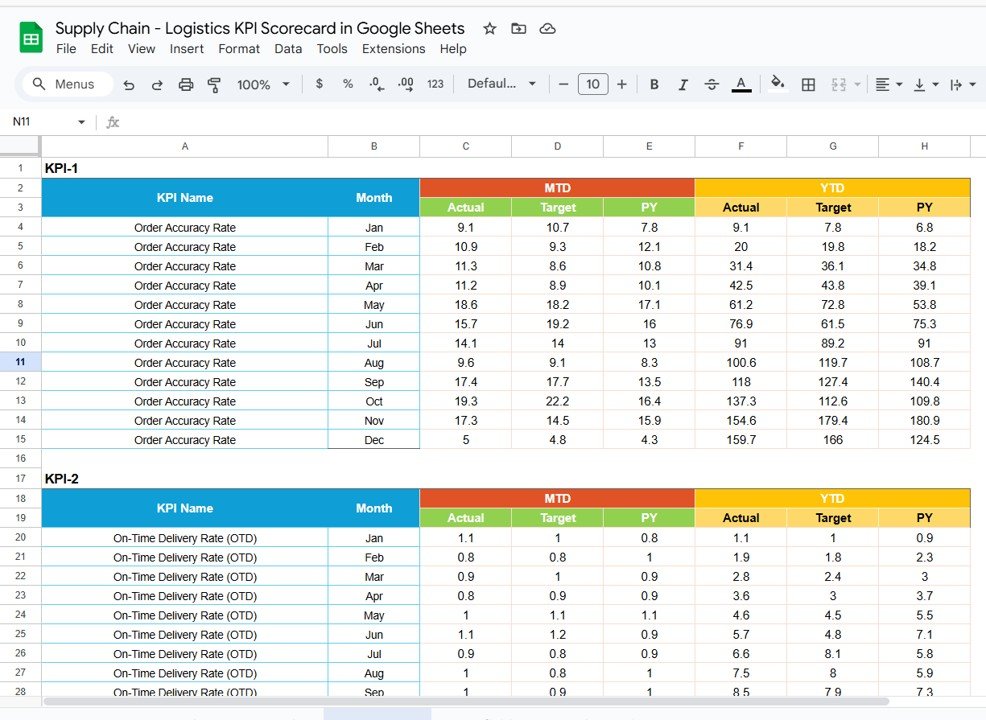
📋 Data Input Sheet Tab
A structured space to record all your logistics performance data.
Input both MTD and YTD figures for each KPI monthly.
Automatically feeds data to the dashboard and charts.
Reduces time spent on data entry and prevents formula errors.
🎨 Color Settings Sheet Tab
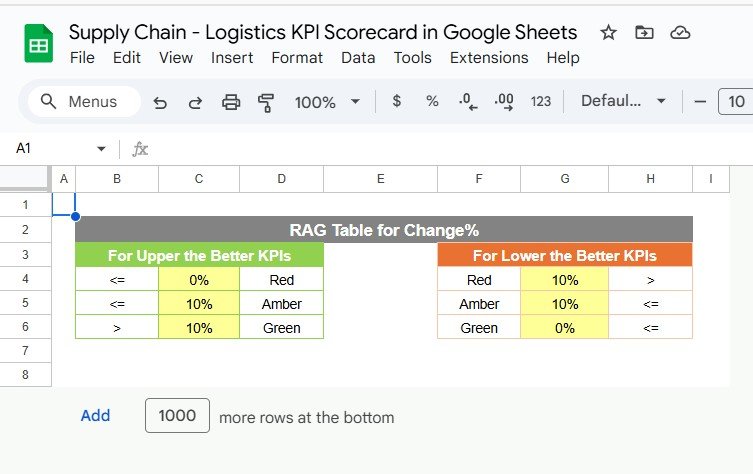
Customize visual thresholds for clarity.
Define your own Green, Yellow, and Red zones.
Tailor conditional formatting to align with company performance standards.
📦 What’s Inside the Template
✅ Dashboard Tab – Visual scorecard with MTD/YTD comparison
✅ KPI Trend Tab – Historical performance chart for each KPI
✅ KPI Definition Tab – Full reference of KPI names, formulas, and types
✅ Data Input Tab – Centralized sheet for monthly metrics
✅ Color Settings Tab – Adjustable traffic light and threshold settings
This all-in-one scorecard transforms raw logistics data into actionable insights, enabling smarter decisions and faster response times.
👩💼 Who Can Use This Scorecard
🏭 Logistics Managers: Track order accuracy, shipment delays, and delivery timelines.
🚚 Supply Chain Directors: Monitor warehouse and transportation KPIs.
📦 Operations Teams: Improve efficiency, reduce costs, and optimize routes.
📈 Business Analysts: Perform KPI trend analysis and variance reporting.
🌍 Global Supply Chain Organizations: Share data collaboratively in real time via Google Sheets.
🧠 How to Use the Logistics KPI Scorecard
Enter KPI Data: Add monthly values for each metric in the Data Input Sheet.
Set Targets: Define thresholds and expected performance in the Color Settings Tab.
View Dashboard: Select a month from the dropdown (Cell D3) to see live updates.
Analyze Trends: Use the KPI Trend Tab for long-term performance evaluation.
Take Action: Use the visual cues to identify underperforming areas and implement improvements.
Everything updates automatically — no macros or scripts needed.
🌟 Advantages of Using the Scorecard
📊 Centralized Logistics KPIs: Combine all performance areas into one file.
⚙️ Automated Calculations: Reduces manual effort and human error.
💡 Visual Indicators: Quickly identify successes and problem areas.
📈 MTD/YTD Analytics: Compare current month and cumulative yearly performance.
💬 Collaboration Ready: Share access with teams across departments.
🧩 Customizable: Add or modify KPIs, formulas, or visual thresholds.
The scorecard streamlines how logistics teams analyze efficiency, cost control, and service delivery — making data-driven management effortless.
✅ Best Practices
Update the Data Input Sheet monthly for accurate tracking.
Keep KPI definitions standardized for all team members.
Use traffic light visuals to focus discussions on key metrics.
Align targets with your organization’s logistics goals.
Review the KPI Trend sheet quarterly for deeper insights.Supply Chain – Logistics KPI Scorecard in Google Sheets
🚀 How This Scorecard Helps Supply Chain – Logistics KPI Scorecard in Google Sheets Teams
Improves Delivery Performance: Monitor on-time delivery rates and order fulfillment.
Optimizes Operational Costs: Identify inefficiencies in transportation and warehousing.
Enhances Collaboration: Cloud-based access ensures all departments stay aligned.
Supports Data Transparency: Enables real-time visibility across teams.
Drives Continuous Improvement: Encourages proactive management and accountability.
🔗 Click here to read the Detailed blog post Supply Chain – Logistics KPI Scorecard in Google Sheets
Watch the step-by-step video Demo:
🔗 Visit our YouTube channel for step-by-step video tutorials
Compatibility and Requirements
- Works in Google Sheets. You need a free Google account and a web browser.
- You pick the month from a dropdown on the Dashboard sheet and the KPI from a dropdown on the KPI Trend sheet. Google explains dropdowns in Create an in-cell dropdown list.
Frequently Asked Questions
Which sheets are included?
Five sheets: Dashboard, KPI Trend, KPI Definition, Data Input and Color Settings.
How do I update the scorecard?
Enter the MTD and YTD figures for each KPI in the Data Input sheet. Then select a month in cell D3 of the Dashboard sheet and the metrics update.
Can I change the green, yellow and red zones?
Yes. Set your own thresholds in the Color Settings sheet so the traffic light indicators match your performance standards.
How do I see the trend for one KPI?
Open the KPI Trend sheet and choose the KPI in cell C3. It shows the KPI group, unit, formula, type (UTB or LTB) and definition, plus a month-by-month trend chart.
Is there a dashboard version or an Excel or Power BI version?
Yes. See the Supply Chain – Logistics KPI Dashboard in Google Sheets and the Supply Chain – Logistics KPI Dashboard in Power BI. For Excel, there is the Supply Chain and Logistics Performance KPI Dashboard in Excel.
Related Supply Chain and Logistics Templates
- Supply Chain – Logistics KPI Dashboard in Google Sheets: the dashboard view of the same topic in Google Sheets
- Supply Chain – Logistics KPI Dashboard in Power BI: the Power BI edition
- Supply Chain and Logistics Performance KPI Dashboard in Excel: logistics performance KPIs in Excel
- Supply Chain Management Dashboard in Excel: a wider supply chain dashboard
- Logistics Manager Toolkit: 8 templates for logistics managers in one download
Browse all Google Sheets KPI dashboards.


















Reviews
There are no reviews yet.