

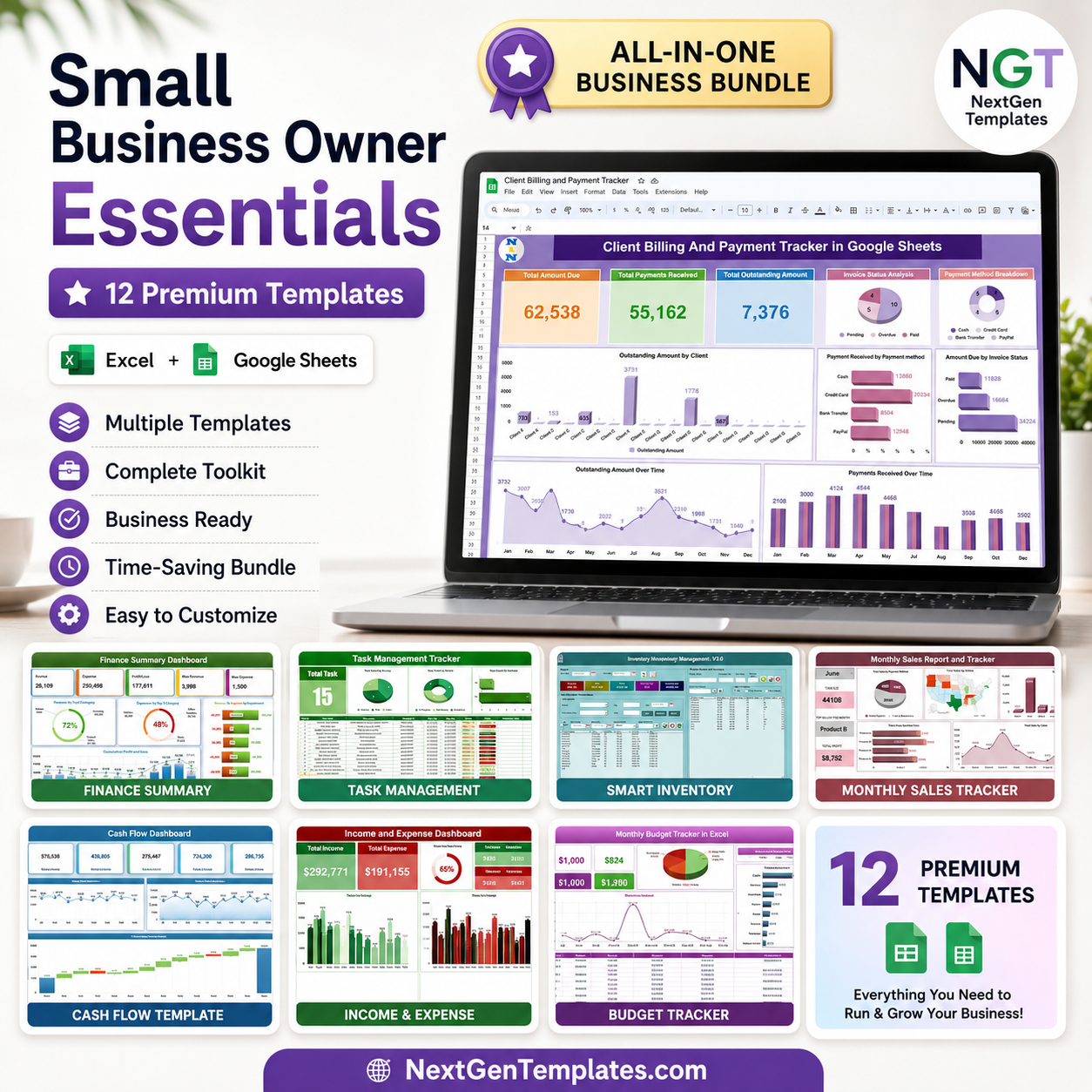





Running a small business means wearing every hat at once — finance, sales, inventory, HR, and customer service. The Small Business Owner Essentials bundle hands you a complete back-office toolkit of 12 premium templates across Microsoft Excel and Google Sheets, so you can manage money, people, stock, and customers without paying for a dozen separate SaaS subscriptions. Bought individually these tools cost $121.88 — grab the bundle today for just $59.99 and save $61.89 (51% off).
From a VBA-powered inventory system to cash flow, budgeting, sales, billing, attendance, and complaint tracking, every tool is plug-and-play: open it, enter your data, and start making decisions immediately. No coding, no monthly fees, no steep learning curve.
🔑 Key Features of the Small Business Owner Essentials Bundle
- 📊 Complete Finance Stack — Finance Summary Dashboard, Cash Flow Template, Monthly Budget Tracker, and Income & Expense Dashboard cover every angle of your money.
- 💰 Sales & Billing Built In — Monthly Sales Tracker plus a Client Billing & Payment Tracker keep revenue and receivables under control.
- 📦 Inventory & Purchasing — A full VBA Inventory Management System (V3.0) and a Purchase Order Tracker manage stock and suppliers end to end.
- 👥 People Management — Attendance Sheet, Task Management Tracker, and an Employee Performance Rating Card & Dashboard keep your team on track.
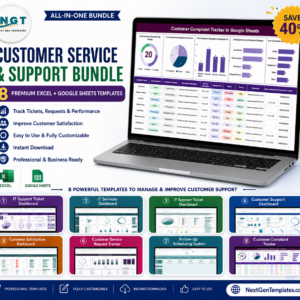
- 🙋 Customer Service — A Customer Complaint Tracker logs, categorizes, and resolves issues so nothing slips through.
- 🔁 Dual Platform — Use the Excel files offline and the Google Sheets tools in the cloud — whatever fits your workflow.
- ⚙️ Plug-and-Play — Pre-built formulas, charts, and dashboards update automatically as you type.
- 💵 One-Time Price — Pay once, own forever. No subscriptions, no per-user fees.
- 🏢 Built for SMBs — Enterprise-grade structure scaled and priced for owner-operators and small teams.
📦 What’s Inside the Small Business Owner Essentials Bundle
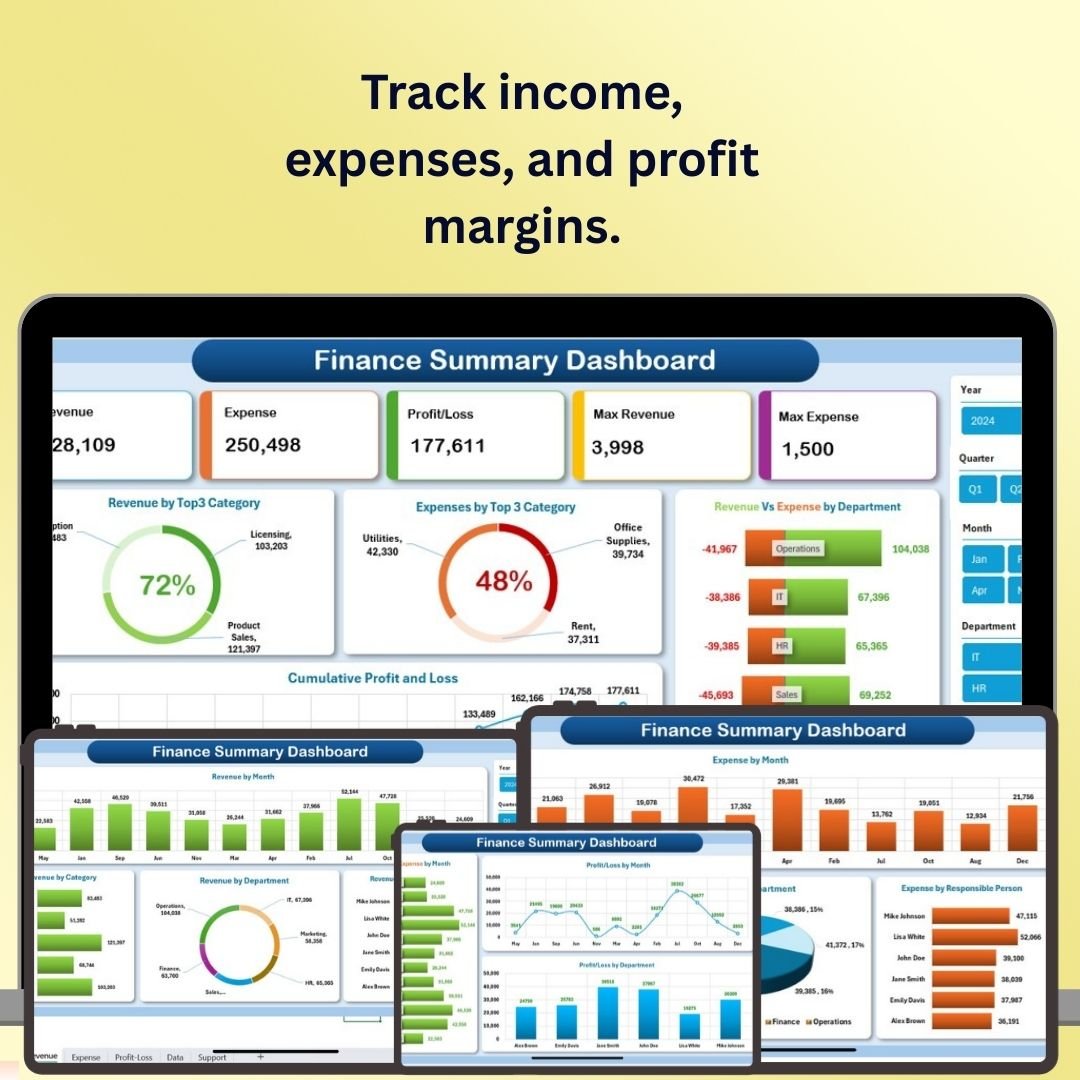
- Finance Summary Dashboard in Excel — Track income, expenses, profit margins, and cash flow in one interactive Excel dashboard.

Finance Summary Dashboard in Excel
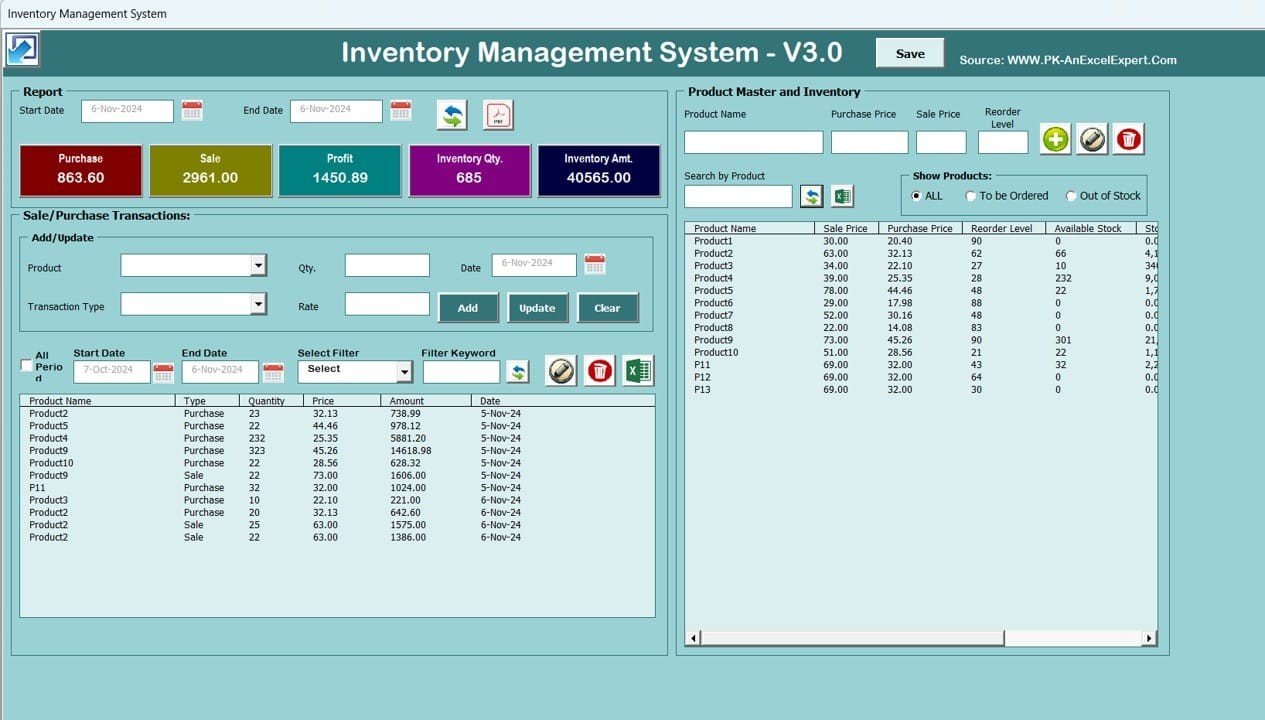
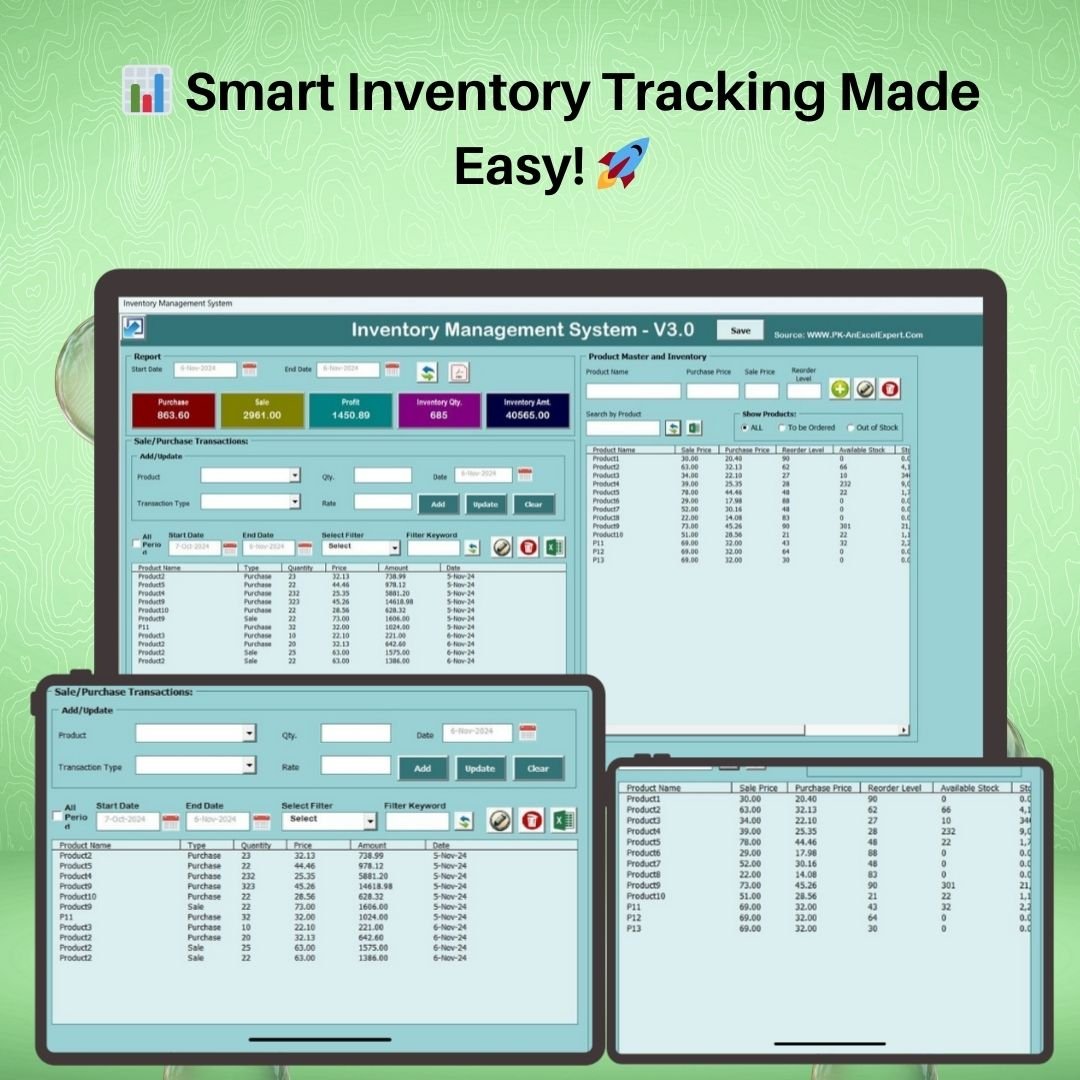
- Inventory Management System V3.0 — VBA-powered Excel app with login, automatic stock updates, reorder alerts, and one-click PDF reports.
Inventory Management System V3.0
- Task Management Tracker in Google Sheets — Assign, prioritize, and track tasks with status, owner, and deadline views.
Task Management Tracker in Google Sheets
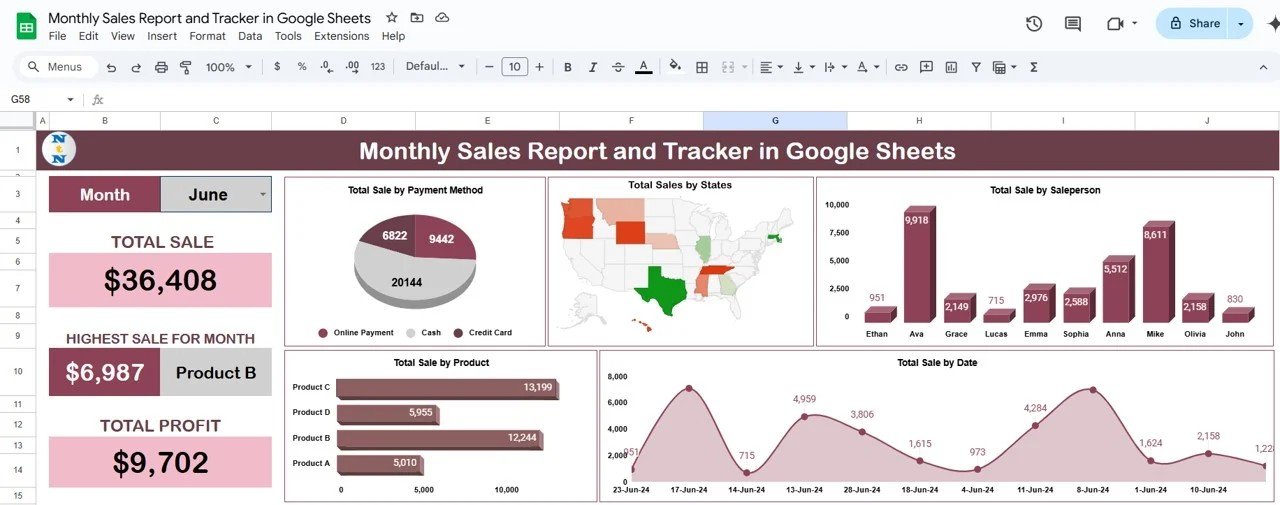
- Monthly Sales Tracker and Report in Google Sheets — Log daily sales and auto-generate clean monthly performance reports.
Monthly Sales Tracker and Report in Google Sheets
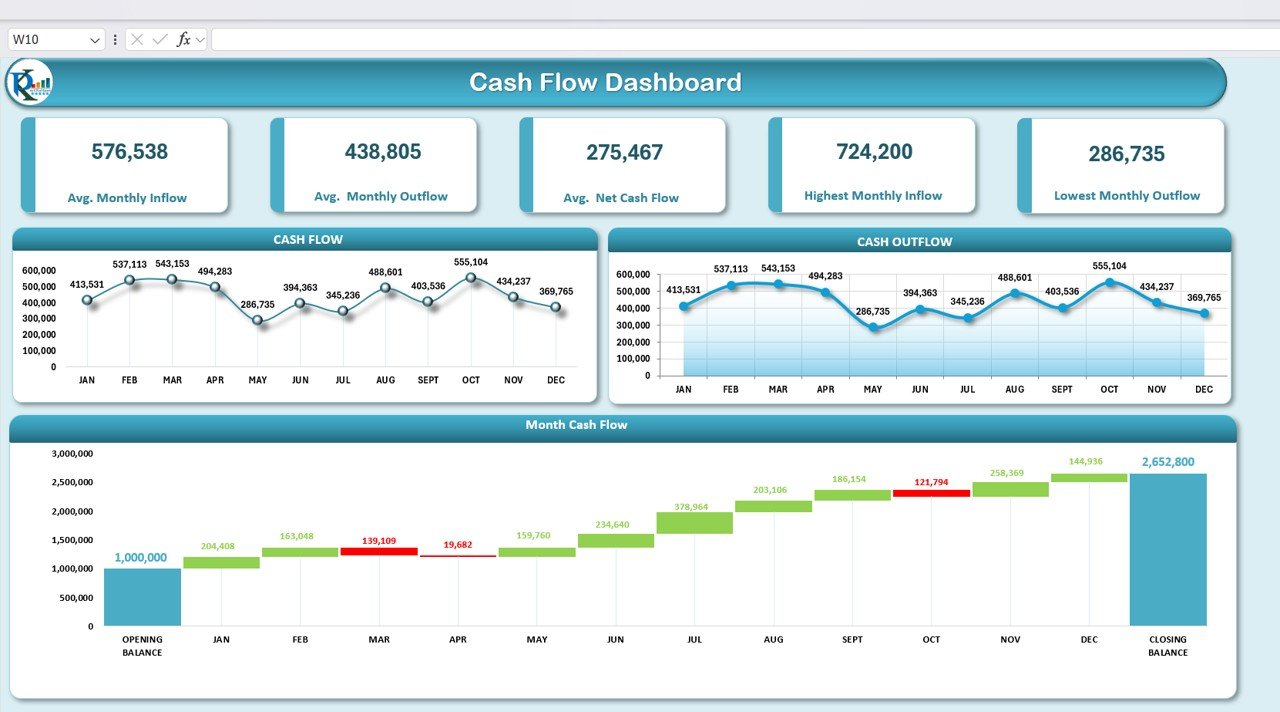
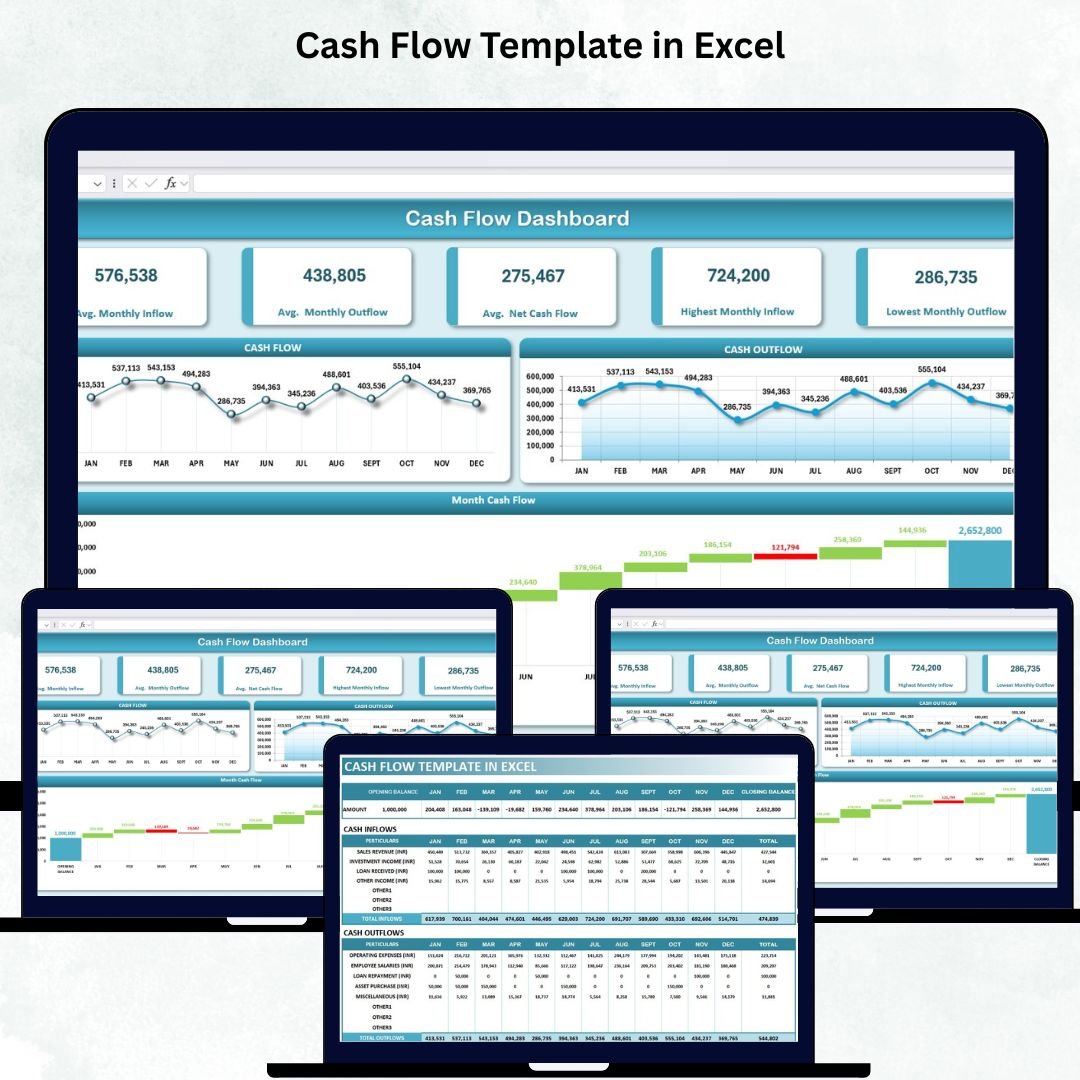
- Cash Flow Template in Excel — Track inflows, outflows, and closing balances with automated charts.
Cash Flow Template in Excel
- Client Billing and Payment Tracker in Google Sheets — Track invoices, payments, and outstanding balances for every client.
Client Billing and Payment Tracker in Google Sheets
- Income and Expense Dashboard in Google Sheets — Visualize income vs expenses with category breakdowns and monthly trends.
Income and Expense Dashboard in Google Sheets
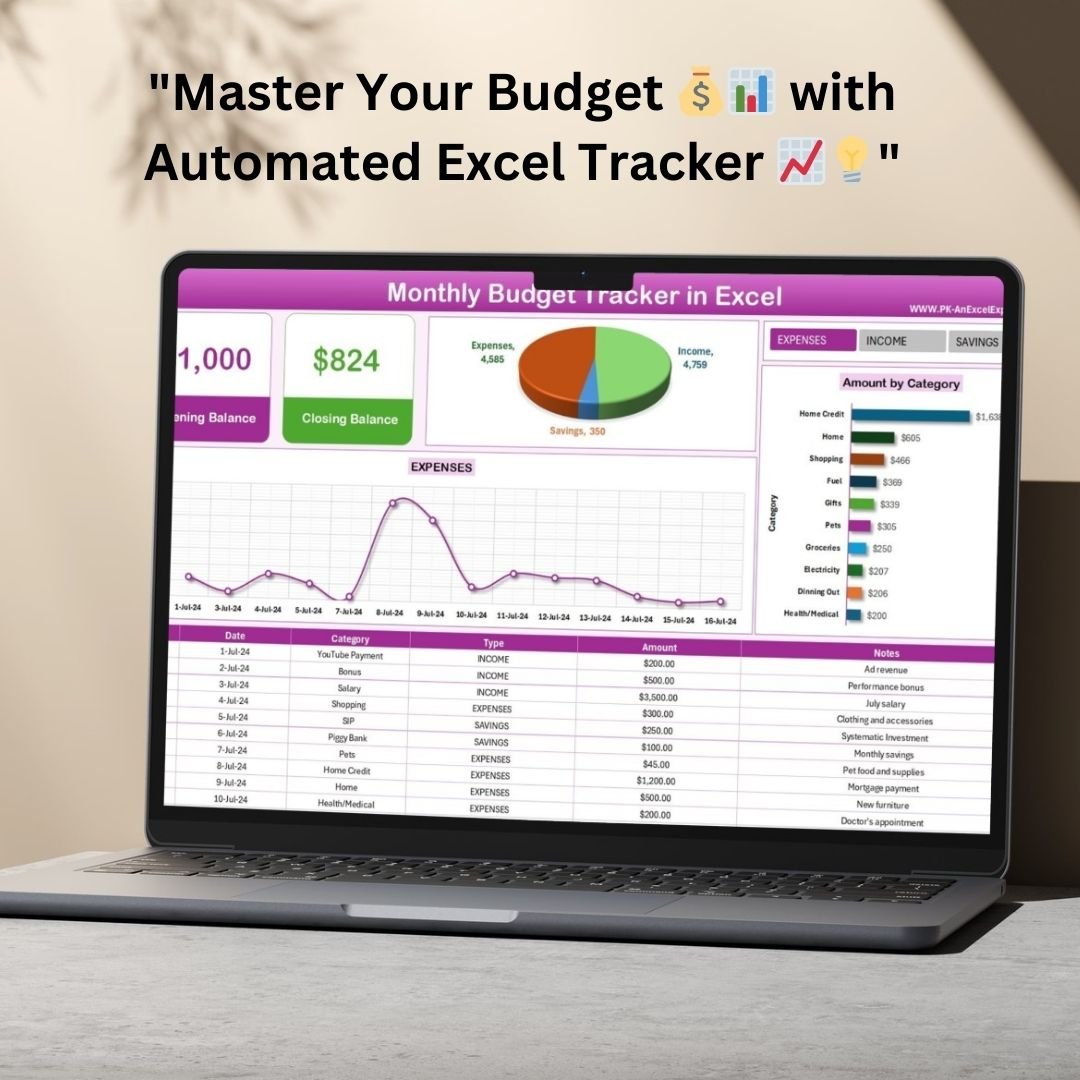
- Monthly Budget Tracker in Microsoft Excel — Plan budget vs actuals across categories every month.
Monthly Budget Tracker in Microsoft Excel
- Employee Performance Rating Card and Dashboard in Excel — Score employees and visualize performance on a clean dashboard.
Employee Performance Rating Card and Dashboard in Excel
- Attendance Sheet Template in Google Sheet — Mark and track daily staff attendance with automatic summaries.
Attendance Sheet Template in Google Sheet
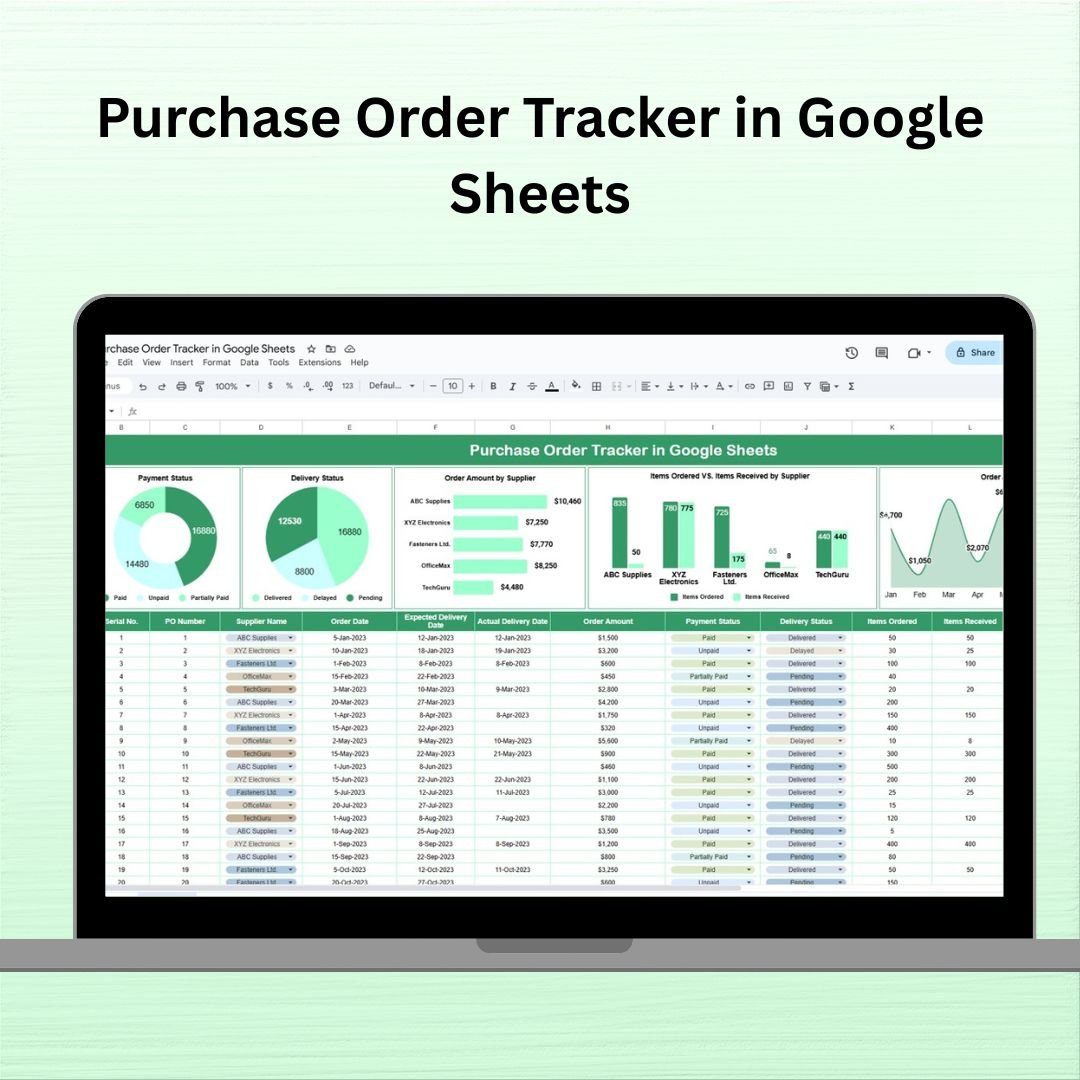
- Purchase Order Tracker in Google Sheets — Raise, track, and manage purchase orders and supplier status.
Purchase Order Tracker in Google Sheets
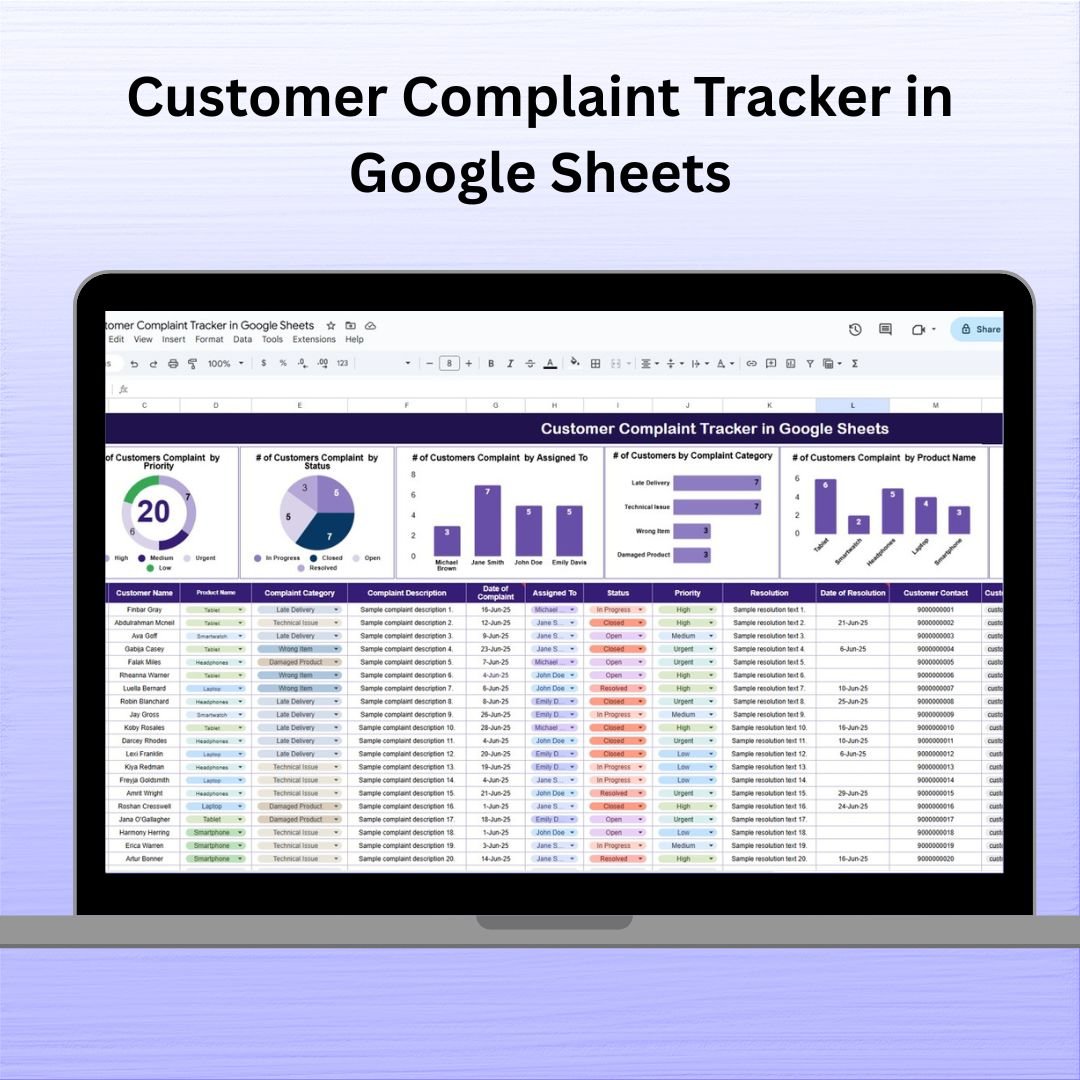
- Customer Complaint Tracker in Google Sheets — Log, categorize, and resolve customer complaints with full status tracking.
Customer Complaint Tracker in Google Sheets





💡 Smart Comparison — Individual vs Bundle
| What You Get | Buying Individually | 📦 This Bundle |
|---|---|---|
| Number of templates | 12 separate purchases | All 12 in one pack |
| Total price | $121.88 | $59.99 |
| You save | — | $61.89 (51% off) |
| Platforms covered | Mixed | Excel + Google Sheets |
| Business areas | Pick one at a time | Finance, Sales, Inventory, HR, Service |
| Best value | ❌ | ✅ Best value |
Product Breakdown
| # | Template | Platform | Individual Price |
|---|---|---|---|
| 1 | Finance Summary Dashboard | Excel | $17.99 |
| 2 | Inventory Management System V3.0 | Excel (VBA) | $19.99 |
| 3 | Task Management Tracker | Google Sheets | $6.99 |
| 4 | Monthly Sales Tracker and Report | Google Sheets | $6.99 |
| 5 | Cash Flow Template | Excel | $6.99 |
| 6 | Client Billing and Payment Tracker | Google Sheets | $6.99 |
| 7 | Income and Expense Dashboard | Google Sheets | $9.99 |
| 8 | Monthly Budget Tracker | Excel | $6.99 |
| 9 | Employee Performance Rating Card and Dashboard | Excel | $17.99 |
| 10 | Attendance Sheet Template | Google Sheets | $6.99 |
| 11 | Purchase Order Tracker | Google Sheets | $6.99 |
| 12 | Customer Complaint Tracker | Google Sheets | $6.99 |
| Individual Total | $121.88 | ||
| Bundle Price | $59.99 (save $61.89) | ||
⚙️ How to Use the Small Business Owner Essentials Bundle
- Download & unzip — after purchase, download the bundle ZIP and extract all 12 templates.
- Open each tool — Excel files open in Microsoft Excel; for Google Sheets tools, use File > Make a Copy to save them to your Drive.
- Enable macros — for the VBA Inventory Management System, click “Enable Content” when Excel prompts you.
- Enter your data — replace the sample data with your own; dashboards, charts, and KPIs update automatically.
- Review & act — use the built-in reports and dashboards to make faster, data-driven decisions across your business.
👥 Who Can Benefit from This Bundle
- 🏪 Small business owners and shopkeepers
- 💼 Solopreneurs and freelancers
- 👨💻 Startup founders and small teams
- 📊 Office managers and administrators
- 🧾 Accountants and bookkeepers serving SMB clients
- 🛍️ Retailers, wholesalers, and service businesses
🚀 Get the Small Business Owner Essentials Bundle
12 premium Excel & Google Sheets templates — $121.88 $59.99
Save $61.89 (51% off) — one-time payment, lifetime access
✅ Click here to read the detailed blog post
Visit our YouTube channel for step-by-step video tutorials
Youtube.com/@NextGenTemplates
Compatibility and Requirements
- The five Excel files open in Microsoft Excel desktop. The Inventory Management System V3.0 uses VBA macros, so it needs Excel on Windows with macros enabled. Microsoft’s guide Enable or disable macros in Microsoft 365 files shows how to allow them.
- The seven Google Sheets tools need a free Google account and a web browser. Google’s guide How to use Google Sheets covers the basics.
Frequently Asked Questions
Which templates are in the Small Business Owner Essentials bundle?
Twelve: Finance Summary Dashboard, Inventory Management System V3.0, Task Management Tracker, Monthly Sales Tracker and Report, Cash Flow Template, Client Billing and Payment Tracker, Income and Expense Dashboard, Monthly Budget Tracker, Employee Performance Rating Card and Dashboard, Attendance Sheet Template, Purchase Order Tracker and Customer Complaint Tracker.
Which files are Excel and which are Google Sheets?
Five are Excel files (Finance Summary Dashboard, Inventory Management System V3.0, Cash Flow Template, Monthly Budget Tracker and Employee Performance Rating Card). The other seven are Google Sheets tools.
Do any of the templates need macros?
Only the Inventory Management System V3.0. Click Enable Content when Excel asks.
How do I get the Google Sheets tools into my Drive?
Open each one and use File, then Make a Copy, to save it to your own Google Drive.
Related Business Bundles
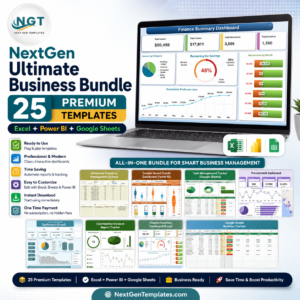
- NextGen Ultimate Business Bundle: 25 templates across Excel, Power BI and Google Sheets
- Finance & Accounting Command Center: finance and accounting templates in one bundle
- Google Sheets Business Pack (Pro): 14 business templates for Google Sheets
- Retail Shop Business Starter Templates Kit: starter templates for a retail shop
- Tracker Toolkit: 12 tracker templates in Excel and Google Sheets
Browse all template bundles or the Excel dashboards.




















Reviews
There are no reviews yet.