

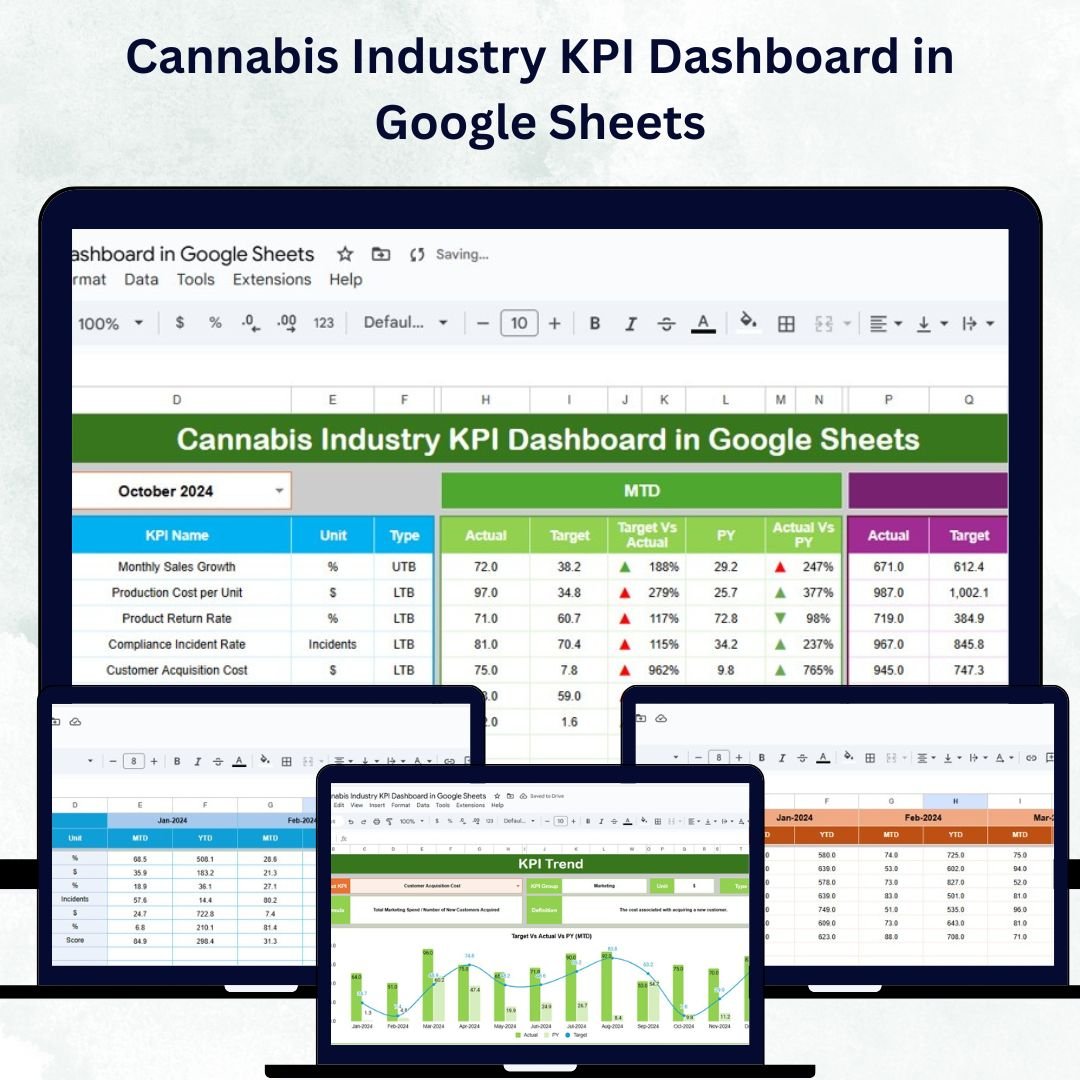





In today’s fast-growing cannabis industry, businesses must track performance across cultivation, production, sales, and compliance to stay competitive and compliant. The Cannabis Industry KPI Dashboard in Google Sheets is a ready-to-use, interactive solution designed to monitor key performance indicators (KPIs) for cannabis operations efficiently. 🚀
Built for cultivators, processors, dispensaries, and distributors, this dashboard provides real-time insights into operational efficiency, profitability, and regulatory adherence — all in a single, easy-to-manage Google Sheet. Whether you’re overseeing one facility or multiple locations, this dashboard empowers data-driven decisions across your entire business. 🌱💼

🔑 Key Features of the Cannabis Industry KPI Dashboard in Google Sheets
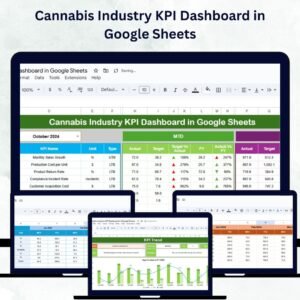
📊 Dashboard Sheet Tab
The main dashboard page brings together all your KPIs into one visual summary:
Month Selection Dropdown (Range D3): Auto-updates all data by selected month
MTD Metrics: View Actual, Target, and Previous Year data side by side
YTD Metrics: Monitor cumulative results and compare performance across years
Conditional Formatting: Green/red arrows to indicate improvement or decline
Comparison Views: Instantly see Target vs Actual and Previous Year vs Actual performance
This sheet provides a comprehensive view of business performance, from cultivation metrics to revenue and compliance indicators.
📈 KPI Trend Sheet Tab
Track and analyze KPI performance trends over time:
Select KPI via dropdown (Range C3)
Displays KPI Group, Unit, Formula, and Definition
Classifies KPIs as Upper-the-Better (UTB) or Lower-the-Better (LTB)
View month-to-month patterns through dynamic trend charts
Perfect for identifying bottlenecks and measuring growth initiatives.
🧾 Actual Numbers Sheet Tab
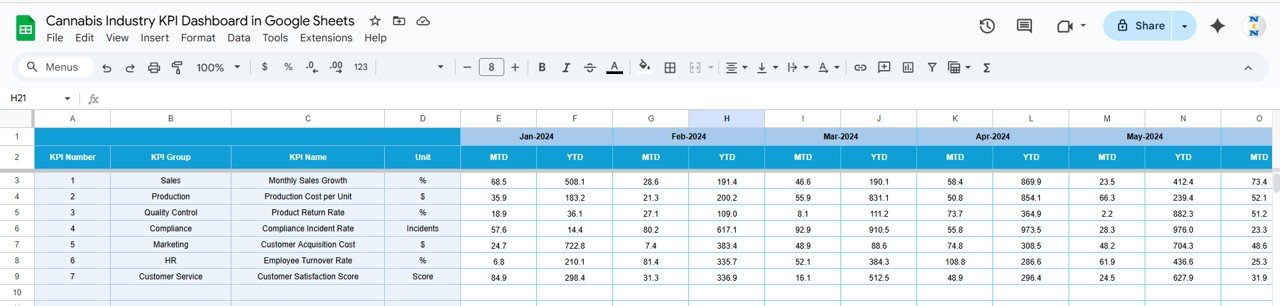
Input MTD and YTD actuals for each KPI
Update the current month in Range E1 for automated recalculations
Reflects instant updates on dashboard visuals
🎯 Target Sheet Tab
Record KPI targets for MTD and YTD performance
Supports comparison between planned vs achieved goals
Enables performance tracking across cultivation, compliance, and retail
📅 Previous Year Numbers Sheet Tab
Store last year’s data for accurate year-over-year analysis
Evaluate long-term business improvements and seasonal trends
📖 KPI Definition Sheet Tab
Document KPI details including Name, Group, Formula, and Unit
Ensures consistent understanding across departments
Reduces reporting discrepancies with clear “Lower-the-Better” or “Upper-the-Better” classification
📦 What’s Inside the Cannabis Industry KPI Dashboard?
✅ Dashboard Sheet – Visual summary of all business KPIs
✅ KPI Trend Sheet – Analyze performance trends over time
✅ Actual Numbers Sheet – Input current performance values
✅ Target Sheet – Set and monitor business goals
✅ Previous Year Sheet – Compare past vs current performance
✅ KPI Definition Sheet – Reference guide for metrics and formulas
All sheets are interconnected, ensuring seamless data flow and automatic updates without complex setups. 💡
🧑💼 Who Can Benefit from This Dashboard?
🌿 Cultivation Managers – Monitor yield, plant health, and production cycles
💼 Executives & Founders – Track high-level KPIs like revenue and compliance rates
📊 Finance Teams – Compare costs, margins, and sales against targets
🧑🔬 Operations Managers – Identify inefficiencies and track corrective actions
🏪 Retail & Sales Teams – Monitor store sales, conversion rates, and inventory performance
This dashboard supports both single-site and multi-location cannabis operations and can be customized to meet diverse business needs.
🧪 How to Use the Cannabis Industry KPI Dashboard
Enter Actual Data – Update MTD and YTD numbers in the Actual Sheet
Set Monthly Targets – Input targets in the Target Sheet for accurate comparisons
Add Previous Year Data – Track progress with historical benchmarking
Review Trends – Select specific KPIs in the Trend Sheet to analyze fluctuations
Make Data-Driven Decisions – Use insights to improve efficiency, compliance, and profitability
No technical expertise required — this Google Sheets-based dashboard is completely plug-and-play, supporting collaboration, updates, and live reporting. ✅
🌟 Why Choose This Dashboard?
Built specifically for the cannabis industry
Monitors cultivation, production, sales, and compliance in one place
Tracks MTD, YTD, and year-over-year performance
Customizable for any cannabis business size or model
Instant data visualization via dynamic charts
100% Google Sheets – no installation or coding required
With the Cannabis Industry KPI Dashboard in Google Sheets, you can turn data into insight and insight into growth. 🌿📈
🔗 Click here to read the Detailed blog post
Watch the step-by-step video Demo:
🔗 Visit our YouTube channel to learn step-by-step video tutorials
Compatibility and Requirements
- Works in Google Sheets with a free Google account and a web browser. Nothing to install.
- Months and KPIs are picked from dropdowns. Google explains them in Create an in-cell dropdown list.
Frequently Asked Questions
How do I change the month on the dashboard?
Pick the month from the dropdown in cell D3 of the Dashboard sheet. All figures update.
Where do I set the current month?
Update the current month in cell E1 of the Actual Numbers sheet.
What are UTB and LTB?
Each KPI is marked Upper-the-Better (UTB) or Lower-the-Better (LTB), so the arrows show improvement the right way round.
Which sheets are included?
Dashboard, KPI Trend, Actual Numbers, Target, Previous Year Numbers and KPI Definition.
Is there an Excel or Power BI version?
Yes. See the Excel edition and the Power BI edition.
Related Cannabis Industry Templates
- Cannabis Industry KPI Dashboard in Excel: the same KPIs in Excel
- Cannabis Industry KPI Dashboard in Power BI: the same KPIs in Power BI
- Cannabis Dispensary Dashboard in Google Sheets: sales and stock for dispensaries
- Cannabis Dispensary Dashboard in Excel: the dispensary dashboard in Excel
- Google Sheets Business Pack (Pro): 14 Google Sheets business templates in one download
Browse all Google Sheets KPI dashboards or the Google Sheets dashboards.






















Reviews
There are no reviews yet.