

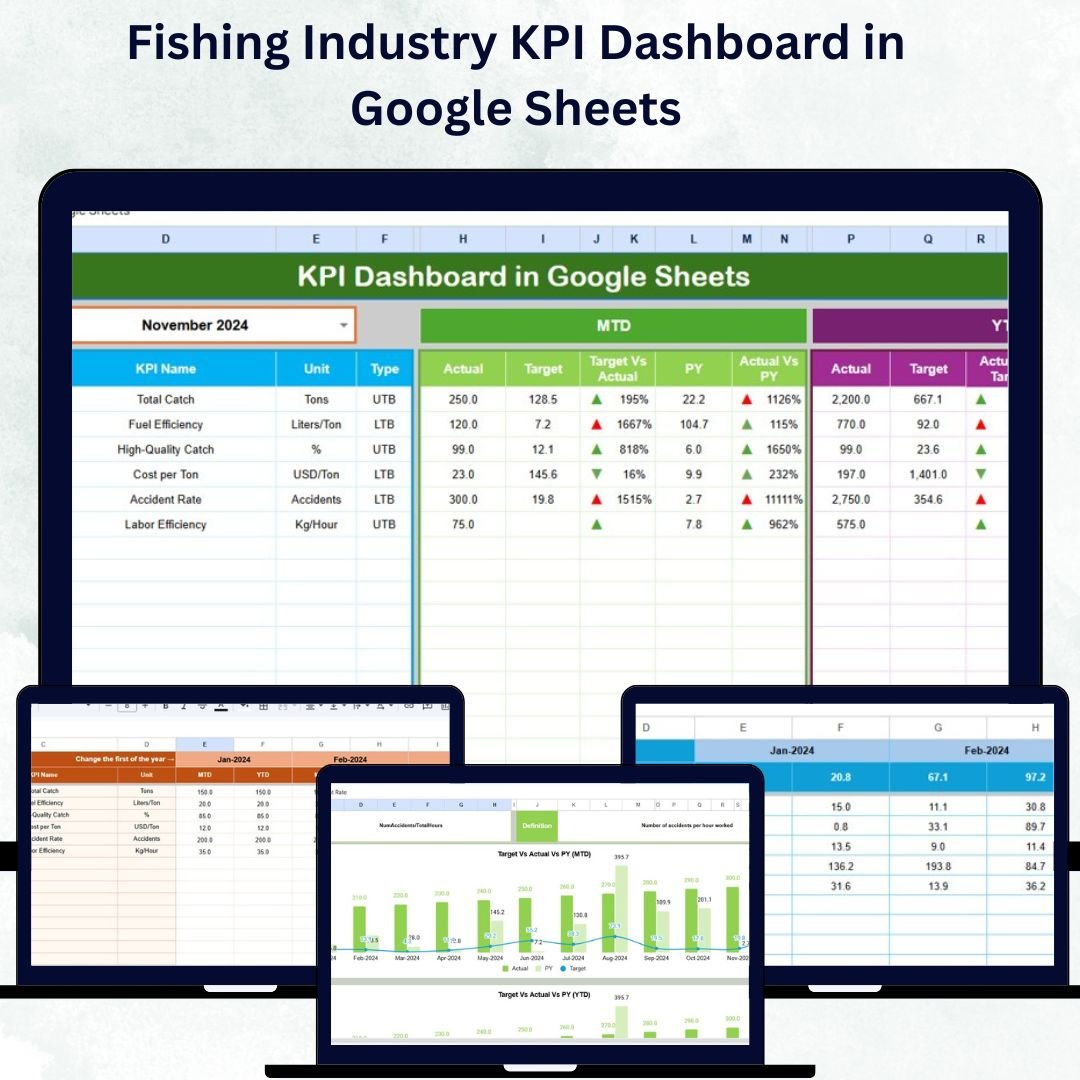



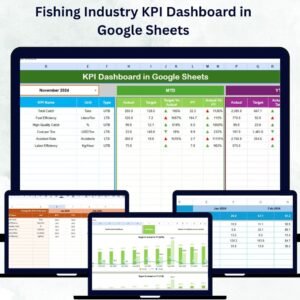
The Fishing Industry KPI Dashboard in Google Sheets is a game-changing solution for modern fisheries, vessel operators, and marine management teams 🌊. In today’s competitive seafood market, success depends on precise performance tracking — from catch efficiency to sustainability compliance. This dynamic, ready-to-use Google Sheets dashboard gives you the power to monitor, measure, and optimize every aspect of your fishing operations — all in one place.
Say goodbye to multiple spreadsheets and manual reports. This all-in-one dashboard helps you visualize progress, compare targets vs. actuals, and uncover trends across months, years, and fleets. Whether you’re managing a small local fishery or a large-scale commercial operation, this tool helps you make data-driven, sustainable, and profitable decisions.Fishing Industry KPI Dashboard in Google Sheets
⚙️ Key Features of the Fishing Industry KPI Dashboard in Google Sheets
🐟 Dynamic Dashboard Interface – View real-time MTD (Month-to-Date) and YTD (Year-to-Date) performance. Instantly switch months using a dropdown in cell D3 for live data updates.
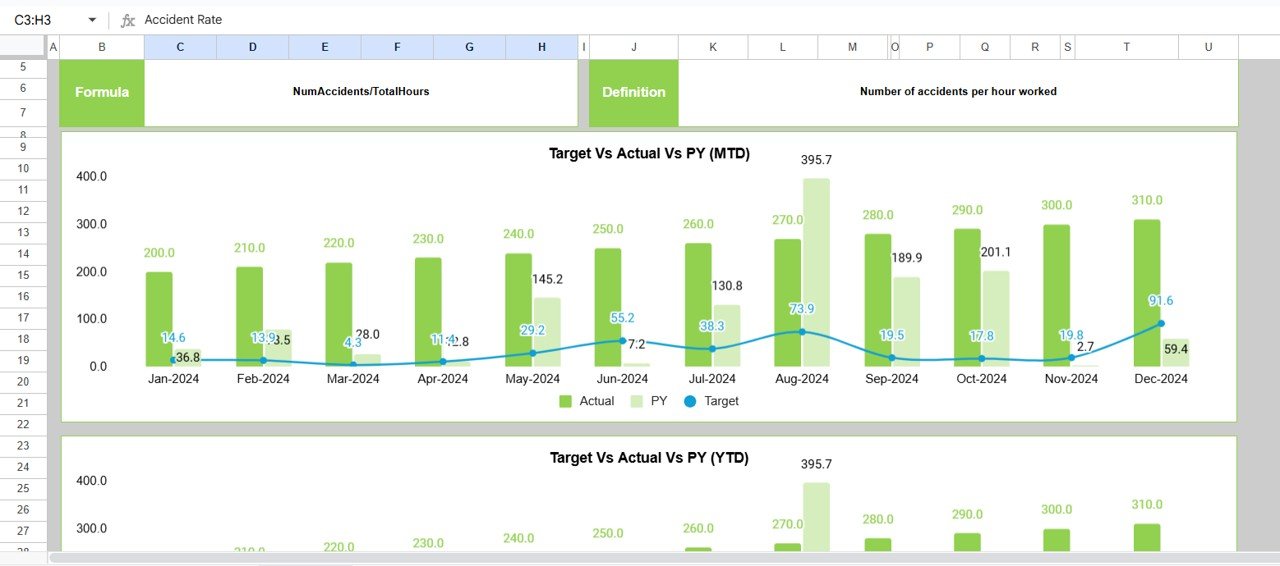
📈 KPI Trend Visualization – Track long-term trends with interactive charts showing Actual vs. Target and Previous Year performance.
💡 Smart Conditional Formatting – Instantly spot performance shifts with green (↑) and red (↓) arrows — no manual analysis required.
📊 Separate Data Tabs – Organized sheets for Actuals, Targets, and Previous Year numbers keep your data clean and structured.
🌍 Cloud-Based Collaboration – Built in Google Sheets, it’s shareable, editable, and viewable anywhere — no installation needed.
🧭 Sustainability Metrics – Track bycatch rates, fuel efficiency, and compliance to promote eco-friendly fishing practices.
⚡ Automation-Ready – Use Google Apps Script or IMPORTRANGE to connect live data feeds from tracking or accounting systems.

📂 What’s Inside the Fishing Industry KPI Dashboard
The dashboard template includes six interactive worksheet tabs, each tailored to deliver insights at different levels:
1️⃣ Home Sheet – Quick navigation buttons to jump between key sections.
2️⃣ Dashboard Sheet – Main summary page showing cards for MTD/YTD KPIs with trend indicators.
3️⃣ Trend Sheet – Drop-down-based analysis for any selected KPI with clear charts.
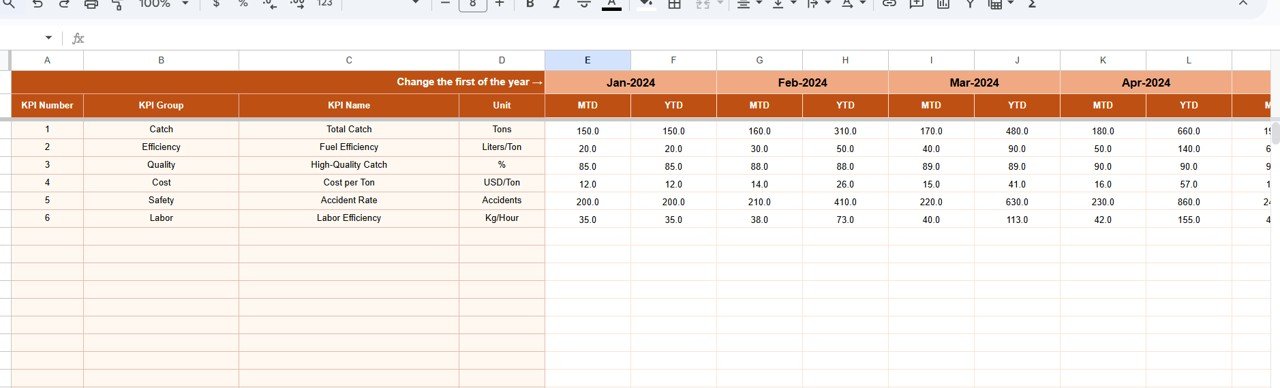
4️⃣ Actual Numbers Input Sheet – Input your operational data; auto-updates dashboard visuals.
5️⃣ Target Sheet – Define MTD/YTD targets to measure against.Fishing Industry KPI Dashboard in Google Sheets
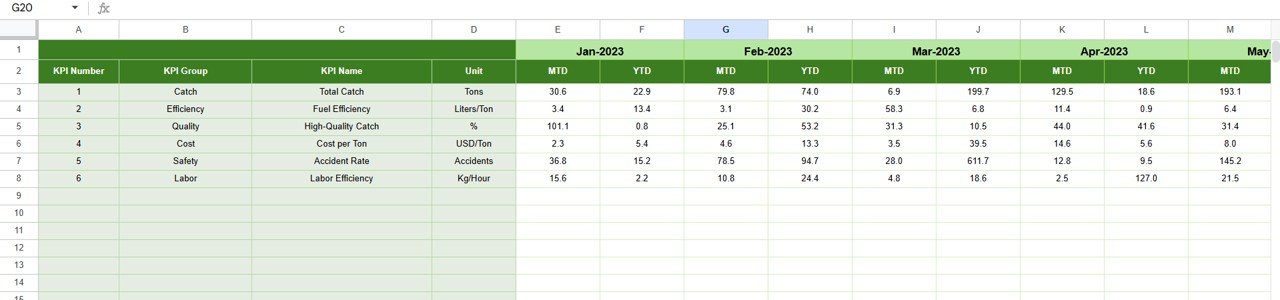
6️⃣ Previous Year Sheet – Keep historical data for year-over-year comparison.
7️⃣ KPI Definition Sheet – Comprehensive reference for all KPIs (unit, formula, and definition).
Everything is pre-formatted with intuitive color coding and responsive charts — ready to use immediately after data entry.
🧭 How to Use the Fishing Industry KPI Dashboard
1️⃣ Enter Data: Add monthly figures for each KPI in the Actual Numbers sheet.
2️⃣ Set Targets: Fill in target values for MTD & YTD columns in the Target sheet.
3️⃣ Load Previous Year Data: Enter last year’s numbers for benchmarking.
4️⃣ Select Month: Choose any month from the dropdown in D3 on the Dashboard.
5️⃣ Analyze Trends: Use the Trend tab to visualize KPI patterns.
6️⃣ Collaborate: Share the Google Sheet with your crew, managers, or stakeholders for live updates.
7️⃣ Automate: Optionally integrate with Google Forms or Apps Script for automatic data refresh.
With just a few clicks, you’ll transform raw fishing data into clear, actionable visuals that guide smarter decisions.
👥 Who Can Benefit from This Dashboard
🧑✈️ Fleet Owners & Managers – Monitor vessel performance, trip costs, and profit margins.
🌊 Sustainability Officers – Track bycatch, emissions, and eco-compliance KPIs.
💼 Business Analysts – Evaluate revenue trends and cost efficiency.
🏢 Government & Regulators – Ensure sustainable practices with data transparency.
🎣 Small Fishing Businesses – Simplify daily reporting without expensive software.
📊 Investors & Stakeholders – Get quick insights into operational performance and growth potential.
Click here to read the Detailed Blog Post
Watch the step-by-step video tutorial:
Visit our YouTube channel to learn step-by-step video tutorials
Compatibility and Requirements
- Works in Google Sheets. You need a free Google account and a web browser.
- You pick the month from a dropdown in cell D3 of the Dashboard sheet. Google explains dropdowns in Create an in-cell dropdown list.
Frequently Asked Questions
Which sheets are included?
Seven sheets: Home, Dashboard, Trend, Actual Numbers Input, Target, Previous Year and KPI Definition.
How do I update the dashboard?
Enter your monthly figures in the Actual Numbers Input sheet and your MTD and YTD targets in the Target sheet. Then choose a month from the dropdown in cell D3 on the Dashboard sheet and the cards update.
Can I compare this year with last year?
Yes. Enter last year’s numbers in the Previous Year sheet. The Trend sheet charts Actual against Target and Previous Year for the KPI you select.
How do I see the trend for one KPI?
Open the Trend sheet and pick a KPI from the dropdown. The chart shows its pattern over the months. The KPI Definition sheet lists the unit, formula and definition of every KPI.
Is there an Excel or Power BI version?
Yes. See the Fishing Industry KPI Dashboard in Excel and the Fishing Industry KPI Dashboard in Power BI.
Related Industry KPI Dashboards
- Fishing Industry KPI Dashboard in Excel: the same fishing KPIs in Excel
- Fishing Industry KPI Dashboard in Power BI: the Power BI edition
- Textile Industry KPI Dashboard in Google Sheets: the same layout for a textile business
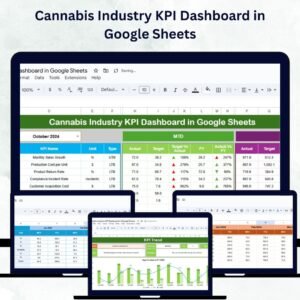
- Cannabis Industry KPI Dashboard in Google Sheets: an industry dashboard in Google Sheets
- Google Sheets Business Pack (Pro): 14 business templates in one download
Browse all Google Sheets KPI dashboards.




























Reviews
There are no reviews yet.