





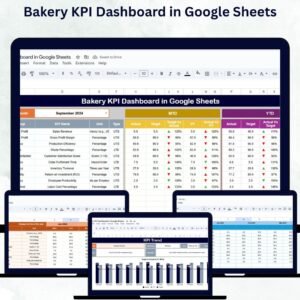
Running a bakery isn’t just about creating delicious treats — it’s about managing sales, production, inventory, and staff performance with precision. The Bakery KPI Dashboard in Google Sheets is a ready-to-use performance tracking tool that simplifies this process. It transforms raw bakery data into insightful visual dashboards, allowing owners and managers to make data-driven decisions that improve efficiency, reduce waste, and increase profitability.
Built entirely in Google Sheets, this dashboard helps you monitor Month-to-Date (MTD) and Year-to-Date (YTD) performance, compare actuals with targets and previous year data, and visualize trends for sales, production, and customer satisfaction — all in one place. 🥐💼
🔑 Key Features of the Bakery KPI Dashboard in Google Sheets
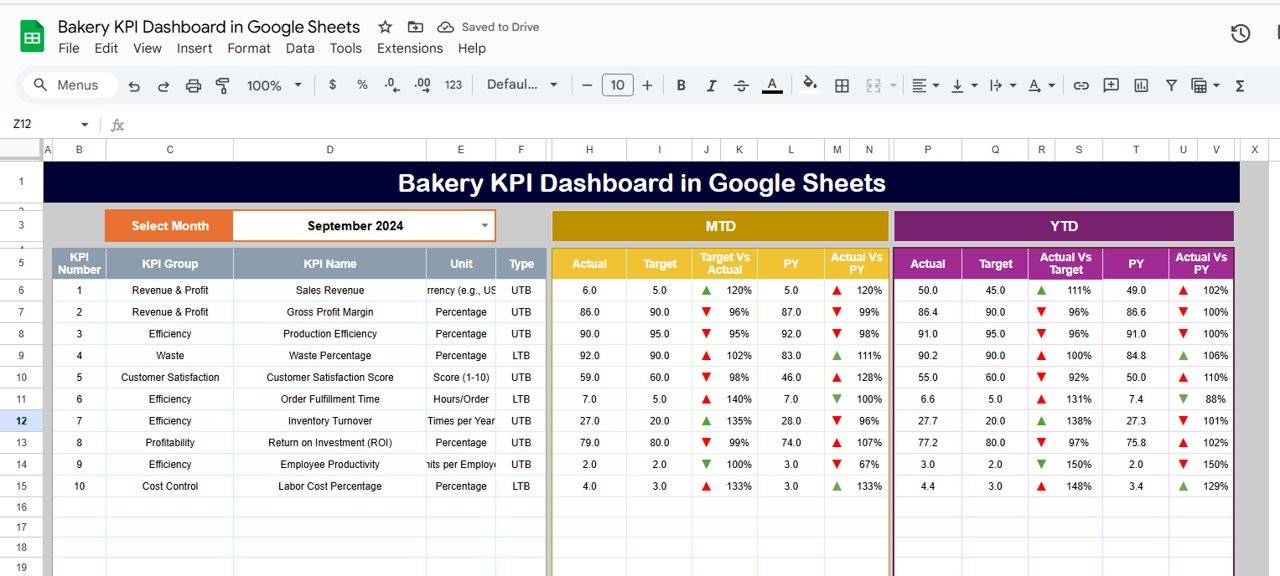
📊 Dashboard Sheet Tab
Your bakery’s performance at a glance!
Month Selection Dropdown (Range D3): Choose any month and see all dashboard data update automatically
MTD Metrics: Track actual, target, and previous year data with up/down performance arrows
YTD Metrics: View cumulative yearly performance for long-term insights
Dynamic Visuals: Charts highlight sales growth, production efficiency, and customer satisfaction
This tab acts as the control center of your bakery operations, showing all vital metrics in one easy-to-read view.
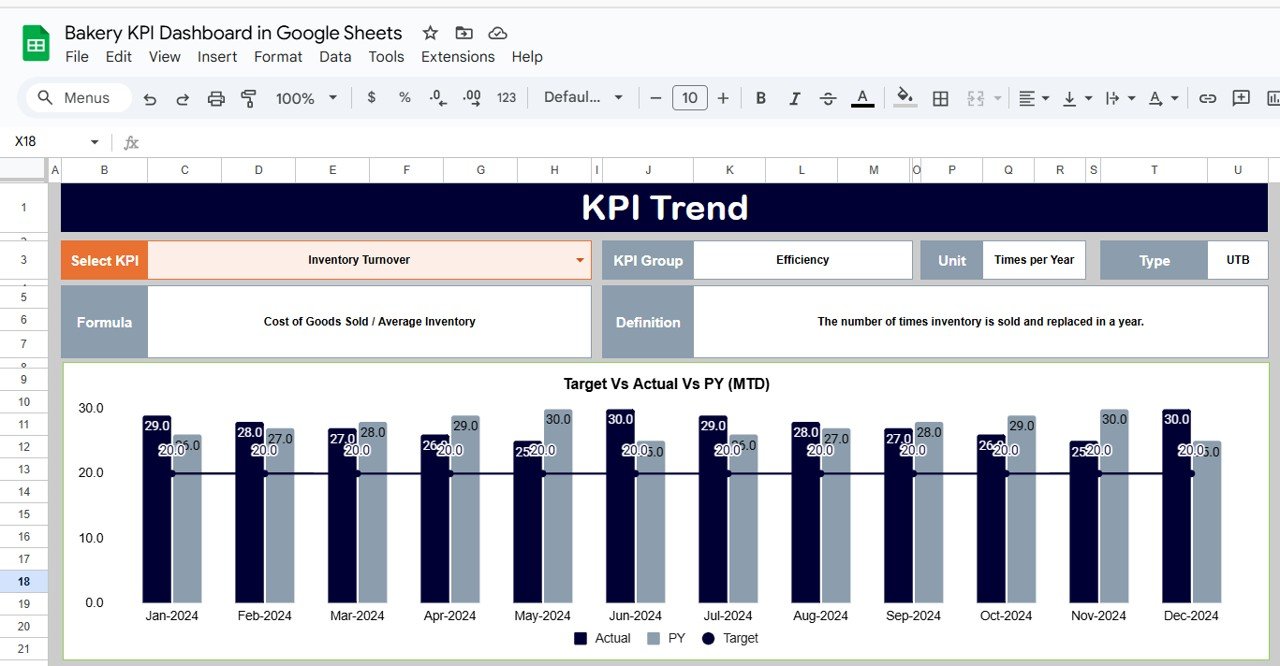
📈 KPI Trend Sheet Tab
Dive deep into performance analysis:
Select a KPI from the dropdown (Range C3)
View details like KPI Group, Unit, Type (UTB or LTB), Formula, and Definition
Analyze trend charts that display MTD, YTD, and previous year comparisons
Perfect for identifying seasonal performance patterns or improvement areas in sales and production.
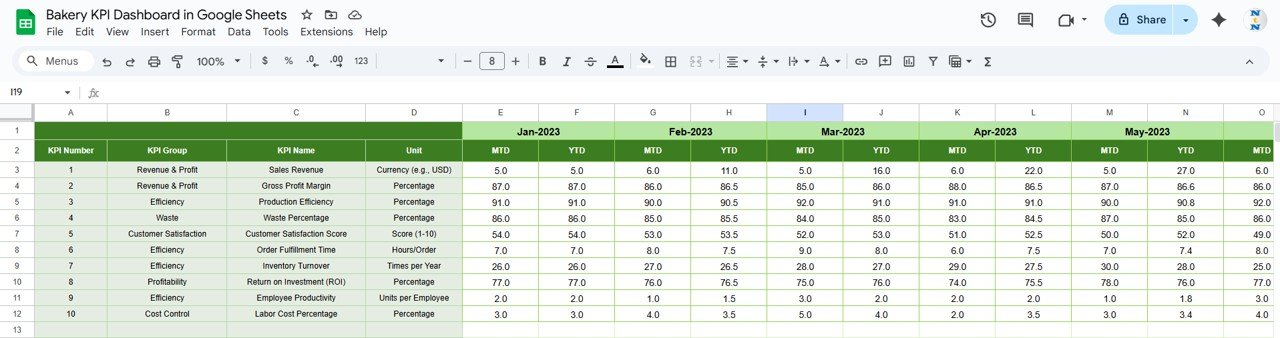
🧾 Actual Numbers Sheet Tab
Keep your metrics current with accurate data entry:
Input monthly MTD and YTD actuals
Adjust the first month of the year (Range E1) to update calculations automatically
Real-time updates reflect across all charts and dashboards
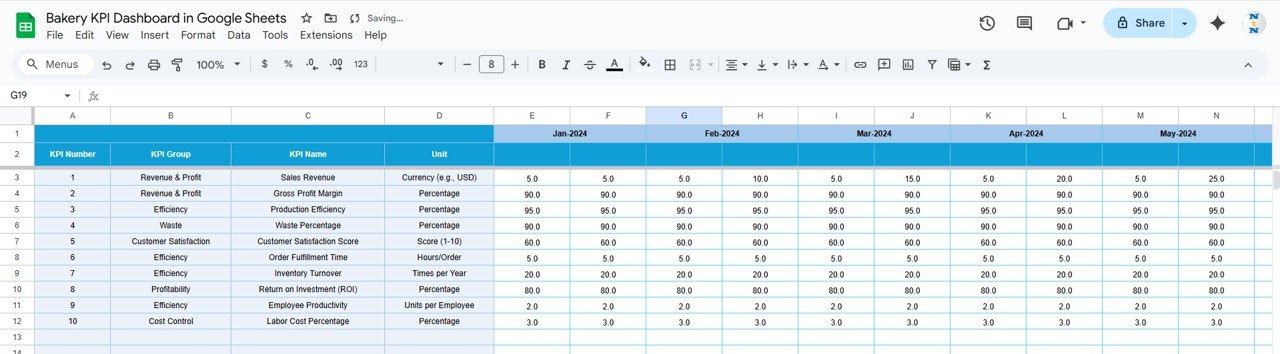
🎯 Target Sheet Tab
Plan your bakery goals effectively:
Enter monthly and yearly targets for every KPI
Compare actual results with these targets to evaluate performance
Stay aligned with business objectives throughout the year
📉 Previous Year Numbers Sheet Tab
Track your growth and progress over time:
Enter last year’s KPI values for easy comparison
Analyze year-over-year improvements or seasonal changes
📘 KPI Definition Sheet Tab
Keep your performance indicators transparent and standardized:
Includes KPI Name, Group, Unit, Formula, Definition, and Type (UTB/LTB)
Ensures consistent understanding of every metric among team members
🍰 Examples of KPIs to Track in a Bakery
Here are some essential metrics your dashboard can track:
Total Sales ($): Total revenue from bakery items
Units Produced: Total number of goods baked
Waste %: Percentage of production wasted (Lower-the-Better)
Customer Satisfaction Score: Feedback ratings from customers
Orders Fulfilled On-Time (%): Measures timely delivery and reliability
Average Revenue per Customer ($): Indicates sales performance per transaction
Inventory Turnover: Tracks stock efficiency and product freshness
Each KPI includes a formula, unit, and performance type, helping bakery managers stay consistent in analysis.
💡 Advantages of Using the Bakery KPI Dashboard
✅ Centralized Data: Track all bakery operations in one Google Sheet
📊 Visual Insights: Interactive charts and color-coded visuals make performance clear
📈 Performance Tracking: Monitor MTD, YTD, and previous year results effortlessly
💰 Informed Decisions: Identify low-performing areas and take corrective action
⚙️ Customizable Design: Add or remove KPIs to suit your bakery’s unique structure
🕒 Time-Saving: Automated calculations and visualizations reduce manual reporting
🌍 Collaborative Access: Google Sheets allows real-time updates from multiple users
🧠 Best Practices for Using the Bakery KPI Dashboard
Update Regularly: Enter sales, production, and inventory data frequently
Segment KPIs by Product or Location: Analyze performance across multiple outlets or items
Monitor Historical Trends: Use trend charts to spot recurring issues or seasonal boosts
Set Smart Targets: Define realistic goals to track achievable progress
Use Conditional Formatting: Highlight underperforming KPIs automatically
Review with Team: Conduct monthly performance meetings using dashboard visuals
🎯 Who Can Benefit from This Dashboard?
👩🍳 Bakery Owners & Managers – Get a complete operational view
🏢 Operations Teams – Track efficiency and reduce waste
📈 Finance Managers – Analyze sales vs. expenses for profitability
🧁 Marketing Teams – Understand which products drive higher revenue
👨👩👧 Franchise Owners – Manage multiple bakery branches seamlessly
Whether you run a small local bakery or a large chain, this dashboard is your ultimate data management assistant.
🔗 Click here to read the Detailed blog post
Watch the step-by-step video Demo:
🔗 Visit our YouTube channel to learn step-by-step video tutorials
Compatibility and Requirements
- Works in Google Sheets. You need a free Google account and a web browser.
- You pick the month on the Dashboard sheet and the KPI on the KPI Trend sheet from dropdowns. Google explains dropdowns in Create an in-cell dropdown list.
Frequently Asked Questions
Which sheets are included?
Five sheets: Dashboard, KPI Trend, Actual Numbers, Target and Previous Year Numbers, plus a KPI Definition sheet.
How do I update the dashboard?
Enter your monthly MTD and YTD actuals in the Actual Numbers sheet and your goals in the Target sheet. Then choose a month in cell D3 of the Dashboard sheet and the charts and figures update.
Can I compare this year with last year?
Yes. Enter last year’s KPI values in the Previous Year Numbers sheet and the dashboard shows them next to your actuals and targets, with up and down arrows.
How do I see the trend for one KPI?
Open the KPI Trend sheet and select a KPI from the dropdown in cell C3. It shows the KPI group, unit, type (UTB or LTB), formula and definition, with trend charts for MTD, YTD and previous year.
Is there an Excel version?
Yes. See the Bakery KPI Dashboard in Excel, and the Bakery Business Dashboard in Power BI for Power BI.
Related Bakery Templates
- Bakery KPI Dashboard in Excel: the same KPI dashboard in Excel
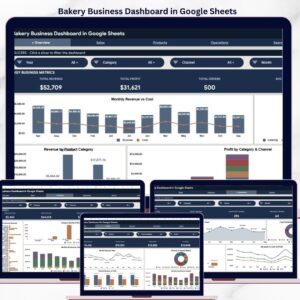
- Bakery Business Dashboard in Google Sheets: another bakery dashboard in Google Sheets
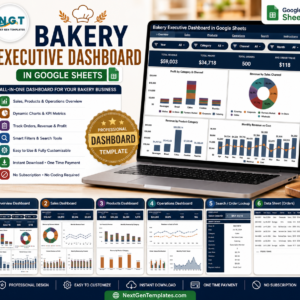
- Bakery Executive Dashboard in Google Sheets: a summary view for bakery owners
- Bakery KPI Scorecard in Excel: a scorecard view of bakery metrics
- Small Business Owner Essentials: 12 templates for owners in one download
Browse all Google Sheets KPI dashboards.






















Reviews
There are no reviews yet.