

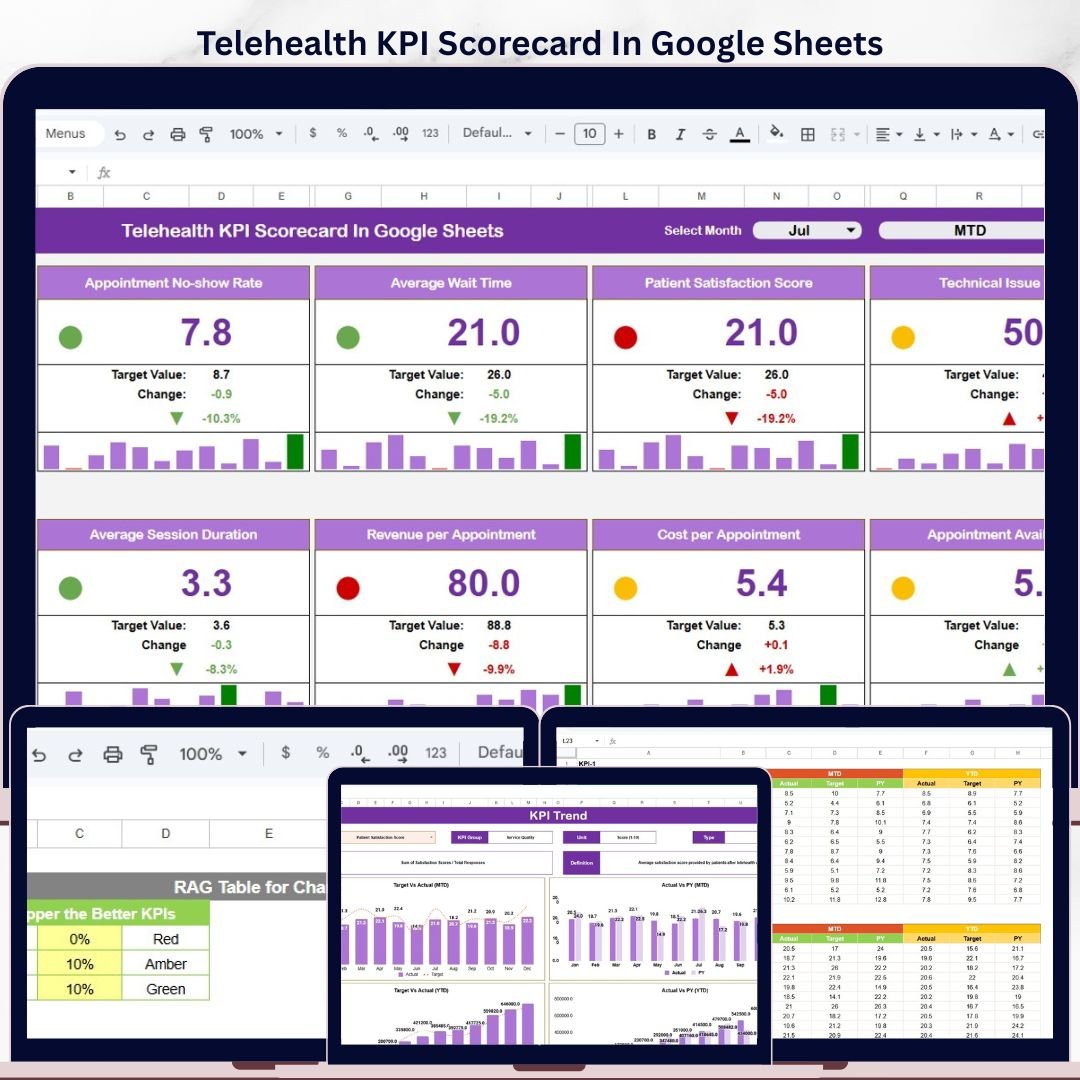
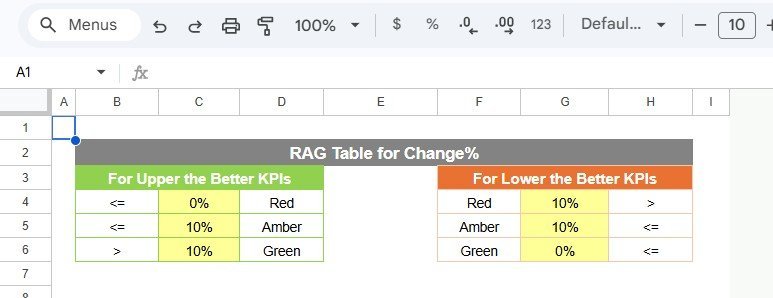
Telehealth KPI Scorecard in Google Sheets helps virtual-care teams track 10+ remote-care KPIs across MTD and YTD views without paying for a monthly analytics subscription. Many telemedicine teams still manage appointment volume, wait time, consultation quality, patient satisfaction, cost, revenue, and resolution metrics in scattered files. This ready-to-use scorecard puts actuals, targets, trends, status indicators, formulas, and KPI definitions in one editable Google Sheets template. It is a one-time purchase, fully editable, and built for managers who need a fast scorecard layer before investing in expensive healthcare SaaS.
Key Features of Telehealth KPI Scorecard In Google Sheets
- MTD and YTD performance views: Switch between month-to-date and year-to-date analysis for each KPI.
- Actual vs target tracking: Compare performance against target values and spot gaps quickly.
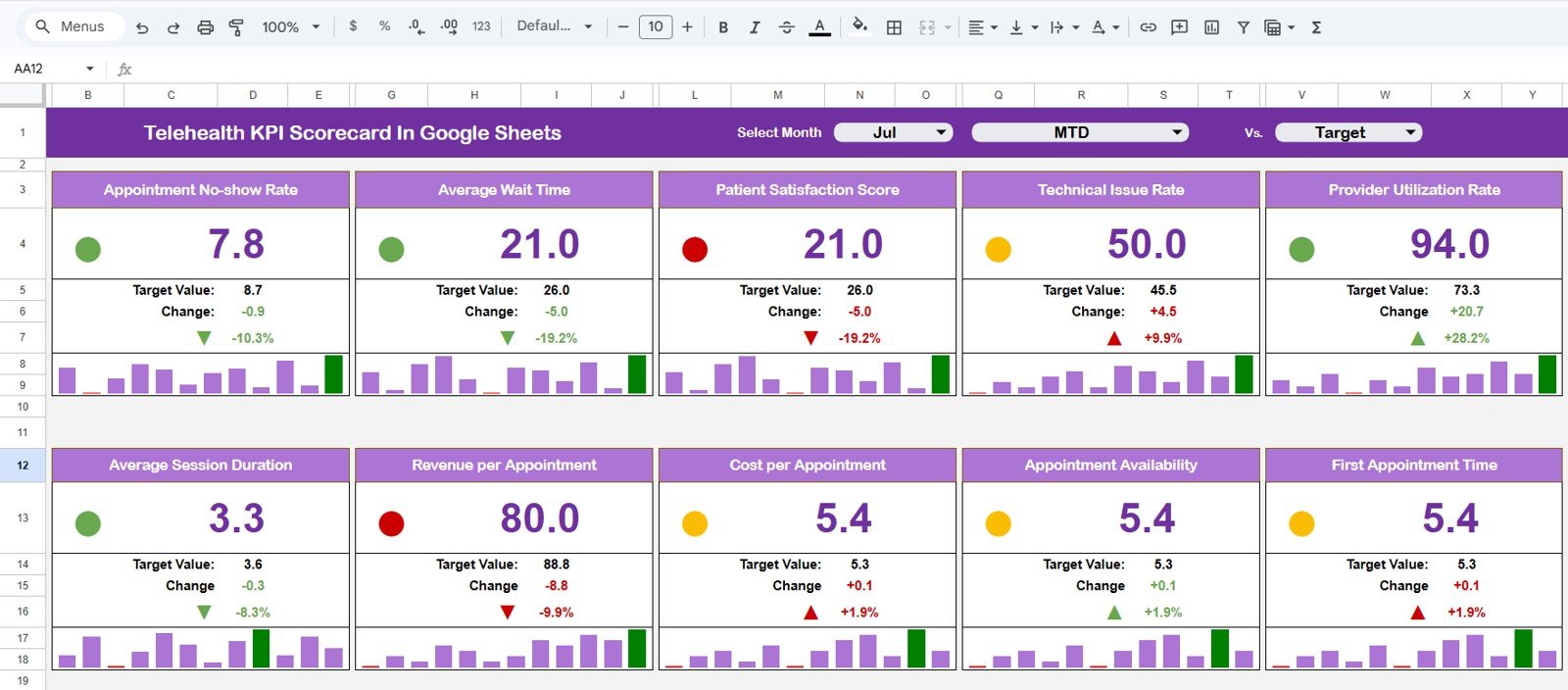
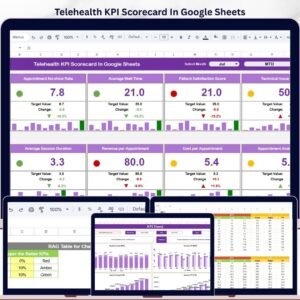
- Color-coded status indicators: Use visual formatting to identify KPIs that are on track, at risk, or below target.
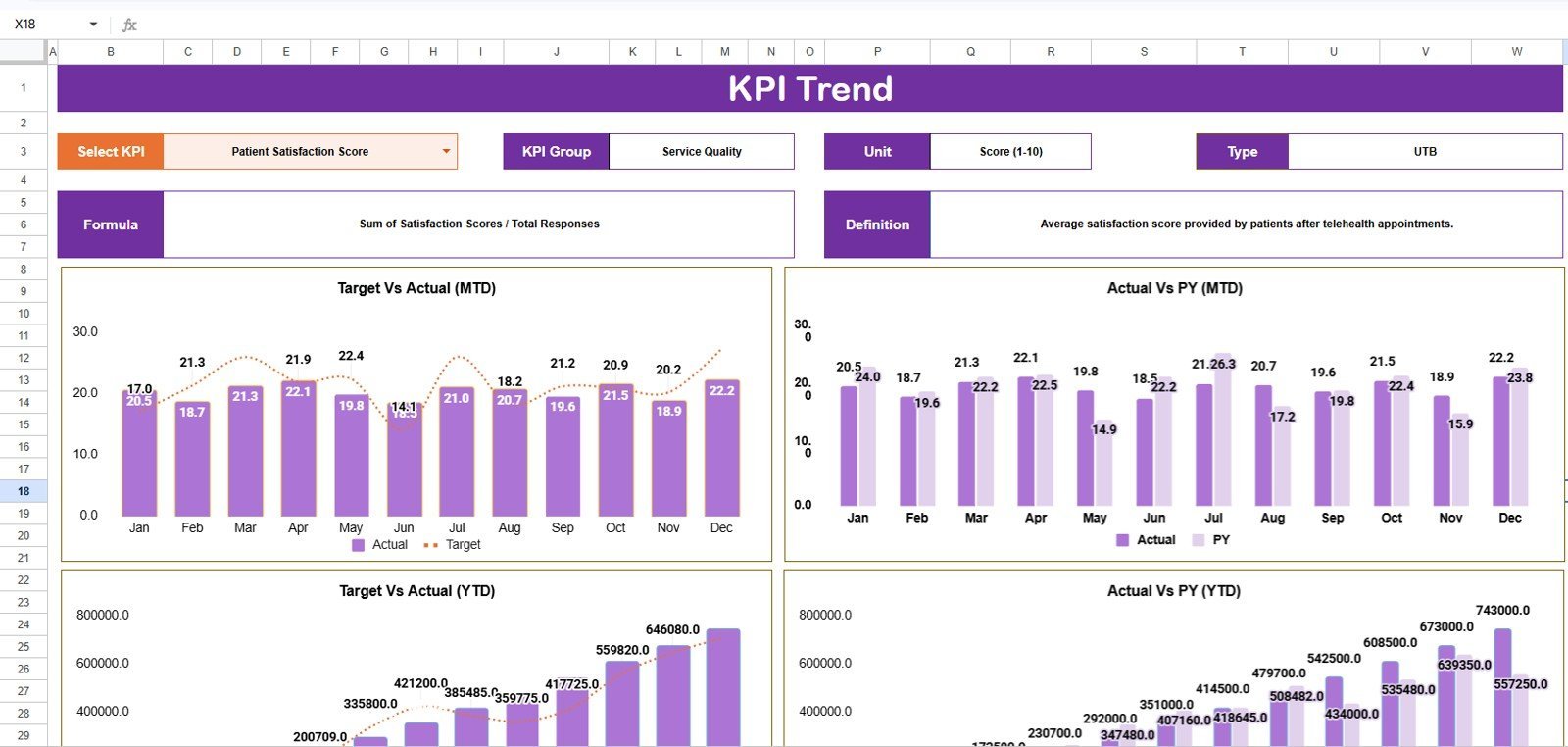
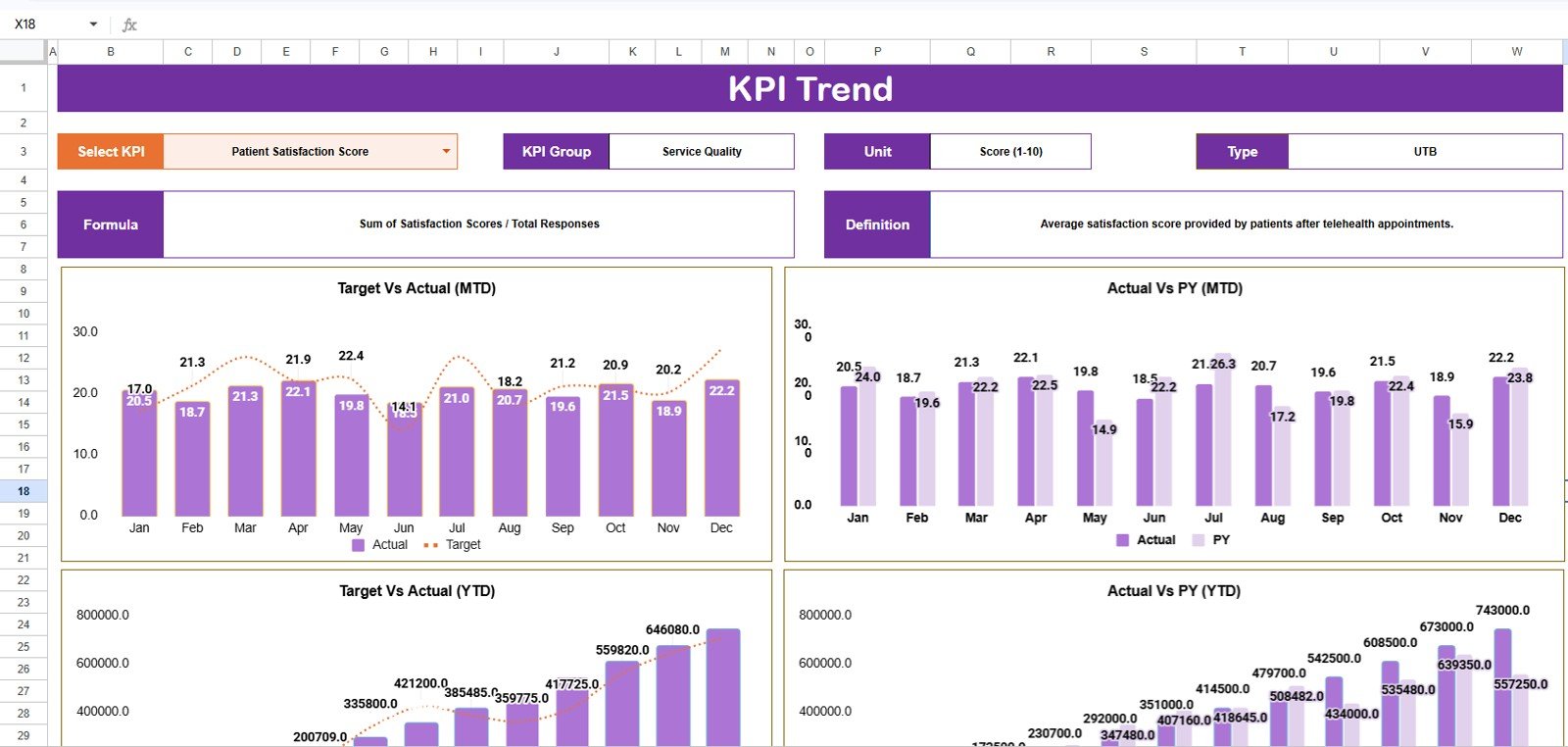
- KPI trend charts: Review actual, target, and prior-year numbers for the selected KPI.
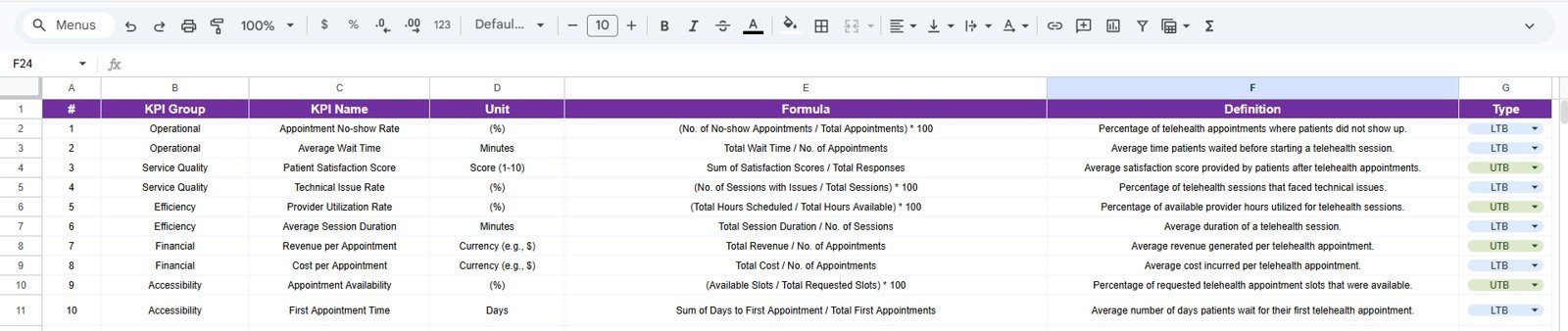
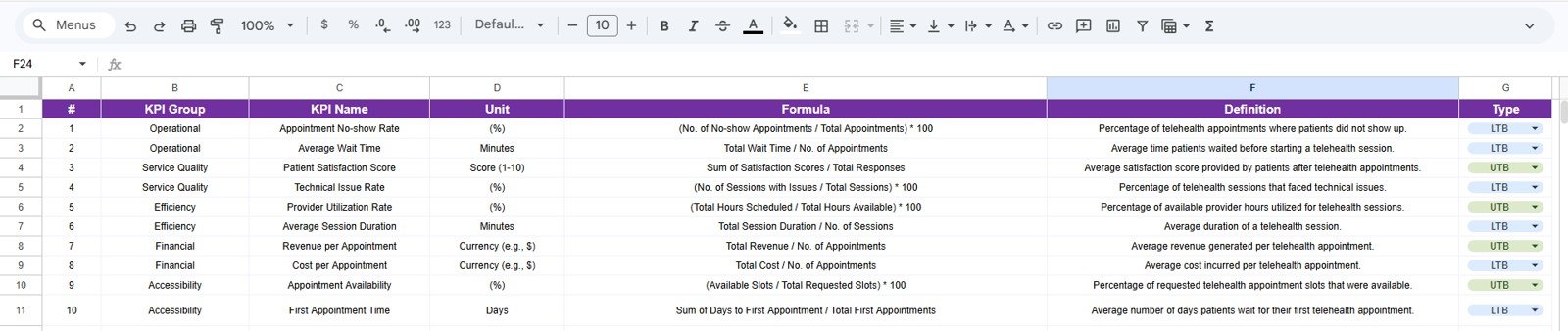
- Editable KPI definitions: Maintain KPI group, unit, type, formula, and definition in one reference sheet.
- Google Sheets collaboration: Share the file with managers, analysts, and clinic leads using normal Google Drive permissions.
What’s Inside the Telehealth KPI Scorecard In Google Sheets
The template includes four worksheet tabs built for monthly telehealth performance review: Scorecard, KPI Trend, Input Data, and KPI Definition.
1. Scorecard Sheet
The Scorecard sheet is the main interface for KPI review. Use dropdown menus to select the month and choose MTD or YTD analysis. The sheet compares actual performance against target values for each KPI and uses visual status indicators so leaders can scan performance quickly.
2. KPI Trend Sheet
The KPI Trend sheet lets you select a KPI from the dropdown in cell C3. It then displays the KPI group, KPI unit, KPI type, formula, and definition, followed by MTD and YTD trend charts for actual, target, and previous-year numbers.
3. Input Data Sheet
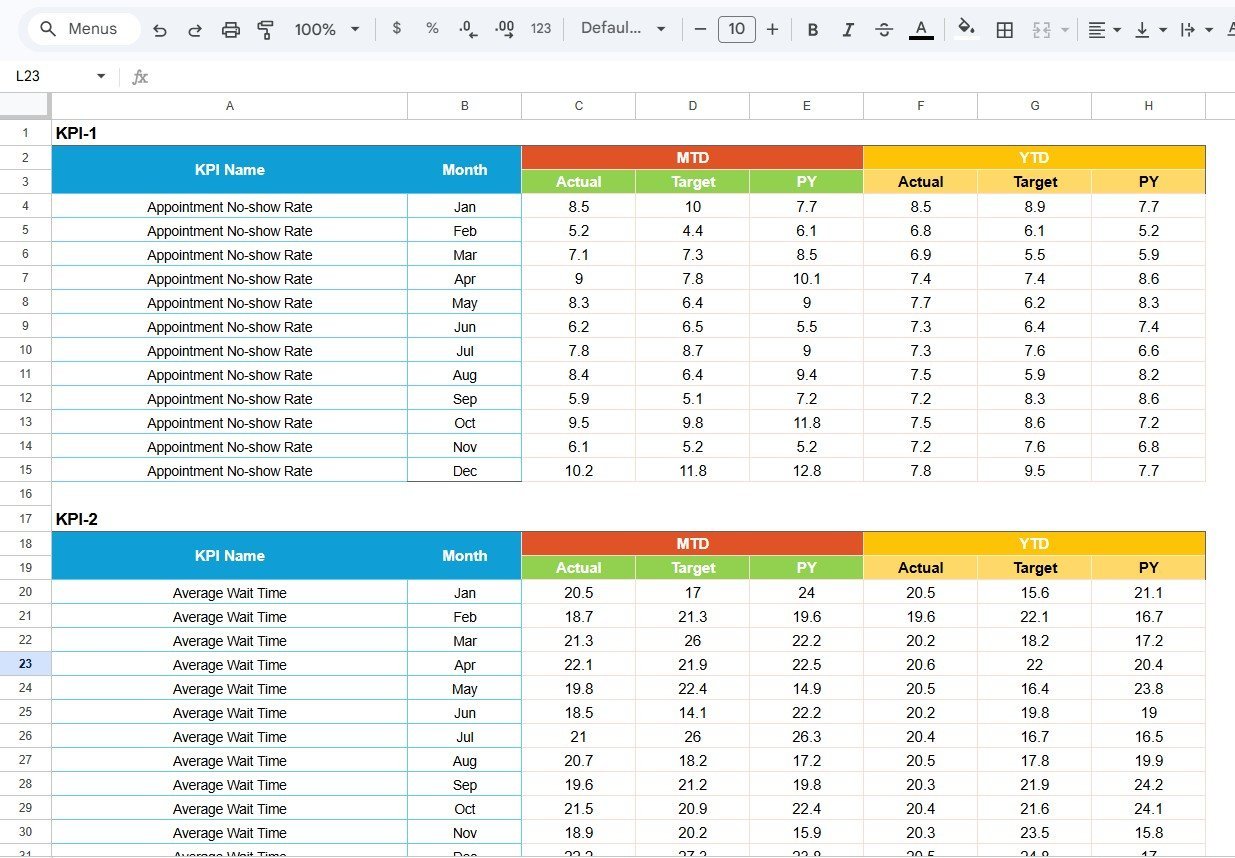
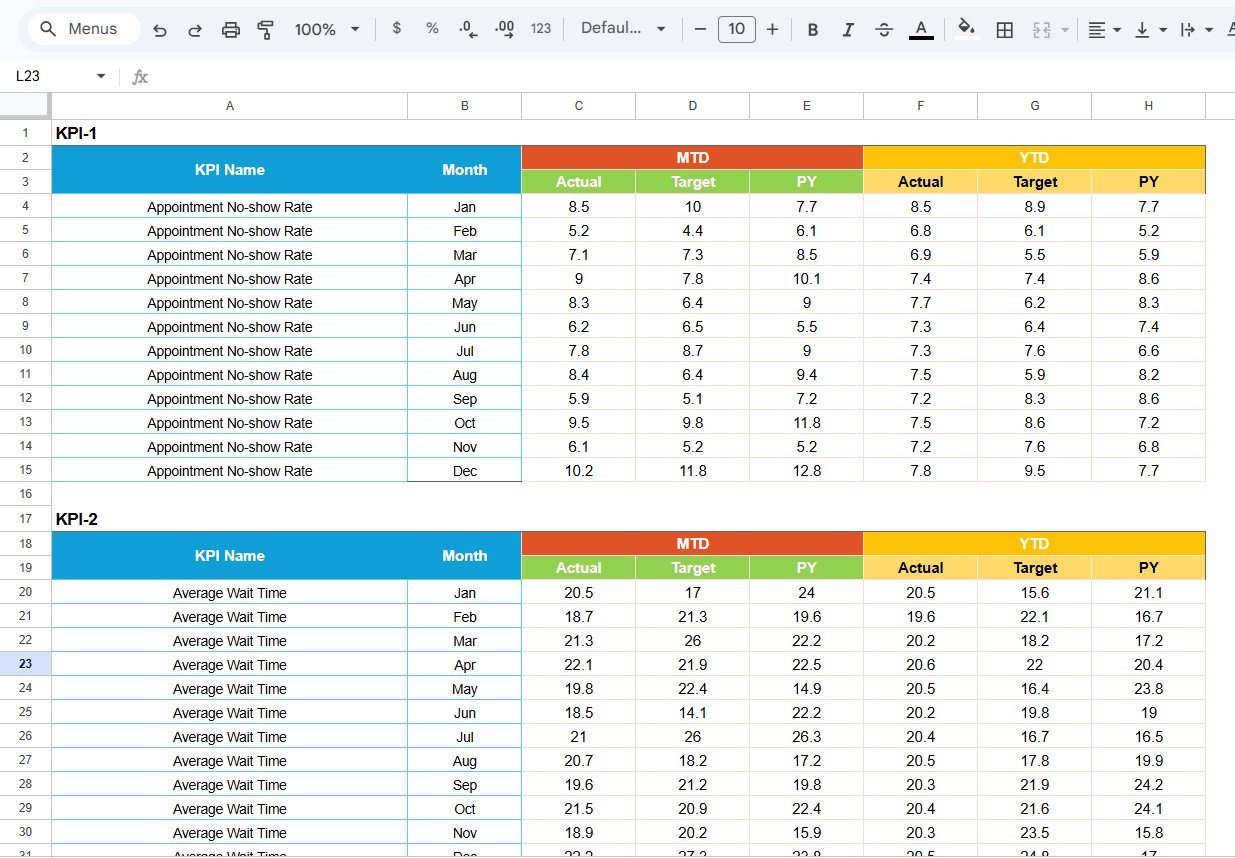
The Input Data sheet is where you enter KPI actuals, targets, prior-year values, and related monthly metrics. Update this sheet as new results become available and the Scorecard and KPI Trend pages stay current.
4. KPI Definition Sheet
The KPI Definition sheet stores the KPI name, KPI group, unit, formula, and definition. Use it to standardize how your team measures telehealth performance across operations, clinical quality, revenue, patient experience, and staffing efficiency.
Telehealth KPI Scorecard In Google Sheets vs. Microsoft Excel Dashboard vs. Paid Healthcare SaaS – Where This Fits
| Feature | This Google Sheets scorecard | Microsoft Excel dashboard | Paid healthcare SaaS |
|---|---|---|---|
| Cost | $8.99 one-time | Usually one-time, but desktop focused | Often $100+ per provider per month |
| Platform | Google Sheets in browser | Excel desktop or Microsoft 365 | Vendor cloud platform |
| Setup time | Under 10 minutes after copying the sheet | Fast, but file sharing can be manual | Weeks of onboarding |
| Team collaboration | Built into Google Drive sharing | Requires OneDrive or SharePoint | Included, but controlled by vendor roles |
| Custom KPI definitions | Fully editable | Fully editable | Usually limited by plan or admin settings |
| Best for | Monthly telehealth KPI reviews | Offline spreadsheet analysis | Integrated EHR, billing, and compliance workflows |
Who This Template Is For – and Who It’s Not For
This template is useful for telehealth operations managers, digital clinic administrators, healthcare analysts, startup founders, virtual-care consultants, and small medical teams that need a simple KPI scorecard for recurring review meetings.
It is not a replacement for an EHR, HIPAA-audited patient portal, billing platform, appointment system, or automated data warehouse. Use it as a management reporting layer, and confirm your own privacy and compliance requirements before entering patient-level data.
How to Use the Telehealth KPI Scorecard In Google Sheets
- Open the PDF guide in your download and click the Google Sheets copy link.
- Create your own editable copy in Google Drive.
- Update the KPI Definition sheet with your telehealth KPIs, formulas, and descriptions.
- Enter monthly actuals, targets, and prior-year values in the Input Data sheet.
- Use the Scorecard sheet dropdowns to select month, MTD, or YTD.
- Open the KPI Trend sheet to review deeper trends for any selected KPI.
Real-World Use Cases
A virtual-care operations manager uses the scorecard every Monday to review completed visits, average wait time, patient satisfaction, and provider utilization before the weekly leadership call.
A healthcare consultant copies the template for each telemedicine client, customizes KPI definitions, and delivers a clean MTD/YTD scorecard without rebuilding reporting logic from scratch.
A clinic founder uses the template to watch early-stage performance before committing to a larger SaaS analytics platform.
Frequently Asked Questions
Does this template work in Google Sheets?
Yes. The template is designed for Google Sheets and can be copied into your own Google Drive using the included guide.
Can I change the KPI names and formulas?
Yes. The KPI Definition sheet is editable, so you can update KPI names, groups, units, formulas, and definitions.
Does it support MTD and YTD reporting?
Yes. The Scorecard sheet supports month, MTD, and YTD performance review through dropdown-based selection.
Can multiple team members use it?
Yes. Google Sheets supports collaborative editing and sharing, depending on the permissions you set in Google Drive.
Is this a clinical compliance system?
No. It is a KPI reporting template, not an EHR, medical record system, or compliance platform.
What happens if no download file is attached yet?
The product draft must have the final digital file URL attached before publishing so customers can access the Google Sheets copy guide.
About the Author
Built by PK – Microsoft Certified Professional with 15+ years of Excel, Google Sheets, and Power BI experience. Founder of NextGenTemplates, reaching 300K+ subscribers across YouTube channels. Every template is hand-built and tested before release.
Explore Related Templates
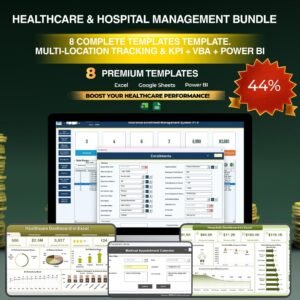
- Healthcare & Hospital Management Bundle
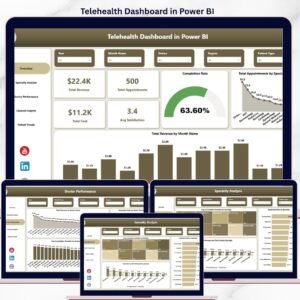
- Telehealth Dashboard in Power BI
- Telehealth KPI Dashboard in Excel
- Medical Practice Dashboard in Google Sheets
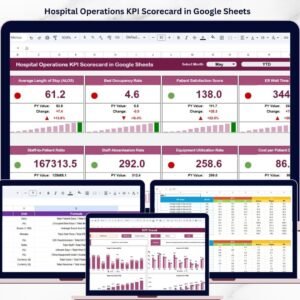
- Hospital Operations KPI Scorecard in Google Sheets
Browse more Google Sheets templates and Google Sheets KPI dashboard templates.
Ready to monitor telehealth performance with a simple, editable scorecard? Add the Telehealth KPI Scorecard in Google Sheets to your toolkit and customize it for your remote-care team.
Last updated: May 17, 2026













Reviews
There are no reviews yet.