

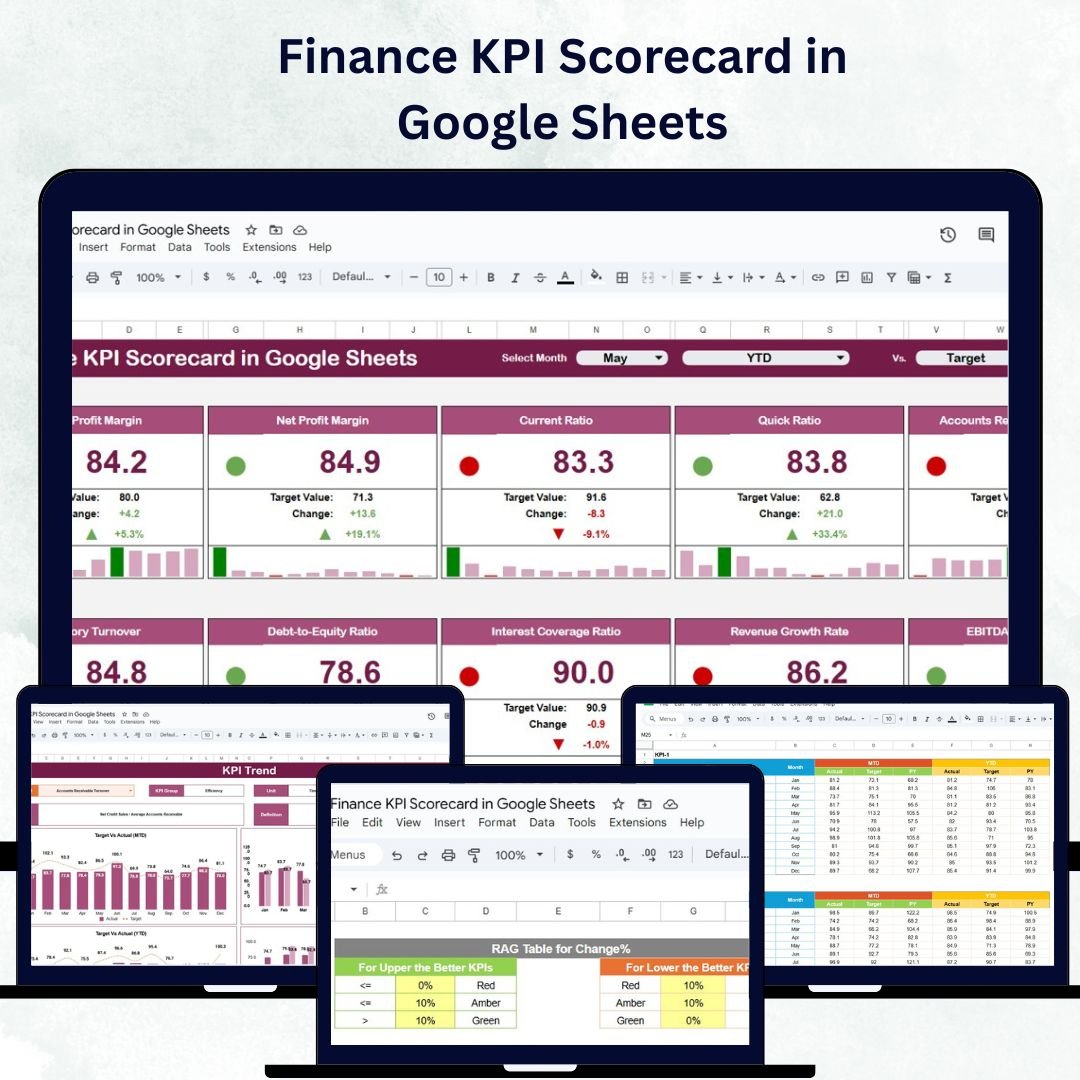


In today’s fast-paced business world, financial transparency and performance tracking are key to sustained success. The Finance KPI Scorecard in Google Sheets offers a ready-to-use, interactive solution that allows finance teams and business leaders to monitor, analyze, and visualize critical financial metrics — all in one centralized dashboard.
This scorecard is built entirely in Google Sheets, ensuring collaboration, accessibility, and automation for financial reporting. It helps organizations evaluate revenue, profitability, expenses, and liquidity with real-time data visualization, making financial management simple, insightful, and efficient. 💼📈
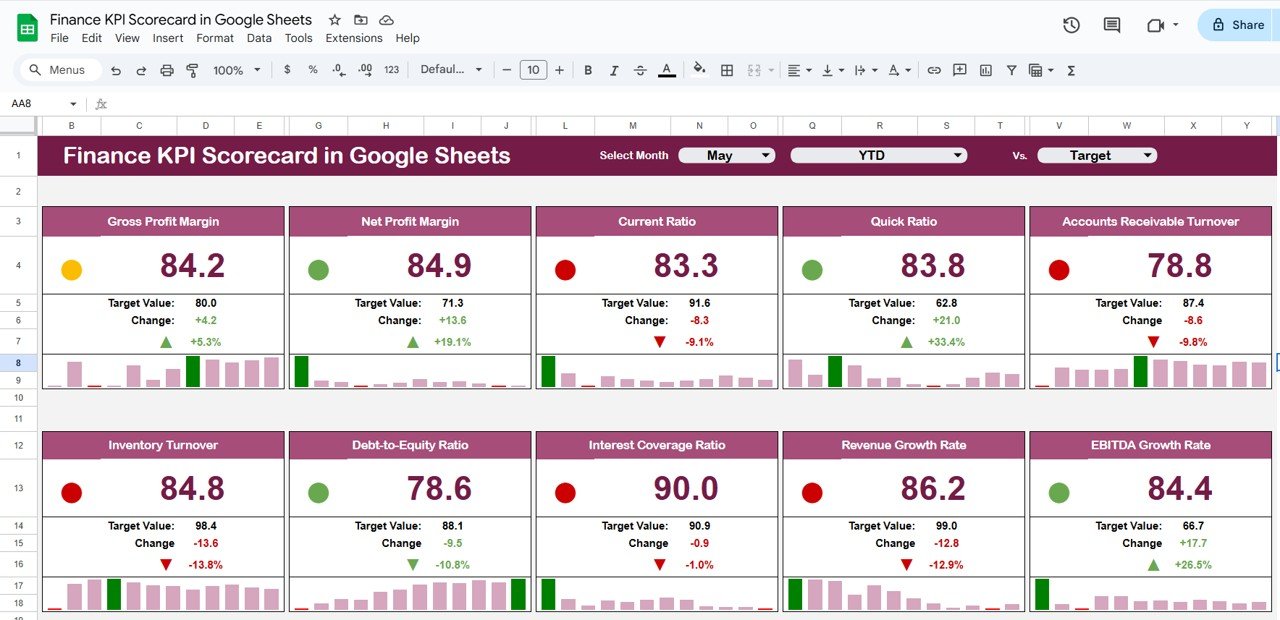
🔑 Key Features of the Finance KPI Scorecard in Google Sheets
📊 Scorecard Overview Sheet
Get a snapshot of your organization’s financial health with dynamic visuals and intuitive indicators:
Month Dropdown: Choose any month to view financial performance instantly
MTD & YTD Views: Toggle between Month-to-Date and Year-to-Date results
Traffic Lights & Arrows: Visual cues instantly show whether KPIs are improving or declining
Key Metrics Tracked: Revenue, Net Profit, Expenses, Cash Flow, Profit Margin, and more
Performance Summary: Understand financial standing at a glance with clear color-coded indicators
This sheet provides a bird’s-eye view of company finances and enables fast decision-making.
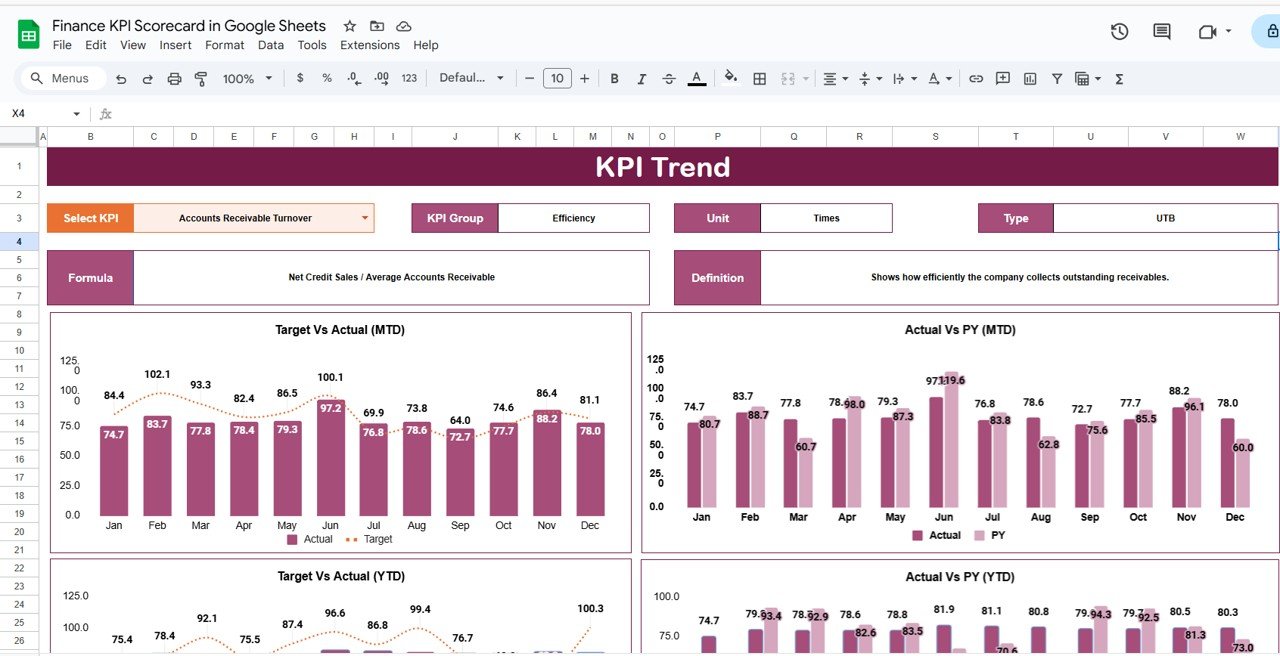
📈 Trend Sheet Tab
Dive deeper into financial performance trends over time:
KPI Selection (Range C3): Select any financial KPI to analyze
View KPI Group, Unit, and Type (UTB/LTB): Understand whether higher or lower is better
Visual Charts: Line graphs and trend visuals for both MTD and YTD comparisons
Identify Patterns: Spot seasonal performance, trends, and financial irregularities
Perfect for finance leaders seeking in-depth analytics and trend visualization.
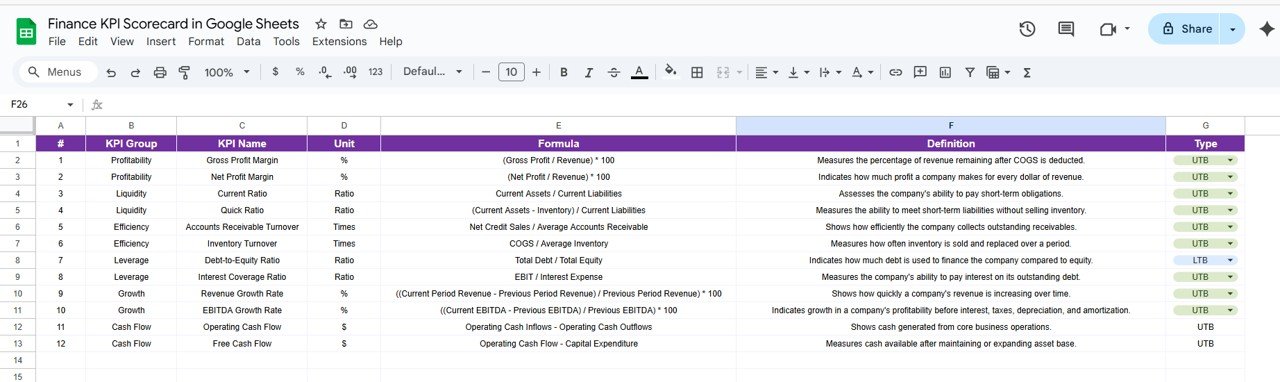
📘 KPI Definition Sheet Tab
Maintain clarity across teams with a standardized KPI reference:
KPI Name, Group, Unit, Formula, and Definition clearly documented
Specifies Upper-the-Better (UTB) or Lower-the-Better (LTB) type
Ensures transparency and consistency in financial analysis
This acts as the dictionary of your financial metrics, aligning all departments.
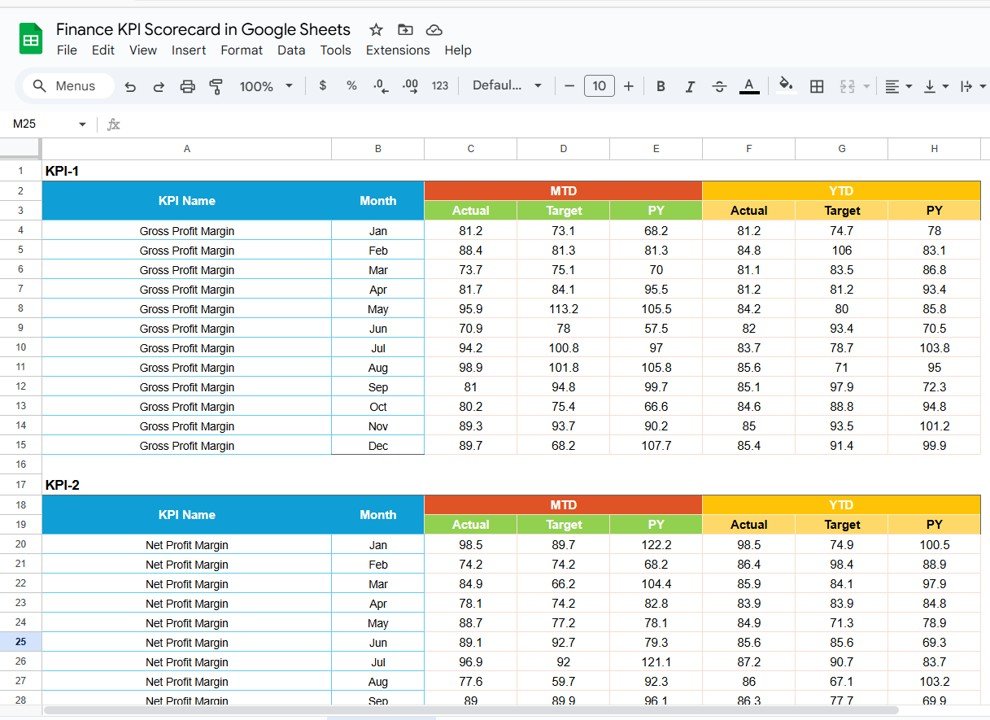
🧾 Data Input Sheet Tab
Centralize your financial data entry:
Record monthly and yearly Actual values for all KPIs
Update anytime — the dashboard auto-refreshes instantly
Supports department-level or multi-unit reporting
This tab forms the foundation for accurate and automated reporting.
🎨 Color Settings Sheet Tab
Personalize your visuals:
Modify traffic light colors and arrow indicators
Highlight MTD vs YTD performance visually
Customize the look and feel to align with your organization’s theme
💡 Advantages of Using the Finance KPI Scorecard
✅ Centralized Financial Tracking: Consolidate all performance metrics in one place
📈 Real-Time Insights: Automatically updates as new financial data is entered
📊 Trend Analysis: Monitor MTD, YTD, and YoY performance
🎯 Visual Performance Indicators: Traffic lights and arrows simplify complex data
🧠 Data-Driven Decisions: Identify performance gaps and make informed choices
⚙️ Customizable Template: Add new KPIs or modify formulas easily
👥 Collaborative Access: Multiple users can edit in real-time via Google Sheets
This tool transforms manual reporting into a dynamic financial intelligence system that’s accessible anytime, anywhere.
🧠 Best Practices for Using the Finance KPI Scorecard
Update Data Promptly: Record Actual values monthly for accuracy
Focus on Critical KPIs: Prioritize metrics like Cash Flow, Profit Margin, and ROI
Leverage Conditional Formatting: Use traffic lights to visualize results
Monitor MTD & YTD Trends: Identify growth patterns and seasonal performance
Customize Definitions: Align KPIs with company-specific financial goals
Segment by Department: Analyze results by division, location, or business unit
💼 How This Scorecard Helps Finance Teams
Track Financial Health: Evaluate profitability, liquidity, and efficiency in real-time
Identify Bottlenecks: Pinpoint areas with overspending or declining performance
Improve Reporting: Replace manual spreadsheets with automated visual dashboards
Support Strategic Decisions: Provide leadership with actionable financial insights
Enhance Accountability: Assign KPI responsibility to finance or departmental heads
By combining clarity, automation, and collaboration, this scorecard empowers finance teams to stay on top of every financial movement with precision and confidence. 🚀
🔗 Click here to read the Detailed blog post
Watch the step-by-step video Demo:
🔗 Visit our YouTube channel to learn step-by-step video tutorials
Compatibility and Requirements
- Works in Google Sheets. You need a free Google account and a web browser.
- You pick the month and the KPI from dropdowns. Google explains dropdowns in Create an in-cell dropdown list.
Frequently Asked Questions
Which sheets are included?
Four sheets: Scorecard, Trend, KPI Definition and Data Input. There is also a Color Settings sheet for the traffic light and arrow colors.
How do I update the scorecard?
Enter the monthly and yearly Actual values for each KPI on the Data Input sheet. The Scorecard sheet refreshes from those figures.
Can I switch between month-to-date and year-to-date results?
Yes. Pick a month from the dropdown on the Scorecard sheet and toggle between MTD and YTD views.
How do I see the trend for one KPI?
Open the Trend sheet and select the KPI in cell C3. It shows the KPI group, unit and type (UTB or LTB) with line charts for MTD and YTD.
Is there an Excel or Power BI version?
Yes. See the Finance KPI Scorecard in Excel and the Finance KPI Dashboard in Power BI.
Related Finance Templates
- Finance KPI Scorecard in Excel: the same scorecard in Excel
- Finance KPI Dashboard in Google Sheets: a dashboard view of finance KPIs
- Finance KPI Dashboard in Power BI: the Power BI edition
- HR KPI Scorecard in Google Sheets: a scorecard for HR metrics
- Finance & Accounting Command Center: 8 finance templates in one download
Browse all Google Sheets KPI dashboards.
























Reviews
There are no reviews yet.