

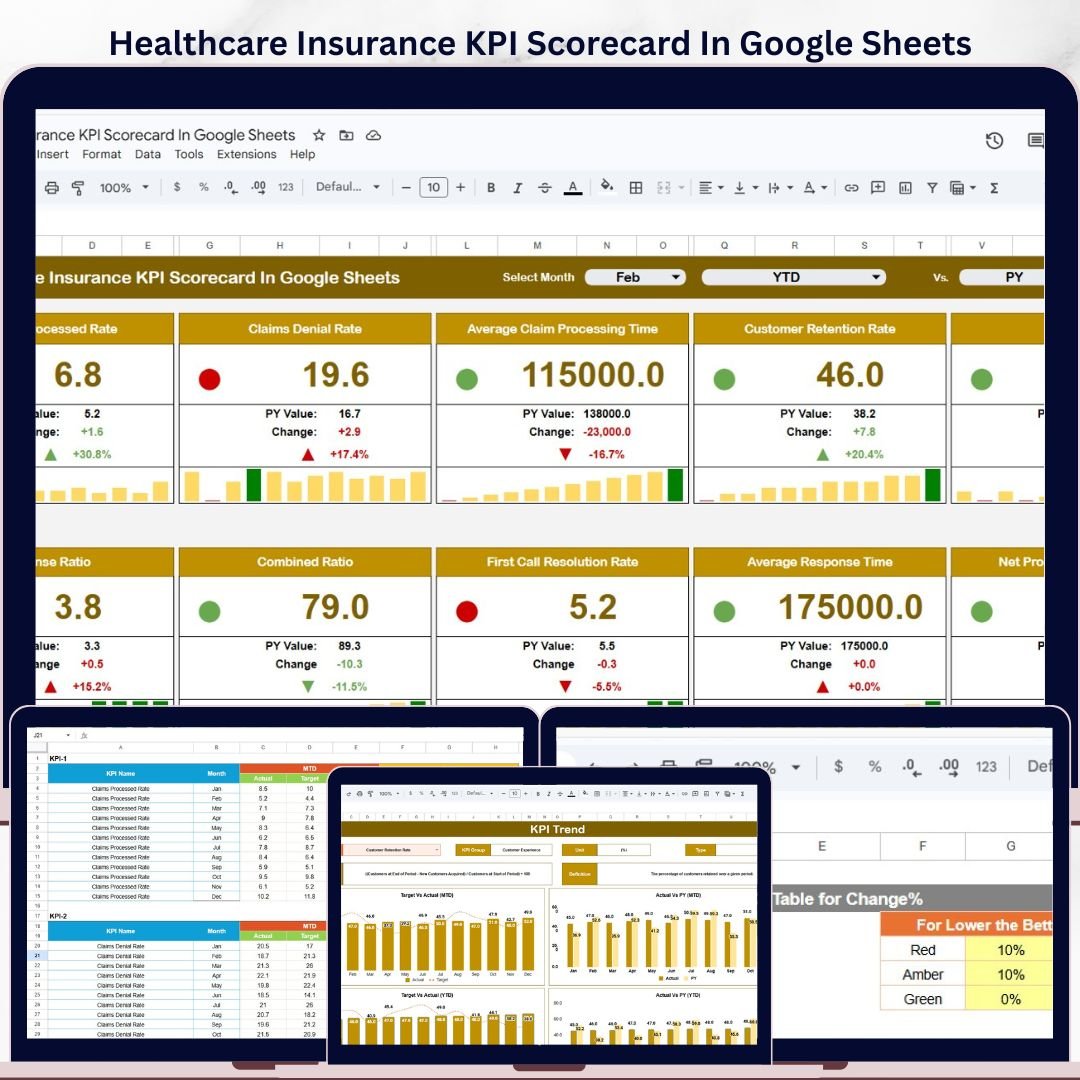
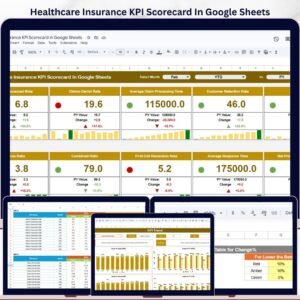
Healthcare Insurance KPI Scorecard In Google Sheets is a ready-to-use performance scorecard for healthcare insurance teams that want faster MTD and YTD KPI review without building reports from scratch. The template includes 4 structured worksheets, actual vs target tracking, PY comparisons, trend charts, KPI definitions, and color-coded status views. It is built in Google Sheets, so your team can update the data, review monthly results, and share the scorecard through Google Drive. This is a one-time $8.99 template, with no subscription, no add-on requirement, and no complex setup.
Key Features
- Ready-to-use KPI scorecard: Track healthcare insurance performance in a clean Google Sheets interface.
- MTD and YTD analysis: Switch between Month-to-Date and Year-to-Date performance views.
- Actual vs target comparison: See whether each KPI is ahead, on track, or below expectation.
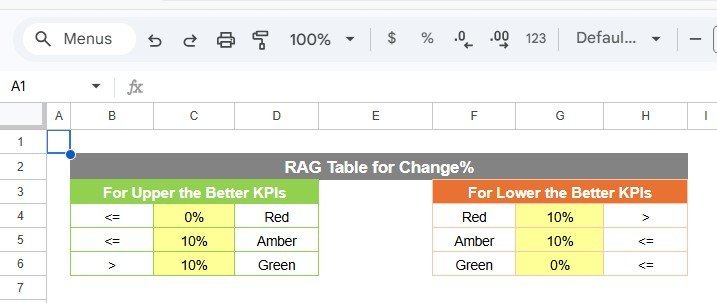
- Visual indicators: Use conditional formatting and color status cues to identify performance gaps quickly.
- KPI trend charts: Review Actual, Target, and PY trends for selected KPIs.
- KPI definitions included: Maintain clear KPI names, groups, units, formulas, and definitions in one place.
- Google Sheets format: Work in a browser, share with stakeholders, and make an editable copy in Google Drive.
What Is Inside The Template?
This healthcare insurance KPI scorecard is organized into 4 practical worksheet tabs. Each sheet has a specific role, so the template stays simple for daily updates and clear for management review.
1. Scorecard Sheet
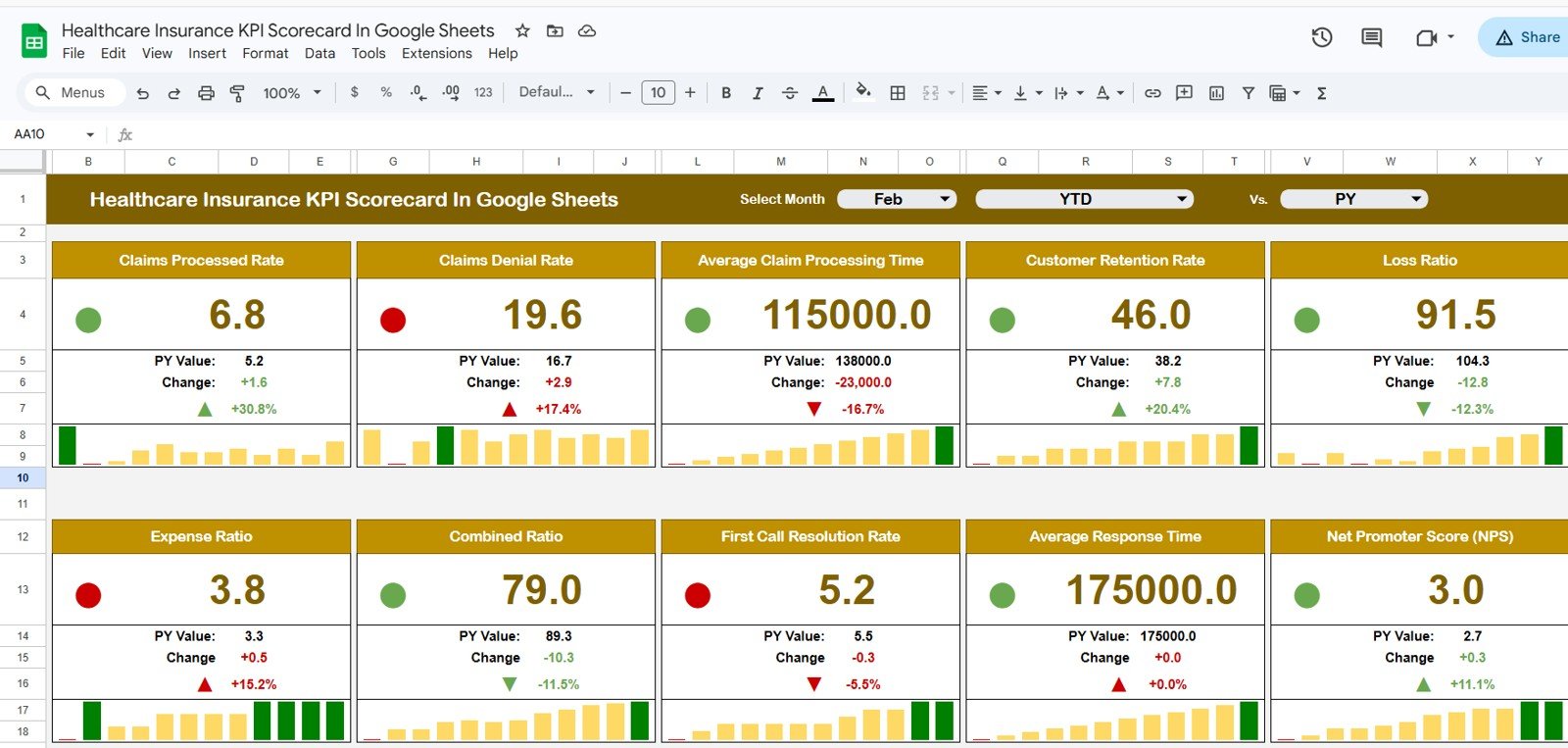
The Scorecard sheet is the main interface for KPI review. You can select the month, choose MTD or YTD analysis, and compare actual performance against target values. The sheet is designed for quick review meetings where leaders need to understand what is improving, what needs attention, and where performance is drifting from plan.
Color-coded indicators make the scorecard easier to scan. Instead of reading every number line by line, stakeholders can quickly identify strong performance, warning areas, and KPIs that need corrective action. This is useful for healthcare insurance operations, claims teams, member services, network management, compliance review, and executive reporting.
2. KPI Trend Sheet
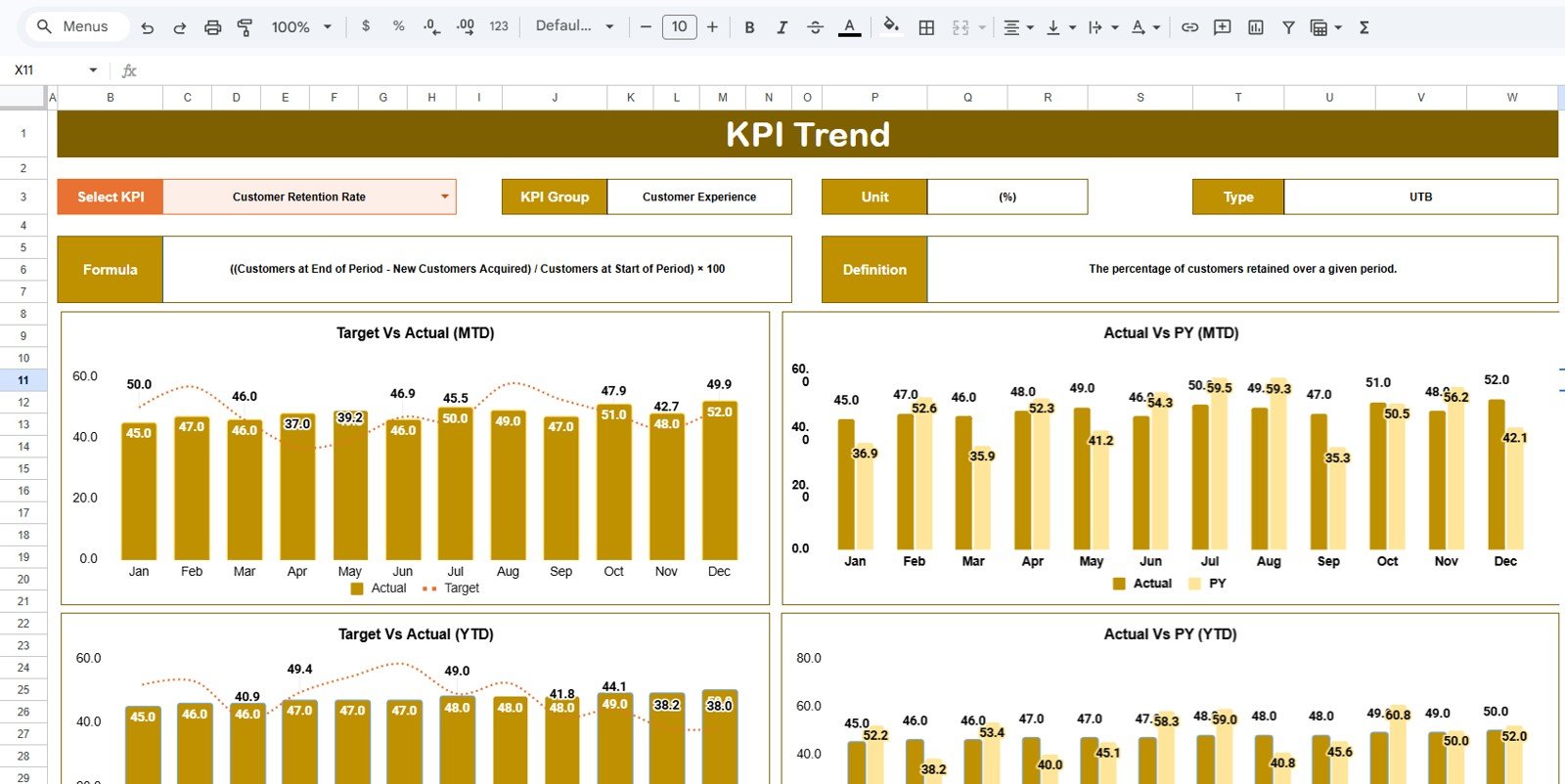
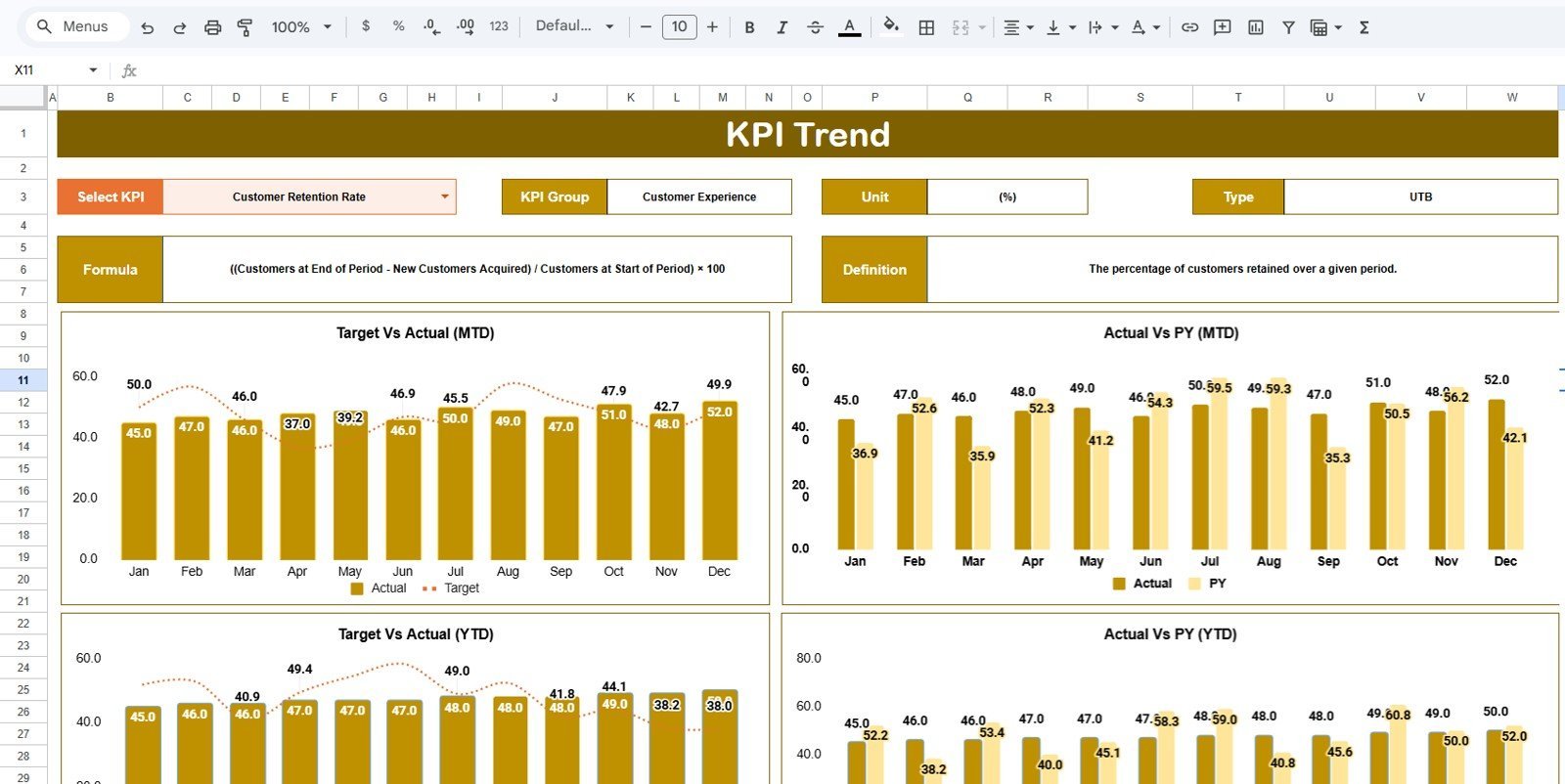
The KPI Trend sheet lets you select a KPI name from the dropdown available in range C3. Once a KPI is selected, the sheet displays the KPI group, unit, KPI type, formula, and definition. The KPI type helps clarify whether a higher value is better or a lower value is better, which is especially important when comparing metrics such as claim turnaround time, denial rate, complaint rate, cost ratio, utilization, and customer satisfaction.
The sheet also displays MTD and YTD trend charts for Actual, Target, and PY numbers. This helps you understand whether performance is improving over time, falling behind target, or following a seasonal pattern. The trend view is especially useful when a single monthly result does not tell the full story.
3. Input Data Sheet
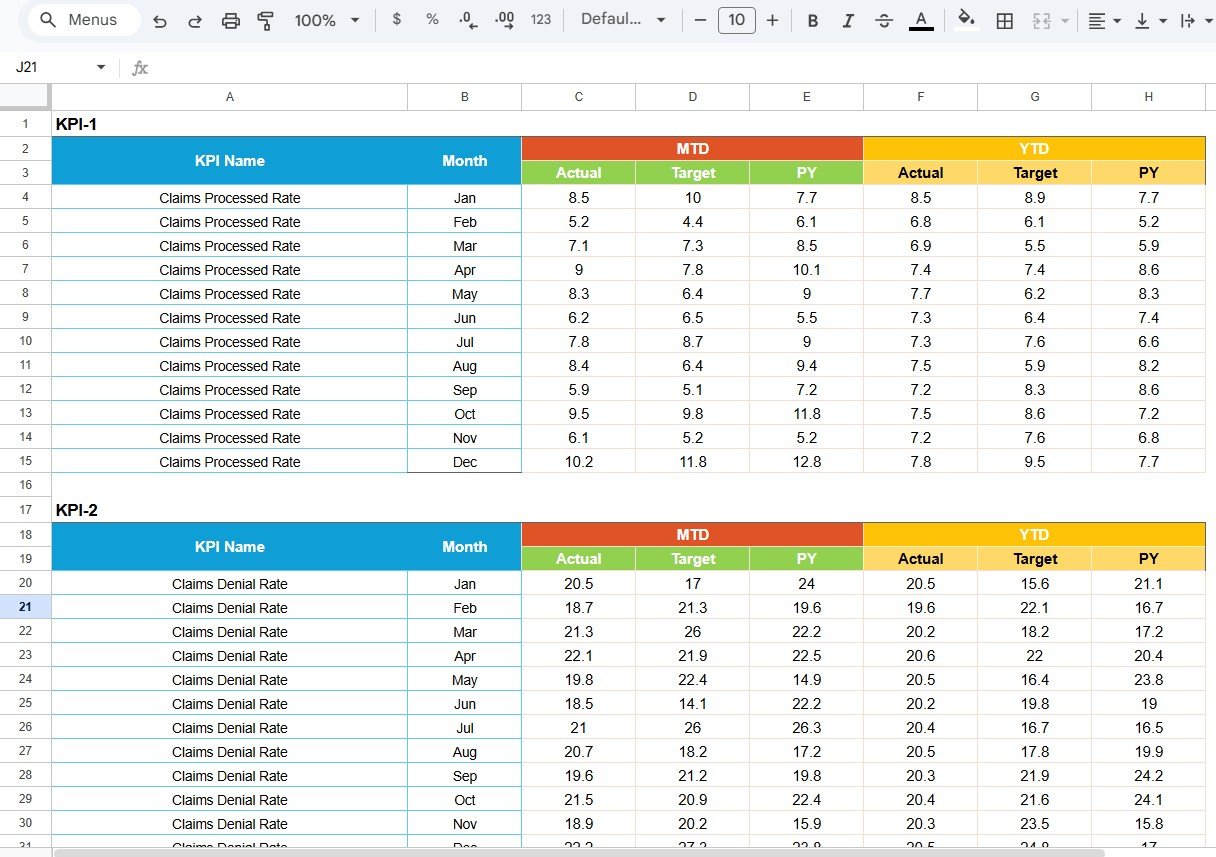
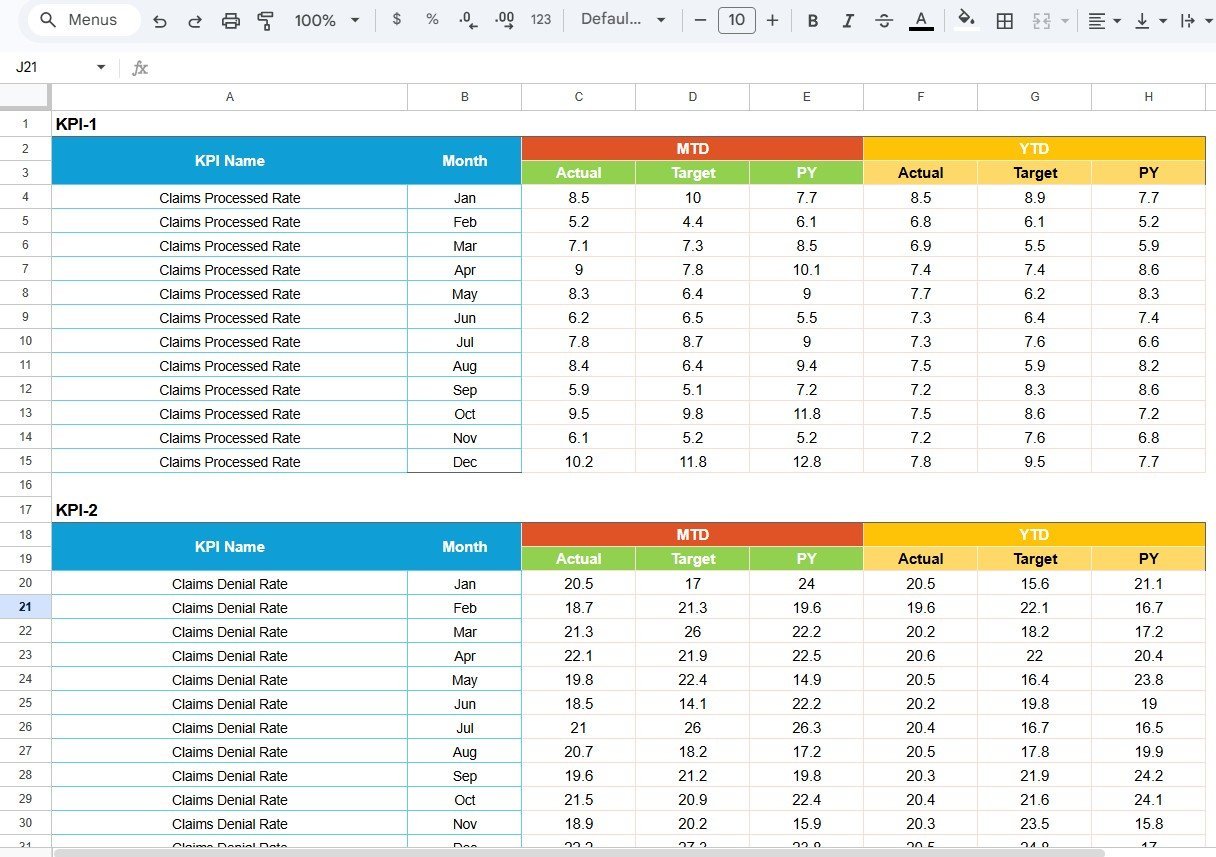
The Input Data sheet is where you enter the KPI data that feeds the scorecard and trend pages. You can record actual values, targets, and prior-year values for each KPI and month. As new results become available, you can update the data and keep the scorecard current without rebuilding formulas or charts.
This setup makes the template flexible for monthly reporting, quarterly business reviews, operational performance monitoring, and leadership updates. You can adapt the KPI list to your own healthcare insurance process, then continue using the same reporting structure month after month.
4. KPI Definition Sheet
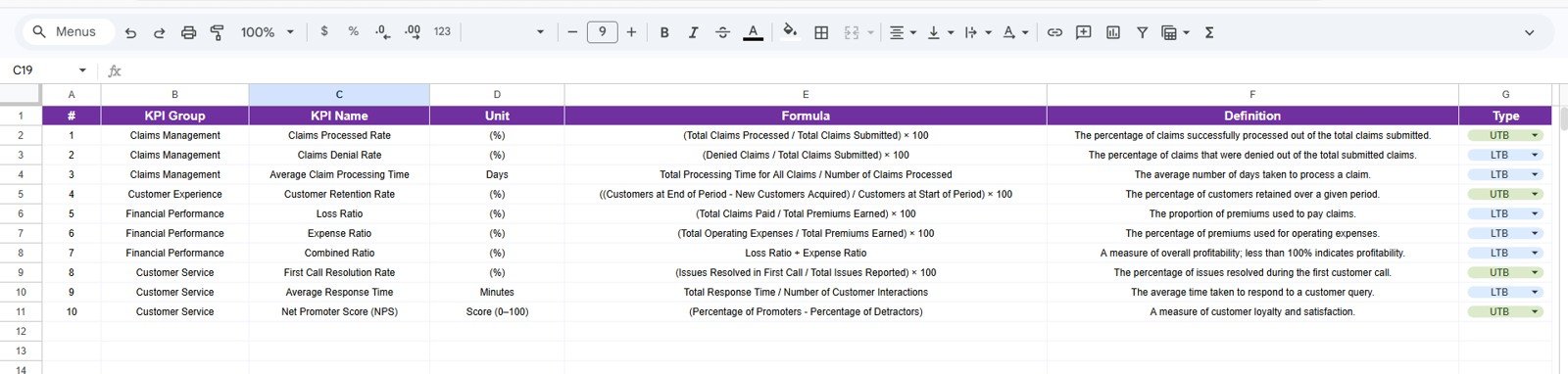
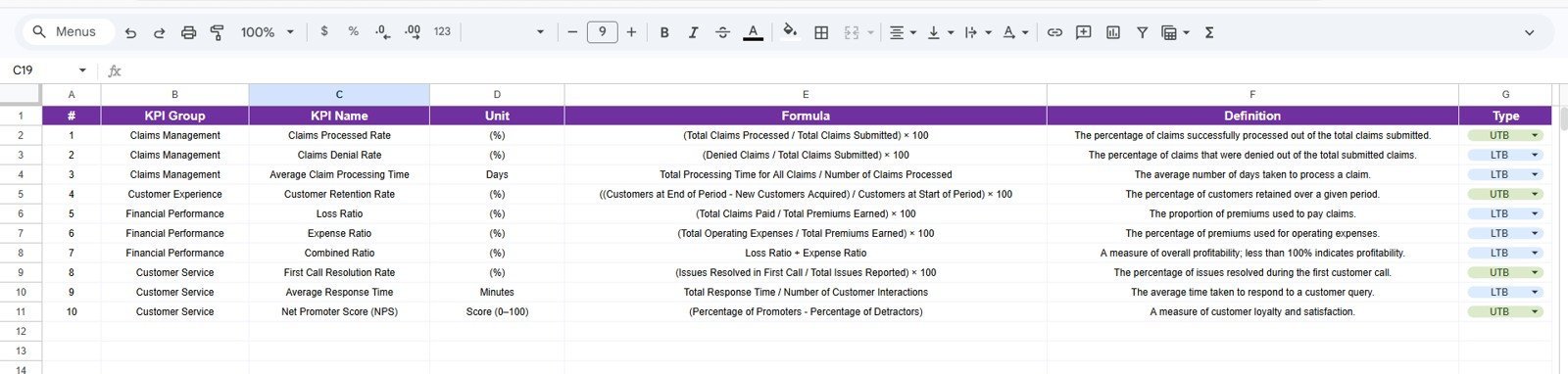
The KPI Definition sheet is the control area for KPI setup. Enter the KPI name, KPI group, unit, formula, KPI type, and KPI definition. This keeps the scorecard consistent and helps everyone understand how each metric should be read.
For healthcare insurance teams, clear definitions matter. A metric such as claim approval rate, denial rate, cost per claim, member retention, call abandonment, or provider dispute turnaround time can be misunderstood if the formula and unit are not documented. The definition sheet reduces confusion and supports more reliable reporting.
Google Sheets Scorecard vs Spreadsheet From Scratch vs Paid SaaS
A blank spreadsheet gives flexibility, but it also requires you to design the scorecard layout, build formulas, prepare charts, test dropdowns, and maintain formatting. This template gives you a working structure immediately, so you can focus on KPI quality and performance review.
Paid SaaS tools can be powerful, but they may be too large or expensive for teams that only need a practical KPI scorecard. This Google Sheets scorecard gives you a lightweight alternative that can be copied, edited, shared, and reused without monthly platform fees.
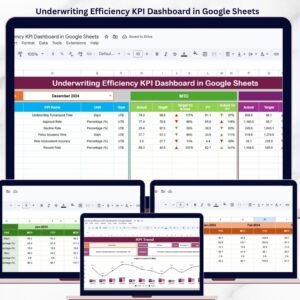
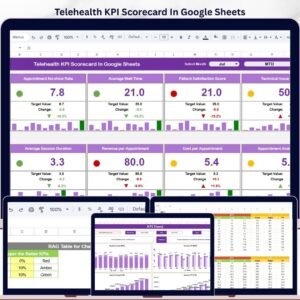
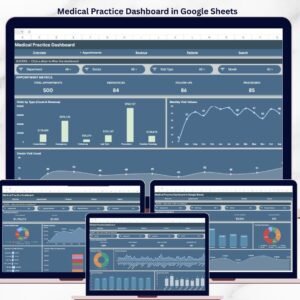
If you need a broader analytics view, you may also like the Healthcare Insurance KPI Dashboard in Google Sheets. For underwriting operations, see the Underwriting Efficiency KPI Dashboard in Google Sheets. Healthcare teams can also explore the Medical Practice Dashboard in Google Sheets and the Telehealth KPI Scorecard in Google Sheets.
Who This Template Is For
- Healthcare insurance operations managers tracking claims, member service, cost, and compliance KPIs.
- Analysts who need a repeatable KPI scorecard for monthly reporting.
- Team leads who want a simple MTD and YTD view for performance discussions.
- Small and mid-sized insurance teams that prefer Google Sheets over heavy reporting software.
- Consultants building a KPI reporting pack for healthcare insurance clients.
Who This Template Is Not For
- Teams that need an automated database-connected BI system on day one.
- Users who do not want to enter or paste KPI data into Google Sheets.
- Organizations that require a fully custom workflow, permissions model, and approval system.
How To Use This KPI Scorecard
- Open the PDF guide included with your purchase and use the Google Sheets copy link.
- Create your own editable copy in Google Drive.
- Review the KPI Definition sheet and update KPI names, groups, formulas, and definitions if needed.
- Enter monthly Actual, Target, and PY values in the Input Data sheet.
- Use the Scorecard sheet to review MTD and YTD performance.
- Select individual KPIs in the KPI Trend sheet to study historical movement.
Real-World Use Cases
- Claims performance review: Monitor claim processing time, claim approval rate, denial rate, backlog, and rework.
- Member service tracking: Review call handling, complaint rate, response time, satisfaction, and retention KPIs.
- Cost and utilization monitoring: Track cost per claim, medical loss trends, utilization rates, and variance against target.
- Executive reporting: Prepare a consistent monthly KPI view for leadership meetings.
- Quality and compliance review: Keep operational measures visible and easier to discuss with stakeholders.
FAQs
Is this a Google Sheets template?
Yes. This scorecard is built for Google Sheets. After purchase, use the included PDF guide to open the copy link and create your own editable file.
Can I change the KPI names?
Yes. You can update the KPI Definition sheet with your own KPI names, groups, units, formulas, and definitions.
Does it include MTD and YTD views?
Yes. The Scorecard sheet supports MTD and YTD analysis, and the KPI Trend sheet shows MTD and YTD trend charts.
Do I need advanced Google Sheets skills?
No. The template is designed to be practical and ready to use. Basic spreadsheet editing is enough for most updates.
Is this a subscription?
No. This is a one-time purchase.
About The Author
Built by PK – Microsoft Certified Professional with 15+ years of Excel, Google Sheets, and Power BI experience. Founder of NextGenTemplates, reaching 300K+ subscribers across YouTube channels. Every template is hand-built and tested before release.
Explore Related Templates
Explore more Google Sheets templates and Google Sheets KPI dashboard templates on NextGenTemplates.
Get The Healthcare Insurance KPI Scorecard
Use the Healthcare Insurance KPI Scorecard In Google Sheets to organize healthcare insurance KPIs, review MTD and YTD performance, compare actuals against targets, and keep definitions documented in one reusable scorecard.
Last updated: May 18, 2026











Reviews
There are no reviews yet.