



Growing your business should be exciting—not chaotic! The Business Expansion Outline Checklist in Excel is your go-to digital tool for turning complex business growth plans into clear, actionable steps. Whether you’re opening new locations, launching a product, or scaling your operations, this powerful Excel-based checklist keeps everything on track from start to finish. ✅
Gone are the days of scattered notes, forgotten deadlines, and unclear responsibilities. With this ready-to-use, visually structured template, you’ll always know what needs to be done, who’s doing it, and how far you’ve come. 🧠📊
Let’s dive into what makes this tool a must-have for every business expansion project.
✨ Key Features of Business Expansion Outline Checklist
🟩 Auto-Progress Dashboard

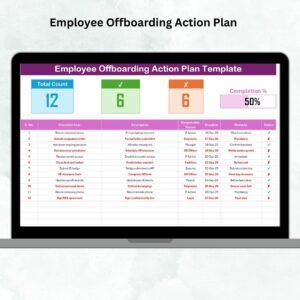
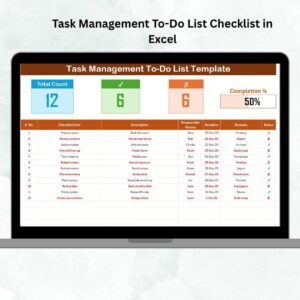
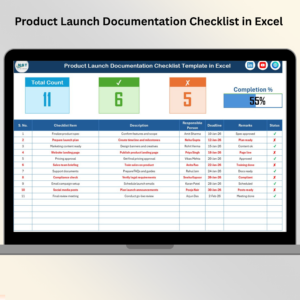
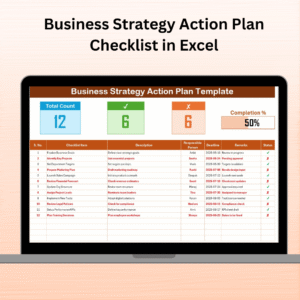
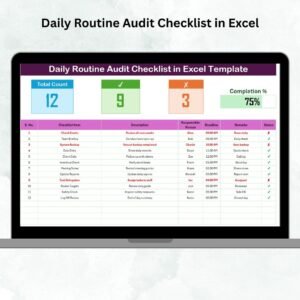
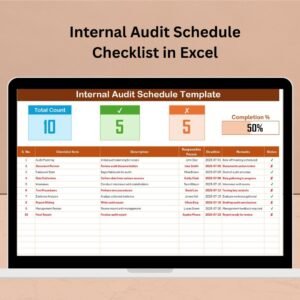
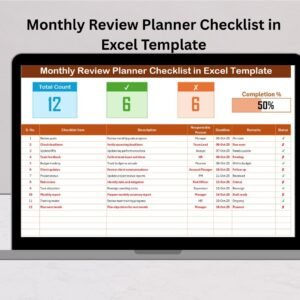
Track your progress instantly with a built-in dashboard showing completed, pending, and skipped tasks—along with a dynamic progress bar.
🧑💼 Responsible Person Dropdown
Assign tasks clearly with a dropdown of team members to ensure accountability and eliminate confusion.
📆 Deadline Tracker
Stay on top of every deadline with a dedicated column and visual alerts to avoid delays.
✔️ Status Symbols
Use check (✔) for completed and cross (✘) for cancelled tasks—making it visually easy to track progress.
📋 Editable Columns
Customize columns such as task description, remarks, and status as per your project needs.
📑 Prebuilt Sheets
Includes two smartly connected sheets: the Main Checklist and the Responsible Person List for error-free selections.
📦 Fully Excel Compatible
No special tools required. Just open in Excel 2013 or later and start planning immediately.
📂 What’s Inside the Business Expansion Checklist
This Excel template comes with two core sheets, designed for ease of use:
🗂️ 1. Business Expansion Outline Checklist Sheet
The main sheet where all planning takes place. It includes:
✅ Auto-calculated Total Task Count
✅ Completed & Cancelled Task Count
✅ Progress Bar
✅ Serial Numbers
✅ Task Details with Descriptions
✅ Assigned Team Members
✅ Deadline Column
✅ Status Markers (✔/✘)
✅ Remarks Section
🧾 2. List Sheet Tab
This sheet holds a dropdown-friendly list of all responsible team members. Update it anytime, and the main checklist reflects those changes. Say goodbye to typing errors!
🛠️ How to Use the Business Expansion Checklist
🔍 Start by brainstorming all expansion-related tasks
👥 Assign each task to a team member from the dropdown list
🗓️ Set realistic deadlines for each task
✅ Update the checklist status with check or cross symbols
📊 Track progress using the auto-updating dashboard at the top
🗂️ Duplicate the file for each new expansion plan or branch rollout
No complex formulas. No learning curve. Just plug and play!
👨💼 Who Can Benefit from This Product?
🎯 Small Business Owners – Plan and track store openings or product launches
📍 Franchise Managers – Coordinate multi-location rollouts smoothly
📦 Operations Leaders – Handle new line expansions and resource planning
🚀 Startups – Manage internal scaling projects and onboarding
📈 Consultants – Use it as a project framework for client growth plans
Whether you’re managing one expansion or many, this checklist will help you stay organized, consistent, and efficient.
🔗 Click here to read the Detailed blog post
🎥 Visit our YouTube channel to learn step-by-step video tutorials
Watch the step-by-step video tutorial:
Compatibility and Requirements
- Works in Microsoft Excel desktop (Excel 2013 or later, or Microsoft 365).
- New to Excel? Microsoft’s Excel for Windows training covers the basics.
Frequently Asked Questions
Which sheets are in the file?
Two: the Business Expansion Outline Checklist sheet, where planning happens, and the List sheet, which holds the responsible team members.
What does the dashboard at the top show?
Total tasks, completed and cancelled counts, and a progress bar that updates as you mark tasks.
How do I mark task status?
Use a check (✔) for completed tasks and a cross (✘) for cancelled ones.
How do I assign tasks?
Pick a team member from the responsible person dropdown. Update the List sheet and the dropdown follows.
Can I use it for more than one expansion?
Yes. Duplicate the file for each new expansion plan or branch rollout.
Related Business Expansion Templates
- Business Expansion Checklist in Google Sheets: an expansion checklist in Google Sheets
- Business Expansion Action Plan Checklist in Excel: turn the plan into actions
- Business Expansion Schedule Checklist in Excel: schedule each expansion step
- Business Expansion Audit Checklist in Excel: review the expansion once it is done
- Checklist & SOP Pack: 12 checklist templates in one download
Browse all Excel checklists or the Excel project management templates.


















Reviews
There are no reviews yet.