

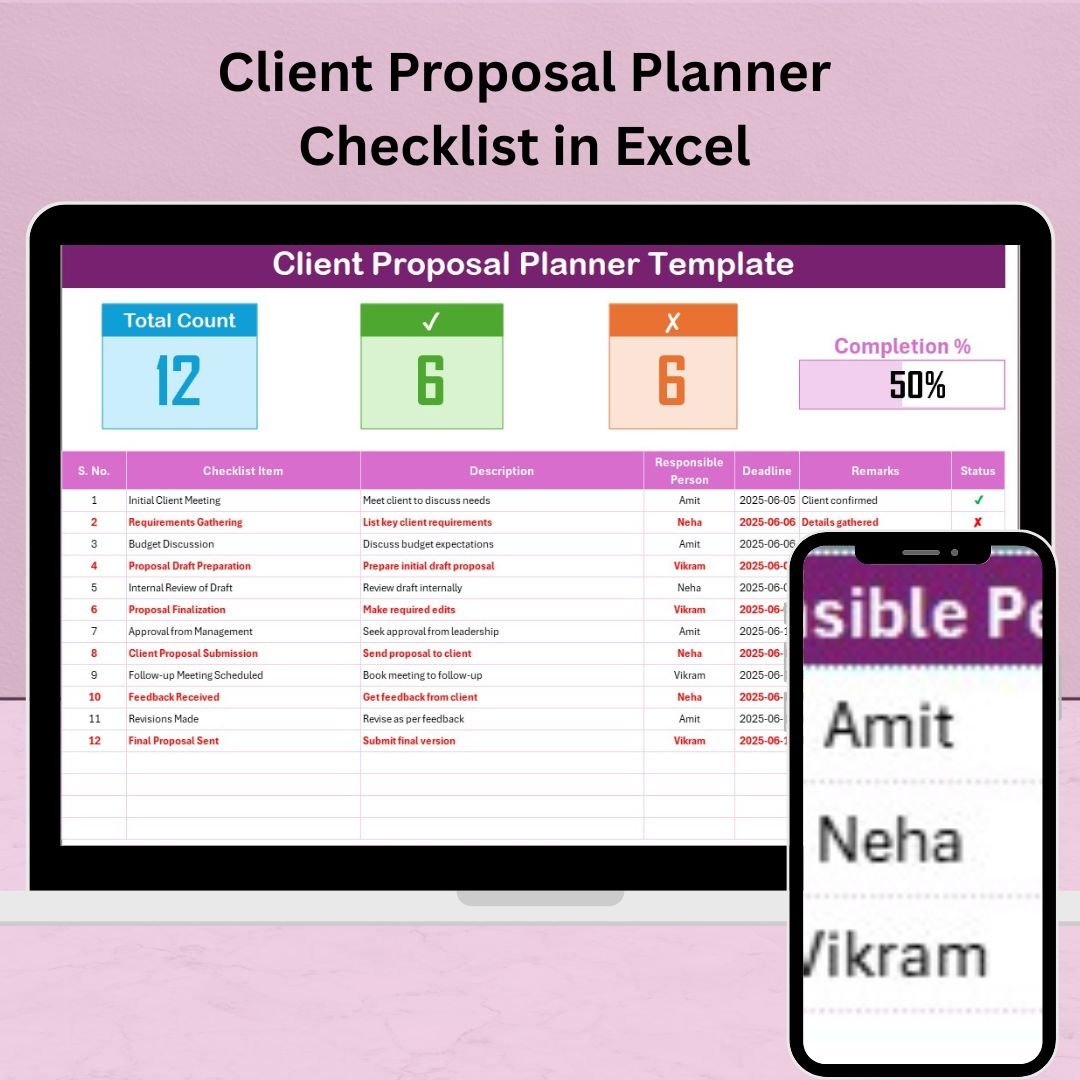

Preparing client proposals often involves juggling deadlines, aligning multiple team members, and managing dozens of moving parts. That’s where the Client Proposal Planner Checklist in Excel steps in—a powerful, ready-to-use tool designed to streamline your entire proposal process from start to finish.
This template brings structure, clarity, and accountability to your proposal planning process—whether you’re a freelancer drafting a simple quote or a corporate team coordinating a multi-page RFP.
Built in Excel with intuitive dropdowns, automation, and a real-time progress bar, this checklist keeps you focused and ensures nothing slips through the cracks.
📌 Key Features
✅ 1. Client Proposal Checklist Sheet
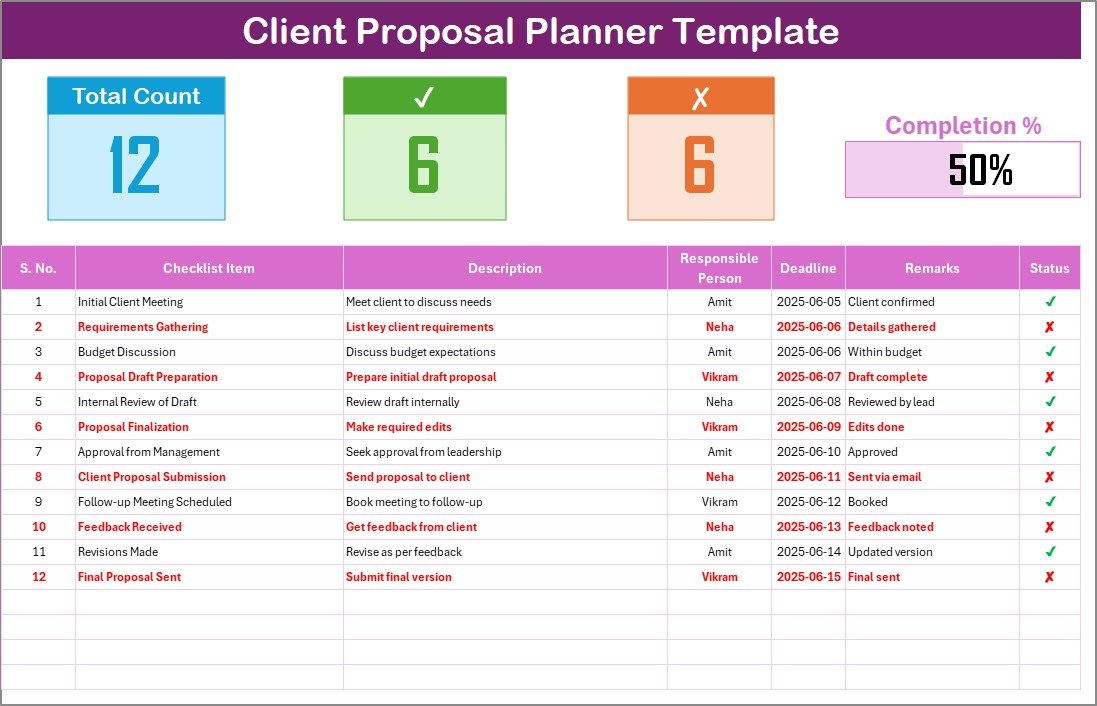
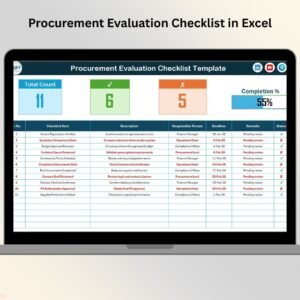
The core of the template where you manage all your proposal tasks with:
Checklist Items and concise Descriptions
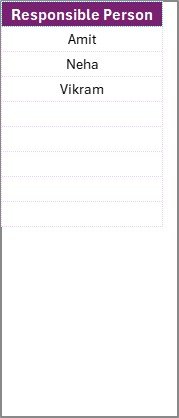
Responsible Person dropdown (linked to a dynamic list)
Deadlines, Status (✔ or ✘), and Remarks
Summary Section showing:
Total checklist items
Completed vs. Pending tasks
A visual Progress Bar that updates automatically
📋 2. List Sheet
Stores a clean list of responsible persons for dropdown consistency—avoiding name typos and improving data accuracy.
🌟 Advantages
⚡ Boosts Team Efficiency – Streamlined task tracking reduces delays and overlaps
👤 Improves Accountability – Each task is assigned to one clear owner
🎯 Keeps Everyone on Deadline – Visual reminders and automated tracking help you deliver on time
📊 Real-Time Progress – Live progress bar gives an instant overview of proposal status
🛠️ Fully Customizable – Add priorities, conditional formatting, filters, or integrate with Gantt charts and dashboards
👥 Who Should Use It?
Freelancers and Consultants
Sales and Marketing Teams
Project Managers and Proposal Writers
Agencies, Startups, and Corporate Teams
Any professional preparing client deliverables
🧠 Best Practices
Use short, clear checklist items to avoid confusion
Update the status daily to stay on track
Assign only one person per task to ensure accountability
Use the Remarks field for comments or special notes
Customize columns for priority, client name, or budget indicators
🔁 Reusability
Create one template and duplicate it per client—you’ll save time and preserve consistency across all your proposals. Simply update tasks, reassign responsibilities, and adjust deadlines.
📦 What’s Included?
Excel Template (.xlsx)
2 Sheets: Checklist and List
Built-in dropdowns and summary calculations
Visual progress tracker
Ready for personal or team use
Works with Excel 2013 and later
🙋 Frequently Asked Questions (FAQs)
Q1: Is this template customizable?
Yes, you can tailor checklist items, rename columns, add new fields, or color-code based on priority.
Q2: Can I use this for multiple clients?
Absolutely! Just duplicate the file and customize it for each new client.
Q3: Will this work in Google Sheets?
Yes, you can upload the Excel file to Google Sheets with minor adjustments.
Q4: Can I collaborate with others using this file?
Yes. Share it through cloud services like OneDrive or Google Drive.
Q5: Is this mobile-friendly?
While best used on desktop, it’s viewable and editable using Excel mobile apps.
🎥 Watch the walkthrough tutorial here:
youtube.com/@PKAnExcelExpert
Watch the step-by-step video tutorial:
Compatibility and Requirements
- Works in Microsoft Excel desktop (Excel 2016 or later, or Microsoft 365).
- The Responsible Person column uses dropdowns fed by the List sheet. Microsoft explains how in Create a drop-down list.
More Questions About This Template
Which sheets are included?
Two sheets: Checklist and List. The Checklist sheet holds the tasks and the summary. The List sheet holds the names used in the Responsible Person dropdown.
What does the summary show?
It shows the total checklist items, the completed and pending tasks, and a progress bar that updates automatically.
Is there a Google Sheets version for tracking proposals or clients?
Yes. See the Client Follow-Up Checklist in Google Sheets for tracking client follow-ups in Google Sheets.
Are there other client proposal checklists in Excel?
Yes. See the Client Proposal Checklist Template in Excel and the Client Proposal Tracking Checklist in Excel.
Related Client Proposal Templates
- Client Proposal Checklist Template in Excel: another checklist for proposal tasks
- Client Proposal Tracking Checklist in Excel: a checklist for tracking proposal status
- Client Proposal Review Checklist in Excel: a checklist for reviewing a proposal before it goes out
- Client Follow-Up Checklist in Google Sheets: client follow-ups in Google Sheets
- Project Management Planner Checklist in Excel: a planner checklist for projects after the proposal is won
Browse all Excel checklist templates.
























Reviews
There are no reviews yet.