



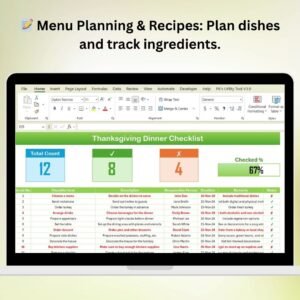
The Thanksgiving Dinner Checklist in Excel is a must-have tool for anyone hosting a Thanksgiving meal. Whether you’re preparing a large feast for friends and family or a small, intimate dinner, this Excel-based checklist helps you stay organized and on track throughout the preparation process. From menu planning to grocery shopping and recipe preparation, this checklist ensures that nothing is overlooked, and your Thanksgiving dinner goes smoothly.
The template is fully customizable to fit your specific meal requirements, dietary preferences, and portion sizes. It helps you manage all the tasks, keep track of cooking times, and organize your grocery list, making it easier than ever to prepare a delicious Thanksgiving dinner while reducing stress.
Key Features of the Thanksgiving Dinner Checklist in Excel
📝 Menu Planning & Recipe Organization
Plan your entire Thanksgiving menu and organize recipes for appetizers, mains, sides, and desserts. Keep a list of all ingredients, quantities, and instructions for each dish to ensure everything comes together perfectly.
📅 Task & Time Management
Use the checklist to assign cooking and preparation tasks, set deadlines, and ensure everything is completed on time. Manage time effectively by tracking how long each dish takes to prepare and cook.
🍴 Guest List & Special Dietary Needs
Keep track of your guest list and their dietary preferences or restrictions. Whether someone is vegetarian, gluten-free, or has other food requirements, this checklist allows you to plan your menu accordingly.
🛒 Grocery Shopping List
Create a detailed grocery shopping list with ingredients categorized by type (vegetables, meats, dairy, etc.). This ensures that you don’t forget anything when you hit the store.
✅ Progress Tracking
Mark off tasks as you complete them, including preparation steps, cooking, and table setup. Stay organized and ensure that you’re on track to serve your guests on time.
⚙️ Customizable & Scalable
The template can be tailored to your specific needs. Whether you’re cooking for 4 or 20, adjust the portions, recipes, and grocery list to suit your Thanksgiving dinner size.
Why You’ll Love the Thanksgiving Dinner Checklist in Excel

✅ Stay Organized from Start to Finish
From menu planning to grocery shopping, track every step of the Thanksgiving dinner preparation process.
✅ Simplify Meal Preparation
Eliminate the chaos of Thanksgiving dinner prep. With everything organized in one place, you’ll be able to focus on creating a memorable meal.
✅ Ensure Timely Meal Completion
Track cooking times and set reminders for when each dish needs to go in the oven, ensuring everything is ready on time.
✅ Accommodate Guest Preferences
Easily adjust your menu and recipes to meet your guests’ dietary preferences and restrictions. No more worrying about whether everyone’s needs are met.
✅ Data-Driven Meal Planning
Use the shopping list and task tracking features to keep things organized, saving time and energy on the big day.
What’s Inside the Thanksgiving Dinner Checklist in Excel?
Menu Planning & Recipe Organization: List all the dishes with their ingredients, quantities, and cooking instructions.
Task Management: Track preparation steps, cooking times, and deadlines for each dish.
Guest List & Dietary Needs: Track guests and their dietary preferences or restrictions.
Grocery Shopping List: Categorize ingredients by type to make shopping easy.
Progress Tracking: Mark tasks as completed to stay on top of everything.
Customizable Layout: Adjust the checklist for any meal size or dietary needs.
How to Use the Thanksgiving Dinner Checklist in Excel
1️⃣ Download the Template: Get instant access to the Thanksgiving Dinner Checklist in Excel.
2️⃣ Plan Your Menu: Add your menu items and recipes for each dish.
3️⃣ Track Guest Preferences: Input your guest list and dietary needs to customize the menu.
4️⃣ Create Your Grocery List: Add all required ingredients to the shopping list and categorize them.
5️⃣ Monitor Progress: Mark tasks as complete and track cooking times to ensure everything is ready on time.
Who Can Benefit from the Thanksgiving Dinner Checklist in Excel?
🔹 Home Cooks & Hosts
🔹 Professional Chefs Catering Thanksgiving Dinners
🔹 Large Families & Extended Families Hosting Dinner
🔹 Dinner Party Hosts
🔹 Event Planners
🔹 Those Preparing a Thanksgiving Meal for Special Dietary Needs
Make your Thanksgiving dinner preparation stress-free and enjoyable with the Thanksgiving Dinner Checklist in Excel. Organize every aspect of your meal, from the menu to the grocery list, and ensure a delicious dinner for everyone.
Click here to read the Detailed blog post
Visit our YouTube channel to learn step-by-step video tutorials
Youtube.com/@PKAnExcelExpert
Compatibility and Requirements
- Works in Microsoft Excel desktop (Excel 2016 or later, or Microsoft 365).
- Tasks are marked off as you complete them. Microsoft explains how to use check boxes in Excel.
Frequently Asked Questions
What can I plan with this checklist?
You can plan the menu and recipes, assign preparation tasks and cooking times, track your guest list and dietary needs, and build a grocery shopping list.
Can I plan around guests with dietary needs?
Yes. The template has a place for your guest list and their dietary preferences or restrictions, such as vegetarian or gluten-free, so you can adjust the menu to match.
How is the grocery list organized?
You group ingredients by type, for example vegetables, meats and dairy, so shopping is easier.
Can I use it for a small dinner or a large one?
Yes. You can adjust the portions, recipes and grocery list for a table of 4 or 20.
Is there a Google Sheets version?
This page covers the Excel version. For other checklists in Google Sheets, see the Project Management Checklist in Google Sheets.
Related Checklist Templates
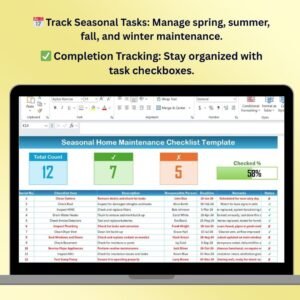
- Seasonal Home Maintenance Checklist Template in Excel: get the house ready for each season
- Hydration Tracker Checklist in Excel: a simple daily checklist for home use
- Monthly Review Checklist in Excel: work through a repeating list of tasks
- Office Cleaning Checklist in Excel: track cleaning tasks as you finish them
- Checklist & SOP Pack: 12 checklist templates for Excel and Google Sheets in one download
Browse all Excel checklist templates.

















Reviews
There are no reviews yet.