


Emergencies can strike at any moment, and when they do, every second counts. Be it a natural disaster, workplace incident, or sudden crisis, the difference between chaos and control lies in preparation. Introducing the Emergency Response To-Do Checklist in Excel—a simple yet powerful tool that helps you take charge during critical moments with confidence. ✅📋
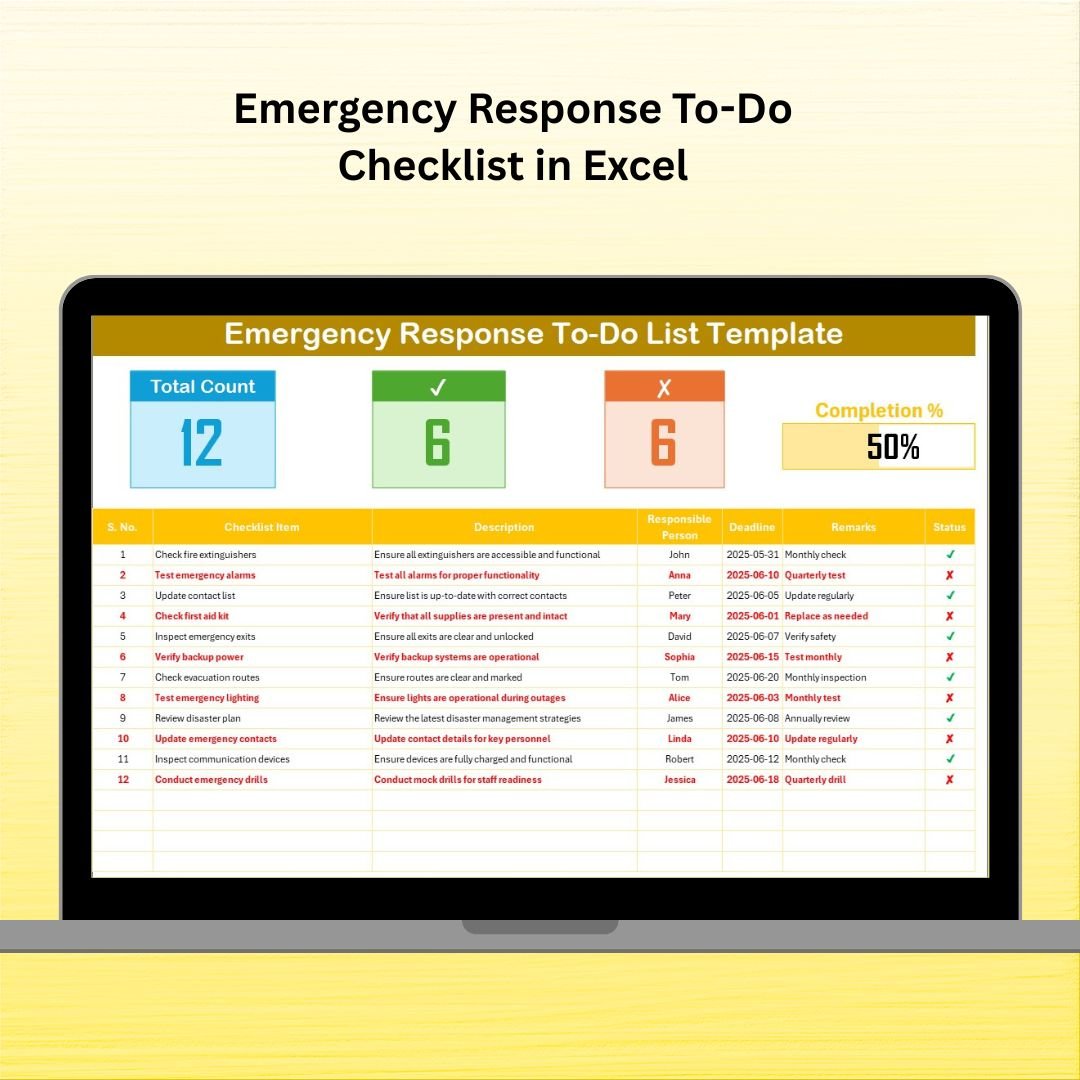
This professionally designed Excel checklist ensures that no essential task is missed. From assigning responsibilities to tracking progress with a visual progress bar, you get everything you need to manage an emergency response plan efficiently. With clear task delegation, real-time tracking, and full customization, your team stays aligned and proactive—even in the most stressful situations.
🚨 Key Features of the Emergency Response To-Do Checklist
📄 2 Smartly Designed Worksheets
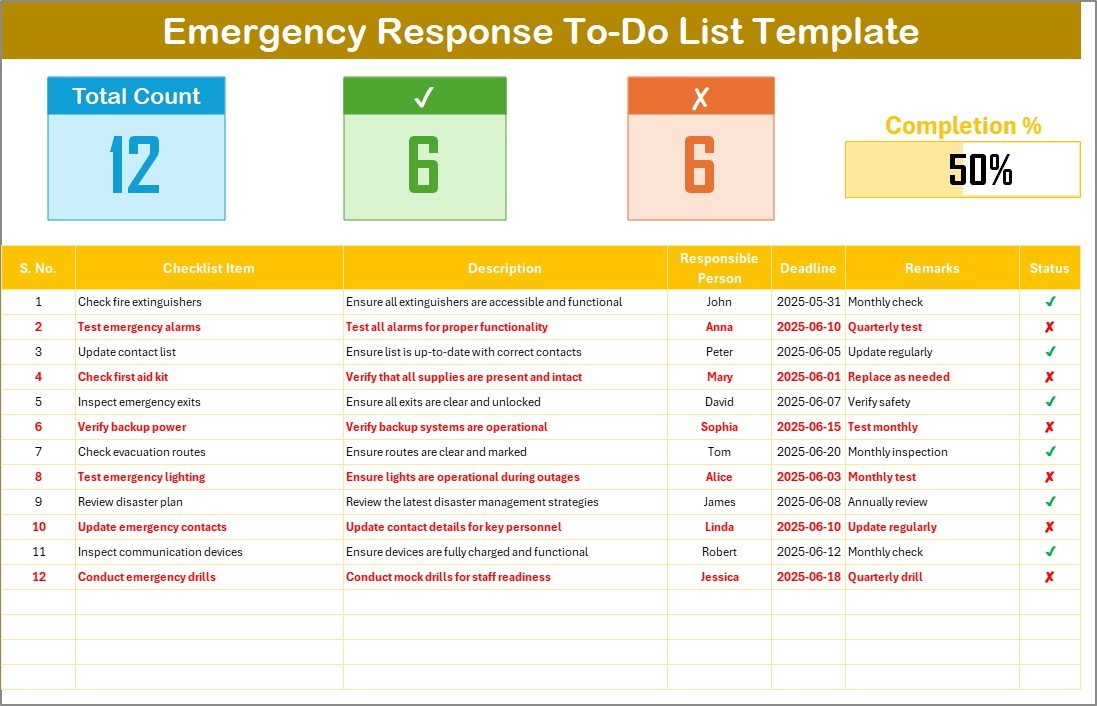
Checklist Sheet: Input and monitor tasks with real-time status.
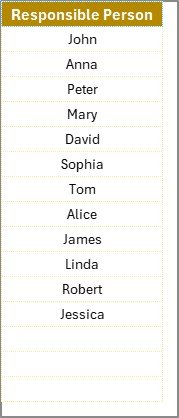
List Sheet: Manage a dropdown list of responsible persons for easy task assignment.
📊 Live Progress Tracking
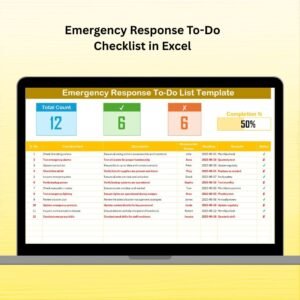
Total Count: Displays total number of tasks.
Checked Count: Highlights completed tasks.
Crossed Count: Tracks canceled or irrelevant tasks.
Progress Bar: Visual display of completion percentage for real-time tracking.
📋 Clean Checklist Table
Serial No., Checklist Item, Description, Responsible Person, Deadline, Remarks, Status
Uses intuitive ✔/✘ indicators for task completion
🎯 Dropdown Lists for Task Assignment
Assign tasks via a simple dropdown menu linked to the “List” sheet
Reduces manual input errors and ensures accountability
💡 Fully Editable and Customizable
Add or remove tasks, update deadlines, or change responsibilities—all without any coding
Make it yours with just a few clicks!
📂 What’s Inside the Product
🔧 Emergency Response To-Do Checklist Sheet:
Central hub for managing tasks during a crisis
Easy-to-understand format with real-time tracking
📋 List Sheet:
Maintain your team roster or responsible individuals
Enables dynamic dropdown selection in the main checklist
📈 Progress Monitoring Tools:
Progress bar that updates automatically
Checked and crossed task counters for quick reviews
🖱 Checkbox Status Control:
Simple and clean interface to mark task statuses as ✔ (completed) or ✘ (not done/canceled)
🛠️ How to Use the Product
1️⃣ Open the file and go to the Checklist Sheet
2️⃣ Start filling in your emergency tasks along with descriptions and deadlines
3️⃣ Use the dropdown menu to assign responsible persons
4️⃣ Mark tasks as completed (✔) or not completed (✘) as updates occur
5️⃣ Monitor overall progress with the automated progress bar
6️⃣ Use the List Sheet to manage or update your task force anytime
👥 Who Can Benefit from This Checklist?
🏢 Office Admins & HR Teams – Coordinate employee safety and emergency drills
🏫 School Administrators – Ensure evacuation and communication tasks are covered
🏥 Healthcare Facilities – Stay ahead with medical emergency readiness
🚒 Emergency Planners – Perfect for public safety and disaster preparedness
🏠 Home Safety Planners – Create a family emergency plan
🛠️ Facility Managers – Manage equipment and site response during emergencies
🔗 Click here to read the Detailed blog post
🎥 Visit our YouTube channel to learn step-by-step video tutorials
Watch the step-by-step video tutorial:
Compatibility and Requirements
- Works in Microsoft Excel desktop (Excel 2016 or later, or Microsoft 365).
- You assign tasks from a dropdown list that reads from the List sheet. Microsoft explains dropdowns in Create a drop-down list.
Frequently Asked Questions
How many sheets does the template have?
Two sheets: the Checklist sheet for tasks and progress, and the List sheet for the people you assign tasks to.
How do I assign a task to someone?
Add the names to the List sheet first. Then pick a name from the dropdown in the Responsible Person column of the Checklist sheet.
What does the progress bar show?
It shows the share of tasks completed. The Total Count, Checked Count and Crossed Count above the table update as you mark each task as done (✔) or cancelled (✘).
Which columns are in the checklist table?
Serial No., Checklist Item, Description, Responsible Person, Deadline, Remarks and Status.
Is there a Google Sheets version?
A related Google Sheets checklist is available: Emergency Response Plan Checklist in Google Sheets.
Related Emergency Response Checklists
- Emergency Response Plan Checklist in Excel: a checklist for building your response plan
- Emergency Response Tracking Checklist in Excel: follow response tasks as they progress
- Emergency Response Documentation Checklist in Excel: keep records of what was done
- Emergency Response Plan Checklist in Google Sheets: the same topic in Google Sheets
Browse all Excel checklists.
































Reviews
There are no reviews yet.