



The Weekly Reflection Documentation Checklist in Excel is a powerful tool for individuals, teams, and organizations looking to track and reflect on their weekly progress. This Excel-based checklist helps you document your achievements, challenges, goals, and areas for improvement each week, promoting continuous growth and productivity. It is perfect for anyone seeking to stay organized, enhance personal development, and maintain a clear record of their weekly activities.
Whether you’re a student, professional, or part of a team, the Weekly Reflection Documentation Checklist in Excel enables you to reflect on your week, identify patterns, and make adjustments to improve your performance and well-being. This tool helps you set goals, track progress, and stay focused on your long-term aspirations while optimizing your weekly routines.
Key Features of the Weekly Reflection Documentation Checklist in Excel
📝 Track Weekly Goals & Achievements
Document your goals at the beginning of the week and track your achievements by the end. This allows you to measure progress, stay motivated, and adjust your approach to stay on track.
⚡ Identify Challenges & Areas for Improvement
Reflect on challenges you encountered during the week and note areas where you can improve. This feature helps you to learn from setbacks and optimize your approach for future success.
📅 Weekly Review & Priorities
Conduct a weekly review to evaluate your progress. List your top priorities for the coming week and ensure that you’re focused on the tasks that will help you achieve your long-term goals.
📈 Monitor Productivity & Time Management
Assess your productivity by tracking how well you managed your time throughout the week. This insight helps you identify time-wasting activities and focus on high-priority tasks.
📊 Interactive & Customizable Dashboard
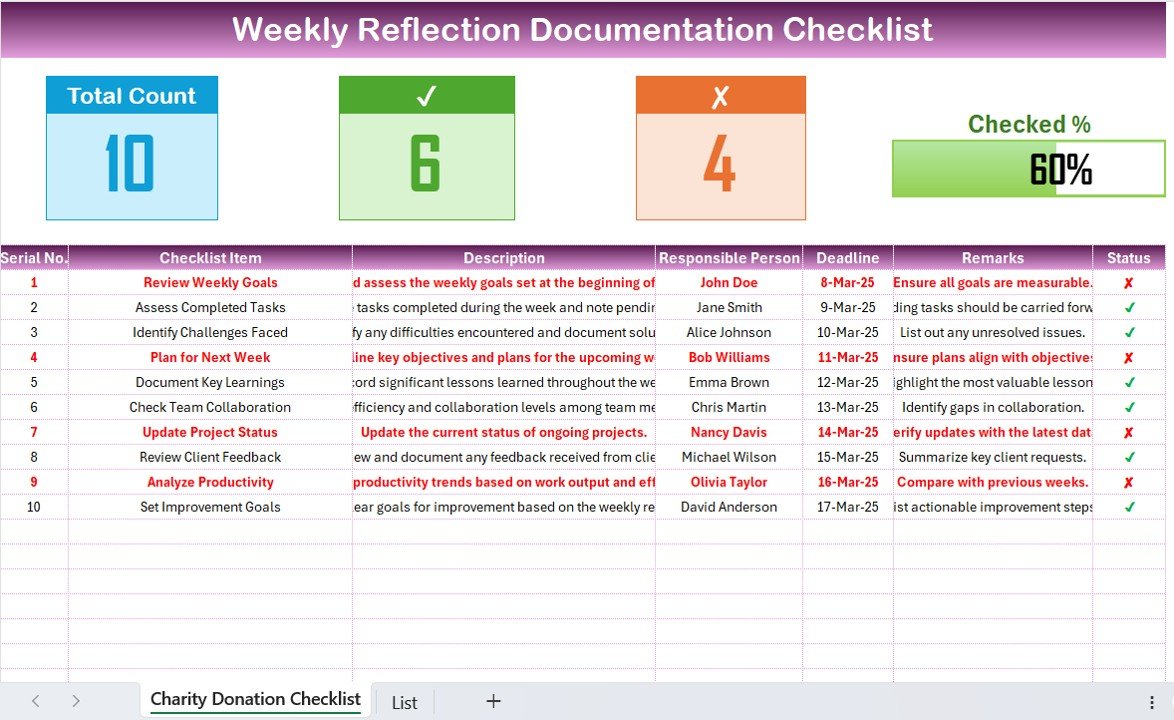
The Excel checklist provides a clean and user-friendly interface, with dynamic charts, filters, and customizable elements to suit your personal or team needs. Use it to track progress, identify areas for improvement, and visualize your weekly performance.
Why You’ll Love the Weekly Reflection Documentation Checklist in Excel
✅ Track Weekly Progress
Keep track of your goals and achievements to stay focused and motivated. This tool helps you measure progress on a weekly basis and make necessary adjustments to optimize your productivity.
✅ Identify Challenges & Improvement Areas
Reflect on the challenges faced and note areas where you can improve. This helps you turn setbacks into learning opportunities for personal growth.
✅ Set Clear Weekly Goals
Set clear and actionable goals for each week. With this checklist, you’ll have a better understanding of what you want to achieve and how to prioritize your tasks.
✅ Enhance Productivity & Time Management
Use the checklist to assess your productivity, track time management, and ensure that you’re dedicating your time to the most impactful tasks.
✅ Data-Driven Decision Making
Use the insights gained from the checklist to make informed decisions about how to improve your work habits, time management, and overall productivity for the upcoming week.
What’s Inside the Weekly Reflection Documentation Checklist Template?
- Weekly Goal Tracking: Set and track your weekly goals and objectives.
- Challenge & Improvement Log: Reflect on challenges and identify areas for improvement.
- Priority Setting: List top priorities for the upcoming week.
- Productivity & Time Management: Assess productivity and manage time effectively.
- Real-Time Insights: Track and analyze weekly performance to optimize productivity.
- Customizable Checklist: Tailor the checklist to your specific needs and goals.
How to Use the Weekly Reflection Documentation Checklist in Excel
1️⃣ Download the Template: Get instant access to your Weekly Reflection Documentation Checklist in Excel.
2️⃣ Input Your Data: Enter your goals, achievements, challenges, and productivity data into the checklist.
3️⃣ Track & Reflect: Use the checklist to track weekly progress and reflect on challenges and improvements.
4️⃣ Analyze & Optimize: Use insights to adjust your approach, enhance productivity, and stay on track with your goals.
Who Can Benefit from the Weekly Reflection Documentation Checklist in Excel?
🔹 Individuals Seeking Personal Growth & Productivity
🔹 Students & Learners
🔹 Professionals Looking to Enhance Time Management
🔹 Teams & Organizations Focusing on Continuous Improvement
🔹 Coaches & Mentors Supporting Personal Development
🔹 Anyone Who Wants to Reflect on Weekly Progress & Achievements
Streamline your personal or professional development with the Weekly Reflection Documentation Checklist in Excel. Track goals, identify challenges, and enhance productivity for continuous improvement.
Click here to read the Detailed blog post
Visit our YouTube channel to learn step-by-step video tutorials
Youtube.com/@PKAnExcelExpert
Watch the step-by-step video Demo:
Compatibility and Requirements
- Works in Microsoft Excel desktop (Excel 2016 or later, or Microsoft 365).
- New to Excel? Microsoft’s Excel for Windows training covers the basics.
Frequently Asked Questions
What does the checklist cover?
Weekly goals, challenges and areas to improve, top priorities for the coming week, and productivity and time management.
What do I enter each week?
Your goals, achievements, challenges and productivity notes.
Can I change the checklist items?
Yes. You can tailor the checklist to your own needs and goals.
How often should I use it?
Once a week, to track progress and reflect on what went well and what to improve.
Related Weekly Reflection Checklists
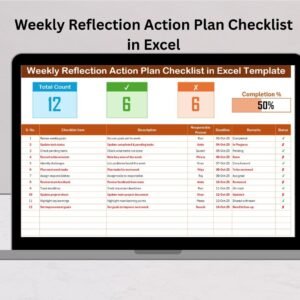
- Weekly Reflection Action Plan Checklist in Excel: turn your reflection into an action plan
- Weekly Reflection Evaluation Checklist in Excel: evaluate the week against your goals
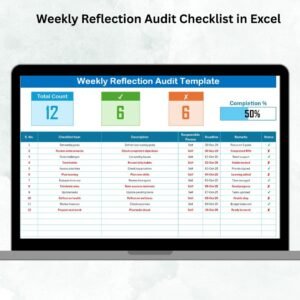
- Weekly Reflection Audit Checklist in Excel: audit your weekly routine
- Weekly Reflection Action Plan Checklist in Google Sheets: an action plan checklist in Google Sheets
- Checklist & SOP Pack: 12 checklist templates for Excel and Google Sheets in one download
Browse all Excel checklists.





























Reviews
There are no reviews yet.