

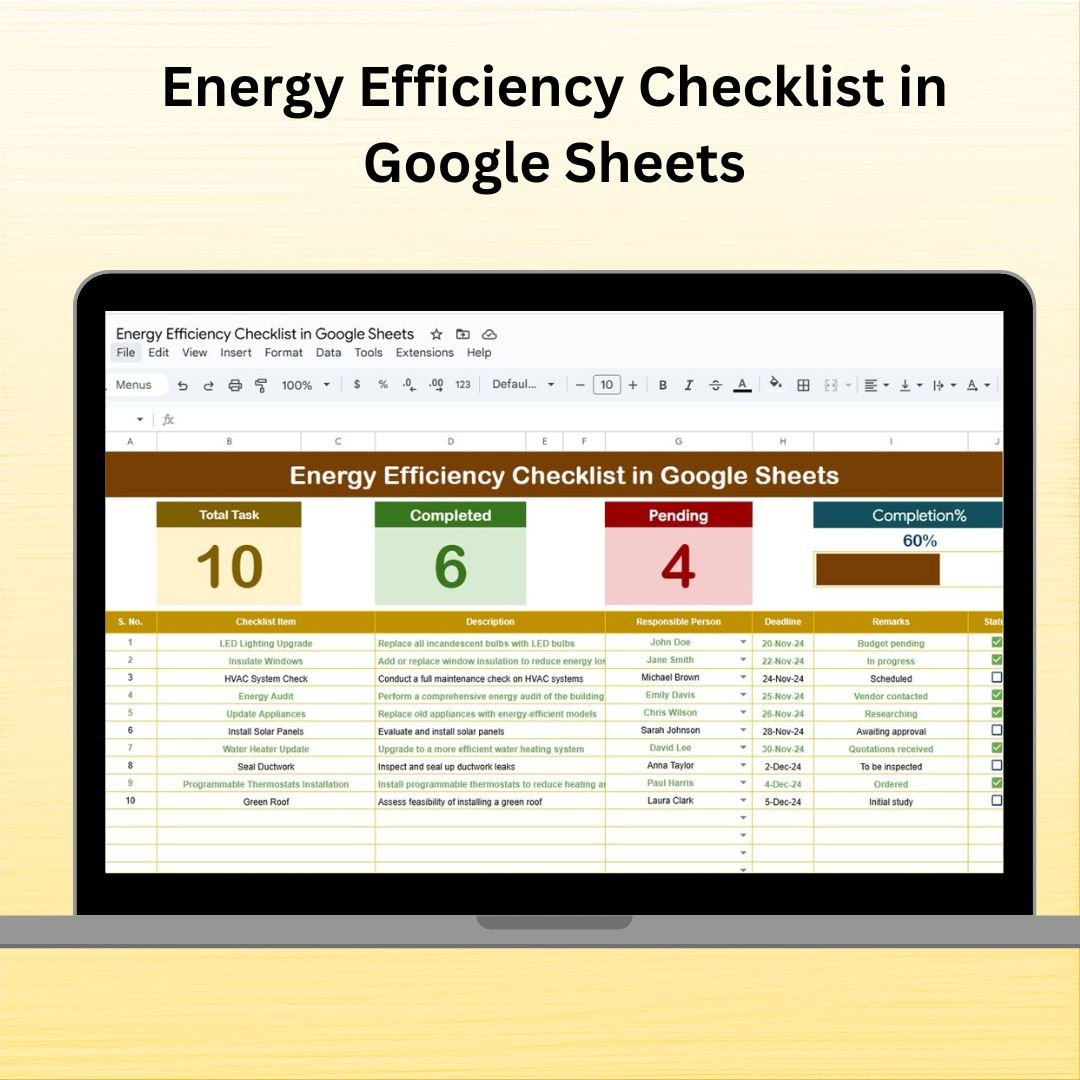

Take control of your sustainability initiatives and reduce energy waste with our Energy Efficiency Checklist in Google Sheets ✅. This interactive, ready-to-use template is your all-in-one solution to plan, track, and manage energy-saving tasks across departments. Whether you’re managing a corporate office, educational institution, manufacturing unit, or public facility—this tool helps you make energy efficiency measurable, manageable, and achievable! 🌱📊
⚙️ Key Features of Energy Efficiency Checklist in Google Sheets
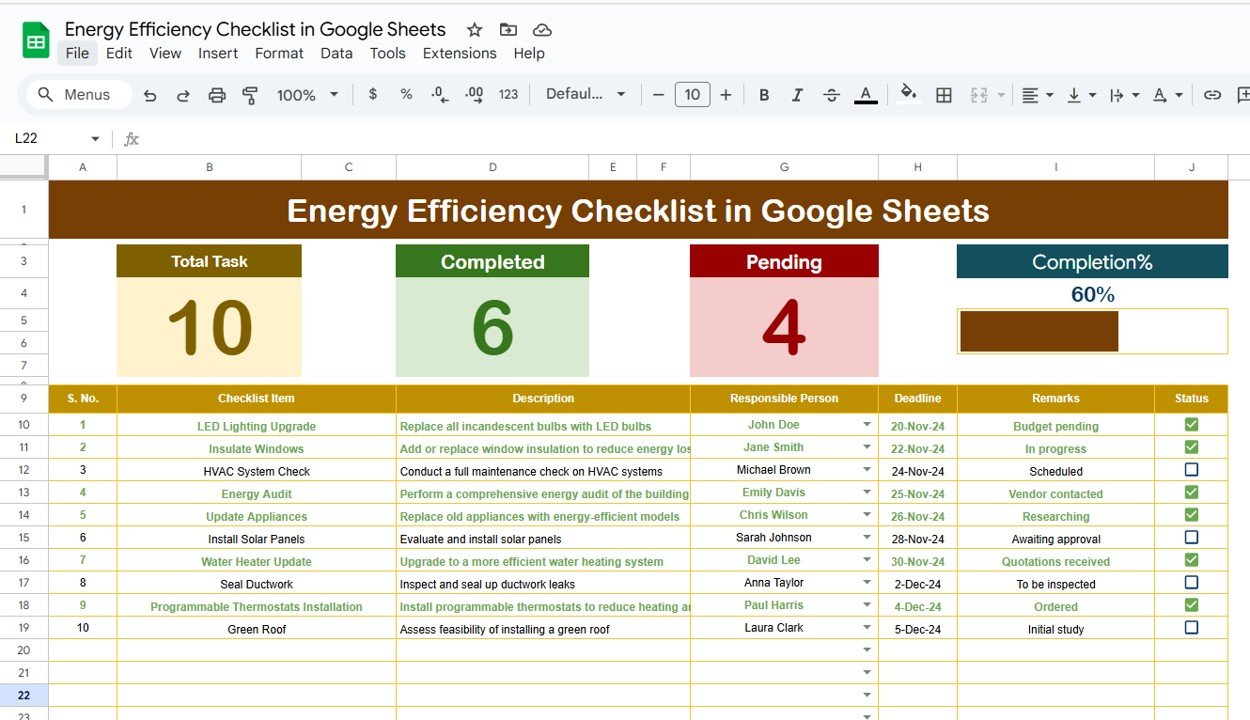
✨ Real-Time Progress Monitoring: Track total, completed, and pending energy-saving tasks in one glance. A dynamic progress bar gives you an instant overview.
🧩 Interactive Task Management: Easily assign tasks, set deadlines, and update statuses using intuitive dropdowns and checkboxes.
📋 Structured Table Format: Each task entry includes fields for checklist item, description, responsible person, deadline, and remarks—so nothing slips through the cracks.
📈 Visual Performance Indicators: Get a quick visual on how your energy-saving program is progressing with automatic summary counters and charts (where applicable).
🛠️ Fully Customizable: Add new tasks, adjust columns, or modify deadlines to tailor the checklist to your organization’s unique goals.
📦 What’s Inside the Energy Efficiency Checklist?
The template includes two smartly structured sheets, each serving a specific function to streamline energy management:
✅ 1. Main Sheet – Energy Efficiency Checklist
Includes all tasks with status columns for ✔ completed or ✘ pending.
Visual counters: Total Tasks, Completed Tasks, Pending Tasks
Progress bar auto-updates as you update the checklist
Dropdown list for assigning Responsible Person
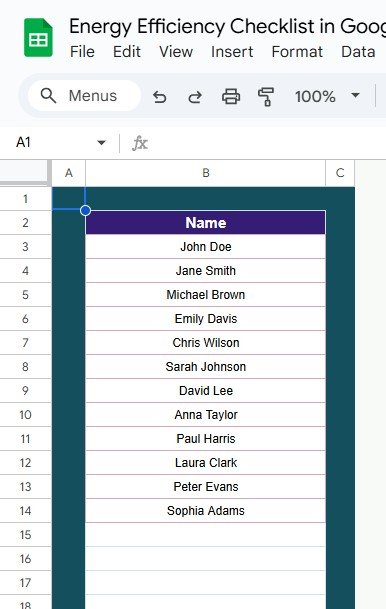
📄 2. List Sheet – Responsible Person Directory
Stores the list of team members responsible for tasks
Connected to a dropdown menu in the Main Sheet
Makes task assignment simple and consistent
🧑🏫 How to Use the Energy Efficiency Checklist
Getting started is easy:
🖊️ Enter Your Tasks: Add all energy-saving activities to the checklist (e.g., install LED lights, adjust HVAC settings).
👤 Assign Tasks: Select the responsible person using the dropdown powered by the List Sheet.
📅 Set Deadlines: Ensure every action has a specific timeline to maintain momentum.
✔️ Update Status: Mark each task as completed or pending. The progress bar will auto-calculate completion.
🔍 Track Progress: Use the dashboard-style top section to monitor your initiative in real time.
👥 Who Can Benefit from This Energy Efficiency Checklist?
🎯 Facilities Managers – Streamline your building’s energy upgrade plans
🏢 Corporate Sustainability Teams – Implement green office programs effectively
🏫 Educational Institutions – Reduce utility costs and promote energy awareness
🏭 Manufacturing Units – Monitor energy-saving tasks across plant operations
🏛️ Government Agencies – Track compliance with energy efficiency regulations
💡 Environmental Consultants – Offer clients a structured approach to energy audits
🔗 Click here to read the Detailed Blog Post
Watch the step-by-step video Demo:
🎥 Visit our YouTube channel to learn step-by-step video tutorials
Compatibility and Requirements
- Works in Google Sheets. You need a free Google account and a web browser.
- You pick the responsible person for each task from a dropdown that reads from the List sheet. Google explains dropdowns in Create an in-cell dropdown list.
Frequently Asked Questions
Which sheets are included?
Two sheets: the Main sheet with the Energy Efficiency Checklist, and the List sheet with the directory of responsible people.
How do I assign a task to someone?
Add the person’s name to the List sheet. Then choose that name from the Responsible Person dropdown on the Main sheet.
How do I see how many tasks are done?
The top of the Main sheet shows Total Tasks, Completed Tasks and Pending Tasks, plus a progress bar. Mark each task as completed or pending and these update.
Can I add my own tasks and change deadlines?
Yes. You can add new tasks, adjust columns and change deadlines to fit your organization. Each entry has fields for the checklist item, description, responsible person, deadline and remarks.
Is there an Excel version?
Yes. See the Energy Efficiency Checklist Template in Excel.
Related Energy and Checklist Templates
- Energy Efficiency Checklist Template in Excel: the same checklist in Excel
- Energy Generation & Efficiency Dashboard in Google Sheets: a dashboard view of energy figures
- Energy Efficiency KPI Dashboard in Excel: KPIs for energy efficiency in Excel
- Project Management Checklist in Google Sheets: another Google Sheets checklist for task tracking
- Google Sheets Starter Pack: 12 Google Sheets templates in one download
Browse all Google Sheets checklists.































Reviews
There are no reviews yet.