

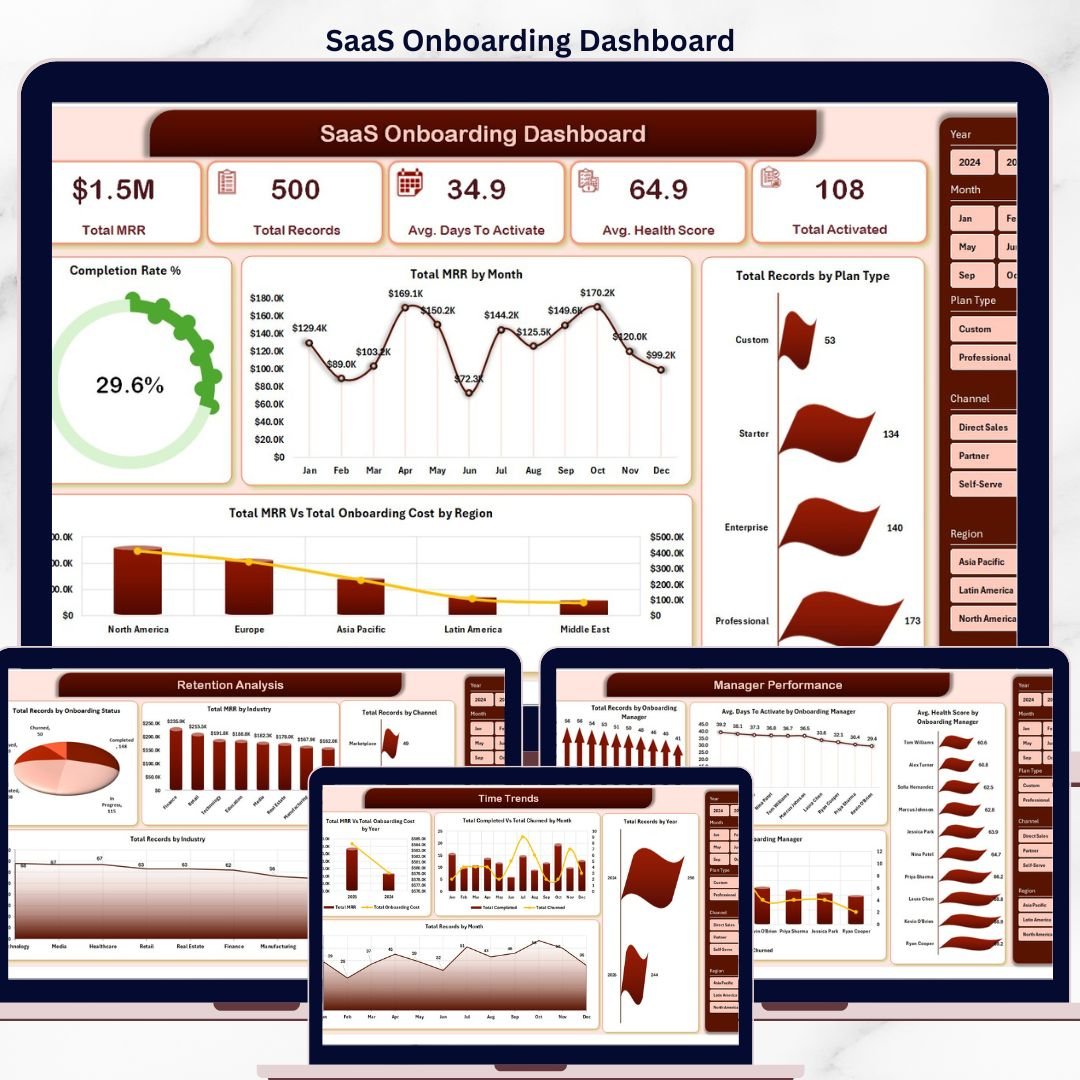



The SaaS Onboarding Dashboard in Excel tracks 5 high-level KPIs and 20 analytical charts across 5 interactive pages, with built-in slicers for Plan Type, Region, Industry, and Onboarding Manager. Setup takes under 10 minutes — replace the sample records in the Data sheet, click Refresh All, and every chart, KPI card, and pivot updates automatically.
🌍 Join 8,400+ teams in 40+ countries using NextGenTemplates to replace paid SaaS tools with one-time-purchase Excel, Google Sheets, Power BI, and HTML templates.
✅ Instant download · One-time payment · No subscription · No per-user fees · Lifetime access
🔑 Key Features of SaaS Onboarding Dashboard in Excel
This SaaS Onboarding Dashboard in Excel monitors customer activation health across the entire post-signup journey. It tracks Total MRR, Total Records, Avg. Days To Activate, Avg. Health Score, and Total Activated as headline KPIs, then breaks performance down by Plan Type, Company Size, Onboarding Manager, Industry, Channel, and time period — so Customer Success leaders can see exactly where activation is stalling within minutes, not days.
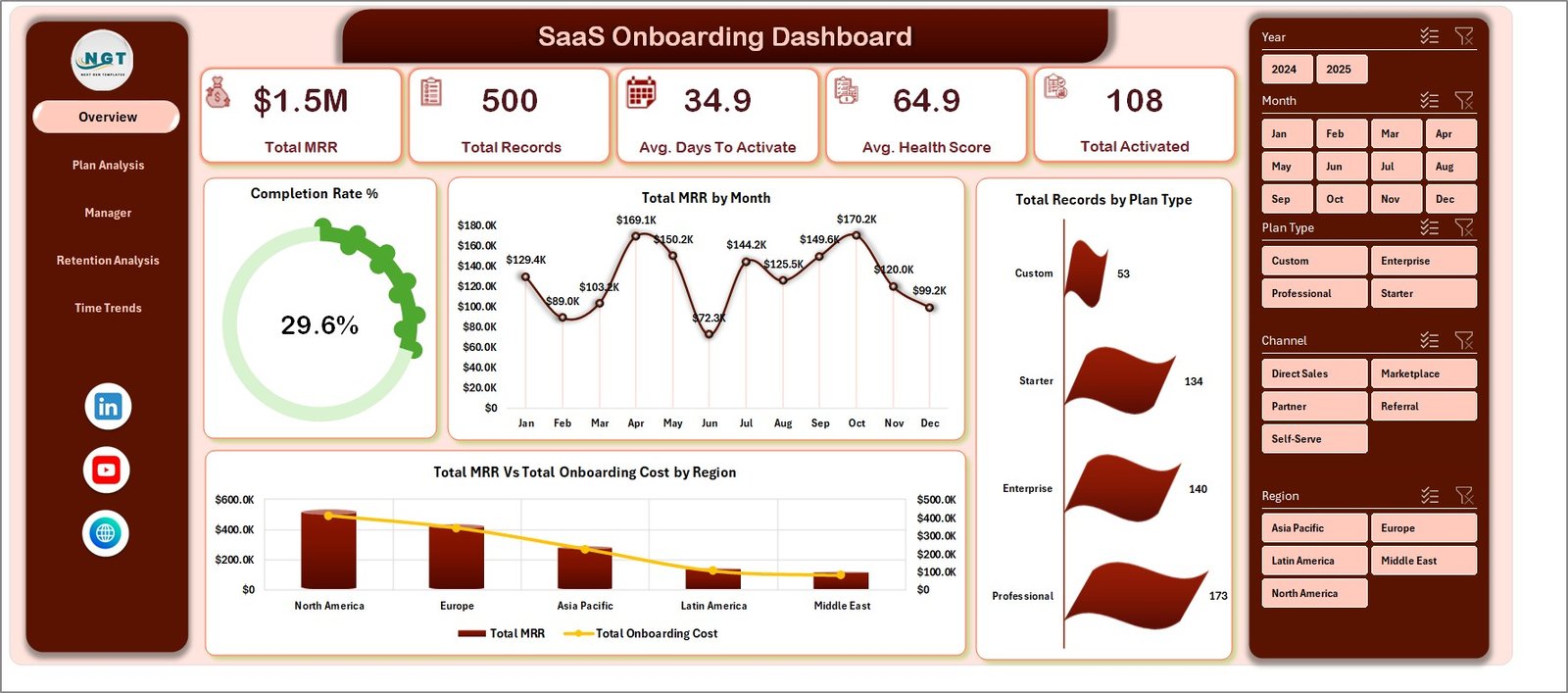
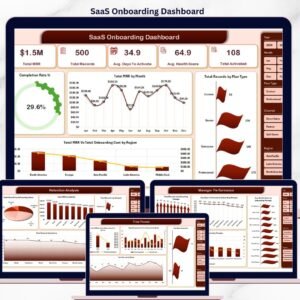
📌 5 Headline KPI Cards – Total MRR, Total Records, Avg. Days To Activate, Avg. Health Score, and Total Activated displayed at the top of the Overview page for instant pulse checks
📌 20 Pre-Built Pivot Charts – 4 charts on each of the 5 analytical pages, all powered by pivot tables in a hidden Support Sheet
📌 Multi-Slicer Filtering – Filter every chart and KPI by Plan Type, Region, Industry, Company Size, Channel, or Onboarding Manager with a single click
📌 5 Analytical Views – Overview, Plan Analysis, Manager Performance, Retention Analysis, and Time Trends — each engineered around a different SaaS Customer Success question
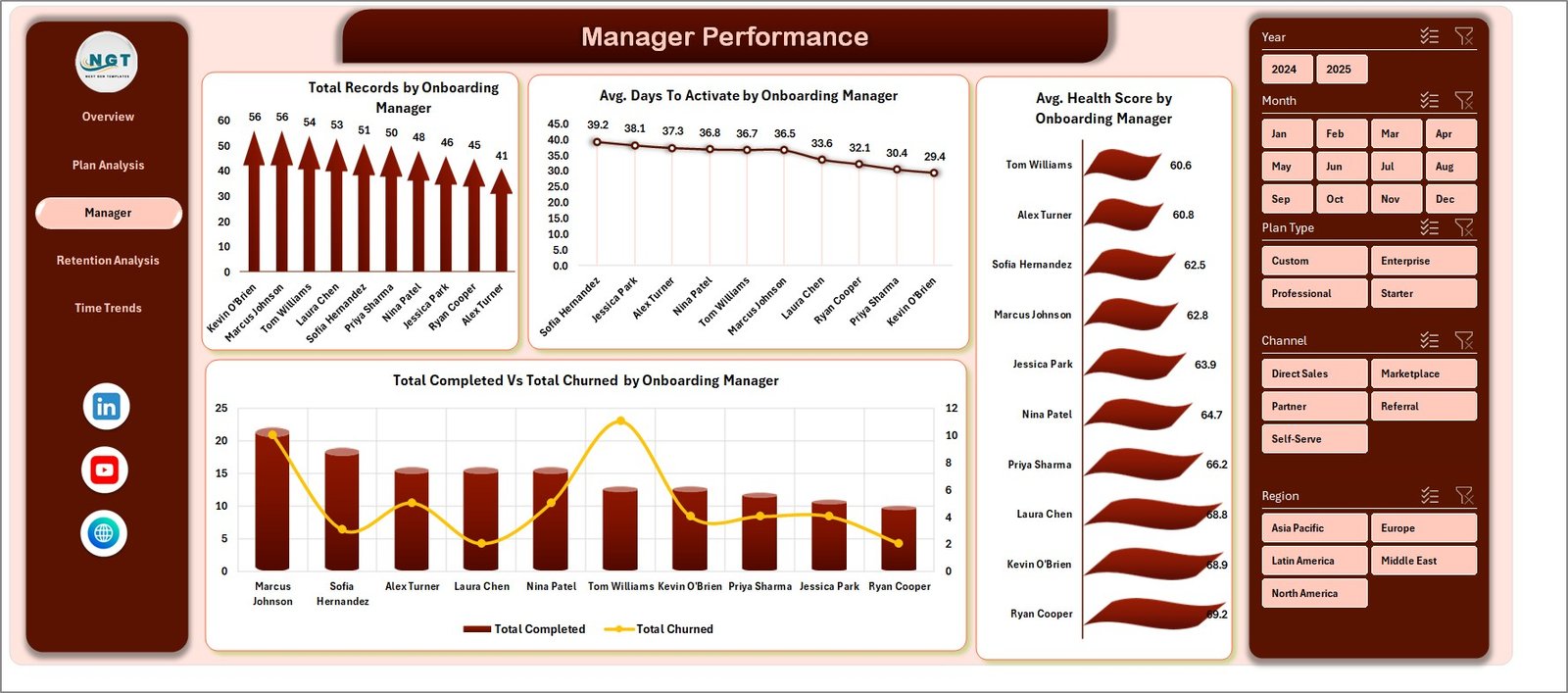
📌 Manager Scorecard – Compare Avg. Days to Activate, Avg. Health Score, Total Completed, and Total Churned across each Onboarding Manager to coach the team
📌 Refresh-All Workflow – Update the Data sheet, click Data → Refresh All, and every pivot, chart, and KPI reflects the new data in seconds
📌 Hidden Support Sheet – All pivot tables sit in a Support Sheet that you can keep hidden so the dashboard stays clean for stakeholders
📌 Plug-and-Play Schema – The Data sheet column structure is pre-configured; just paste your CRM/billing export and the model takes over
📦 What’s Inside the SaaS Onboarding Dashboard in Excel
The workbook contains 7 sheets: 5 dashboard pages, 1 Data sheet for raw records, and 1 Support sheet that holds all pivot tables driving the visuals.
1 — Overview Page. The Overview surfaces 5 KPI cards (Total MRR, Total Records, Avg. Days To Activate, Avg. Health Score, Total Activated) on top, followed by Completion Rate %, Total MRR by Month, Total MRR Vs Total Onboarding Cost by Region, and Total Records by Plan Type charts, with slicers above for one-click filtering.
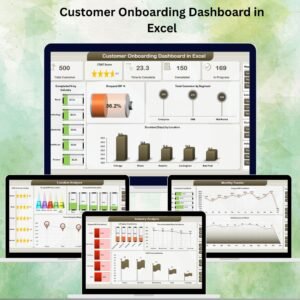
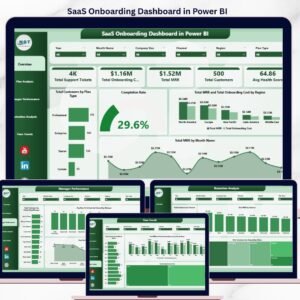
SaaS Onboarding Dashboard in Excel
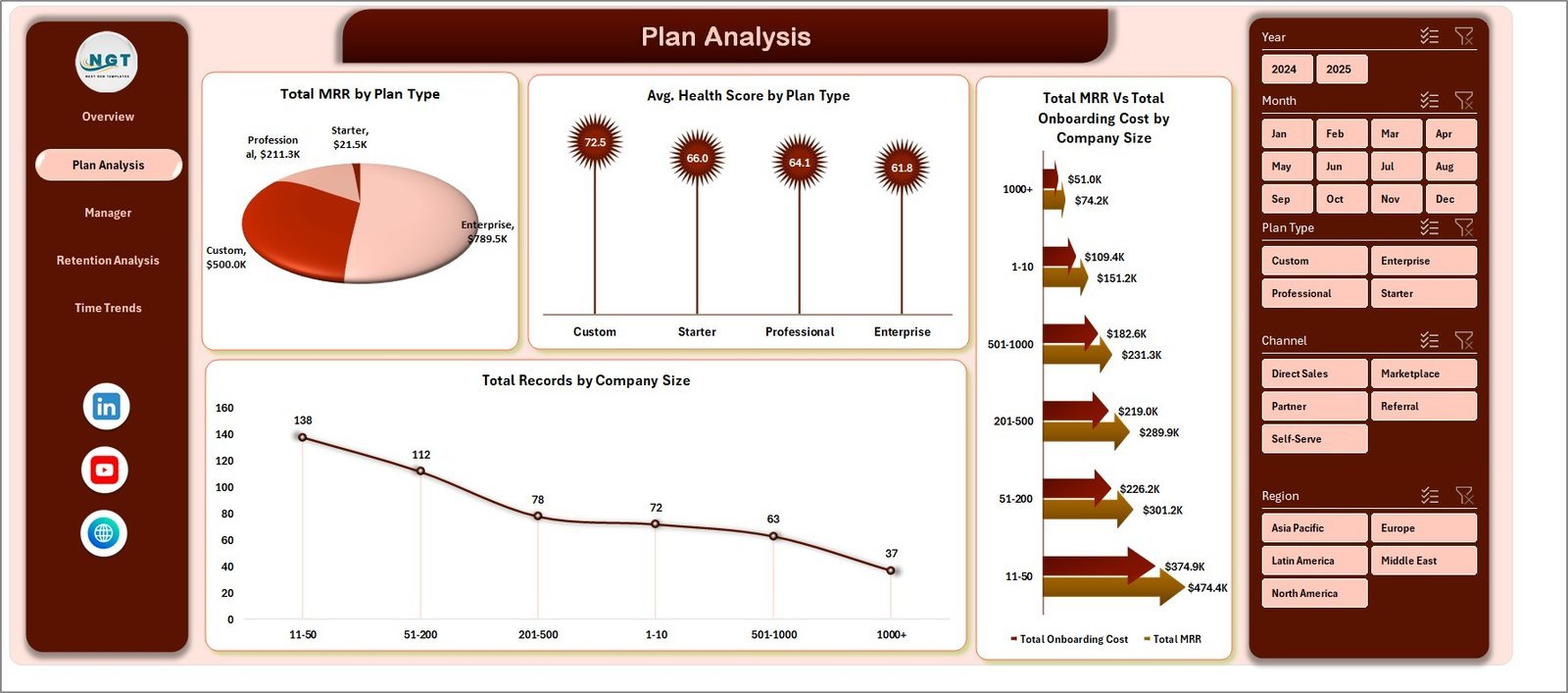
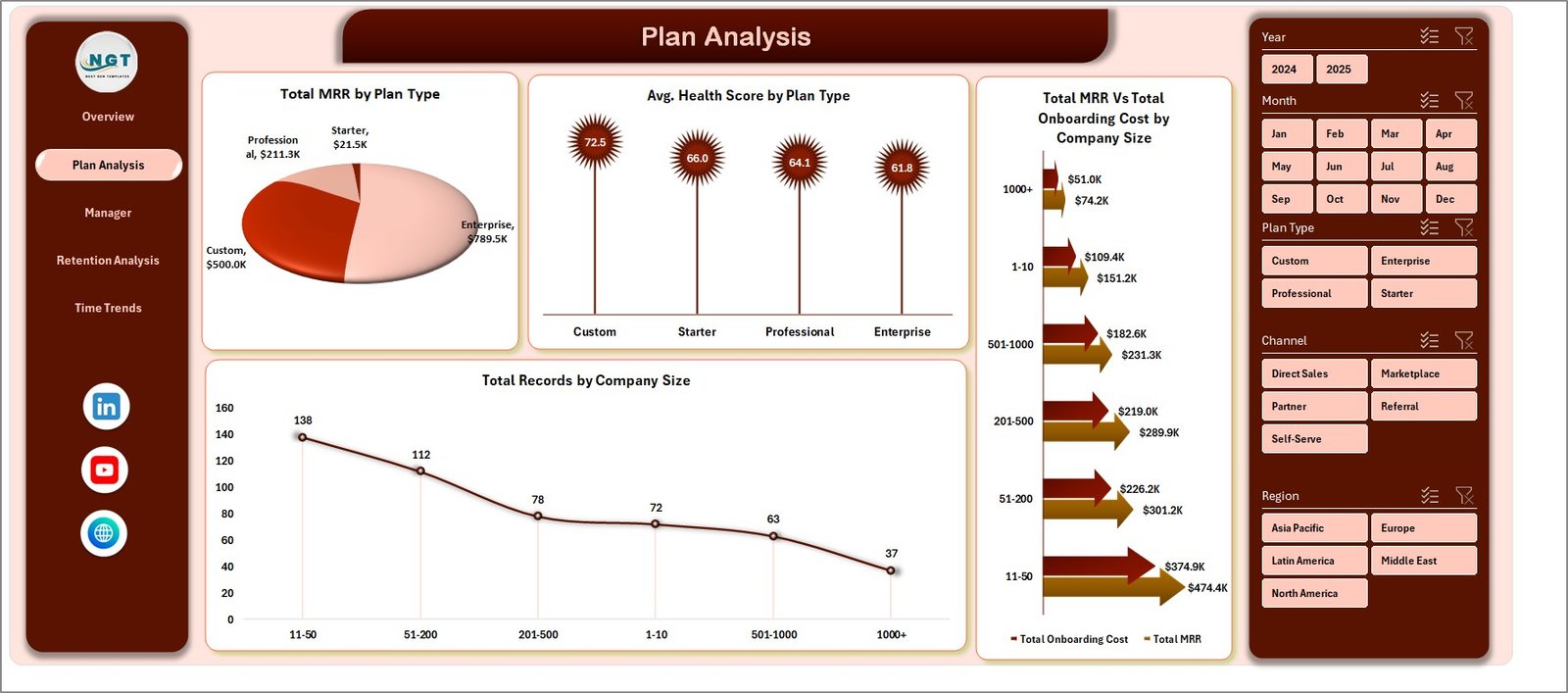
2 — Plan Analysis. This sheet shows Total MRR by Plan Type, Avg. Health Score by Plan Type, Total MRR Vs Total Onboarding Cost by Company Size, and Total Records by Company Size — perfect for pricing-tier ROI reviews.
Plan Analysis
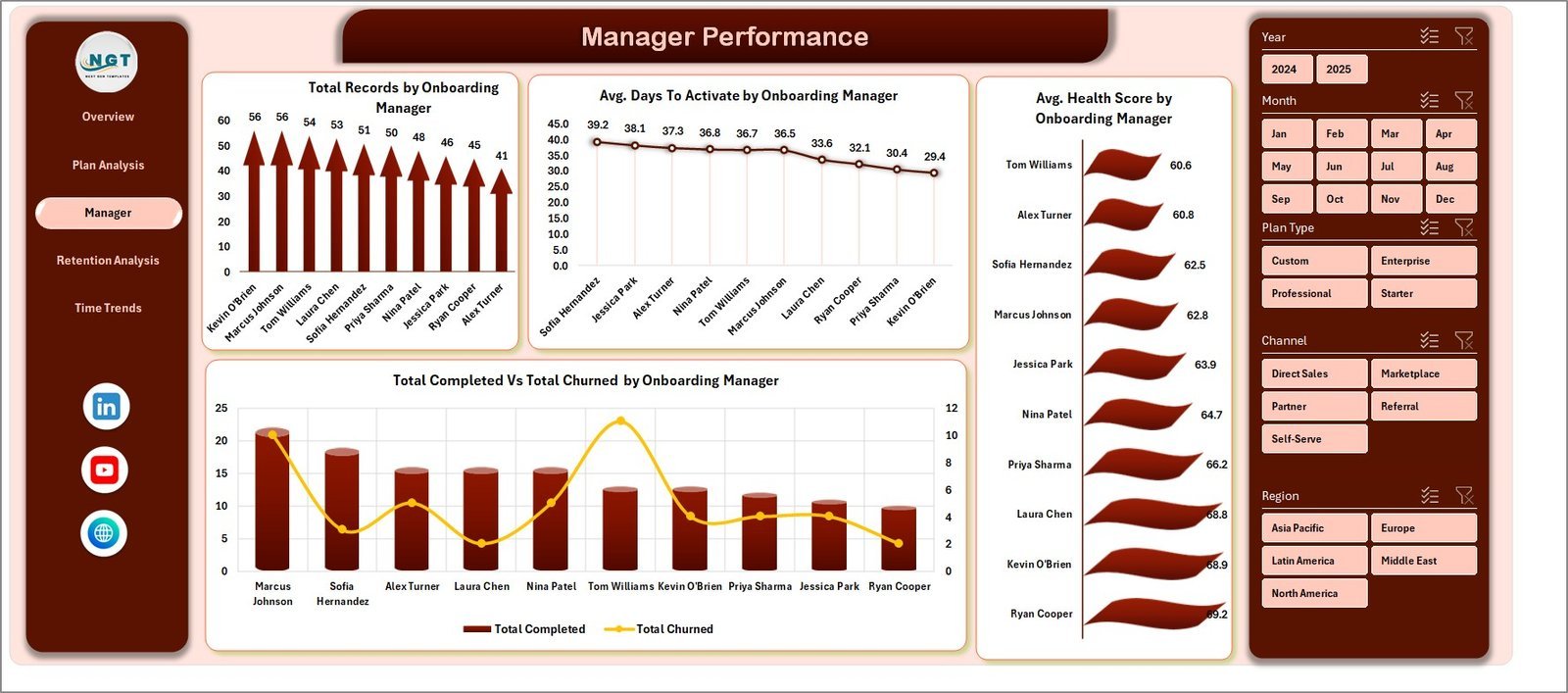
3 — Manager Performance. Compare Total Records by Onboarding Manager, Avg. Days To Activate by Onboarding Manager, Avg. Health Score by Onboarding Manager, and Total Completed Vs Total Churned by Onboarding Manager — built-in coaching scorecard.
Manager Performance
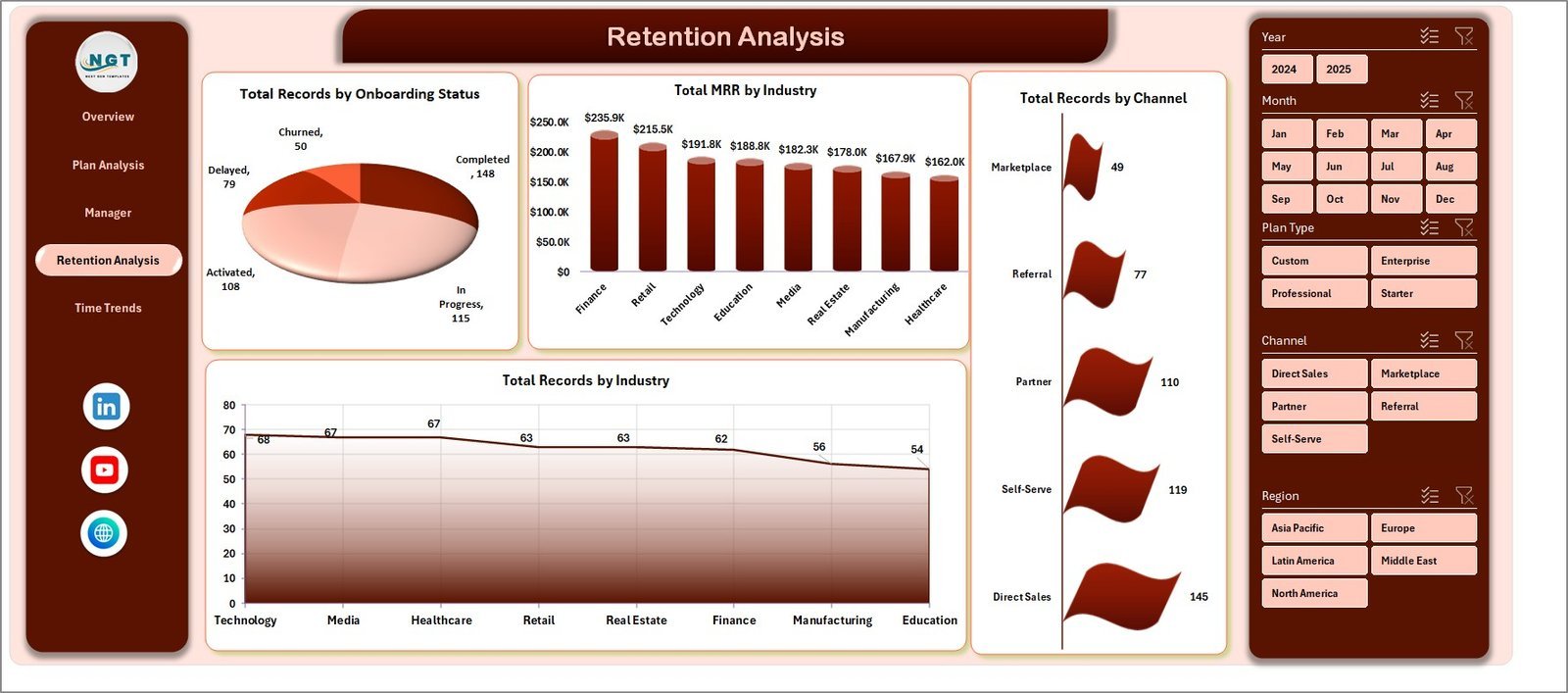
4 — Retention Analysis. Drill into Total Records by Onboarding Status, Total MRR by Industry, Total Records by Industry, and Total Records by Channel to spot which acquisition sources convert and stick.
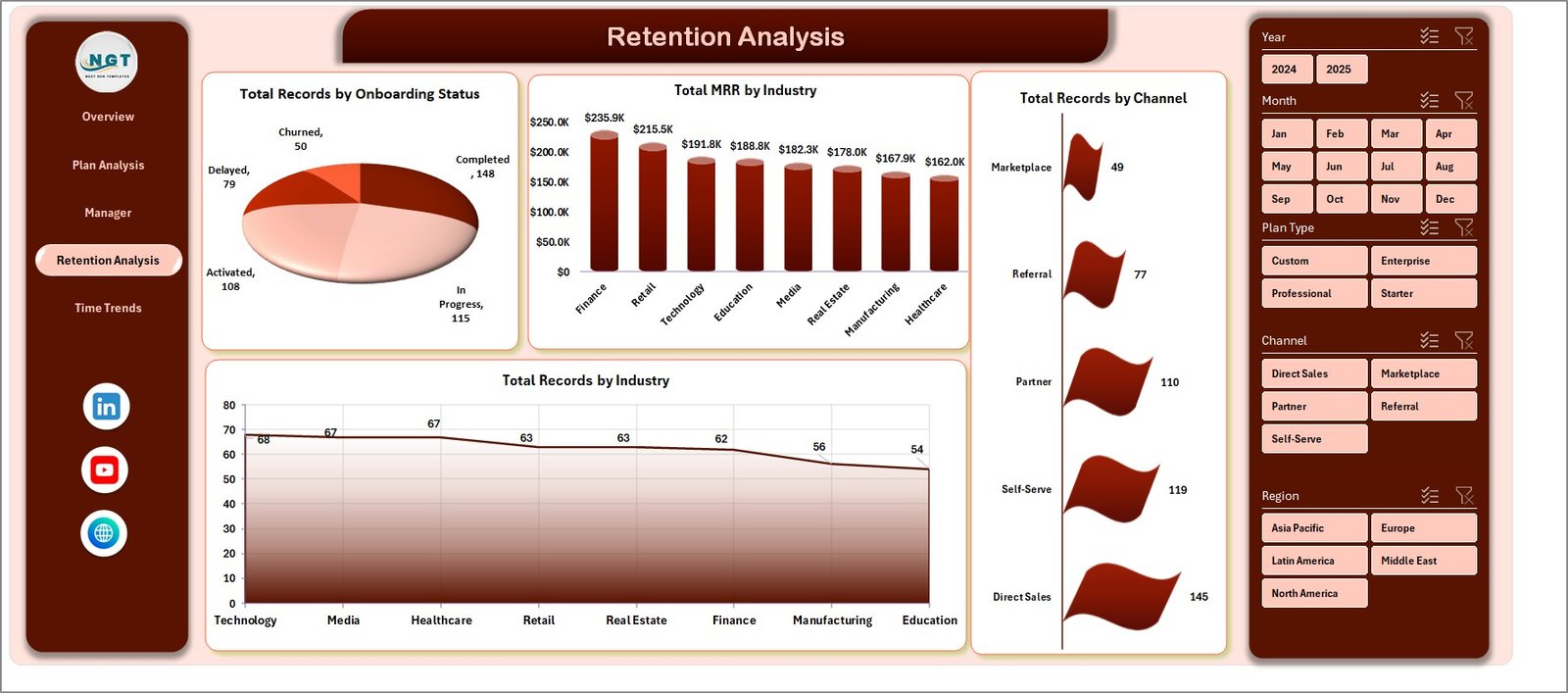
Retention Analysis
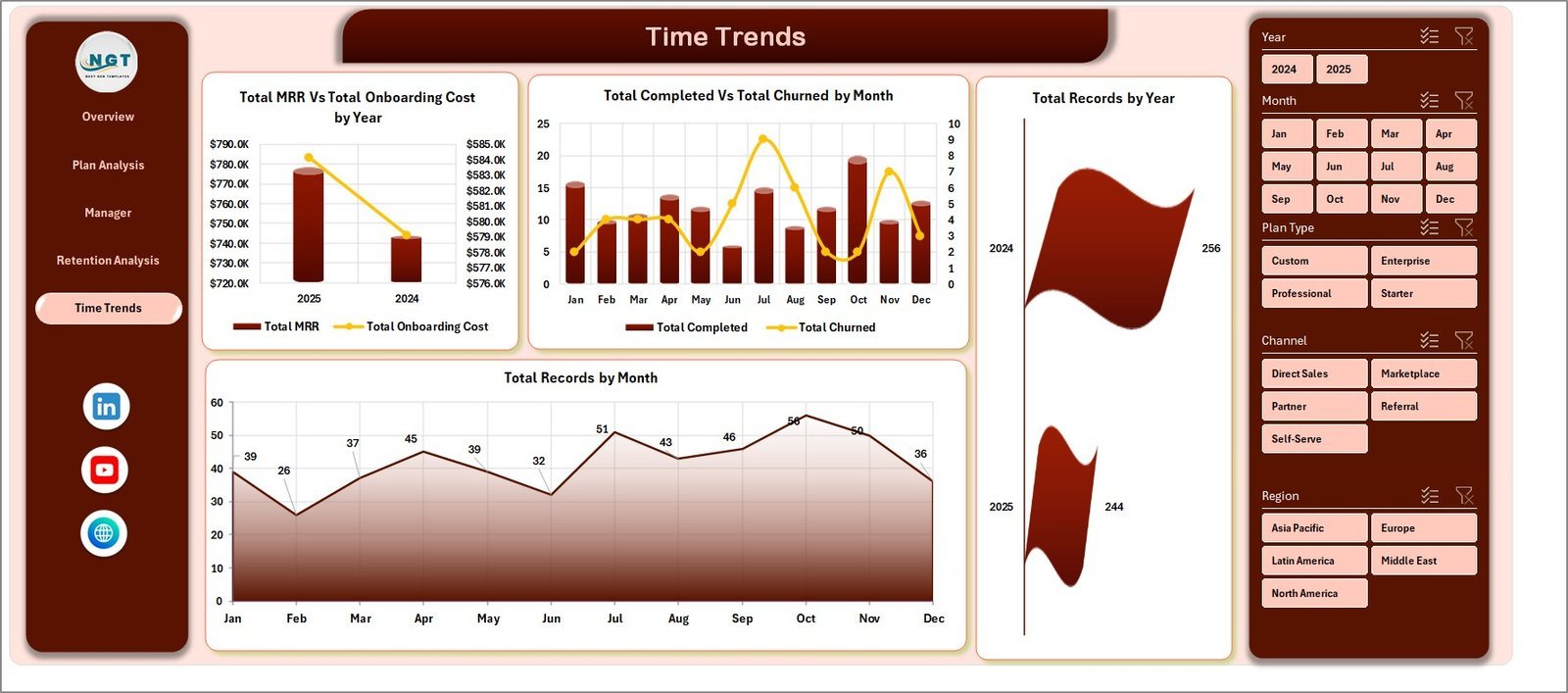
5 — Time Trends. Track Total MRR Vs Total Onboarding Cost by Year, Total Completed Vs Total Churned by Month, Total Records by Year, and Total Records by Month — your monthly board-deck view.
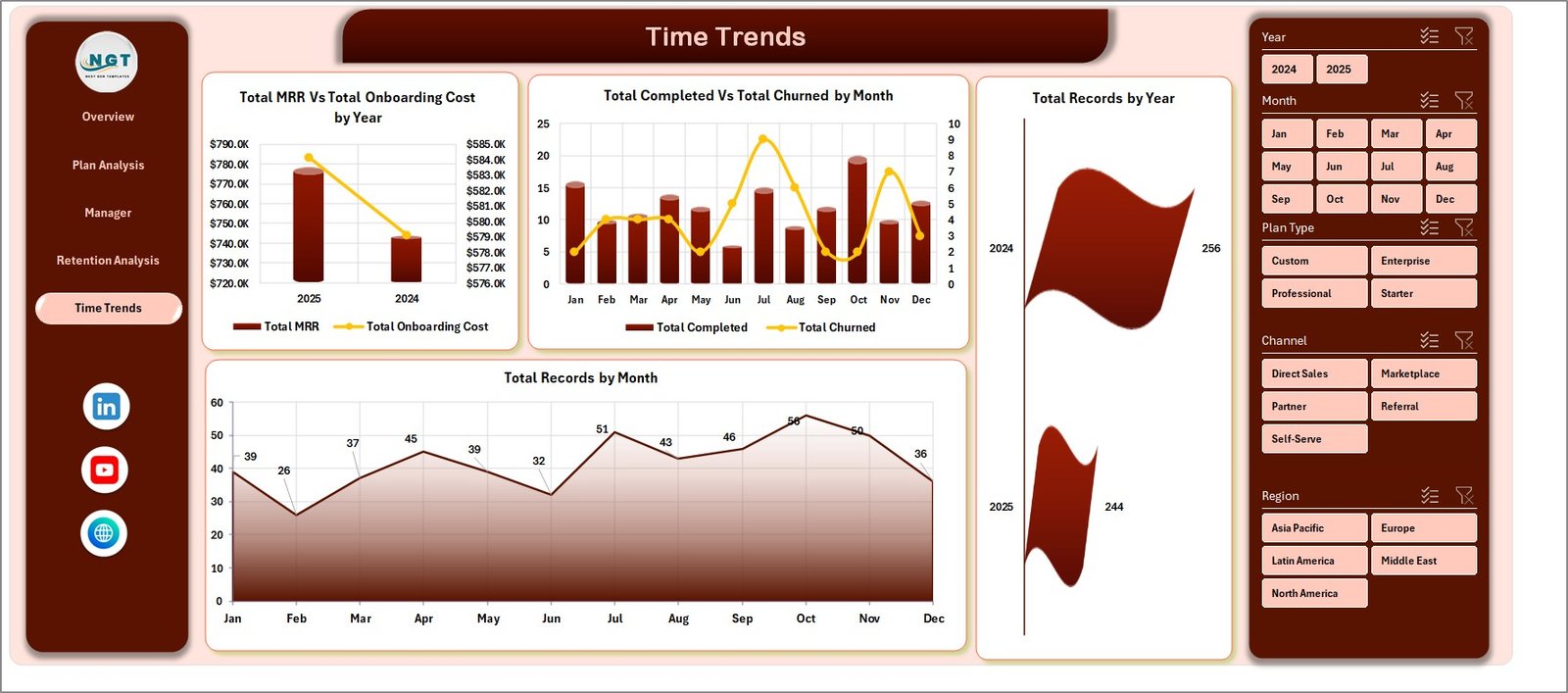
Time Trends
6 — Data Sheet. Paste or type your onboarding records in the same column format. Every cell on the dashboard is downstream of this one sheet.

Data Sheet tab
7 — Support Sheet. Multiple pivot tables drive the entire dashboard. After you update the Data sheet, click Data → Refresh All and every chart and KPI updates. Keep this sheet hidden in production.

Support sheet tab
📊 SaaS Onboarding Dashboard in Excel vs. Google Sheets vs. ChurnZero / Gainsight — Where This Fits
| Feature | SaaS Onboarding Dashboard in Excel | Google Sheets equivalent | ChurnZero / Gainsight |
|---|---|---|---|
| Cost | $17.99 one-time | $9.99 one-time | $1,200–$3,500 / month minimum |
| Platform | Microsoft Excel (offline) | Google Sheets (cloud) | Web SaaS only |
| Setup time | Under 10 minutes | Under 10 minutes | 4–8 weeks implementation |
| MRR / Health Score / Activation tracking | ✅ | ✅ | ✅ |
| Onboarding Manager scorecard | ✅ Built in | ❌ Manual build required | ✅ |
| Customizable fields & charts | ✅ Full pivot control | ✅ Full pivot control | ⚠️ Limited to vendor schema |
| Real-time team collaboration | ⚠️ Via OneDrive/SharePoint | ✅ Native | ✅ Native |
| Per-user pricing | ❌ None | ❌ None | $50–$150 per user / month |
| Year-1 cost at 5 users | $17.99 | $9.99 | $15,000–$42,000 |
For SaaS teams that want MRR, churn, and activation visibility without paying $15K/year for Customer Success software, the SaaS Onboarding Dashboard in Excel sits in the sweet spot.
👥 Who This Template Is For — and Who It’s Not For
✅ This template is built for:
- Customer Success Managers at SaaS startups (5–500 employees) tracking MRR, activation, and health scores in spreadsheets today
- SaaS Operations and RevOps analysts who need to report onboarding KPIs in board decks every month
- Founders running early-stage SaaS who can’t yet justify ChurnZero or Gainsight pricing
- Customer Success consultants who deliver onboarding playbooks to multiple SaaS clients
❌ This template is NOT for:
- Enterprise SaaS teams that require SOC 2 audit logs, SSO, and live API ingestion from product event data
- Teams that need automated email playbooks triggered by health-score thresholds — that’s what Gainsight is for
- Workflows that demand sub-hourly real-time refreshes (this dashboard is manual-refresh by design)
⚙️ How to Use the SaaS Onboarding Dashboard in Excel
- Download and unzip the file, then open it in Microsoft Excel 2016 or later.
- Go to the Data sheet. Replace the sample rows with your own onboarding records, keeping the same column structure.
- Click Data → Refresh All in the Excel ribbon. Every pivot, chart, and KPI on all 5 dashboard pages updates instantly.
- Use the slicers at the top of each page to filter by Plan Type, Region, Industry, Channel, or Onboarding Manager.
- Right-click the Support sheet tab and choose Hide before sharing with stakeholders.
- Save a copy each month for historical comparison, or use OneDrive auto-save for version history.
💼 Real-World Use Cases
Priya leads Customer Success at a 40-person B2B SaaS company. Every Friday she pastes a fresh export from her billing tool into the Data sheet, refreshes, and sends the Manager Performance page to her three CSMs — keeping coaching conversations grounded in Avg. Days To Activate and Health Score deltas, instead of opinions.
Marco is a fractional RevOps consultant working with four early-stage SaaS startups. He delivers each client a copy of this dashboard pre-configured with their pricing tiers and channel taxonomy. The Plan Analysis and Retention Analysis pages give founders a clear answer to “which plan and which channel is actually retaining?” within their first board meeting.
Lena is a SaaS founder pre-Series A. She uses the Time Trends page in every investor update to show MRR-versus-Onboarding-Cost trajectory and month-over-month Completed vs. Churned ratios — without paying for Gainsight before she has the budget for it.
❓ Frequently Asked Questions
What KPIs does the SaaS Onboarding Dashboard in Excel track?
The SaaS Onboarding Dashboard in Excel tracks 5 headline KPIs — Total MRR, Total Records, Avg. Days To Activate, Avg. Health Score, and Total Activated — plus 20 analytical charts covering Plan Type, Company Size, Onboarding Manager, Industry, Channel, and monthly time trends across 5 interactive pages.
How is this different from ChurnZero or Gainsight?
ChurnZero and Gainsight are real-time SaaS platforms starting at $1,200 per month with multi-week implementations. The SaaS Onboarding Dashboard in Excel is a one-time $17.99 purchase that runs offline in Excel, gives you the same MRR, health-score, and activation views, and lets you customize every chart by editing the underlying pivots.
How long does setup take?
Setup takes under 10 minutes. Replace the sample data in the Data sheet with your own onboarding records, click Data → Refresh All, and every chart, KPI card, and pivot table on the SaaS Onboarding Dashboard in Excel updates automatically. No formulas to rewrite, no slicer reconnection needed.
Do I need any add-ins or macros to use this template?
No. The SaaS Onboarding Dashboard in Excel uses only native Excel pivot tables, pivot charts, and slicers. There are no macros or VBA, so it works on Excel for Windows, Excel for Mac, and Excel on the web with the same fidelity.
Can multiple Customer Success Managers edit it at the same time?
Yes — store the file on OneDrive or SharePoint and enable co-authoring. Multiple CSMs can update the Data sheet simultaneously while the SaaS Onboarding Dashboard in Excel keeps a single source of truth for the team.
What if my onboarding process has different stages than the sample data?
The Data sheet column structure is fully editable. Add your own Onboarding Status values, Plan Types, or Channels in the Data sheet, refresh the pivots, and the SaaS Onboarding Dashboard in Excel automatically picks up the new categories in every chart and slicer.
Will this work for non-SaaS subscription businesses?
Yes. Although built around SaaS metrics like MRR and Activation, the SaaS Onboarding Dashboard in Excel works equally well for any subscription business — fitness memberships, B2B services retainers, online courses — by relabeling the Plan Type and Onboarding Status columns to match your model.
👤 About the Author
Built by PK — Microsoft Certified Professional with 15+ years of Excel, Google Sheets, and Power BI experience. Founder of NextGenTemplates, reaching 300K+ subscribers across YouTube channels (@PK-AnExcelExpert, @NextGenTemplates, @NeoTechNavigators). Every template is hand-built and tested before release.
🔗 Explore Related Templates
Want this on a different platform or paired with adjacent SaaS analytics? Explore these companion templates:
📌 SaaS Customer Success Dashboard in Google Sheets — the cloud-native sibling for teams that live in Google Workspace.
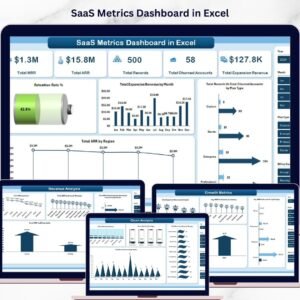
📌 SaaS Metrics Dashboard in Power BI — when you need richer DAX measures and a published Power BI Service report for executives.
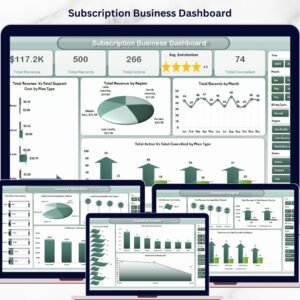
📌 Subscription Business Dashboard in Google Sheets — for tracking general subscription revenue, churn, and renewals.
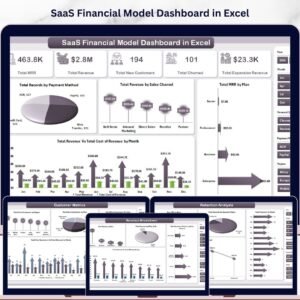
📌 SaaS Financial Model Dashboard in HTML — pair onboarding analytics with a forward-looking SaaS financial model.
Browse the full Excel Dashboard Templates library or explore Power BI Dashboards for cross-platform options.
📖 Click here to read the Detailed Blog Post
🎥 Visit our YouTube channel for step-by-step video tutorials
👉 YouTube.com/@NextGenTemplates
📅 Last updated: April 2026
Watch the step-by-step video tutorial:
Compatibility and Requirements
- Works in Microsoft Excel desktop (Excel 2016 or later, or Microsoft 365).
- The dashboard uses pivot tables, pivot charts and slicers. Microsoft explains them in Use slicers to filter data.






















Reviews
There are no reviews yet.