

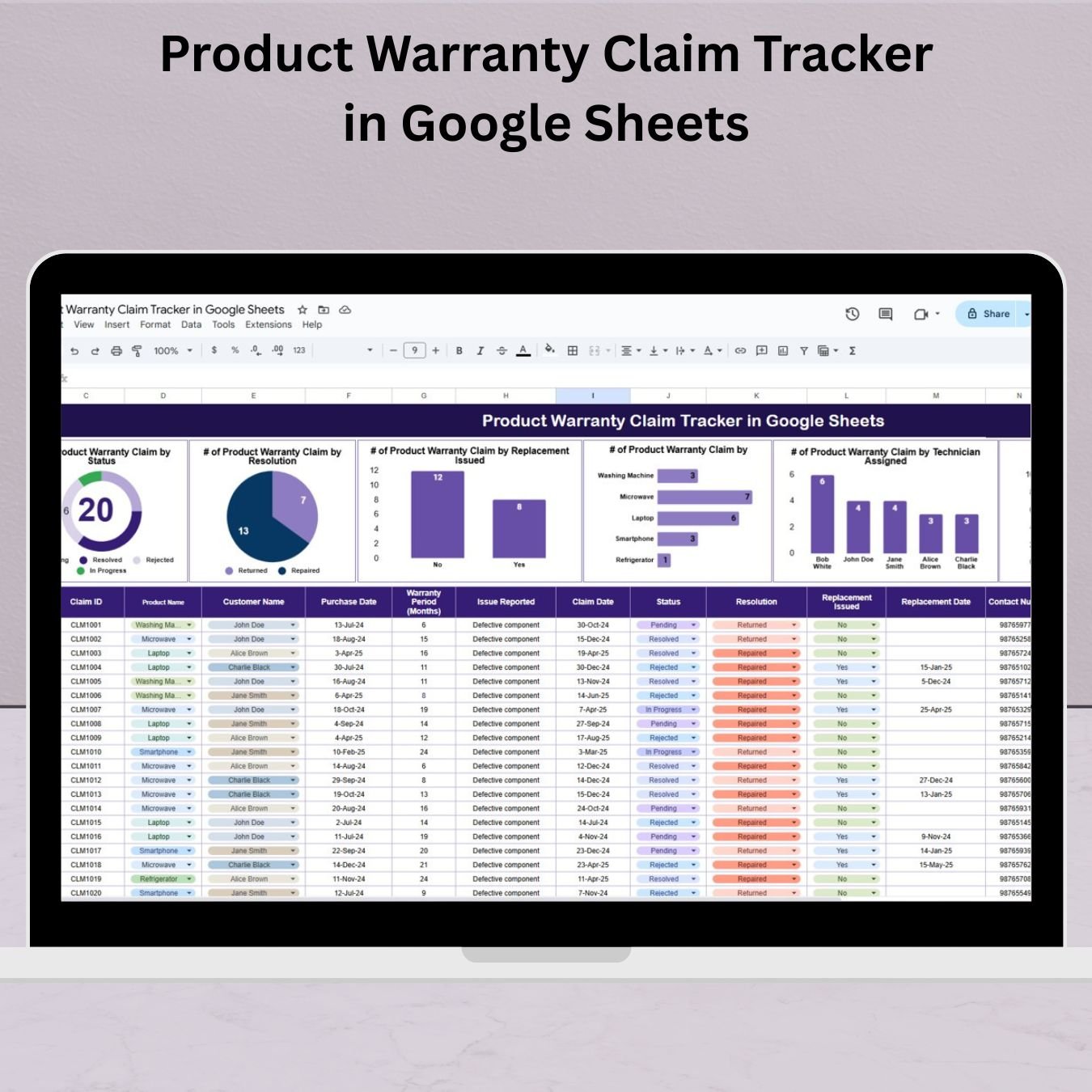
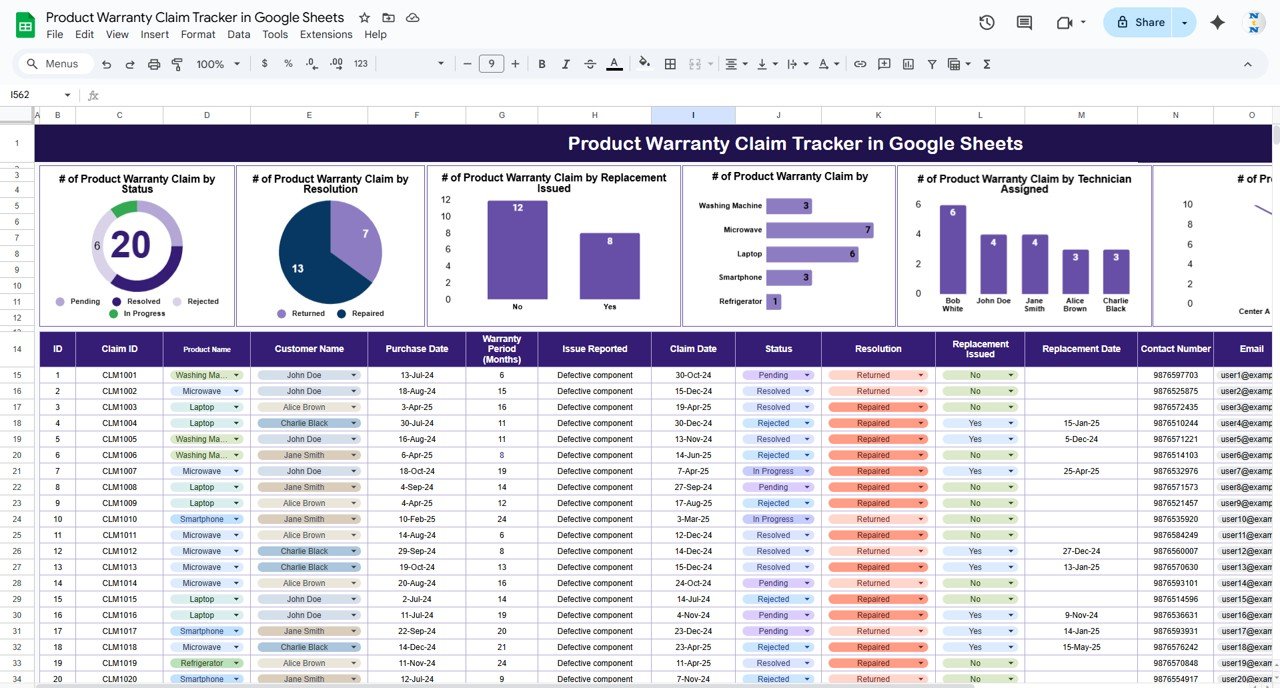

Managing product warranty claims shouldn’t be a headache! With our Product Warranty Claim Tracker in Google Sheets, you can efficiently log, track, and analyze all customer warranty claims in one centralized, easy-to-use template. Whether you’re handling refunds, repairs, or replacements, this powerful tool brings organization, accountability, and clarity to your product support process.
If you’re tired of scattered spreadsheets or missed claim follow-ups, this tool is your go-to solution to improve operational efficiency and customer service.
✅ Key Features of the Product Warranty Claim Tracker
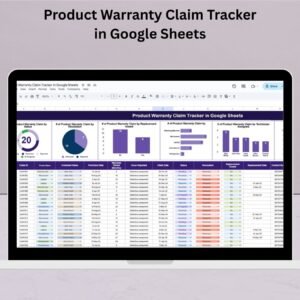
📊 Real-Time Dashboards & Charts
Gain visual insights into warranty claim trends with powerful built-in charts:
Claims by Status – Instantly see what’s pending, resolved, or closed.
Claims by Resolution Type – Track repairs, refunds, or no-action claims.
Claims by Replacement Issued – Know how many products were swapped.
Claims by Product Name – Spot high-failure products at a glance.
Claims by Technician – Monitor technician workload and performance.
Claims by Service Center – Measure center-level resolution activity.
📝 Organized Data Section
Capture all critical details for every warranty claim:
Claim ID, Product Name, Customer Name
Purchase & Claim Dates, Warranty Period
Reported Issue, Status, Resolution
Replacement Details (Yes/No, Date)
Contact Info, Assigned Technician & Service Center
Additional Remarks
All fields are filterable and designed for quick updates.
🔄 Auto-Updating Visuals
Charts dynamically update based on entered data—no manual refresh required!
🌐 100% Cloud-Based & Collaborative
Built in Google Sheets, this template enables real-time collaboration, so your team can log claims, assign technicians, and update statuses from anywhere.
📦 What’s Inside the Product Warranty Claim Tracker
📋 Tracker Sheet – Log all warranty claims with structured columns
📊 6 Built-in Charts – For analyzing status, resolution, product performance, and more
🧾 Filter-Ready Layout – Instantly drill down to specific products, dates, or customers
🛠️ Editable Columns – Easily adapt or extend the tracker for your business model
🧑🔧 Technician Assignment Column – Assign and monitor technician workloads
📍 Service Center Tracking – Great for companies with multiple repair centers
🔧 Replacement Tracking – Know which claims were resolved via replacements
🚀 How to Use the Product Warranty Claim Tracker
Open the template in your Google Sheets account
🎯 Enter claim records in the Data Section
🧠 Assign technicians and track resolution details
📊 Watch all linked charts update automatically
🔍 Use filters to narrow down claims by product, center, or status
📤 Share the sheet with your customer support or warranty team
It’s plug-and-play—no coding or setup required!
👥 Who Can Benefit from This Tracker?
🏢 Manufacturers managing product repairs and replacements
📦 Retailers handling third-party product warranties
🛠️ Service Centers coordinating technician tasks and part replacements
🧑💻 Customer Support Teams needing clear claim status visibility
🧰 SMBs offering warranty-backed products
🔄 Product Managers analyzing fault frequency and trends
If your business deals with warranties, this tool will save you time, reduce errors, and keep customers happy! 💯
📚 Click here to read the Detailed blog post
Watch the step-by-step video Demo:
🎥 Visit our YouTube channel to learn step-by-step video tutorials
👉 Youtube.com/@NeotechNavigators
Compatibility and Requirements
- Works in Google Sheets with a free Google account and a web browser.
- Share the sheet with your support or warranty team so everyone can log and update claims.
- Google explains how charts work in Sheets in Add & edit a chart or graph.
Frequently Asked Questions
What details does each warranty claim record?
Claim ID, product name, customer name, purchase and claim dates, warranty period, reported issue, status, resolution, replacement details, contact info, assigned technician, service center and remarks.
Which charts are included?
Six charts show claims by status, resolution type, replacement issued, product name, technician and service center.
Do the charts update on their own?
Yes. The charts update as you enter or change claim data, with no manual refresh.
Can I filter claims?
Yes. All fields are filterable, so you can narrow claims by product, service center, status or date.
Related Warranty and Service Templates
- Product Warranty Claim Tracker in Excel: the same tracker for Excel users
- Warranty Expiration Calendar in Google Sheets: see when product warranties end
- Customer Service Request Tracker in Google Sheets: log other customer requests
- Customer Service Request Tracker in Excel: a request log for Excel
- Tracker Toolkit: 12 Excel and Google Sheets trackers in one bundle
Browse all Google Sheets trackers or the Google Sheets dashboards.




























Reviews
There are no reviews yet.