


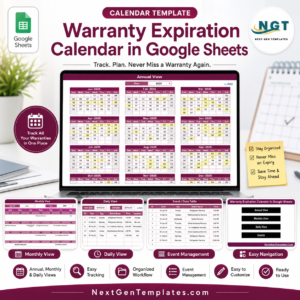
The Warranty Expiration Calendar in Google Sheets gives operations, IT, retail, and service teams a 5-page warranty tracking system with 4 overview cards, 4 chart areas, annual/monthly/daily views, and a central Events sheet. Instead of paying per user for asset or warranty software, you can start with a one-time $4.99 template, reduced from $8.99. Built by PK, founder of NextGenTemplates with 300K+ YouTube subscribers, it is a low-risk way to stop missing renewal, repair, claim, and replacement windows.
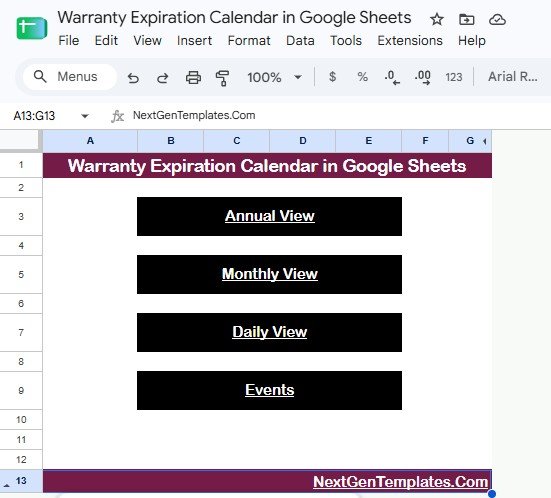
Warranty Expiration Calendar in Google Sheets
Key Features of Warranty Expiration Calendar in Google Sheets
- 5 connected pages: Overview, Annual View, Monthly View, Daily View, and Events work together inside one shared Google Sheet.
- 4 overview cards: Annual View, Monthly View, Daily View, and Events summarize the major calendar areas at the top.
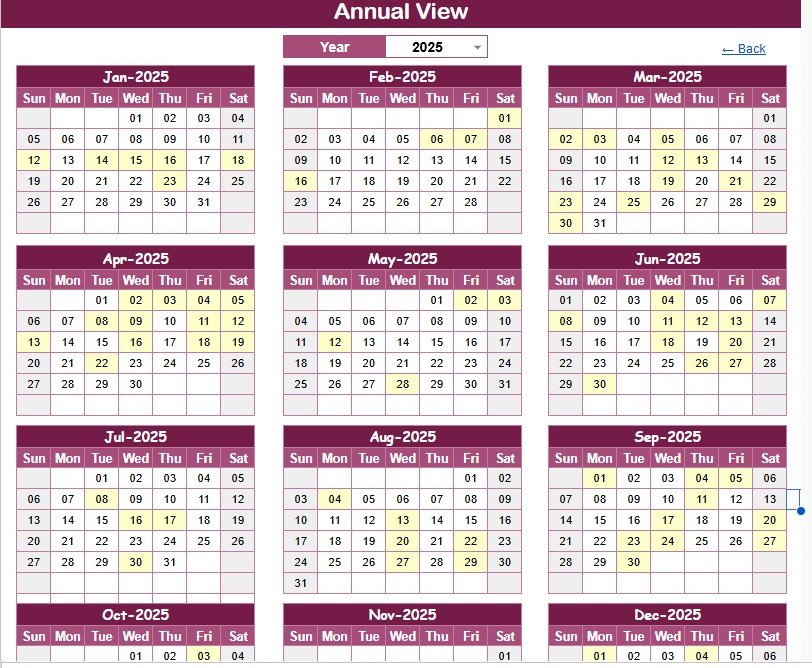
- Annual warranty planning: Review warranty expirations across the full year so renewals and claim windows are visible early.
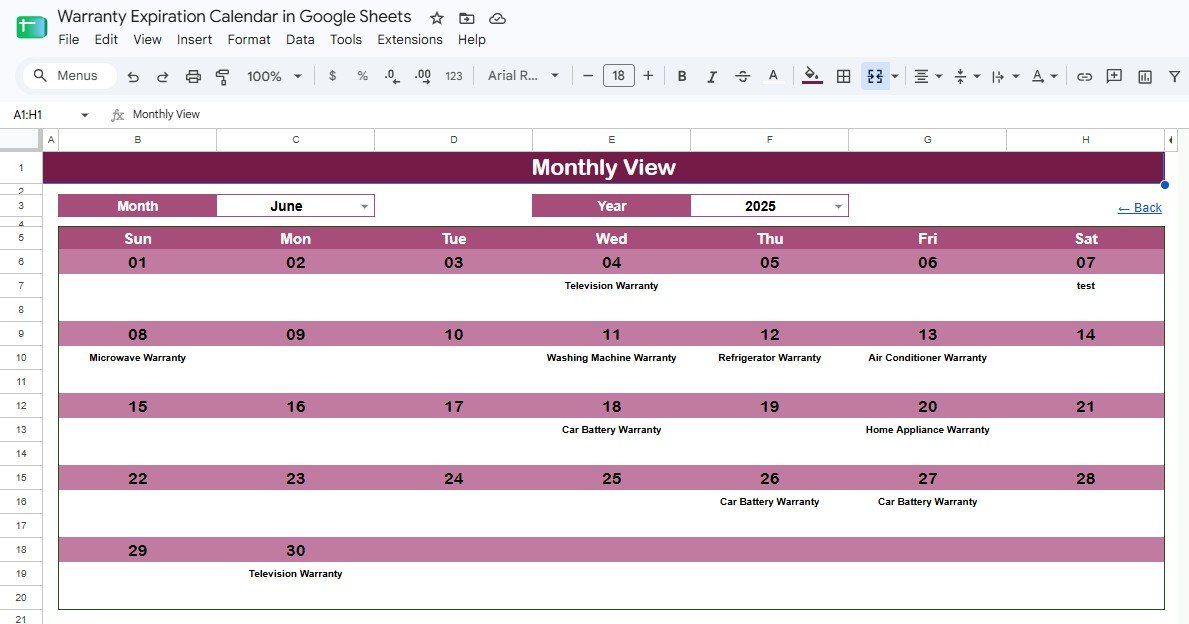
- Monthly schedule control: Focus on one month at a time and check which products, assets, policies, or equipment need attention.
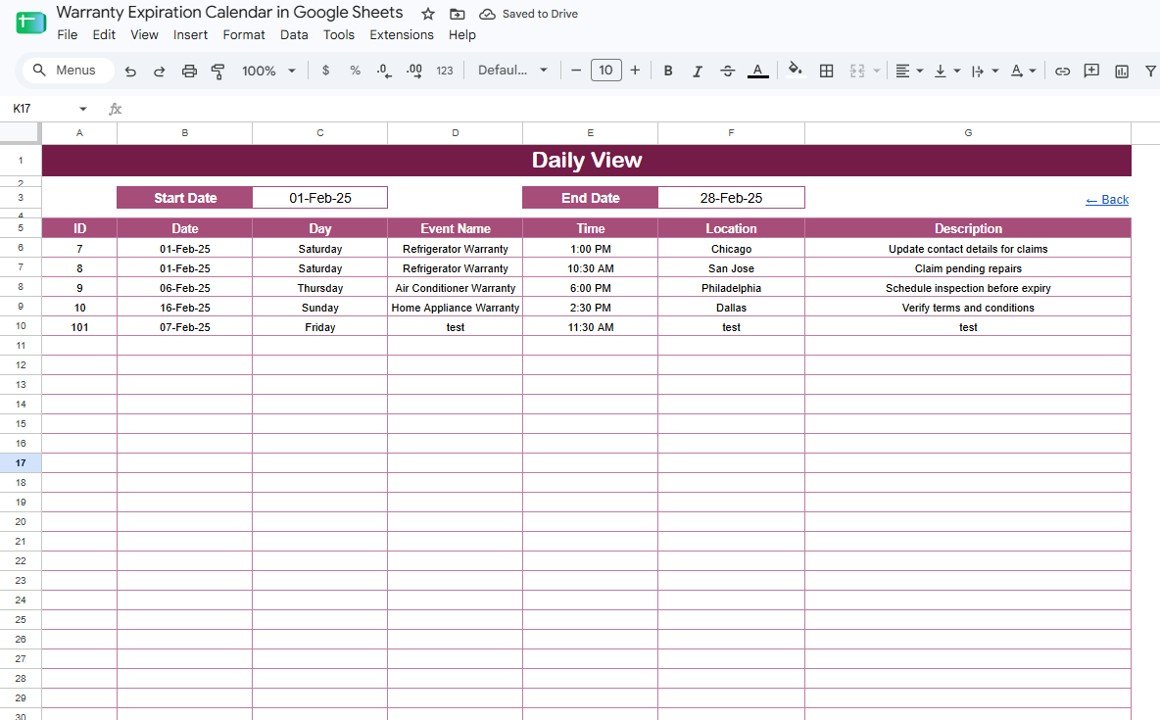
- Daily event list: Filter a date range and see warranty event names, times, locations, and descriptions in one place.
- Editable Events sheet: Maintain warranty date records directly, then let the calendar views reflect the updates.
- Google Sheets sharing: Give managers, support teams, and asset owners view or edit access through Google Drive.
- No subscription: Use the template as a one-time purchase instead of adding another monthly SaaS tool.
What’s Inside the Warranty Expiration Calendar in Google Sheets
Overview Page: The Overview page gives you quick navigation and high-level visibility across Annual View, Monthly View, Daily View, and Events. The chart section includes Warranty Calendar by Annual View, which helps you monitor full-year warranty exposure; Warranty Calendar by Monthly View, which narrows the schedule to a single month; Warranty Event List by Daily View, which supports date-range review; and Warranty Event Records by Events Sheet, which ties every dashboard view back to the source table.
Annual View: This tab is built for yearly planning. It includes Warranty Expiration Events by Month, Warranty Events by Calendar Date, Annual Calendar by Year, and Highlighted Warranty Dates by Month, making it easier to spot clusters before coverage expires.
Annual View
Monthly View: This tab focuses on one selected month and year. It includes Warranty Expiration Events by Day, Warranty Items by Calendar Date, Monthly Calendar by Month, and Warranty Schedule by Year, so short-term warranty follow-up is easier to manage.
Monthly View
Daily View: The Daily View is designed for operational follow-up. Use it to review Warranty Events by Date, Warranty Event Time by Event Name, Warranty Event Location by Event Name, Warranty Event Description by Event Name, and Warranty Events by Date Range.
Daily View
Events Sheet: The Events sheet stores every record used by the calendar. It supports Warranty Records by Date, Warranty Event Type by Event Name, Warranty Time by Event Name, Warranty Location by Event Name, and Warranty Description by Event Name.
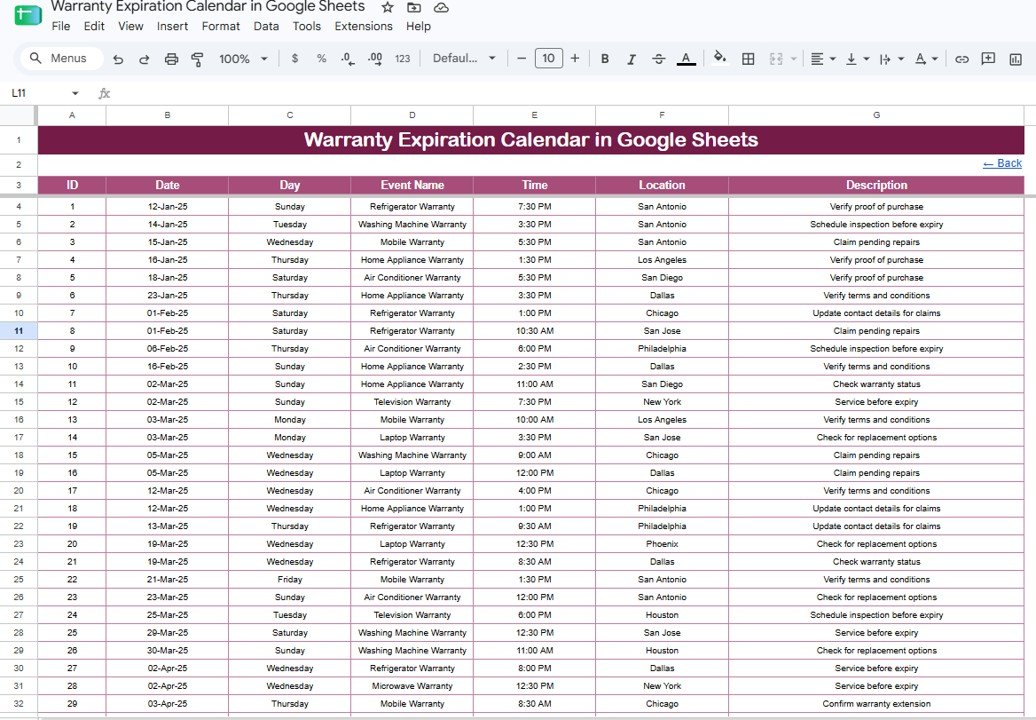
Events Sheet
Warranty Expiration Calendar in Google Sheets vs. Excel Calendar vs. Paid Asset Management SaaS – Where This Fits
| Feature | This Google Sheets template | Excel calendar alternative | Paid asset management SaaS |
|---|---|---|---|
| Cost | $4.99 one-time | $4.99 to $9.99 one-time | Usually monthly per user |
| Platform | Google Sheets in any browser | Microsoft Excel desktop or web | Vendor cloud application |
| Setup time | Under 10 minutes after download | Under 10 minutes after download | Often requires account setup and configuration |
| Real-time team collaboration | Native Google Drive sharing | Depends on OneDrive or SharePoint | Usually included on paid plans |
| Mobile access | Google Sheets app or browser | Limited by Excel mobile workflow | Usually available |
| Customizable fields | Fully editable sheet structure | Fully editable workbook | Limited to vendor settings |
| Share with link | Yes | Possible through cloud storage | Invite-based |
| Year-1 cost at 5 users | $4.99 total | $4.99 to $9.99 plus Office if needed | Can run into hundreds or thousands annually |
| Best warranty fit | Expiration dates, renewals, claims, and event notes | Offline tracking and printing | Full asset lifecycle and workflow automation |
Who This Template Is For – and Who It’s Not For
This template is for operations managers, IT asset coordinators, retail teams, facilities teams, service centers, warranty administrators, and small businesses that need one visible calendar for warranty expirations. It is especially useful when the team already works in Google Workspace and wants a shared file instead of a heavier software rollout.
It is not a replacement for enterprise asset management, claims adjudication, automated reminders, barcode scanning, or compliance audit systems. If you need approvals, customer portals, or automated claim routing, use this as a planning companion rather than the system of record.
How to Use the Warranty Expiration Calendar in Google Sheets
Open the PDF guide from your download and use the included Google Sheets copy link to create your own editable copy. Add warranty events in the Events sheet with dates, event names, times, locations, and descriptions. Use the Annual View for long-range planning, the Monthly View for near-term follow-up, and the Daily View when you need a filtered list of upcoming renewals, repairs, or claim deadlines.
Real-World Use Cases
Maria, Operations Manager: Maria tracks equipment warranty end dates across three office locations and checks the Monthly View before approving repairs.
Dev, IT Asset Coordinator: Dev logs laptop, monitor, and network device warranty expirations so replacements can be budgeted before coverage lapses.
Nina, Retail Support Lead: Nina uses the Events sheet to record product coverage dates and shares the Daily View with the support team during weekly follow-ups.
Frequently Asked Questions
What pages are included in this warranty calendar?
The template includes Overview, Annual View, Monthly View, Daily View, and Events pages. These cover high-level navigation, yearly planning, monthly review, daily filtering, and source record management.
Can I use it for products, equipment, or assets?
Yes. The fields are flexible enough for consumer products, business equipment, IT assets, appliances, vehicles, tools, or service contracts.
Can multiple users update the same calendar?
Yes. Because this version runs in Google Sheets, you can share your copy through Google Drive and control view, comment, or edit permissions.
Does it send automatic warranty reminders?
No. The template is a calendar and event tracking file. You can add reminders separately with Google Calendar, Apps Script, or another automation tool if needed.
Do I need Microsoft Excel?
No. This product is built for Google Sheets. If your team prefers Excel, see the related Warranty Expiration Calendar in Excel.
Is this a subscription?
No. It is a one-time purchase template for internal use, with no monthly fee from NextGenTemplates.
About the Author
Built by PK – Microsoft Certified Professional with 15+ years of Excel, Google Sheets, and Power BI experience. Founder of NextGenTemplates, reaching 300K+ subscribers across YouTube channels. Every template is hand-built and tested before release.
Explore Related Templates
Product Warranty Claim Tracker in Google Sheets helps teams manage warranty claims after a customer reports an issue.
Maintenance Tasks Calendar in Google Sheets is useful when warranty dates connect to preventive service work.
Warranty Expiration Calendar in Excel is the adjacent Excel version for desktop spreadsheet users.
Product Release Testing Calendar in Google Sheets supports product and QA scheduling workflows.
Browse more Google Sheets Calendar templates and all Google Sheets templates.
Get the Warranty Expiration Calendar in Google Sheets for $4.99. Track warranty deadlines, review upcoming events, and keep renewal follow-up visible in one shared file.
Watch the step-by-step video Demo:
Last updated: August 18, 2026
































Reviews
There are no reviews yet.