

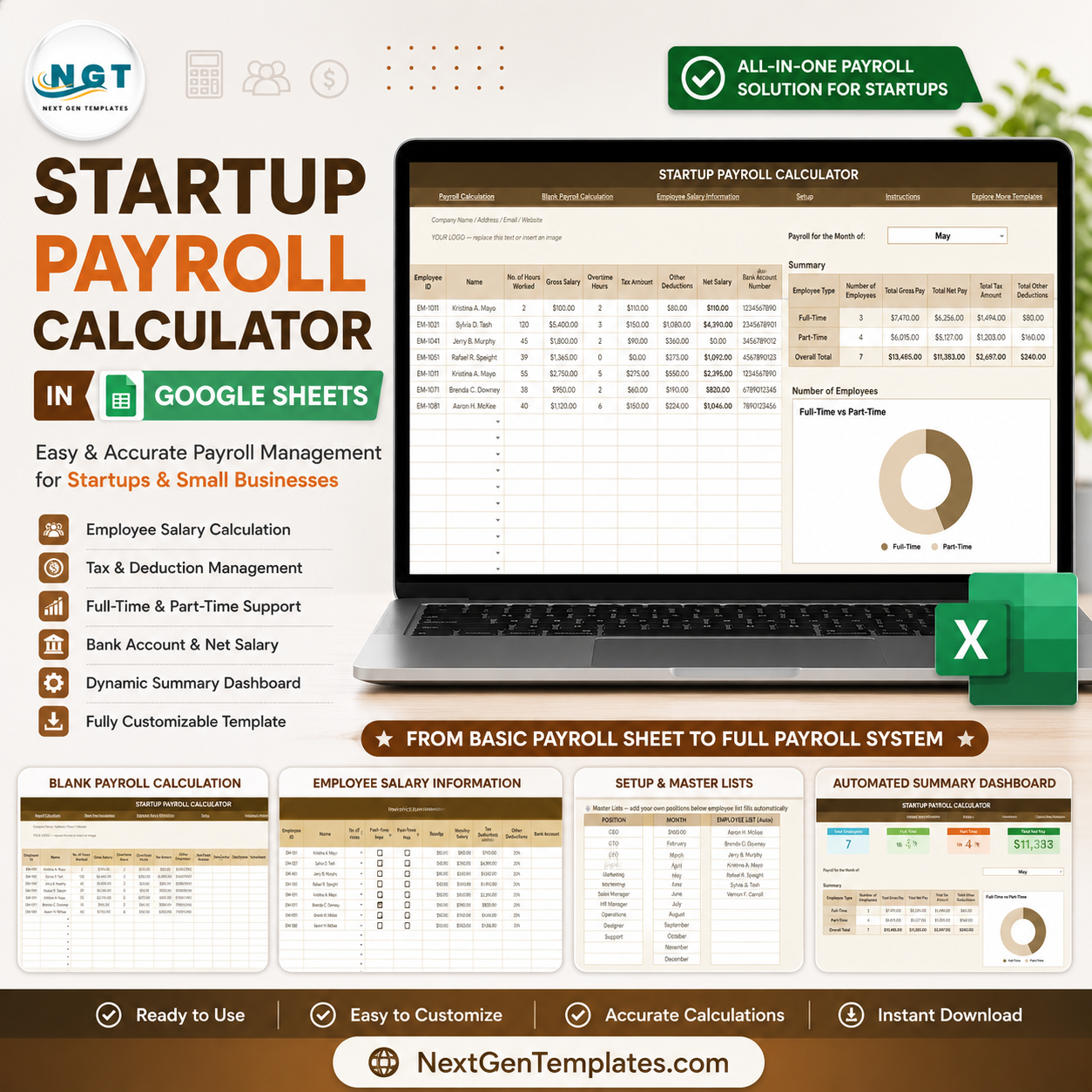
Startup Payroll Calculator in Google Sheets helps founders, HR admins, and finance leads review payroll before money leaves the business. Payroll is usually the largest startup operating cost: the U.S. Bureau of Labor Statistics reported that private-industry compensation costs averaged $46.60 per hour worked in March 2026, with wages and salaries making up 69.9% of employer cost. This template turns that risk into a structured monthly workflow with employee counts, gross pay, net pay, taxes, deductions, employee type analysis, and setup lists in one editable Google Sheets file. Built by NextGenTemplates for teams that prefer a one-time $6.99 template over another monthly SaaS bill, it is simple to review, easy to share, and flexible enough to adapt before publishing payroll numbers.
Key Features of Startup Payroll Calculator in Google Sheets
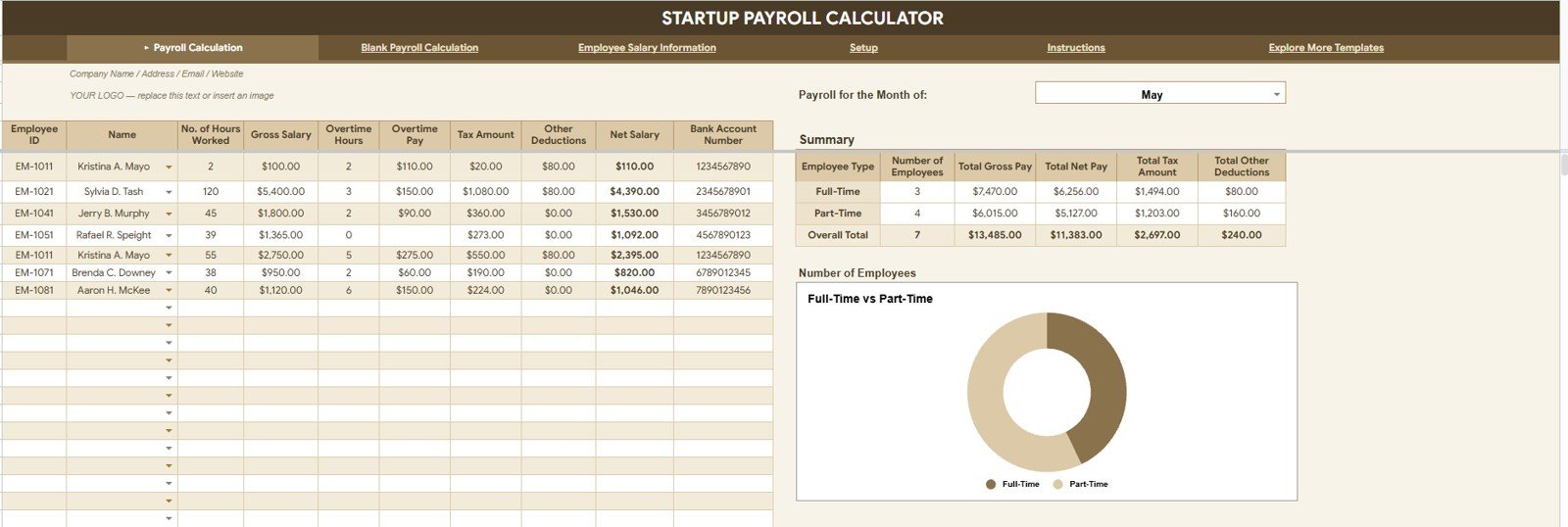
- Payroll overview cards: Track number of employees, total gross pay, total net pay, total tax amount, and total other deductions from the top of the overview page.
- Employee type analysis: Compare employee count, gross pay, net pay, taxes, and deductions by employee type so founders can understand the payroll mix.
- Interactive slicers: Apply filters quickly during payroll review meetings without rebuilding charts or formulas.
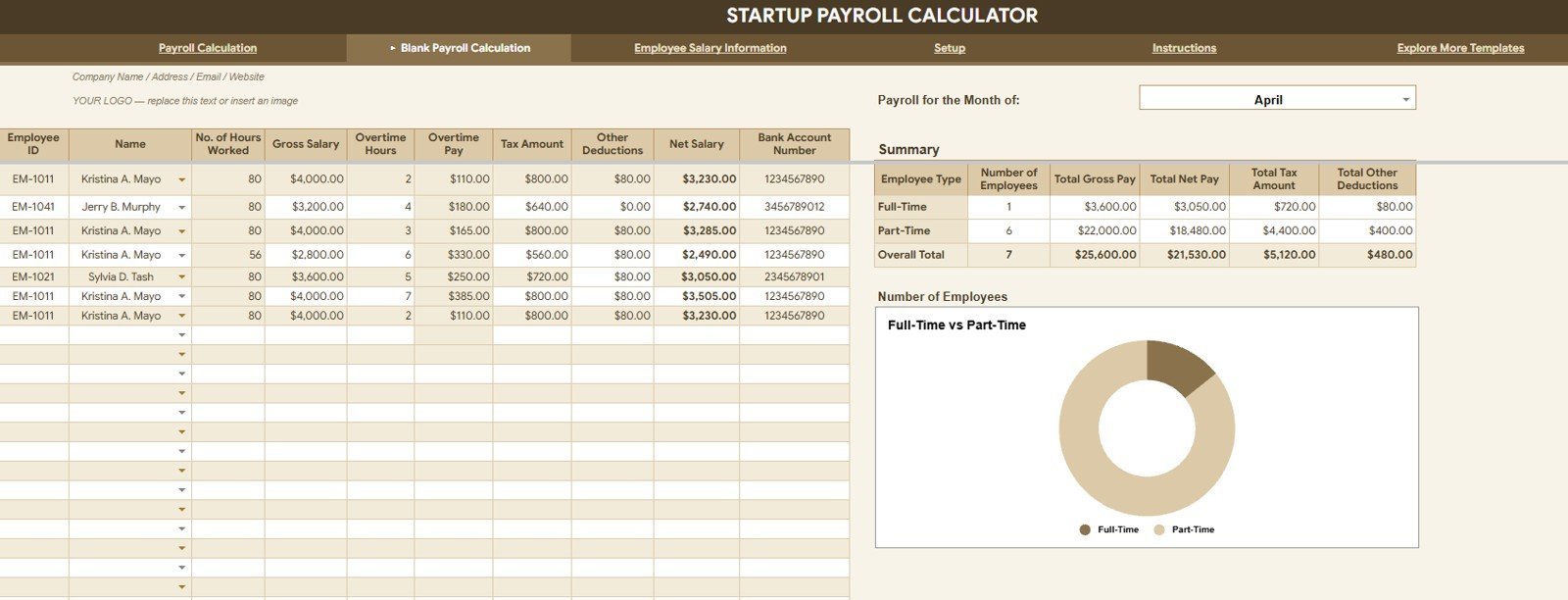
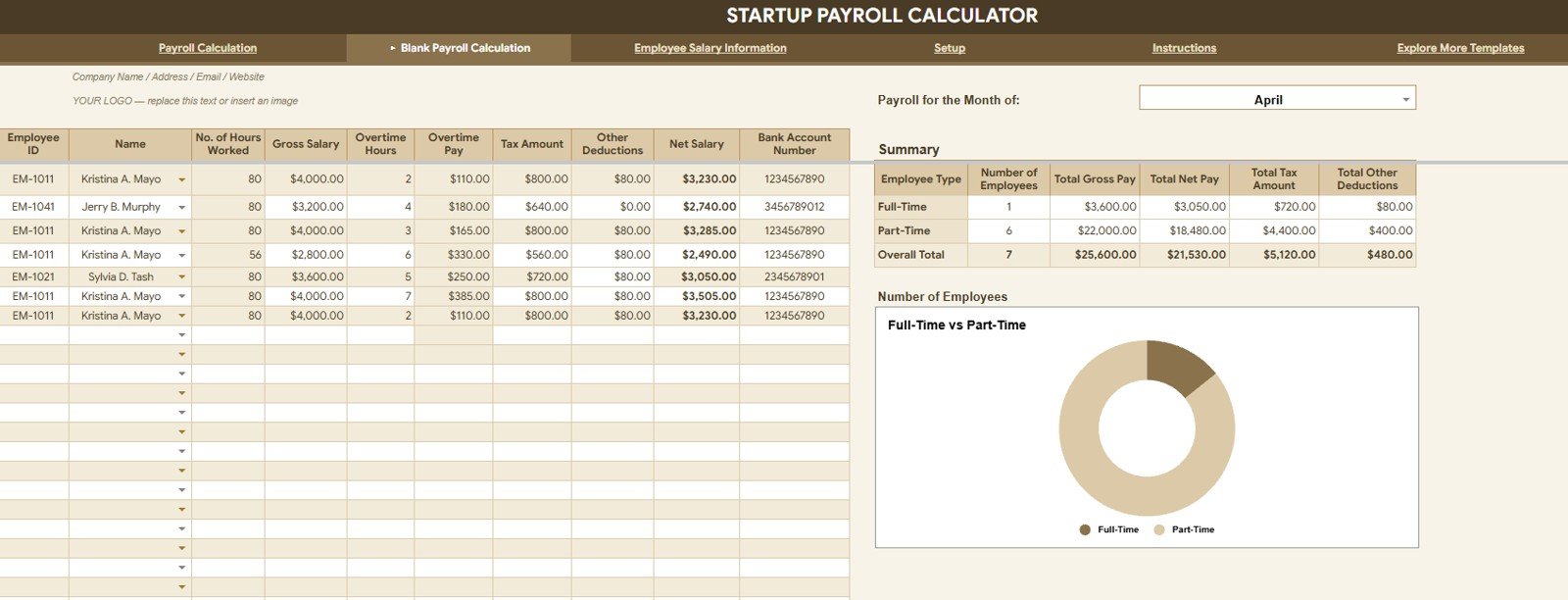
- Blank payroll calculation tab: Use a clean calculation sheet to review payroll metrics by employee type before copying or finalizing a month.
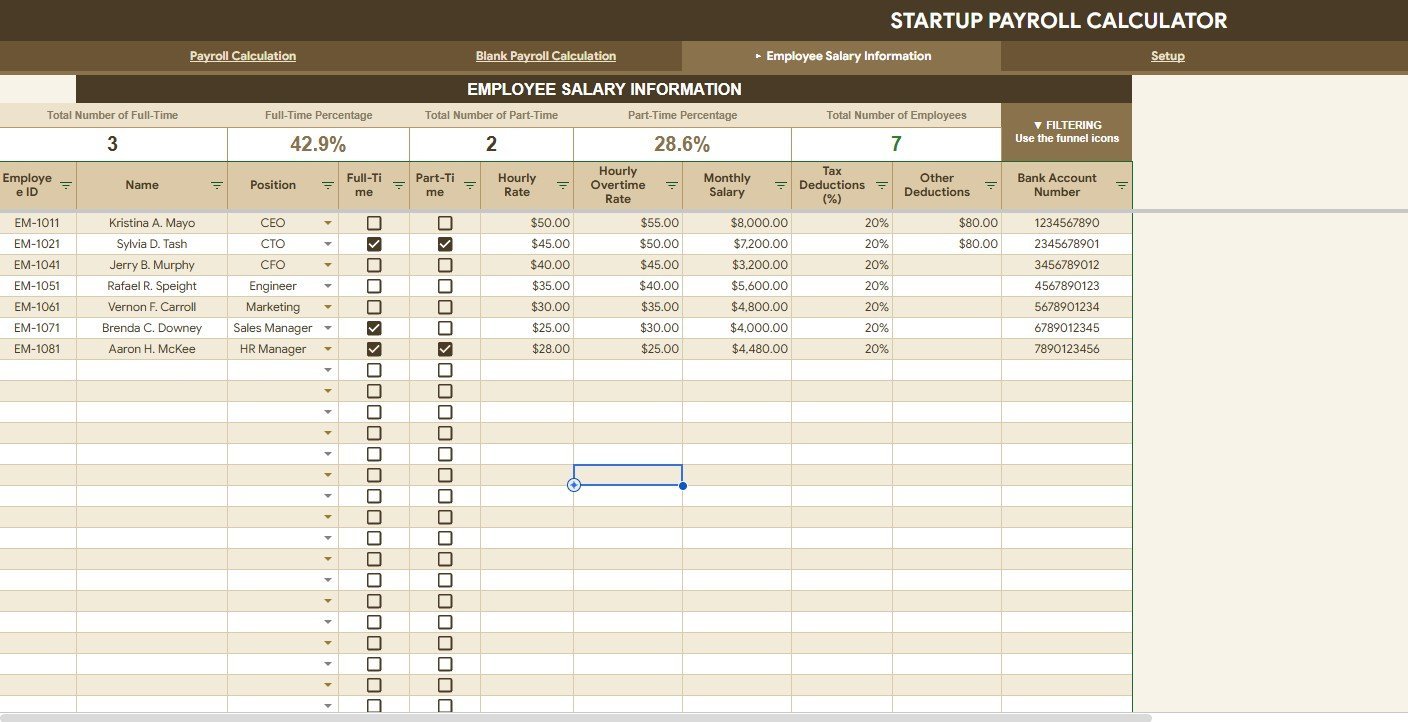
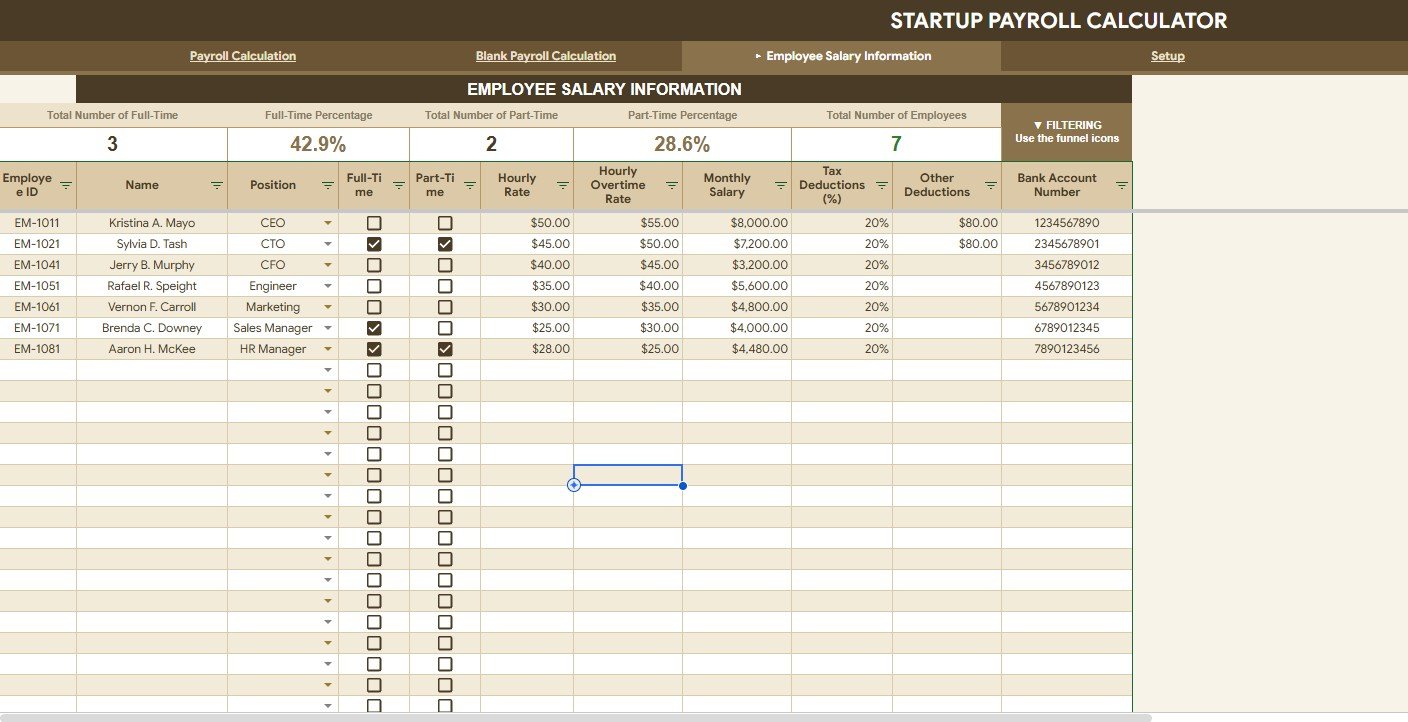
- Salary information tab: Maintain employment status, position, employee count, full-time and part-time percentages, and salary details by position.
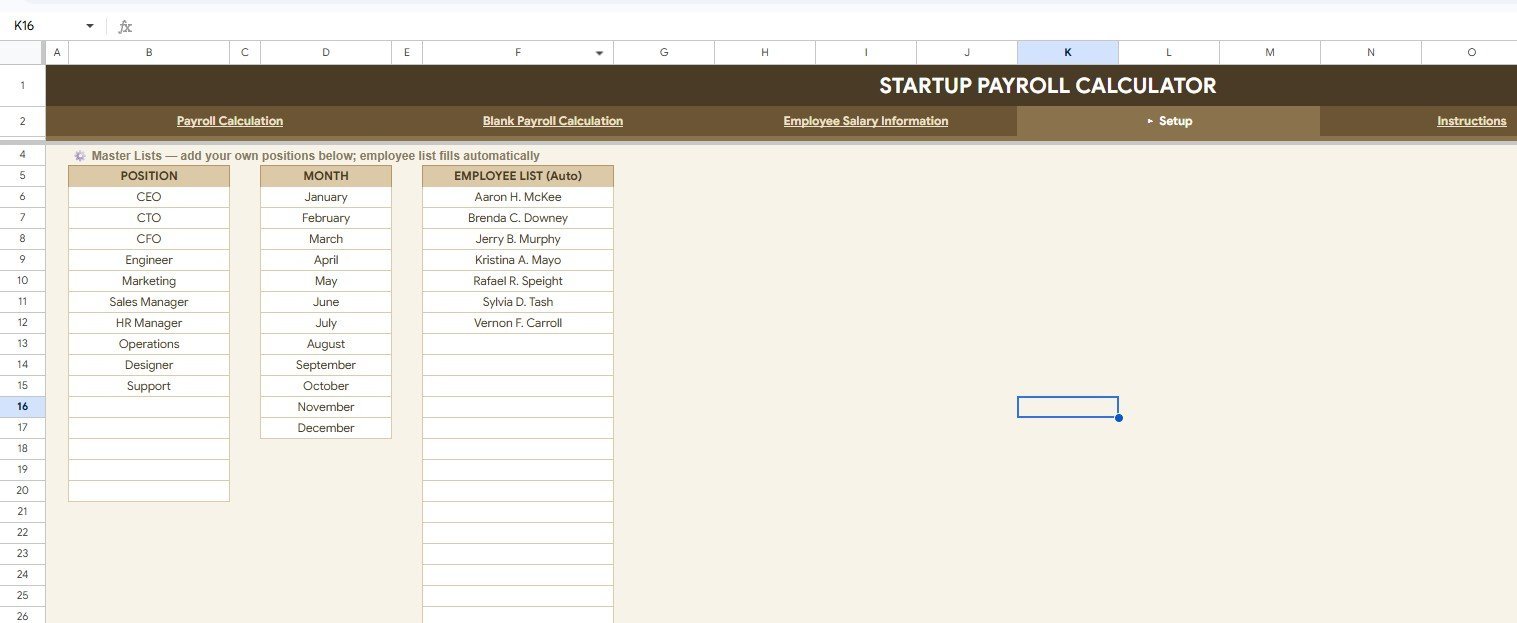
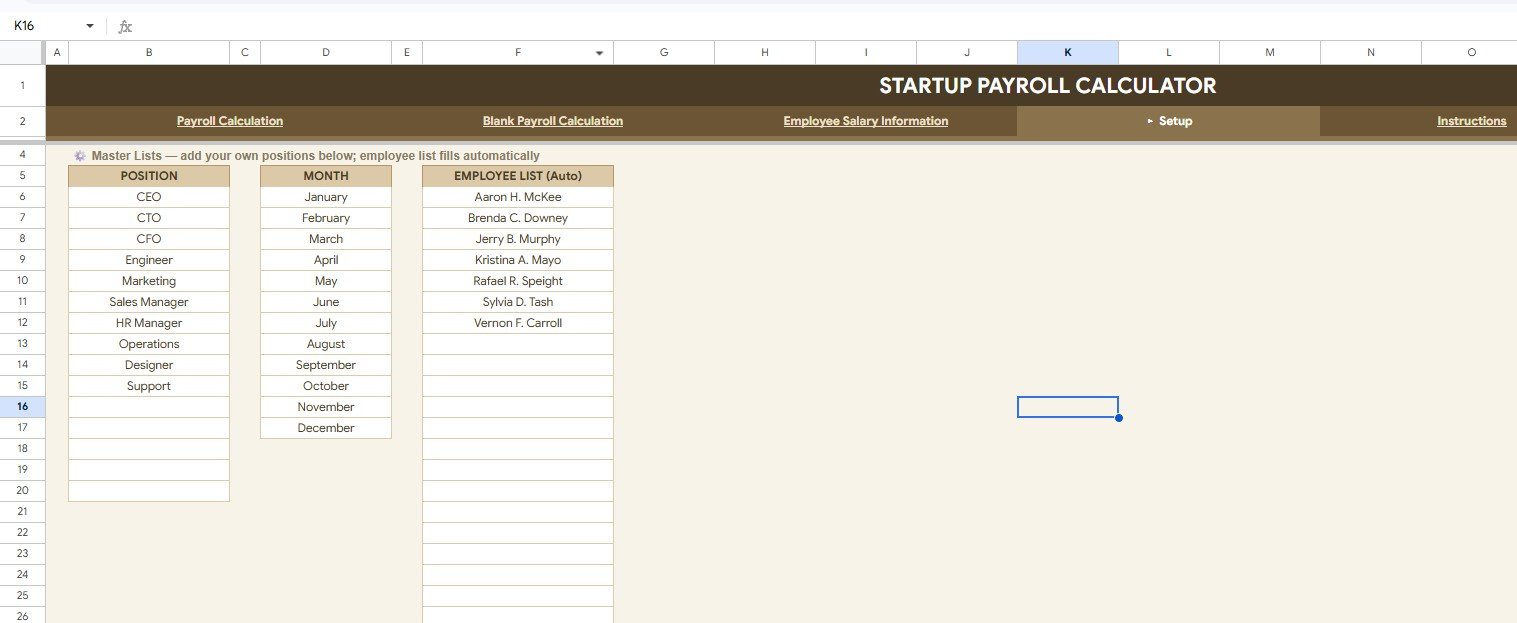
- Setup tab: Keep position lists, month lists, and employee name lists organized for cleaner dropdowns and fewer input mistakes.
- Google Sheets collaboration: Share the file with a founder, finance reviewer, accountant, or HR lead using normal Google Drive permissions.
- Editable template: Update employee types, positions, formulas, and charts as your startup grows from a small team to a more formal payroll process.
What’s Inside the Startup Payroll Calculator in Google Sheets
Overview Page
The Overview Page gives a high-level payroll picture with cards for Number of Employees, Total Gross Pay, Total Net Pay, Total Tax Amount, and Total Other Deductions. The charts break payroll down by employee type, helping you see whether payroll cost is concentrated in full-time employees, part-time staff, contractors, or other staffing groups.
Blank Payroll Calculation
The Blank Payroll Calculation tab gives users a clean working area for the same core payroll analysis: employee count, gross pay, net pay, tax amount, other deductions, and employee split by employee type. This is useful when you want to prepare a fresh payroll month, test a staffing scenario, or copy a calculation view before final payroll review.
Employee Salary Information
The Employee Salary Information tab focuses on the people behind the payroll numbers. It summarizes full-time and part-time counts and percentages by employment status, total employees by employment status, and salary details by position. That makes it easier to review where payroll budget is going before a founder or finance lead approves changes.
Setup
The Setup tab keeps dropdown source lists in one place. You can manage the position list, month list, and employee list so payroll inputs stay consistent across the workbook. For small teams, this is a quiet but important control because one misspelled position or employee name can distort charts and summaries.
Startup Payroll Calculator in Google Sheets vs. Microsoft Excel Workbook vs. Paid HR SaaS – Where This Fits
| Area | This Google Sheets template | Microsoft Excel workbook | Paid HR SaaS |
|---|---|---|---|
| Cost | $6.99 sale price, one-time | One-time template cost, usually local file based | Monthly subscription or per-employee pricing |
| Platform | Google Sheets in browser | Desktop Excel or Microsoft 365 | Vendor-hosted cloud system |
| Setup time | Copy the file, update lists, enter payroll data | Download, configure formulas, share file carefully | Longer onboarding, roles, settings, and imports |
| Real-time team collaboration | Strong through Google Drive sharing | Best with OneDrive or SharePoint | Usually included |
| Mobile access | Available through Sheets app or browser | Available through Excel mobile with limits | Usually included |
| Customizable fields | Editable sheets, formulas, lists, and charts | Editable workbook structure | Plan and admin permission dependent |
| Share with link | Yes, with viewer, commenter, or editor access | Possible with Microsoft sharing | Usually account based |
| Year-1 cost at 5 users | $6.99 template cost | Template cost plus Excel access | Often hundreds of dollars per year |
| Payroll compliance filing | Not included; use for internal calculation and review | Not included unless custom built | Often available in country-specific payroll systems |
Who This Template Is For – and Who It’s Not For
This template is built for startup founders, HR coordinators, finance admins, office managers, accountants, payroll assistants, consultants, agencies, and small teams that need a practical payroll calculation workbook in Google Sheets.
It is not the right fit if you need statutory payroll filing, direct bank disbursement, biometric attendance integration, employee self-service portals, enterprise approvals, or automatic country-specific tax submission. In those cases, use this file as a review layer or choose a dedicated payroll platform.
How to Use the Startup Payroll Calculator in Google Sheets
- Open the PDF guide from your download and use the Google Sheets copy link to create your editable version.
- Go to the Setup tab and update employee names, months, and position lists.
- Enter or update employee salary information and employment status details.
- Review the Overview Page cards for employee count, gross pay, net pay, tax, and other deductions.
- Use the Blank Payroll Calculation tab for monthly payroll preparation or scenario review.
- Apply slicers to filter payroll views by the available fields.
- Share a view-only or protected copy with leadership before final approval.
Real-World Use Cases
Maya, a startup founder with 18 employees, reviews gross pay, tax, deductions, and net pay before approving the monthly payroll transfer.
Daniel, a fractional CFO, uses the employee type charts to show a client how full-time and part-time staffing changes affect payroll cost.
Priya, an HR admin at a growing agency, updates the Setup tab each month so employee names, months, and positions stay consistent across payroll reports.
Frequently Asked Questions
What does the Startup Payroll Calculator in Google Sheets calculate?
It helps organize number of employees, gross pay, net pay, tax amount, other deductions, and employee split by employee type.
Can I customize employee types and positions?
Yes. You can update employee types, position names, month names, and employee lists through the workbook setup structure.
Does this template file payroll taxes?
No. It is a payroll calculation and review template. Confirm statutory filing, tax deposits, and payroll compliance with your accountant or payroll provider.
Can multiple people review the file?
Yes. Since it is built in Google Sheets, you can share it through Google Drive with viewer, commenter, or editor permissions.
Is this useful for contractors or part-time employees?
Yes. The employee type charts are designed to compare payroll metrics across staffing groups, including full-time, part-time, contractors, or custom types.
Is this a subscription?
No. This is a one-time digital template purchase.
About the Author
Built by PK – Microsoft Certified Professional with 15+ years of Excel, Google Sheets, and Power BI experience. Founder of NextGenTemplates, reaching 300K+ subscribers across YouTube channels. Every template is hand-built and tested before release.
Explore Related Templates
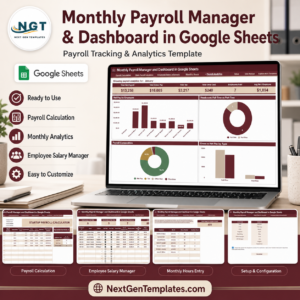
- Monthly Payroll Manager and Dashboard in Google Sheets
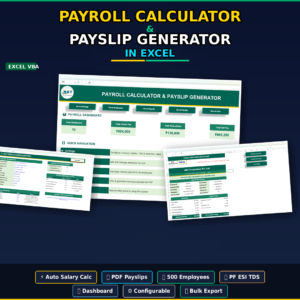
- Payroll Calculator and Payslip Generator in Excel
- Attendance Tracker in Google Sheets
- Employee Onboarding Tracker in Google Sheets
- Employee Attendance Payroll Management System
- Browse Google Sheets HR and Payroll templates
- Browse Google Sheets Tracker templates
Ready to review startup payroll with fewer scattered files? Add the Startup Payroll Calculator in Google Sheets to your HR toolkit, update the setup lists, and start reviewing employee count, gross pay, net pay, tax, deductions, and employee type splits in one place.
Watch the step-by-step video Demo:
Last updated: August 4, 2026



















Reviews
There are no reviews yet.