



In any service-oriented business, understanding client perceptions is key to continuous improvement. The Client Feedback Tracker in Google Sheets provides a professional, data-driven way to collect, organize, and analyze feedback — helping businesses improve service quality, strengthen relationships, and boost client retention.
Built entirely in Google Sheets, this tracker allows teams to record client survey responses, visualize satisfaction trends, and identify performance gaps through automatic charts and reports. It’s collaborative, customizable, and perfectly suited for service-based organizations that want actionable insights without complex software.
🔑 Key Features of the Client Feedback Tracker in Google Sheets
📊 1. Tracker Sheet Tab
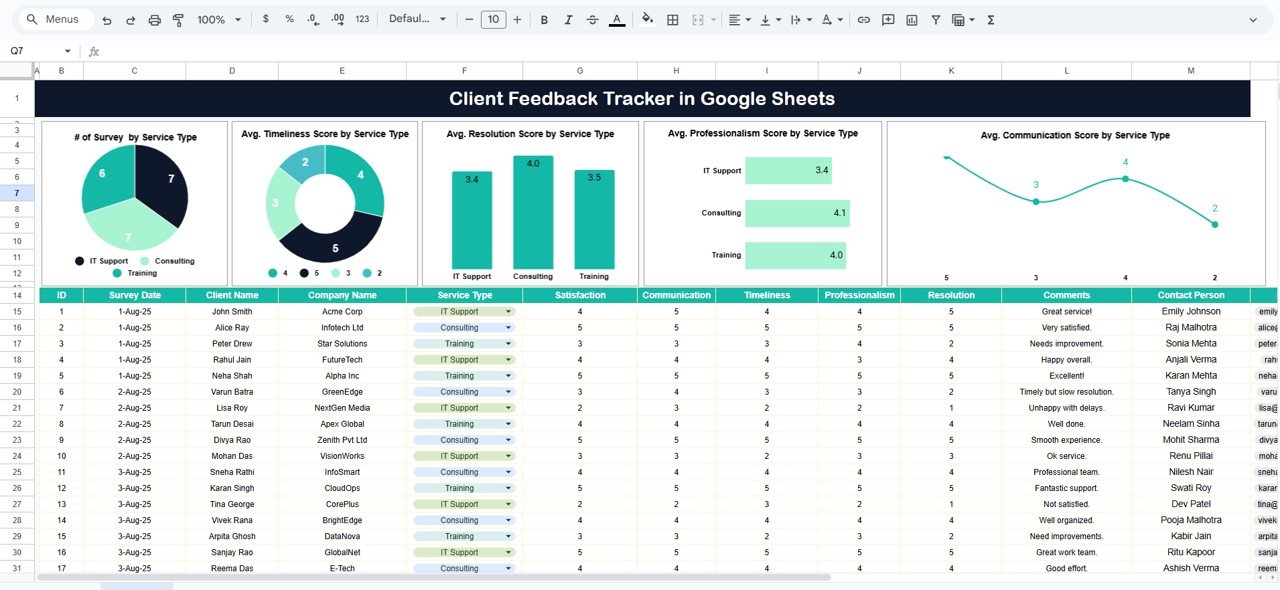
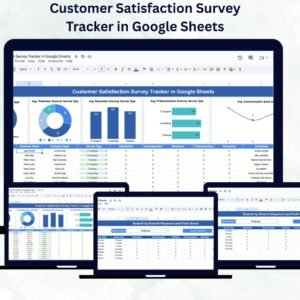
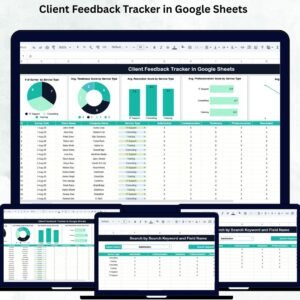
The main dashboard visualizes client satisfaction metrics through interactive charts and summary views.
Charts Include:
# of Surveys by Service Type – Displays the number of surveys collected per service category.
Average Timeliness Score by Service Type – Monitors efficiency and turnaround time across services.
Average Resolution Score by Service Type – Measures how effectively client issues are resolved.
Average Professionalism Score by Service Type – Evaluates staff courtesy, conduct, and professionalism.
Average Communication Score by Service Type – Tracks responsiveness and communication clarity.
All charts update automatically when new feedback is added, offering instant visual insights into satisfaction trends and service quality.
🔍 2. Search Sheet Tab
Easily retrieve specific feedback with advanced search filters.
Features:
Search by keyword (e.g., client name, service, or comment).
Filter by field name (e.g., department, rating category, or follow-up status).
Instantly locate records without scrolling through hundreds of rows.
This smart search system ensures that managers and teams can act promptly on feedback requiring attention.
🧾 Data Fields Captured
The tracker records all essential feedback details, including:
Client Name / Company Name
Service Type
Timeliness, Resolution, Communication & Professionalism Scores
Feedback Comments
Assigned Staff
Follow-up Status
Date Submitted
Every data point is integrated into charts and summaries, creating a clear overview of client sentiment.
📦 What’s Inside the Template
✅ Tracker Sheet – Interactive charts & performance visualization
✅ Search Sheet – Dynamic keyword & category search
✅ Data Sheet – Feedback recording area
✅ Auto-Updating Reports – Charts refresh automatically
✅ Fully Customizable Layout – Modify rating fields & KPIs easily
👥 Who Can Use This Tracker
🏢 Service-Based Businesses – Track customer satisfaction for every project or client.
💬 Customer Experience Teams – Analyze trends and take corrective action.
👨💼 Project Managers – Monitor team performance and delivery quality.
📊 Consultants & Agencies – Showcase client satisfaction metrics to stakeholders.
💡 Operations Teams – Identify and address bottlenecks quickly.
🌟 Advantages of Using the Client Feedback Tracker
📈 Centralized Feedback System: Store and manage all client survey data in one sheet.
🕒 Real-Time Insights: Charts auto-refresh with every new entry.
🧭 Smart Search Functionality: Retrieve and review specific feedback instantly.
🎯 Data-Driven Improvement: Identify recurring service issues and improve quality.
🤝 Enhanced Client Retention: Maintain strong relationships through proactive feedback management.
⚙️ Customizable Format: Add more KPIs or modify survey dimensions easily.
💡 Best Practices
📅 Collect Feedback Regularly: After every project or service delivery.
🧾 Maintain Data Accuracy: Input consistent ratings and comments.
🔎 Analyze Trends Monthly: Identify which services or teams need improvement.
🚀 Focus on Low Scores: Prioritize departments with recurring issues.
🗂️ Use Filters for Insights: Narrow results by service type, client, or staff member.
🧩 Customize Metrics: Adjust rating fields (e.g., Responsiveness, Value for Money).
🚀 How This Tracker Helps Businesses
Improves Service Quality: Track and respond to client concerns quickly.
Monitors Staff Performance: Identify high performers and training needs.
Boosts Transparency: Share data-driven results with clients or leadership.
Supports Strategic Planning: Spot patterns in client expectations and satisfaction.
Enhances Client Trust: Demonstrates commitment to improvement and quality assurance.
🔗 Click here to read the detailed blog post
Watch the step-by-step video Demo:
🔗 Visit our YouTube channel for tutorials and demos
Compatibility and Requirements
- Works in Google Sheets. You need a free Google account and a web browser.
- The Tracker sheet shows its charts from the feedback you enter. Google explains how charts work in Add and edit a chart or graph.
Frequently Asked Questions
Which sheets are included?
The template has a Tracker sheet with charts, a Search sheet for finding feedback, and a Data sheet where you record each response.
What can I record for each piece of feedback?
You can record the client or company name, service type, scores for timeliness, resolution, communication and professionalism, comments, assigned staff, follow-up status and the date submitted.
Do the charts update by themselves?
Yes. The charts on the Tracker sheet refresh when you add new feedback. They show the number of surveys and the average timeliness, resolution, professionalism and communication scores by service type.
How do I find one client’s feedback?
Open the Search sheet and search by keyword, such as a client name, service or comment. You can also filter by field name, for example department, rating category or follow-up status.
Is there an Excel version?
There are related Excel templates, such as the Customer Feedback Tracker in Excel.
Related Feedback and Client Templates
- Customer Feedback Tracker in Excel: a similar tracker for Excel users
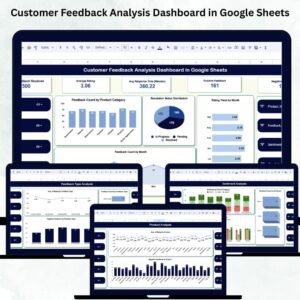
- Customer Feedback Analysis Dashboard in Google Sheets: a dashboard view of feedback results
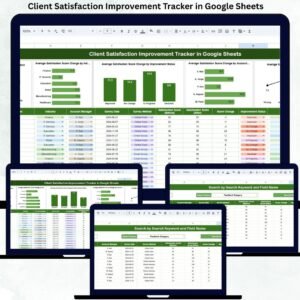
- Client Satisfaction Improvement Tracker in Google Sheets: track actions taken to raise satisfaction
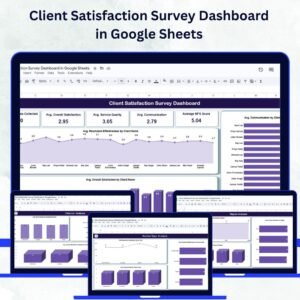
- Client Satisfaction Survey Dashboard in Google Sheets: chart survey results
- Client Follow-Up Checklist in Google Sheets: keep follow-ups on schedule
Browse all Google Sheets trackers.
Reviews
There are no reviews yet.