

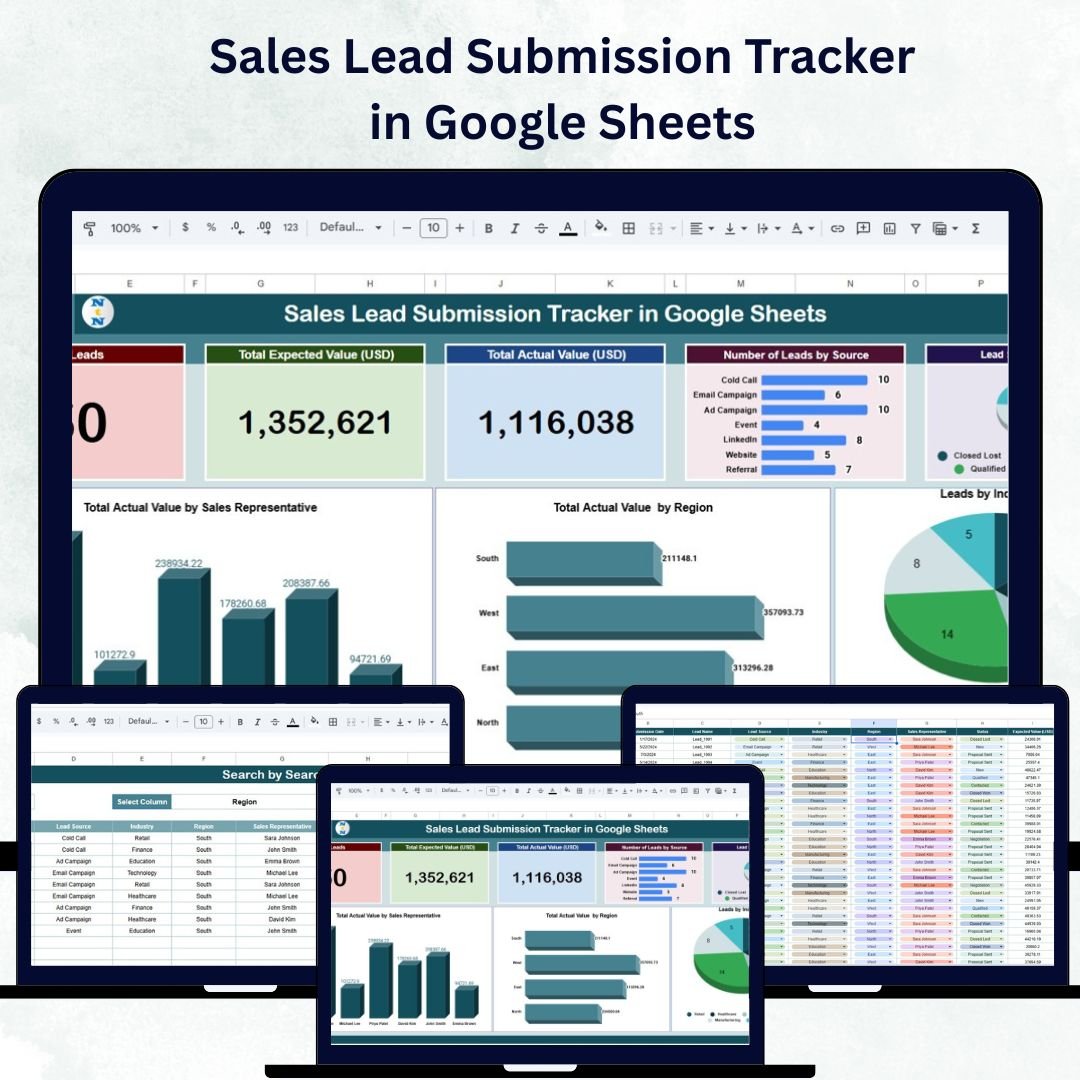

Efficient lead management is the foundation of any successful sales operation. The Sales Lead Submission Tracker in Google Sheets is a ready-to-use, interactive tool that empowers sales teams to record, monitor, and analyze leads in real time — helping improve conversion rates, boost revenue, and streamline reporting.
Built in Google Sheets, this tracker centralizes all lead information, automates insights through charts, and ensures collaboration among sales teams across regions. Whether you’re managing a small sales team or a large multi-location operation, this tool offers complete visibility into your sales funnel and performance. 🚀
🔑 Key Features of the Sales Lead Submission Tracker in Google Sheets
📊 Tracker Sheet Tab
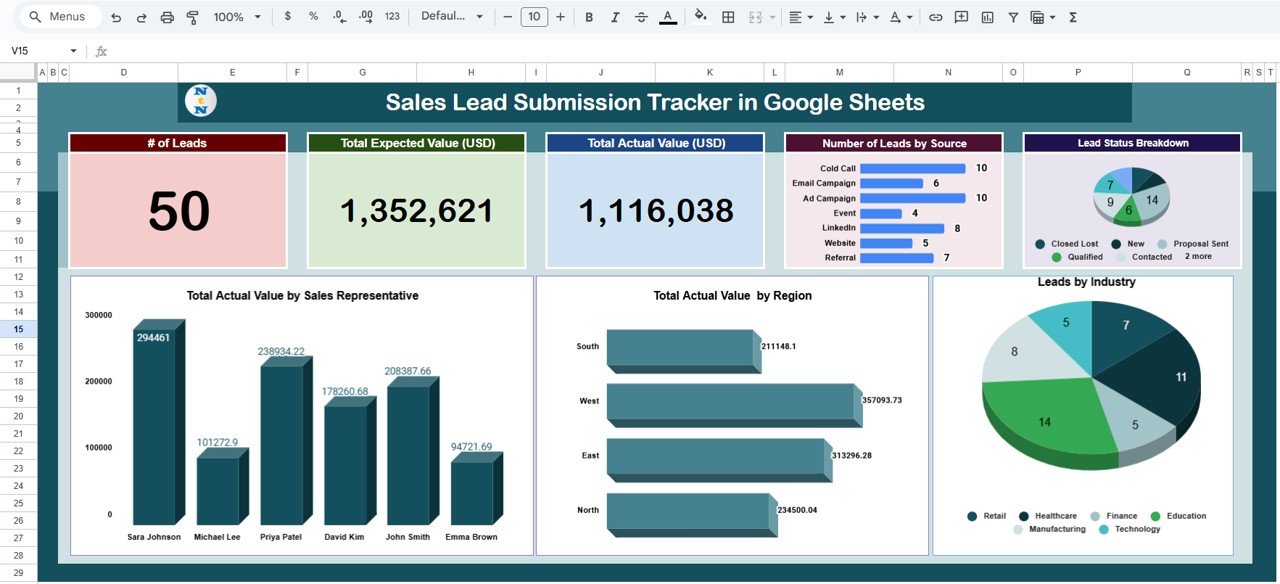
The Tracker Sheet acts as the main dashboard where all lead data is visualized.
Key Cards and Metrics:
# of Leads: Total number of leads submitted
Total Expected Value (USD): Projected revenue from open leads
Total Actual Value (USD): Realized revenue from closed leads
Charts and Visualizations:
Leads by Source: Identify which channels (website, referral, social media, etc.) generate the most leads
Lead Status Breakdown: Track leads across stages — New, In Progress, Closed Won, Closed Lost
Revenue by Sales Representative: Measure individual performance
Revenue by Region: Compare revenue across territories
Leads by Industry: Understand which industries bring the highest value
This dashboard provides an instant, visual summary of team performance and pipeline status.
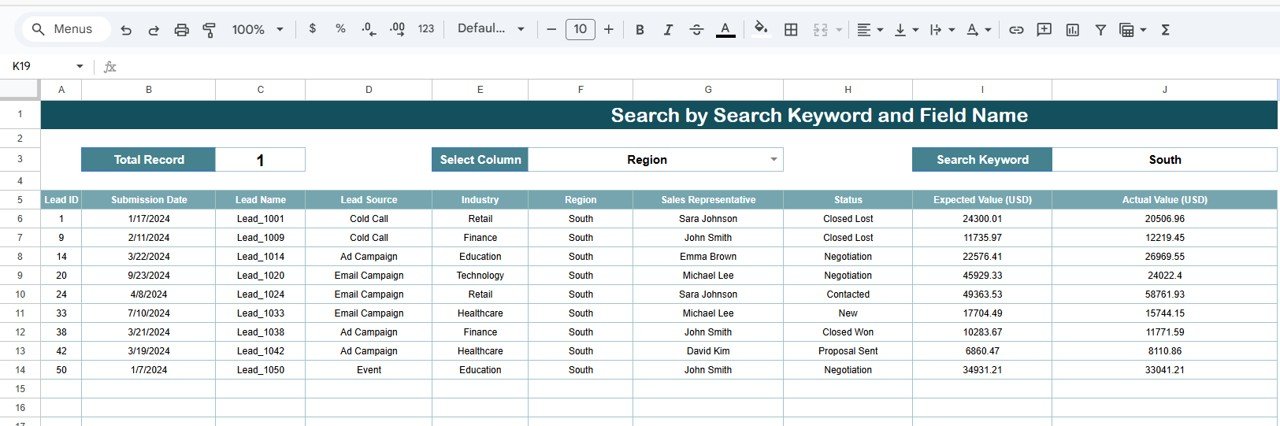
🔍 Search Sheet Tab
Save time with a powerful built-in search system:
Quickly find any lead using keywords or field names
Search by customer name, region, industry, or sales representative
Instantly retrieve records for follow-ups, reviews, or reports
This feature eliminates the hassle of scrolling through large datasets, improving efficiency and accuracy.
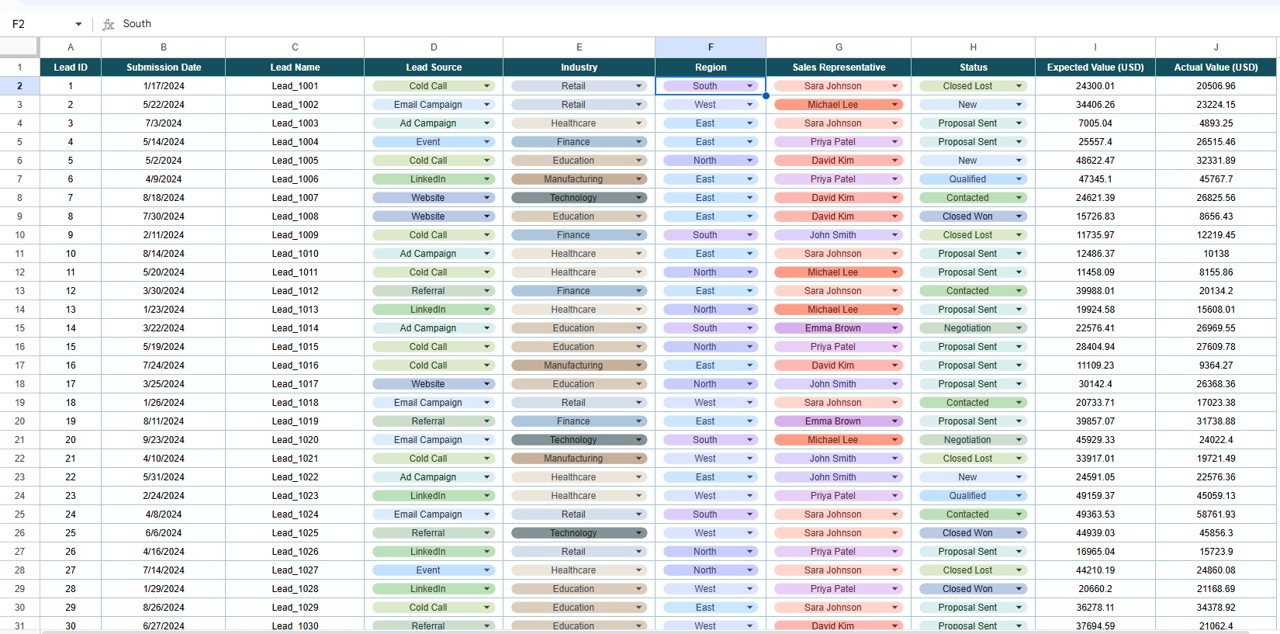
🧾 Data Sheet Tab
All lead data is recorded here for automated tracking and analysis.
Data Fields Include:
Lead Name, Source, Industry
Expected Value & Actual Value
Sales Representative & Region
Status & Notes
Each entry in the Data Sheet dynamically updates the Tracker Sheet — ensuring real-time performance updates and accuracy.
🌟 Advantages of Using the Sales Lead Submission Tracker
✅ Centralized Lead Management: Keep all your lead information in one organized system
📈 Visual Insights: Instantly identify top-performing sources, reps, and regions
💼 Performance Tracking: Compare expected vs. actual revenue for accurate forecasting
⏱️ Time-Saving: Use the Search tab for quick lookups instead of manual filtering
📊 Customizable Dashboard: Add fields, KPIs, or filters to match your unique sales process
🧠 Data-Driven Decisions: Prioritize high-potential leads and allocate resources effectively
🤝 Collaborative Tool: Multiple users can update and access the tracker simultaneously in Google Sheets
🧠 Best Practices for Using the Tracker
Update Regularly: Enter new leads and update their statuses daily or weekly
Segment by Source: Identify which marketing channels deliver the best ROI
Monitor Performance: Compare expected vs. actual revenue to measure forecast accuracy
Focus on Key Metrics: Track open vs. closed leads, conversion rates, and average deal size
Use Charts for Review: Visualize results in meetings or performance reviews
Standardize Data Entry: Maintain consistency for reliable analysis
💡 How This Tracker Helps Sales Teams
Improve Conversion Rates: Focus on high-value, high-probability leads
Enhance Sales Strategy: Identify weak points in the funnel
Measure Productivity: Evaluate each sales representative’s performance
Optimize Lead Sources: Channel more resources into profitable acquisition streams
Simplify Reporting: Generate insights and reports in minutes
This tracker bridges the gap between data collection and decision-making, enabling sales teams to work smarter, not harder.
🔗 Click here to read the Detailed blog post
Watch the step-by-step video Demo:
🔗 Visit our YouTube channel to learn step-by-step video tutorials
What’s Inside the Sales Lead Submission Tracker
- Tracker sheet: cards for number of leads, total expected value and total actual value, plus charts for leads by source, lead status, revenue by sales representative, revenue by region and leads by industry
- Search sheet: find any lead by customer name, region, industry or sales representative
- Data sheet: lead name, source, industry, expected and actual value, sales representative, region, status and notes
How to Use the Sales Lead Submission Tracker
- Make a copy of the file to your own Google Drive.
- Enter each lead on the Data sheet with its source, industry, expected value, sales representative, region and status.
- Update the status and actual value as leads move from New to In Progress, Closed Won or Closed Lost.
- Open the Tracker sheet to review the cards and charts by source, status, representative, region and industry.
- Use the Search sheet to pull up a lead before a follow-up call or review.
Compatibility and Requirements
- Works in Google Sheets with a free Google account and a web browser.
- Make a copy to your own Google Drive, then share it with your team if you want to work on it together.
- New to Sheets? Google’s guide How to use Google Sheets covers the basics.
Frequently Asked Questions
Which lead stages does the tracker use?
New, In Progress, Closed Won and Closed Lost. The Lead Status chart shows how many leads sit in each stage.
Can I compare expected and actual revenue?
Yes. The Tracker sheet shows total expected value for open leads and total actual value for closed leads in USD.
How do I find a single lead quickly?
Use the Search sheet. Search by customer name, region, industry or sales representative instead of scrolling the data.
Can several sales reps update it at once?
Yes. It runs in Google Sheets, so several users can update and view the tracker at the same time.
Related Sales Lead Templates
- Sales Lead Submission Tracker in Excel: the same tracker in Excel
- Lead Nurturing KPI Dashboard in Google Sheets: lead nurturing KPIs in Google Sheets
- Lead Generation Checklist in Google Sheets: a lead generation checklist in Google Sheets
- Lead Tracker Data Entry System in Excel: a lead tracker data entry system in Excel
- Tracker Toolkit: 12 tracker templates in one bundle
Browse all Google Sheets trackers or the Google Sheets sales and marketing templates.






























Reviews
There are no reviews yet.