

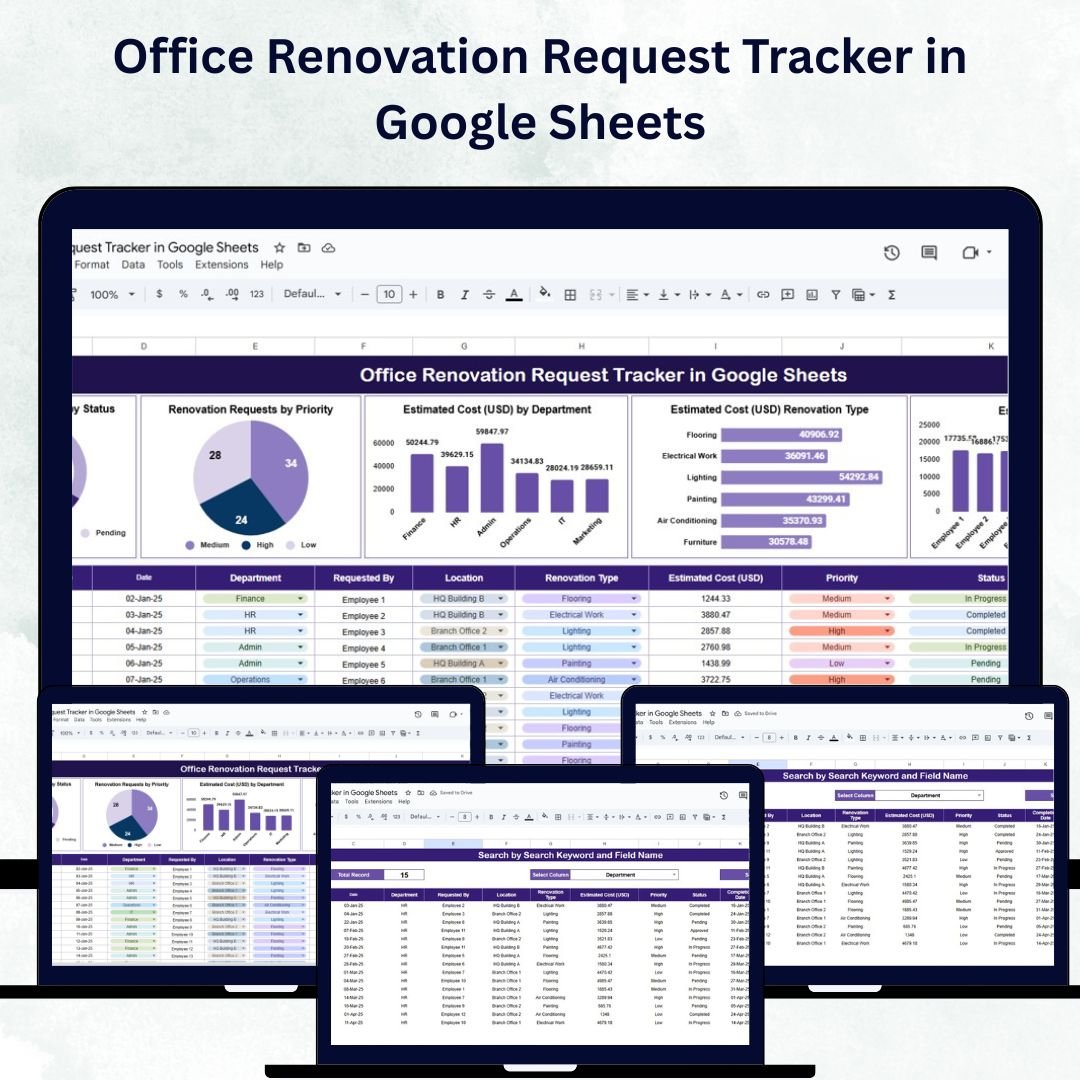

Managing office renovation projects can quickly become complex — from tracking requests and approvals to managing costs and prioritizing tasks. The Office Renovation Request Tracker in Google Sheets simplifies this entire process with a structured, ready-to-use system that empowers facility managers and operations teams to plan, monitor, and optimize office renovation workflows efficiently. 🧾📊
This interactive tracker brings together renovation requests, estimated costs, departments, and request statuses into a single, accessible Google Sheet. With real-time collaboration and visual dashboards, your organization can streamline renovation management, maintain budget control, and improve resource allocation.
🔑 Key Features of the Office Renovation Request Tracker in Google Sheets
📊 Dashboard Sheet Tab
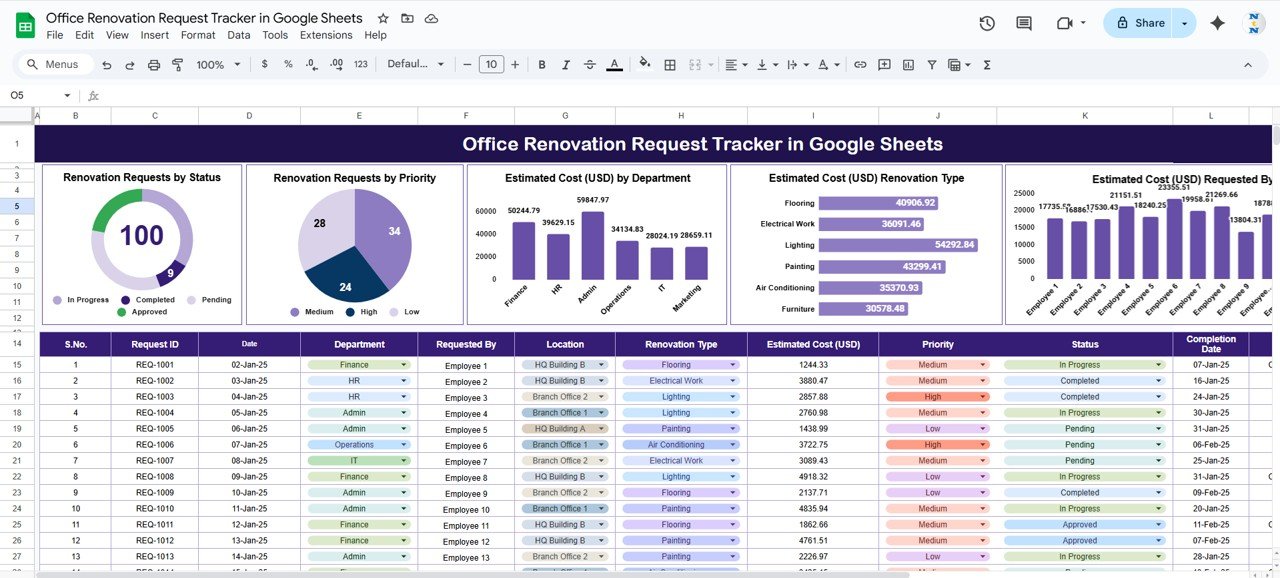
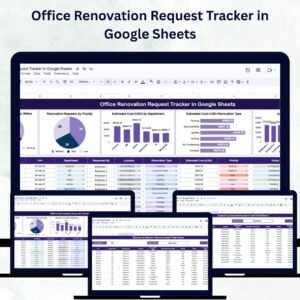
Gain a quick visual overview of all renovation activities using interactive charts and performance indicators:
Renovation Requests by Status – View requests that are pending, approved, completed, or escalated
Renovation Requests by Priority – Track high, medium, and low priority renovations
Estimated Cost (USD) by Department – Monitor and allocate departmental budgets efficiently
Estimated Cost (USD) by Renovation Type – Compare spending across different project categories
Estimated Cost (USD) Requested By – Identify which employees or departments are initiating the most costly requests
💡 The Dashboard Tab provides real-time insights that enable smarter decision-making and faster approvals.
🔍 Search Sheet Tab
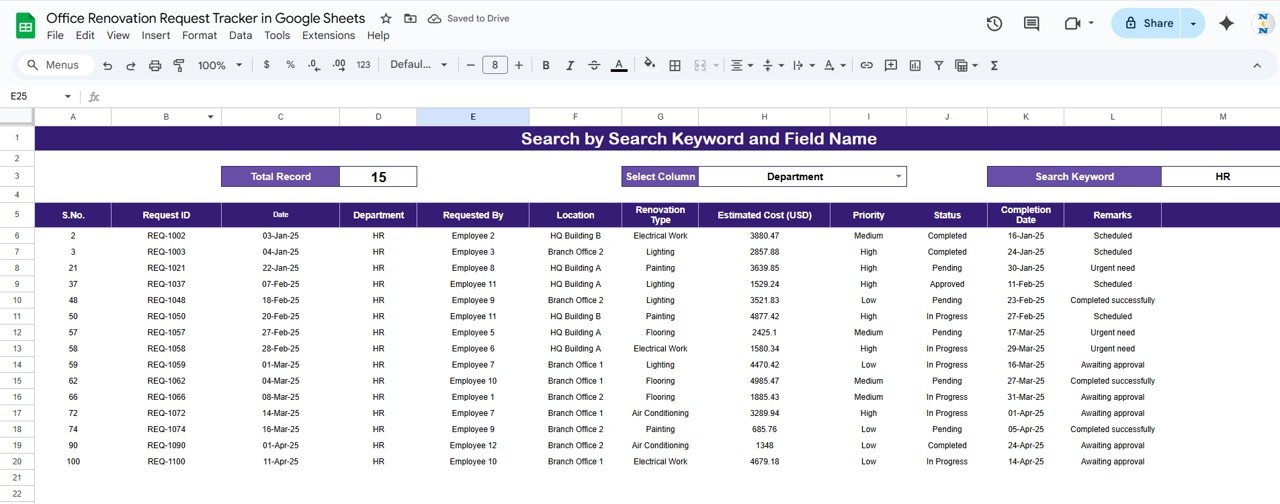
No need to scroll endlessly — the Search Sheet Tab helps you locate specific renovation requests instantly.
Enter a keyword (e.g., department name, request type, or requester)
Select a field name (column) to filter results
This feature saves time by providing quick and targeted access to key records for audits, reviews, or decision-making.
🧾 Data Sheet Tab (Core Dataset)
All renovation data is stored here with fields like:
Date of Request
Department
Renovation Type
Priority
Estimated Cost (USD)
Requested By
Status (Pending, Approved, Completed, Escalated)
Comments or Notes
Once data is entered, all visuals and metrics across the dashboard update automatically.
📦 What’s Inside the Office Renovation Request Tracker?
✅ Dashboard Sheet – A visual summary of project requests, costs, and priorities
✅ Search Sheet – Built-in search filter for instant data retrieval
✅ Data Sheet – Structured input section with all relevant fields
✅ Pre-Filled Sample Data – Demonstrates how the system works immediately
✅ Dynamic Charts & Formulas – Fully automated insights
✅ Customizable Fields – Add locations, vendors, or project categories easily
Everything is pre-designed for plug-and-play usage — just add your company’s renovation data and watch the dashboard come alive! 🚀
🧑💼 Who Can Benefit from This Tracker?
🎯 Facility Managers – Centralize and manage renovation requests
💼 Operations Teams – Prioritize and allocate resources effectively
🏢 HR & Admin Departments – Track renovation impact on departments
📊 Finance Teams – Control costs and prevent budget overruns
🏗️ Project Managers – Oversee multiple renovation projects seamlessly
This tracker is ideal for both small offices and large enterprises managing multiple renovation projects simultaneously.
🧪 How to Use the Office Renovation Request Tracker
Enter Data – Input renovation requests into the Data Sheet.
Review Dashboard – Visualize costs, statuses, and priorities instantly.
Search Records – Use the Search Tab to find specific requests.
Monitor Trends – Review which departments or project types drive the most costs.
Update Regularly – Keep status fields and costs current for accurate reporting.
No technical expertise needed — this tracker is fully formula-driven and Google Sheets compatible for real-time team collaboration. ✅
🌟 Why Choose This Tracker?
Centralized request and cost tracking
Automated dashboards for quick analysis
Instant search and filtering capabilities
Fully customizable fields for unique company needs
Ideal for multi-department renovation tracking
Google Sheets–based, accessible from anywhere
Transform the way you manage renovation projects — save time, minimize errors, and make smarter, data-driven decisions with the Office Renovation Request Tracker in Google Sheets. 🏗️📈
🔗 Click here to read the Detailed blog post
Watch the step-by-step video Demo:



























Reviews
There are no reviews yet.