

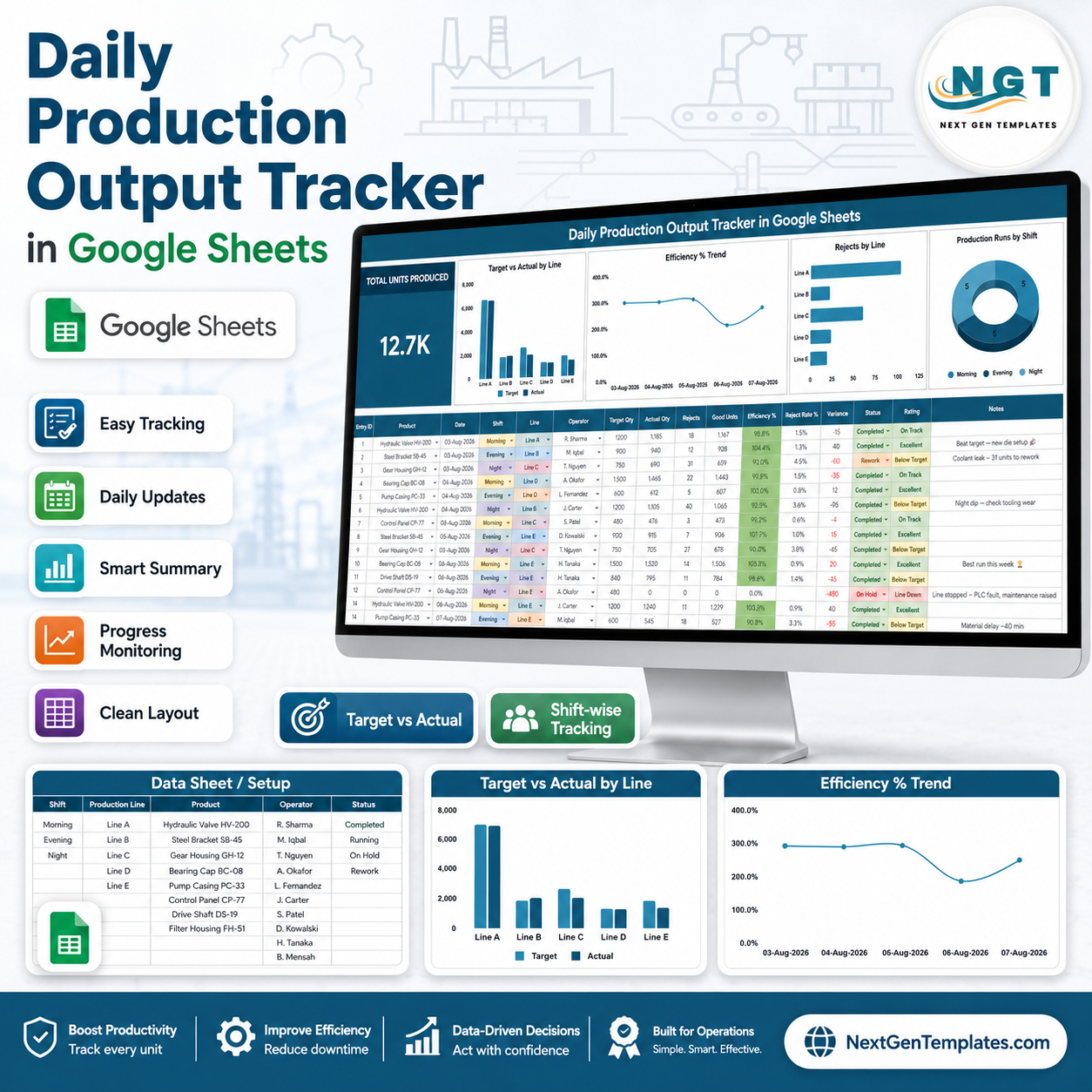
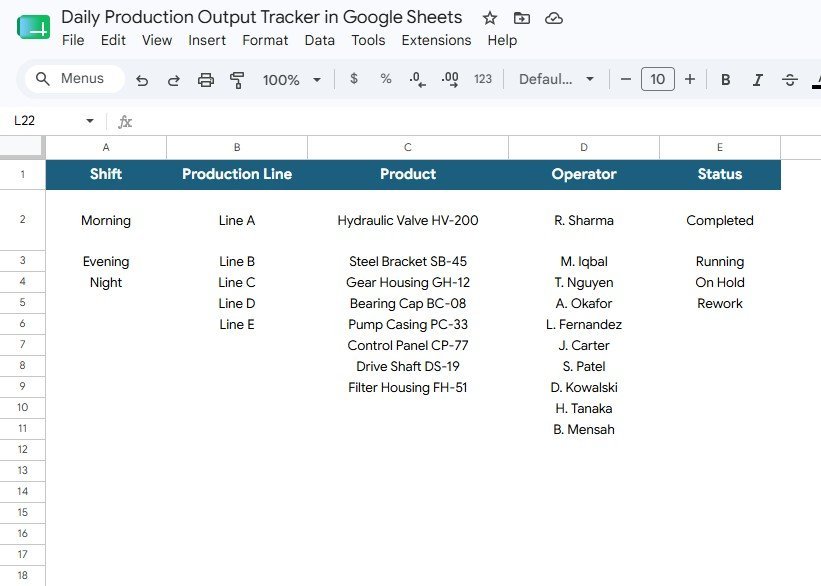
Daily Production Output Tracker in Google Sheets gives production managers a practical 2-page control file for daily output review: 1 overview dashboard, 4 production charts, 5 list-control groups, and a one-time sale price of $6.99. Built for teams that still depend on scattered shift files, this Google Sheets tracker helps supervisors compare target quantity, actual quantity, efficiency, rejects, production runs, shifts, lines, products, operators, and status values in one editable template. NextGenTemplates is used by thousands of professionals, and the template is yours to copy, customize, and reuse without a monthly subscription.
Key Features of Daily Production Output Tracker in Google Sheets
- Total Units Produced card: See the primary production volume number at the top of the overview page so managers can read output before opening detailed charts.
- Target vs actual analysis: Compare target quantity and actual quantity by production line to identify where the shop floor is over-performing or falling short.
- Daily efficiency tracking: Monitor efficiency percentage by date so supervisors can connect daily performance changes to staffing, downtime, rejects, or product mix.
- Rejects by line: Review rejected units by production line to spot quality issues early and protect yield before the week-end review.
- Shift-wise production runs: Analyze production runs by shift to understand workload, staffing needs, and shift-to-shift variation.
- Controlled list tab: Keep dropdown options clean for shifts, production lines, products, operators, and statuses.
- Google Sheets collaboration: Share the file with supervisors or planners and keep one live tracker instead of emailing separate workbook versions.
What’s Inside the Daily Production Output Tracker in Google Sheets
1. Overview Page
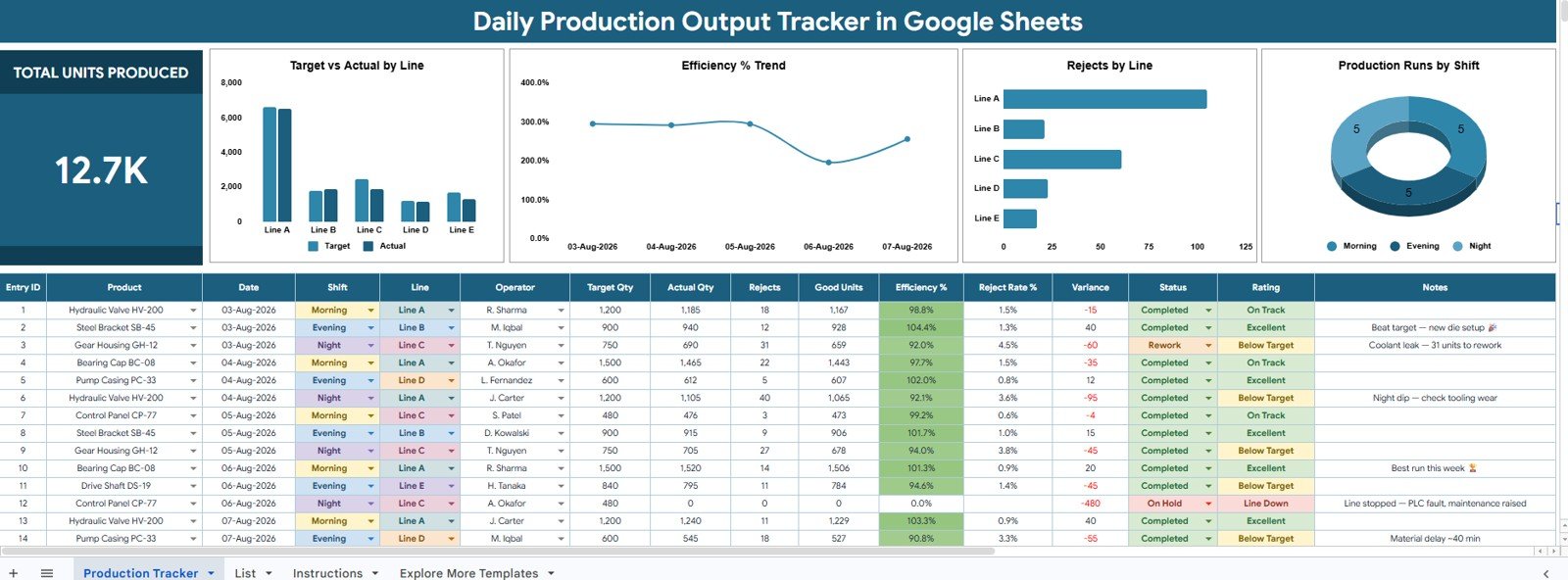
The Overview page is the main production dashboard. At the top, the Total Units Produced card gives the manager a fast summary of shop-floor output, while the charts below explain performance by line, date, rejects, and shift.
Target Qty and Actual Qty by Line: This chart compares planned output against actual output for each production line. It helps supervisors see which line is missing target, meeting target, or producing above expectation.
Efficiency % by Date: This chart shows how efficiency changes across dates. It is useful for finding performance dips linked to machine downtime, operator availability, product changeovers, or reject spikes.
Rejects by Line: This chart highlights where rejected units are concentrated. Quality and production teams can use it to focus inspection, training, maintenance, or material review on the right line.
Production Runs by Shift: This chart shows how many production runs were completed in each shift. It supports shift balancing and makes it easier to identify where extra supervision or scheduling changes may be needed.
2. List Tab
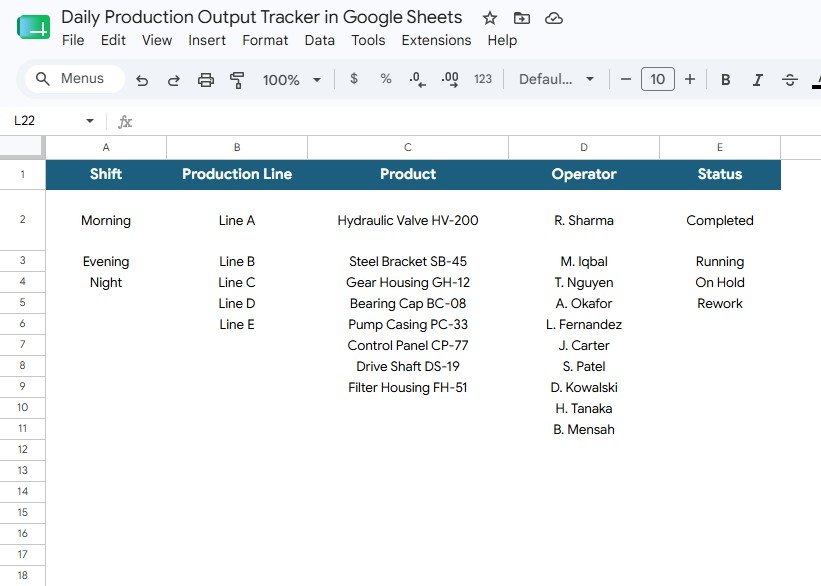
The List tab stores the dropdown choices used throughout the tracker. It keeps daily entry consistent by giving users predefined options for shift, line, product, operator, and production status.
- Shift Options: Maintain shift names such as Morning, Evening, Night, or custom shift structures.
- Production Line Options: Store line names so output can be analyzed consistently by line.
- Product Options: Keep product names standardized and reduce reporting errors caused by spelling variations.
- Operator Options: Maintain operator names for accountability and performance review.
- Status Options: Control status values such as Completed, In Progress, On Hold, or Rejected.
Daily Production Output Tracker in Google Sheets vs. Microsoft Excel Tracker vs. Paid Manufacturing SaaS – Where This Fits
| Feature | This Google Sheets tracker | Microsoft Excel tracker | Paid manufacturing SaaS |
|---|---|---|---|
| Cost | $6.99 one-time sale price | Low cost, often single-user | Recurring monthly or annual fees |
| Platform | Google Sheets in the browser | Desktop Excel or OneDrive | Vendor-hosted cloud system |
| Setup time | Copy, edit lists, enter data | Build or adapt formulas manually | Implementation and onboarding |
| Real-time team collaboration | Yes, with Google Sheets sharing | Depends on file storage and versioning | Usually included by plan |
| Mobile access | Google Sheets app or browser | Excel mobile experience varies | Usually browser or mobile app |
| Customizable fields | Editable sheets and list values | Editable, but formula risk can grow | Limited by vendor configuration |
| Share with link | Yes, subject to Drive permissions | Possible through cloud storage | Usually account based |
| Year-1 cost at 5 users | $6.99 template price | Internal build and maintenance time | Often much higher because of per-user pricing |
| Production line analysis | Built around line, shift, target, actual, rejects, and efficiency | Requires custom setup | Available in larger systems |
Who This Template Is For – and Who It’s Not For
This template is for production supervisors, plant managers, operations analysts, quality teams, and small manufacturing businesses that need a clear daily tracker for output, targets, efficiency, rejects, shifts, and lines. It is especially useful when the team wants a lightweight Google Sheets file instead of a full ERP rollout.
It is not for teams that need machine-level IoT integration, barcode scanning, automated ERP posting, work-order routing, or regulated production controls out of the box. In those cases, use this as a simple reporting layer or choose a full manufacturing system.
How to Use the Daily Production Output Tracker in Google Sheets
- Open the Google Sheets copy from your download guide and save it in your own Google Drive.
- Go to the List tab and update shifts, production lines, products, operators, and status options.
- Enter daily production records with target quantity, actual quantity, efficiency percentage, rejects, shift, and line details.
- Open the Overview page to review Total Units Produced and the four charts.
- Use the dashboard during daily production meetings to discuss line gaps, reject concentration, and shift workload.
Real-World Use Cases
Ravi, a production supervisor, reviews Total Units Produced every evening and uses the target vs actual chart to see which line needs follow-up before the next shift starts.
Anita, a quality lead, checks Rejects by Line to spot whether a reject spike belongs to one line, one product, or a broader process issue.
Marco, an operations analyst, uses Efficiency % by Date to prepare a weekly performance summary for plant leadership without rebuilding charts manually.
Frequently Asked Questions
What does this tracker measure?
It measures daily production output through Total Units Produced, target quantity, actual quantity, efficiency percentage, rejects, production line, shift, product, operator, and status values.
Can I edit the shift and line names?
Yes. The List tab is designed for that purpose. You can change shift options, line options, product names, operator names, and status values.
Is this a dashboard or a tracker?
It is both. The file includes an Overview dashboard for analysis and a List tab that supports controlled tracking inputs.
Do I need paid BI software?
No. The template is built in Google Sheets, so you can use it with a Google account and standard Sheets sharing permissions.
Can my team use it together?
Yes, Google Sheets supports collaborative editing when you share the file with the right users and permissions.
Does it replace a full manufacturing ERP?
No. It is best for daily output tracking and operational visibility. Full ERP, MES, barcode, and machine integrations are outside the visible scope of this template.
About the Author
Built by PK – Microsoft Certified Professional with 15+ years of Excel, Google Sheets, and Power BI experience. Founder of NextGenTemplates, reaching 300K+ subscribers across YouTube channels. Every template is hand-built and tested before release.
Explore Related Templates
- Production Planning Dashboard in Google Sheets
- Manufacturing KPI Dashboard in Google Sheets
- Manufacturing Dashboard in Google Sheets
- Manufacturing Incentive Dashboard and Tracker in Google Sheets
- Production Tracking and Dispatch Management System
Browse more Google Sheets trackers and Google Sheets templates.
Ready to make daily output review faster? Add the Daily Production Output Tracker in Google Sheets to your workflow, update your list values, and start reviewing production line performance from one shared file.
Read the detailed blog post for this template.
Watch the step-by-step video Demo:
Last updated: August 12, 2026.



























Reviews
There are no reviews yet.