

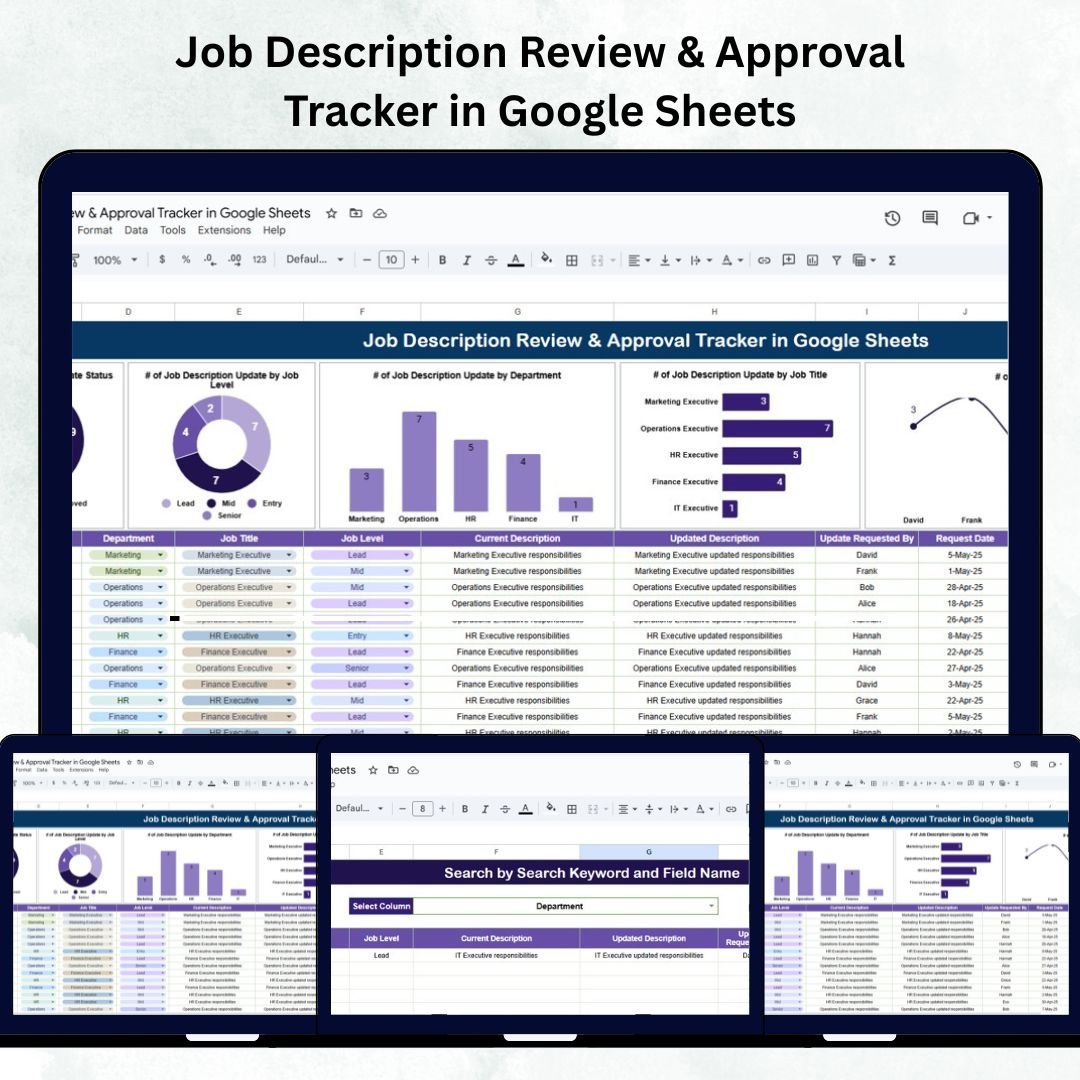

Keeping job descriptions updated and approved across multiple departments is a time-consuming HR challenge. The Job Description Review & Approval Tracker in Google Sheets provides an efficient, ready-to-use solution to manage the full lifecycle of job description updates — from request initiation to final approval.
This interactive tracker simplifies HR operations by consolidating job description data, automating tracking, and providing visual insights into the review and approval process. It helps HR professionals ensure every job description is current, compliant, and approved on time — without manual follow-ups or scattered spreadsheets.
Built in Google Sheets, the tracker supports real-time collaboration, secure sharing, and customizable automation — making it an essential tool for any HR team focused on accuracy and transparency.
🔑 Key Features of the Job Description Review & Approval Tracker
📊 1. Tracker Sheet Tab – The Central Dashboard
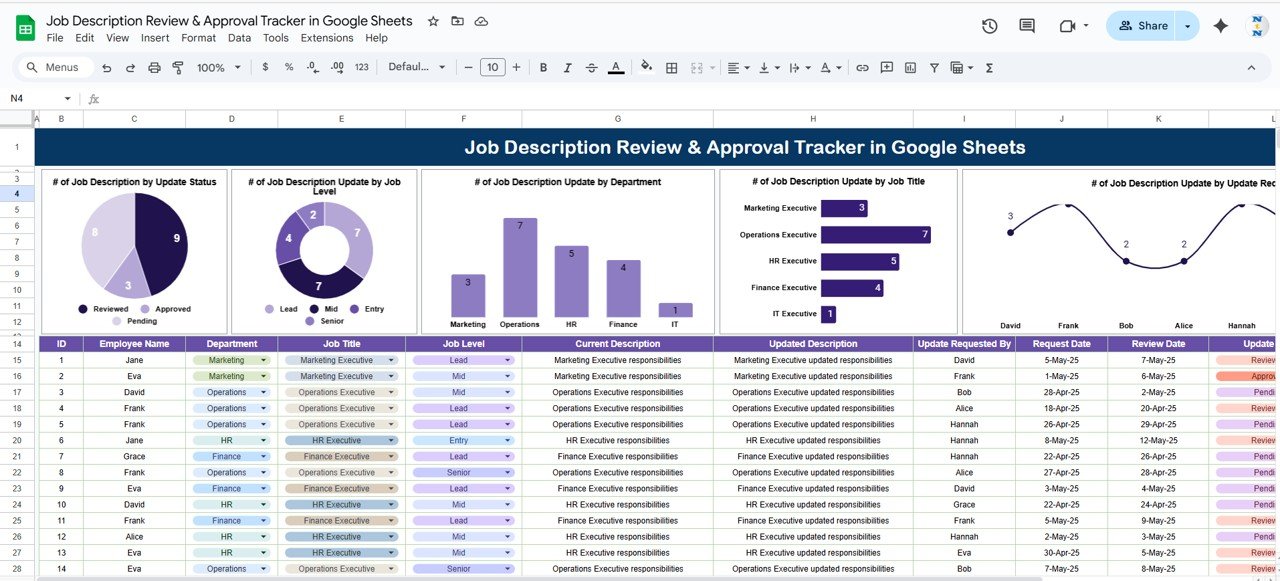
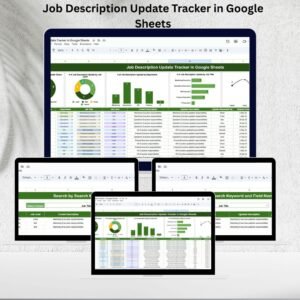
This is the main analytics and reporting sheet where HR can visualize all key insights about job description updates.
Charts Included:
📈 # of Job Descriptions by Update Status: Displays progress of reviews (Pending, Reviewed, Approved).
🧭 # of Job Description Updates by Job Level: Categorizes updates for Entry, Mid, Senior, and Leadership roles.
🏢 # of Job Description Updates by Department: Shows which departments are most active in updates.
👔 # of Job Description Updates by Job Title: Highlights frequently revised or newly added positions.
👩💼 # of Job Description Updates by Requestor: Tracks who initiated updates — HR staff or department managers.
These visual summaries make it easy to spot review delays, bottlenecks, and departmental workloads.
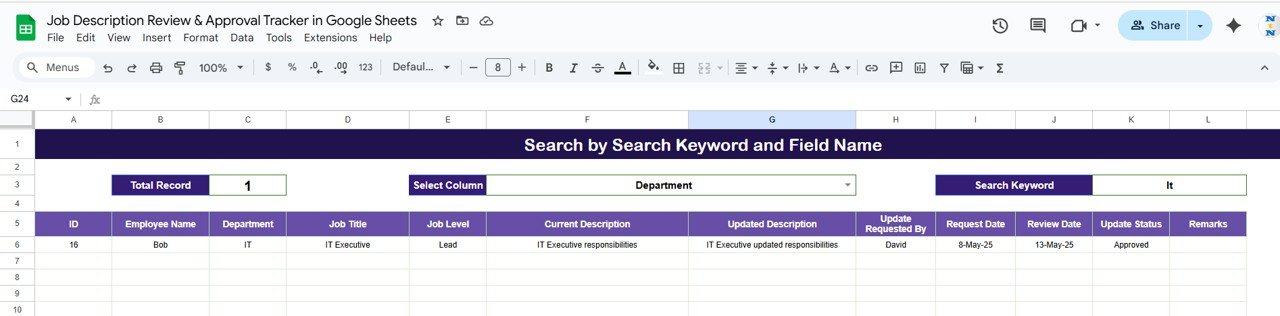
🔍 2. Search Sheet Tab – Instant Lookup
The Search Sheet allows HR users to quickly locate specific records without scrolling through long datasets.
Features:
Search by Keyword (Job Title, Department, or Requester).
Choose a Field Name from a dropdown for precise filtering.
Instantly displays only matching results — ideal for compliance reviews and audit checks.
This feature ensures data retrieval in seconds, especially useful during performance reviews or audit queries.
📋 3. Data Sheet Tab – The Review Database
This tab serves as the structured database where every update is logged and tracked.
Data Fields Include:
ID (Unique record identifier)
Job Title
Department
Job Level (Entry, Mid, Senior, Lead)
Current Description
Updated Description
Update Requested By
Request Date & Review Date
Update Status (Pending, Reviewed, Approved)
Remarks or Feedback
Every chart and metric in the dashboard is automatically powered by this dataset. It provides HR teams with a complete, traceable log of all job description updates — perfect for recordkeeping and audit readiness.
🌟 Advantages of Using the Job Description Review & Approval Tracker
🧩 Centralized Data Management: Keep all job description updates in one organized sheet.
🔄 Real-Time Collaboration: HR, department heads, and leadership can review and update simultaneously.
💡 Transparent Workflow: Clearly track who requested, reviewed, and approved each record.
📈 Visual Insights: Monitor update trends, status progress, and departmental workloads.
⏱ Faster Approvals: Reduce back-and-forth communication with automated status tracking.
🧾 Audit Readiness: Maintain a permanent record of approvals for compliance and HR audits.
💼 Best Practices for Using the Tracker
✅ Set Regular Review Cycles: Conduct monthly or quarterly job description reviews.
✅ Define Clear Ownership: Assign specific roles for “Requested By,” “Reviewed By,” and “Approved By.”
✅ Leverage Filters: Use the Search Sheet to isolate pending or overdue reviews quickly.
✅ Analyze Trends: Track which departments revise most frequently to optimize HR support.
✅ Archive Past Records: Move approved entries to a separate sheet for reference and version control.
✅ Automate Notifications: Integrate with Google Apps Script or Gmail for pending approval reminders.
👩💼 Who Can Benefit from This Tracker
🧾 HR Departments: Manage job description lifecycle efficiently.
🏢 Department Managers: Request and monitor updates for their teams.
👔 Executives: Review and approve high-level or leadership role descriptions.
🔍 Compliance Officers: Audit-ready data for documentation accuracy.
🚀 How This Tracker Helps Organizations
Enhances HR productivity with structured tracking.
Promotes transparency and accountability in the approval process.
Ensures job description accuracy across departments.
Builds a centralized record system for audits and future updates.
Supports strategic workforce planning with up-to-date role definitions.
🔗 Click here to read the detailed blog post
Watch the step-by-step video Demo:
🔗 Visit our YouTube channel for tutorials
Compatibility and Requirements
- Works in Google Sheets. You need a free Google account and a web browser.
- On the Search sheet you pick a field name from a dropdown. Google explains dropdowns in Create an in-cell dropdown list.
Frequently Asked Questions
Which sheets are included?
Three sheets: Tracker (the dashboard with charts), Search and Data.
What does the Tracker sheet show?
It has charts of job descriptions by update status, and of updates by job level, department, job title and requestor.
What statuses can I track?
Each record has an update status of Pending, Reviewed or Approved. The Data sheet also stores the current description, the updated description, request and review dates, and remarks.
How do I find one record quickly?
Open the Search sheet, type a keyword such as a job title, department or requester, and choose the field name from the dropdown. Only matching records are shown.
Is there an Excel version?
Not of this exact tracker. The Job Description Update Tracker in Excel covers job description updates in Excel.
Related HR and Review Templates
- Job Description Update Tracker in Google Sheets: another tracker for job description changes
- Job Description Update Tracker in Excel: the Excel edition
- Project Deliverable Approval Tracker in Google Sheets: tracks approvals for project deliverables
- HR Google Sheets Pack: 10 HR templates in Google Sheets
Browse all Google Sheets trackers.



























Reviews
There are no reviews yet.