

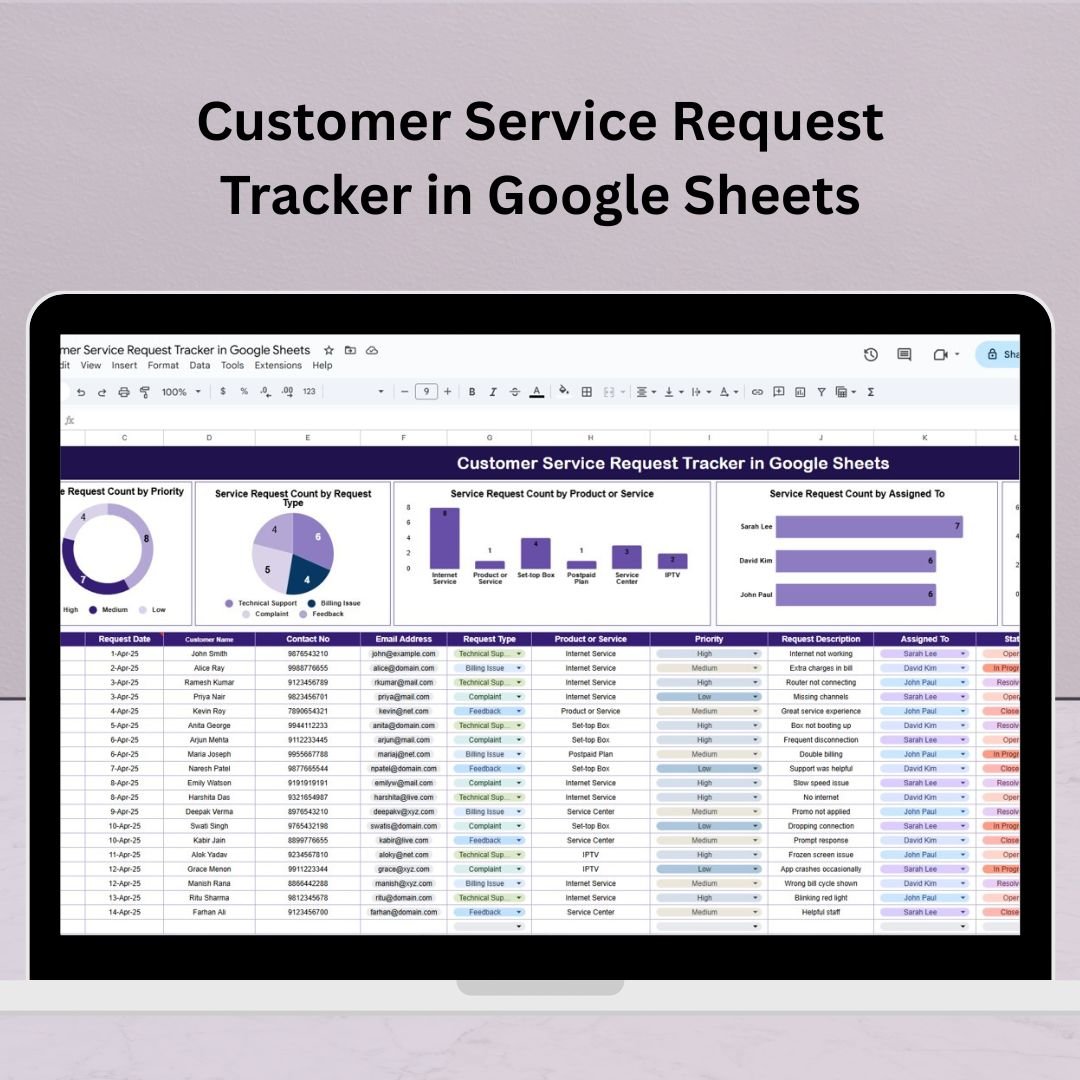

Customer satisfaction isn’t optional—it’s the heartbeat of your business. Whether you’re managing complaints, product issues, or inquiries, having a centralized and trackable system can make or break your support team’s performance.Customer Service Request Tracker in Google Sheets
Introducing the Customer Service Request Tracker in Google Sheets — a powerful, cloud-based solution designed to simplify your service operations, provide visibility, and ensure no customer request slips through the cracks. Whether you’re a startup or a global team, this tracker empowers your service staff with clarity, accountability, and data insights—all in a single worksheet.Customer Service Request Tracker in Google Sheets
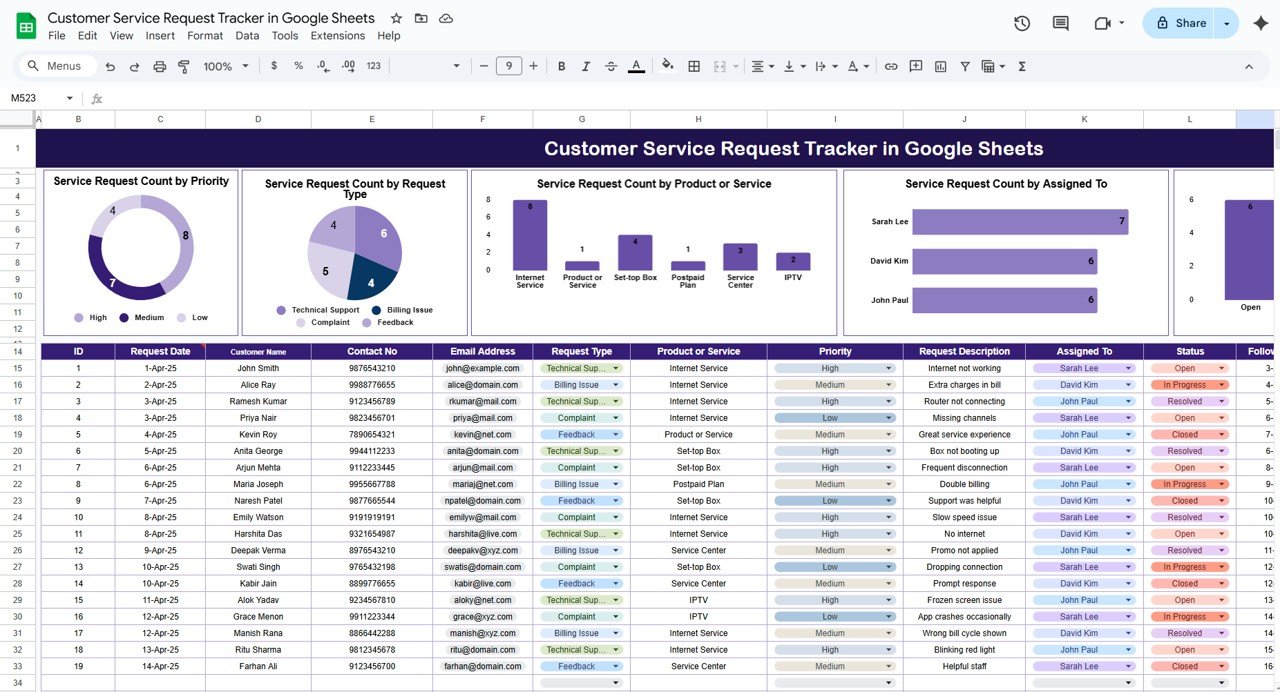
✨ Key Features of the Customer Service Request Tracker in Google Sheets
📥 Data Entry Section
Log every customer request with ease. This intuitive form-like section includes:
🧾 Request ID – Automatically track unique tickets
🧑 Customer Name – Know who you’re helping
🗂️ Request Type – Select from dropdowns like inquiry, complaint, or feedback
🚨 Priority Level – High, Medium, or Low
📅 Date Submitted & Follow-Up Date
👤 Assigned To – Allocate tasks to team members
✅ Status – Track if it’s Open, In Progress, or Resolved
📝 Remarks/Notes – Add internal updates or customer interactions
📊 Built-In Dashboard Charts
No more manual reports! The dashboard includes auto-updating charts:
📌 Service Requests by Priority
🧾 Requests by Request Type
🛠️ Requests by Product or Service
👤 Requests by Assigned To
📊 Requests by Status
These visual reports help identify patterns, flag bottlenecks, and spotlight overburdened staff—so you can make smart operational decisions fast.
📦 What’s Inside the Customer Service Tracker?
✅ One central worksheet tab
✅ Built-in data validation and dropdowns
✅ 5 predesigned, auto-refreshing charts
✅ Filter and search enabled tables
✅ Fully editable column structure
✅ No add-ons or extensions needed
✅ Mobile-friendly Google Sheets format
✅ Real-time collaboration
🛠️ How to Use the Customer Service Request Tracker
🎯 Enter request data using the structured entry area
🗓️ Use filters to view tickets by priority, type, or assigned team member
📊 Monitor charts for daily, weekly, or monthly trends
📧 Add Google Form integration to automate incoming requests
🧪 Use conditional formatting to flag urgent or overdue tickets
🔄 Share with your team and manage requests live in the cloud
👥 Who Can Benefit from This Tracker?
💼 Customer Support Teams – Centralized ticket logging
🛍️ E-commerce Businesses – Handle product/service complaints
🧰 IT Helpdesks – Track internal support issues
🏢 Corporate Departments – Manage employee or inter-departmental requests
🌍 Remote Teams – Collaborate in real-time across time zones
🚀 Benefits of Using This Google Sheets Tracker
🌐 Cloud-Based Access – Work from anywhere, anytime
🧑🤝🧑 Real-Time Collaboration – All team members stay updated instantly
📊 Auto-Updated Charts – Save hours on manual reporting
🧠 Beginner-Friendly – No technical knowledge required
🎯 Highly Customizable – Add columns, filters, and even link to Forms
🔍 Searchable Logs – Quickly find old requests with built-in filters
🔒 Secure Sharing – Control who can view or edit your tracker
🔍 Best Practices for Tracking Customer Requests
✅ Use dropdowns for consistent data entry
📆 Set review routines to analyze trends weekly
🚨 Highlight overdue tasks using conditional formatting
🔗 Connect a Google Form for direct customer submissions
📂 Backup weekly to preserve ticket history
🔧 Opportunities for Improvement
Want to scale up? Here are some bonus ideas:
⭐ Add a Customer Satisfaction Rating column post-resolution
🔁 Track Escalated Cases and who handled them
⏱️ Use formulas to calculate Average Response Time
📈 Add SLA Alerts to monitor service delivery timelines
🛡️ Use Google Apps Script for user-level access controls
📘 Click here to read the Detailed blog post Customer Service Request Tracker in Google Sheets
Watch the step-by-step video Demo:
🎥 Visit our YouTube channel to learn step-by-step video tutorials
👉 Youtube.com/@NeotechNavigators
Compatibility and Requirements
- Works in Google Sheets with a free Google account and a web browser. Nothing to install.
- Request Type, Priority and Status use dropdown lists. Google explains them in Create an in-cell dropdown list.
Frequently Asked Questions
What details can I log for each request?
Request ID, customer name, request type, priority level, date submitted, follow-up date, assigned person, status and remarks.
Which charts are included?
Five charts that update on their own: requests by priority, by request type, by product or service, by assigned person and by status.
Can my whole team use the tracker at once?
Yes. It is a Google Sheets file, so you can share it and update requests together in real time.
Can I connect a Google Form to it?
Yes. You can link a Google Form so customer requests land in the tracker directly.
Is everything on one tab?
Yes. The data entry area and the charts sit in one central worksheet tab.
Related Customer Service Templates
- Customer Service Request Tracker in Excel: the same tracker for Excel users
- Customer Service Performance Dashboard in Google Sheets: reports team performance over time
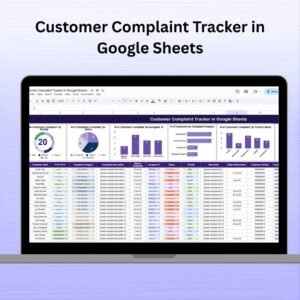
- Customer Complaint Tracker in Google Sheets: logs and resolves complaints
- IT Helpdesk Ticket Tracker in Google Sheets: for internal IT support requests
- Tracker Toolkit: 12 tracker templates in one bundle
Browse all Google Sheets trackers or the Google Sheets templates.



















Reviews
There are no reviews yet.