

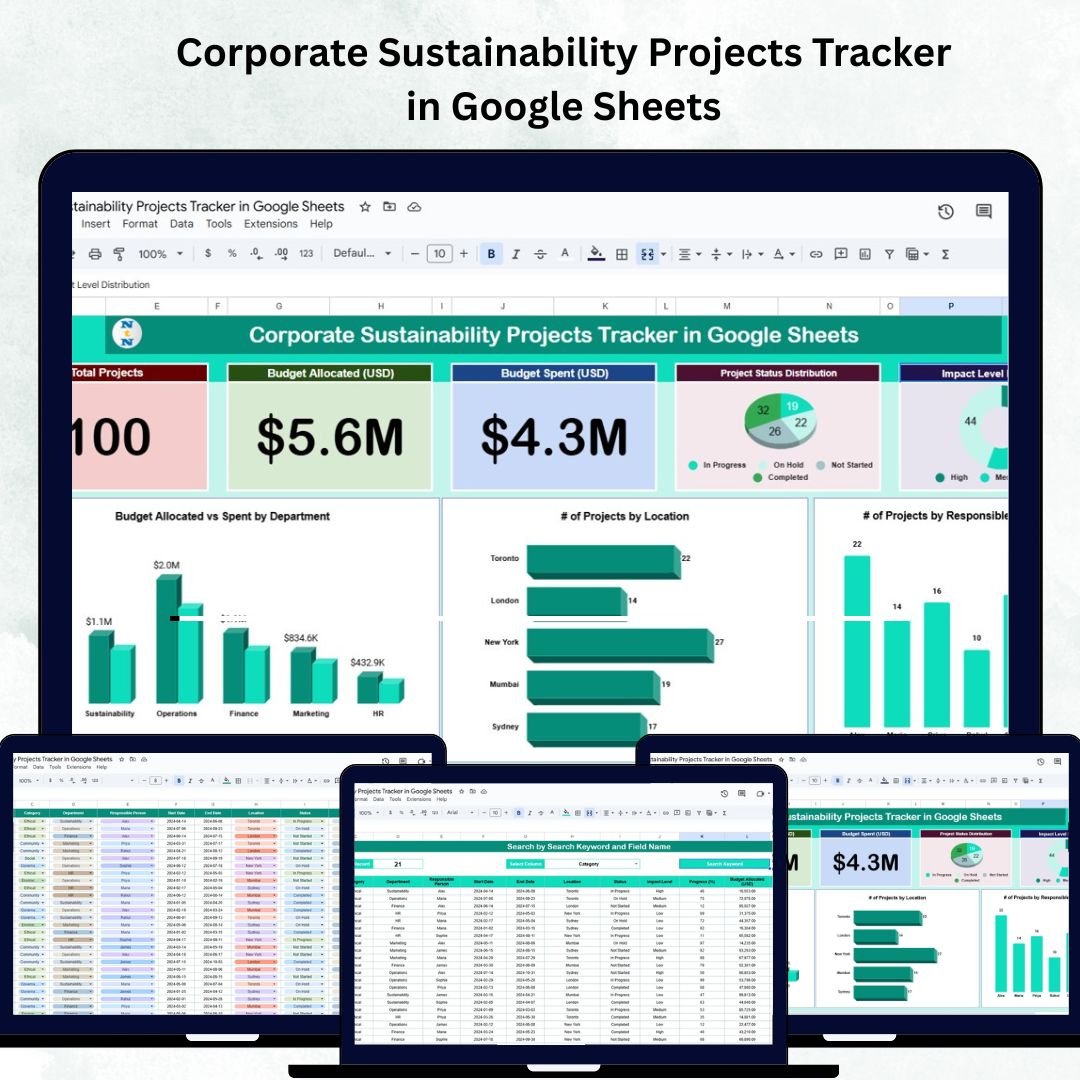

In today’s business world, sustainability is no longer optional — it’s strategic.Corporate Sustainability Projects Tracker in Google Sheets
Organizations across industries are investing in renewable energy, carbon offsetting, waste reduction, and social responsibility projects. However, managing these initiatives effectively requires a centralized, transparent, and data-driven approach.Corporate Sustainability Projects Tracker in Google Sheets
That’s where the Corporate Sustainability Projects Tracker in Google Sheets comes in. This ready-to-use, cloud-based tracker helps companies monitor, manage, and report their sustainability projects — ensuring accountability, budget control, and measurable impact.Corporate Sustainability Projects Tracker in Google Sheets
Whether you’re a sustainability officer, CSR manager, or ESG analyst, this Google Sheets tool provides everything you need to align your projects with environmental goals and corporate values.
🌍 What Is the Corporate Sustainability Projects Tracker in Google Sheets?
The Corporate Sustainability Projects Tracker is a structured project management solution designed to record, analyze, and visualize sustainability initiatives across teams, departments, and locations.
With interactive dashboards, automated charts, and search functionality, this template brings together budget tracking, progress monitoring, and impact evaluation — all in a single Google Sheets file that can be easily shared across your organization.
It ensures that sustainability reporting becomes more transparent, data-driven, and aligned with your company’s ESG (Environmental, Social, and Governance) commitments.
🔑 Key Features of the Tracker
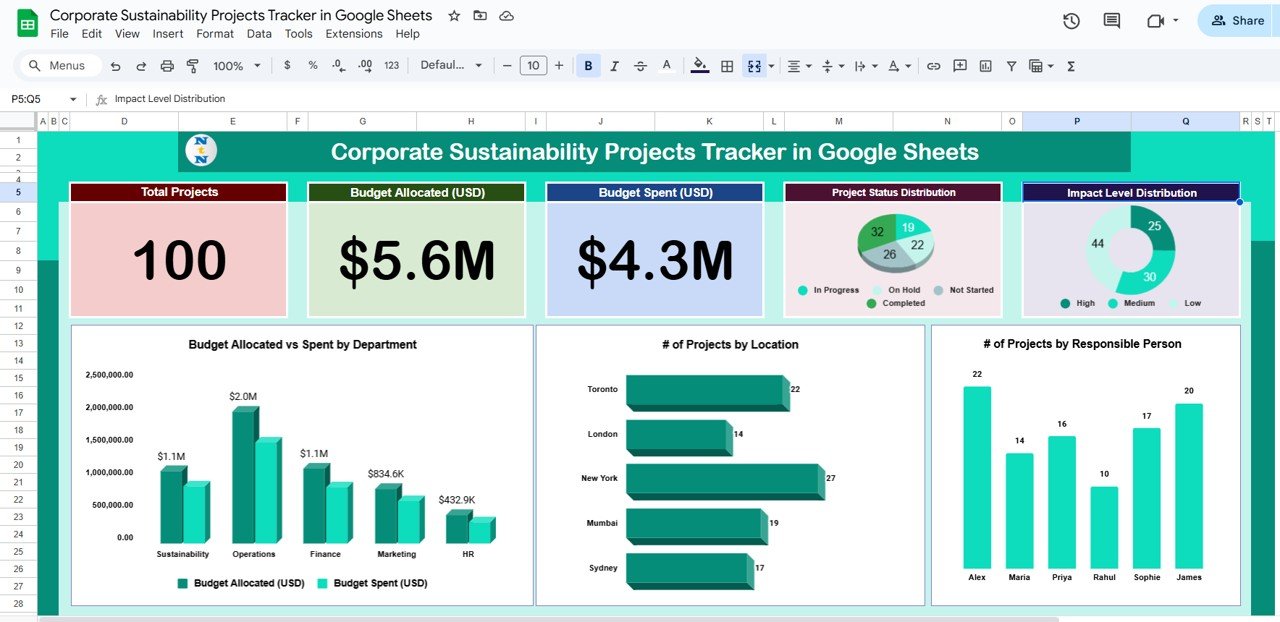
🧭 1. Tracker Sheet Tab (Dashboard View)
This is the main control center for your sustainability program.
Cards Section Includes:
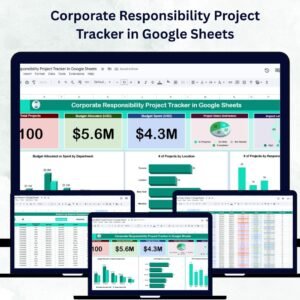
🌱 Total Projects: Overview of all sustainability initiatives.
💰 Budget Allocated (USD): Total approved budget for all projects.
💵 Budget Spent (USD): Actual expenses incurred so far.
Charts & Visuals:
📊 Project Status Distribution – Visual breakdown of Planned, In Progress, and Completed projects.
🌎 Impact Level Distribution – Categorizes projects by their sustainability impact (Low, Medium, High).
💼 Budget Allocated vs. Spent by Department – Evaluates departmental spending efficiency.
📍 # of Projects by Location – Tracks regional sustainability activities.
👤 # of Projects by Responsible Person – Promotes accountability through ownership tracking.
All visuals update automatically as new data is entered, giving stakeholders a real-time view of sustainability progress.
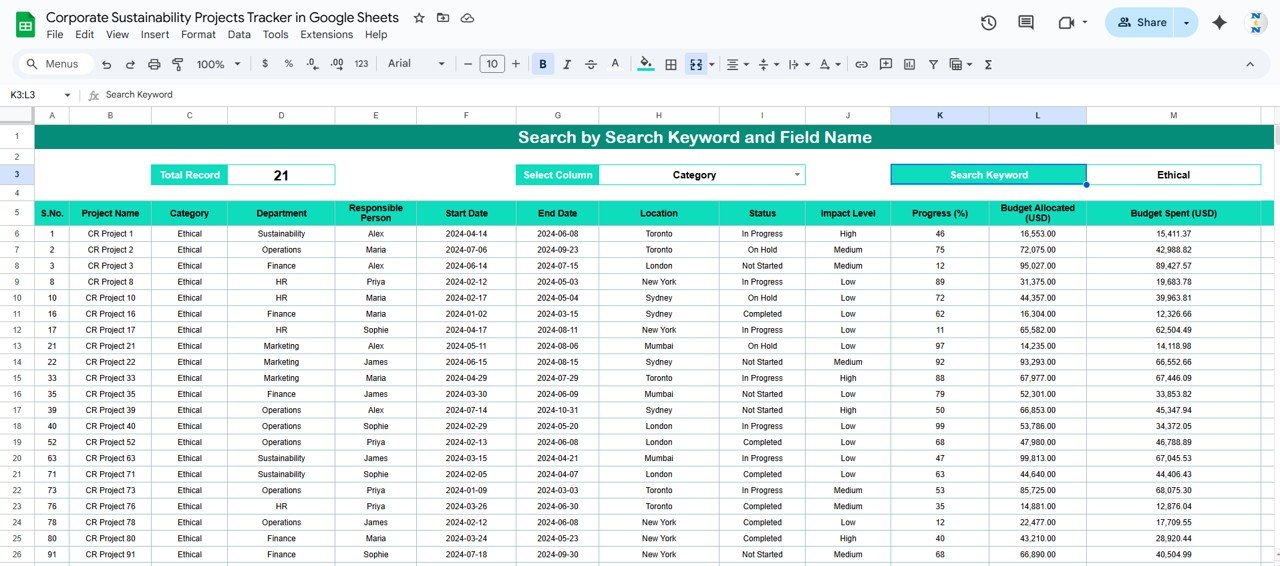
🔍 2. Search Sheet Tab
The Search Sheet simplifies navigation by allowing users to quickly locate any record in seconds.
Search by:
Project Name
Department
Responsible Person
Location
Status or Impact Level
This functionality is especially useful for large organizations managing dozens of projects simultaneously — saving time and reducing manual scrolling.
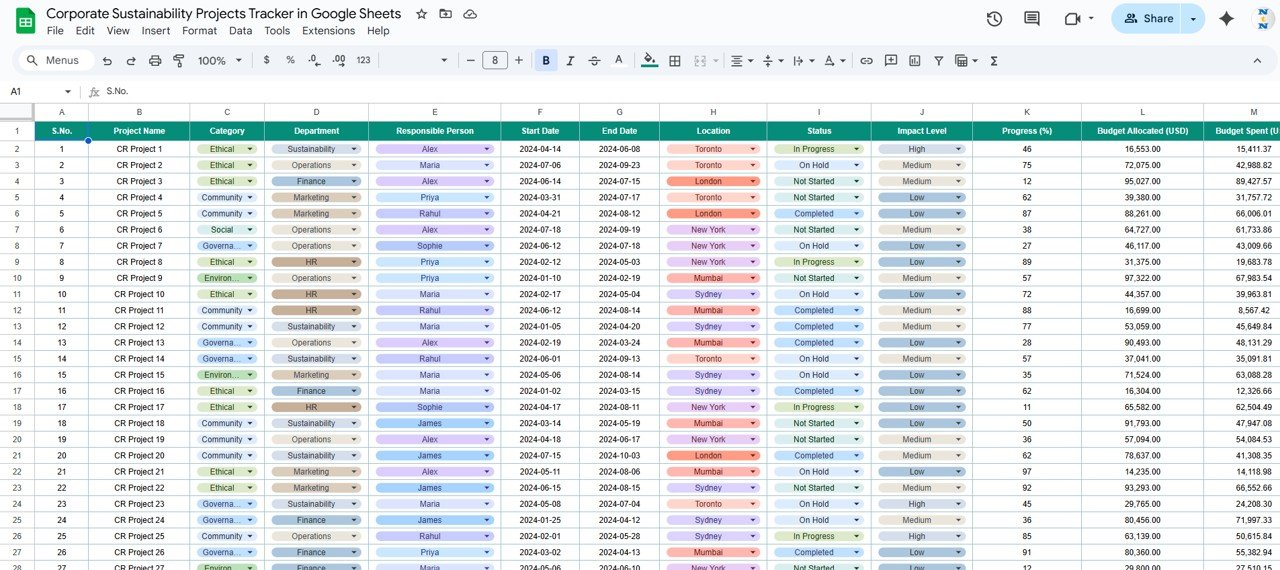
📑 3. Data Sheet Tab
The Data Sheet is the foundation of your tracker.
Each project entry captures essential details such as:
Project ID & Name
Department & Responsible Person
Budget Allocated / Budget Spent
Status (Planned / In Progress / Completed)
Impact Level (Low / Medium / High)
Location
Start & End Dates
Short Description
The dashboard visuals automatically refresh whenever new data is added or existing data is modified.
🌟 Advantages of Using the Sustainability Tracker
🌍 Centralized Tracking: Manage all sustainability initiatives in one sheet.
🤝 Real-Time Collaboration: Multiple users can update data simultaneously in Google Sheets.
💡 Actionable Insights: Visual charts reveal trends in spending, progress, and impact.
⚙️ Accountability Built-In: Assign clear ownership for every project.
📈 ESG Reporting Support: Easily extract metrics for sustainability or CSR reports.
💰 Budget Management: Compare planned vs. actual spending to control costs.
🧭 Customizable & Scalable: Add KPIs or adjust impact metrics to match corporate strategy.
💡 Best Practices
✅ Update Data Weekly or Monthly: Keep performance reports accurate and timely.
✅ Categorize Projects by Impact: Identify and prioritize high-impact initiatives.
✅ Track Budgets Regularly: Avoid overspending by comparing allocation and usage.
✅ Use Search for Quick Access: Instantly find projects or owners.
✅ Visualize for Reporting: Export dashboard charts for board meetings or ESG reports.
👨💼 Who Can Use This Tracker
🌱 Sustainability Managers: Oversee corporate environmental programs.
🏢 CSR Teams: Measure progress toward social and environmental goals.
💼 Executives: Review budget and impact summaries at a glance.
📊 Analysts & Consultants: Prepare ESG performance reports efficiently.
🚀 How This Tracker Supports Corporate Sustainability
Promotes data transparency across departments.
Builds accountability by assigning ownership to each initiative.
Supports strategic decision-making through data-driven insights.
Enables report-ready visuals for sustainability reporting.
Encourages a green company culture focused on measurable results.
🔗 Learn More
📘 Read the full blog post for detailed guidance.
Watch the step-by-step video Demo:
🎥 Visit our YouTube channel for step-by-step tutorials.
Compatibility and Requirements
- Works in Google Sheets. You need a free Google account and a web browser.
- Project status and impact level use fixed values (Planned, In Progress, Completed and Low, Medium, High). Google explains in-cell dropdown lists in Create an in-cell dropdown list.
Frequently Asked Questions
Which sheets are included?
Three sheet tabs: Tracker (the dashboard), Search and Data.
What do I enter for each project?
On the Data sheet you record the project ID and name, department, responsible person, budget allocated, budget spent, status, impact level, location, start and end dates and a short description.
Which charts does the dashboard show?
Project status distribution, impact level distribution, budget allocated vs. spent by department, number of projects by location and number of projects by responsible person. The Total Projects, Budget Allocated and Budget Spent cards sit above them.
How do I find one project quickly?
Use the Search sheet. You can look up projects by name, department, responsible person, location, status or impact level.
Is there an Excel version of a similar project tracker?
Yes. See the Corporate Responsibility Project Tracker in Excel. For sustainability reporting in Excel, see the Sustainability Reporting KPI Dashboard in Excel.
Related Project Tracking Templates
- Corporate Responsibility Project Tracker in Google Sheets: a project tracker for responsibility initiatives
- Corporate Responsibility Project Tracker in Excel: the same topic in Excel
- Sustainability Reporting KPI Dashboard in Excel: KPI view for sustainability reports
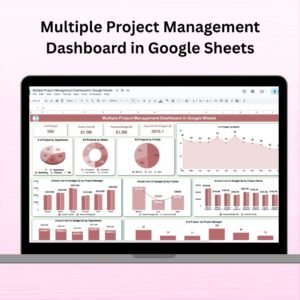
- Multiple Project Management Dashboard in Google Sheets: one dashboard across many projects
- Energy & ESG Sustainability Bundle: 8 Excel and Power BI templates for ESG work
Browse all Google Sheets trackers.


























Reviews
There are no reviews yet.