


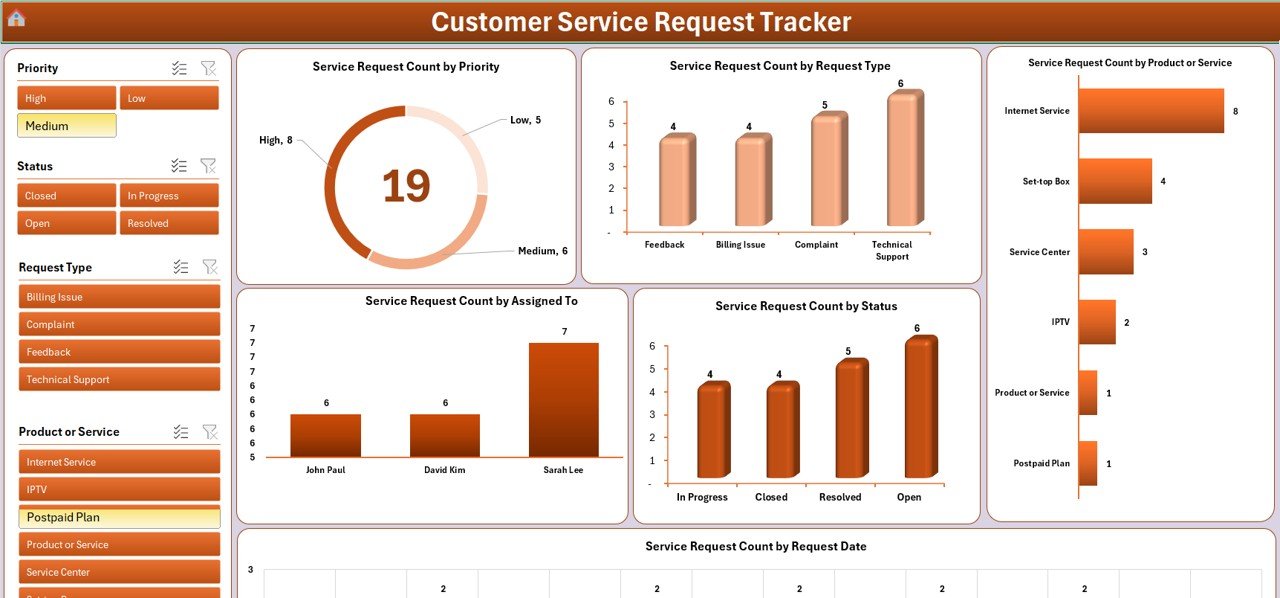
The Customer Service Request Tracker in Excel is a simple yet powerful tool designed to help businesses and customer support teams efficiently manage and track customer service requests. This Excel-based tracker enables you to log, monitor, and resolve service requests in an organized manner, ensuring that no customer issue is left unaddressed.
From the initial request to the final resolution, this tracker helps you stay on top of customer inquiries, track response times, and ensure that service level agreements (SLAs) are met. Whether you’re a small business or a large enterprise, this tool helps you enhance customer satisfaction, improve team productivity, and streamline the customer support process.
Key Features of the Customer Service Request Tracker in Excel
📋 Request Logging & Tracking
Track every customer service request, including customer details, issue description, priority level, and current status. Keep all the information in one centralized place for easy access and tracking.
🔧 Issue Resolution Management
Monitor the progress of each service request from initial contact to final resolution. Assign responsibilities, set deadlines, and track completion status to ensure timely resolution.
⏱ Response Time Monitoring
Track response times and ensure that your team is meeting SLAs. Use this feature to monitor the time taken to acknowledge and resolve customer issues, ensuring customer satisfaction.
📊 Priority Management & Escalation
Classify service requests based on priority and ensure that high-priority issues are resolved first. Set escalation rules to address critical requests quickly and efficiently.
📅 Time-Based Performance Tracking
Analyze customer service performance over different time periods (daily, weekly, monthly). Use this feature to identify trends, evaluate service efficiency, and make improvements to the process.
⚙️ Customizable Fields & Metrics
Tailor the tracker to meet your organization’s specific needs. Add custom fields for tracking additional information such as request category, team members involved, or specific KPIs relevant to your customer service process.
Why You’ll Love the Customer Service Request Tracker in Excel
✅ Centralized Customer Service Management
Keep all service request data in one place. Track customer issues, monitor progress, and manage resolution steps efficiently.
✅ Streamline Issue Resolution
Monitor the progress of customer requests and ensure timely resolution. Ensure that issues are handled according to their priority level, improving customer satisfaction.
✅ Improve Customer Support Efficiency
Track response times and SLAs to ensure that your team is meeting performance standards. Reduce delays and improve your team’s efficiency in resolving issues.
✅ Gain Insights & Improve Processes
Analyze trends in customer service requests and identify areas for improvement. Use performance data to optimize your customer support process.
✅ Customizable & Scalable
The tracker can be adapted to suit businesses of all sizes. Customize the fields, categories, and KPIs to meet your specific customer service needs.
What’s Inside the Customer Service Request Tracker in Excel?
Request Logging & Tracking: Track customer issues from start to finish.
Issue Resolution Management: Monitor progress and ensure timely resolutions.
Response Time Monitoring: Track and optimize response times to meet SLAs.
Priority & Escalation Management: Ensure that high-priority issues are handled promptly.
Time-Based Performance Tracking: Analyze service performance over various time periods.
Customizable Fields: Tailor the tracker to your business’s specific needs.
How to Use the Customer Service Request Tracker in Excel
1️⃣ Download the Template: Instantly access the Customer Service Request Tracker in Excel.
2️⃣ Log Service Requests: Input customer request details, including priority level and description.
3️⃣ Track Progress: Monitor each request’s status and ensure timely resolution.
4️⃣ Analyze Response Times: Track response and resolution times to ensure SLAs are met.
5️⃣ Optimize Customer Service: Use insights from the tracker to improve your service process and team efficiency.
Who Can Benefit from the Customer Service Request Tracker in Excel?
🔹 Customer Service & Support Teams
🔹 Small & Medium Enterprises (SMBs)
🔹 Large Enterprises with Customer Service Departments
🔹 IT Support Teams & Help Desks
🔹 E-commerce Platforms & Online Retailers
🔹 Call Centers & Service Providers
🔹 Business Owners & Managers
Optimize your customer service process with the Customer Service Request Tracker in Excel. Track, manage, and resolve customer service requests efficiently to enhance customer satisfaction and improve team productivity.
Click here to read the Detailed blog post
Visit our YouTube channel to learn step-by-step video tutorials
Youtube.com/@PKAnExcelExpert
Watch the step-by-step video Demo:
Compatibility and Requirements
- Needs Microsoft Excel desktop on Windows with macros enabled.
- It does not run in Excel for the web, Google Sheets or the Excel mobile apps.
- It is listed in our VBA tool range.
- If Excel blocks the macros, Microsoft shows how to allow them: Enable or disable macros in Microsoft 365 files.
Frequently Asked Questions
What does each request record hold?
Customer details, issue description, priority level and current status, plus the person responsible and the deadline.
Can I track response times against my SLAs?
Yes. The tracker records the time to acknowledge and resolve each request so you can check it against your SLAs.
Can I add my own fields?
Yes. You can add fields such as request category, team members involved or your own KPIs.
Is there a demo video?
Yes. A step-by-step demo video is on this page.
Related Customer Service Templates
- Customer Service Request Tracker in Google Sheets: the same tracker for shared online use
- Customer Service Dashboard in Excel: to chart service performance
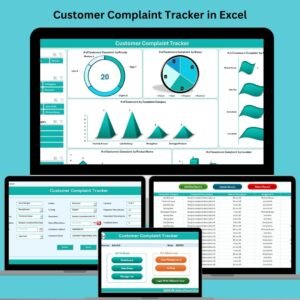
- Customer Complaint Tracker in Excel: for complaints that need a formal record
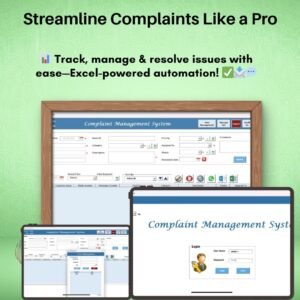
- Complaint Management System V1.0 in Excel: a full complaint system with forms
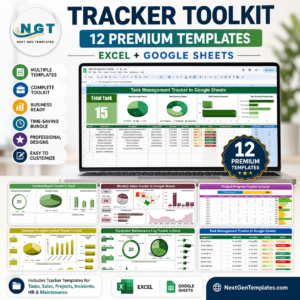
- Tracker Toolkit: 12 tracker templates in one bundle
Browse all Excel trackers or the Excel VBA tools.















Reviews
There are no reviews yet.