


Manage Office Visitors Smartly with the Office Visitor Request Tracker in Excel!
Say goodbye to messy visitor logs, unclear approvals, and missing records. The Office Visitor Request Tracker in Excel is a powerful, VBA-enabled tool that allows you to log, track, and analyze visitor requests with ease—all from your trusted Microsoft Excel platform.
Designed for office managers, security teams, and front desk personnel, this ready-to-use tracker ensures better control, cleaner data, and smarter visitor management—no additional software required!
✨ Key Features of Office Visitor Request Tracker in Excel
🔐 Login System for Secure Access
Built-in user authentication allows only authorized personnel to use the tool. Set usernames, passwords, and manage access roles easily.
📝 Main Form Interface for Central Control
Navigate to every core function—Add, Update, Delete Records—with just one click. Simple and efficient layout with quick navigation.
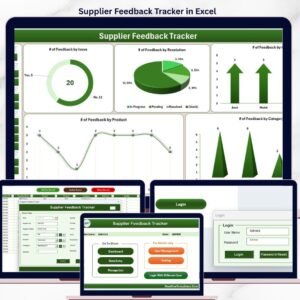
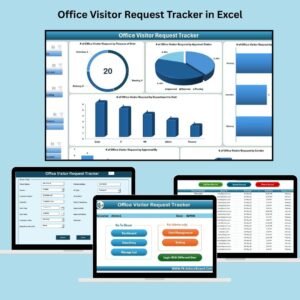
📊 Dynamic Dashboard with Real-Time Analytics
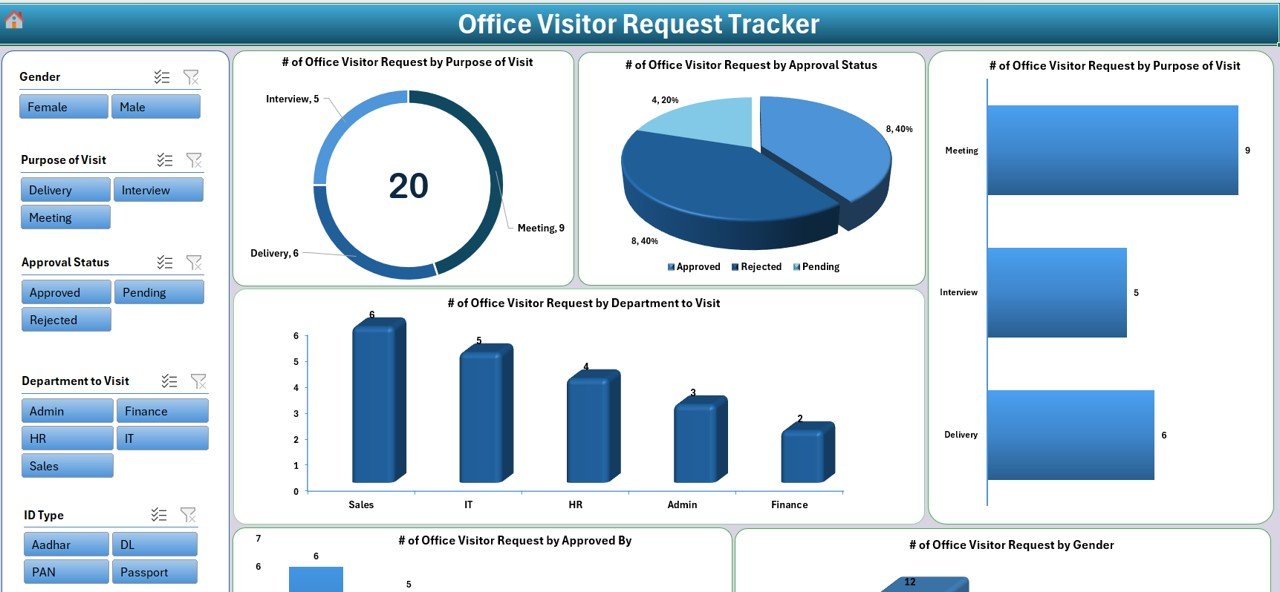
Visual insights from every visitor entry! Includes:
Doughnut chart for Purpose of Visit
Pie chart for Approval Status
Column chart for Department-wise visits
Bar charts for Approver Trends and Gender Distribution
6 Slicers for filtered analysis
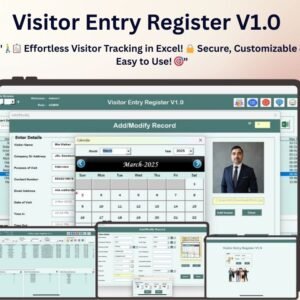
📥 Easy-to-Use Data Entry Form
Capture all visitor details—name, contact, ID info, purpose, approval status, and timestamp—with an intuitive form that updates records and the dashboard instantly.
🧾 Structured Data Table
Every entry is logged in a clean, sortable format: Visitor ID, Contact Info, Visit Date/Time, Department, Approver, and more.
🧑💼 Manage List Sheet for Drop-Down Control
Customize dropdowns without coding. Easily manage:
Departments
Purpose of Visit
Approval Status
Gender
ID Types
Approvers
🛠️ User Management Module
Add or delete users, reset passwords, and configure access privileges—all in one place.
📌 Offline Access with No Subscription Needed
Works completely offline. Perfect for private and secure office environments.
📂 What’s Inside the Excel Tool
🟩 Login Form Sheet – Secure user login
📋 Main Form – Central operations hub
📊 Dashboard Sheet – Auto-updating insights and visual analytics
📥 Data Entry Sheet – Raw data table of all visitor logs
🧑💼 Manage List Sheet – Edit dropdown lists easily
📊 Support Sheet – Backend logic for dashboards (no edits needed)
👤 User Management Sheet – Add/remove users, reset passwords
⚙️ Settings Sheet – Reserved for future enhancements
🛠️ How to Use the Visitor Tracker
1️⃣ Download & Open File
Enable macros when prompted.
2️⃣ Login Using Admin Credentials
Default: Admin1 / abcd. Create new users via the User Management module.
3️⃣ Click “Add New Record”
Enter visitor details via the form. Data and dashboards update instantly.
4️⃣ Review Dashboards
Use slicers to analyze by department, approver, status, and more.
5️⃣ Update Lists
Modify drop-down values via the Manage List tab—no coding required!
👥 Who Can Use This Excel Tool?
🏢 Office Admins & Receptionists – Track daily visitor logs
🛡️ Security Personnel – Maintain secure entry/exit records
💻 IT Teams – Control digital access records
👨💼 Facility Managers – Analyze visitor trends for planning
📊 HR Departments – Review visits during audits or compliance checks
🔗 Click here to read the Detailed blog post
📺 Visit our YouTube channel to learn step-by-step video tutorials
Watch the step-by-step video tutorial:
Compatibility and Requirements
- Works in Microsoft Excel desktop on Windows with macros enabled.
- The login, forms and buttons run on VBA, so the file does not work in Excel for the web, Google Sheets or Excel mobile apps.
- Microsoft explains how to turn macros on in Enable or disable macros in Microsoft 365 files.
Frequently Asked Questions
What visitor details does the form capture?
The data entry form records the visitor name, contact, ID information, purpose of visit, approval status and timestamp, along with department and approver.
Which charts are on the dashboard?
A doughnut chart for purpose of visit, a pie chart for approval status, a column chart for department visits and bar charts for approver trends and gender, with 6 slicers to filter them.
Can I change the dropdown options?
Yes. Edit departments, purposes of visit, approval statuses, gender, ID types and approvers on the Manage List sheet.
Can more than one person use it?
Yes. The User Management sheet lets you add or delete users, reset passwords and set access rights.
Does it need an internet connection?
No. It works offline in Excel with no subscription.
Related Visitor Management Templates
- Office Visitor Request Tracker in Google Sheets: the same tracker in Google Sheets
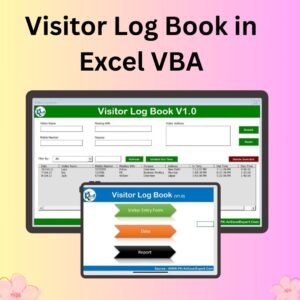
- Visitor Log Book in Excel VBA: a visitor log book in Excel VBA
- Visitor Entry Register V1.0 in Excel: a visitor entry register in Excel
- Visitor Entry Management System Web App Template: manage visitor entry as a web app
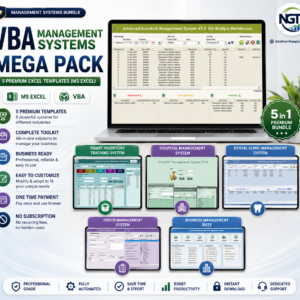
- VBA Management Systems Mega Pack: 5 VBA management systems in one bundle
Browse all Excel trackers or the Excel VBA tools.







Reviews
There are no reviews yet.