

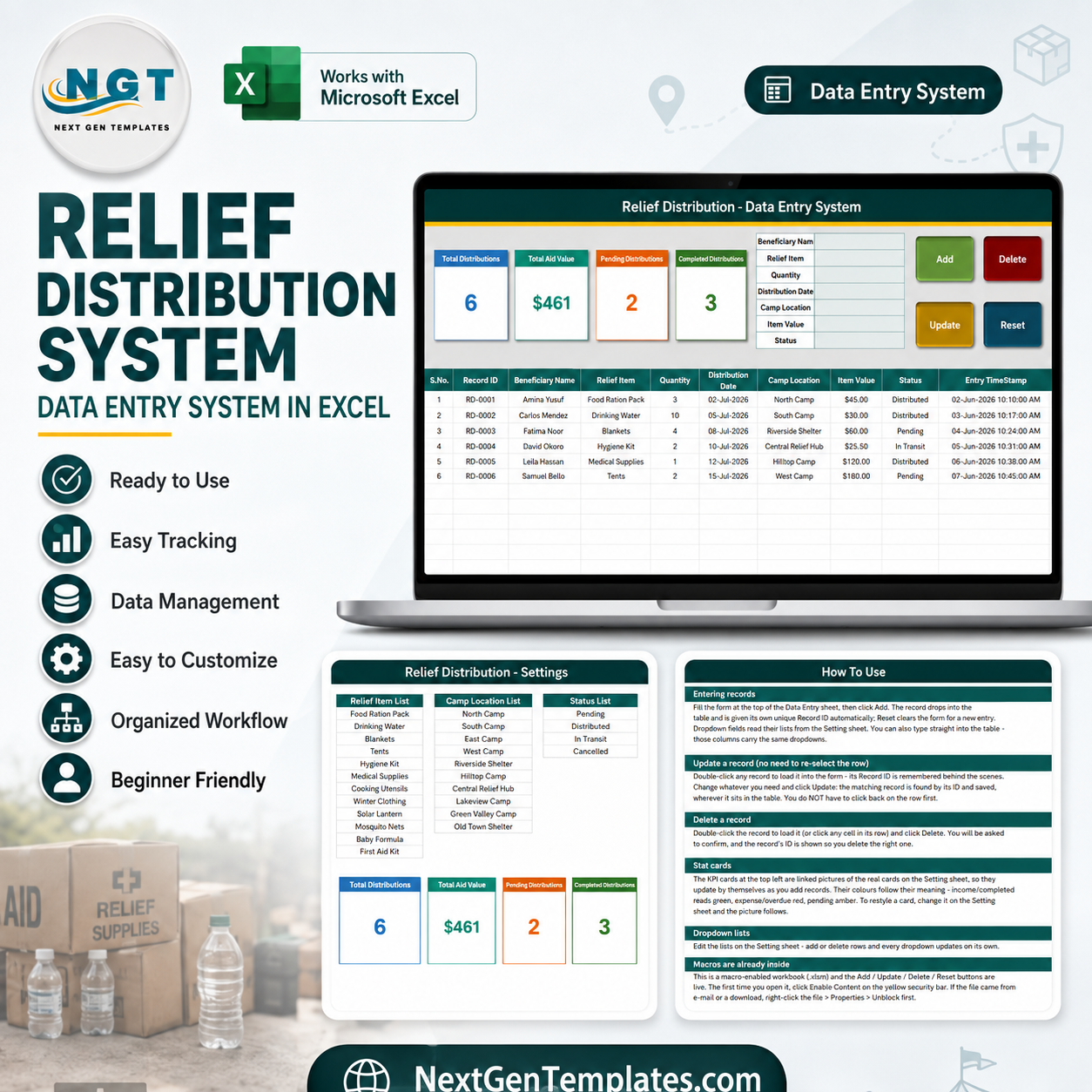
The Relief Distribution Data Entry System in Excel is a 4-sheet macro-enabled workbook that captures 7 fields per distribution record across 10 table columns, summarises them in 4 live KPI cards, and drives everything from 4 VBA buttons. It ships with 12 relief items, 10 camp locations and 4 status values already in its dropdown lists. Setup takes under 10 minutes: delete the six sample records, rewrite the three lists on the Setting sheet, and start entering.
🌍 Join 8,400+ teams in 40+ countries using NextGenTemplates to replace paid SaaS tools with one-time-purchase Excel, Google Sheets, Power BI, and HTML templates.
✅ Instant download · One-time payment · No subscription · No per-user fees · Lifetime access
This is a record-keeping workbook, not a decision tool. It stores what your own staff typed about what your organisation distributed. It does not determine who should receive anything, does not assess need, and makes no claim about any humanitarian standard or reporting framework.
🔑 Key Features of the Relief Distribution Data Entry System
💾 A 7-field form that writes a 10-column record. You fill in Beneficiary Name, Relief Item, Quantity, Distribution Date, Camp Location, Item Value and Status. The workbook adds the S.No., a unique Record ID and an Entry TimeStamp itself, so every row is stamped and traceable without extra typing.
🔢 Record IDs are generated, never typed. Each new record receives an ID in the RD-0001 format. Because Update and Delete find records by that ID rather than by row position, you can sort or filter the table freely and the buttons still hit the right record.
📊 Four KPI cards that recalculate on every entry. Total Distributions counts the records, Total Aid Value sums the Item Value column, Pending Distributions counts rows marked Pending, and Completed Distributions counts rows marked Distributed. The cards on the Data Entry sheet are linked pictures of the real cards on the Setting sheet, so restyling one restyles both.
🖱️ Four working VBA macros. Add appends a record, Update saves an edit, Delete removes a record after a confirmation that names the ID, and Reset clears the form. Double-click any row to load it back into the form — you do not have to click the row again before pressing Update.
📋 Three dropdown lists you own. Relief Item, Camp Location and Status read their values from the Setting sheet. Add or delete rows there and every dropdown updates on its own, in both the form and the table columns.
📦 What’s Inside the Relief Distribution Data Entry System
The workbook has four sheets. Three of them are pictured below; the fourth is described in text.
Sheet 1: Data Entry
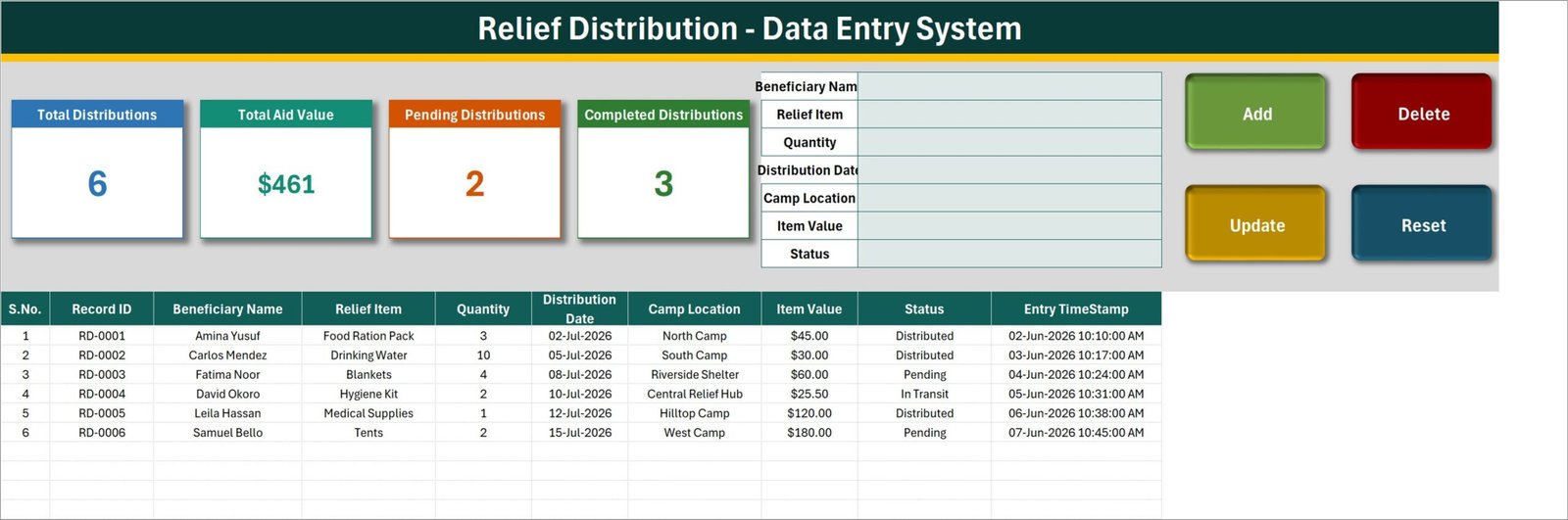
The working screen. Four KPI cards sit across the top — Total Distributions, Total Aid Value, Pending Distributions and Completed Distributions — beside the 7-field entry form and the Add, Update, Delete and Reset buttons. Below them the records table runs across ten columns: S.No., Record ID, Beneficiary Name, Relief Item, Quantity, Distribution Date, Camp Location, Item Value, Status and Entry TimeStamp. The six rows shown are demo data supplied with the file.
Sheet 2: Setting
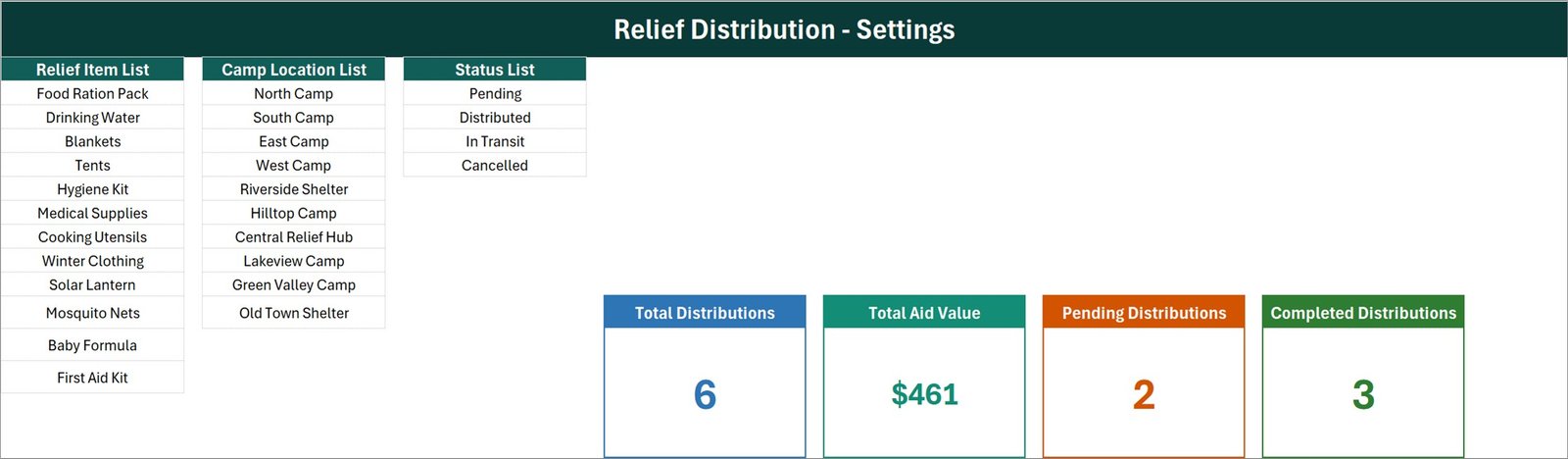
Holds the three dropdown lists and the original KPI cards. The Relief Item List ships with 12 entries (Food Ration Pack, Drinking Water, Blankets, Tents, Hygiene Kit, Medical Supplies, Cooking Utensils, Winter Clothing, Solar Lantern, Mosquito Nets, Baby Formula, First Aid Kit), the Camp Location List with 10, and the Status List with 4 (Pending, Distributed, In Transit, Cancelled). Every one of these is placeholder text you are meant to overwrite with your own item and location names.
Sheet 3: Instructions
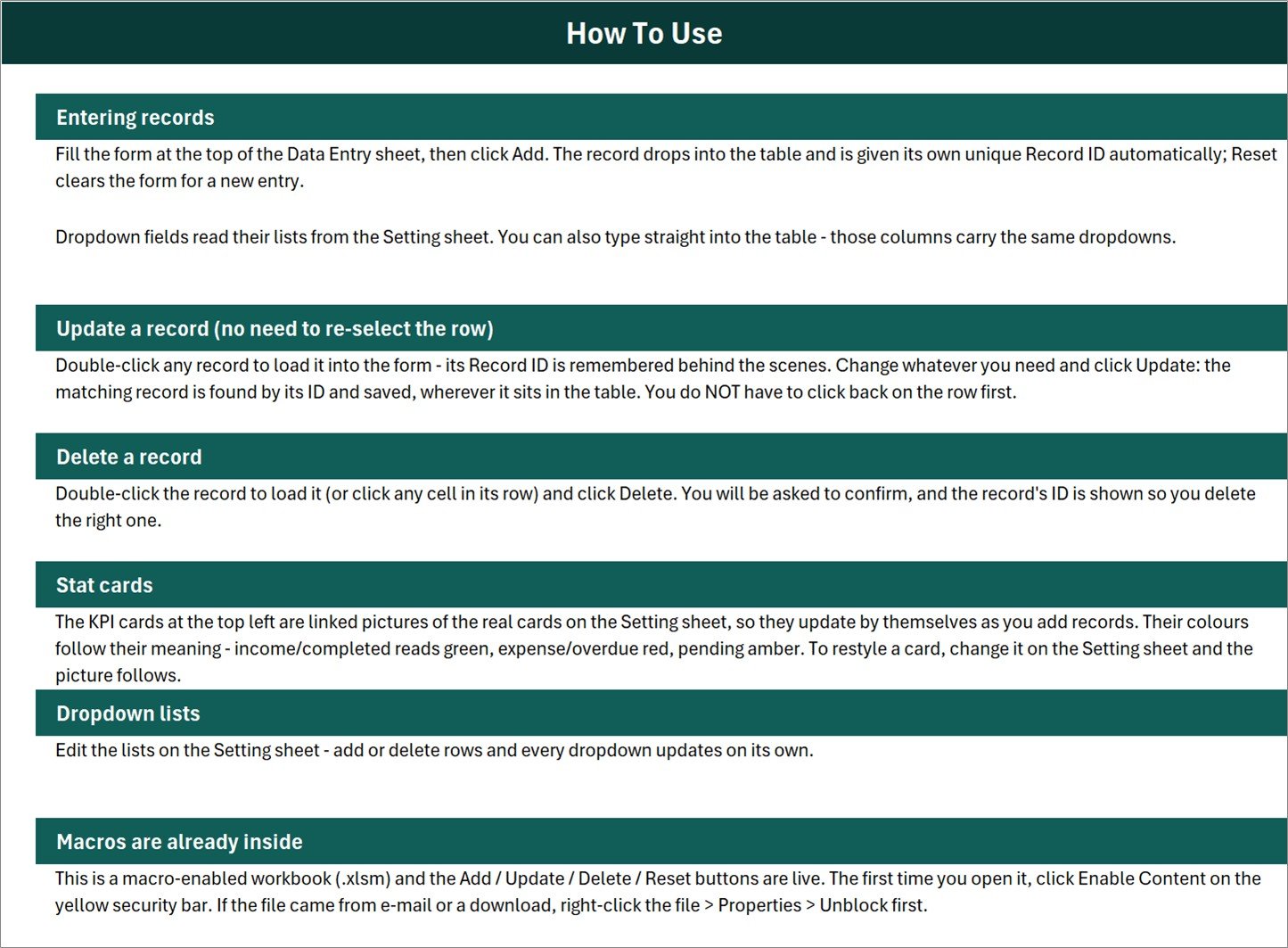
A one-page How To Use reference covering entering records, updating without re-selecting the row, deleting safely, how the stat cards work, editing the dropdown lists, and enabling macros the first time you open the file.
Sheet 4: Get More Templates
A short link sheet pointing to the wider NextGenTemplates catalogue — Data Entry Systems, Excel Dashboards, Google Sheets templates, Power BI dashboards and Apps Script web apps. It holds no data and can be deleted without affecting anything else in the workbook.
📊 Relief Distribution Data Entry System vs. a Google Sheets Form vs. Paid Case-Management SaaS — Where This Fits
| Feature | Relief Distribution Data Entry System in Excel | Google Sheets + Forms | Salesforce Nonprofit Cloud / Zoho Creator |
|---|---|---|---|
| Cost | $6.99 one-time ✅ | Free, but built by you | $25-150 / user / month |
| Platform | Desktop Microsoft Excel (.xlsm) | Browser | Browser / mobile app |
| Setup time | Under 10 minutes ✅ | 2-6 hours to build | Days to weeks, often with a consultant |
| Works fully offline | Yes ✅ | No | No |
| Real-time team collaboration | No — one file, one editor | Yes ✅ | Yes ✅ |
| Edit a record without finding its row | Yes — matched by Record ID ✅ | Manual lookup | Yes ✅ |
| Customisable dropdown lists | Yes, on one sheet ✅ | Yes | Yes, via admin config |
| Data leaves your machine | Never ✅ | Stored in Google Drive | Stored on vendor servers |
| Year-1 cost at 5 users | $6.99 ✅ | $0 + your build time | $1,500-9,000 |
For a small team that needs a clean, offline distribution log without paying per user or waiting on an IT rollout, the Relief Distribution Data Entry System sits in the sweet spot.
👥 Who This Template Is For — and Who It’s Not For
✅ This template is built for:
- Small charities and community groups recording what they handed out, item by item
- Field or store coordinators who need one tidy list instead of several loose spreadsheets
- Programme administrators who want a fixed set of item and location names so entries stay consistent
- Anyone who works offline and wants their records to stay on their own machine
❌ This template is NOT for:
- Teams needing several people entering records at the same time — it is a single-file desktop workbook with no multi-user editing
- Anyone expecting compliance with a humanitarian standard, donor framework or grant reporting format — it makes no such claim and produces no such report
- Beneficiary targeting, eligibility screening or needs assessment — the workbook records decisions, it does not make them
- Mac or web Excel users, Google Sheets users, or anyone who cannot enable macros — the buttons need desktop Excel VBA
- Organisations that cannot store beneficiary names in a local spreadsheet under their own data-protection policy
⚙️ How to Use the Relief Distribution Data Entry System
- Unzip the download and open Relief_Distribution_System.xlsm in desktop Microsoft Excel, then click Enable Content on the yellow bar.
- Open the Setting sheet and replace the sample relief items, camp locations and status values with your own. Add or delete rows freely.
- Return to Data Entry and delete the six demo records from the table.
- Fill the form — Beneficiary Name, Relief Item, Quantity, Distribution Date, Camp Location, Item Value, Status — and click Add.
- To change a record, double-click it in the table, edit the form and click Update. To remove one, load it and click Delete, then confirm the ID shown.
- Watch the four KPI cards update as you go. Click Reset whenever you want a clean form.
💼 Real-World Use Cases
Meera coordinates a small community food programme. She uses the Relief Distribution Data Entry System to log every ration pack handed out, which location it went to, and whether it is still pending or already distributed — so her monthly committee update is one glance at the KPI cards rather than an evening of counting paper slips.
Daniel manages a church storeroom. He rewrote the Relief Item List to match the twelve goods his group actually stocks and the Camp Location List to name the four estates they serve. Every volunteer now picks from the same dropdowns, so the item names in his records are finally consistent.
Priya runs a two-person charity office. She keeps the workbook on one laptop, enters records as receipts come back from the field, and uses the Status column to see what is still in transit — without paying a per-seat monthly fee for a case-management platform her team would barely use.
❓ Frequently Asked Questions
What does the Relief Distribution Data Entry System actually record?
The Relief Distribution Data Entry System records seven fields your staff enter per distribution: Beneficiary Name, Relief Item, Quantity, Distribution Date, Camp Location, Item Value and Status. It stores what your organisation says it distributed. Every figure in the file is a number someone typed, not a verified or audited one.
Does this template meet humanitarian or donor reporting standards?
No. The Relief Distribution Data Entry System makes no claim about any humanitarian standard, donor requirement, grant framework or audit format, and it produces no compliance report. It is a plain record-keeping workbook. Check any external reporting obligation against that requirement yourself.
How does Total Aid Value calculate?
Total Aid Value sums the Item Value column exactly as entered. It does not multiply Item Value by Quantity, so treat Item Value as the total value of that record, not a unit price. With the six demo rows the card reads $461, which is the sum of those six Item Value figures.
Can more than one person use it at the same time?
No. The Relief Distribution Data Entry System is a single desktop Excel file with VBA macros, so one person edits it at a time. If you need concurrent entry from several devices, a browser-based tool suits you better than this workbook.
How long does setup take?
Under 10 minutes. Enable macros, rewrite the three lists on the Setting sheet with your own item names, locations and statuses, then delete the six sample records. The four KPI cards and every dropdown adjust to your lists automatically.
It stores beneficiary names — what about data protection?
The Beneficiary Name column holds personal data, so the file is subject to your own organisation’s data-protection policy. Store it somewhere access-controlled, be careful who you e-mail it to, and remove or pseudonymise names if your policy requires it. The template provides no encryption or access control of its own.
How does this compare with paid case-management software?
Platforms like Salesforce Nonprofit Cloud or Zoho Creator offer multi-user access, mobile apps and workflow automation for roughly $25-150 per user per month. The Relief Distribution Data Entry System does none of that — it gives you one offline, structured log for $6.99 once.
👤 About the Author
Built by PK — Microsoft Certified Professional with 15+ years of Excel, Google Sheets, and Power BI experience. Founder of NextGenTemplates, reaching 300K+ subscribers across YouTube channels (@PK-AnExcelExpert, @NextGenTemplates, @NeoTechNavigators). Every template is hand-built and tested before release.
🔗 Explore Related Templates
If you record what goes out as well as what comes in, the Fertilizer Usage Data Entry System in Excel uses the same form-and-KPI layout for consumable stock, and the Livestock Register Data Entry System in Excel applies it to animal records. For office-side paperwork, the Petty Reimbursement Data Entry System in Excel logs small cash claims the same way.
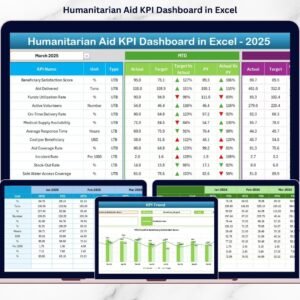
When you want charts rather than a log, the Disaster Relief KPI Dashboard in Excel and the Humanitarian Aid KPI Dashboard in Excel present programme figures visually. Browse more in MS Excel Templates and Excel VBA Tools.
📖 Click here to read the Detailed Blog Post
🎥 Visit our YouTube channel for step-by-step video tutorials
👉 YouTube.com/@NextGenTemplates
📅 Last updated: August 2026




























Reviews
There are no reviews yet.