



When emergencies strike, every second counts. The Office Emergency Contact Tracker in Excel is a powerful, ready-to-use tool built with VBA automation to help organizations store, manage, and access employee emergency details instantly. From secure logins to real-time dashboards, this tracker ensures that your team can respond quickly and confidently in critical situations.
This Excel-based solution is designed for HR teams, facility managers, safety officers, and administrators who want a centralized, automated, and reliable system — without needing expensive software or cloud subscriptions.
✨ Key Features of the Office Emergency Contact Tracker

✅ 🔐 Secure Login System – Protects sensitive employee information with User ID and Password authentication. Only authorized users can view or modify records.
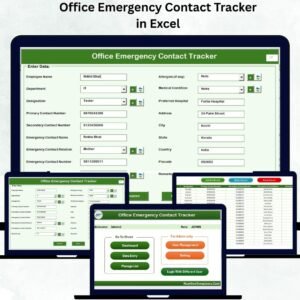
✅ 📋 Interactive Main Form – A user-friendly control panel where you can add, update, or delete records instantly. Every button is clearly labeled, making navigation smooth even for non-technical users.
✅ 📊 Dynamic Dashboard – Automatically updates in real-time with 4 slicers and 6 analytical charts, including:
Number of Contacts by Department
Allergies, Medical Conditions, Blood Group, Designation, and Relation
✅ 🧩 Data Entry Automation – Add new records, update existing ones, or remove outdated entries — all automated with VBA forms for accuracy and speed.
✅ 🧾 Manage Lists Easily – Modify dropdown lists for departments, designations, or relations from one place to maintain clean, error-free data.
✅ 👥 Multi-User Access & Management – Add multiple users with unique credentials using the User Management System. Perfect for large organizations with different departments.
✅ ⚙️ Settings Customization – Configure dashboard defaults, field validations, and sheet settings based on your organization’s policies.
✅ 💾 Offline & Cost-Effective – Runs entirely in Excel — no external installation or subscription required.
📦 What’s Inside the Office Emergency Contact Tracker
When you download this Excel + VBA tracker, you’ll receive:
🧮 Dashboard Sheet Tab – A visual summary showing emergency readiness metrics with dynamic charts and slicers.
📑 Data Entry Sheet Tab – The central data table where all employee emergency contact details are automatically recorded.
🧰 Manage List Sheet Tab – To manage dropdown items for Departments, Designations, and Relationships seamlessly.
🧱 Support Sheet Tab – The backend engine that powers the charts through Pivot Tables and data models.
👤 User Management Module – Add, edit, or delete user accounts with secure credentials.
⚙️ Settings Sheet Tab – Store default configurations and system preferences for easier setup and modification.
Each sheet and form is professionally structured for easy navigation, automation, and instant visualization.
🧭 How to Use the Office Emergency Contact Tracker
Getting started is simple — no technical expertise needed!
1️⃣ Open the Excel File and enable macros to activate VBA automation.
2️⃣ Login using your credentials (default: Admin1 / abcd).
3️⃣ Access the Main Form to manage all contact records.
4️⃣ Use the Add New Record button to input employee information and emergency contact details.
5️⃣ Update or Delete Records anytime — all changes reflect instantly on the Dashboard.
6️⃣ Manage dropdown options via the Manage List Sheet for clean data entry.
7️⃣ Check the Dashboard Sheet to visualize key insights like department-wise or medical-based summaries.
8️⃣ Use User Management to add multiple authorized users for team-based control.
💡 Tip: Backup your file weekly and use strong passwords for maximum data security.
👥 Who Can Benefit from This Tracker
🏢 Corporate Offices – Keep your entire workforce’s emergency information organized and secure.
🏥 Hospitals & Clinics – Maintain up-to-date contact lists for doctors, nurses, and staff.
🏫 Schools & Colleges – Safely store emergency details for students and employees.
🏭 Factories & Industrial Units – Ensure fast response in medical or operational emergencies.
🏨 Hotels & Resorts – Track emergency contacts across departments and shifts.
🏛️ Government & Nonprofits – Comply with workplace safety standards efficiently.
Whether you manage a small office or a large organization, this tracker enhances safety preparedness, data reliability, and response efficiency.
🔗 Click here to read the Detailed Blog Post
🎥 Visit our YouTube channel to learn step-by-step video tutorials
Watch the step-by-step video tutorial:
Compatibility and Requirements
- Works in Microsoft Excel desktop on Windows with macros enabled. It does not run in Excel for the web, Google Sheets or on mobile.
- The login, forms and data entry buttons run on VBA, so you must allow macros when you open the file. Microsoft explains how in Enable or disable macros in Microsoft 365 files.
- Everything runs offline inside the Excel file. You need no extra software or subscription.
Frequently Asked Questions
Does this tracker need macros?
Yes. The login, the main form and the add, update and delete buttons are built with VBA, so macros must be enabled when you open the file.
What are the default login details?
The default login is Admin1 with the password abcd. You can add more users with their own credentials in the User Management module.
What does the dashboard show?
The dashboard has 4 slicers and 6 charts. It covers contacts by department, allergies, medical conditions, blood group, designation and relation, and it updates when records change.
Can I change the dropdown lists?
Yes. Use the Manage List sheet to edit the items for departments, designations and relations, so data entry stays consistent.
Is there a Google Sheets version?
Yes. See the Office Emergency Contact Tracker in Google Sheets.
Related Office Emergency Templates
- Office Emergency Contact Tracker in Google Sheets: the same tracker for Google Sheets
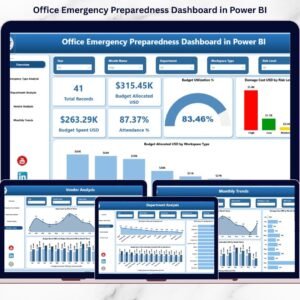
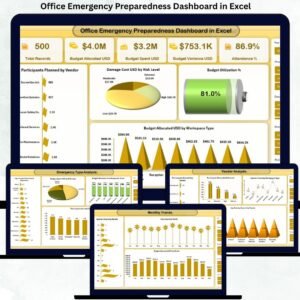
- Office Emergency Preparedness Dashboard in Excel: a dashboard view of emergency readiness
- Office Emergency Preparedness Dashboard in Power BI: the Power BI edition of the dashboard
- Employee Emergency Contact Update Tracker in Google Sheets: keeps employee contact details current
- Office Security Incident Report Tracker in Excel: logs security incidents in the office
Browse all Excel trackers or Excel VBA tools.





Reviews
There are no reviews yet.