

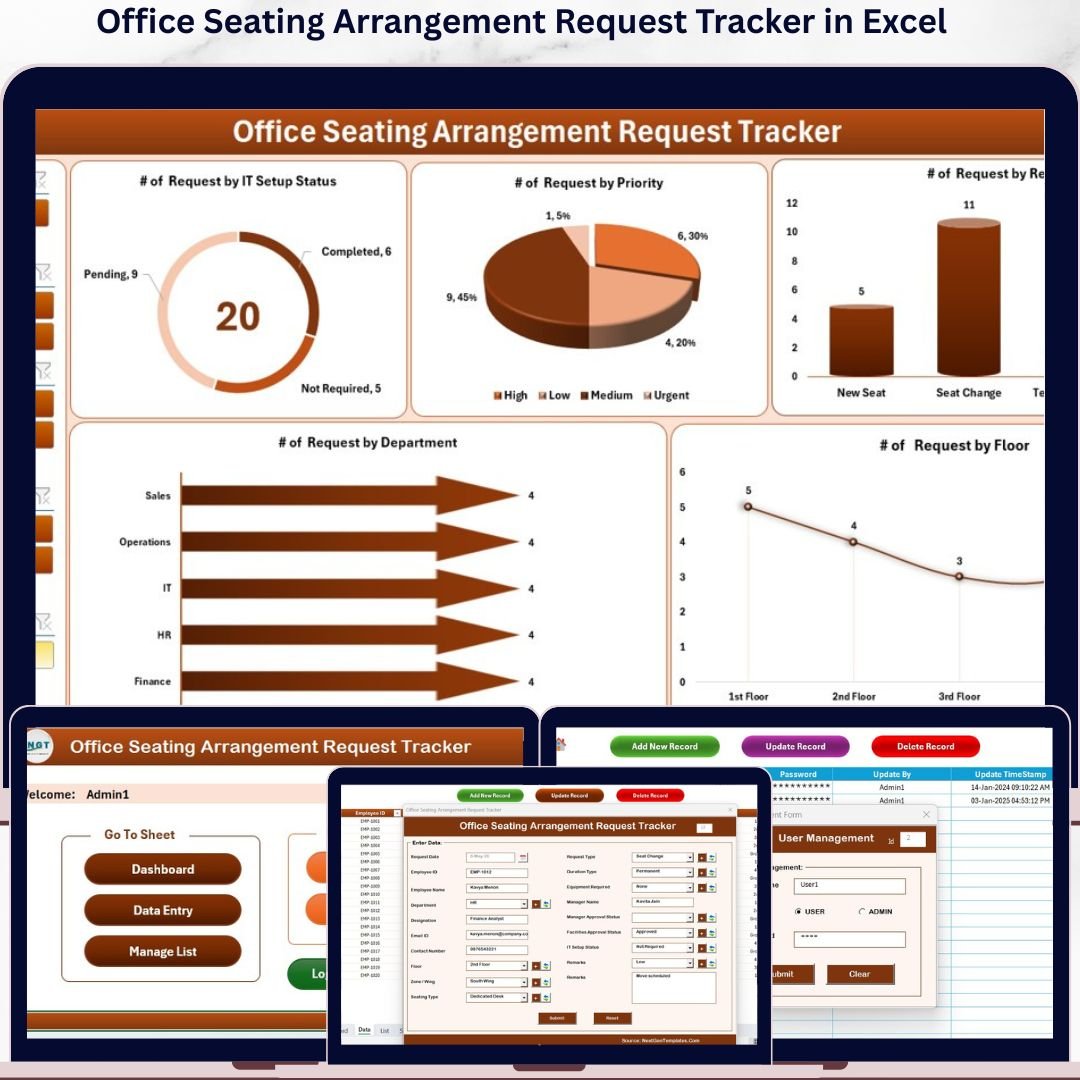
The Office Seating Arrangement Request Tracker in Excel manages 8 dedicated worksheets, processes employee seating requests through a VBA UserForm with Add, Update, and Delete operations, and visualizes all request data through 5 interactive charts with 4 slicers. Setup takes under 10 minutes — open the file, enable macros, and you’re tracking seating requests from day one.
🌍 Join 8,400+ teams in 40+ countries using NextGenTemplates to replace paid SaaS tools with one-time-purchase Excel, Google Sheets, Power BI, and HTML templates.
✅ Instant download · One-time payment · No subscription · No per-user fees · Lifetime access
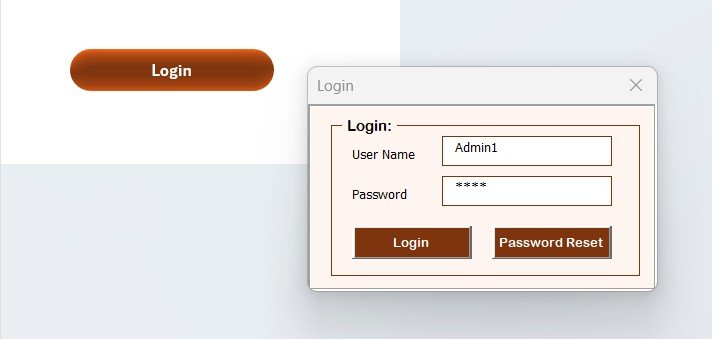
Office Seating Arrangement Request Tracker in Excel — Secure Login Form
🔑 Key Features of the Office Seating Arrangement Request Tracker in Excel
🔹 VBA-Powered Data Entry Form — Submit office seating arrangement requests through a structured UserForm that auto-saves data to the Data Sheet and refreshes the dashboard on submit. No manual row editing required.
🔹 Full CRUD Operations on the Data Sheet — Three VBA buttons handle all record management: Add New Record (opens a blank form), Update Record (opens a pre-filled form for the selected request ID), and Delete Record (with a confirmation prompt that prevents accidental data loss).
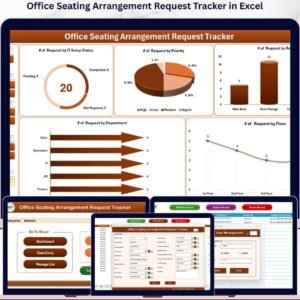
🔹 Interactive Dashboard with 5 Charts and 4 Slicers — The Dashboard sheet displays 5 pre-built charts covering request status breakdown, priority distribution, requests by department, requests by location, and request reason analysis — all filterable by 4 slicers for instant data cuts.
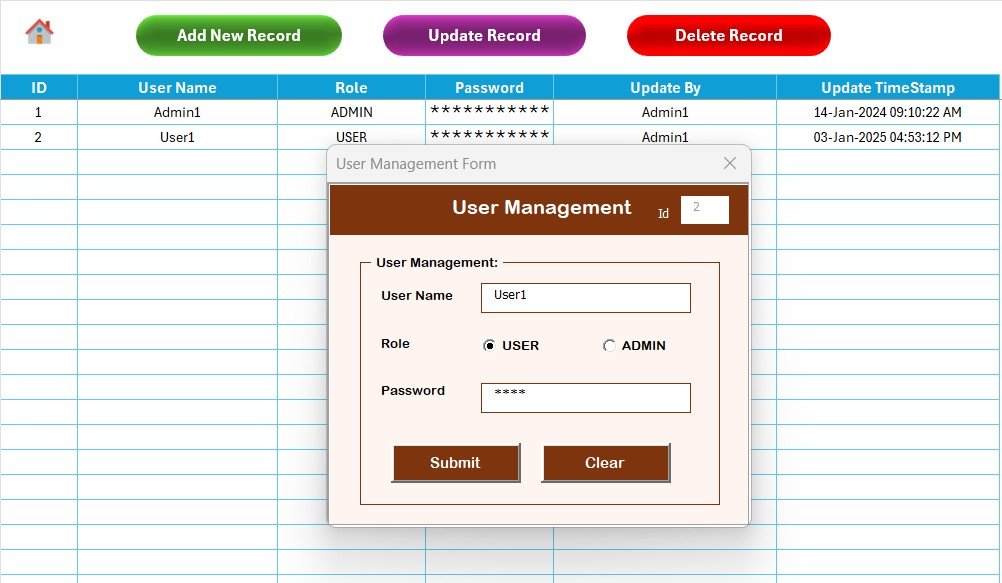
🔹 Login Form and User Management Sheet — A built-in authentication system pairs the Login Form sheet with a dedicated User Management Sheet, letting administrators control exactly who can access and modify seating request records.
🔹 Customizable List Sheet — All dropdown values in the UserForm — departments, locations, priority levels, request reasons, and status options — are driven by the List Sheet. Changes take effect immediately across the form with no VBA editing required.
🔹 Auto-Refresh After Every Submission — Every time a seating request is added or updated through the form, the Dashboard auto-refreshes. Charts and KPIs stay current without manual pivot table updates.
🔹 Settings Sheet for System Configuration — Configure system-level preferences such as company name, date formats, and display options without opening the VBA editor.
📦 What’s Inside the Office Seating Arrangement Request Tracker in Excel
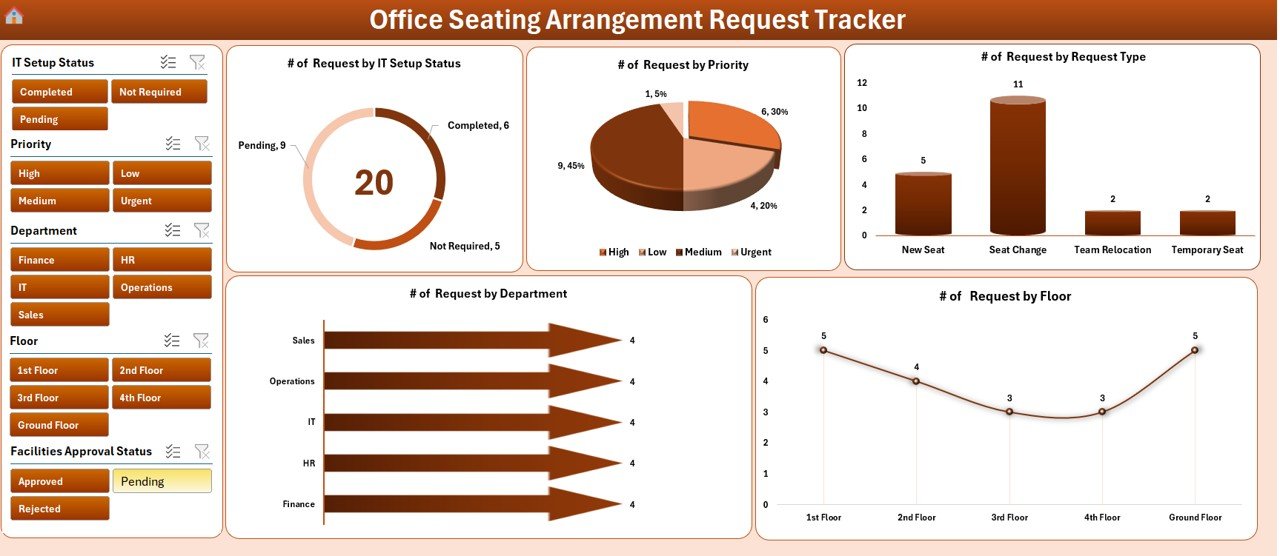
Dashboard — 5 interactive charts with 4 slicers for instant seating request analysis
The Office Seating Arrangement Request Tracker in Excel includes 8 purpose-built worksheets:
🔹 Login Form — Secure authentication screen before accessing the tracker.
🔹 Home Page — Navigation hub for quick access to all sheets.
🔹 Dashboard — 5 interactive charts (Status Breakdown, Priority Distribution, Requests by Department, Requests by Location, Request Reason Analysis) controlled by 4 slicers (Department, Location, Priority, Status).
🔹 Data Sheet — Central records repository with Add New Record, Update Record, and Delete Record VBA buttons.
🔹 List Sheet — Configure all dropdown options for the data entry form (departments, locations, priority levels, request reasons, status types).
🔹 Support Sheet — Pivot tables powering the dashboard charts. No action needed; hide this tab after setup.
🔹 Settings Sheet — System-level configuration for company name, preferences, and date settings.
🔹 User Management Sheet — Add or remove authorized users and manage their login credentials.
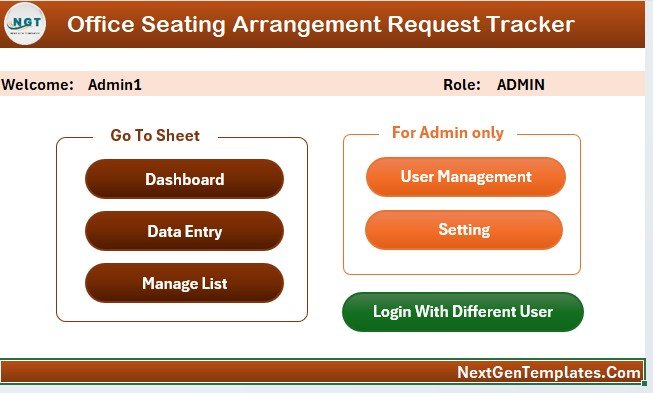
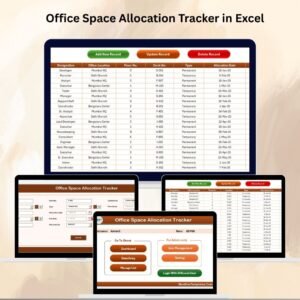
Home Page — central navigation hub linking every worksheet
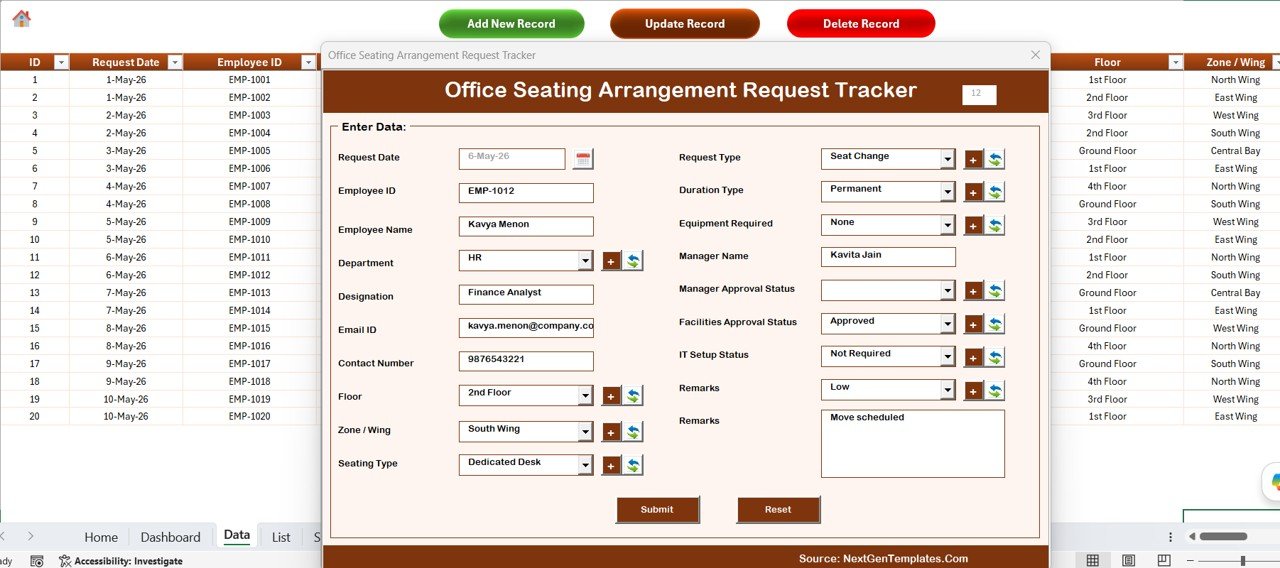
Data Sheet — Add New Record, Update Record, and Delete Record VBA buttons at the top
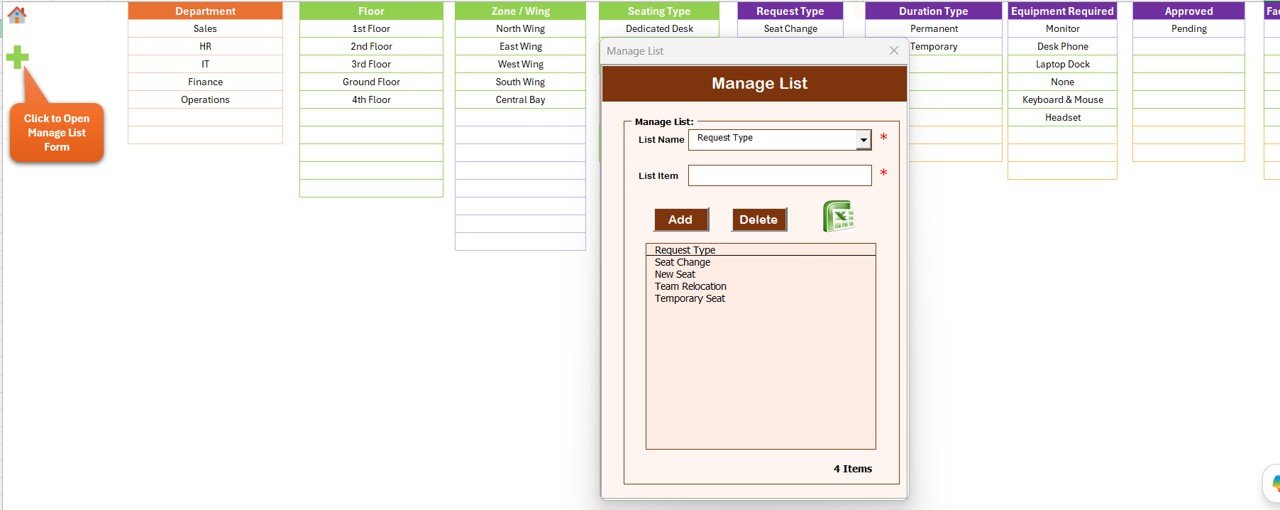
List Sheet — drives every dropdown in the VBA data entry form
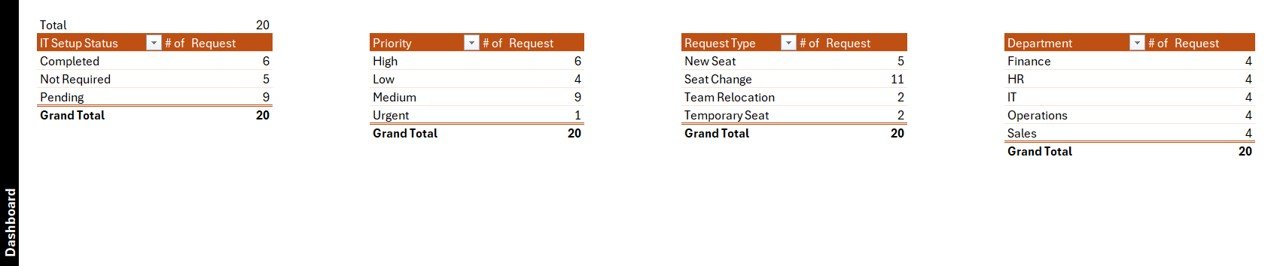
Support Sheet — pivot tables powering the dashboard charts
Settings Sheet — system-level configuration for company name and preferences
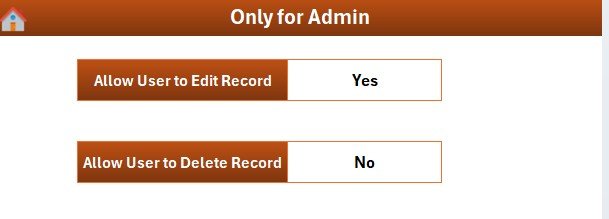
User Management Sheet — control who can access the tracker
📊 Office Seating Arrangement Request Tracker in Excel vs. Google Sheets vs. Robin / OfficeRnD — Where This Fits
| Feature | Office Seating Arrangement Request Tracker in Excel | Google Sheets Seating Tracker | Robin / OfficeRnD / Eptura (Workplace SaaS) |
|---|---|---|---|
| Cost | $6.99 one-time | $0–$9.99 one-time | $2.50–$10 / desk / month |
| Platform | Microsoft Excel — offline + online | Browser only, requires Google account | Cloud only, browser + mobile |
| Setup time | Under 10 minutes | 5–10 minutes | 2–5 days (onboarding + floor plan upload) |
| Login & User Control | ✅ Built-in login + user management sheet | ❌ Google sharing permissions only | ✅ SSO + role-based access |
| VBA Data Entry Form with validation | ✅ Add, Update, Delete via UserForm | ❌ Manual row entry or Google Forms | ✅ Web form (subscription required) |
| Offline access | ✅ Full offline functionality | ❌ Requires internet | ❌ Cloud-dependent |
| Customizable dropdowns | ✅ Edit List Sheet, no coding | ✅ Easy column editing | Limited by plan tier |
| Real-time multi-user edit | Limited (Excel Online only) | ✅ Live collaboration | ✅ Full real-time |
| Year-1 cost at 100 desks | $6.99 total | ~$0–$50 total | $3,000–$12,000 total |
For HR coordinators and facility admins who need structured seating request tracking without paying $2.50+ per desk per month, the Office Seating Arrangement Request Tracker in Excel sits in the sweet spot.
👥 Who This Template Is For — and Who It’s Not For
✅ This template is built for:
- HR coordinators and admin officers at 20–500 person companies who receive multiple weekly seating requests during onboarding, project ramps, or department reshuffles
- Facility managers tracking hot-desk swaps, hybrid-schedule seat allocation, and dedicated-desk requests across one or several locations
- Office managers at corporate offices, coworking spaces, schools, and hospitals managing employee seat moves and workspace reassignments
- Operations teams already using Excel daily who want to avoid $2,500+ annual subscriptions for workplace management SaaS
❌ This template is NOT for:
- Enterprise workplace teams needing interactive floor plans, IoT desk sensors, mobile booking apps, or visitor management integration
- Organizations requiring simultaneous editing by 10+ users in real time — consider a cloud workplace platform instead
- Google Workspace-exclusive teams — see the Office Seating Arrangement Request Tracker in Google Sheets instead
⚙️ How to Use the Office Seating Arrangement Request Tracker in Excel
- Download & Open — Unzip the file, open it in Microsoft Excel 2016 or later, and click “Enable Content” to activate the VBA macros.
- Set Up Users — Go to the User Management Sheet and add your team members’ names and credentials. Use the Settings Sheet to enter your company name and preferences.
- Configure Lists — Open the List Sheet and enter your departments, office locations, priority levels, request reasons, and status options. These populate every dropdown in the data entry form.
- Log a Seating Request — Go to the Data Sheet and click “Add New Record.” Fill in the employee name, department, location, priority, and request reason, then click Submit — the record saves and the Dashboard refreshes automatically.
- Update or Delete a Request — Click the ID of any record and hit “Update Record” to edit, or “Delete Record” to remove it (a confirmation prompt prevents accidental deletion).
- Monitor the Dashboard — Switch to the Dashboard sheet and use the 4 slicers to filter all 5 charts by department, location, priority, or status.
💼 Real-World Use Cases
Anita runs HR-Admin at a 250-employee fintech. She receives 5–10 weekly seating requests — new hires needing desks, project teams asking to sit together, employees requesting moves away from noisy zones. With the Office Seating Arrangement Request Tracker in Excel, each request is logged through the VBA form in under 30 seconds, assigned a priority, and her quarterly workspace review pulls directly from the Dashboard’s department and location charts.
Rohit manages facilities at a coworking space with 4 floors. His 2-person admin team handles 30+ weekly seat-change requests from member companies. The Login Form ensures only authorized staff can update records, and the priority distribution chart helps him batch-process low-priority requests every Friday instead of one-by-one.
A school operations officer switched from a paper-based seating request log to this tracker after spending two hours weekly reconciling handwritten staff requests across faculty rooms. The Delete Record confirmation replaced accidental overwrites, and the Request Reason chart now shows that “noise complaints” account for 40% of all requests — leading to a permanent quiet-zone designation on the second floor.
❓ Frequently Asked Questions
What does the Office Seating Arrangement Request Tracker in Excel contain?
The Office Seating Arrangement Request Tracker in Excel contains 8 worksheets: Login Form, Home Page, Dashboard (5 charts, 4 slicers), Data Sheet (VBA Add / Update / Delete buttons), List Sheet, Support Sheet, Settings Sheet, and User Management Sheet. All VBA macros are included in the download.
Do I need VBA knowledge to use this tracker?
No. The Office Seating Arrangement Request Tracker in Excel is fully pre-built and ready to use. Open it in Microsoft Excel, enable macros, and start logging seating requests immediately. The only setup needed is entering your departments and office locations in the List Sheet — no coding required.
What version of Microsoft Excel is required?
The Office Seating Arrangement Request Tracker in Excel requires Microsoft Excel 2016 or later on Windows. Excel for Mac has limited VBA UserForm support. Microsoft Excel 365 on Windows is fully supported and recommended.
How does this compare to Robin, Tactic, or OfficeRnD Workplace?
Robin, Tactic, and OfficeRnD typically cost $2.50–$10 per desk per month and require internet connectivity, vendor onboarding, and floor plan uploads. The Office Seating Arrangement Request Tracker in Excel is a one-time $6.99 purchase, works completely offline, and covers all core seating request logging and tracking needs for most small-to-medium offices — without any recurring fees or onboarding overhead.
Can I add more departments, locations, or priority levels to the form?
Yes. Open the List Sheet and add or remove entries in the relevant columns. The dropdown menus in the VBA data entry form update automatically — no VBA editing needed. You can add an unlimited number of departments, locations, priority levels, request reasons, and status options.
Is the macro-enabled Excel file safe to use?
Yes. The file is an Excel workbook (.xlsm) with VBA macros built and tested by NextGenTemplates. The Enable Content prompt is standard for any macro-enabled workbook. The macros are used exclusively for form submission, record updates, dashboard refresh, and user management.
Can multiple people use this seating tracker simultaneously?
The Office Seating Arrangement Request Tracker in Excel is designed for single-user or sequential use. For real-time multi-user collaboration, save it to a shared network drive or switch to the Google Sheets version. Simultaneous editing in standard Excel can cause data conflicts.
👤 About the Author
Built by PK — Microsoft Certified Professional with 15+ years of Excel, Google Sheets, and Power BI experience. Founder of NextGenTemplates, reaching 300K+ subscribers across YouTube channels (@PK-AnExcelExpert, @NextGenTemplates, @NeoTechNavigators). Every template is hand-built and tested before release.
🔗 Explore Related Templates
Also available in Google Sheets: Office Seating Arrangement Request Tracker in Google Sheets — same core functionality built for Google Workspace teams.
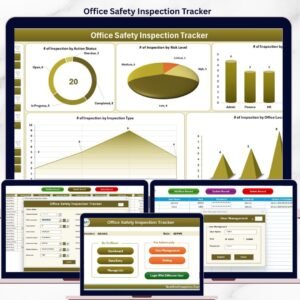
More office and HR-admin trackers: Office Cleaning Request Tracker in Excel | Office Safety Inspection Tracker in Excel | Office Space Allocation Tracker in Google Sheets | Employee Satisfaction Survey Tracker in Excel
Browse all Excel Tracker Templates or explore the full Excel VBA Tools collection.
📖 Click here to read the Detailed Blog Post
🎥 Visit our YouTube channel for step-by-step video tutorials
👉 YouTube.com/@NextGenTemplates








Reviews
There are no reviews yet.